Webster Parish Extract of Trust Form
Last validated October 26, 2026 by our Forms Development TeamFormatted for recording in Webster Parish, for property anywhere in the parish: rural and unincorporated areas as well as Cotton Valley, Cullen, Doyline, Dubberly, Heflin, Minden, Sarepta, Shongaloo and 2 more.
- 3 documents included
- Immediate PDF download
- Formatting guarantee
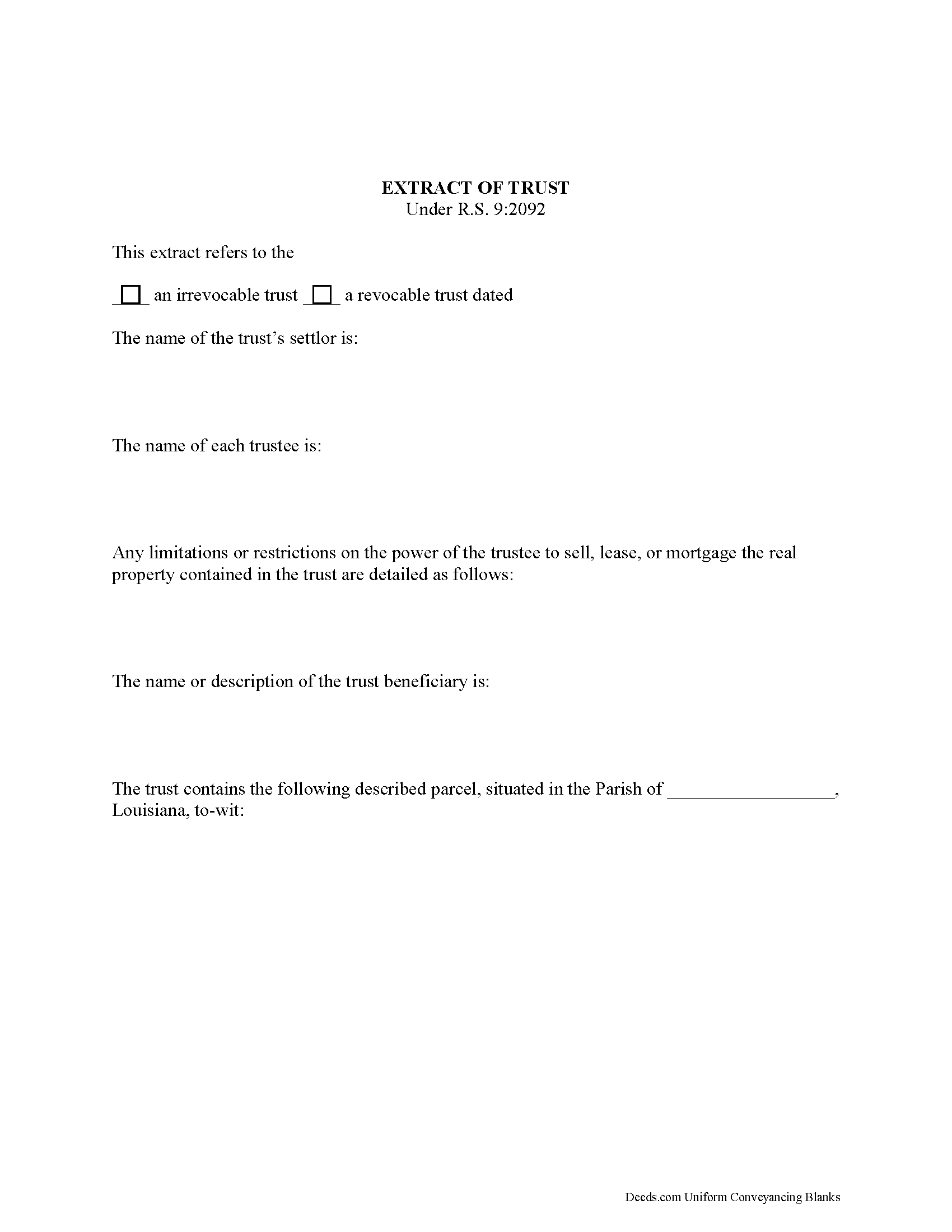
Webster Parish Extract of Trust Form
Fill in the blank form formatted to comply with all recording and content requirements.
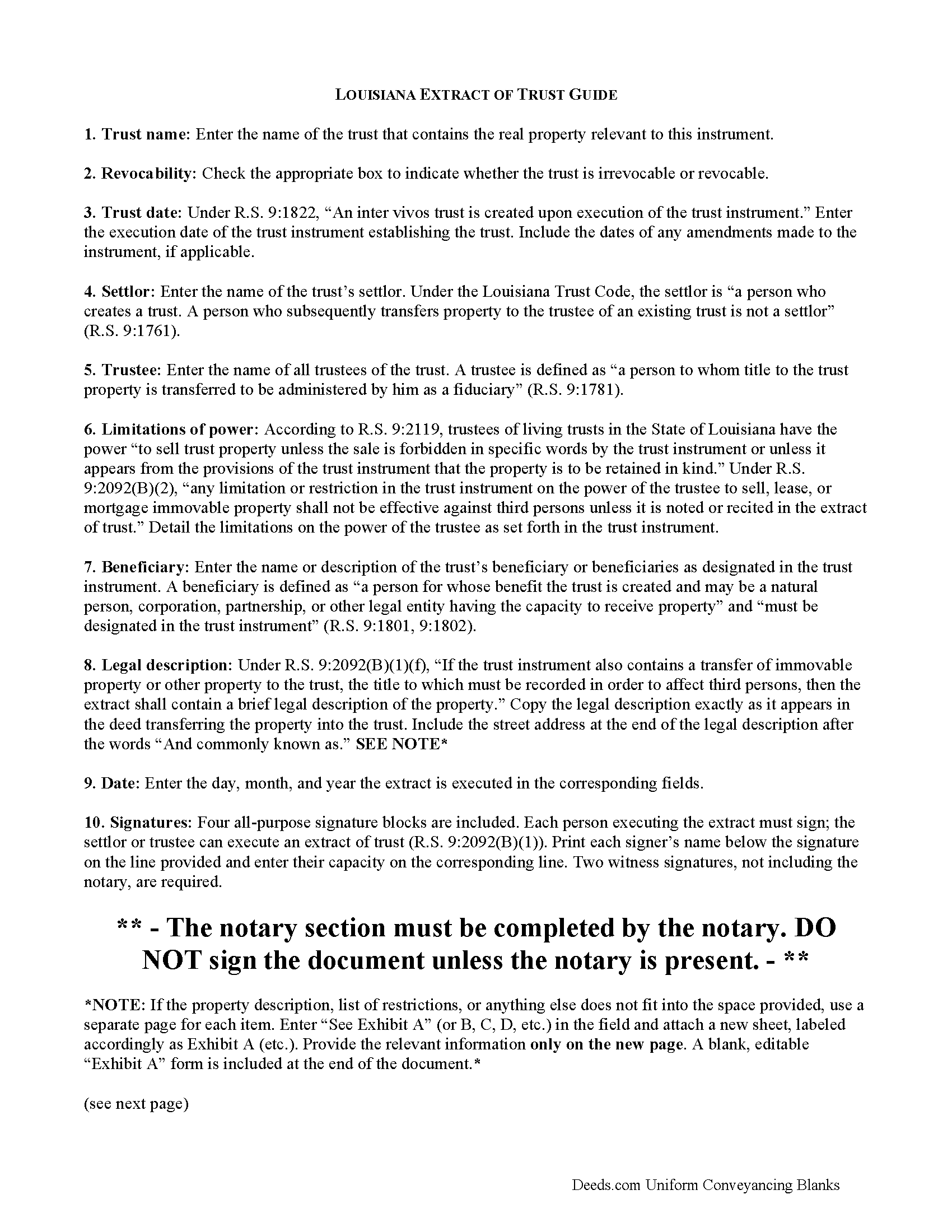
Webster Parish Extract of Trust Guide
Line by line guide explaining every blank on the form.
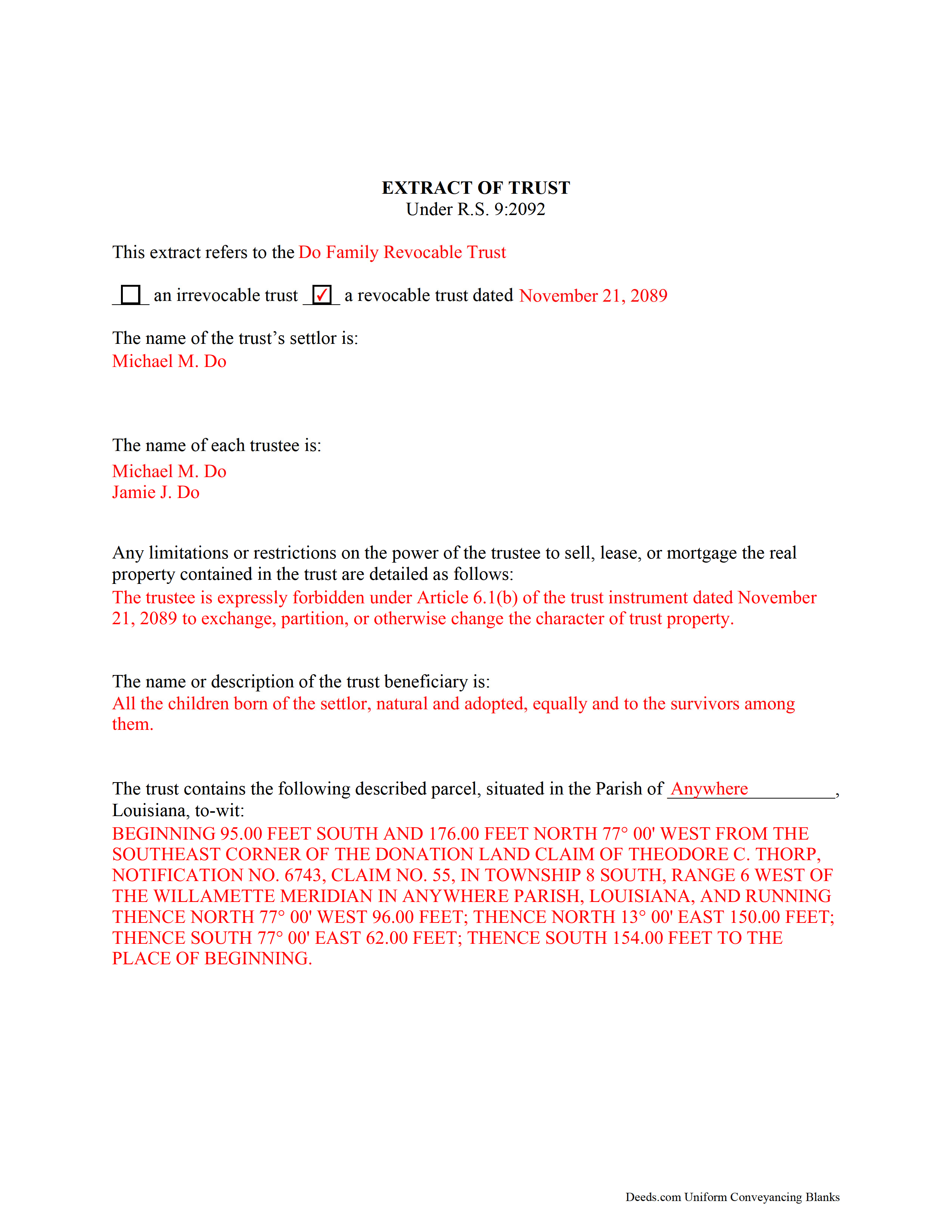
Webster Parish Completed Example of the Extract of Trust Document
Example of a properly completed form for reference.
All 3 documents above included • One-time purchase • No recurring fees
Immediate Download • Secure Checkout
Additional Louisiana and Webster Parish documents included at no extra charge:
Where to Record Your Documents
Webster Parish Clerk of Court
Minden, Louisiana 71055 / 71058-0370
Hours: 8:30 to 4:30 M-F
Phone: (318) 371-0366
Recording Tips for Webster Parish:
- Bring your driver's license or state-issued photo ID
- Ensure all signatures are in blue or black ink
- Check that your notary's commission hasn't expired
- Documents must be on 8.5 x 11 inch white paper
- Double-check legal descriptions match your existing deed
Cities and Jurisdictions in Webster Parish
Properties in any of these areas use Webster Parish forms:
- Cotton Valley
- Cullen
- Doyline
- Dubberly
- Heflin
- Minden
- Sarepta
- Shongaloo
- Sibley
- Springhill
Hours, fees, requirements, and more for Webster Parish
How do I get my forms?
Forms are available for immediate download after payment. The Webster Parish forms will be in your account ready to download to your computer. An account is created for you during checkout if you don't have one. Forms are NOT emailed.
Are these forms guaranteed to be recordable in Webster Parish?
Yes. Our form blanks are guaranteed to meet or exceed the applicable formatting requirements used for recording in Webster Parish, including margin requirements, font requirements, and other layout standards. This guarantee applies to formatting, not to the legal sufficiency of information entered by the user or the suitability of a form for a particular transaction.
Can I reuse these forms?
Yes. You can reuse the forms for your personal use. For example, if you have multiple properties in Webster Parish you only need to order once.
What do I need to use these forms?
The forms are PDFs that you fill out on your computer. The free Adobe Acrobat Reader is recommended, and most PDF apps also work. You do NOT enter your property information online - you download the blank forms and complete them privately on your own computer.
Are there any recurring fees?
No. This is a one-time purchase. Nothing to cancel, no memberships, no recurring fees.
How much does it cost to record in Webster Parish?
Recording fees in Webster Parish vary. Contact the recorder's office at (318) 371-0366 for current fees.
Questions answered? Let's get started!
Extract of Trust: A Lagniappe that Will Set You up Right
A lagniappe is a little something extra. It might be the unexpected addition to make a recipe a little more exciting -- like a bit of chicory in an average cup of coffee. For a Louisiana trust containing titled property, an extract of trust is the lagniappe that brings the important facts into focus.
Under R.S. 9:2092(A) of the Louisiana Trust Code, "If at any time the trust property of either an inter vivos trust or a testamentary trust includes immovable [real property] or other property the title to which must be recorded in order to affect third parties, a trustee shall file . . . an extract of trust . . . for record in each parish in which the property is located."
The extract of trust, as the name suggests, is an abstract of the information about the trust. It is executed by either the trust's settlor or the trustee. The settlor is the person who created the trust (9:1761), and the trustee is any "person to whom title to the trust property is transferred to be administered by him as a fiduciary" and who is designated by the trust instrument (9:1781).
The document requires the name and date of the trust and a statement as to whether the trust is revocable or irrevocable. It contains the name of each settlor and trustee, as well as the name of each beneficiary or a description of the beneficiary. A beneficiary is "a person for whose benefit the trust is created and may be a natural person, corporation, partnership, or other legal entity having the capacity to receive property," and is designated in the trust instrument (R.S. 9:1801, 9:1802).
An extract also requires a legal description of the real property contained by the trust, as well as the limitations or restrictions on the trustee's power to sell, lease, or mortgage real property. Pursuant to R.S. 9:2092(B)(2), "any limitation or restriction in the trust instrument on the power of the trustee to sell, lease, or mortgage immovable property shall not be effective against third persons unless it is noted or recited in the extract of trust."
Consult a lawyer, as Louisiana trust law can quickly become complicated, and each situation is unique. (Louisiana EOT Package includes form, guidelines, and completed example)
Important: Your property must be located in Webster Parish to use these forms. Documents should be recorded at the parish recording office listed above.
This Extract of Trust meets all recording requirements specific to Webster Parish.
Our Promise
The documents you receive here are guaranteed to meet or exceed the applicable Webster Parish recording format requirements. If there is a rejection caused by our formatting, we will correct the issue or refund your payment. This guarantee applies to document formatting only and does not extend to information entered by the user, the selection of the form, or the legal effect of the completed document.
Save Time and Money
Get your Webster Parish Extract of Trust form done right the first time with Deeds.com Uniform Conveyancing Blanks. At Deeds.com, we understand that your time and money are valuable resources, and we don't want you to face a penalty fee or rejection imposed by a county recorder for submitting nonstandard documents. We constantly review and update our forms to meet rapidly changing state and county recording requirements for roughly 3,500 counties and local jurisdictions.
4.8 out of 5 - ( 4,836 Reviews )
Michael S. 5 out of 5 stars
Great product and service. So convenient.
Your satisfaction with our services is of utmost importance to us. Thank you for letting us know how we did!
Boyd B. 5 out of 5 stars
I had an issue because of what I was doing, thanks to these guys. I received an email and lickety-split done no more problems.
We appreciate your business and value your feedback. Thank you. Have a wonderful day!
Robert K. 5 out of 5 stars
This document was exactly what I needed and with the corresponding sample I was easily able to complete it. This saved me a lot of money by not having to hire an attorney to fill out a form. Thank you!
Thank you for your feedback. We really appreciate it. Have a great day!
James W. 5 out of 5 stars
Thank-you for your excellent services
Thank you!
Adan S. 5 out of 5 stars
Five star
Thank you!
Donald B. 5 out of 5 stars
Pretty good forms, they would probably be better if I read the directions but...
Thank you!
Rosa S. 5 out of 5 stars
I am pleased with how easy it was to download the will. Now just have to get it filled in and filed at Tax Office. Thank you for making it simple to use.
Thank you for your feedback. We really appreciate it. Have a great day!
RONNIE C. 5 out of 5 stars
Excellent service and the time the documents send back to me was also excellent
Thank you!
Robert F. 5 out of 5 stars
Came with all the paperwork that I needed plus a lot more paperwork than what I needed. Covered all the bases! The instructions were a big help. Easy fill in the blanks. Had no problem filing the paperwork afterword at the County Clerks office. Definitely worth the $20.
Thanks Robert. We appreciate you taking the time to give us your feedback. Have a fantastic day!
Julie A. 5 out of 5 stars
This process was so easy. I am pleased with efficiency and ease of it all.
Thank you!
David B. 5 out of 5 stars
Prompt review and submission of documents could be an appropriate tagline for this business. The attention to detail and rapid response makes the company a great go to for servicing needs related to deeds.
Your feedback is greatly appreciated. Thank you for taking the time to share your experience!
Brian R. 2 out of 5 stars
A waste of my time
We do hope that you found something more suitable to your needs elsewhere Brian. Have a wonderful day.
Robin G. 5 out of 5 stars
Very user friendly. I was totally amazed. Thank you so much.
We are delighted to have been of service. Thank you for the positive review!
John E. 5 out of 5 stars
This process exceeded my expectations. A great customer experience!
We appreciate your business and value your feedback. Thank you. Have a wonderful day!
GERALD P. 5 out of 5 stars
Product is as advertised. Most beneficial is including detailed instructions and examples. Most other options did not include instructions.
Thank you for your feedback. We really appreciate it. Have a great day!