Saint Helena Parish Quitclaim Deed (Trustee Grantor) Form
Last validated September 4, 2026 by our Forms Development TeamFormatted for recording in Saint Helena Parish, for property anywhere in the parish: rural and unincorporated areas as well as Greensburg, Pine Grove.
- 3 documents included
- Immediate PDF download
- Formatting guarantee
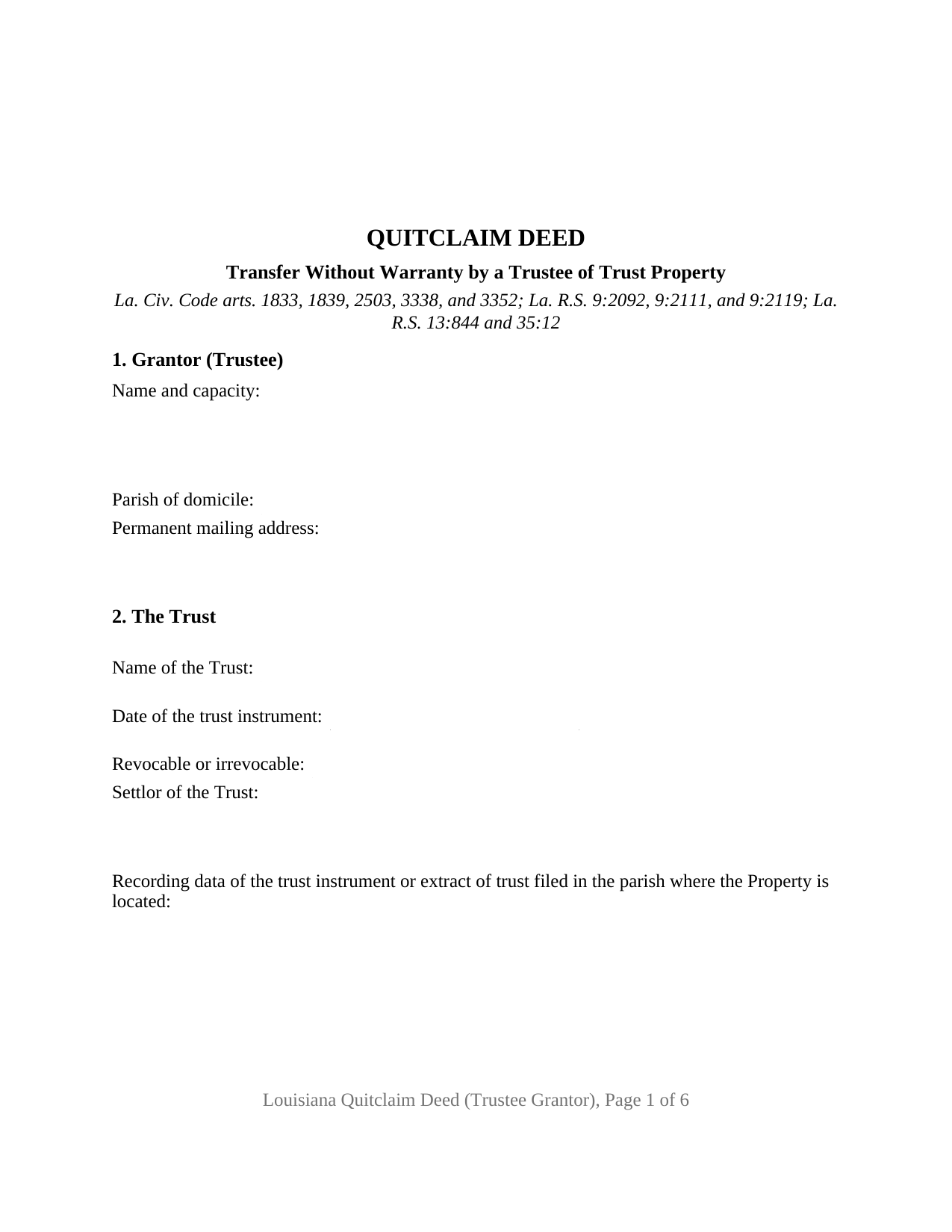
Saint Helena Parish Quitclaim Deed (Trustee Grantor) Form
Fill in the blank Quitclaim Deed (Trustee Grantor) form formatted to comply with all Louisiana recording and content requirements.
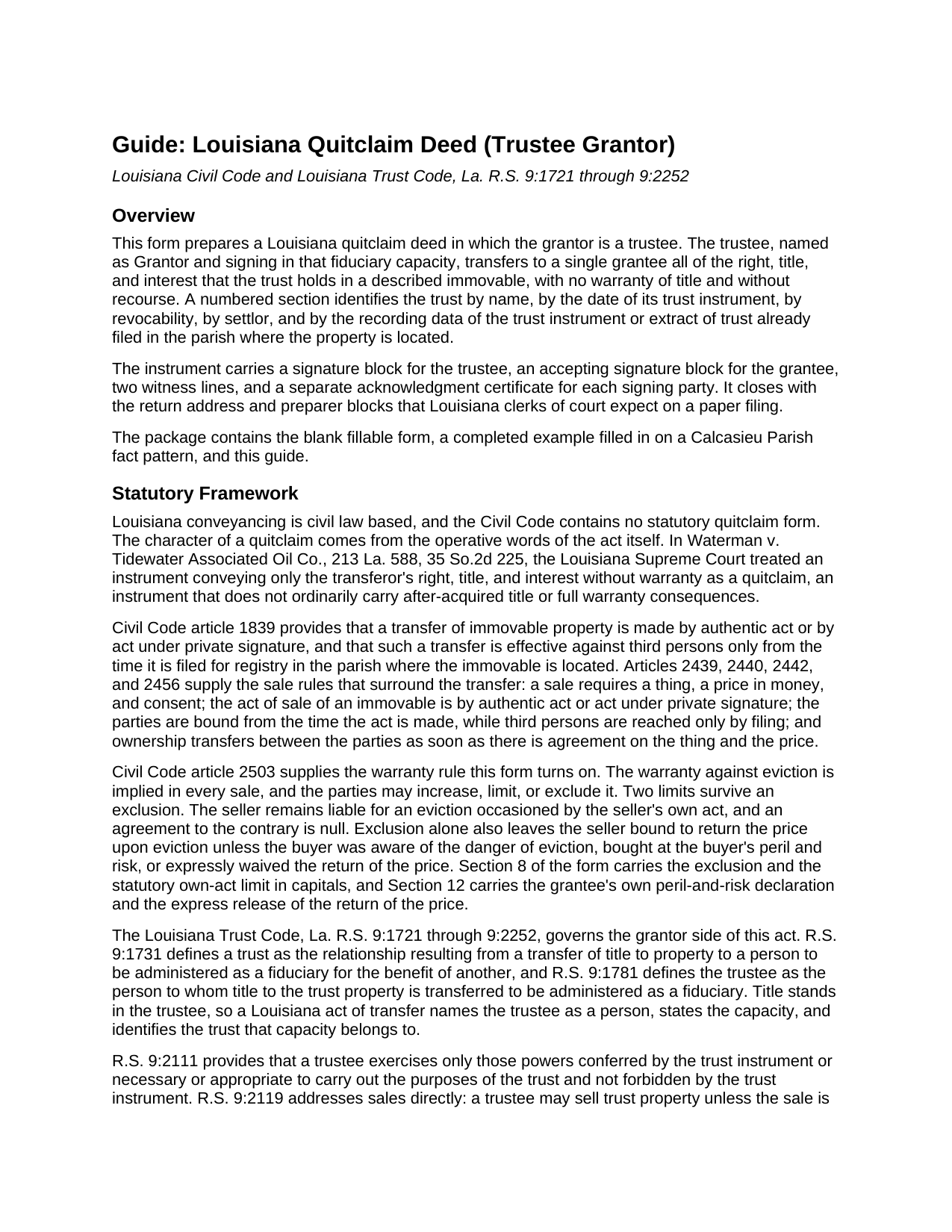
Saint Helena Parish Quitclaim Deed (Trustee Grantor) Guide
Line by line guide explaining every blank on the Quitclaim Deed (Trustee Grantor) form.
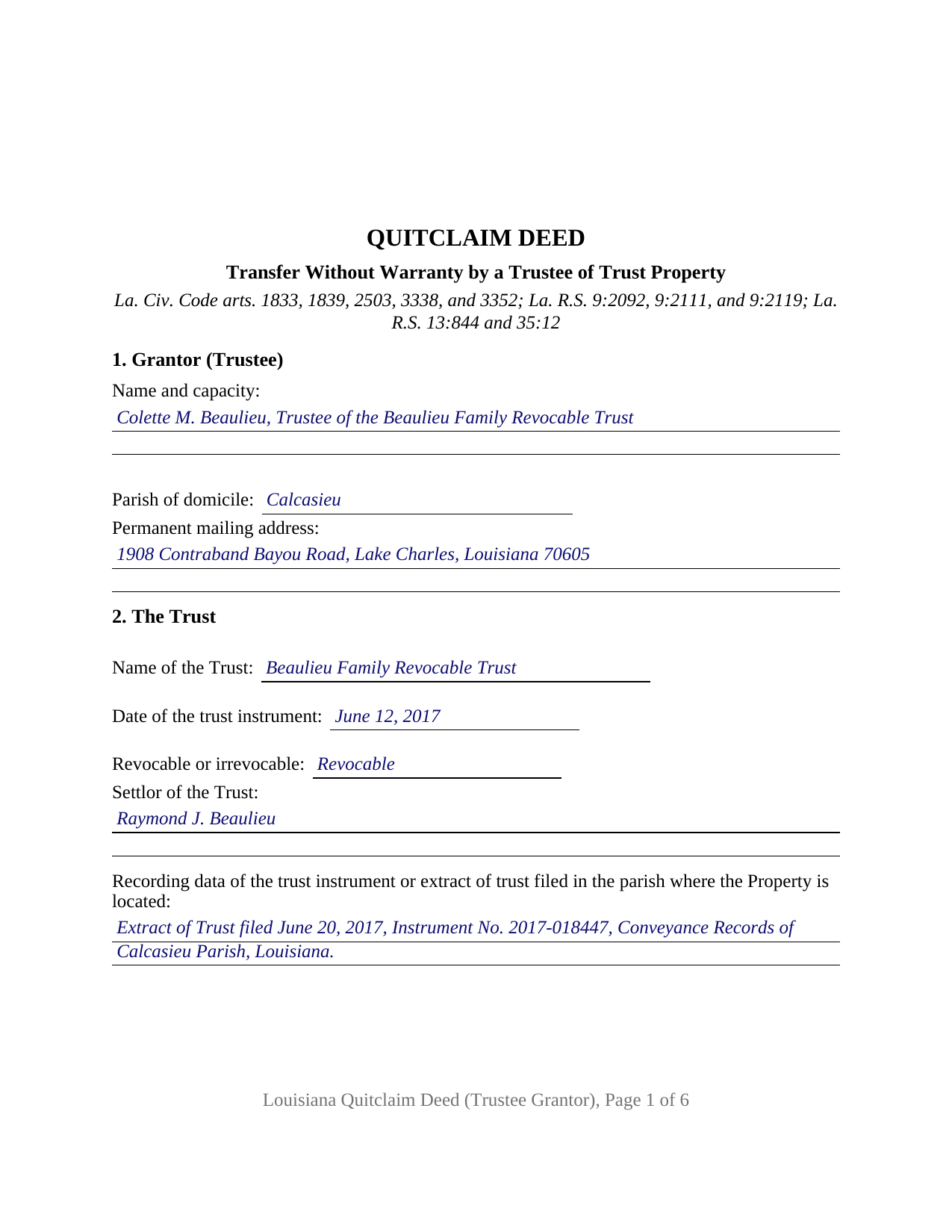
Saint Helena Parish Completed Example of the Quitclaim Deed (Trustee Grantor) Document
Example of a properly completed Louisiana Quitclaim Deed (Trustee Grantor) document for reference.
All 3 documents above included • One-time purchase • No recurring fees
Immediate Download • Secure Checkout
Additional Louisiana and Saint Helena Parish documents included at no extra charge:
Where to Record Your Documents
St. Helena Parish Clerk of Court
Greensburg, Louisiana 70441
Hours: 8:30 to 4:30 M-F
Phone: (225) 222-4514
Recording Tips for Saint Helena Parish:
- Bring your driver's license or state-issued photo ID
- Ensure all signatures are in blue or black ink
- Ask about their eRecording option for future transactions
- Avoid the last business day of the month when possible
- Both spouses typically need to sign if property is jointly owned
Cities and Jurisdictions in Saint Helena Parish
Properties in any of these areas use Saint Helena Parish forms:
- Greensburg
- Pine Grove
Hours, fees, requirements, and more for Saint Helena Parish
How do I get my forms?
Forms are available for immediate download after payment. The Saint Helena Parish forms will be in your account ready to download to your computer. An account is created for you during checkout if you don't have one. Forms are NOT emailed.
Are these forms guaranteed to be recordable in Saint Helena Parish?
Yes. Our form blanks are guaranteed to meet or exceed the applicable formatting requirements used for recording in Saint Helena Parish, including margin requirements, font requirements, and other layout standards. This guarantee applies to formatting, not to the legal sufficiency of information entered by the user or the suitability of a form for a particular transaction.
Can I reuse these forms?
Yes. You can reuse the forms for your personal use. For example, if you have multiple properties in Saint Helena Parish you only need to order once.
What do I need to use these forms?
The forms are PDFs that you fill out on your computer. The free Adobe Acrobat Reader is recommended, and most PDF apps also work. You do NOT enter your property information online - you download the blank forms and complete them privately on your own computer.
Are there any recurring fees?
No. This is a one-time purchase. Nothing to cancel, no memberships, no recurring fees.
How much does it cost to record in Saint Helena Parish?
Recording fees in Saint Helena Parish vary. Contact the recorder's office at (225) 222-4514 for current fees.
Questions answered? Let's get started!
On this Louisiana quitclaim deed the grantor is a trustee, and the act says so in its own words: the trustee moves whatever right, title, and interest the trust holds in a described immovable, with no warranty of title, signing in a fiduciary capacity and taking on nothing personally. A numbered section names the trust, dates its instrument, marks it revocable or irrevocable, and locates the trust filing already in the record.
Two conditions the Trust Code puts on a trustee's sale
Title stands in the trustee, not in the trust, so the signer is a person holding a capacity. R.S. 9:2111 confines a trustee to the powers the trust instrument confers or that are necessary or appropriate to the trust's purposes and not forbidden by it. R.S. 9:2119 speaks to sales directly: a trustee may sell trust property unless the sale is forbidden in specific words by the trust instrument, or unless it appears from the instrument that the property is to be retained in kind. Section 9 turns those two conditions into printed declarations of the trustee.
The restriction that has to be recited to reach third persons
R.S. 9:2092 sends a trustee holding Louisiana trust immovables to the records of each parish where they lie, with the trust instrument, an extract of trust, or a clerk-certified copy. Subsection B carries the consequence this configuration is built around: a restriction in the trust instrument on the power to alienate, lease, or encumber immovable property reaches third persons only if the recorded extract recites it. Section 2 collects that filing's registry data and any restriction it carries, so the two read against each other in one index; the filing is a separate instrument, recorded on its own and not included here.
A signature in a capacity, and one trustee only
The trustee's name line and the certificate by-line are both sized for the words of capacity, and R.S. 35:12 lets a clerk refuse a notarized filing lacking typed or printed names and the notary identification or bar roll number. Printed text states that the trustee signs solely as trustee and takes on no personal obligation. The act recites one trustee: R.S. 9:2113 has two trustees exercising their powers only together, and R.S. 9:2114 lets a majority act where three or more hold the office, each signing and acknowledging in a block of that trustee's own. The capacity line takes an original, alternate, or successor trustee alike, per R.S. 9:1785. A trustee closing a sale of trust land, one handing an immovable to a beneficiary in kind, and one returning property to the settlor of a revocable trust present this single-trustee act.
How far the exclusion of warranty reaches
Civil Code article 2503 implies the warranty against eviction in every Louisiana sale and lets the parties limit or exclude it. Exclusion alone leaves the price obligation standing unless the party taking knew of the danger, took at its own peril and risk, or released it. Section 8 excludes the warranty as far as article 2503 allows; Section 12 puts the grantee's peril-and-risk declaration and an express release of the price above the accepting signature, running to the trustee and the trust property alike. Capitals print the one liability the article holds open against any contrary agreement, an eviction brought about by the transferor's own act.
Execution, and what filing accomplishes
Two signature blocks and two witness lines serve either Civil Code path, an authentic act under article 1833 or an act under private signature acknowledged later under article 1836, each signing party taking a certificate captioned with the state and the parish. Filing with the clerk of court where the immovable lies carries the transfer to third persons under articles 3338 and 3347, while article 3341 keeps recordation from creating any presumption that an act is valid or genuine. Six recorded pages sit in the two hundred dollar tier of R.S. 13:844 before parish charges, and page one holds two inches for the clerk's stamp.
Searched as a trustee deed, a quit claim deed from a trust, or a deed out of a living trust, it speaks the Civil Code and the Trust Code at once. The purchase delivers the blank as a fillable PDF, a completed example built on a Calcasieu Parish fact pattern where a family trust's trustee moves a Lake Charles lot to a buyer, and a plain language guide covering every numbered section, execution, and parish recording. The materials are informational and are not legal advice.
Important: Your property must be located in Saint Helena Parish to use these forms. Documents should be recorded at the parish recording office listed above.
This Quitclaim Deed (Trustee Grantor) meets all recording requirements specific to Saint Helena Parish.
Our Promise
The documents you receive here are guaranteed to meet or exceed the applicable Saint Helena Parish recording format requirements. If there is a rejection caused by our formatting, we will correct the issue or refund your payment. This guarantee applies to document formatting only and does not extend to information entered by the user, the selection of the form, or the legal effect of the completed document.
Save Time and Money
Get your Saint Helena Parish Quitclaim Deed (Trustee Grantor) form done right the first time with Deeds.com Uniform Conveyancing Blanks. At Deeds.com, we understand that your time and money are valuable resources, and we don't want you to face a penalty fee or rejection imposed by a county recorder for submitting nonstandard documents. We constantly review and update our forms to meet rapidly changing state and county recording requirements for roughly 3,500 counties and local jurisdictions.
4.8 out of 5 - ( 4,825 Reviews )
Michael T. 5 out of 5 stars
Very easy to find what I was looking for and the cost was reasonable. The documents saved me a lot of time and were easy to use.
Thank you for your feedback. We really appreciate it. Have a great day!
Kevin M. 5 out of 5 stars
good so far. will wait to see what happens
Thank you!
James C. 4 out of 5 stars
First time user and was directed there from a search on my home state for a state form. The downloaded form was complete with instructions and sample filled out form. I was not happy about the cost for the form, but it did the job.
Thank you for your feedback. We really appreciate it. Have a great day!
James J. 5 out of 5 stars
Downloaded and used the Ladybird Warranty Deed for a county in Florida with no issues. Cost for the download and subsequent recording fee of the deed totaled less than $40. No reason to pay hundreds. I assume the subsequent transfer upon death will go smoothly, but I of course, will never know. The "example" of a completed form was very beneficial. Also, get a copy of the current deed and make sure legal description of real estate is exactly the same on the new deed.
Thank you for your feedback. We really appreciate it. Have a great day!
Howard T. 5 out of 5 stars
Easy to use and it is very user friendly.
Thank you!
John M. 5 out of 5 stars
Just finished downloading all of the forms; so far so good
Thank you for your feedback. We really appreciate it. Have a great day!
Cecil S. 5 out of 5 stars
EXCELLENT SERVICE DONE WELL AND QUICKLY
We appreciate your business and value your feedback. Thank you. Have a wonderful day!
Patricia P. 5 out of 5 stars
Easy to use and super convenient.
Thank you for your feedback. We really appreciate it. Have a great day!
Nick J. 4 out of 5 stars
We aimed to handle a survivorship affidavit (deed change) without a lawyer following my dad's death. After some searching, deeds.com seemed to have the most comprehensive and "correct looking" form we could find for our locale, so we went with it, and it was accepted by our recorder's office. I'm not sure why our local government office doesn't offer a standard form, but they don't, and deeds.com came through for us in a pinch.
We appreciate your business and value your feedback. Thank you. Have a wonderful day!
Brennan H. 5 out of 5 stars
I had worked for a couple of months sending things back and forth to the county and still had no success. I decided to use deeds.com and it was all done in a few hours. Such a relief! While I find this to be wrong and the county should work with property owners as well as they work with third parties, I was still grateful for this service.
Thank you for your feedback. We really appreciate it. Have a great day!
kathy d. 5 out of 5 stars
very easy make sense instructions. Thank you.
Thank you for your feedback Kathy. Have an amazing day!
Kathy R. 5 out of 5 stars
I was very pleased with the quick turn around on a response to my inquiry. Further guidance was direct and I appreciate the professionalism from deeds.com.
Thank you!
Nicole w. 5 out of 5 stars
Awesome and very fast service!!!
Thank you!
constance t. 5 out of 5 stars
Excellent service!
We appreciate your business and value your feedback. Thank you. Have a wonderful day!
Kelly H. 5 out of 5 stars
This site was very fast and easy to use, highly recommend it.
Thank you for your feedback. We really appreciate it. Have a great day!