Calvert County Deed of Trust and Promissory Note Form
Last validated November 19, 2026 by our Forms Development TeamFormatted for recording in Calvert County, for property anywhere in the county or independent city: rural and unincorporated areas as well as Barstow, Broomes Island, Chesapeake Beach, Dowell, Dunkirk, Huntingtown, Lusby, North Beach and 6 more.
- 9 documents included
- Immediate PDF download
- Formatting guarantee
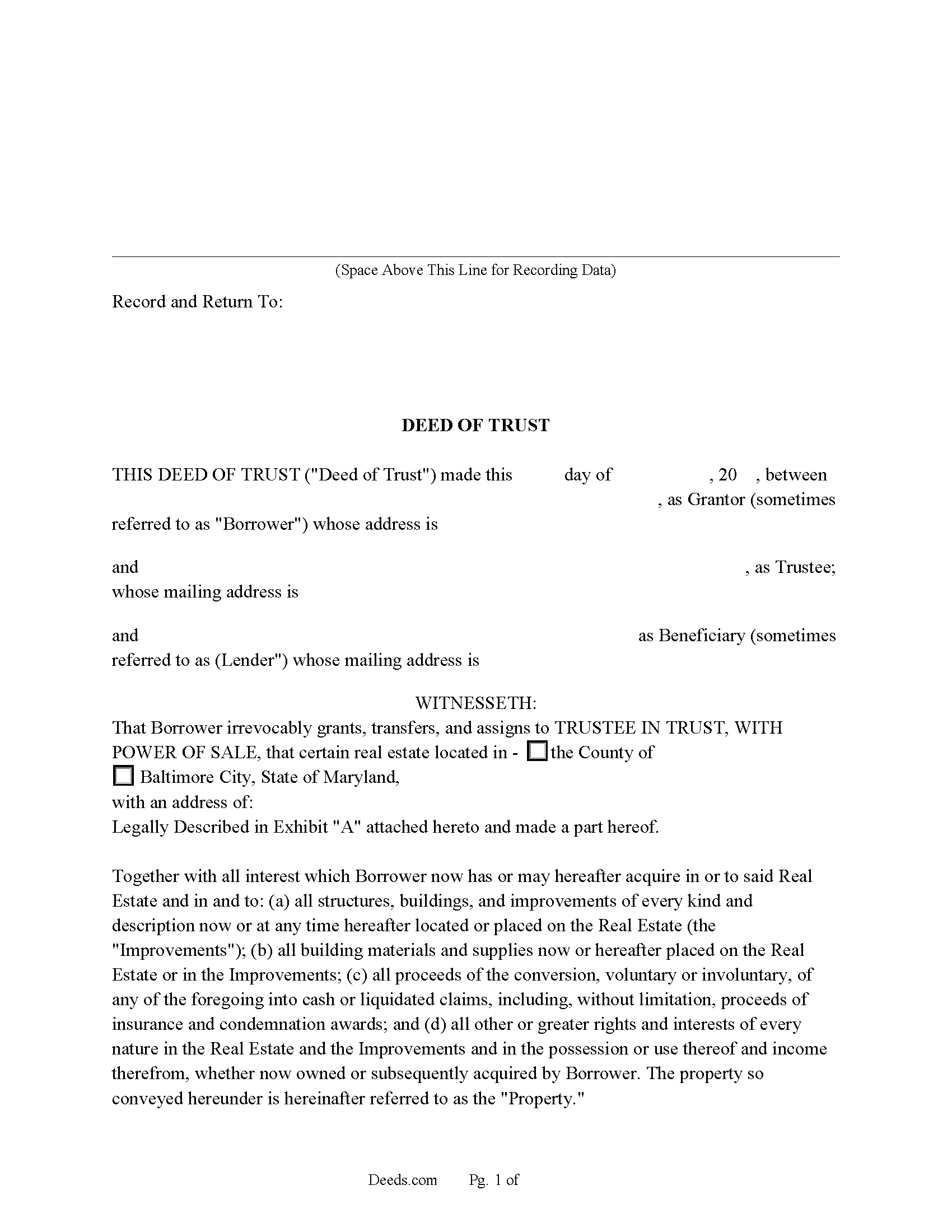
Calvert County Deed of Trust Form
Fill in the blank form formatted to comply with all recording and content requirements.
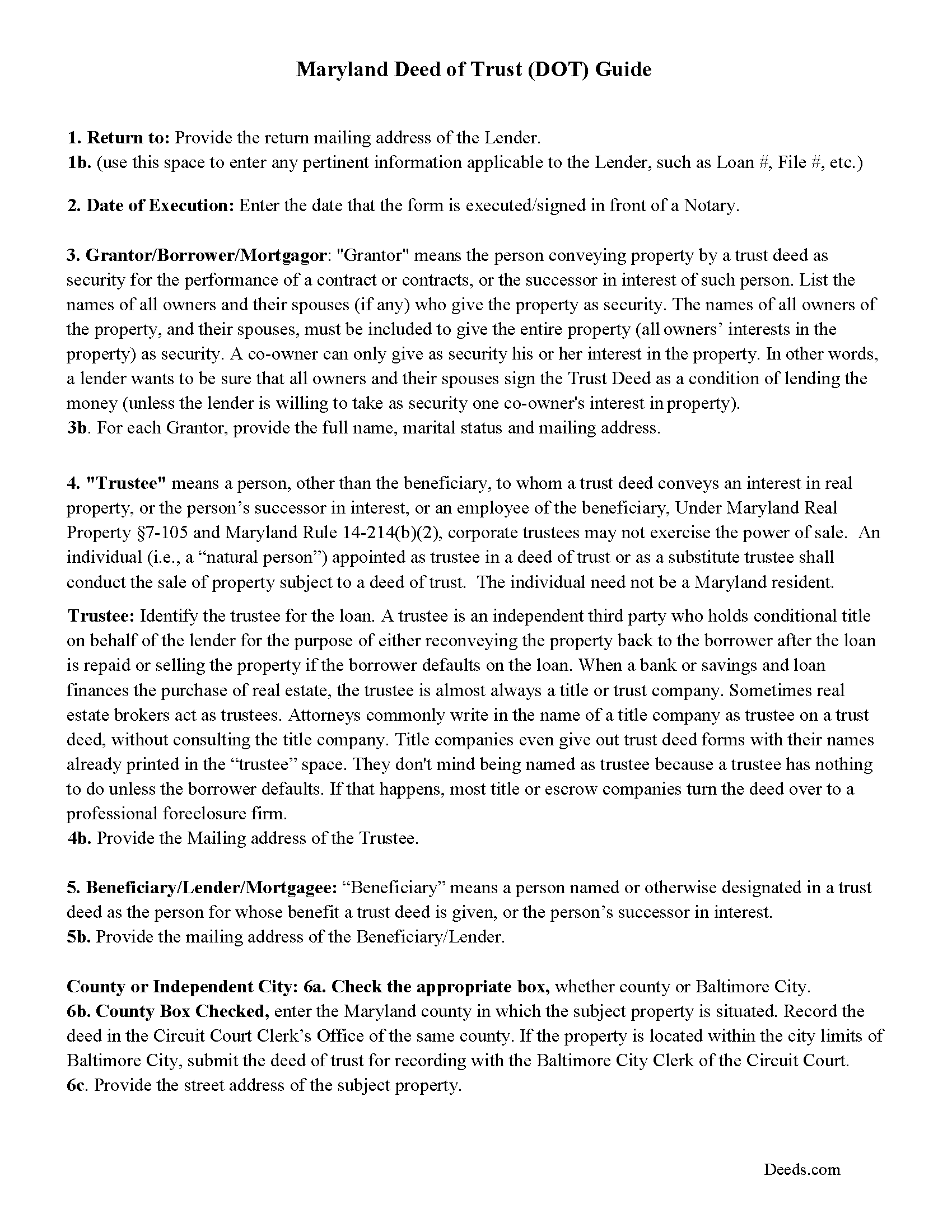
Calvert County Deed of Trust Guidelines
Line by line guide explaining every blank on the form.
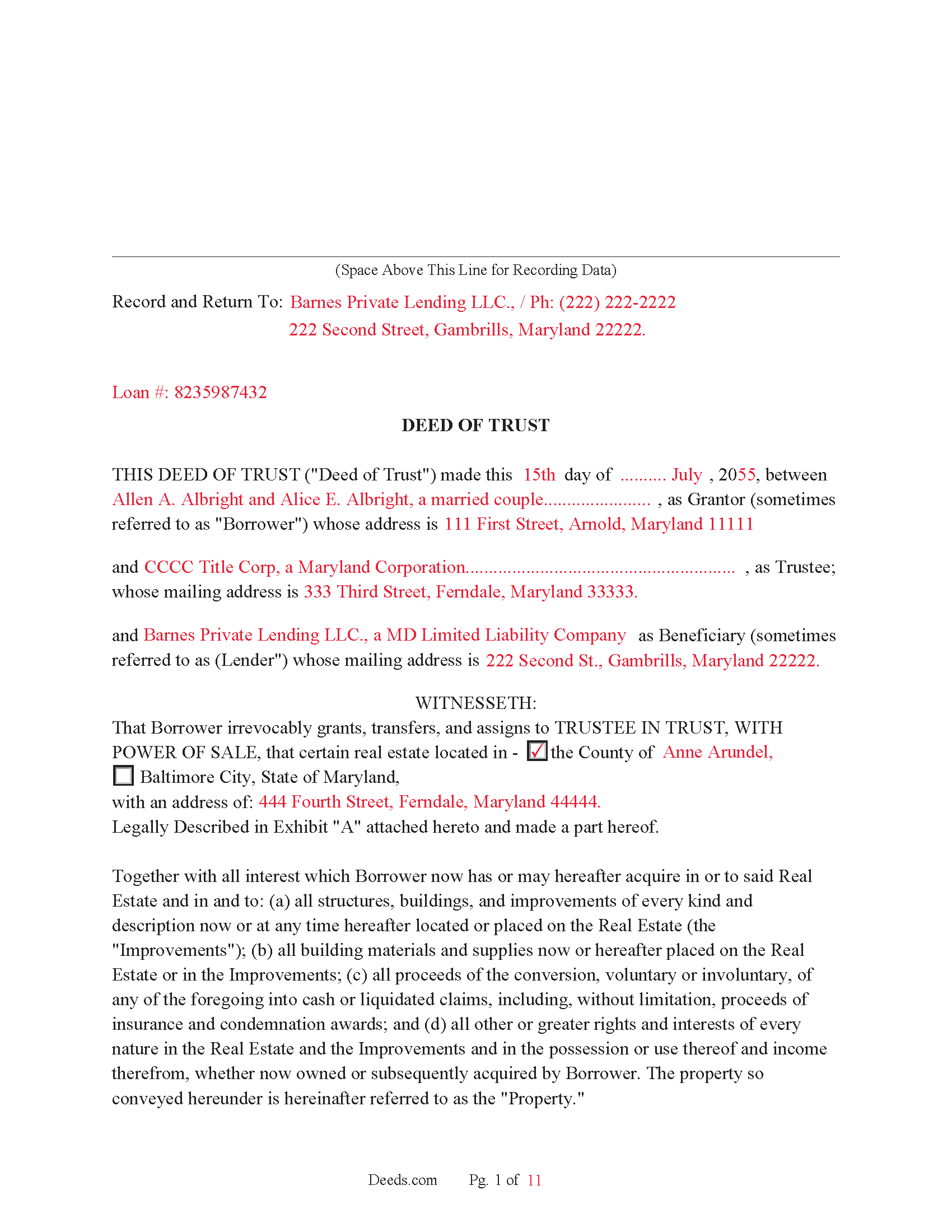
Calvert County Completed Example of the Deed of Trust Document
Example of a properly completed form for reference.
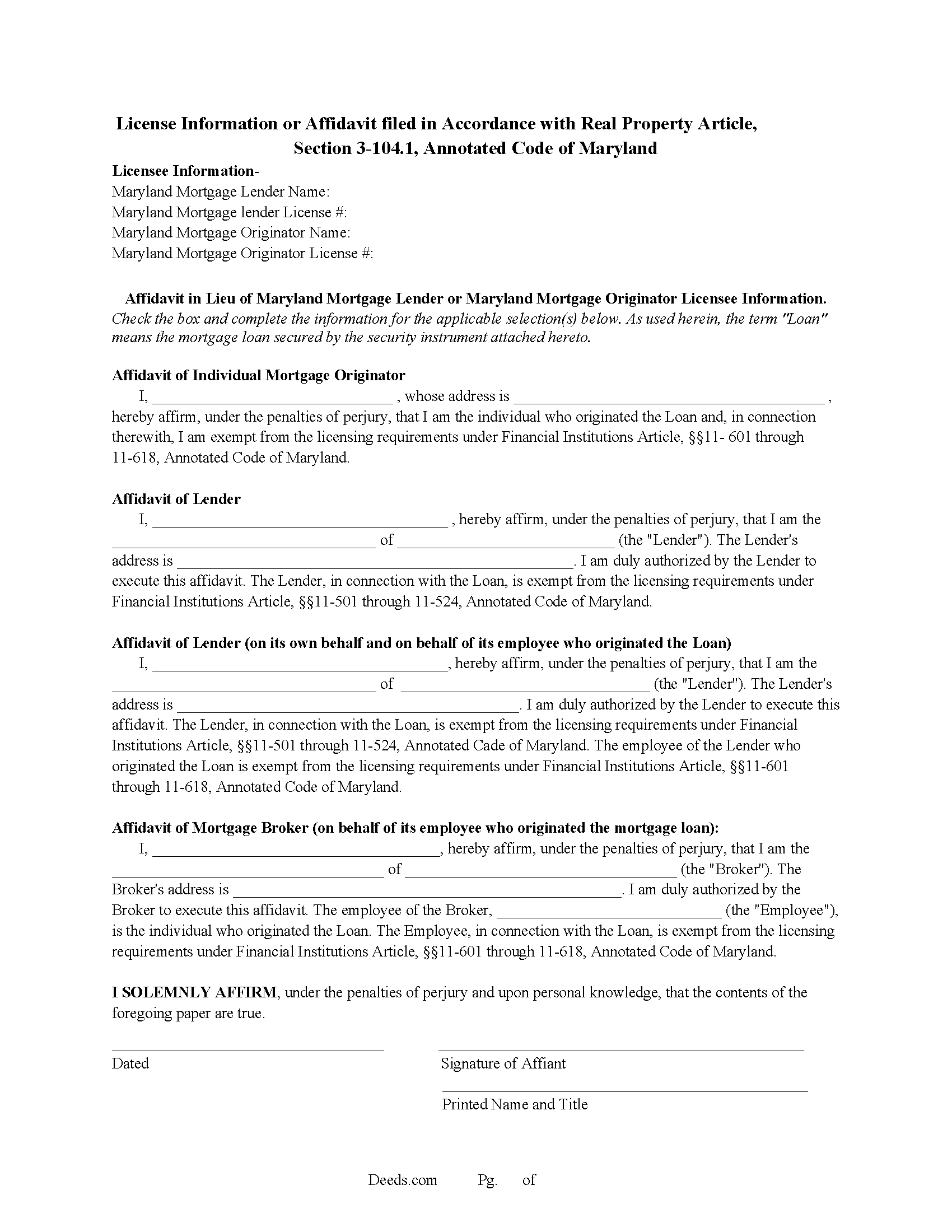
Calvert County Affidavit Form
Required for residential property as per, Section 3-104.1, Annotated Code of Maryland
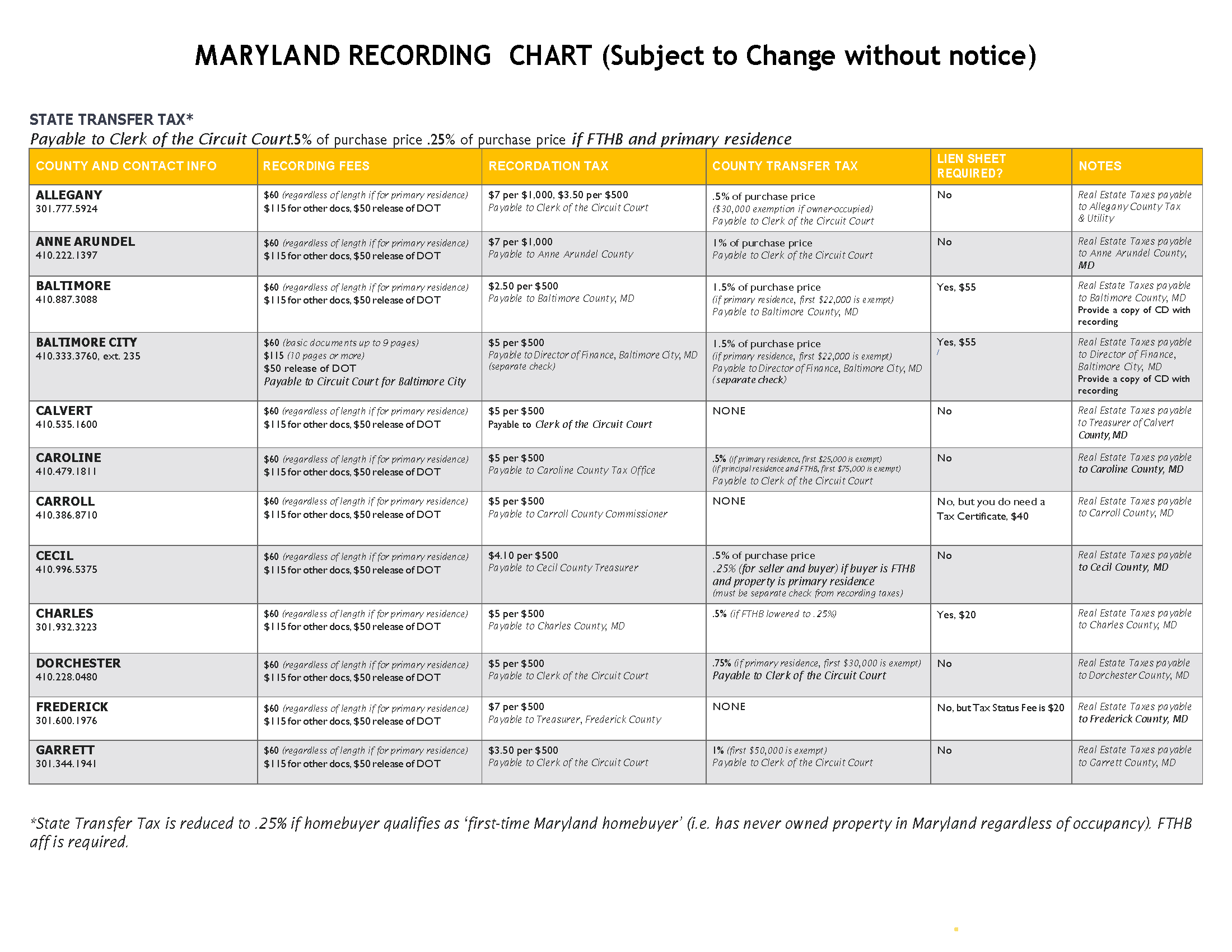
Calvert County Recording Information
County specific recording information.
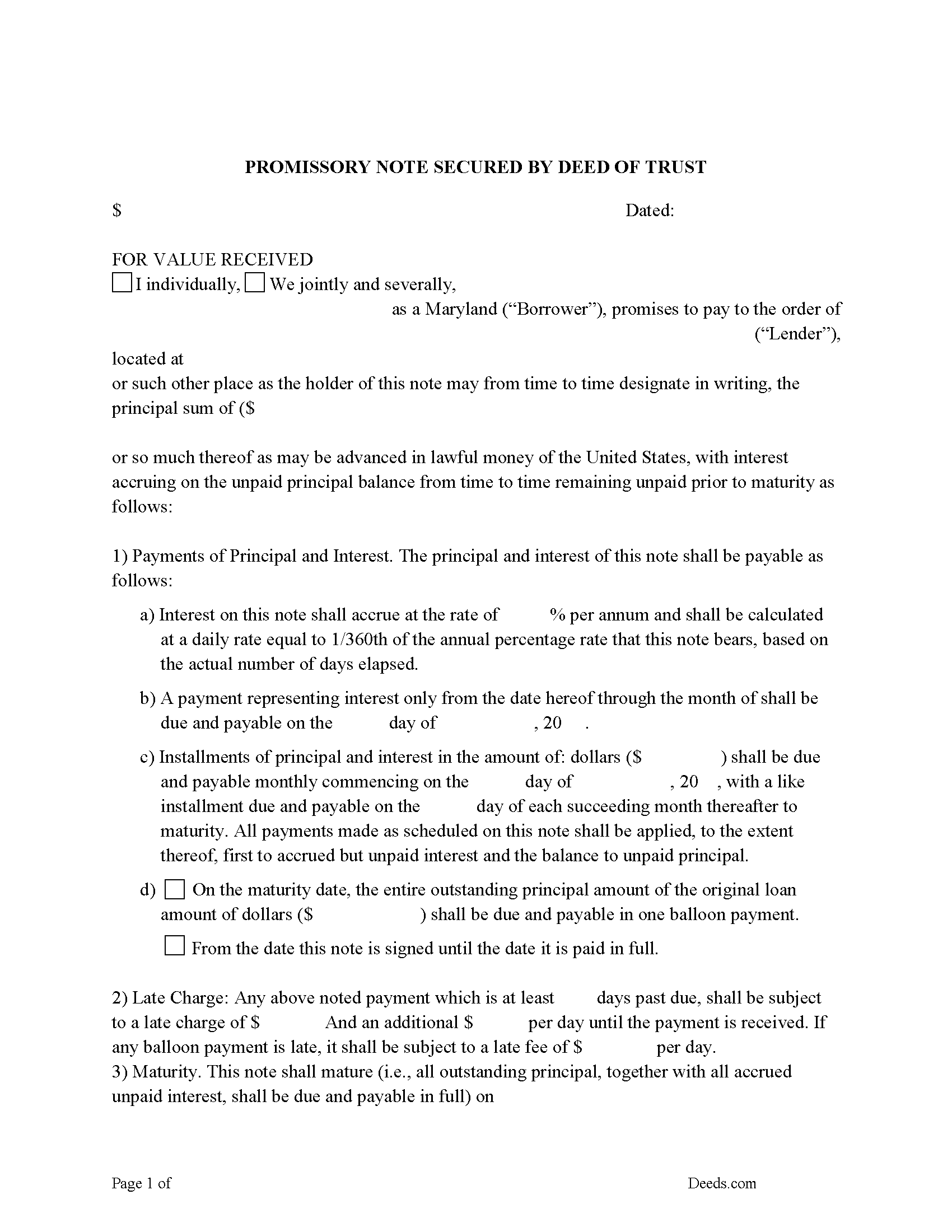
Calvert County Promissory Note Form
Note that is secured by the Deed of Trust.
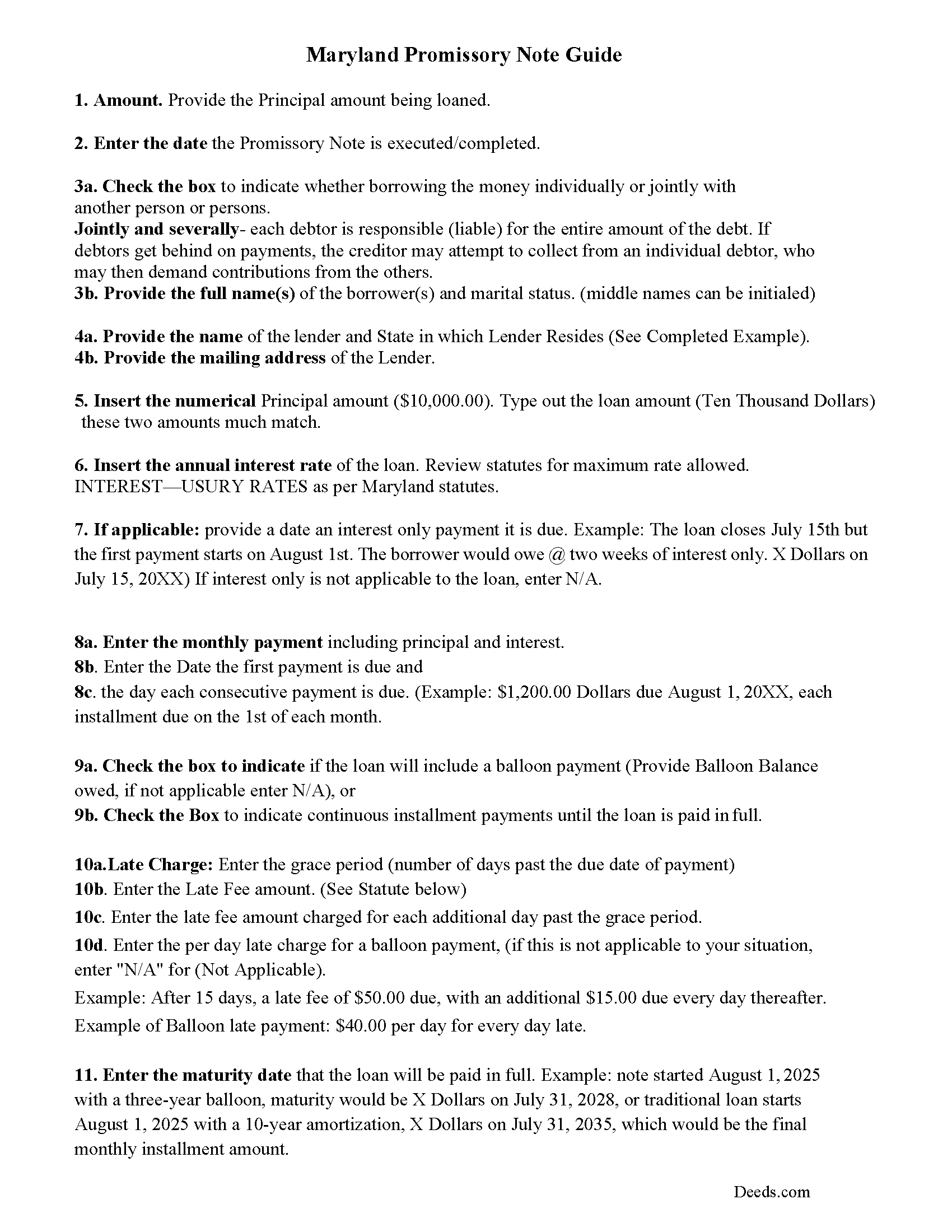
Calvert County Promissory Note Guidelines
Line by line guide explaining every blank on the form.
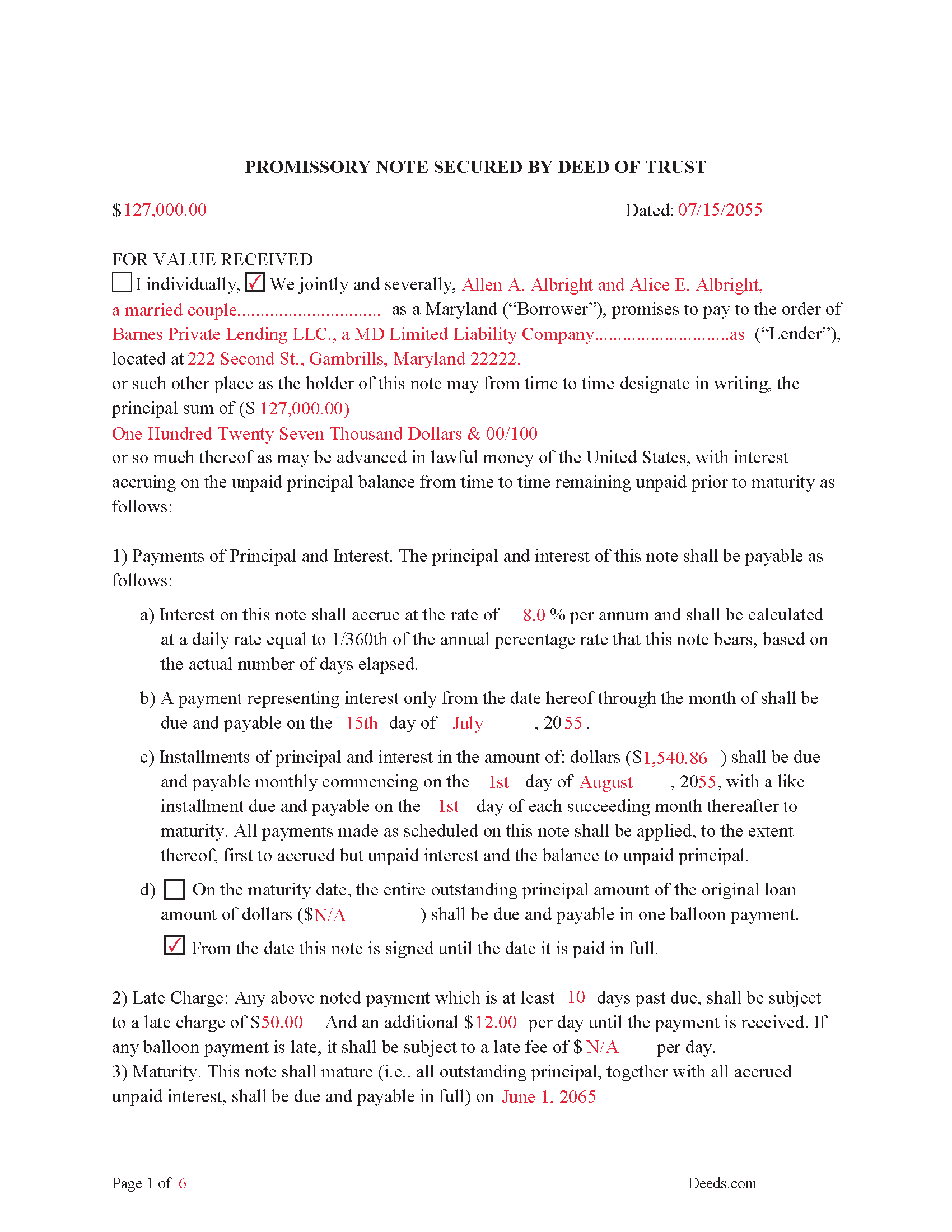
Calvert County Completed Example of the Promissory Note Document
Example of a properly completed form for reference.
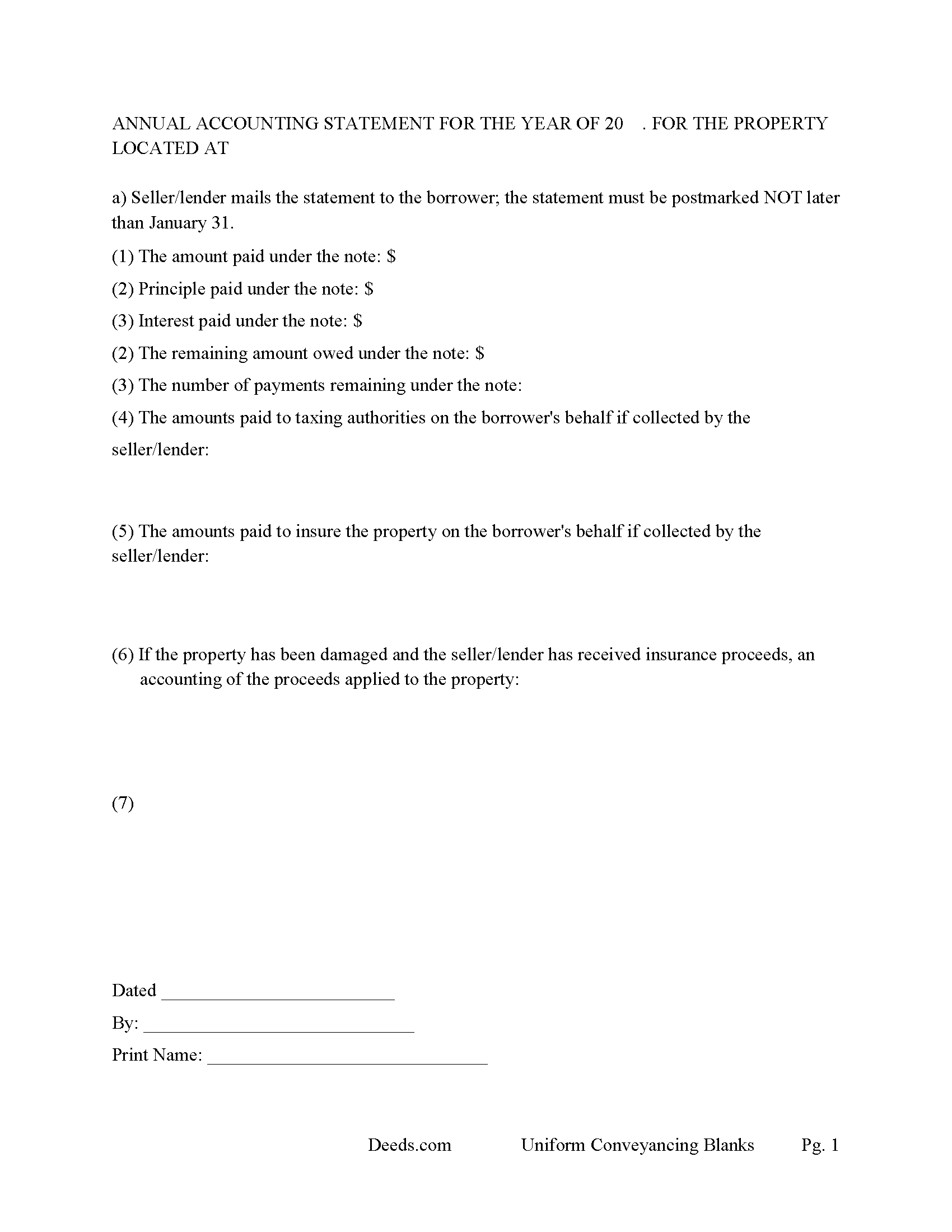
Calvert County Annual Accounting Statement Form
Mail to borrower for fiscal year reporting.
All 9 documents above included • One-time purchase • No recurring fees
Immediate Download • Secure Checkout
Additional Maryland and Calvert County documents included at no extra charge:
Where to Record Your Documents
Circuit Court Clerk's Office
Prince Frederick, Maryland 20678
Hours: 8:30 to 4:30 M-F
Phone: (410) 535-1600 Ext. 2267
Recording Tips for Calvert County:
- Bring your driver's license or state-issued photo ID
- Ensure all signatures are in blue or black ink
- Recorded documents become public record - avoid including SSNs
- Recording fees may differ from what's posted online - verify current rates
- Request a receipt showing your recording numbers
Cities and Jurisdictions in Calvert County
Properties in any of these areas use Calvert County forms:
- Barstow
- Broomes Island
- Chesapeake Beach
- Dowell
- Dunkirk
- Huntingtown
- Lusby
- North Beach
- Owings
- Port Republic
- Prince Frederick
- Saint Leonard
- Solomons
- Sunderland
Hours, fees, requirements, and more for Calvert County
How do I get my forms?
Forms are available for immediate download after payment. The Calvert County forms will be in your account ready to download to your computer. An account is created for you during checkout if you don't have one. Forms are NOT emailed.
Are these forms guaranteed to be recordable in Calvert County?
Yes. Our form blanks are guaranteed to meet or exceed the applicable formatting requirements used for recording in Calvert County, including margin requirements, font requirements, and other layout standards. This guarantee applies to formatting, not to the legal sufficiency of information entered by the user or the suitability of a form for a particular transaction.
Can I reuse these forms?
Yes. You can reuse the forms for your personal use. For example, if you have multiple properties in Calvert County you only need to order once.
What do I need to use these forms?
The forms are PDFs that you fill out on your computer. The free Adobe Acrobat Reader is recommended, and most PDF apps also work. You do NOT enter your property information online - you download the blank forms and complete them privately on your own computer.
Are there any recurring fees?
No. This is a one-time purchase. Nothing to cancel, no memberships, no recurring fees.
How much does it cost to record in Calvert County?
Recording fees in Calvert County vary. Contact the recorder's office at (410) 535-1600 Ext. 2267 for current fees.
Questions answered? Let's get started!
Use these forms to finance residential property, vacant land, condominiums, planned unit developments and small commercial property. ("Residential Property" means real property improved by four or fewer single family dwelling units that are designed principally and are intended for human habitation.) If a property meets these standard a "License Information or Affidavit filed in Accordance with Real Property Article" form is required. This Deed of Trust contains a "Power of Sale" clause which shall be made in accordance with the provisions of Section 7-105, Real Property Article, Annotated Code of Maryland, as amended, and Rules 14-201 through 14-210 of the Maryland Rules, as amended, or other applicable general or local laws of the State of Maryland or judicial rules of procedure relating to the foreclosure of Deeds of Trusts. A Deed of Trust with stringent default terms and conditions can be beneficial to a lender in the case of default. Included is an ["Affidavit of Consideration" required for mortgage or deed of trust.] (3-104.1(a)) [4-106(a)]
(Maryland DOT Package includes forms, guidelines, and completed examples) For use in Maryland only.
Important: Your property must be located in Calvert County to use these forms. Documents should be recorded at the county or independent city recording office listed above.
This Deed of Trust and Promissory Note meets all recording requirements specific to Calvert County.
Our Promise
The documents you receive here are guaranteed to meet or exceed the applicable Calvert County recording format requirements. If there is a rejection caused by our formatting, we will correct the issue or refund your payment. This guarantee applies to document formatting only and does not extend to information entered by the user, the selection of the form, or the legal effect of the completed document.
Save Time and Money
Get your Calvert County Deed of Trust and Promissory Note form done right the first time with Deeds.com Uniform Conveyancing Blanks. At Deeds.com, we understand that your time and money are valuable resources, and we don't want you to face a penalty fee or rejection imposed by a county recorder for submitting nonstandard documents. We constantly review and update our forms to meet rapidly changing state and county recording requirements for roughly 3,500 counties and local jurisdictions.
4.8 out of 5 - ( 4,863 Reviews )
Kristina M. 5 out of 5 stars
deeds.com has been an easy and efficient way for my organization to file deeds on behalf of older DC residents. KVH especially has been wonderfully helpful in providing guidance about the submission process. Appreciate the professionalism and patience
Thank you for the kind words Kristina.
Janette C. 5 out of 5 stars
Love the service !!
Your appreciative words mean the world to us. Thank you.
Vickey W. 5 out of 5 stars
Your company was great, you all walked me through every step of the process. With the pandemic and the inability to go into the DC Recorder of Deeds office. I look forward to working with you in the future.
Thank you for your feedback. We really appreciate it. Have a great day!
Laurel D. 5 out of 5 stars
This is a great service. I can't believe how fast my document was recorded!
Thank you for your feedback. We really appreciate it. Have a great day!
SueAnn V. 5 out of 5 stars
Thanks so much for the TOD Beneficiary Deed with the explanation, supplementary forms and great example! I just filed it today for the state of Colorado, in my county and it was accepted by the Clerk/Recorder. I really appreciate the thorough work that Deeds.com does. I definitely will use this site again and also recommend it to family and friends. Thanks again.
Thank you for your feedback. We really appreciate it. Have a great day!
Yvette B. 1 out of 5 stars
Rude customer service. Will not be using deeds.com again. Thanks
Thank you for your feedback Yvette, we do hope that you find something more suitable to your needs elsewhere. Have a wonderful day.
Robert D. 5 out of 5 stars
These forms made it so easy to update the property deed and the instructions and sample filled out form were most helpful. You might want to add some brief information on when or why to use the Acknowledgment in Individual Capacity notary form. In my case the notary was required to use it but also filled in the brief notarize section on the Affidavit as well. She said the one on the Affidavit had some value because it showed she had witnessed the my signature. But this was only after I suggested both be filled in as she initially thought to just strike through it and just use the Acknowledgment in Individual Capacity form.
Thank you for your feedback. We really appreciate it. Have a great day!
Virginia C. 5 out of 5 stars
I had a nice surprise seeing how fast the process was to download in a safe manner the documents. The example and guide to fill the original document are very valuable to facilitate the filling in. Thank you!!
Thank you for your feedback. We really appreciate it. Have a great day!
Joey S. 5 out of 5 stars
This is the easiest process ever!
Thank you!
Patrick U. 5 out of 5 stars
Great product. They processed and transmitted the deed promptly. A small question I had was answered quickly and professionally. I would use again if the need arises and will recommend to friends.
Your feedback is greatly appreciated. Thank you for taking the time to share your experience!
PAUL L. 5 out of 5 stars
Outstanding site in every way and reasonably priced.
We appreciate your business and value your feedback. Thank you. Have a wonderful day!
Charlie T. 5 out of 5 stars
I really like the service and will be definitely be using it again to submit future deeds.
Thank you!
Stephanie S. 5 out of 5 stars
I received my information almost immediately. I read a few more things on the website and then refreshed and it was there! SO much easier than having to go to the office myself - thanks!!
Thank you!
Robert M. 5 out of 5 stars
Best site of its kind I have ever found. Informative, intuitive, and best of all, everything worked on the first try. I will be HAPPY to recommend it. --- A retired full prof of business administration
We appreciate your business and value your feedback. Thank you. Have a wonderful day!
Margaret T. 5 out of 5 stars
Had a difficult time finding my download after purchase. Thankfully I had printed the form and had. However it was read only and I'm not experienced enough to be able to change that. So I went into my word program and typed in the form. I should be able to use it for my purpose. Just glad I was finally able to find it after hours of searching online. I'm in my 70's and not real computer intelligent which may have been part of the problem
Sorry to hear of your struggle Margaret, we will try harder to make our forms easier for everyone.