Harford County Quitclaim Deed (Married Couple as Grantors) Form
Last validated November 5, 2026 by our Forms Development TeamFormatted for recording in Harford County, for property anywhere in the county or independent city: rural and unincorporated areas as well as Aberdeen, Aberdeen Proving Ground, Abingdon, Bel Air, Belcamp, Benson, Churchville, Darlington and 12 more.
- 3 documents included
- Immediate PDF download
- Formatting guarantee
Harford County Quitclaim Deed (Married Couple as Grantors) Form
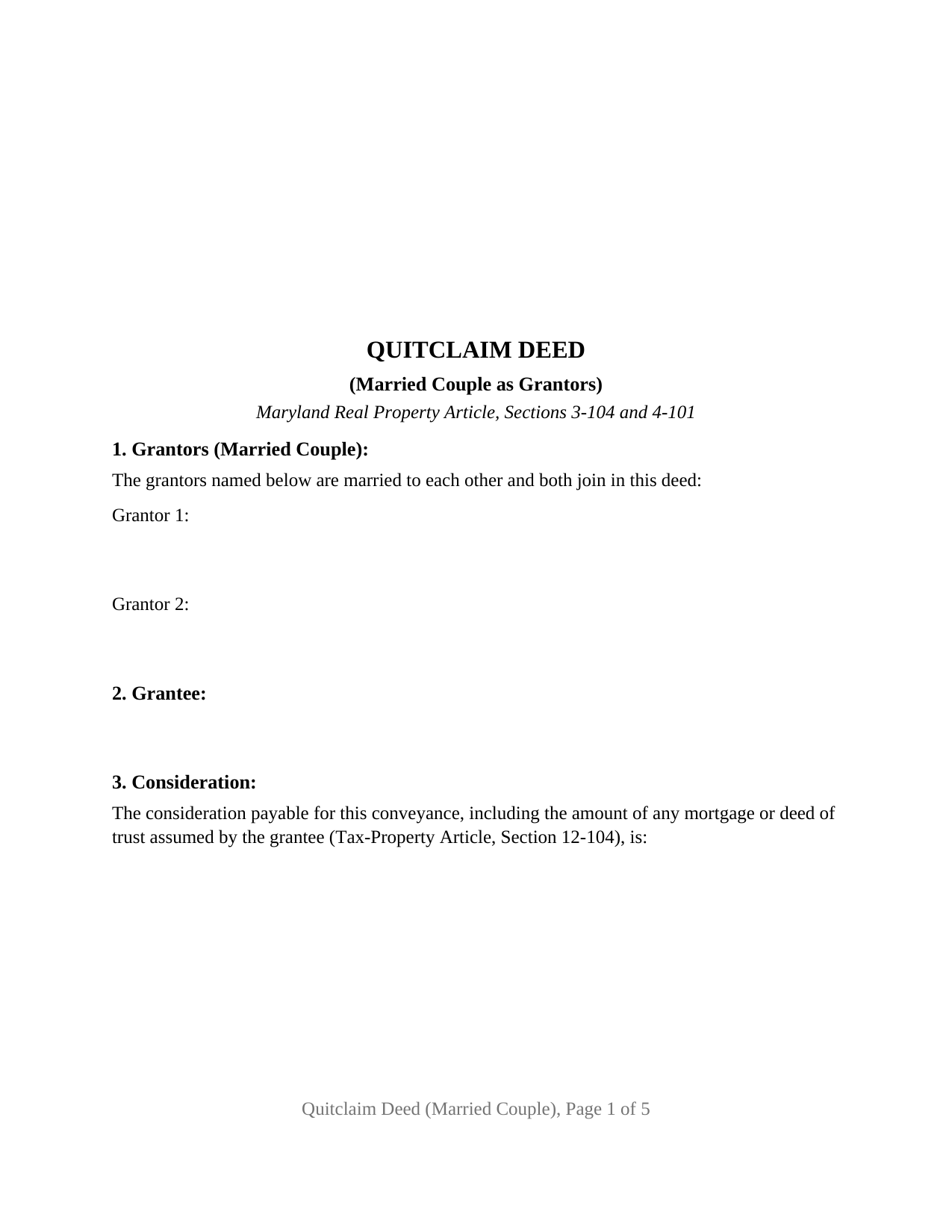
Fill in the blank Quitclaim Deed (Married Couple as Grantors) form formatted to comply with all Maryland recording and content requirements.
Harford County Quitclaim Deed (Married Couple as Grantors) Guide
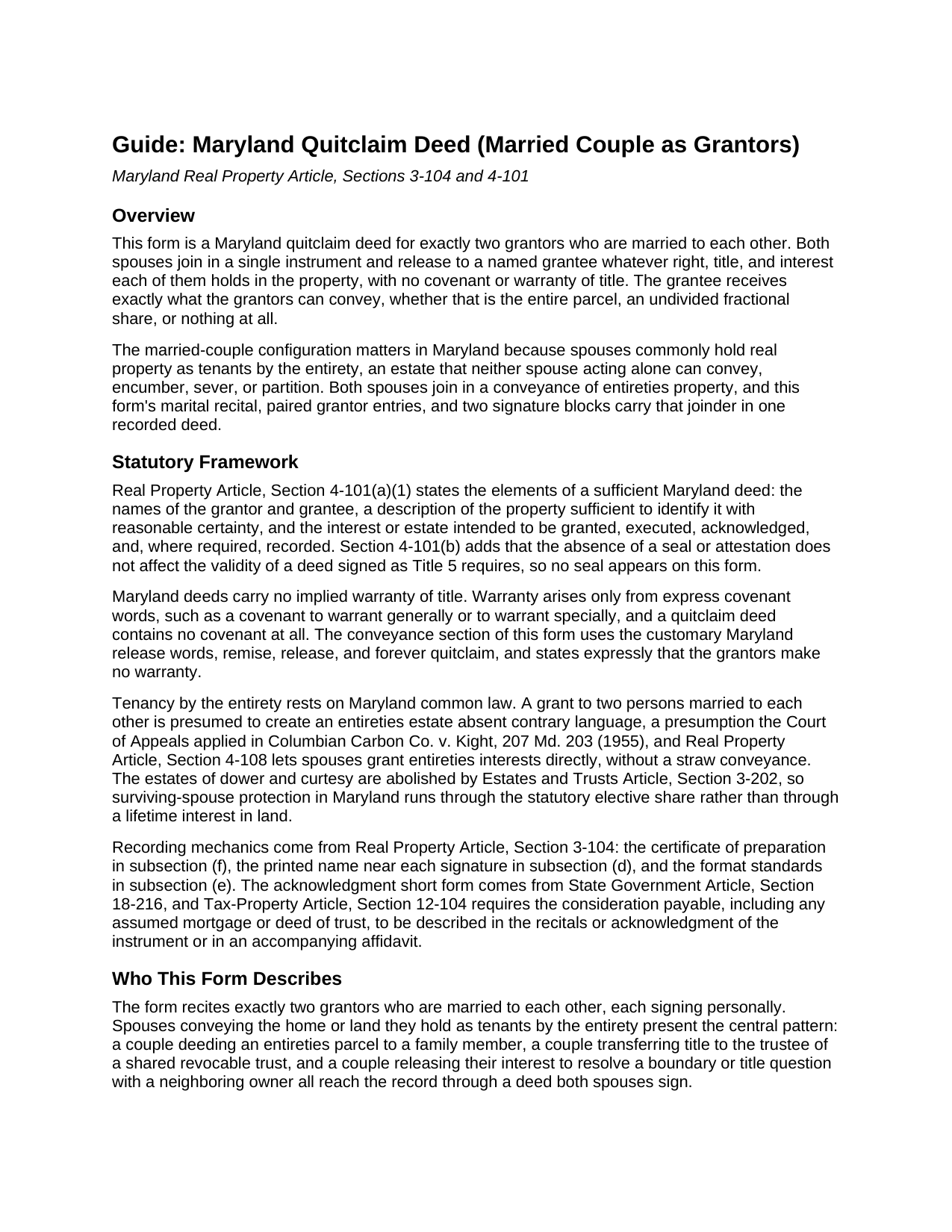
Line by line guide explaining every blank on the Quitclaim Deed (Married Couple as Grantors) form.
Harford County Completed Example of the Quitclaim Deed (Married Couple as Grantors) Document
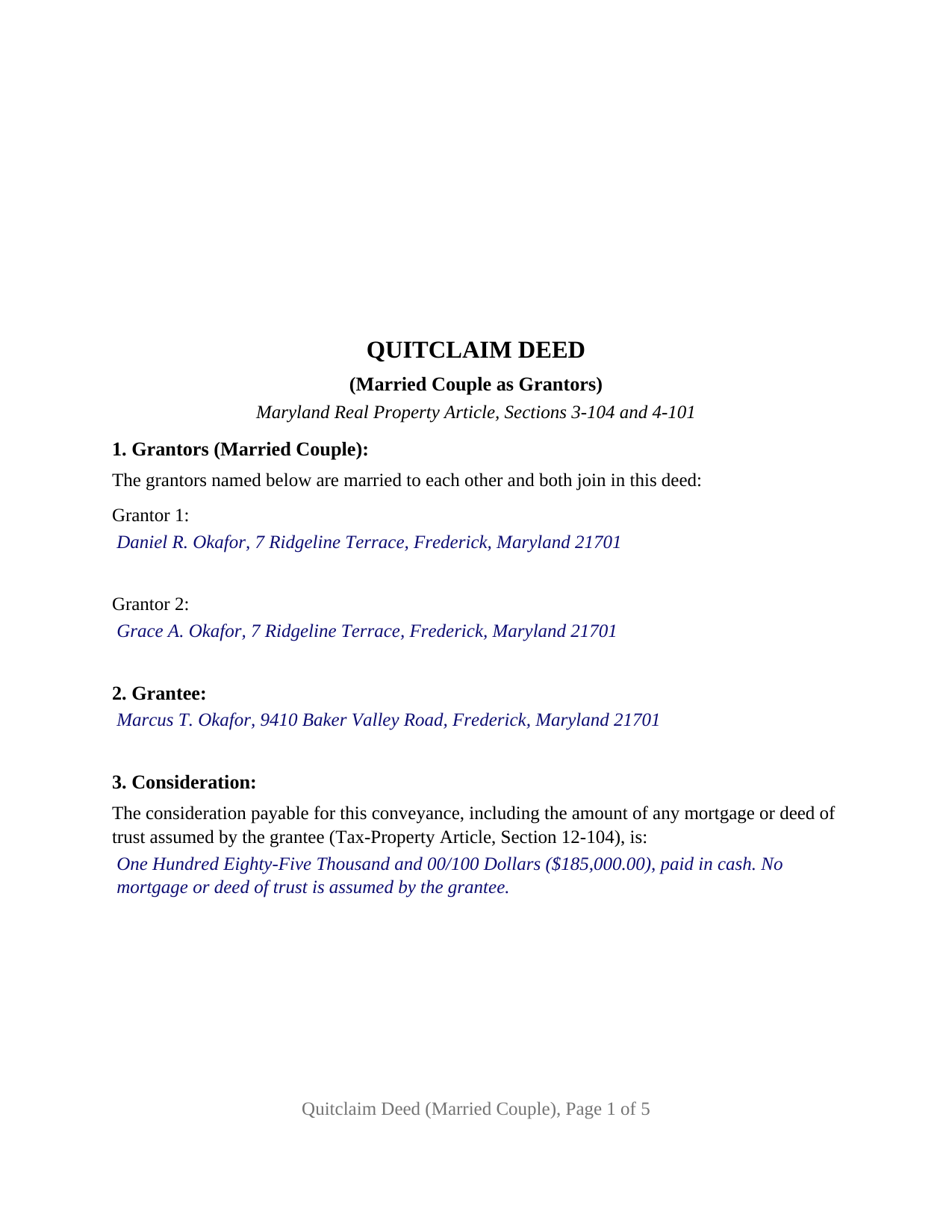
Example of a properly completed Maryland Quitclaim Deed (Married Couple as Grantors) document for reference.
All 3 documents above included • One-time purchase • No recurring fees
Immediate Download • Secure Checkout
Additional Maryland and Harford County documents included at no extra charge:
Where to Record Your Documents
Clerk of the Circuit Court
Bel Air, Maryland 21014
Hours: 8:30am to 4:30pm Monday through Friday
Phone: 410-838-4952
Recording Tips for Harford County:
- Bring your driver's license or state-issued photo ID
- Ensure all signatures are in blue or black ink
- Both spouses typically need to sign if property is jointly owned
- Bring extra funds - fees can vary by document type and page count
- Check margin requirements - usually 1-2 inches at top
Cities and Jurisdictions in Harford County
Properties in any of these areas use Harford County forms:
- Aberdeen
- Aberdeen Proving Ground
- Abingdon
- Bel Air
- Belcamp
- Benson
- Churchville
- Darlington
- Edgewood
- Fallston
- Forest Hill
- Gunpowder
- Havre De Grace
- Jarrettsville
- Joppa
- Perryman
- Pylesville
- Street
- White Hall
- Whiteford
Hours, fees, requirements, and more for Harford County
How do I get my forms?
Forms are available for immediate download after payment. The Harford County forms will be in your account ready to download to your computer. An account is created for you during checkout if you don't have one. Forms are NOT emailed.
Are these forms guaranteed to be recordable in Harford County?
Yes. Our form blanks are guaranteed to meet or exceed the applicable formatting requirements used for recording in Harford County, including margin requirements, font requirements, and other layout standards. This guarantee applies to formatting, not to the legal sufficiency of information entered by the user or the suitability of a form for a particular transaction.
Can I reuse these forms?
Yes. You can reuse the forms for your personal use. For example, if you have multiple properties in Harford County you only need to order once.
What do I need to use these forms?
The forms are PDFs that you fill out on your computer. The free Adobe Acrobat Reader is recommended, and most PDF apps also work. You do NOT enter your property information online - you download the blank forms and complete them privately on your own computer.
Are there any recurring fees?
No. This is a one-time purchase. Nothing to cancel, no memberships, no recurring fees.
How much does it cost to record in Harford County?
Recording fees in Harford County vary. Contact the recorder's office at 410-838-4952 for current fees.
Questions answered? Let's get started!
Marriage is the architecture of this Maryland quitclaim deed: the two grantors it recites are spouses, identified on the face of the form as married to each other, and both join in one instrument to release their right, title, and interest to a named grantee, free of any covenant or warranty of title. Maryland gives that pairing real legal weight. Property titled to a married couple is presumed held as tenants by the entirety, an estate that neither spouse acting alone can convey, encumber, sever, or partition, so a deed moving it out of the couple's names arrives at the land records with two signatures or does not arrive at all.
An estate neither spouse conveys alone
Maryland recognizes tenancy by the entirety at common law, and the presumption runs in its favor: a grant to two persons married to each other creates an entireties estate absent contrary language, the rule the Court of Appeals applied in Columbian Carbon Co. v. Kight, 207 Md. 203 (1955). Real Property Article Section 4-108 lets spouses create and regrant these interests directly, without the old straw conveyance. The other side of that protection is the joinder rule this form is built around: a conveyance of entireties property takes both spouses. Nothing else joins them on the deed, because Maryland abolished dower and curtesy (Estates and Trusts Article Section 3-202) and has no community property regime; the spouses sign as the holders of the interest, not as consenting bystanders. After an absolute divorce, entireties title converts to a tenancy in common, and former spouses conveying together present an unmarried co-owner configuration rather than the one this deed recites.
Two spouses, one release
The form recites exactly two grantors, married to each other and signing personally, with a marital recital above the grantor entries and a conveyance paragraph in which each spouse releases that spouse's entire interest, expressly including any interest held with the other as tenants by the entirety. The operative words are Maryland's customary release words, remise, release, and forever quitclaim, followed by a plain statement that no covenant or warranty of title is made or implied. Couples appear in this posture throughout the land records: spouses deeding the entireties home to an adult child and the child's new spouse, a couple retitling land they hold together to the trustee of a shared revocable trust, and neighbors ending a fence-line question by having the husband and wife on one side release the disputed strip. The form is not set up as a sole-owner release, as an instrument for co-owners who are not married to each other, or as a deed signed in a trustee, personal representative, or attorney-in-fact capacity.
From the signature lines to the clerk's counter
Each spouse signs above a printed name line, the placement Real Property Article Section 3-104(d) describes, and the form carries an acknowledgment certificate for each spouse drawn to the State Government Article Section 18-216 short form, so the two can appear together before one notary or separately before different officers; remote online notarization is also authorized when Maryland's statutory conditions are met. A certificate of preparation, required by Section 3-104(f) before any deed reaches the record, is signed by a party named in the deed or by, or under the supervision of, a member of the Maryland Bar. The first page holds the 3 inch top margin reserved for the clerk, the body sits in 12 point type on 1 inch side margins, and the consideration section performs the recital Tax-Property Article Section 12-104 requires, the figure from which the county recordation tax and the state and county transfer taxes are computed at recording. The deed travels with a Land Instrument Intake Sheet, where any claimed exemption is cited.
Inside the download
The download holds the blank fillable deed formatted for a married couple, a completed example working a Frederick County family sale from the marital recital through the preparation certificate, and a plain-language guide covering each section, entireties title, the grantee vesting forms Maryland recognizes, signing, and county recording. The materials describe Maryland law and this form; they are informational only and are not legal advice.
Important: Your property must be located in Harford County to use these forms. Documents should be recorded at the county or independent city recording office listed above.
This Quitclaim Deed (Married Couple as Grantors) meets all recording requirements specific to Harford County.
Our Promise
The documents you receive here are guaranteed to meet or exceed the applicable Harford County recording format requirements. If there is a rejection caused by our formatting, we will correct the issue or refund your payment. This guarantee applies to document formatting only and does not extend to information entered by the user, the selection of the form, or the legal effect of the completed document.
Save Time and Money
Get your Harford County Quitclaim Deed (Married Couple as Grantors) form done right the first time with Deeds.com Uniform Conveyancing Blanks. At Deeds.com, we understand that your time and money are valuable resources, and we don't want you to face a penalty fee or rejection imposed by a county recorder for submitting nonstandard documents. We constantly review and update our forms to meet rapidly changing state and county recording requirements for roughly 3,500 counties and local jurisdictions.
4.8 out of 5 - ( 4,849 Reviews )
Peter & Bonnie Higgins H. 5 out of 5 stars
We were very pleased with the advice and forms provided. We were able to complete our special project. Just what we were looking for. I give you 41/2 stars
Thank you!
Justin C. 5 out of 5 stars
I was a first-time customer to Deeds.com and was very pleased with my ability to navigate the site and find just what I needed in a very short time. Great value for the price.
Thank you for your feedback. We really appreciate it. Have a great day!
Karen P. 5 out of 5 stars
Very easy to use.
Thank you!
Gwen R. 5 out of 5 stars
Happy with the forms no complaints at all.
Thank you Gwen!
Noble Mikhail F. 5 out of 5 stars
The system is wonderful, and makes recording and searching simple, thanks a lot
Thank you!
Kevin M. 5 out of 5 stars
My first time using Deeds.com and I am impressed how much you offer and how easy it is to use this site. Had the real-estate forms I needed plus a bonus of how to fill them out. Best value on the internet for real-estate forms and information.
We appreciate your business and value your feedback. Thank you. Have a wonderful day!
Edwardo O. 5 out of 5 stars
The form provided was a perfect fill in form. Was able to complete with no problems. The instructions and the sample were a big help. Thank you
Thanks so much, Edwardo! We’re happy everything went smoothly.
Malissa B. 5 out of 5 stars
Fast response and quick delivery love it!
It was a pleasure serving you. Thank you for the positive feedback!
Joseph B. 5 out of 5 stars
All very good
Thank you!
Shonda S. 5 out of 5 stars
This is the best thing I have ever done with this being my first time doing a quick claim. This has save me and my family money instead of paying a lawyer. Thanks again.
We appreciate your business and value your feedback. Thank you. Have a wonderful day!
MARY LACEY M. 5 out of 5 stars
Deeds.com consistently provides excellent service at a fair price, and we rely and are thankful them for assisting with our recording needs.
Thank you, Mary! We truly appreciate your kind words and continued trust in Deeds.com. It means a lot to us to be part of your recording process, and we’re always here to help whenever you need us.
E. Louise S. M. 5 out of 5 stars
Your site is simple, easy to use, and an outstanding service.
Thank you for your feedback. We really appreciate it. Have a great day!
Teresa R. 5 out of 5 stars
FANTASTIC. Sometimes we think know something, glad I found out I was wrong before it was too late.
Thank you!
Thomas D. 2 out of 5 stars
The documents themselves are fine and the information provided with them is helpful. I find the actual processing of the documents, however, to be difficult particularly once the document has been saved. First, I note that the box for the date only allows entry of the last 2 digits of the year. Unfortunately, my download only allows me to enter one of the 2 digits required. When I delete it repeatedly, it eventually allows both digits to be entered but puts them in extremely small text and in superscrypt. I have not found a solution to this problem and am not sure the deed can even be recorded with this problem. Another problem is that if you try to revise the document after you have saved it the curser goes to the end of the line after each key entry. This means that there basically is no way to efficiently save the document for reworking later since you will have to delete everything you have entered in the text box unless you only need to make a single keystroke change or are willing to replace the curser after each entry. Try that with a long property description! Please note that I am using a Mac to prepare my documents and perhaps this is part of an "incompatibility problem". However, I didn't see a disclaimer regarding Mac use and so would expect the documents to perform correctly. Overall, I give the program a "2 star" rating because I am experiencing significant difficulties in entering dates in the documents even before saving them and because saving your work for later revision appears to be basically unworkable.
Thank you for your feedback Thomas, we appreciate you being specific about the issues you encountered. Adobe and Mac have a fairly long history of issues working together.
David N. 5 out of 5 stars
Thank you fine Deeds Company. I hope all goes well for you and all your team!
Your feedback is greatly appreciated. Thank you for taking the time to share your experience!