Garrett County Transfer on Death Deed (Trust Beneficiary) Form
Last validated October 27, 2026 by our Forms Development TeamFormatted for recording in Garrett County, for property anywhere in the county or independent city: rural and unincorporated areas as well as Accident, Bittinger, Bloomington, Friendsville, Grantsville, Kitzmiller, Mc Henry, Oakland and 1 more.
- 3 documents included
- Immediate PDF download
- Formatting guarantee
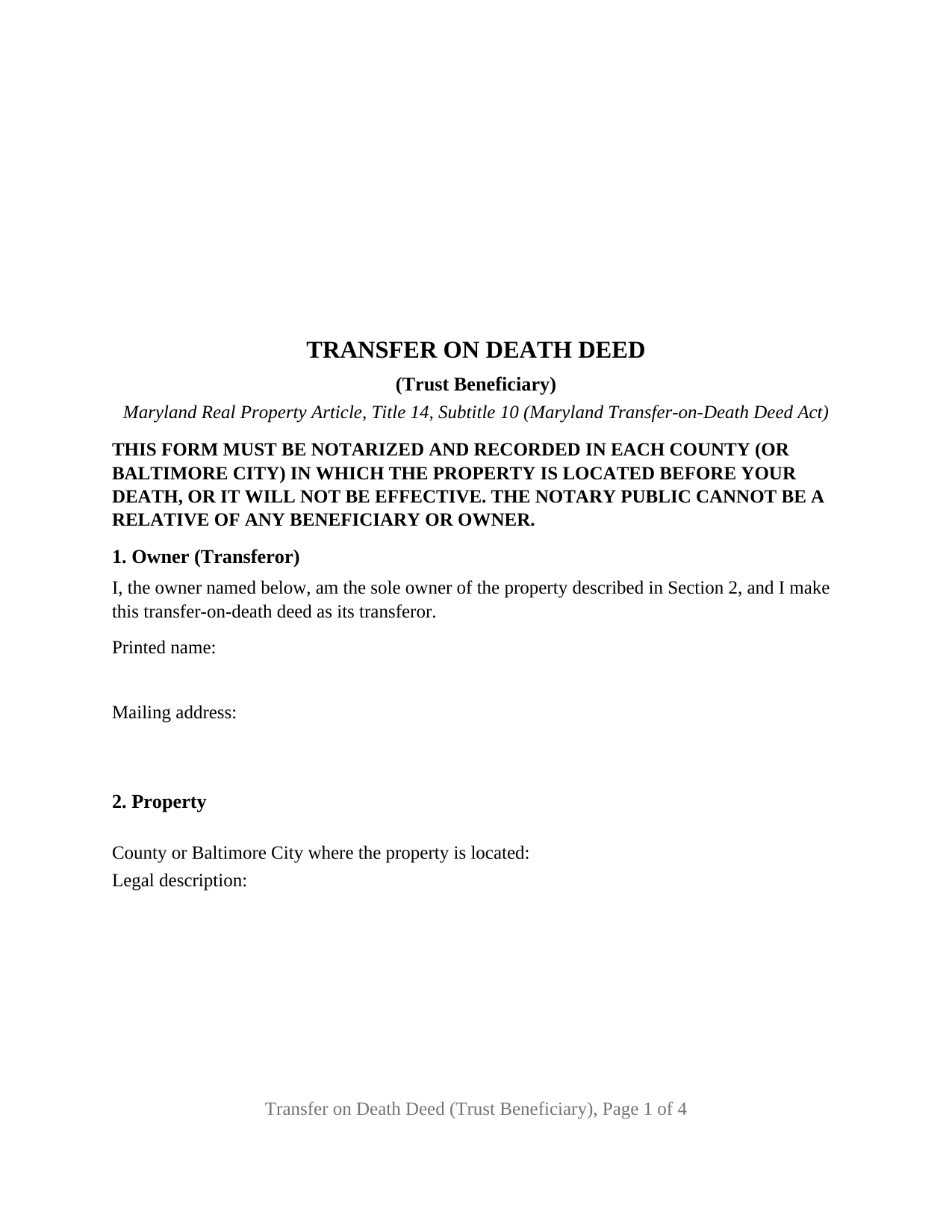
Garrett County Transfer on Death Deed (Trust Beneficiary) Form
Fill in the blank Transfer on Death Deed (Trust Beneficiary) form formatted to comply with all Maryland recording and content requirements.
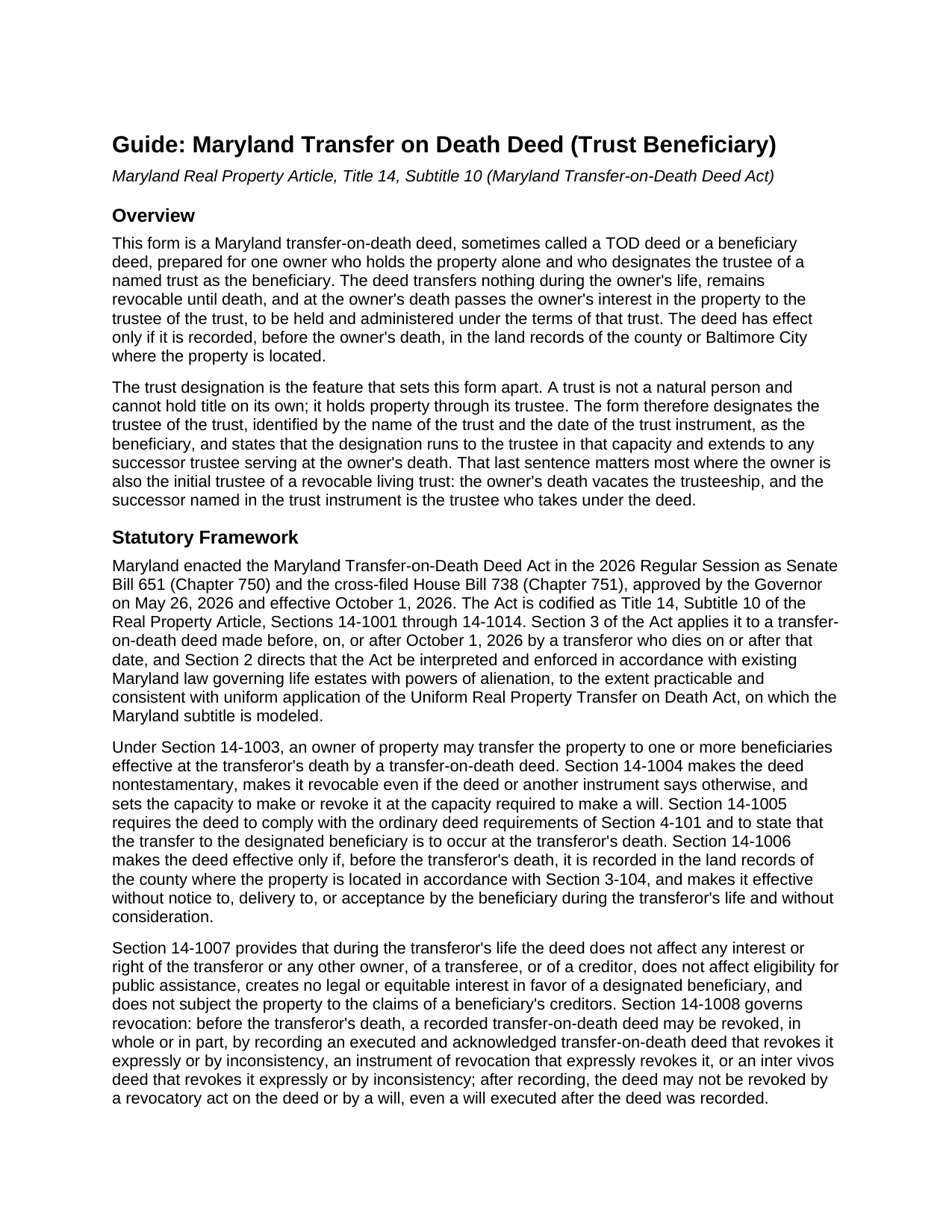
Garrett County Transfer on Death Deed (Trust Beneficiary) Guide
Line by line guide explaining every blank on the Transfer on Death Deed (Trust Beneficiary) form.
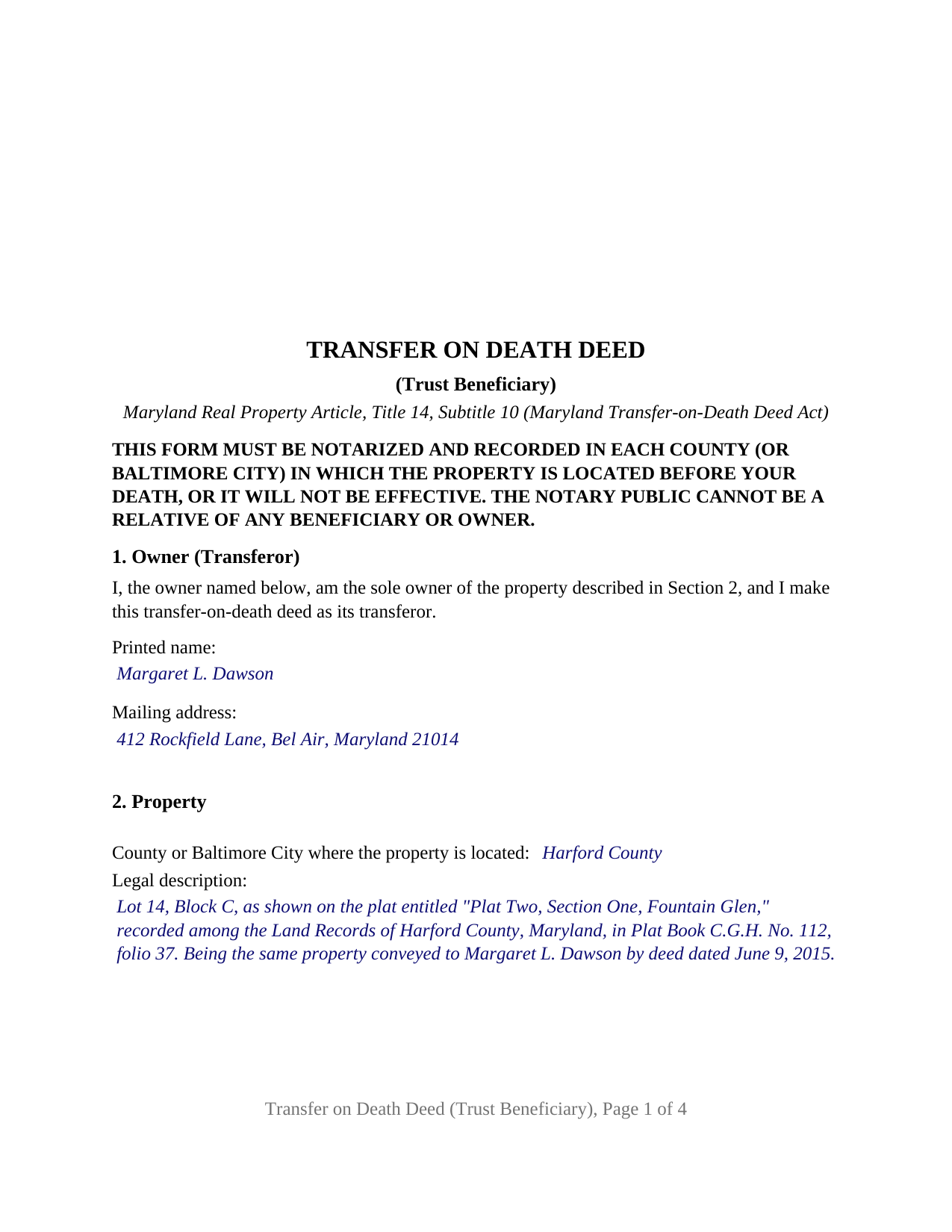
Garrett County Completed Example of the Transfer on Death Deed (Trust Beneficiary) Document
Example of a properly completed Maryland Transfer on Death Deed (Trust Beneficiary) document for reference.
All 3 documents above included • One-time purchase • No recurring fees
Immediate Download • Secure Checkout
Additional Maryland and Garrett County documents included at no extra charge:
Where to Record Your Documents
Circuit Court Clerk: Land Record Department
Oakland, Maryland 21550
Hours: 8:30 to 4:30 M-F
Phone: 301-334-1941
Recording Tips for Garrett County:
- Bring your driver's license or state-issued photo ID
- Ensure all signatures are in blue or black ink
- Avoid the last business day of the month when possible
- Both spouses typically need to sign if property is jointly owned
- Bring extra funds - fees can vary by document type and page count
Cities and Jurisdictions in Garrett County
Properties in any of these areas use Garrett County forms:
- Accident
- Bittinger
- Bloomington
- Friendsville
- Grantsville
- Kitzmiller
- Mc Henry
- Oakland
- Swanton
Hours, fees, requirements, and more for Garrett County
How do I get my forms?
Forms are available for immediate download after payment. The Garrett County forms will be in your account ready to download to your computer. An account is created for you during checkout if you don't have one. Forms are NOT emailed.
Are these forms guaranteed to be recordable in Garrett County?
Yes. Our form blanks are guaranteed to meet or exceed the applicable formatting requirements used for recording in Garrett County, including margin requirements, font requirements, and other layout standards. This guarantee applies to formatting, not to the legal sufficiency of information entered by the user or the suitability of a form for a particular transaction.
Can I reuse these forms?
Yes. You can reuse the forms for your personal use. For example, if you have multiple properties in Garrett County you only need to order once.
What do I need to use these forms?
The forms are PDFs that you fill out on your computer. The free Adobe Acrobat Reader is recommended, and most PDF apps also work. You do NOT enter your property information online - you download the blank forms and complete them privately on your own computer.
Are there any recurring fees?
No. This is a one-time purchase. Nothing to cancel, no memberships, no recurring fees.
How much does it cost to record in Garrett County?
Recording fees in Garrett County vary. Contact the recorder's office at 301-334-1941 for current fees.
Questions answered? Let's get started!
A trust cannot take title to Maryland real estate in its own name; it holds property through whoever is serving as its trustee. A transfer-on-death deed that names a trust therefore answers a question an ordinary beneficiary deed never faces: which trustee takes when the owner who signed the deed was also the trust's first trustee. This Maryland transfer on death deed is built around that answer, under Real Property Article, Title 14, Subtitle 10, for one owner who holds the property alone and designates the trustee of a named trust, identified by the trust's name and the date of its trust instrument, as the beneficiary who takes at the owner's death.
A designation that follows the office of trustee
The Act defines a designated beneficiary as a person, and Section 1-101 of the Real Property Article defines a person to include a trustee, a fiduciary, or a representative of any kind. The deed designates the trustee in that capacity, and its fixed text extends the designation to any successor trustee serving at the owner's death. The Maryland Trust Act supplies the mechanics: under Estates and Trusts Section 14.5-704, a trusteeship becomes vacant when the trustee dies, and a vacancy that has to be filled passes first to the person the trust instrument names as successor trustee. An owner who signed a revocable living trust and serves as its initial trustee can record this deed naming that trust; at death the successor trustee takes, and the property passes under the trust's own terms rather than through probate.
During life, and at death
Nothing passes while the owner is living. Under Section 14-1007 the recorded deed leaves the owner free to sell, mortgage, or lease the property and creates no interest in favor of the trustee. The owner keeps the full right to revoke, and a lifetime deed to anyone, including the trustee, revokes it by inconsistency under Section 14-1008. At death the trustee takes the owner's interest subject to every mortgage and lien then on the property, without covenant or warranty of title, and subject to the limits Section 14-1009 lists, the surviving spouse's elective share among them. An optional alternate section, in the statutory form's words, names who takes if the primary designation fails.
One owner, one trust, one certificate
The form recites exactly one record owner, the sole owner of the property, signing in that person's own capacity, with one signature block carrying the (SEAL) notation of the statutory form and one acknowledgment certificate in the short form of State Government Section 18-216, Maryland has no community property regime and abolished dower and curtesy, so a spouse who is not on the title has no signature line. The trustee does not sign, and the trust instrument is not recorded. The form is not set up as a deed by two or more owners, as a deed by a fractional co-owner, as a deed signed by a trustee, an entity, a personal representative, or an attorney-in-fact, or as a designation to an individual or an entity in its own name. An owner who holds the family home alone after a spouse's death and has moved the estate plan into a trust, and an owner whose trust holds property for a child with a disability under an independent trustee, present the pattern this deed recites.
Recording a trust designation in Maryland
The deed is effective only if it is recorded, before the owner's death, in the land records of the county or Baltimore City where the property lies, and it travels with a Land Instrument Intake Sheet, since Section 3-104(g)(6)(ii) lets the clerk refuse a transfer-on-death deed that arrives without one. The deed carries the certification of preparation that Section 3-104(f) requires as a printed choice between the attorney certification and the party certification. The Act's exemption of a deed of the owner's primary or secondary residence from recordation tax and from State and county transfer tax is keyed to the owner's residence, not to who the beneficiary is, so a trust designation of the home qualifies on the same terms; recording fees still apply.
The package includes the fillable transfer on death deed as a PDF, a completed example filled in for a Harford County owner naming her revocable living trust and an alternate, and a plain-language guide that walks through each section, the trust entries, signing, and recording. The materials are informational and are not legal advice.
Important: Your property must be located in Garrett County to use these forms. Documents should be recorded at the county or independent city recording office listed above.
This Transfer on Death Deed (Trust Beneficiary) meets all recording requirements specific to Garrett County.
Our Promise
The documents you receive here are guaranteed to meet or exceed the applicable Garrett County recording format requirements. If there is a rejection caused by our formatting, we will correct the issue or refund your payment. This guarantee applies to document formatting only and does not extend to information entered by the user, the selection of the form, or the legal effect of the completed document.
Save Time and Money
Get your Garrett County Transfer on Death Deed (Trust Beneficiary) form done right the first time with Deeds.com Uniform Conveyancing Blanks. At Deeds.com, we understand that your time and money are valuable resources, and we don't want you to face a penalty fee or rejection imposed by a county recorder for submitting nonstandard documents. We constantly review and update our forms to meet rapidly changing state and county recording requirements for roughly 3,500 counties and local jurisdictions.
4.8 out of 5 - ( 4,836 Reviews )
William B. 4 out of 5 stars
The forms, and other information, are all excellent. I would be giving a 5-star review if it were not for the fact that downloading a "bundle" about quitclaim deeds required I download every single file independently (15 files). I would far prefer a zip file, or one click to download the whole pile of independent files.
Your feedback is valuable to us and helps us improve. Thank you for sharing your thoughts!
Charles B. 5 out of 5 stars
Excellent andeasy to navigate website for non-lawyers. Needed some forms for a specific county in a specific state, and Deeds.com took me right there, where I downloaded the forms and a guide on how to fill them out.
We appreciate your business and value your feedback. Thank you. Have a wonderful day!
Beverly D. 5 out of 5 stars
Very User friendly site
Thank you for your feedback. We really appreciate it. Have a great day!
Susan M. 5 out of 5 stars
Loved my experience with deeds.com! Easy and simple to fill in the form, plus the extra instructions were helpful! I will use them again!
Thank you for your feedback. We really appreciate it. Have a great day!
Thomas M. 5 out of 5 stars
The process of finding exactly what was needed was pretty painless.
We appreciate your business and value your feedback. Thank you. Have a wonderful day!
Daniel W. 5 out of 5 stars
They are amazing. So fast and friendly.
We appreciate your business and value your feedback. Thank you. Have a wonderful day!
Saul N. 5 out of 5 stars
Great and fast service. Would have been grate to have seen a little more detail or a pre-filled sample in the fields. Had a little confussion in some of the lines to fill out since the guide only explains a few of the lines not all of them. Otherwise, is really great to have this service with low cost. Thank you.
Thank you for taking the time to provide us with your feedback Saul, we appreciate you.
Robert D. 5 out of 5 stars
These forms made it so easy to update the property deed and the instructions and sample filled out form were most helpful. You might want to add some brief information on when or why to use the Acknowledgment in Individual Capacity notary form. In my case the notary was required to use it but also filled in the brief notarize section on the Affidavit as well. She said the one on the Affidavit had some value because it showed she had witnessed the my signature. But this was only after I suggested both be filled in as she initially thought to just strike through it and just use the Acknowledgment in Individual Capacity form.
Thank you for your feedback. We really appreciate it. Have a great day!
Anita M. 5 out of 5 stars
This was a very easy process to find the correct documents and download them. The price was also reasonable.
Thank you for your feedback. We really appreciate it. Have a great day!
Nancy W. 5 out of 5 stars
This was very easy to use to record my NOC. With the new COVID restrictions, I can't record my NOC in person and I'm working from home. This was a huge convenience and easy to use. I submitted the NOC late in the day and had the recorded NOC the next day.
Thank you!
Ron D. 3 out of 5 stars
The State form I chose was valid and accurate. However, I found the ability to enter information was inadequate and difficult. Converted the form to a Word document and was then able to enter the information I needed to.
Your feedback is valuable to us and helps us improve. Thank you for sharing your thoughts!
Debra M. 5 out of 5 stars
Easy Peasy. Great experience.
Thank you for your feedback. We really appreciate it. Have a great day!
john c. 1 out of 5 stars
Not impressed
Thank you!
Patricia R. 3 out of 5 stars
Very quick to respond with the obvious answers. I asked what form to use when adding my daughter to deed. Answer: talk to an attorney duh.
Thank you!
Samy K. 5 out of 5 stars
I searched on line for the blank forms I needed, everyone that said it's free was a part m they wanted to sign me up for a monthly membership, deeds.com had the forms that I can download and fill in, I paid $24 and got more than I needed, very easy company to deal with, I highly recommend them.
Thank you for your feedback. We really appreciate it. Have a great day!