Baraga County Assignment of Leases and Rents Form
Last validated August 25, 2026 by our Forms Development TeamFormatted for recording in Baraga County, for property anywhere in the county: rural and unincorporated areas as well as Baraga, Covington, Lanse, Skanee, Watton.
- 3 documents included
- Immediate PDF download
- Formatting guarantee
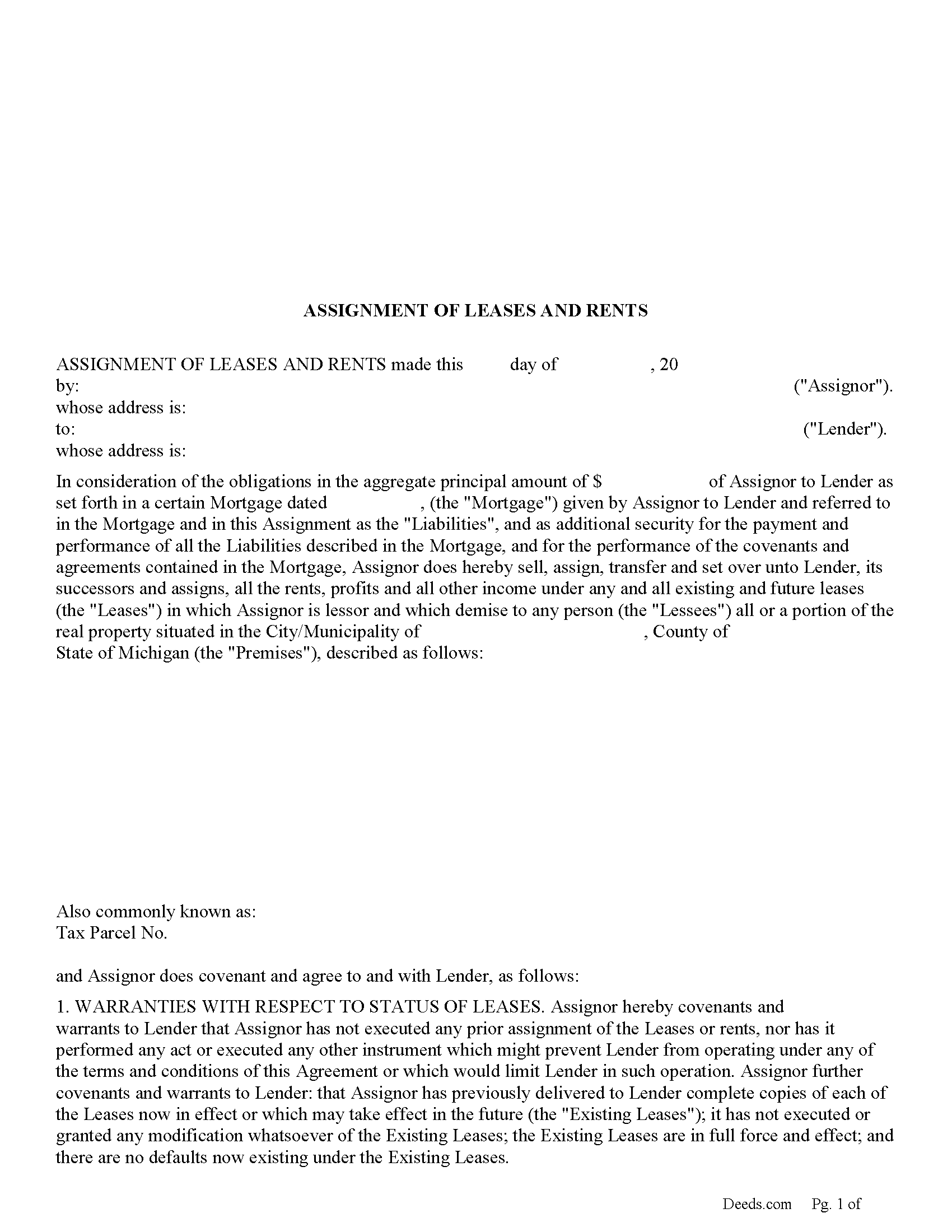
Baraga County Assignment of Leases and Rents Form
Fill in the blank form formatted to comply with all recording and content requirements.
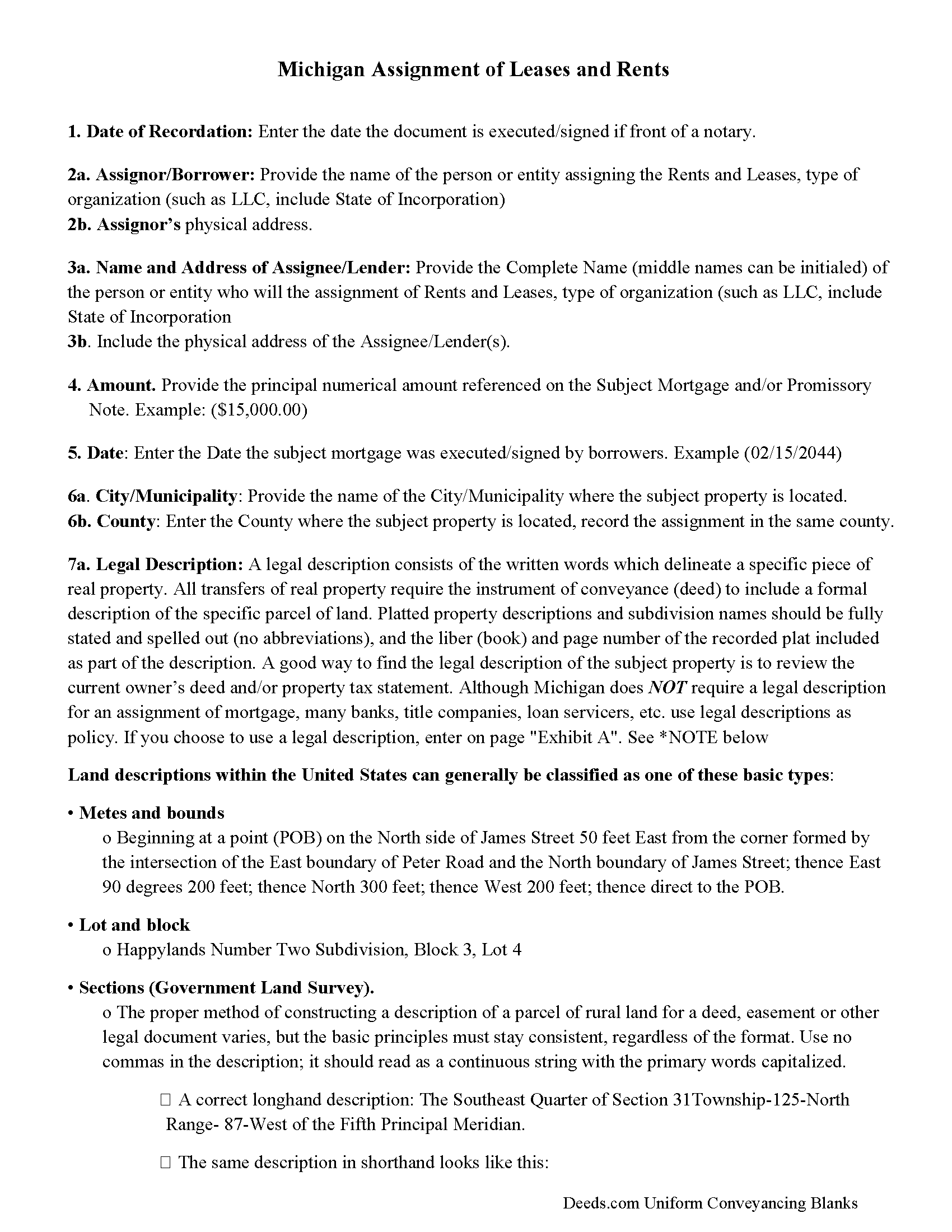
Baraga County Guidelines - Assignment of Leases and Rents
Line by line guide explaining every blank on the form.
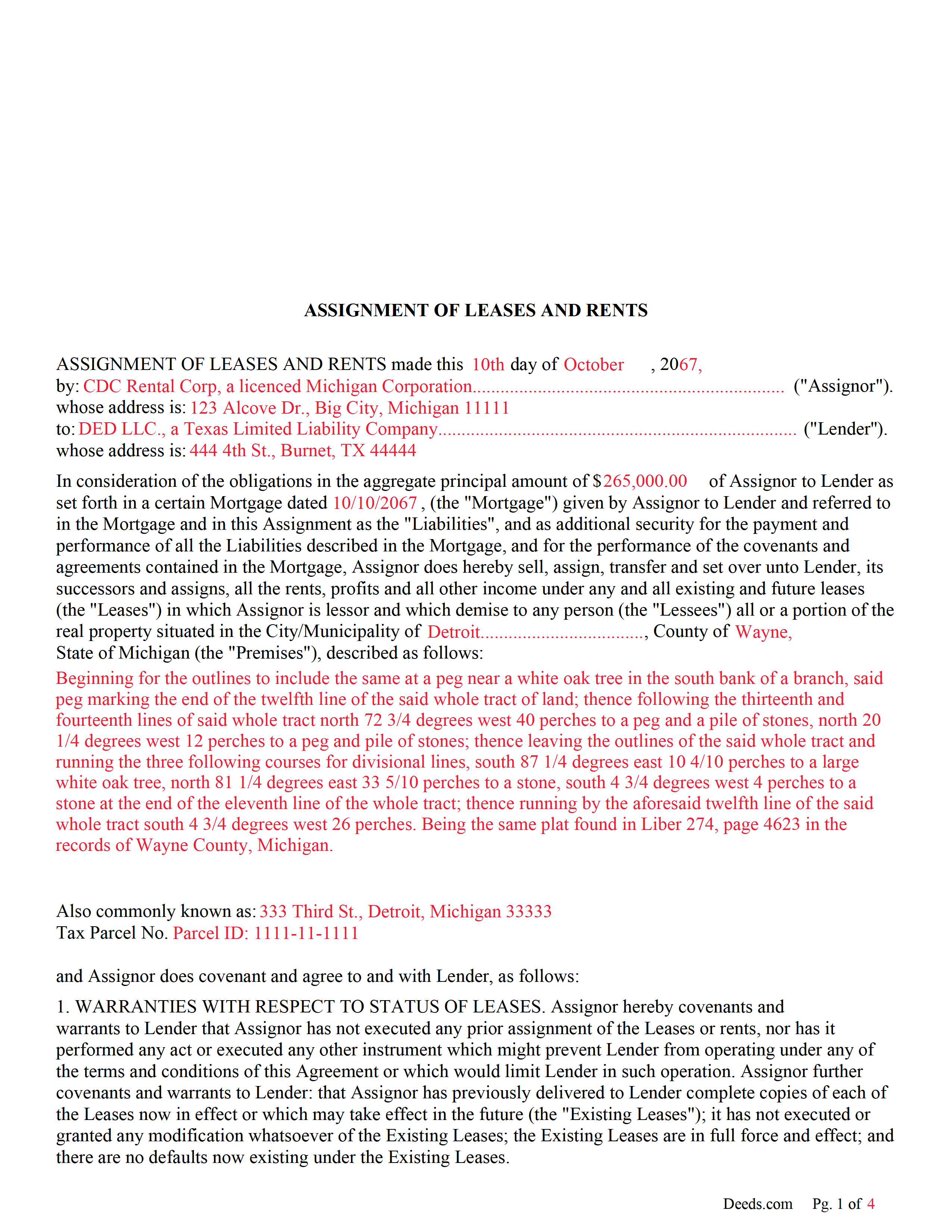
Baraga County Completed Example of the Assignment of Leases and Rents Document
Example of a properly completed form for reference.
All 3 documents above included • One-time purchase • No recurring fees
Immediate Download • Secure Checkout
Additional Michigan and Baraga County documents included at no extra charge:
Where to Record Your Documents
Baraga County Register of Deeds
L'Anse, Michigan 49946
Hours: 8:30 to 4:30 M-F
Phone: (906) 524-6100 Ext 111, 112, 113
Recording Tips for Baraga County:
- Bring your driver's license or state-issued photo ID
- Ensure all signatures are in blue or black ink
- Bring extra funds - fees can vary by document type and page count
- Check margin requirements - usually 1-2 inches at top
- Leave recording info boxes blank - the office fills these
Cities and Jurisdictions in Baraga County
Properties in any of these areas use Baraga County forms:
- Baraga
- Covington
- Lanse
- Skanee
- Watton
Hours, fees, requirements, and more for Baraga County
How do I get my forms?
Forms are available for immediate download after payment. The Baraga County forms will be in your account ready to download to your computer. An account is created for you during checkout if you don't have one. Forms are NOT emailed.
Are these forms guaranteed to be recordable in Baraga County?
Yes. Our form blanks are guaranteed to meet or exceed the applicable formatting requirements used for recording in Baraga County, including margin requirements, font requirements, and other layout standards. This guarantee applies to formatting, not to the legal sufficiency of information entered by the user or the suitability of a form for a particular transaction.
Can I reuse these forms?
Yes. You can reuse the forms for your personal use. For example, if you have multiple properties in Baraga County you only need to order once.
What do I need to use these forms?
The forms are PDFs that you fill out on your computer. The free Adobe Acrobat Reader is recommended, and most PDF apps also work. You do NOT enter your property information online - you download the blank forms and complete them privately on your own computer.
Are there any recurring fees?
No. This is a one-time purchase. Nothing to cancel, no memberships, no recurring fees.
How much does it cost to record in Baraga County?
Recording fees in Baraga County vary. Contact the recorder's office at (906) 524-6100 Ext 111, 112, 113 for current fees.
Questions answered? Let's get started!
Use this form to assign leases and rents to the lender as added security in the case of default.
554.231 Assignment of rents to accrue from leases as additional mortgage security.
Sec. 1.
Hereafter, in or in connection with any mortgage on commercial or industrial property other than an apartment building with less than 6 apartments or any family residence to secure notes, bonds or other fixed obligations, it shall be lawful to assign the rents, or any portion thereof, under any oral or written leases upon the mortgaged property to the mortgagee, as security in addition to the property described in such mortgage. Such assignment of rents shall be binding upon such assignor only in the event of default in the terms and conditions of said mortgage, and shall operate against and be binding upon the occupiers of the premises from the date of filing by the mortgagee in the office of the register of deeds for the county in which the property is located of a notice of default in the terms and conditions of the mortgage and service of a copy of such notice upon the occupiers of the mortgaged premises.
(Michigan AOR Package includes form, guidelines, and completed example)
Important: Your property must be located in Baraga County to use these forms. Documents should be recorded at the county recording office listed above.
This Assignment of Leases and Rents meets all recording requirements specific to Baraga County.
Our Promise
The documents you receive here are guaranteed to meet or exceed the applicable Baraga County recording format requirements. If there is a rejection caused by our formatting, we will correct the issue or refund your payment. This guarantee applies to document formatting only and does not extend to information entered by the user, the selection of the form, or the legal effect of the completed document.
Save Time and Money
Get your Baraga County Assignment of Leases and Rents form done right the first time with Deeds.com Uniform Conveyancing Blanks. At Deeds.com, we understand that your time and money are valuable resources, and we don't want you to face a penalty fee or rejection imposed by a county recorder for submitting nonstandard documents. We constantly review and update our forms to meet rapidly changing state and county recording requirements for roughly 3,500 counties and local jurisdictions.
4.8 out of 5 - ( 4,825 Reviews )
Nancy E. 5 out of 5 stars
Easy to complete. I would suggest, since it is 2 pages, make a bigger space for land descriptions & sources.
Thank you for your feedback. We really appreciate it. Have a great day!
Cynthia W. 5 out of 5 stars
I like the support documents that go along with the easement template and the fact that the format is specific to a state and county.
We appreciate your business and value your feedback. Thank you. Have a wonderful day!
Phyllis R Q. 5 out of 5 stars
So far so good, I did not know the convenience I would have from my seat to file a legal document! Awesome Service!
Thank you!
Roy W. 5 out of 5 stars
It's fine
Thank you!
Erika H. 5 out of 5 stars
The service was fast and efficient. So glad I stumbled upon this website!
Thank you for your feedback. We really appreciate it. Have a great day!
Christine L. 5 out of 5 stars
User friendly!
Thank you!
Dianne J. 5 out of 5 stars
Happy to give you a 5 star rating. We have never been a position to get changes on and record our own deed. You made the process very easy. Submitted my forms on a Friday, made one correction that was requested of me, paid our fees and the received notification of deed being recorded the next Tuesday. Wonderful work on your part and super easy for me. Thanks!
Thank you for your feedback. We really appreciate it. Have a great day!
Esther R. 5 out of 5 stars
Very easy to follow and complete.
Thank you for your feedback. We really appreciate it. Have a great day!
Kenneh C. 1 out of 5 stars
I was looking for something this website does not offer. Very dissapointed.
Sorry to hear that. We do hope you found what you were looking for elsewhere.
BARBARA L. 4 out of 5 stars
Fairly easy to use. I had to really search to get some info. I had to use the Exhibit feature because the description box was way too small and I ended up re-typing it. The package had good and useful links. The County Clerk looked at it and said, "I see you used an online form, and that's OK, but..." and proceeded to show me a couple of things that were left out. They recorded it with no problems.
Thank you!
Joel B. 5 out of 5 stars
I would have liked more room in the text fields for describing the potential claim. had to use Exhibit A. Could not delete Exhibit B. Alo would like to have a custom footer - not deeds.com. Unprofessional.
Thank you for your feedback. We really appreciate it. Have a great day!
patricia l b. 5 out of 5 stars
Wonderful service, very user friendly!
Thank you for your feedback. We really appreciate it. Have a great day!
Tracey B. 5 out of 5 stars
Has no problems at all, everything was perfect. TB
Thanks Tracey, we appreciate your feedback.
Susan R. 5 out of 5 stars
I found the documents I needed on Deeds.com. It was so easy to use and I received the items I purchased FAST! I'll be using their service again.
Thank you for your feedback. We really appreciate it. Have a great day!
Michael R. 5 out of 5 stars
This process was so easy.
We appreciate your business and value your feedback. Thank you. Have a wonderful day!