Calhoun County Mortgage Secured by Promissory Note Form
Last validated October 26, 2026 by our Forms Development TeamFormatted for recording in Calhoun County, for property anywhere in the county: rural and unincorporated areas as well as Albion, Athens, Battle Creek, Bedford, Burlington, Ceresco, East Leroy, Homer and 2 more.
- 7 documents included
- Immediate PDF download
- Formatting guarantee
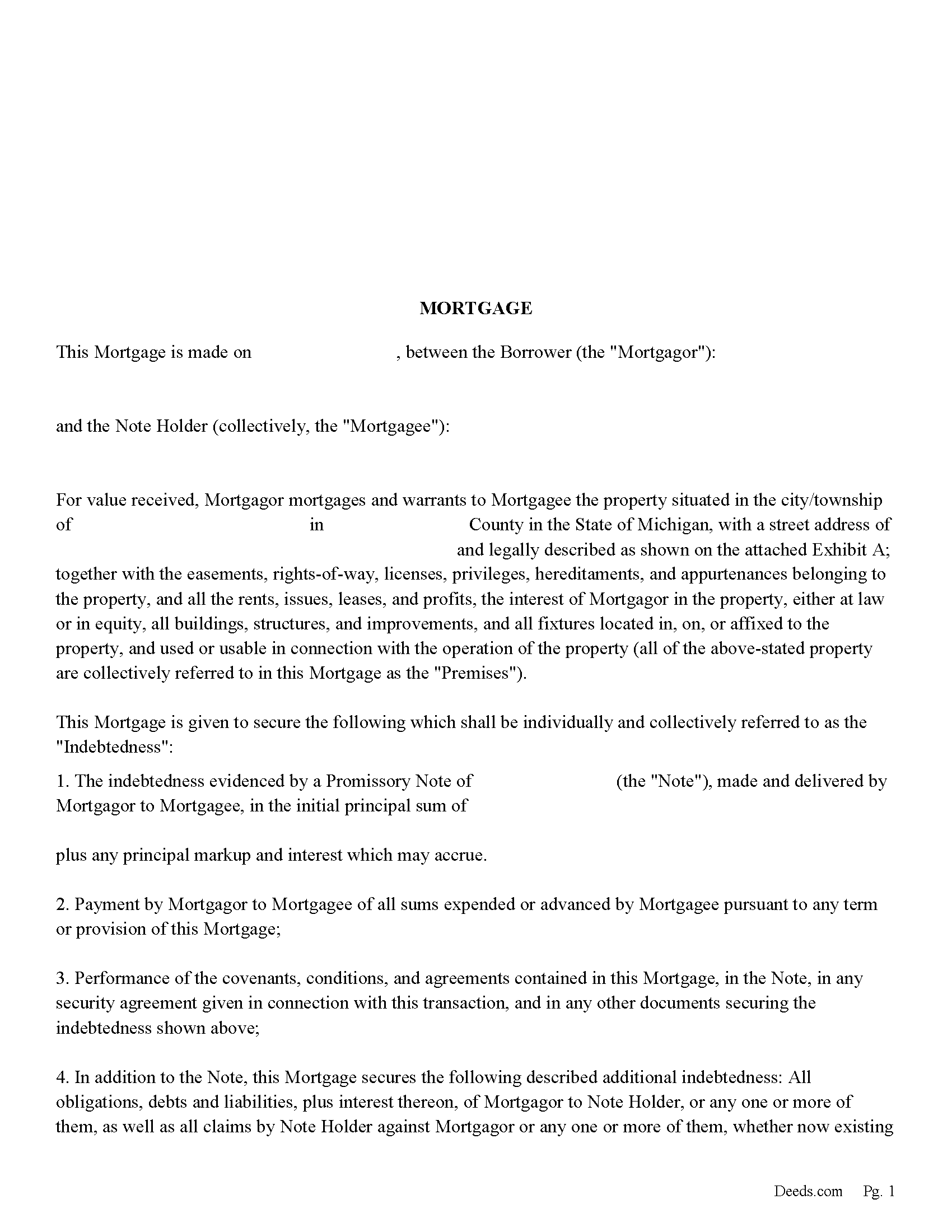
Calhoun County Mortgage Form
Fill in the blank form formatted to comply with all recording and content requirements.
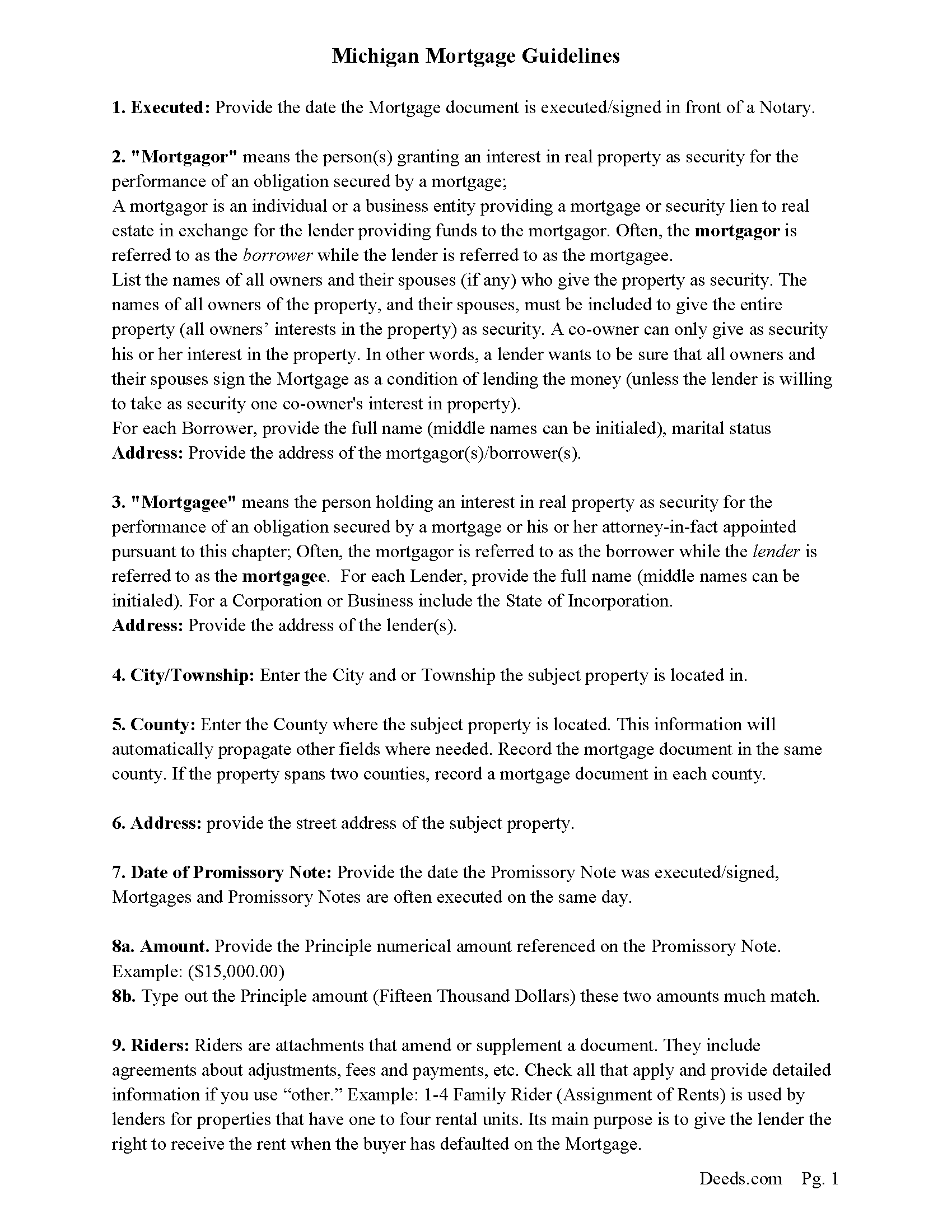
Calhoun County Mortgage Guidelines
Line by line guide explaining every blank on the form.
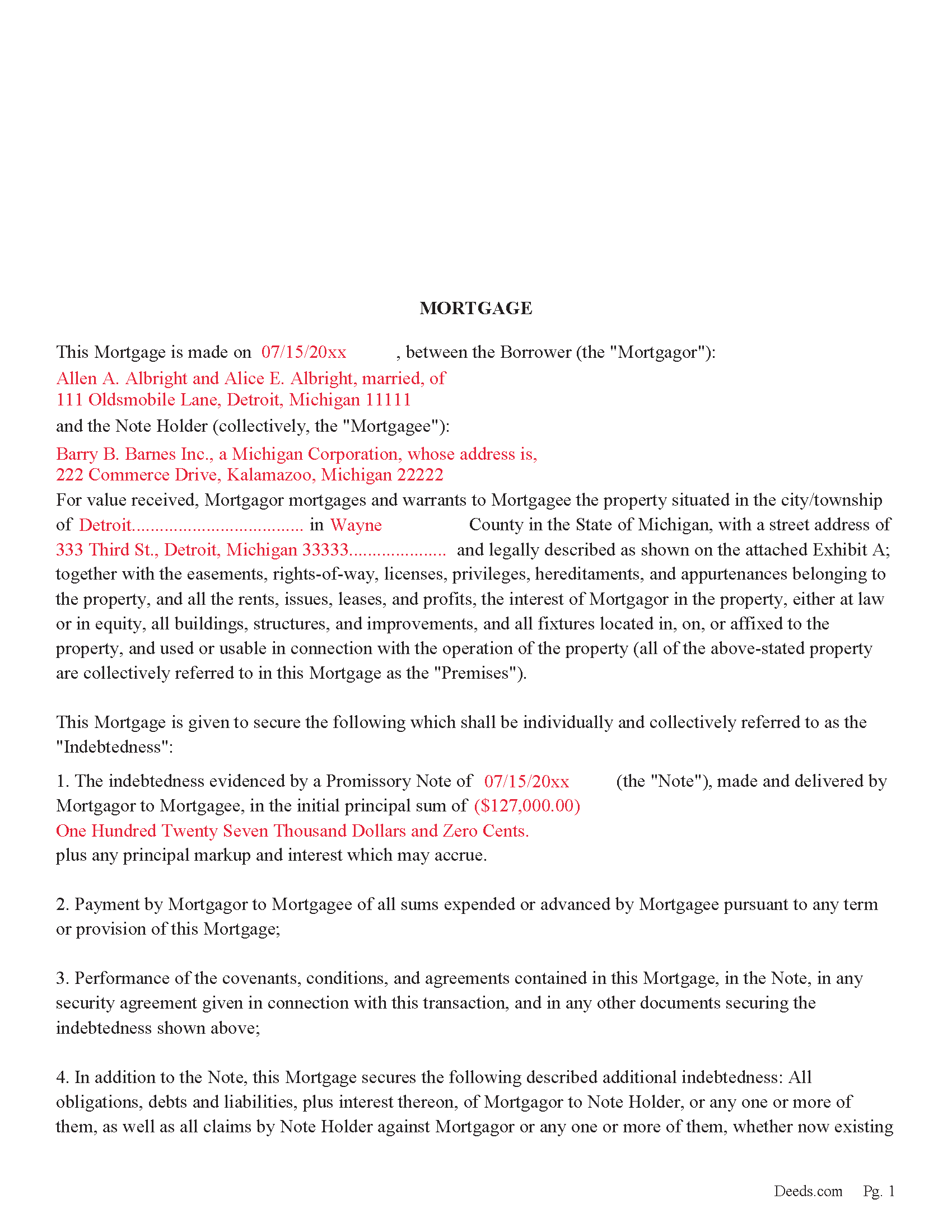
Calhoun County Completed Example of the Mortgage Document
Example of a properly completed form for reference.
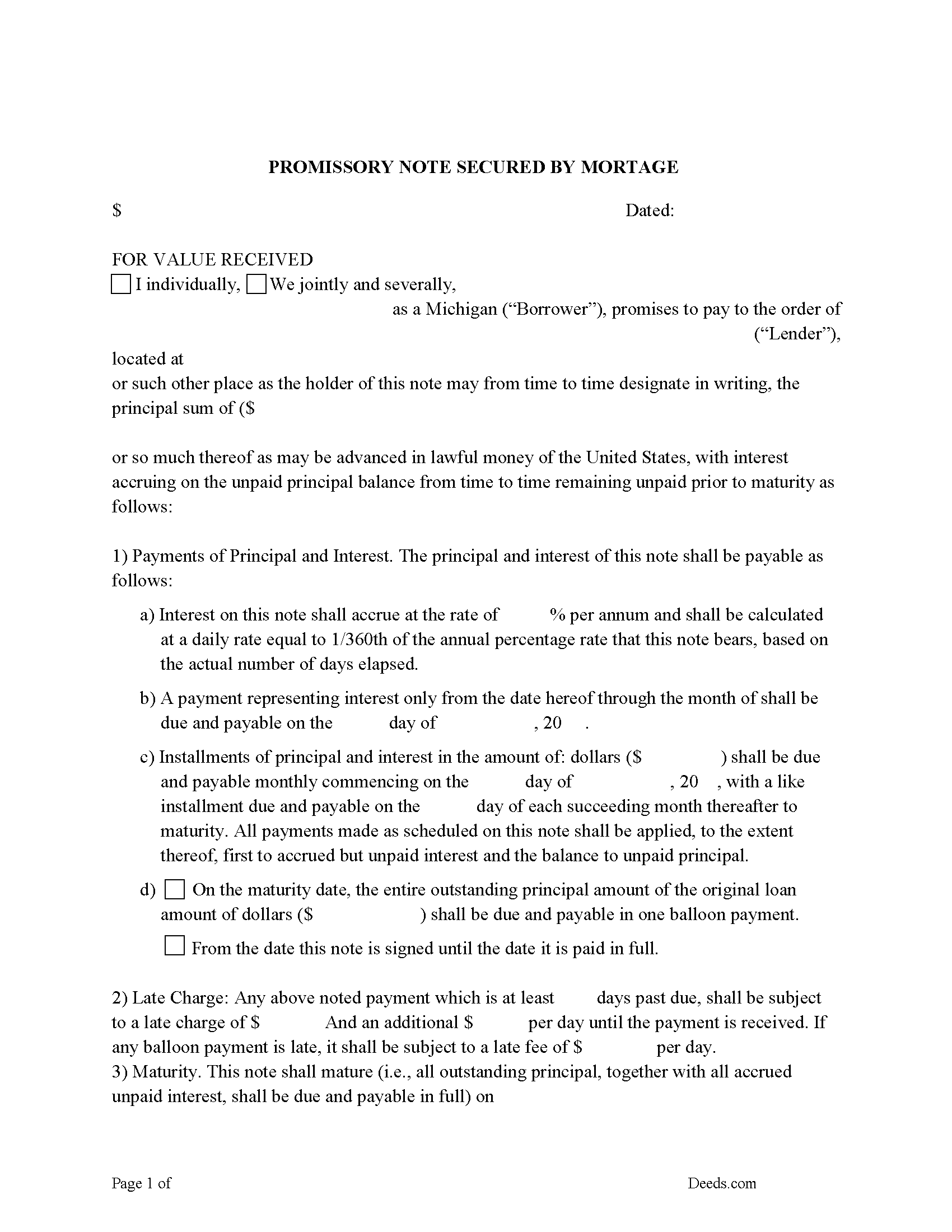
Calhoun County Promissory Note Form
Fill in the blank Form.
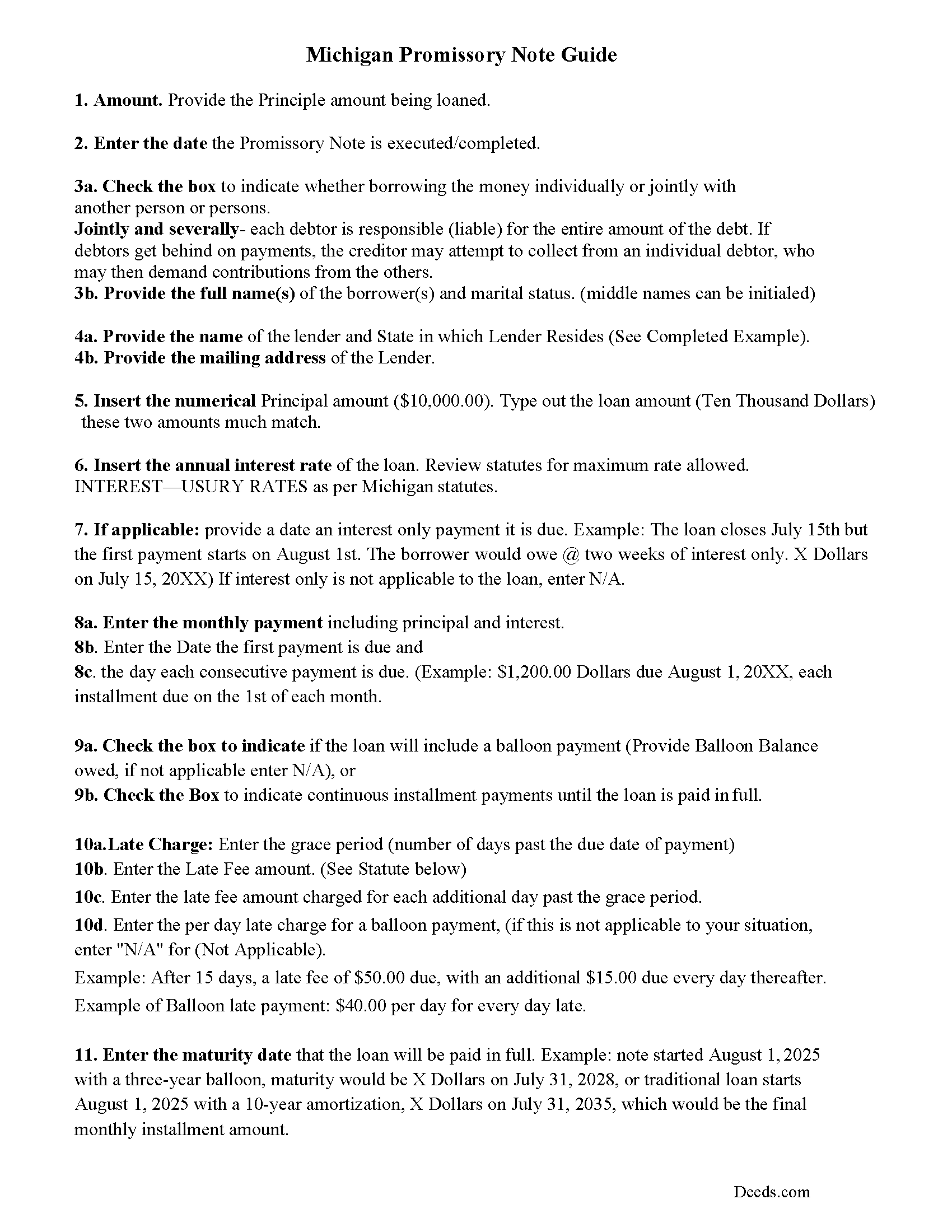
Calhoun County Promissory Note Guidelines
Line by line guide explaining every blank on the form.
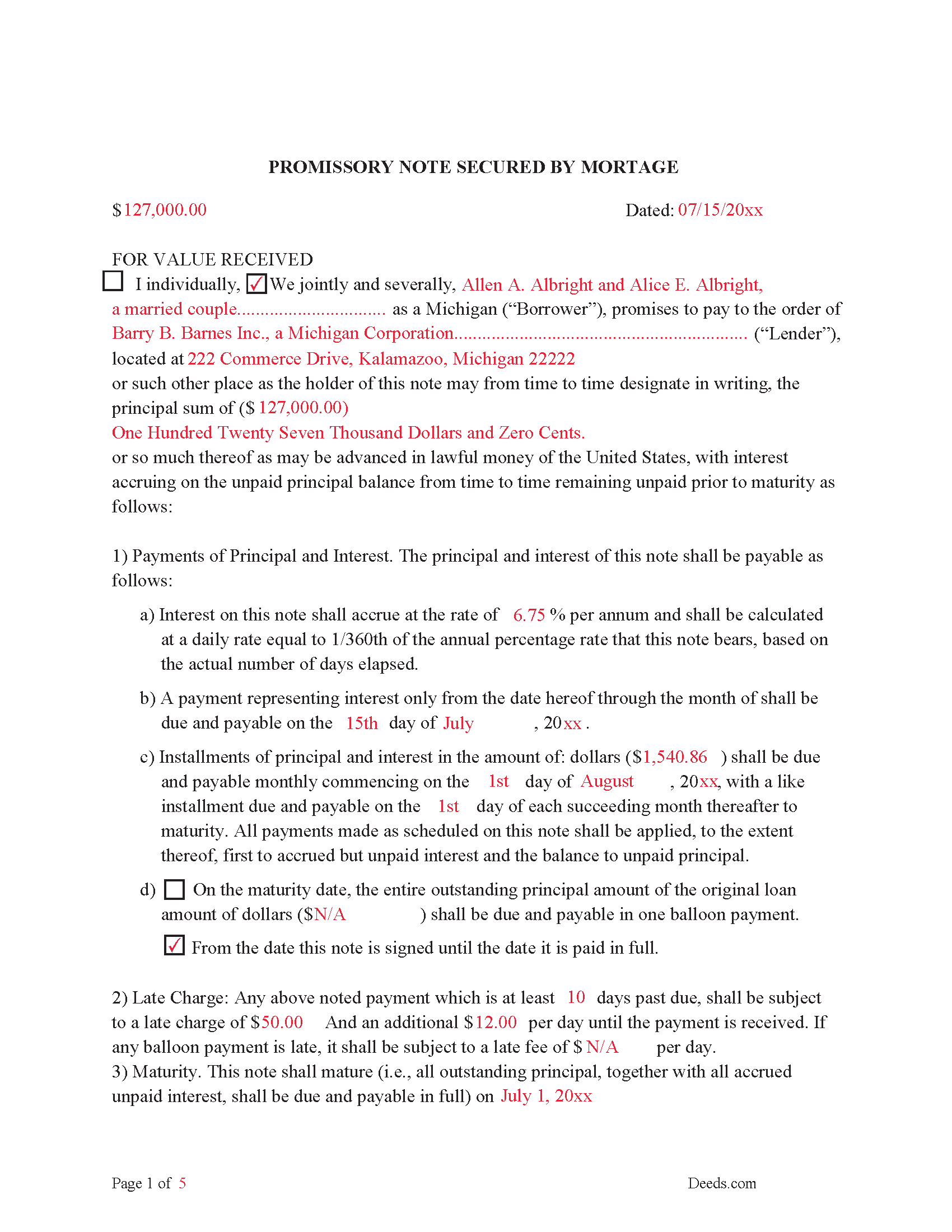
Calhoun County Completed Example of the Promissory Note Document
This Promissory Note is filled in and highlighted, showing how the guideline information, can be interpreted into the document.
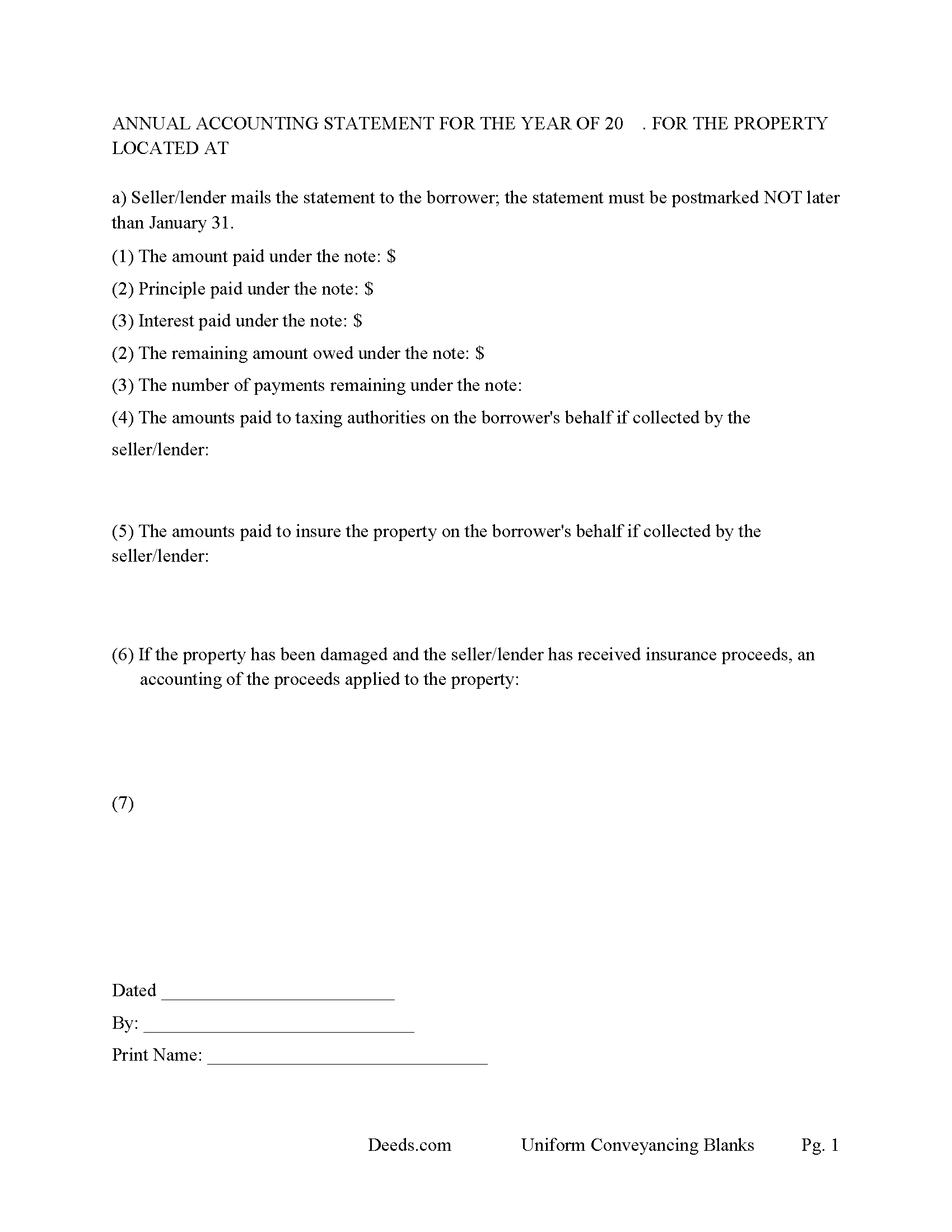
Calhoun County Annual Accounting Statement Form
Mail to borrower for fiscal year reporting.
All 7 documents above included • One-time purchase • No recurring fees
Immediate Download • Secure Checkout
Additional Michigan and Calhoun County documents included at no extra charge:
Where to Record Your Documents
Calhoun County Register of Deeds
Marshall, Michigan 49068
Hours: 8:00am-5:00pm M-F
Phone: (269) 781-0718
Battle Creek Office
Battle Creek, Michigan 49017
Hours: 8:00am-5:00pm M-F
Phone: 269-969-6908
Recording Tips for Calhoun County:
- Bring your driver's license or state-issued photo ID
- Ensure all signatures are in blue or black ink
- Check that your notary's commission hasn't expired
- Documents must be on 8.5 x 11 inch white paper
- Double-check legal descriptions match your existing deed
Cities and Jurisdictions in Calhoun County
Properties in any of these areas use Calhoun County forms:
- Albion
- Athens
- Battle Creek
- Bedford
- Burlington
- Ceresco
- East Leroy
- Homer
- Marshall
- Tekonsha
Hours, fees, requirements, and more for Calhoun County
How do I get my forms?
Forms are available for immediate download after payment. The Calhoun County forms will be in your account ready to download to your computer. An account is created for you during checkout if you don't have one. Forms are NOT emailed.
Are these forms guaranteed to be recordable in Calhoun County?
Yes. Our form blanks are guaranteed to meet or exceed the applicable formatting requirements used for recording in Calhoun County, including margin requirements, font requirements, and other layout standards. This guarantee applies to formatting, not to the legal sufficiency of information entered by the user or the suitability of a form for a particular transaction.
Can I reuse these forms?
Yes. You can reuse the forms for your personal use. For example, if you have multiple properties in Calhoun County you only need to order once.
What do I need to use these forms?
The forms are PDFs that you fill out on your computer. The free Adobe Acrobat Reader is recommended, and most PDF apps also work. You do NOT enter your property information online - you download the blank forms and complete them privately on your own computer.
Are there any recurring fees?
No. This is a one-time purchase. Nothing to cancel, no memberships, no recurring fees.
How much does it cost to record in Calhoun County?
Recording fees in Calhoun County vary. Contact the recorder's office at (269) 781-0718 for current fees.
Questions answered? Let's get started!
This mortgage includes a power of sale clause and waiver of rights, saving time and expense in the case of a foreclosure.
Waiver of Rights. This Mortgage contains a power of sale that permits the Mortgagee/Lender to cause the Premises to be sold in the event of a default. Mortgagee/Lender may elect to cause the Premises to be sold by advertisement rather than pursuant to court action, and Mortgagor/Borrower voluntarily and knowingly waives any right Mortgagor/Borrower may have by virtue of any applicable constitutional provision or statute to any notice or court hearing before the exercise required by the Michigan statute governing foreclosures by advertisement.
In the event of default in any of the terms or covenants of this Mortgage, Mortgagee/Lender shall be entitled to all of the rights and benefits of MCL 554.231-.233, MSA 26.1137(1)-(3), and 1966 PA 151.
Use this mortgage to finance residential property, small commercial, condominiums, rental property, and planned unit developments even with an existing first mortgage on the subject property. A mortgage and promissory note that include stringent default terms can be beneficial to the Mortgagee/Lender.
Included is an annual accounting statement form
565.161 Annual statements to mortgagor; when required, contents.
Sec. 1.
Where, by the terms of a mortgage on real property, the mortgagor is required to make periodic payments which include sums to be allocated to an escrow account for the purpose of paying taxes, insurance or improvements to the property, or any combination of such purposes, the mortgagee or agent receiving the periodic payments shall furnish the mortgagor with a statement within 60 days of the close of the calendar year, showing the beginning balance of the escrow fund, total receipts received by the fund during the calendar year, an itemized statement of all expenditures from the fund during the calendar year and the balance in the fund at the end of the calendar year.
(Michigan Mortgage Package includes forms, guidelines, and completed examples) For use in Michigan only.
Important: Your property must be located in Calhoun County to use these forms. Documents should be recorded at the county recording office listed above.
This Mortgage Secured by Promissory Note meets all recording requirements specific to Calhoun County.
Our Promise
The documents you receive here are guaranteed to meet or exceed the applicable Calhoun County recording format requirements. If there is a rejection caused by our formatting, we will correct the issue or refund your payment. This guarantee applies to document formatting only and does not extend to information entered by the user, the selection of the form, or the legal effect of the completed document.
Save Time and Money
Get your Calhoun County Mortgage Secured by Promissory Note form done right the first time with Deeds.com Uniform Conveyancing Blanks. At Deeds.com, we understand that your time and money are valuable resources, and we don't want you to face a penalty fee or rejection imposed by a county recorder for submitting nonstandard documents. We constantly review and update our forms to meet rapidly changing state and county recording requirements for roughly 3,500 counties and local jurisdictions.
4.8 out of 5 - ( 4,839 Reviews )
VALETA J. 5 out of 5 stars
Easy to navigate
Thank you!
Steve W. 5 out of 5 stars
Simple and easy transaction
Thank you for your feedback. We really appreciate it. Have a great day!
Theodore K. 2 out of 5 stars
This does the job but we are not able to save this in our account and if you don't pay for Adobe and only have Adobe reader, I cannot save any information on the form online in my account. I do understand why they do this because they would lose money. A huge issue is that when I got to the end of the document and was adding an Exhibit A, as I typed, the page kept jumping back up the to top and I couldn't see what I was typing. I had to type a little then scroll back down and when I would type more, it would jump up again. This was a real problem.
Thank you for your feedback. We really appreciate it. Have a great day!
Joshua P. 5 out of 5 stars
Easy fill in the blanks form. Just FYI make sure you have a copy of whatever deed you are changing and the tax records. You will want the language to be identical.
Thank you for your feedback. We really appreciate it. Have a great day!
Joseph L. 5 out of 5 stars
Very easy to fill out and and saved a lot of extra cost by doing it ourselves and getting it notarized.
Thank you Joseph, we really appreciate your feedback.
John R. 5 out of 5 stars
5stars for prompt and fast! Website needs work. Hard to navigate for first time users and hard to find where to pay. Emails are more clear than the "message center". Not sure what happened to my other documents, lol
Thank you for your feedback. We really appreciate it. Have a great day!
Kimberly E. 2 out of 5 stars
It was very easy to order,download, and print. The only issue I have is that the guide that came with my form really did not help me filling it out. I feel the explanations could have been better and suited more for the standard person. I was still confused when filling it out and will probably have to get a lawyer to make sure it's filled out correctly
Thank you for your feedback. We really appreciate it. Have a great day!
Carol T. 2 out of 5 stars
It was very difficult to maneuver through your website the wording on certain things are very difficult to figure out. I can't seem to get through to one place that I want versus what I don't want. I think it needs to be a little more explanatory and I am a college graduate so it's not like I'm stupid or anything. Thank you
Thank you for your feedback. Very sorry to hear that we failed you with our navigation. We will certainly address it to see how we can approve. Have a wonderful day.
FEDERICO T. 4 out of 5 stars
It was a little confusing to retrieve the documents. I was waiting for an email, but then I went toyour portal and I saw the messages and the document.
Thank you for your feedback Frederico.
Norma O. 5 out of 5 stars
good
Thank you!
lisa c. 1 out of 5 stars
I didn't like your website. It was complicated for an elderly person to use.
Sorry to hear that we failed you Lisa. We do hope that you found something more suitable to your needs elsewhere. Have a wonderful day.
Karen J. 5 out of 5 stars
Excellent and easy to download and use. Love the example page and was so easy to fill out and use immediately. Thank you
Thank you for your feedback Karen. We really appreciate it. Enjoy your day!
Loretta W. 5 out of 5 stars
Thank you for your excellent service
We appreciate your business and value your feedback. Thank you. Have a wonderful day!
Mark R. 4 out of 5 stars
Easy and simple to understand, had no trouble with the transaction or the forms. Recorded on the first try, not something that happens very often.
Great to hear that Mark. have an awesome day!
Kathy P. 4 out of 5 stars
Can you also make a search that includes the parcel number because that is all I had to go with and regular name searches didn't come up with anything I needed.
Your insights are invaluable to us and help us strive for better service. Thank you for taking the time to share your thoughts.