Calhoun County Partial Discharge of Mortgage Form
Last validated August 20, 2026 by our Forms Development TeamFormatted for recording in Calhoun County, for property anywhere in the county: rural and unincorporated areas as well as Albion, Athens, Battle Creek, Bedford, Burlington, Ceresco, East Leroy, Homer and 2 more.
- 3 documents included
- Immediate PDF download
- Formatting guarantee
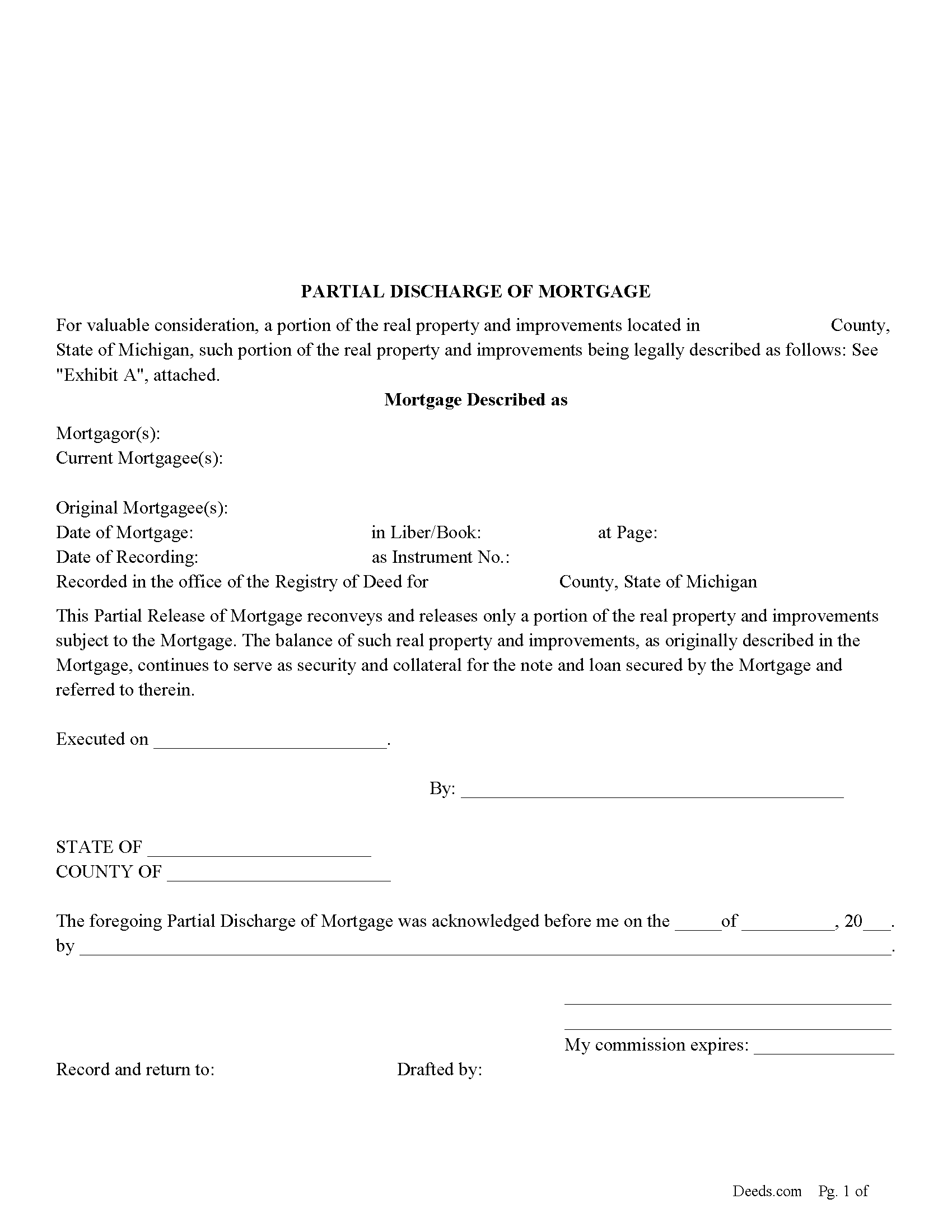
Calhoun County Partial Discharge of Mortgage Form
Fill in the blank form formatted to comply with all recording and content requirements.
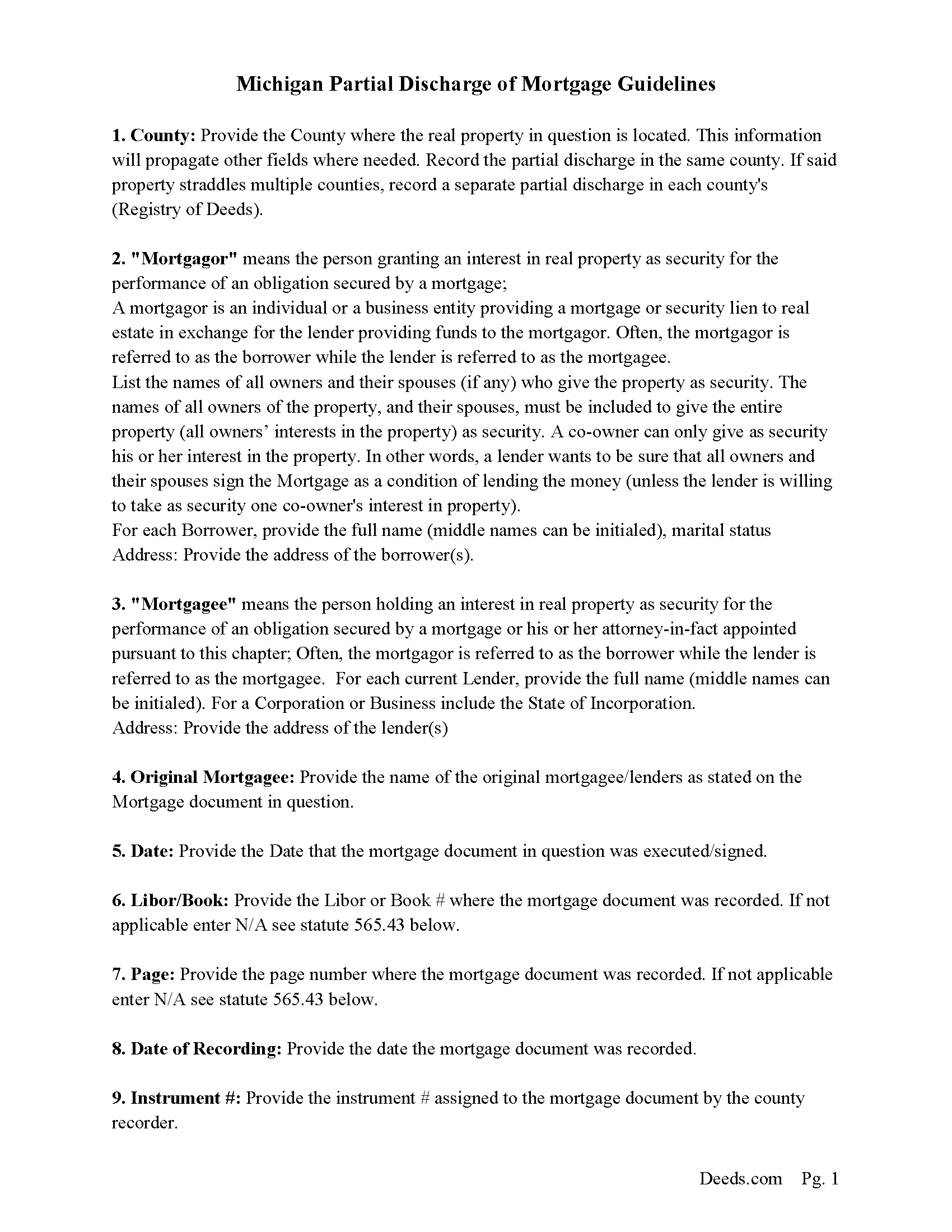
Calhoun County Guidelines for Partial Discharge of Mortgage
Line by line guide explaining every blank on the form.
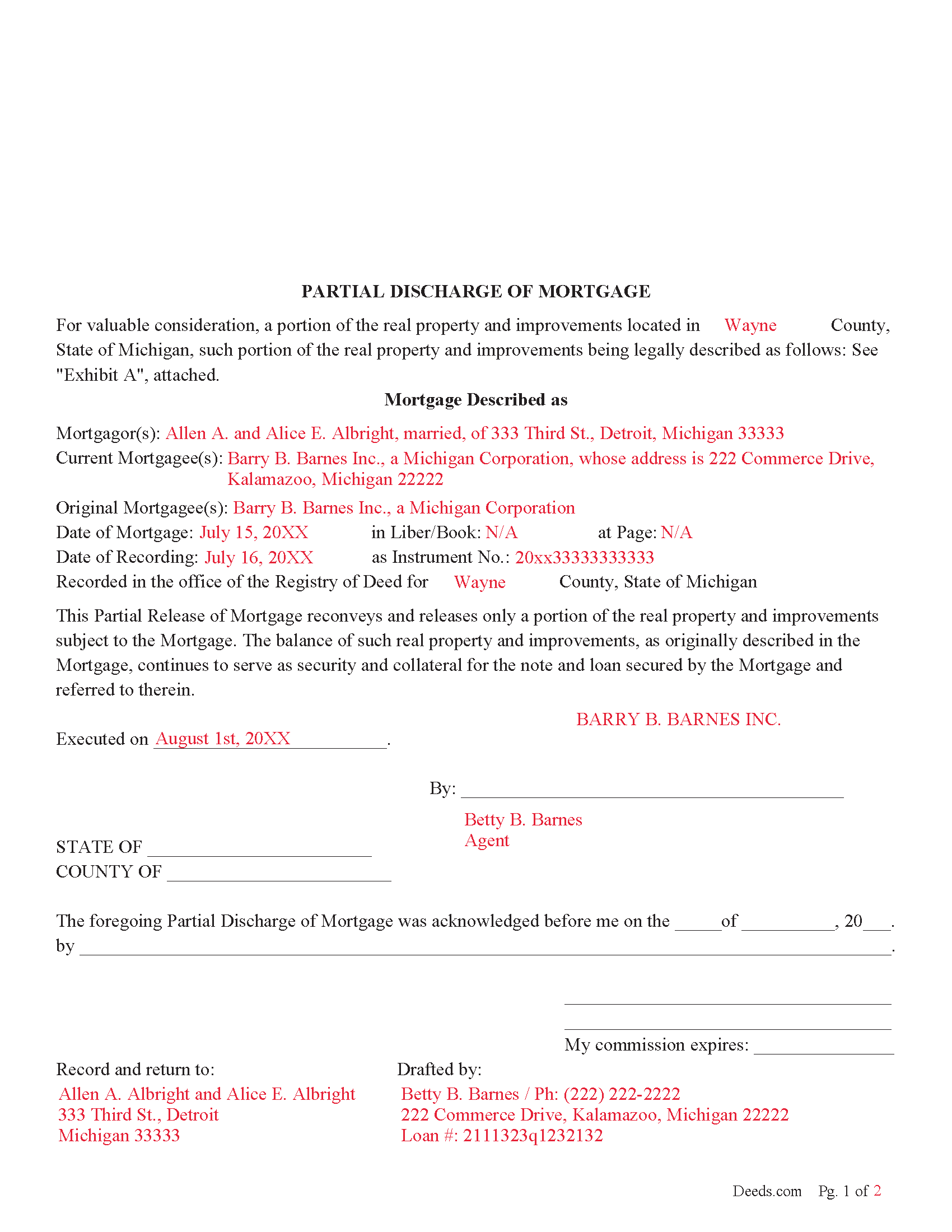
Calhoun County Completed Example of the Partial Discharge of Mortgage Document
Example of a properly completed form for reference.
All 3 documents above included • One-time purchase • No recurring fees
Immediate Download • Secure Checkout
Additional Michigan and Calhoun County documents included at no extra charge:
Where to Record Your Documents
Calhoun County Register of Deeds
Marshall, Michigan 49068
Hours: 8:00am-5:00pm M-F
Phone: (269) 781-0718
Battle Creek Office
Battle Creek, Michigan 49017
Hours: 8:00am-5:00pm M-F
Phone: 269-969-6908
Recording Tips for Calhoun County:
- Bring your driver's license or state-issued photo ID
- Ensure all signatures are in blue or black ink
- Ask if they accept credit cards - many offices are cash/check only
- Check that your notary's commission hasn't expired
- Documents must be on 8.5 x 11 inch white paper
Cities and Jurisdictions in Calhoun County
Properties in any of these areas use Calhoun County forms:
- Albion
- Athens
- Battle Creek
- Bedford
- Burlington
- Ceresco
- East Leroy
- Homer
- Marshall
- Tekonsha
Hours, fees, requirements, and more for Calhoun County
How do I get my forms?
Forms are available for immediate download after payment. The Calhoun County forms will be in your account ready to download to your computer. An account is created for you during checkout if you don't have one. Forms are NOT emailed.
Are these forms guaranteed to be recordable in Calhoun County?
Yes. Our form blanks are guaranteed to meet or exceed the applicable formatting requirements used for recording in Calhoun County, including margin requirements, font requirements, and other layout standards. This guarantee applies to formatting, not to the legal sufficiency of information entered by the user or the suitability of a form for a particular transaction.
Can I reuse these forms?
Yes. You can reuse the forms for your personal use. For example, if you have multiple properties in Calhoun County you only need to order once.
What do I need to use these forms?
The forms are PDFs that you fill out on your computer. The free Adobe Acrobat Reader is recommended, and most PDF apps also work. You do NOT enter your property information online - you download the blank forms and complete them privately on your own computer.
Are there any recurring fees?
No. This is a one-time purchase. Nothing to cancel, no memberships, no recurring fees.
How much does it cost to record in Calhoun County?
Recording fees in Calhoun County vary. Contact the recorder's office at (269) 781-0718 for current fees.
Questions answered? Let's get started!
Use this form to release a portion of property secured by a mortgage and promissory note. Example: borrower has financed 5 lots for $100,000.00 which has since been paid down to a balance of $30,000.00. Borrower approaches Lender and would like the lender to release lot #3 because he has it sold. The lender might think, ok - he will owe me $30,000.00 on the remaining 4 lots, I consider this a good risk. The same can also be applicable to condominiums, apartments, parcels, etc.
This form is used by the (mortgagee or the personal representative, successor, or assign of the mortgagee), who (shall prepare a discharge of the mortgage, file the discharge with the register of deeds for the county where the mortgaged property is located, and pay the fee for recording the discharge.) (565.41 Sec. 41(1)) A mortgagee is often referred to as a lender.
(Michigan PDOM Package includes form, guidelines, and completed example)
Important: Your property must be located in Calhoun County to use these forms. Documents should be recorded at the county recording office listed above.
This Partial Discharge of Mortgage meets all recording requirements specific to Calhoun County.
Our Promise
The documents you receive here are guaranteed to meet or exceed the applicable Calhoun County recording format requirements. If there is a rejection caused by our formatting, we will correct the issue or refund your payment. This guarantee applies to document formatting only and does not extend to information entered by the user, the selection of the form, or the legal effect of the completed document.
Save Time and Money
Get your Calhoun County Partial Discharge of Mortgage form done right the first time with Deeds.com Uniform Conveyancing Blanks. At Deeds.com, we understand that your time and money are valuable resources, and we don't want you to face a penalty fee or rejection imposed by a county recorder for submitting nonstandard documents. We constantly review and update our forms to meet rapidly changing state and county recording requirements for roughly 3,500 counties and local jurisdictions.
4.8 out of 5 - ( 4,828 Reviews )
Mark S. 5 out of 5 stars
Had the forms i needed for illinois. More than i expected. Most companies would charge per form.
Thank you!
Clayton M. 5 out of 5 stars
Five stars from me. this is a very useful service with great results.
We appreciate your business and value your feedback. Thank you. Have a wonderful day!
Vernon A L. 3 out of 5 stars
They are forms....no magic there. I still have to round up the details.
We appreciate your business and value your feedback. Thank you. Have a wonderful day!
Charlotte M. 5 out of 5 stars
Absolutely perfect! Quitclaim deed form was easy to complete and the recorder had no issues with it whatsoever, a rarity around here! Thanks sooo much!
Your satisfaction with our services is of utmost importance to us. Thank you for letting us know how we did!
LORIN C. 5 out of 5 stars
This site and service is the best and most easily navigated that I've seen; I'm 80.....and I need...EASY!
Thank you for your feedback. We really appreciate it. Have a great day!
Calida S. 5 out of 5 stars
I was so happy I found a way to register my deed electronically! The county I live in only does e-file through vendors who service law firms and large volume documents. I had everything done electronically only to hit a brick wall doing warp speed when it came to this last part. So far everything is going super smooth and very easy. The price is worth it to be able to get this deed done because I'm doing a life estate deed to my late boyfriends daughter. She's getting married soon and this is my gift to her since her daddy can't be here. Thanks Deeds.com This means a lot, and I plan on bringing my business back provided everything finishes well. I will definitely follow up soon!
Thank you, Calida. We’re glad we could help make the electronic recording step easier, especially for something so meaningful. We appreciate your trust in Deeds.com and look forward to helping whenever you need us again.
RICK M. 5 out of 5 stars
great
Thank you!
james h. 5 out of 5 stars
Service was quick and easy to use. I got not only the necessary forms, but instructions and sample forms filled out. Highly recommended.
Thank you!
James H. 5 out of 5 stars
Very satisfied. Download was easy, completing the form was easy, got our signatures notarized and submitted it to the register of deeds. The only item was that the register of deeds did not immediately recognize the TOD deed form as the usual form they receive. After carefully reviewing all the information and wording on the deed she accepted it.
We appreciate your business and value your feedback. Thank you. Have a wonderful day!
Jean K. 4 out of 5 stars
The website worked fine and I would have been happy to pay the extra money except the deed I needed was "not available". Ended up calling the courthouse anyway.
Thank you for your feedback. We really appreciate it. Have a great day!
KELLY P. 5 out of 5 stars
That was easy!!
Thank you!
David K. 5 out of 5 stars
Worked Great! First time go at the courthouse
Thank you!
Robert T. 5 out of 5 stars
Very quick thank you.
Thank you!
Aaron L. 2 out of 5 stars
Might be adequate if I was desperate. Formatting screams amateur hour -- not a legal issue but likely to invite closer scrutiny when filed. Instructions were supposed to be county-specific but directed me to call the recorder to ask them how to fill out part of the form. Not planning to use the form and would not purchase it again. I could probably do better by uploading some examples and the original mortgage from the Recorder's website into Claude along with the transaction-specific information and asking Claude to prepare a more professional release.
Aaron, we’re sorry the form and instructions did not meet your expectations. Your order has been canceled and your payment refunded. We appreciate your feedback and wish you the best with preparing the release in the way that works best for your situation.
Roger J. 5 out of 5 stars
I found the service easy to use and very helpful.
Thank you!