Lapeer County Quitclaim Deed (Corrective) Form
Last validated October 9, 2026 by our Forms Development TeamFormatted for recording in Lapeer County, for property anywhere in the county: rural and unincorporated areas as well as Almont, Attica, Clifford, Columbiaville, Dryden, Hadley, Imlay City, Lapeer and 4 more.
- 3 documents included
- Immediate PDF download
- Formatting guarantee
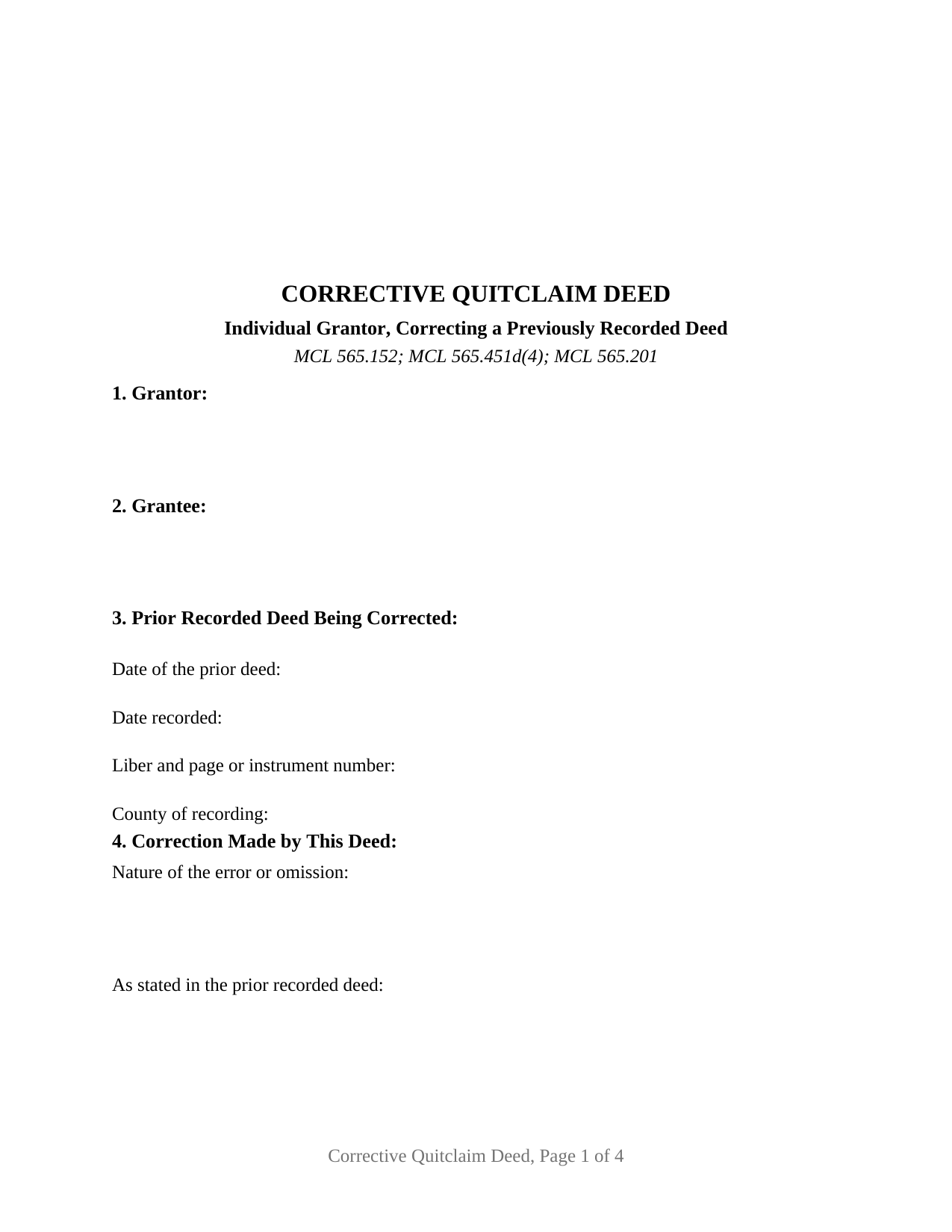
Lapeer County Quitclaim Deed (Corrective) Form
Fill in the blank Quitclaim Deed (Corrective) form formatted to comply with all Michigan recording and content requirements.
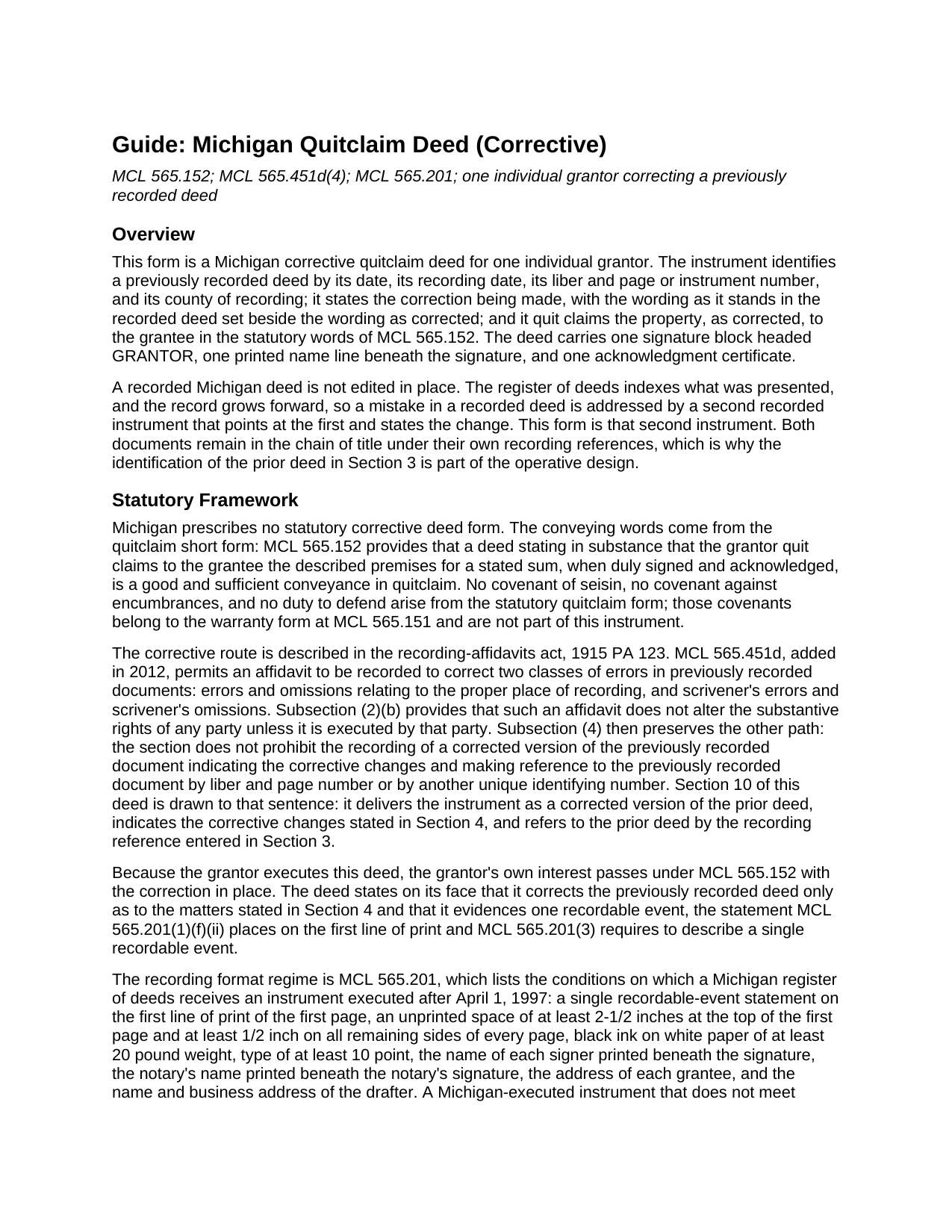
Lapeer County Quitclaim Deed (Corrective) Guide
Line by line guide explaining every blank on the Quitclaim Deed (Corrective) form.
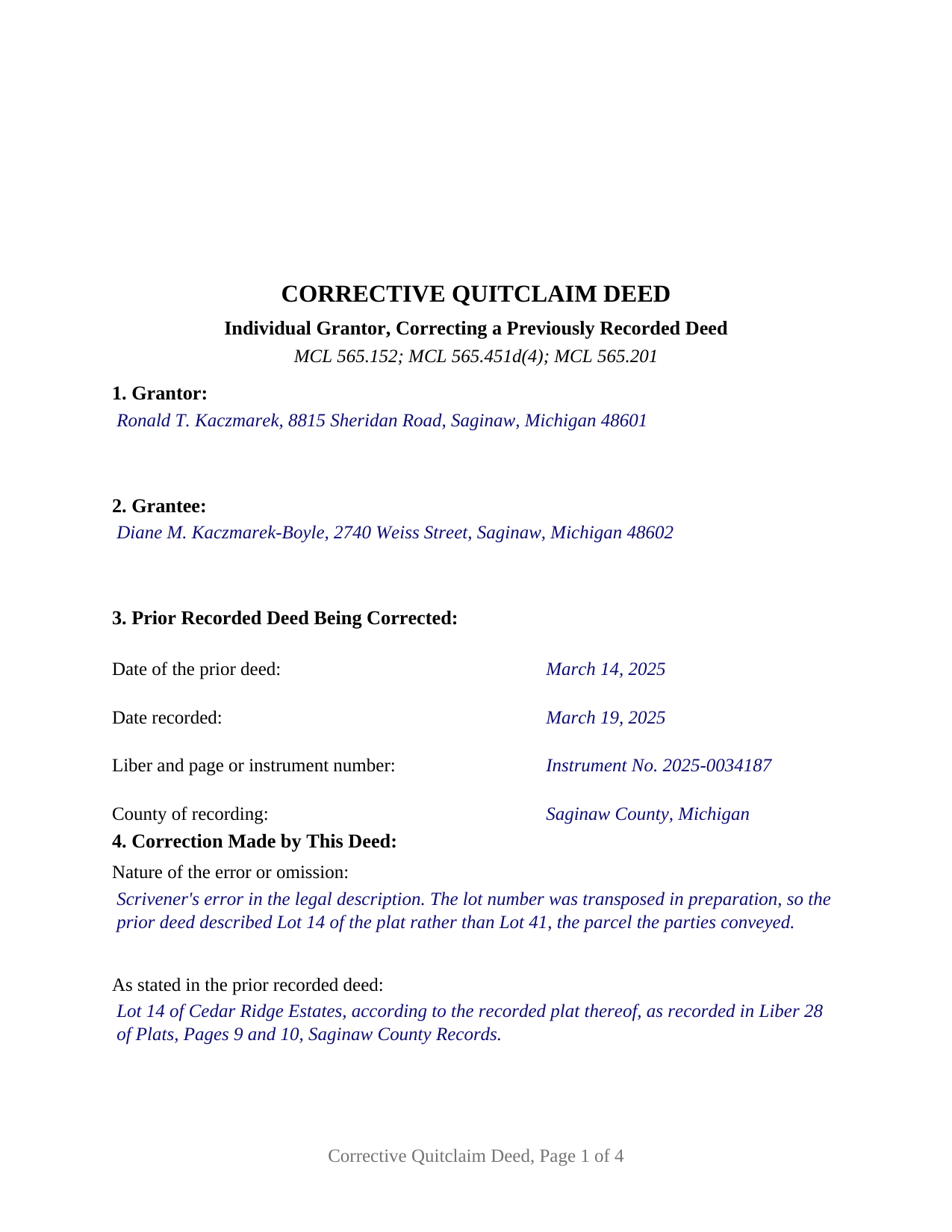
Lapeer County Completed Example of the Quitclaim Deed (Corrective) Document
Example of a properly completed Michigan Quitclaim Deed (Corrective) document for reference.
All 3 documents above included • One-time purchase • No recurring fees
Immediate Download • Secure Checkout
Additional Michigan and Lapeer County documents included at no extra charge:
Where to Record Your Documents
Lapeer County Register of Deeds
Lapeer, Michigan 48446
Hours: 8:00 to 12:30 & 1:30 to 5:00 Mon-Fri
Phone: (810) 667-0211
Recording Tips for Lapeer County:
- Bring your driver's license or state-issued photo ID
- Ensure all signatures are in blue or black ink
- Ask about their eRecording option for future transactions
- Avoid the last business day of the month when possible
- Both spouses typically need to sign if property is jointly owned
Cities and Jurisdictions in Lapeer County
Properties in any of these areas use Lapeer County forms:
- Almont
- Attica
- Clifford
- Columbiaville
- Dryden
- Hadley
- Imlay City
- Lapeer
- Metamora
- North Branch
- Otter Lake
- Silverwood
Hours, fees, requirements, and more for Lapeer County
How do I get my forms?
Forms are available for immediate download after payment. The Lapeer County forms will be in your account ready to download to your computer. An account is created for you during checkout if you don't have one. Forms are NOT emailed.
Are these forms guaranteed to be recordable in Lapeer County?
Yes. Our form blanks are guaranteed to meet or exceed the applicable formatting requirements used for recording in Lapeer County, including margin requirements, font requirements, and other layout standards. This guarantee applies to formatting, not to the legal sufficiency of information entered by the user or the suitability of a form for a particular transaction.
Can I reuse these forms?
Yes. You can reuse the forms for your personal use. For example, if you have multiple properties in Lapeer County you only need to order once.
What do I need to use these forms?
The forms are PDFs that you fill out on your computer. The free Adobe Acrobat Reader is recommended, and most PDF apps also work. You do NOT enter your property information online - you download the blank forms and complete them privately on your own computer.
Are there any recurring fees?
No. This is a one-time purchase. Nothing to cancel, no memberships, no recurring fees.
How much does it cost to record in Lapeer County?
Recording fees in Lapeer County vary. Contact the recorder's office at (810) 667-0211 for current fees.
Questions answered? Let's get started!
A mistake in a recorded Michigan deed stays where it is. The register of deeds indexes what was filed, and the record grows forward, so the repair is a second instrument that points at the first and states the change. This corrective quitclaim deed is that second instrument. One individual grantor signs it, it identifies the earlier deed by date, recording date, liber and page or instrument number, and county, and it quit claims the property to the grantee with the error corrected.
The subsection that names the practice
Michigan prescribes no statutory corrective deed form, but one section describes the route. MCL 565.451d, added in 2012, lets an affidavit correct a scrivener's error or an error about the proper place of recording. Subsection (4) then preserves the other path: the section does not prohibit recording a corrected version of the previously recorded document indicating the corrective changes and making reference to that document by liber and page number or by another unique identifying number. This deed is drawn to that sentence. The two paths part at subsection (2)(b), under which an affidavit does not alter the substantive rights of any party unless that party executes it. Here the grantor executes, so the grantor's own interest passes in the statutory quitclaim words of MCL 565.152, with no covenant of title attached.
Old wording and new wording, side by side
Section 4 does the corrective work in three entries: the nature of the error or omission, the wording as it stands in the recorded deed, and the wording as this instrument states it. Setting the two versions beside each other is what makes the change legible to a later examiner. The mistakes behind this pattern are small and specific: a plat lot number transposed in preparation, a name spelled one way in the body of a deed and another beneath the signature, a unit number missing from an otherwise complete description. The completed example carries the first of those through every entry, correcting a Saginaw County description that reached Lot 14 when the parties had dealt in Lot 41.
One grantor, one earlier deed
The form provides for exactly one individual grantor signing in a personal capacity, one grantee, and one previously recorded deed, with a single signature line, the printed-name line MCL 565.201(1)(a) places beneath it, and one acknowledgment certificate. What the form is not set up as: an instrument that adds a grantee who took nothing under the earlier deed or drops one who did, which performs a fresh conveyance rather than a correction; a deed whose signer acts for an entity, as a trustee, or under a power of attorney, capacities this instrument does not state; or a corrected version of a deed out of a married couple's entirety title, which under MCL 554.45 and MCL 557.71 neither spouse conveys alone.
The exemption written for this instrument
Both Michigan transfer tax acts speak to correction, in different words under different letters. The state act exempts, at MCL 207.526(n), a written instrument to confirm title already vested in a grantee, including a quitclaim deed to correct a flaw in title. The county act exempts, at MCL 207.505(l), instruments to confirm titles already vested in grantees, such as quitclaim deeds to correct flaws in titles. Because the two lists are not identical, Section 8 carries a citation line for each act beside the line stating total value.
What the recording counter reads first
MCL 565.201 sets the conditions of receipt: one recordable event named on the first line of print, two and one half inches left unprinted atop page one, black type of at least 10 point on white 20 pound paper, an address for the grantee, and the drafter's name and business address. The statewide fee is 30 dollars per instrument under MCL 600.2567, with a charter county free to adopt its own schedule. Filing the correction does not retire the earlier deed; both documents sit in the chain under their own recording numbers, which is why the identification in Section 3 earns its place.
The download delivers this corrective quitclaim deed as a blank fillable PDF, a completed example filled in entry by entry for the Saginaw County plat error described above, and a plain language guide to each section, the notarization, and the recording steps. Often searched as a correction deed or a corrective quit claim deed, the form and these materials describe Michigan law in general terms and are not legal advice.
Important: Your property must be located in Lapeer County to use these forms. Documents should be recorded at the county recording office listed above.
This Quitclaim Deed (Corrective) meets all recording requirements specific to Lapeer County.
Our Promise
The documents you receive here are guaranteed to meet or exceed the applicable Lapeer County recording format requirements. If there is a rejection caused by our formatting, we will correct the issue or refund your payment. This guarantee applies to document formatting only and does not extend to information entered by the user, the selection of the form, or the legal effect of the completed document.
Save Time and Money
Get your Lapeer County Quitclaim Deed (Corrective) form done right the first time with Deeds.com Uniform Conveyancing Blanks. At Deeds.com, we understand that your time and money are valuable resources, and we don't want you to face a penalty fee or rejection imposed by a county recorder for submitting nonstandard documents. We constantly review and update our forms to meet rapidly changing state and county recording requirements for roughly 3,500 counties and local jurisdictions.
4.8 out of 5 - ( 4,833 Reviews )
Mark S. 5 out of 5 stars
Excellent service, quick and very efficient! Thanks for your great service!
We appreciate your business and value your feedback. Thank you. Have a wonderful day!
Paul W. 5 out of 5 stars
Exceptionally easy site to navigate. Forms and related documents downloaded quickly and were helpful in completing the forms, which have already been filed with the County Registrar of Deeds. Many thanks for an extremely useful site!
We appreciate your business and value your feedback. Thank you. Have a wonderful day!
Shelly D. 5 out of 5 stars
Excellent
Thank you!
Charlotte F. 5 out of 5 stars
Found the form I needed easily and will continue to use the site.
We appreciate your business and value your feedback. Thank you. Have a wonderful day!
Paul S. 5 out of 5 stars
Worked very well
Thank you!
Darrell J. 5 out of 5 stars
Easy to use, rapid response, excellent service.
Thank you for your feedback. We really appreciate it. Have a great day!
Kirsten Z. 5 out of 5 stars
Thank you! Including the Guide and completed example was especially helpful.
Thank you for your feedback. We really appreciate it. Have a great day!
Turto T. 5 out of 5 stars
The documents were accurate and event well packaged. They contained all the information that was needed to establish revocable trusts and transfer the property into the trusts. All of this with decent price.
Thank you for your feedback. We really appreciate it. Have a great day!
Kari G. 5 out of 5 stars
The service was prompt and attentive to my questions. I would've just appreciated a heads up that I also needed to contact the county directly (and provide contact info) to receive a certified copy of the document (Notice of Commencement) in order to submit the certified copy to the Building Department. This was an extra step that I haven't had to complete before using another eRecording service. Even if this extra step is a result of the county's system. I would still have expected a head's up (since there wasn't any info regarding this on the county's site for eRecording).
Thank you for your feedback. We really appreciate it. Have a great day!
Richard B. 5 out of 5 stars
Excellent! I was able to complete the documents especially using the instructions as a guide. Thanks
We appreciate your business and value your feedback. Thank you. Have a wonderful day!
JOSE M. 5 out of 5 stars
Excellent Website.
Thank you!
Regina W. 5 out of 5 stars
So glad I found this form. Very easy to download and looks like all the instructions are there to correctly fill out my paperwork. Thanks.
We appreciate your business and value your feedback. Thank you. Have a wonderful day!
Jerry E. 5 out of 5 stars
7 stars!
Thank you!
Matilda B. 5 out of 5 stars
This was a good experience. I easily found the document I needed and easily downloaded it and its companion pages. I especially liked the explanations page and the sample document. Thanks!
Thank you for the kind review Matilda! We're glad you found the right document quickly and that the guide and sample document were helpful. They're there to make the process as clear as possible. We appreciate you choosing Deeds.com.
William A. 5 out of 5 stars
great service and very accommodating generally, and especially during these times.
We appreciate your business and value your feedback. Thank you. Have a wonderful day!