Saint Clair County Sworn Statement of Account Form
Last validated October 19, 2026 by our Forms Development TeamFormatted for recording in Saint Clair County, for property anywhere in the county: rural and unincorporated areas as well as Algonac, Allenton, Anchorville, Avoca, Capac, Casco, Columbus, East China and 14 more.
- 3 documents included
- Immediate PDF download
- Formatting guarantee
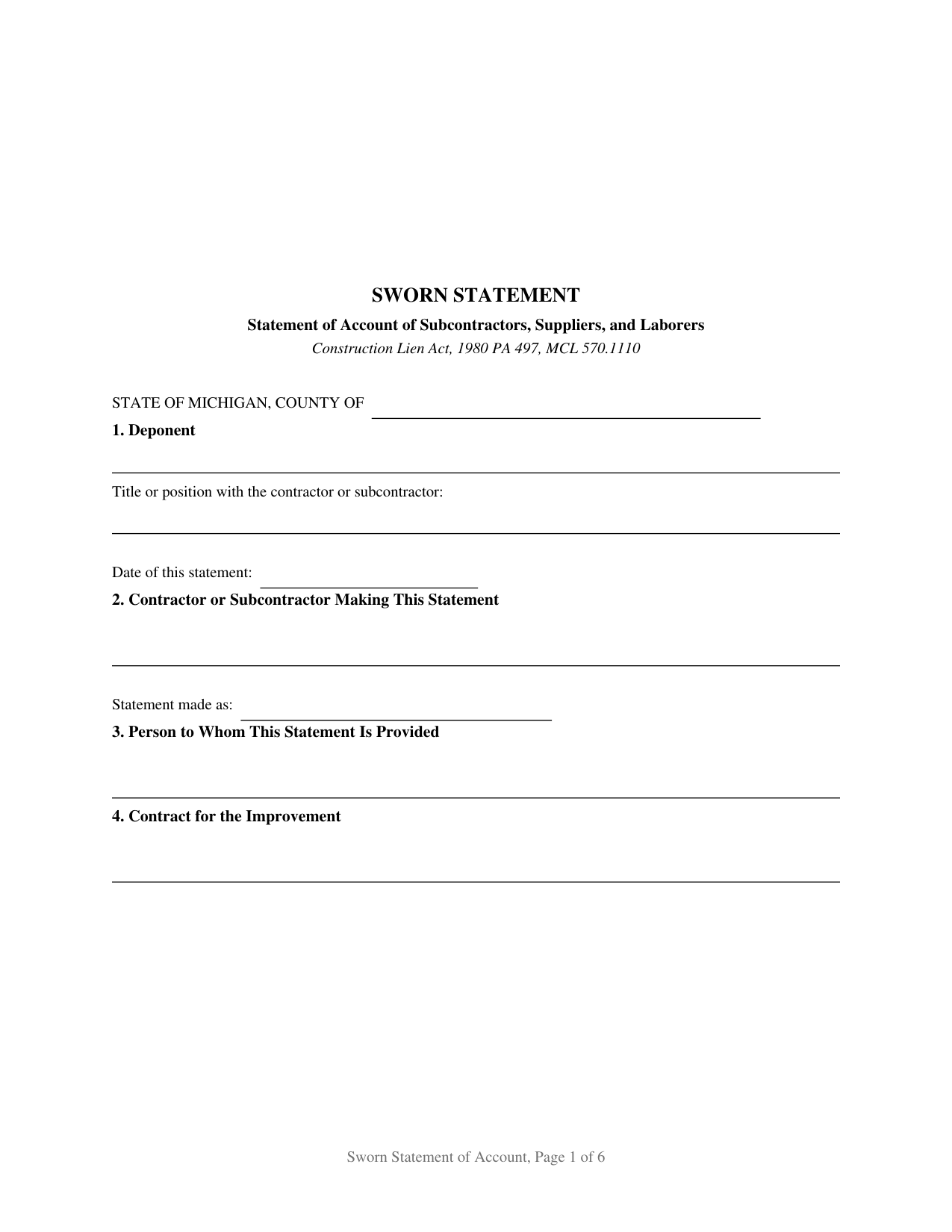
Saint Clair County Sworn Statement of Account Form
Fill in the blank Sworn Statement of Account form formatted to comply with all Michigan recording and content requirements.
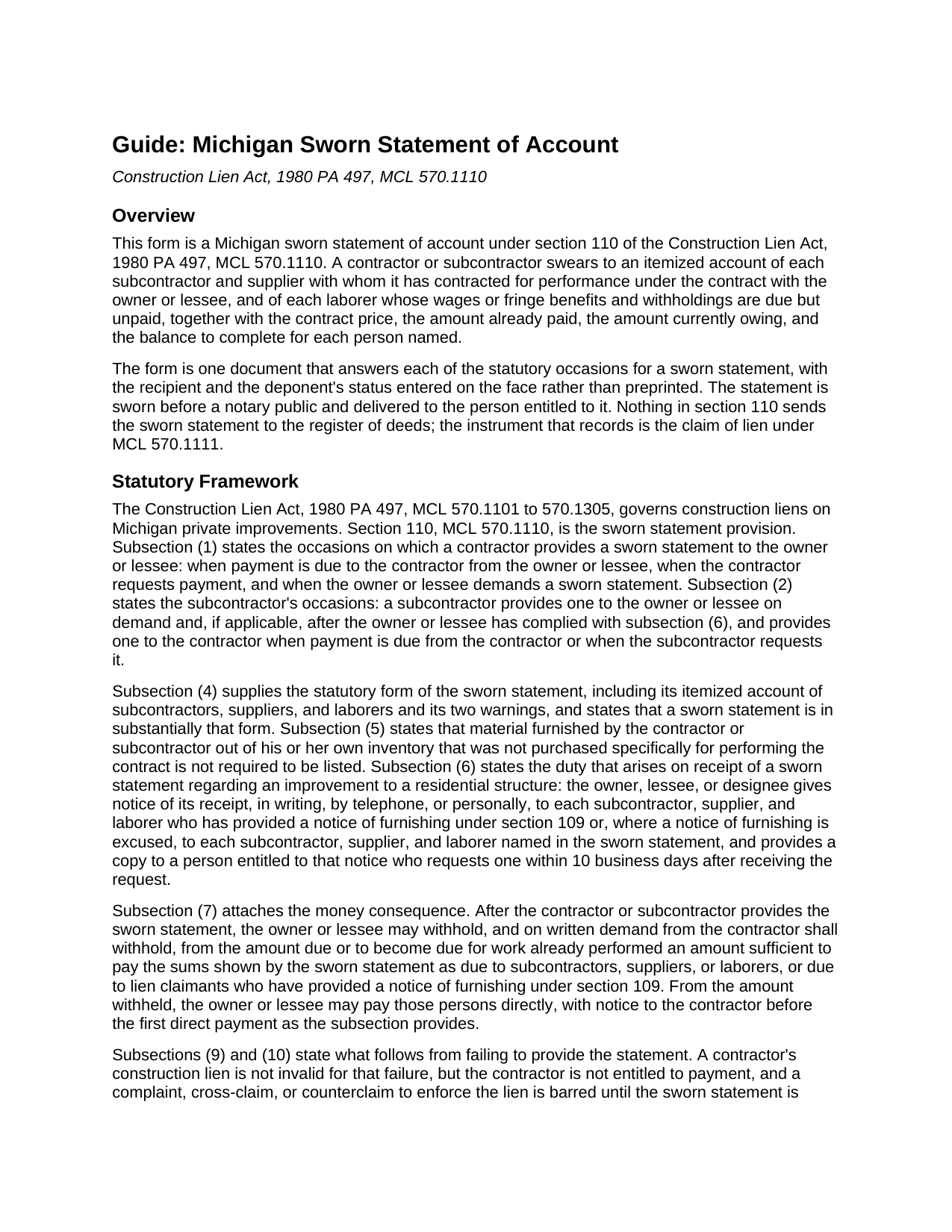
Saint Clair County Sworn Statement of Account Guide
Line by line guide explaining every blank on the Sworn Statement of Account form.
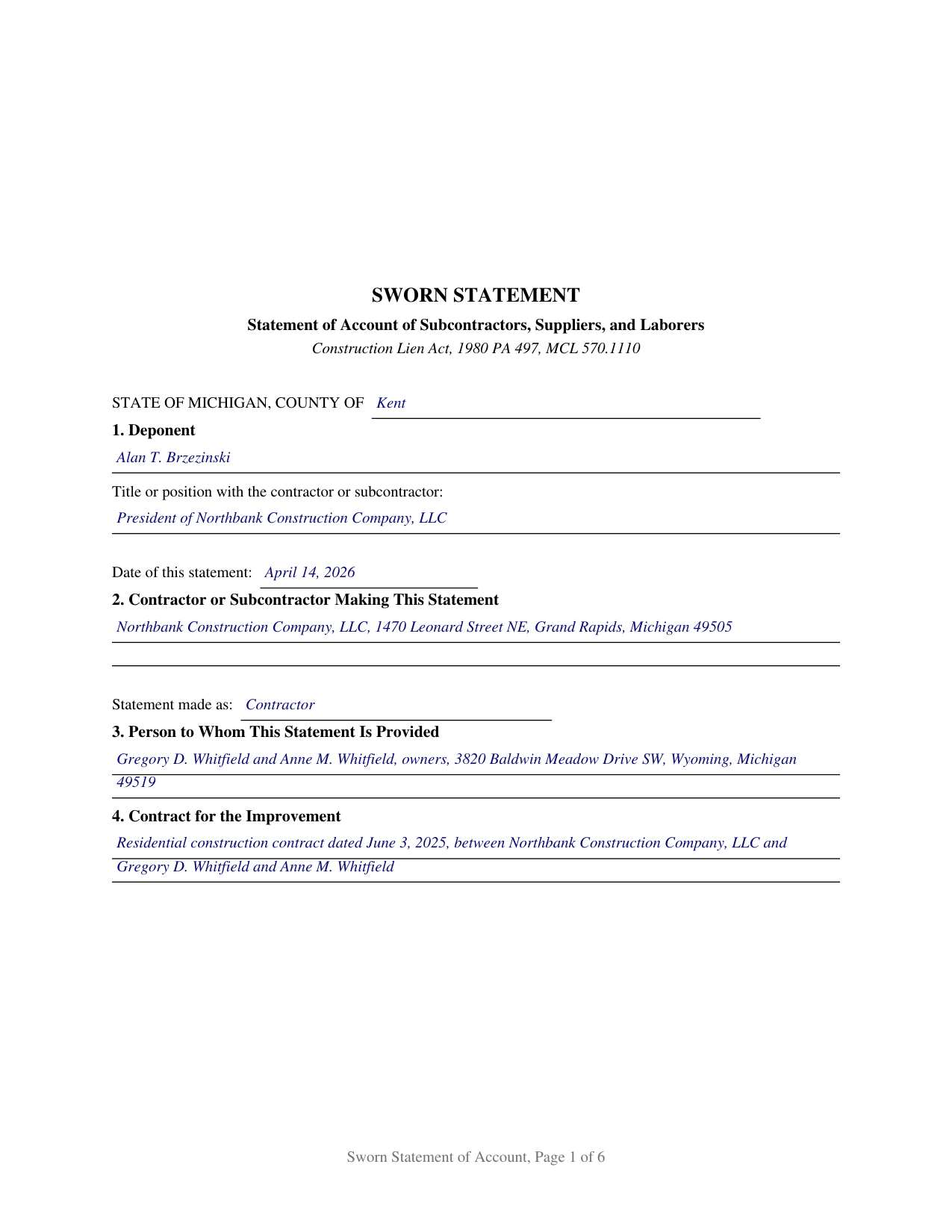
Saint Clair County Completed Example of the Sworn Statement of Account Document
Example of a properly completed Michigan Sworn Statement of Account document for reference.
All 3 documents above included • One-time purchase • No recurring fees
Immediate Download • Secure Checkout
Additional Michigan and Saint Clair County documents included at no extra charge:
Where to Record Your Documents
St. Clair County Register of Deeds
Port Huron, Michigan 48060
Hours: 8:00 to 12:00 & 1:00 to 4:30 Mon-Thu; 10:30 to 12:00 & 1:00 to 4:30 on Fri
Phone: (810) 989-6930
Recording Tips for Saint Clair County:
- Bring your driver's license or state-issued photo ID
- Ensure all signatures are in blue or black ink
- Make copies of your documents before recording - keep originals safe
- Recorded documents become public record - avoid including SSNs
- Recording fees may differ from what's posted online - verify current rates
Cities and Jurisdictions in Saint Clair County
Properties in any of these areas use Saint Clair County forms:
- Algonac
- Allenton
- Anchorville
- Avoca
- Capac
- Casco
- Columbus
- East China
- Emmett
- Fair Haven
- Fort Gratiot
- Goodells
- Harsens Island
- Jeddo
- Marine City
- Marysville
- Memphis
- North Street
- Port Huron
- Saint Clair
- Smiths Creek
- Yale
Hours, fees, requirements, and more for Saint Clair County
How do I get my forms?
Forms are available for immediate download after payment. The Saint Clair County forms will be in your account ready to download to your computer. An account is created for you during checkout if you don't have one. Forms are NOT emailed.
Are these forms guaranteed to be recordable in Saint Clair County?
Yes. Our form blanks are guaranteed to meet or exceed the applicable formatting requirements used for recording in Saint Clair County, including margin requirements, font requirements, and other layout standards. This guarantee applies to formatting, not to the legal sufficiency of information entered by the user or the suitability of a form for a particular transaction.
Can I reuse these forms?
Yes. You can reuse the forms for your personal use. For example, if you have multiple properties in Saint Clair County you only need to order once.
What do I need to use these forms?
The forms are PDFs that you fill out on your computer. The free Adobe Acrobat Reader is recommended, and most PDF apps also work. You do NOT enter your property information online - you download the blank forms and complete them privately on your own computer.
Are there any recurring fees?
No. This is a one-time purchase. Nothing to cancel, no memberships, no recurring fees.
How much does it cost to record in Saint Clair County?
Recording fees in Saint Clair County vary. Contact the recorder's office at (810) 989-6930 for current fees.
Questions answered? Let's get started!
A Michigan sworn statement of account is the document that tells an owner exactly who else has a claim on the money. Under section 110 of the Construction Lien Act, 1980 PA 497, MCL 570.1110, a contractor or subcontractor swears to an itemized account of every subcontractor and supplier under contract on the job, and of every laborer whose wages or fringe benefits and withholdings are due but unpaid, with the contract price, the amount paid, the amount owing, and the balance to complete set out beside each name. The account is sworn before a notary, and it is handed to the person entitled to it rather than filed anywhere.
An account that changes what the owner may pay
The sworn statement is not a courtesy disclosure. Once it has been provided, MCL 570.1110(7) lets the owner or lessee withhold from the amount due or becoming due an amount sufficient to cover the sums the statement shows as owing to subcontractors, suppliers, and laborers, and a written demand from the contractor turns that option into an obligation. Out of what is withheld, the owner may pay those claimants directly, giving the general contractor at least 5 business days notice the first time direct payment is made. Those four money columns are what the owner measures a withholding against.
Three moments that call for the statement
Michigan builds the duty into the payment cycle. A contractor provides a sworn statement to the owner or lessee when payment is due or when the contractor asks for payment, and again whenever the owner or lessee demands one. A subcontractor provides one to the owner or lessee on demand and, if applicable, after the owner or lessee has complied with subsection (6), and provides one to the contractor when payment is due from the contractor or when the subcontractor requests it. Those triggers sit in MCL 570.1110(1), (2), and (3), and one form answers all three, changing only the recipient named.
The warnings the statute prints on the face
Two statutory warnings ride on every Michigan contractor's sworn statement, and both are on this form. The first tells the owner or lessee not to rely on the statement to avoid the claim of a subcontractor, supplier, or laborer who has provided a notice of furnishing under MCL 570.1109, which means a claimant who gave that notice keeps lien rights whether or not the claimant is named in the account. The second tells the deponent that a false sworn statement given with intent to defraud is a crime under section 110, graded by the amount involved and starting at a 93 day misdemeanor. A residential block completes the set, carrying the MCL 570.1110(6) duty to pass word of the statement's receipt to the claimants entitled to hear it and to supply a copy within 10 business days of a request.
Sworn, delivered, and never recorded
The instrument closes with a jurat, not an acknowledgment. The deponent swears to the account and signs in front of a notary public, and the notary certifies the oath under the Michigan Law on Notarial Acts, MCL 55.261 to 55.315, supplying the county of commission and the county of the act under MCL 55.287. Delivery, not recording, completes it: the Construction Lien Act sends the claim of lien to the register of deeds under MCL 570.1111, and leaves the sworn statement in the hands of the owner, lessee, or contractor who receives it. Failing to provide one does not void a lien. Under MCL 570.1110(9) the contractor is entitled to no payment and may not sue to enforce the lien until the statement arrives; under MCL 570.1110(10) the subcontractor meets that enforcement bar alone, with no payment bar attached.
How this form is set up
The form is written for one deponent, with free entry lines where the statutory exemplar prints the paired alternatives of contractor and subcontractor, so the same document expresses either status and either direction of delivery. One combined table substantially following the table in MCL 570.1110(4) carries the itemization: the statute's eight columns, eight numbered rows, and a TOTALS row above the statutory line for columns that do not apply to everyone listed. Longer projects continue on an attached exhibit page delivered with the statement. Material drawn from the issuer's own inventory that was not bought for the job is not required to be listed, which is the carve out in MCL 570.1110(5).
The package contains the fillable sworn statement form, a completed example filled out for a Kent County residential project, and a guide covering the statutory framework, the itemization, the jurat, and delivery. The material is informational and is not legal advice.
Important: Your property must be located in Saint Clair County to use these forms. Documents should be recorded at the county recording office listed above.
This Sworn Statement of Account meets all recording requirements specific to Saint Clair County.
Our Promise
The documents you receive here are guaranteed to meet or exceed the applicable Saint Clair County recording format requirements. If there is a rejection caused by our formatting, we will correct the issue or refund your payment. This guarantee applies to document formatting only and does not extend to information entered by the user, the selection of the form, or the legal effect of the completed document.
Save Time and Money
Get your Saint Clair County Sworn Statement of Account form done right the first time with Deeds.com Uniform Conveyancing Blanks. At Deeds.com, we understand that your time and money are valuable resources, and we don't want you to face a penalty fee or rejection imposed by a county recorder for submitting nonstandard documents. We constantly review and update our forms to meet rapidly changing state and county recording requirements for roughly 3,500 counties and local jurisdictions.
4.8 out of 5 - ( 4,832 Reviews )
Gary G. 5 out of 5 stars
My first time dealing with this company and fully satisfied with the product and service.
Thanks, Gary. We really appreciate you giving us a shot. Glad to hear the product and service delivered for you, and we’re happy to have earned your trust.
James L. 5 out of 5 stars
The process to obtain online forms was simple and straight forward and uncomplicated.
Thank you for your feedback. We really appreciate it. Have a great day!
Edith T. 5 out of 5 stars
this was wonderful. I found everything very easy to understand. And great examples.
Thank you!
Allan A. 5 out of 5 stars
Excellent service, communication and done in a timely fashion. Worth the cost for the convenience and safety
Thank you!
Mohamed ali H. 5 out of 5 stars
My experience on this website has been amazing and the process was very easy to understand and I was able to get my document filed within 3-4 hours. I plan to use this service in the future if I need to. Thank you for your excellent service!
Thank you for your feedback. We really appreciate it. Have a great day!
Tamara H. 5 out of 5 stars
Absolutely awesome, all the information and forms I needed Thanks Tamie Hamilton
We appreciate your business and value your feedback. Thank you. Have a wonderful day!
Shirley G. 5 out of 5 stars
Excellent so far. Quick response!
Thank you!
Pamela R. 5 out of 5 stars
Thank you for this excellent website. Obtaining appropriate forms was very easy. Thank you!
Thank you!
Vicky M. 5 out of 5 stars
I would give Deeds.com 10 stars if I could!! The staff were super friendly and easy to work with. They kept me constantly updated during the process of uploading and forwarding my deeds for recording. And, the price was extremely reasonable. I look forward to utilizing Deeds.com every time I need to record a deed no matter what U.S. State. I wholeheartedly recommend them!
Thank you for your feedback. We really appreciate it. Have a great day!
Kim H. 5 out of 5 stars
Great site. quick turnaround and communication. I needed an exception that they told me I needed and where to get the info within hours. I returned warranty deed with exception and the deed was recorded the same day! Great turnaround!
Thank you for your feedback. We really appreciate it. Have a great day!
Timothy K. 5 out of 5 stars
Great company to work with, quick responses.
We appreciate your business and value your feedback. Thank you. Have a wonderful day!
Bobette B. 5 out of 5 stars
Worked well with clear guide!
Thank you!
Fay J. 3 out of 5 stars
instead of the rep giving me instructions on how to summit the documents,with 3 pages, he or she told me i had all night to figure it out!!! wow...because of that i rate the service very poorly...fast to get it done but very poor customer service...so...i give them a 2.5 rating.
Thank you for your feedback, have a wonderful day Fay.
Dana P. 5 out of 5 stars
Thank you for making a difficult time a little easier. The forms are easy to download and complete and the Guide is very helpful.
Thank you for your feedback. We really appreciate it. Have a great day!
Lynd P. 5 out of 5 stars
Good
Thanks Lynd.