Carver County Mechanics Statement of Lien Form
Last validated October 19, 2026 by our Forms Development TeamFormatted for recording in Carver County, for property anywhere in the county: rural and unincorporated areas as well as Carver, Chanhassen, Chaska, Cologne, Hamburg, Mayer, Monticello, New Germany and 6 more.
- 3 documents included
- Immediate PDF download
- Formatting guarantee
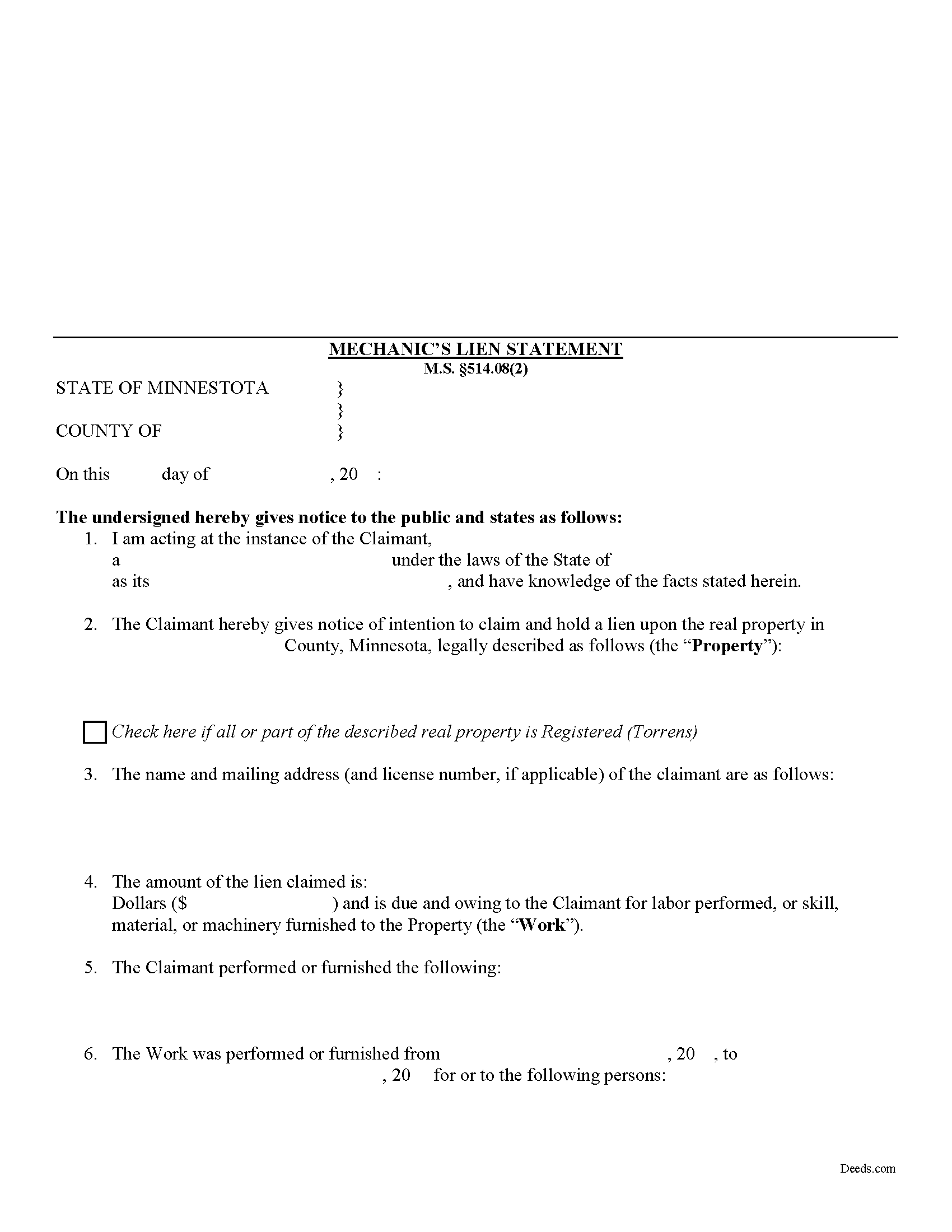
Carver County Mechanics Statement of Lien Form
Fill in the blank Mechanics Statement of Lien form formatted to comply with all Minnesota recording and content requirements.
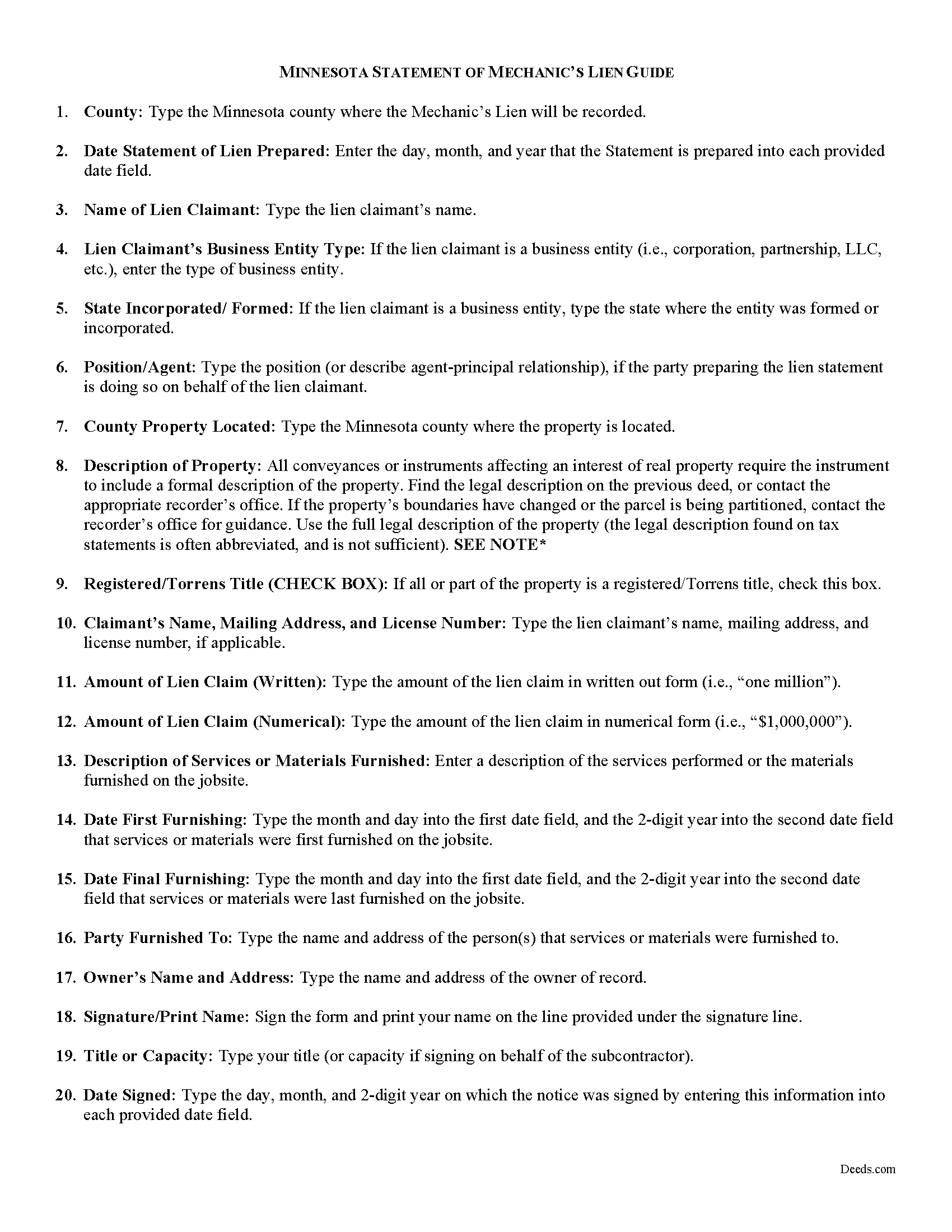
Carver County Mechanic Statement of Lien Guide
Line by line guide explaining every blank on the form.
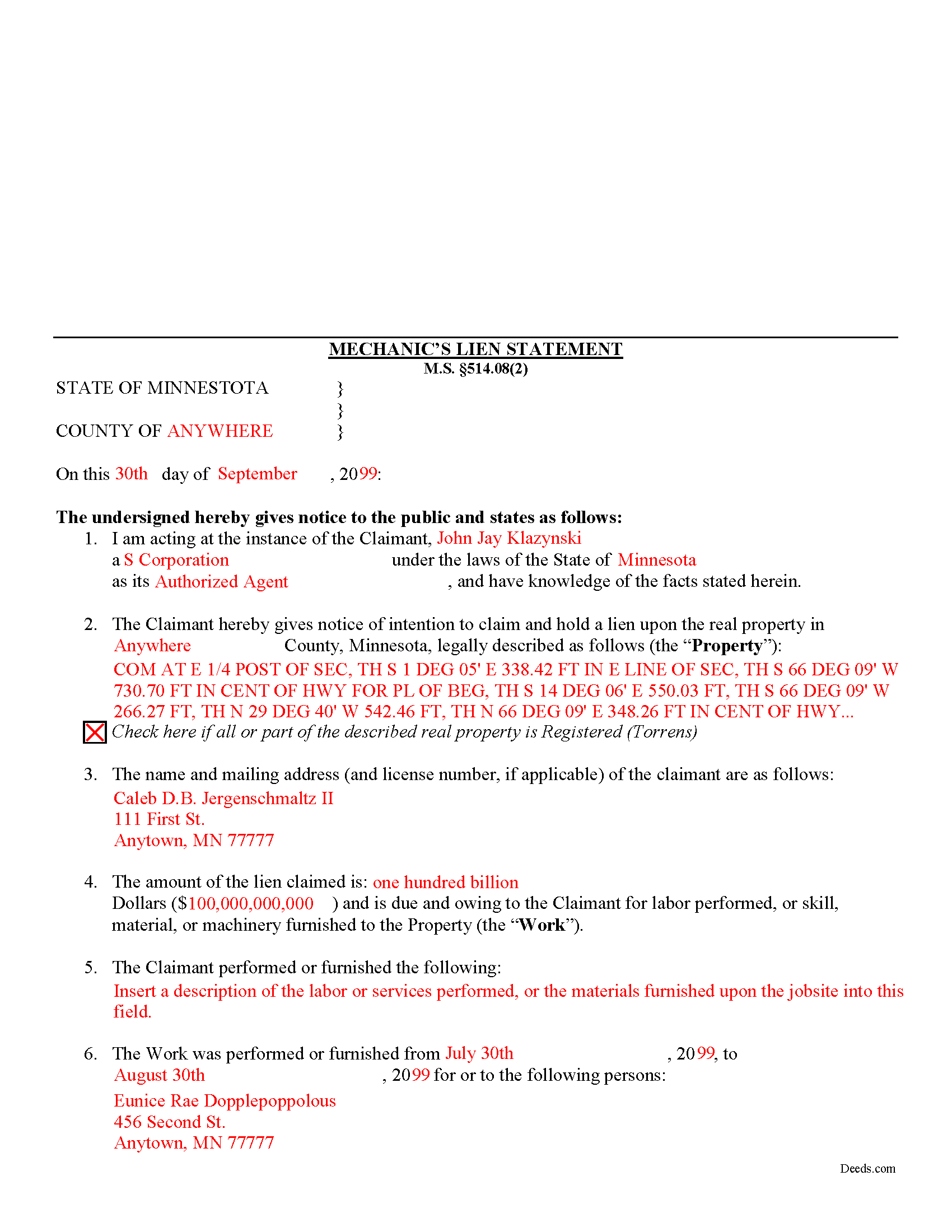
Carver County Completed Example of the Mechanic Statement of Lien Document
Example of a properly completed form for reference.
All 3 documents above included • One-time purchase • No recurring fees
Immediate Download • Secure Checkout
Additional Minnesota and Carver County documents included at no extra charge:
Where to Record Your Documents
Property Records
Chaska, Minnesota 55318
Hours: 8:30 to 4:30 M-F
Phone: (952) 361-1930
Recording Tips for Carver County:
- Bring your driver's license or state-issued photo ID
- Ensure all signatures are in blue or black ink
- Verify all names are spelled correctly before recording
- White-out or correction fluid may cause rejection
- Ask about their eRecording option for future transactions
Cities and Jurisdictions in Carver County
Properties in any of these areas use Carver County forms:
- Carver
- Chanhassen
- Chaska
- Cologne
- Hamburg
- Mayer
- Monticello
- New Germany
- Norwood
- Norwood Young America
- Victoria
- Waconia
- Watertown
- Young America
Hours, fees, requirements, and more for Carver County
How do I get my forms?
Forms are available for immediate download after payment. The Carver County forms will be in your account ready to download to your computer. An account is created for you during checkout if you don't have one. Forms are NOT emailed.
Are these forms guaranteed to be recordable in Carver County?
Yes. Our form blanks are guaranteed to meet or exceed the applicable formatting requirements used for recording in Carver County, including margin requirements, font requirements, and other layout standards. This guarantee applies to formatting, not to the legal sufficiency of information entered by the user or the suitability of a form for a particular transaction.
Can I reuse these forms?
Yes. You can reuse the forms for your personal use. For example, if you have multiple properties in Carver County you only need to order once.
What do I need to use these forms?
The forms are PDFs that you fill out on your computer. The free Adobe Acrobat Reader is recommended, and most PDF apps also work. You do NOT enter your property information online - you download the blank forms and complete them privately on your own computer.
Are there any recurring fees?
No. This is a one-time purchase. Nothing to cancel, no memberships, no recurring fees.
How much does it cost to record in Carver County?
Recording fees in Carver County vary. Contact the recorder's office at (952) 361-1930 for current fees.
Questions answered? Let's get started!
Recording a Statement of Lien in Minnesota
Claims for mechanic's liens are used to recover unpaid balances for services rendered or materials delivered by placing an encumbrance (block) on the owner's title until the owner pays up and the claimant grants the owner a release. To obtain a mechanic's lien in Minnesota, claimants draft and record a form called a "Statement of Lien," but only after giving the required preliminary (pre-lien) notice to the property owner and other interested parties within 45 days of first starting the work or delivering any materials. M.S. 514.011.
The lien statement must be made by or at the instance of the lien claimant and be verified by the oath of some person shown by the verification to have knowledge of the facts stated. M.S. 514.08(2). The lien statement contains the following information: (1) a notice of intention to claim and hold a lien, and the amount thereof; (2) that such amount is due and owing to the claimant for labor performed, or for skill, material, or machinery furnished, and for what improvement the same was done or supplied; (3) the names of the claimant, and of the person for or to whom performed or furnished; (4) the dates when the first and last items of the claimant's contribution to the improvement were made; (5) a description of the premises to be charged, identifying the same with reasonable certainty; (6) the name of the owner at the time of making such statement, according to the best information available; (7) the post office address of the claimant (the failure to insert such post office address will not invalidate the lien statement); (8) that claimant acknowledges that a copy of the statement must be served personally or by certified mail within the 120-day period provided in this section on the owner, the owner's authorized agent or the person who entered the contract with the contractor as provided herein; and (9) that notice as required by M.S. 514.011(2), if any, was given. Id.
When the claimant files the notice, the Social Security number of an individual owner or the Internal Revenue Service taxpayer identification number for an owner other than an individual is not required. Id.
The statement of the claim must be filed with the county recorder or, if registered (Torrens title) land, with the registrar of titles of the county in which the improved premises are situated within 120 days of the last furnishing. M.S. 514.08(1). If the claim is made under M.S. 514.04 (for railway, telegraph or similar projects), the statement must be filed with the secretary of state. Id. After recording, a copy of the statement must be served personally or by certified mail on the owner or the owner's authorized agent (or the person who entered the contract with the contractor) within the same 120-day period. Id.
Once you the lien is in place, the claimant gains a valuable bargaining chip to help persuade the owner to arrange payment for the services of materials provided. Be aware that liens don't last forever. Because liens affect the owner's title, the legislature gives them an expiration period for enforcement actions. No lien shall be enforced in any case unless the holder files a complaint or answer with the court administrator, within one year after the date of the last item of the claim as set forth in the recorded lien statement. M.S. 514.12(3).
This article is provided for informational purposes only and is not intended to be relied upon a substitute for the advice of an attorney. Please contact a Minnesota-licensed attorney with any questions about recording a lien statement or other related issues.
Important: Your property must be located in Carver County to use these forms. Documents should be recorded at the county recording office listed above.
This Mechanics Statement of Lien meets all recording requirements specific to Carver County.
Our Promise
The documents you receive here are guaranteed to meet or exceed the applicable Carver County recording format requirements. If there is a rejection caused by our formatting, we will correct the issue or refund your payment. This guarantee applies to document formatting only and does not extend to information entered by the user, the selection of the form, or the legal effect of the completed document.
Save Time and Money
Get your Carver County Mechanics Statement of Lien form done right the first time with Deeds.com Uniform Conveyancing Blanks. At Deeds.com, we understand that your time and money are valuable resources, and we don't want you to face a penalty fee or rejection imposed by a county recorder for submitting nonstandard documents. We constantly review and update our forms to meet rapidly changing state and county recording requirements for roughly 3,500 counties and local jurisdictions.
4.8 out of 5 - ( 4,830 Reviews )
ALEX A. 5 out of 5 stars
Yes I appreciate your services everything so far looking good this shows the facts the reasons most of all format I enjoy it I hopefully I can use it for some other legal forms also for Fry's Baker's fraud title fraud I'm interested in a lot of services that will provide me with a preferences of a fraud situations on mortgage security loans but other than that the services are awesome and I appreciate it appreciate your services and I'll keep on using it and thanks again thumbs up
Thank you!
OLGA B. 5 out of 5 stars
I just purchased the documents. I appreciate that they are accurate to the county and state I live in and all the forms to make it complete. Thank you so much for your assistance in a very chaotic situation.
We appreciate your business and value your feedback. Thank you. Have a wonderful day!
Beverly L J. 3 out of 5 stars
The process for receiving the quitclaim document worked well. I couldn't use the document. If I had been able to view the document before I had to pay for it, I would have known, but that isn't how your process works. However, that's the only snag I found. Otherwise the process for paying and downloading the document worked well. Thank you.
Thank you for your feedback Beverly. We certainly do not want you to pay for something you are unable to use. To that end we have canceled your order and refunded your payment. We do hope that you find something more suitable to your needs. Have a wonderful day.
Donna r. 3 out of 5 stars
Downloads were easy but I am pretty lost in filling out. Thought be more instructions
Thank you for your feedback Donna. If you are not completely sure of what you are doing we highly recommend seeking the assistance of a legal professional familiar with your specific situation.
Mike S. 3 out of 5 stars
Overpriced
Thanks Mike. We get it, $27.97 isn't cheap for a lot of people right now. Your Nevada package includes a recorder-ready affidavit, a completed sample, and step-by-step instructions for the state. Expensive, yes. Overpriced, not even close.
Kim P. 5 out of 5 stars
I want to thank you so much. You made a stressful process easy. The customer service was amazing. There is no doubt I will use your service again.
Thank you!
Anna C. 4 out of 5 stars
While I don't know if my filing will be accepted which is the penultimate test, I was happy with the product.
Thank you!
Carlos T. 5 out of 5 stars
Site was easy to use and forms were exactly what I needed. Will use this in the future for other needed forms. A+
We appreciate your business and value your feedback. Thank you. Have a wonderful day!
Walter P. 5 out of 5 stars
Quick and easy!
We appreciate your business and value your feedback. Thank you. Have a wonderful day!
janelle s. 5 out of 5 stars
Uncertain about use as I am new to online forms. Through use I am sure it will feel more comfortable. I like the storage of filled in info forms because I might be using I will be using them or the info in the future.
Thank you for your feedback. We really appreciate it. Have a great day!
Roger W. 5 out of 5 stars
Documents were provided quickly and as promised. Very Satisfied.
Thank you for your feedback. We really appreciate it. Have a great day!
Jennifer C. 5 out of 5 stars
Fast turnaround. Very much appreciated!
Thank you!
Thomas W. 5 out of 5 stars
easy to use, no problems except in beneficiary box. Need to make the box bigger because I have 4 beneficiaries to list. how do I enlarge the box.
Thanks for reaching out. All available space on the document is being used. As is noted in the guide, if you have information that does not fit in the available space the included exhibit page should be used.
candy h. 5 out of 5 stars
service was great!
Thank you!
Angela B. 5 out of 5 stars
Great forms! Quick, easy, and to the point. The completed document, when printed out, looks really professional.
We appreciate your business and value your feedback. Thank you. Have a wonderful day!