Douglas County Quitclaim Deed Form
Last validated October 5, 2026 by our Forms Development TeamFormatted for recording in Douglas County, for property anywhere in the county: rural and unincorporated areas as well as Alexandria, Brandon, Carlos, Evansville, Farwell, Garfield, Holmes City, Kensington and 3 more.
- 3 documents included
- Immediate PDF download
- Formatting guarantee
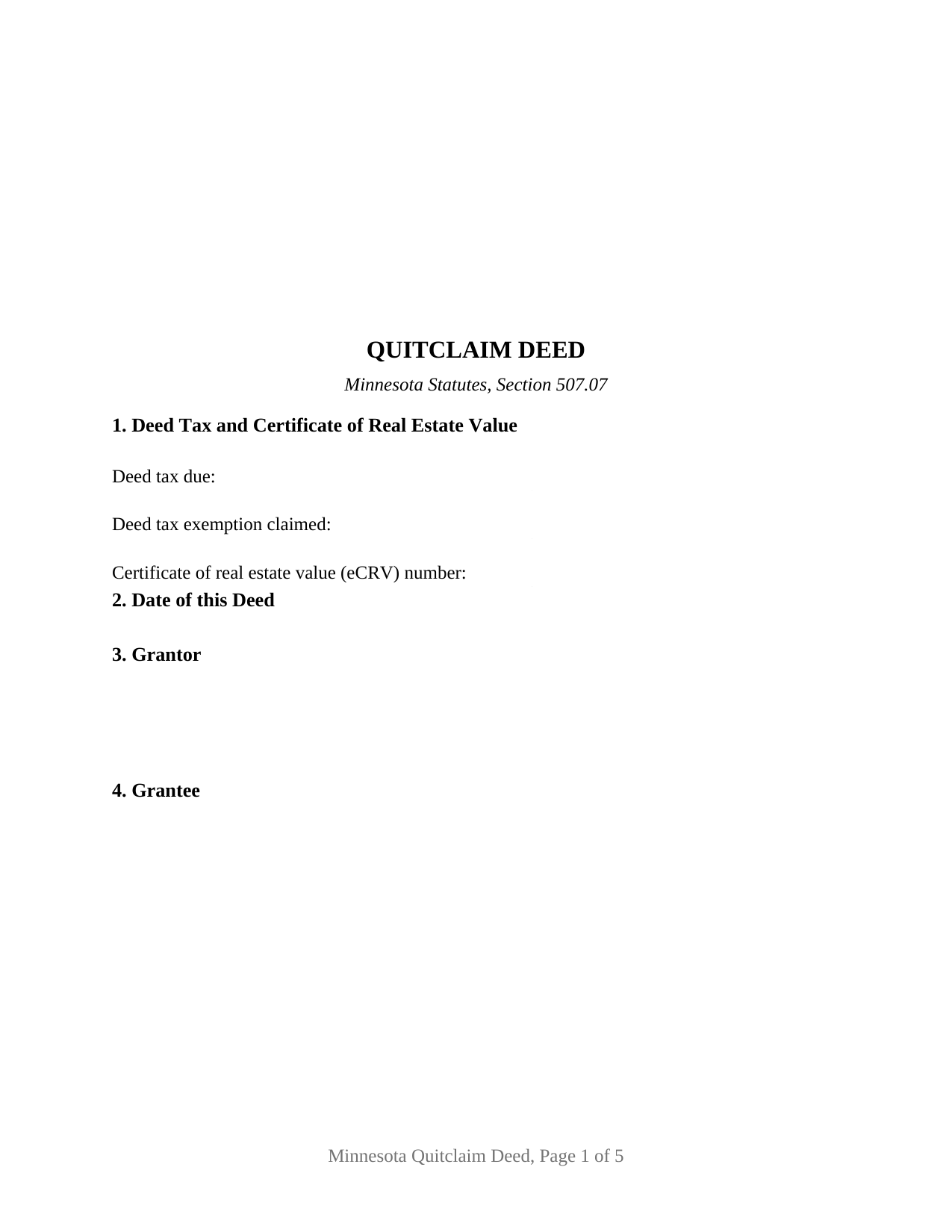
Douglas County Quitclaim Deed Form
Fill in the blank Quitclaim Deed form formatted to comply with all Minnesota recording and content requirements.
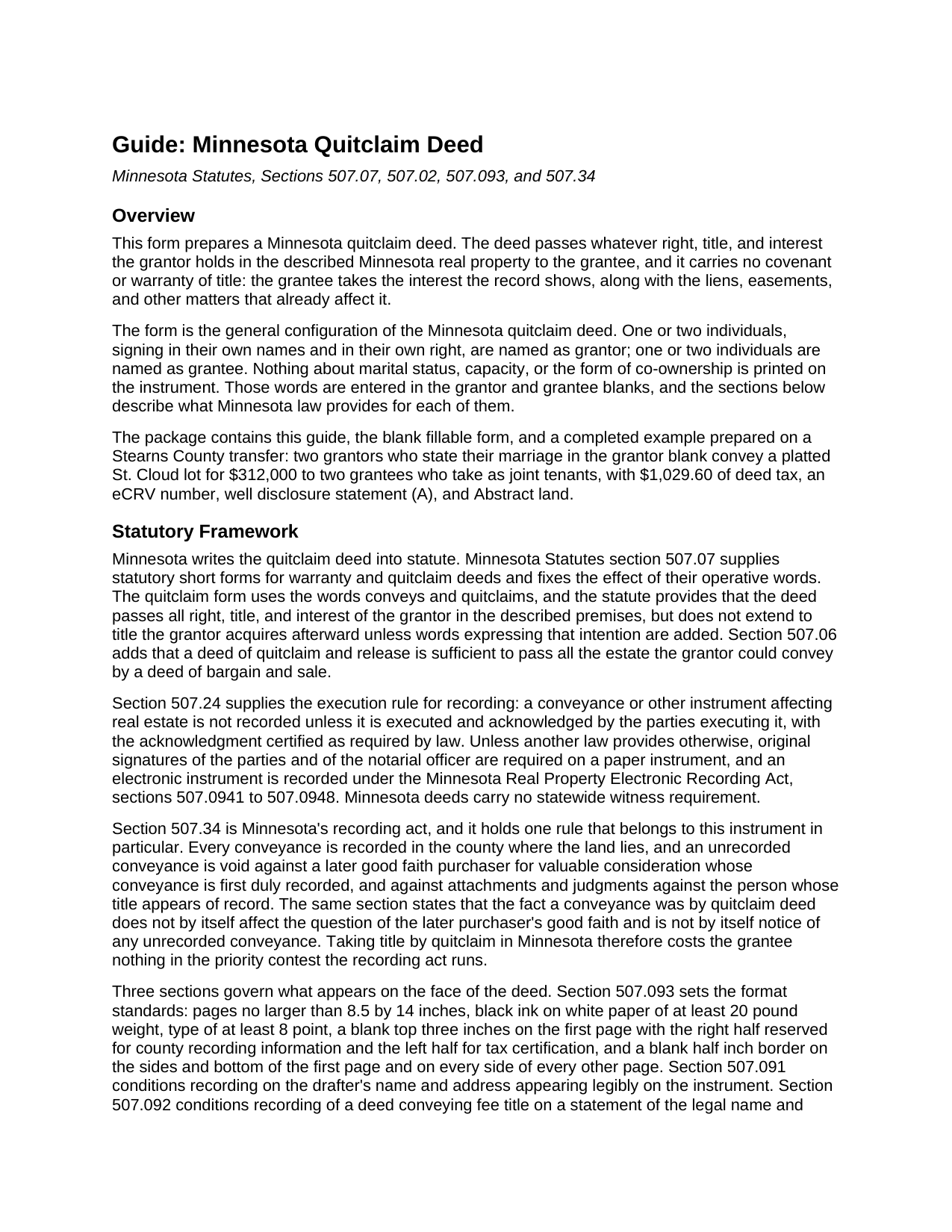
Douglas County Quitclaim Deed Guide
Line by line guide explaining every blank on the Quitclaim Deed form.
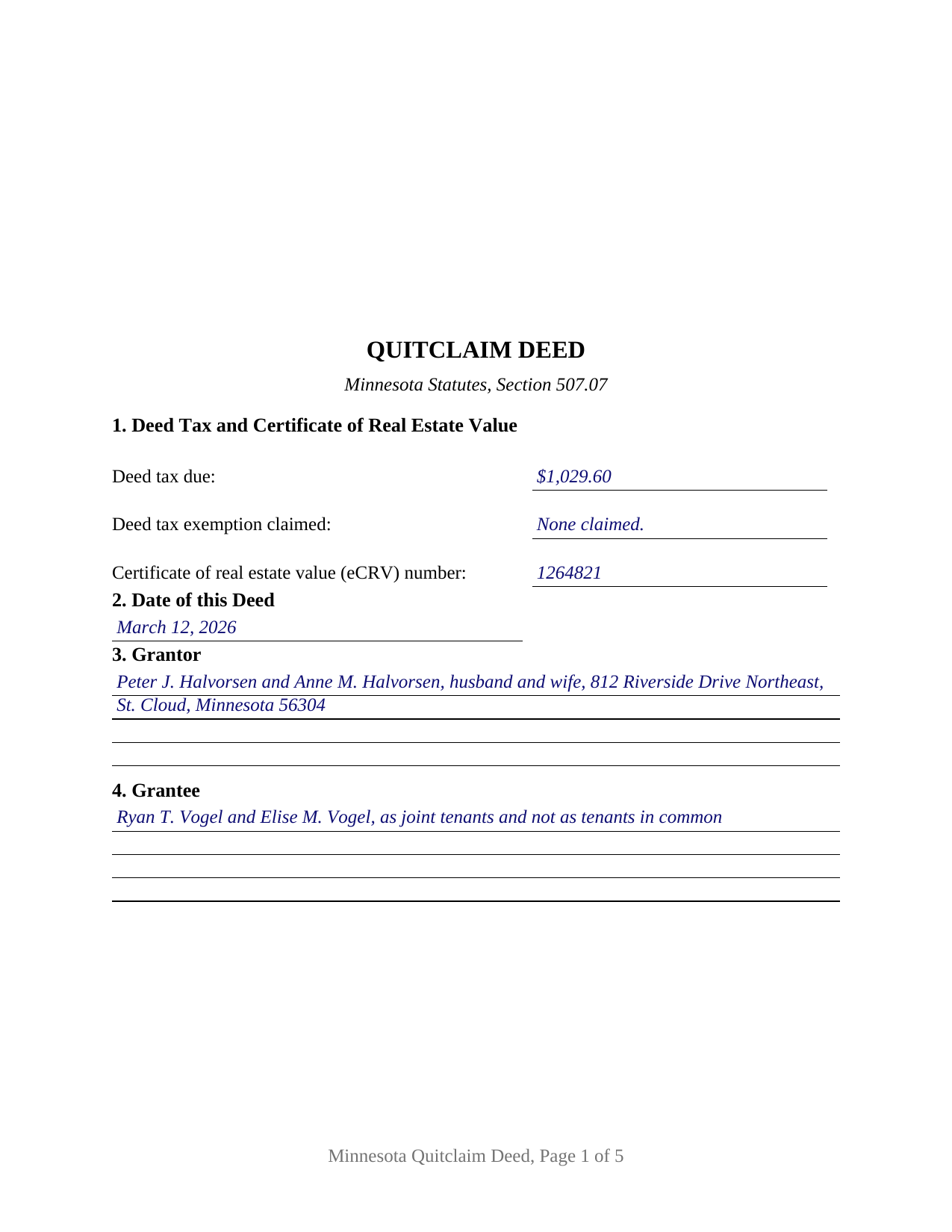
Douglas County Completed Example of the Quitclaim Deed Document
Example of a properly completed Minnesota Quitclaim Deed document for reference.
All 3 documents above included • One-time purchase • No recurring fees
Immediate Download • Secure Checkout
Additional Minnesota and Douglas County documents included at no extra charge:
Where to Record Your Documents
Douglas County Recorder
Alexandria, Minnesota 56308
Hours: 8:00am to 4:30pm M-F
Phone: (320) 762-3877
Recording Tips for Douglas County:
- Bring your driver's license or state-issued photo ID
- Ensure all signatures are in blue or black ink
- Check margin requirements - usually 1-2 inches at top
- Leave recording info boxes blank - the office fills these
- Make copies of your documents before recording - keep originals safe
Cities and Jurisdictions in Douglas County
Properties in any of these areas use Douglas County forms:
- Alexandria
- Brandon
- Carlos
- Evansville
- Farwell
- Garfield
- Holmes City
- Kensington
- Miltona
- Nelson
- Osakis
Hours, fees, requirements, and more for Douglas County
How do I get my forms?
Forms are available for immediate download after payment. The Douglas County forms will be in your account ready to download to your computer. An account is created for you during checkout if you don't have one. Forms are NOT emailed.
Are these forms guaranteed to be recordable in Douglas County?
Yes. Our form blanks are guaranteed to meet or exceed the applicable formatting requirements used for recording in Douglas County, including margin requirements, font requirements, and other layout standards. This guarantee applies to formatting, not to the legal sufficiency of information entered by the user or the suitability of a form for a particular transaction.
Can I reuse these forms?
Yes. You can reuse the forms for your personal use. For example, if you have multiple properties in Douglas County you only need to order once.
What do I need to use these forms?
The forms are PDFs that you fill out on your computer. The free Adobe Acrobat Reader is recommended, and most PDF apps also work. You do NOT enter your property information online - you download the blank forms and complete them privately on your own computer.
Are there any recurring fees?
No. This is a one-time purchase. Nothing to cancel, no memberships, no recurring fees.
How much does it cost to record in Douglas County?
Recording fees in Douglas County vary. Contact the recorder's office at (320) 762-3877 for current fees.
Questions answered? Let's get started!
Minnesota answers the quitclaim deed's oldest question inside the recording act itself. Section 507.34 of the Minnesota Statutes protects a later buyer who takes in good faith and records first, and then adds a sentence written for this instrument: the fact that a conveyance was made by quitclaim deed does not by itself decide the question of that buyer's good faith, and is not by itself notice of an unrecorded conveyance. The deed promises nothing about title, and the statute keeps that silence from costing the grantee standing in the priority contest the record runs.
What conveys and quitclaims moves
Section 507.07 supplies the statutory short form and fixes what its operative words do. The deed passes all right, title, and interest of the grantor in the described premises, and it reaches no title the grantor picks up later unless words expressing that intention are added. Section 507.06 adds the outer edge of its reach: a deed of quitclaim and release passes all the estate the grantor could convey by a deed of bargain and sale. What travels is the grantor's present interest with the mortgages, easements, restrictions, and mineral reservations already attached to it. The conveyance section carries those statutory words, the hereditaments and appurtenances clause of Minnesota practice, and a plain statement that no covenant or warranty of title comes with the deed.
One or two names on each side
This is the general Minnesota quitclaim deed, built for individuals signing in their own right. The grantor blank takes one or two names with whatever status words the signers state, the grantee blank takes one or two names with any words describing how they take title, and the execution area carries a signature block and an acknowledgment certificate for each of the two grantor positions, the second of each left blank where one grantor conveys. Nothing about marriage, capacity, or co-ownership is preprinted anywhere on the instrument, so the four count patterns read as one document: a single grantor to a single grantee, one grantor to two grantees, two grantors to one grantee, and two grantors to two grantees. What the grantee blank says decides survivorship, because section 500.19, subdivision 2, gives two or more grantees a tenancy in common wherever the deed does not expressly declare a joint tenancy. The form is not set up for an entity grantor whose signing authority comes from its own chapter, for a trustee or an attorney-in-fact signing for someone else, for three or more owners on either side, or for a conveyance that reserves a life estate, since the conveyance section passes the grantor's whole interest without reservation.
The face a Minnesota recorder reads
Minnesota fixes a good deal of what appears on a deed. Section 507.093 leaves the top three inches of page one blank, the right half for county recording information and the left half for tax certification, and the form prints nothing there. Section 507.091 puts the drafter's name and address on the instrument, and section 507.092 conditions recording on a grantee name and address for future property tax statements. Section 287.241 bars recording a taxable deed that states neither the tax due nor an exemption, so the first numbered section carries that entry beside the eCRV number section 272.115 assigns to a sale for more than $3,000. The three lettered well disclosure statements of section 103I.235 sit in their own section with a blank for the letter that applies, and an Abstract or Registered (Torrens) entry marks whether the deed goes to the county recorder or to the registrar of titles.
Auditor, deed tax, then the record
The path runs through two county offices. Section 272.12 sends the deed to the auditor for the transfer entry and tax certification first, and the recorder refuses an instrument arriving without that statement. State deed tax under section 287.21 runs at 0.0033 of net consideration above $3,000 and $1.65 at or below it, with 0.0001 added in Hennepin and Ramsey Counties. Recording and indexing is a flat $46 under section 357.18, which section 357.182 keeps counties from adding to.
A quit claim deed, a quick claim deed, and a Minnesota quitclaim deed form all name this same instrument. Included here: the fillable form, a completed example built on a Stearns County sale by two grantors to two grantees taking as joint tenants, and a guide covering every numbered section, the estates section 500.19 recognizes, and each county step. The materials are informational and are not legal advice.
Important: Your property must be located in Douglas County to use these forms. Documents should be recorded at the county recording office listed above.
This Quitclaim Deed meets all recording requirements specific to Douglas County.
Our Promise
The documents you receive here are guaranteed to meet or exceed the applicable Douglas County recording format requirements. If there is a rejection caused by our formatting, we will correct the issue or refund your payment. This guarantee applies to document formatting only and does not extend to information entered by the user, the selection of the form, or the legal effect of the completed document.
Save Time and Money
Get your Douglas County Quitclaim Deed form done right the first time with Deeds.com Uniform Conveyancing Blanks. At Deeds.com, we understand that your time and money are valuable resources, and we don't want you to face a penalty fee or rejection imposed by a county recorder for submitting nonstandard documents. We constantly review and update our forms to meet rapidly changing state and county recording requirements for roughly 3,500 counties and local jurisdictions.
4.8 out of 5 - ( 4,836 Reviews )
Rose H. 5 out of 5 stars
I am so glad I found this resource! As the Executor of a family members estate I wanted to save money by bypassing a lawyer as it seemed pretty straight forward to tranfer a Life Estate to the remainderman. (I had original deeds). But talking with 3 different states and 4 different counties - none of which seemed to need the same documents, I was almost ready to dump this in a lawyer's lap. This resource makes it simple!
We appreciate your business and value your feedback. Thank you. Have a wonderful day!
James D. 4 out of 5 stars
good product, but would prefer an editable document, such as word
Thanks for your feedback James.
Deb F. 5 out of 5 stars
The county clerk accepted your mineral deed. It was a blessing finding your deed and instructions for filling it out online. Thank you
Thank you for your feedback. We really appreciate it. Have a great day!
Sheryl G. 5 out of 5 stars
Simple way to complete documents with very detailed instructions. And to be able to e-file them is great too.
We appreciate your business and value your feedback. Thank you. Have a wonderful day!
RUTH O. 5 out of 5 stars
Got access to the forms immediately after ordering. Lots of helpful information, forms were easy to use. Happy I choose this site.
Thank you Ruth. Have a great day!
Carol M. 5 out of 5 stars
worked very well
Thank you for your feedback. We really appreciate it. Have a great day!
Linda W. 5 out of 5 stars
Fast service. From the time I sent my Quit Claim Deed to deeds.com, and six hours later my deed was recorded. It was painless, great convenience.
Thank you!
Bernice L. 5 out of 5 stars
Finally able to print out the forms after a few tries. Honestly, I think it could have been designed a little better. I am almost 80; however, very computer savvy, but finally managed to get what I needed.
Thank you for your feedback. We really appreciate it. Have a great day!
WJ H. 5 out of 5 stars
The Quit Claim Deed for the state of Ohio worked for me, saving me the cost of an attorney doing it. O.K., maybe that wouldn't have amounted to more than a few hundred dollars, but anywhere I thought I could save money (and learn something new on top of it) is something I want to do. That said, be forwarned. While I'm not an attorney I'm not averse to spending many hours researching the lingo found in this kind of form and thoroughly understanding exactly how everything has to be filled in. I should add that my ex-wife and I remain friends and she was the one giving me the property/house (thus, technically I filled out the forms on her behalf). Because there was no personal conflict, it made it easier to undertake. Lastly, what others have said about the county office where you must file a Quit Claim Deed not being helpful, that's true in the sense that they do not want to be instructing non-attorneys on filling out the necessary forms. I did take a preliminary draft set of the forms to the county office but was VERY CAREFUL about explaining that I only needed a couple of questions answered about procedure for submitting the final documents. They were helpful once I made it clear I wasn't asking them for "legal advice". And their help was critical as the final submittals requires stopping at three different offices (MapDocuments, Auditor and finally the Recorder's office). So I say thank you to Deeds.com. Their service for the Quit Claim Deed was invaluable.
We appreciate your business and value your feedback. Thank you. Have a wonderful day!
Valarie H. 5 out of 5 stars
Thank you for offering this service. We were getting several different answers on how to solve our problem, and all of them involved getting an attorney. You saved us a ton of money and using your document made everything super easy...no attorney needed! Thank you!
Thank you for your feedback. We really appreciate it. Have a great day!
Cheryl B. 5 out of 5 stars
I did this on a desktop using a scanned .pdf file. Simple, straight-forward, excellent instructions, easy, fast, and well documented for each step. From account creation to proof of recording: 4 hours... from the comfort of my home. I would highly recommend this service to anyone, including - and maybe especially - those who are looking for fast recording who aren't well versed in computers and on-line processes. Well done in all ways.
We appreciate your business and value your feedback. Thank you. Have a wonderful day!
David S. 5 out of 5 stars
The form was just what I needed for the Circuit Court and Land Records office. The additional information provided was very helpful as well.
We appreciate your business and value your feedback. Thank you. Have a wonderful day!
Kristen N. 5 out of 5 stars
Very easy to use, helpful instructions and examples. I also like the chat feature and the erecording. So much better than other DIY law websites out there.
We appreciate your business and value your feedback. Thank you. Have a wonderful day!
Gerlinde H. 5 out of 5 stars
This was fantastic. I downloaded the document, filled it out, printed it, had it notarized and drove to the recorders office and had it recorded within less than 15 minutes. Instructions are precise and easy to understand. You saved me hundreds of dollars a lawyer would have charged for the same work.
We appreciate your business and value your feedback. Thank you. Have a wonderful day!
Roger S. 1 out of 5 stars
status was canceled. said i needed to record directly. would be 5 stars if it worked.
Sorry for the inconvenience Roger. Unfortunately, not all jurisdictions in the country have progressed to the point of being able to accept all document types for e-recording.