Faribault County Transfer on Death Deed (Married Joint Owners, Last Survivor) Form
Last validated November 1, 2026 by our Forms Development TeamFormatted for recording in Faribault County, for property anywhere in the county: rural and unincorporated areas as well as Blue Earth, Bricelyn, Delavan, Easton, Elmore, Frost, Huntley, Kiester and 3 more.
- 3 documents included
- Immediate PDF download
- Formatting guarantee
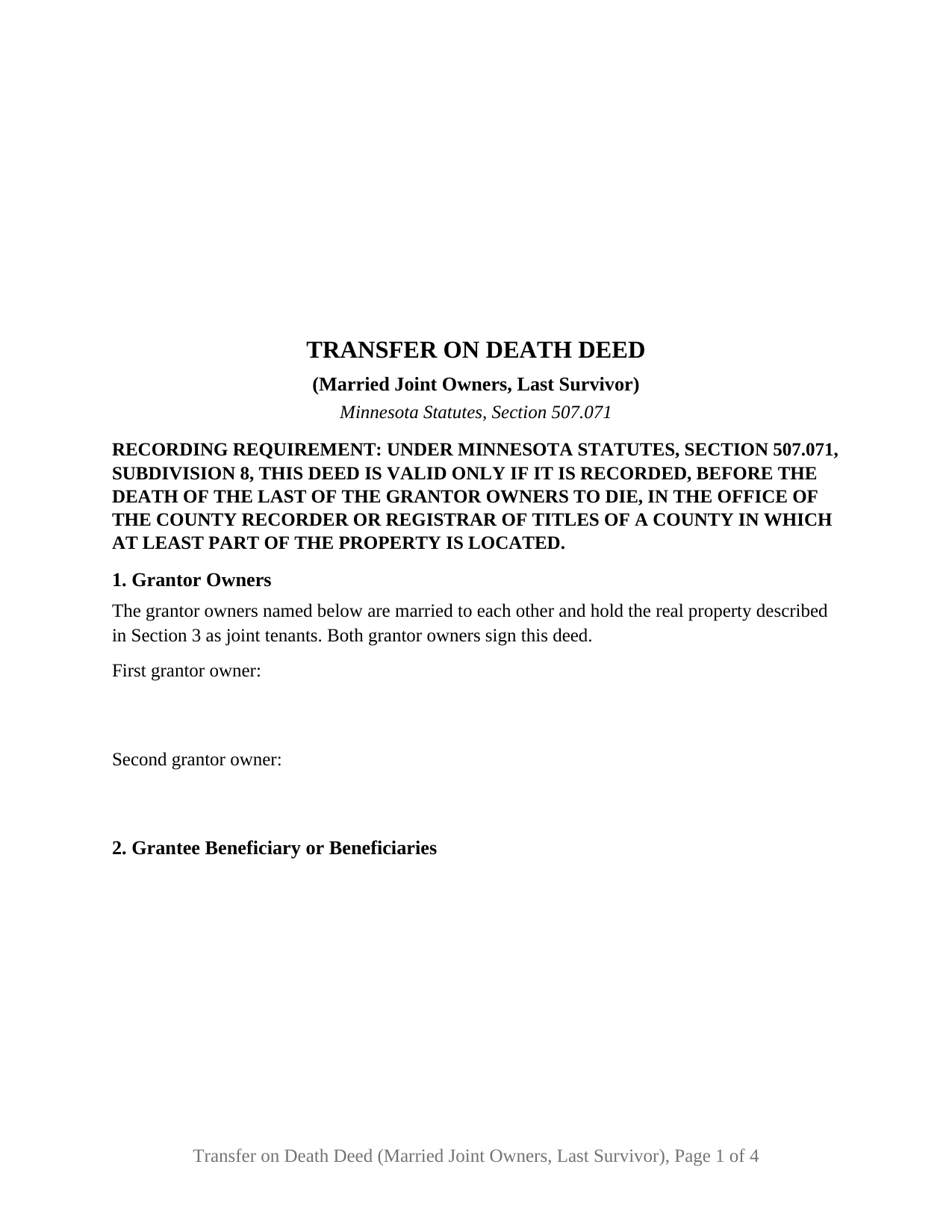
Faribault County Transfer on Death Deed (Married Joint Owners, Last Survivor) Form
Fill in the blank Transfer on Death Deed (Married Joint Owners, Last Survivor) form formatted to comply with all Minnesota recording and content requirements.
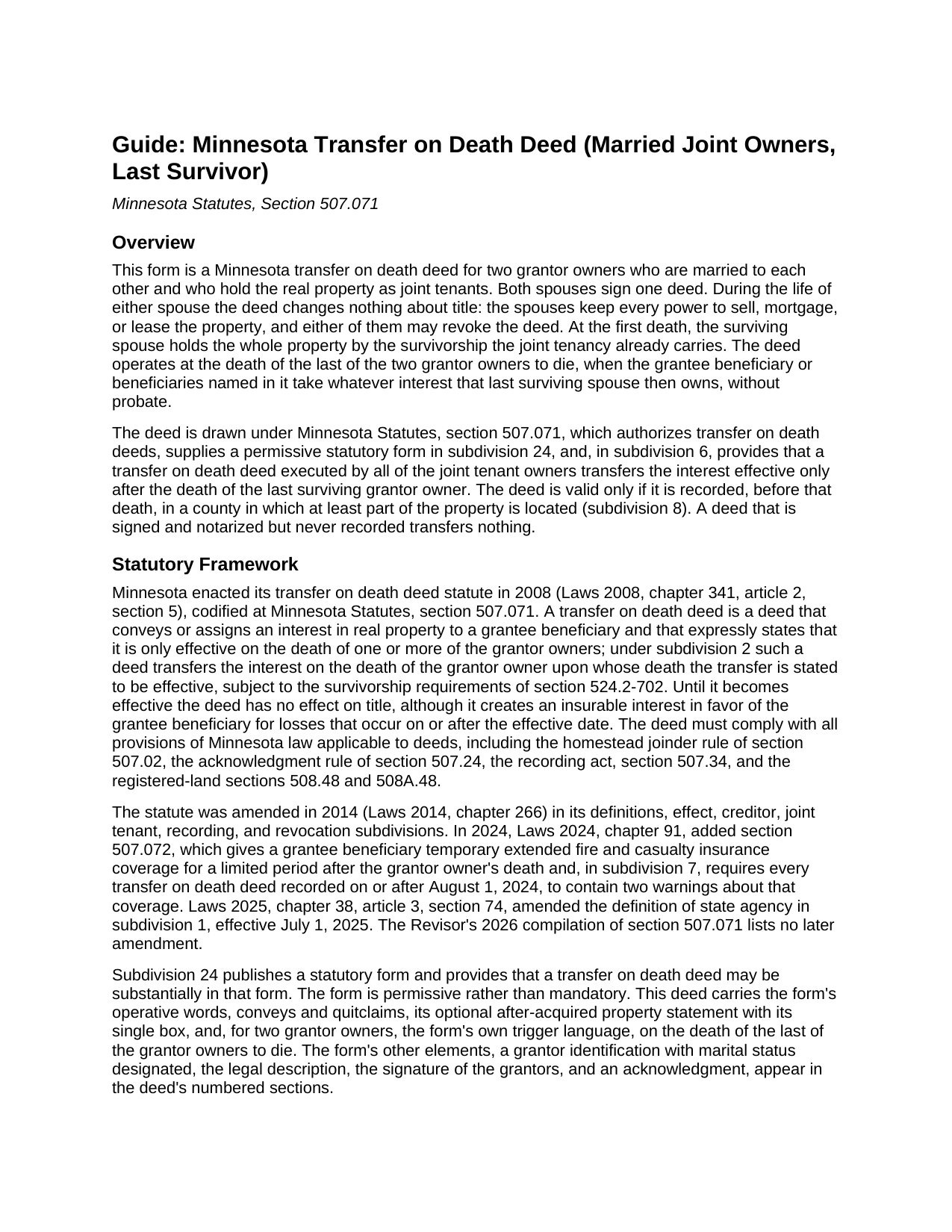
Faribault County Transfer on Death Deed (Married Joint Owners, Last Survivor) Guide
Line by line guide explaining every blank on the Transfer on Death Deed (Married Joint Owners, Last Survivor) form.
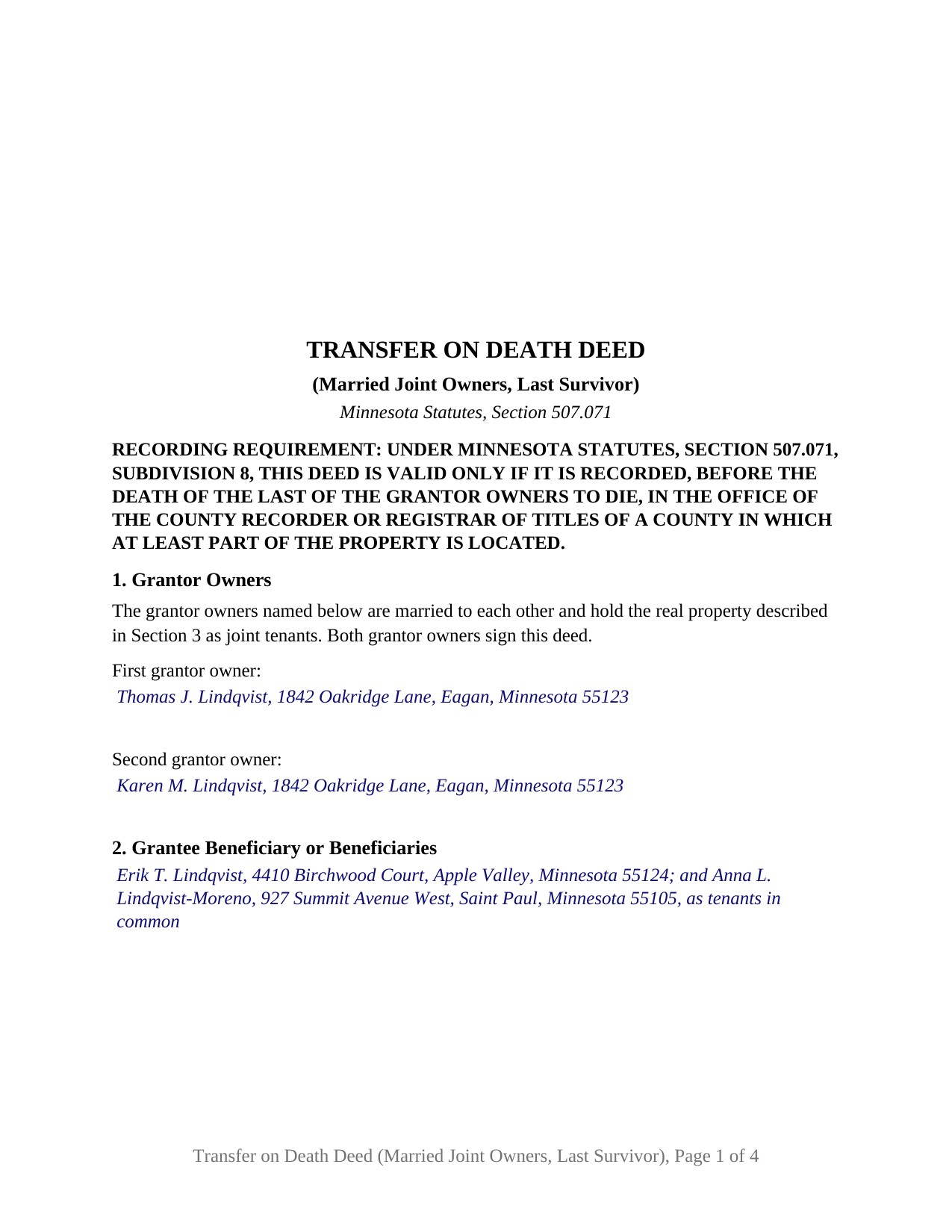
Faribault County Completed Example of the Transfer on Death Deed (Married Joint Owners, Last Survivor) Document
Example of a properly completed Minnesota Transfer on Death Deed (Married Joint Owners, Last Survivor) document for reference.
All 3 documents above included • One-time purchase • No recurring fees
Immediate Download • Secure Checkout
Additional Minnesota and Faribault County documents included at no extra charge:
Where to Record Your Documents
Faribault County Recorder
Blue Earth, Minnesota 56013
Hours: 8:00am to 4:30pm M-F
Phone: (507) 526-6252
Recording Tips for Faribault County:
- Bring your driver's license or state-issued photo ID
- Ensure all signatures are in blue or black ink
- Avoid the last business day of the month when possible
- Both spouses typically need to sign if property is jointly owned
- Bring extra funds - fees can vary by document type and page count
Cities and Jurisdictions in Faribault County
Properties in any of these areas use Faribault County forms:
- Blue Earth
- Bricelyn
- Delavan
- Easton
- Elmore
- Frost
- Huntley
- Kiester
- Minnesota Lake
- Wells
- Winnebago
Hours, fees, requirements, and more for Faribault County
How do I get my forms?
Forms are available for immediate download after payment. The Faribault County forms will be in your account ready to download to your computer. An account is created for you during checkout if you don't have one. Forms are NOT emailed.
Are these forms guaranteed to be recordable in Faribault County?
Yes. Our form blanks are guaranteed to meet or exceed the applicable formatting requirements used for recording in Faribault County, including margin requirements, font requirements, and other layout standards. This guarantee applies to formatting, not to the legal sufficiency of information entered by the user or the suitability of a form for a particular transaction.
Can I reuse these forms?
Yes. You can reuse the forms for your personal use. For example, if you have multiple properties in Faribault County you only need to order once.
What do I need to use these forms?
The forms are PDFs that you fill out on your computer. The free Adobe Acrobat Reader is recommended, and most PDF apps also work. You do NOT enter your property information online - you download the blank forms and complete them privately on your own computer.
Are there any recurring fees?
No. This is a one-time purchase. Nothing to cancel, no memberships, no recurring fees.
How much does it cost to record in Faribault County?
Recording fees in Faribault County vary. Contact the recorder's office at (507) 526-6252 for current fees.
Questions answered? Let's get started!
Two spouses who hold their Minnesota home as joint tenants can name, in one transfer on death deed, who takes the property after both of them have died. Drawn under section 507.071 of the Minnesota Statutes, this form recites exactly two grantor owners, married to each other and holding as joint tenants, and fixes the transfer on the death of the last of the two to die.
Survivorship first, the deed second
While both spouses live, nothing moves. At the first death the surviving spouse holds the whole property by the survivorship the joint tenancy already carries, and section 507.071, subdivision 6, provides that a transfer on death deed executed by all of the joint tenant owners transfers the interest effective only after the death of the last surviving grantor owner. The same subdivision states that a later TOD deed neither severs nor affects the joint tenancy unless the deed specifically says so, and this deed says no such thing. The grantee beneficiaries take at the survivor's death, without probate.
Two owners who are also each other's spouse
Section 507.02 provides that no conveyance of a married owner's homestead is valid without both spouses' signatures, and a transfer on death deed is subject to that section. On this deed the two signatures section 507.02 calls for are the two grantor owners' own: each spouse signs as an owner, and the form draws no separate joining-spouse block. Section 1 states the configuration as fixed deed text, that the grantor owners named below are married to each other and hold the property as joint tenants, and the two blanks beneath it take only names and mailing addresses.
Certificates that describe each spouse as the spouse of the other
The form carries one acknowledgment certificate for each spouse, in the short form of section 358.66. Under section 358.14, spouses who join in an instrument are described in the certificate in a manner that indicates they are married to each other, and where they acknowledge separately, each is described as the spouse of the other. The completed example shows the entries written that way.
What the configuration recites
The deed recites two natural persons as grantor owners, married to each other and holding as joint tenants, each signing in an individual capacity, conveying and quitclaiming to one or more grantee beneficiaries of any class section 507.071 permits: individuals, the trustee of a revocable or testamentary trust, or a qualified entity. Spouses who took title together by a deed naming them as joint tenants present the pattern this deed recites. The form is not set up for two spouses who hold as tenants in common, for co-owners who are not married to each other, for a married owner who holds the property alone, or for a trustee, entity, or attorney-in-fact signer; the guide describes why tenancy in common sits uneasily with a last-to-die trigger under subdivision 14.
If the marriage ends first
Section 500.19, subdivision 5, severs a joint tenancy between spouses on a decree of dissolution unless the decree says otherwise, and subdivision 10 of the TOD deed statute makes the deed a governing instrument under section 524.2-804, which revokes revocable dispositions in favor of a former spouse. Any one grantor owner may also revoke the deed in its entirety by a recorded revocation.
The one box and the recording condition
Section 5 prints the operative sentence in the statutory form's own words for more than one grantor owner, followed by the form's single optional after-acquired property statement with its one box, which answers subdivision 21 either way: marked, the deed reaches an interest acquired after signing; unmarked, it does not. The section 507.072 insurance warnings follow. The deed is valid only if recorded before the death of the grantor owner on whose death it operates, in a county where at least part of the land lies; no auditor certification, certificate of real estate value, or deed tax accompanies it. After the second death, an affidavit of identity and survivorship and a county agency clearance certificate are recorded separately and are not included in this package.
Included are the fillable transfer on death deed, a completed example prepared on a Dakota County fact pattern for two spouses naming their two adult children, and the guide, which covers every numbered section, both certificates, and recording. Nothing in this description or the guide is legal advice; both describe the form and the statutes behind it in general terms.
Important: Your property must be located in Faribault County to use these forms. Documents should be recorded at the county recording office listed above.
This Transfer on Death Deed (Married Joint Owners, Last Survivor) meets all recording requirements specific to Faribault County.
Our Promise
The documents you receive here are guaranteed to meet or exceed the applicable Faribault County recording format requirements. If there is a rejection caused by our formatting, we will correct the issue or refund your payment. This guarantee applies to document formatting only and does not extend to information entered by the user, the selection of the form, or the legal effect of the completed document.
Save Time and Money
Get your Faribault County Transfer on Death Deed (Married Joint Owners, Last Survivor) form done right the first time with Deeds.com Uniform Conveyancing Blanks. At Deeds.com, we understand that your time and money are valuable resources, and we don't want you to face a penalty fee or rejection imposed by a county recorder for submitting nonstandard documents. We constantly review and update our forms to meet rapidly changing state and county recording requirements for roughly 3,500 counties and local jurisdictions.
4.8 out of 5 - ( 4,840 Reviews )
Robert D. 5 out of 5 stars
These forms made it so easy to update the property deed and the instructions and sample filled out form were most helpful. You might want to add some brief information on when or why to use the Acknowledgment in Individual Capacity notary form. In my case the notary was required to use it but also filled in the brief notarize section on the Affidavit as well. She said the one on the Affidavit had some value because it showed she had witnessed the my signature. But this was only after I suggested both be filled in as she initially thought to just strike through it and just use the Acknowledgment in Individual Capacity form.
Thank you for your feedback. We really appreciate it. Have a great day!
Forrest D. 1 out of 5 stars
Requires you work in Adobe Acrobat. Too difficult to edit, add and erase for an attorney.
Sorry to hear of your struggle. We do hope that you find something more suitable to your needs elsewhere. Have a wonderful day.
Johnnye G. 5 out of 5 stars
I appreciate being able to find the forms needed for my Gift Deed. It was simple to understand and complete. Now, if Utah will accept this form, I will be thrilled. Mailing today. It remains to be seen if it will be accepted.
We appreciate your business and value your feedback. Thank you. Have a wonderful day!
JOSEPH W. 5 out of 5 stars
Easy peezy!
Thank you!
Shannon F. 5 out of 5 stars
Quality, professional forms. Good value.
We appreciate your business and value your feedback. Thank you. Have a wonderful day!
Craig M. 5 out of 5 stars
Fantastic! So much easier than going and recording it at the recorders office!
Glad we could help Craig, thanks for the kind words.
Terry S. 4 out of 5 stars
Worked well for us except for not being able to edit. Got it completed and recorded with the county clerk! Having the instructions and example made it easy!
Thank you for your feedback. We really appreciate it. Have a great day!
Bill M. 4 out of 5 stars
PROS: Quick communication. Completed the task expediently. CONS: Deciphering what was being referred to on the website when needing the proper classification wasn't clear. Had to delve through your unfamiliar territory. But managed. OVERALL: Got the job done swiftly and the end result was satisfactory. Will use again.
Thank you!
Daniel B. 5 out of 5 stars
easy to use and upload.
We are delighted to have been of service. Thank you for the positive review!
Roman F. 5 out of 5 stars
You form was good the only thing that did not work was the download to fill it out !!! I use a Mac system and maybe that's what the issue was. I filled it out by hand and it worked for the purpose .
Thanks for the kind words, Roman. Glad the form worked for you. For the fillable fields, the PDF opens best in a dedicated reader like Preview or Adobe Acrobat rather than inside a browser window, which can sometimes flatten them out. We appreciate your business.
Roger M. 5 out of 5 stars
EASY. WORKED WITH PROBLEMS.
Thank you!
Bernard H. 5 out of 5 stars
The site is clear and easy to submit requests. I will be using again when needed. No problems and a pleasure to deal with.
Thank you for your feedback. We really appreciate it. Have a great day!
Michael B. 5 out of 5 stars
It was a breeze to utilize.
Thank you!
Chris M. 5 out of 5 stars
always helpful always informative always awesome
Your feedback is greatly appreciated. Thank you for taking the time to share your experience!
Rachel Y. 5 out of 5 stars
I liked the ease of use, however I would love to be able to add multiple APN’s and delete lines that are not applicable
Thank you, Rachel. We’re glad you found the form easy to use, and we appreciate your suggestions about adding multiple APNs and removing inapplicable lines. Feedback like this helps us improve our forms.