Blue Earth County Trustee Deed Individual Form
Last validated October 2, 2026 by our Forms Development TeamFormatted for recording in Blue Earth County, for property anywhere in the county: rural and unincorporated areas as well as Amboy, Eagle Lake, Garden City, Good Thunder, Lake Crystal, Madison Lake, Mankato, Mapleton and 3 more.
- 3 documents included
- Immediate PDF download
- Formatting guarantee
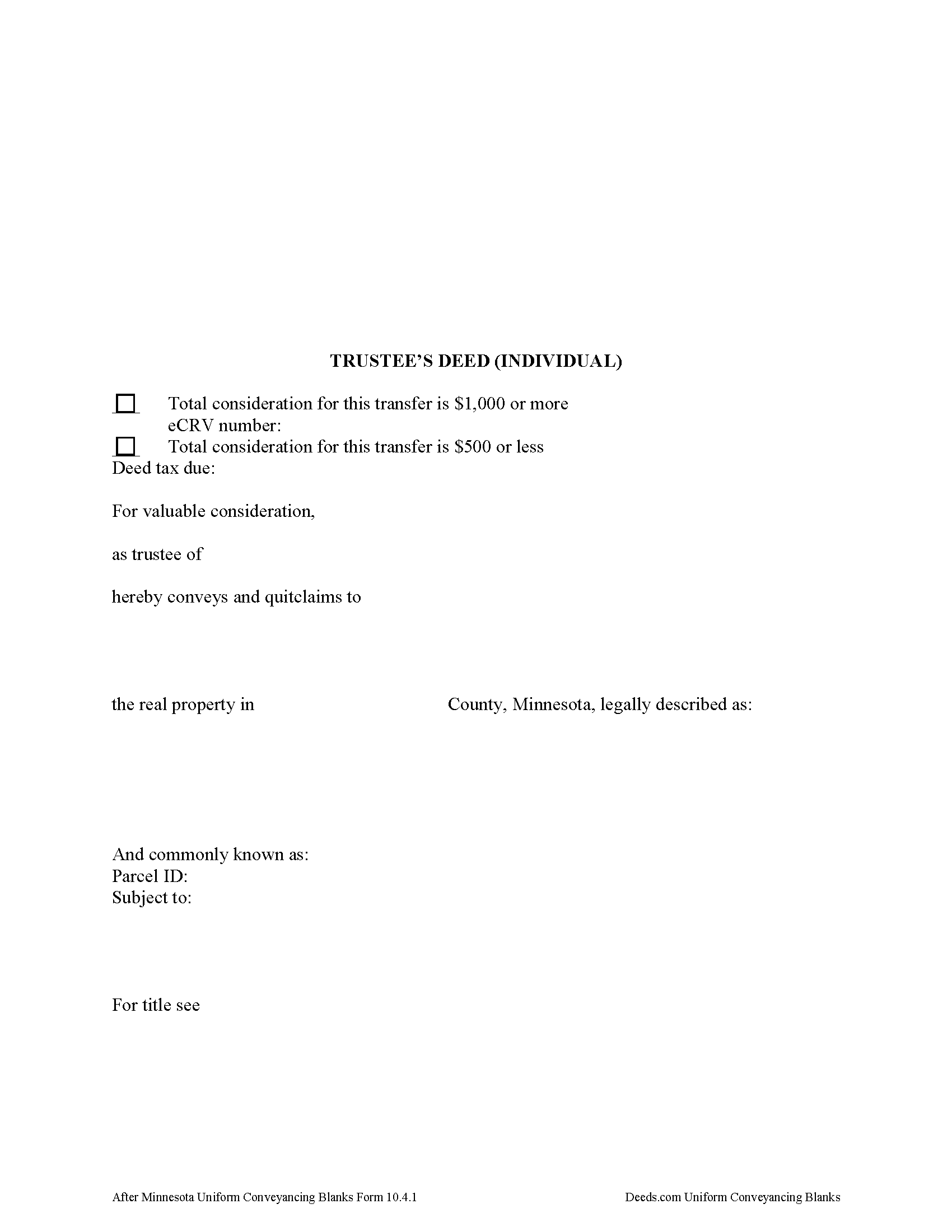
Blue Earth County Trustee Deed Form
Fill in the blank form formatted to comply with all recording and content requirements.
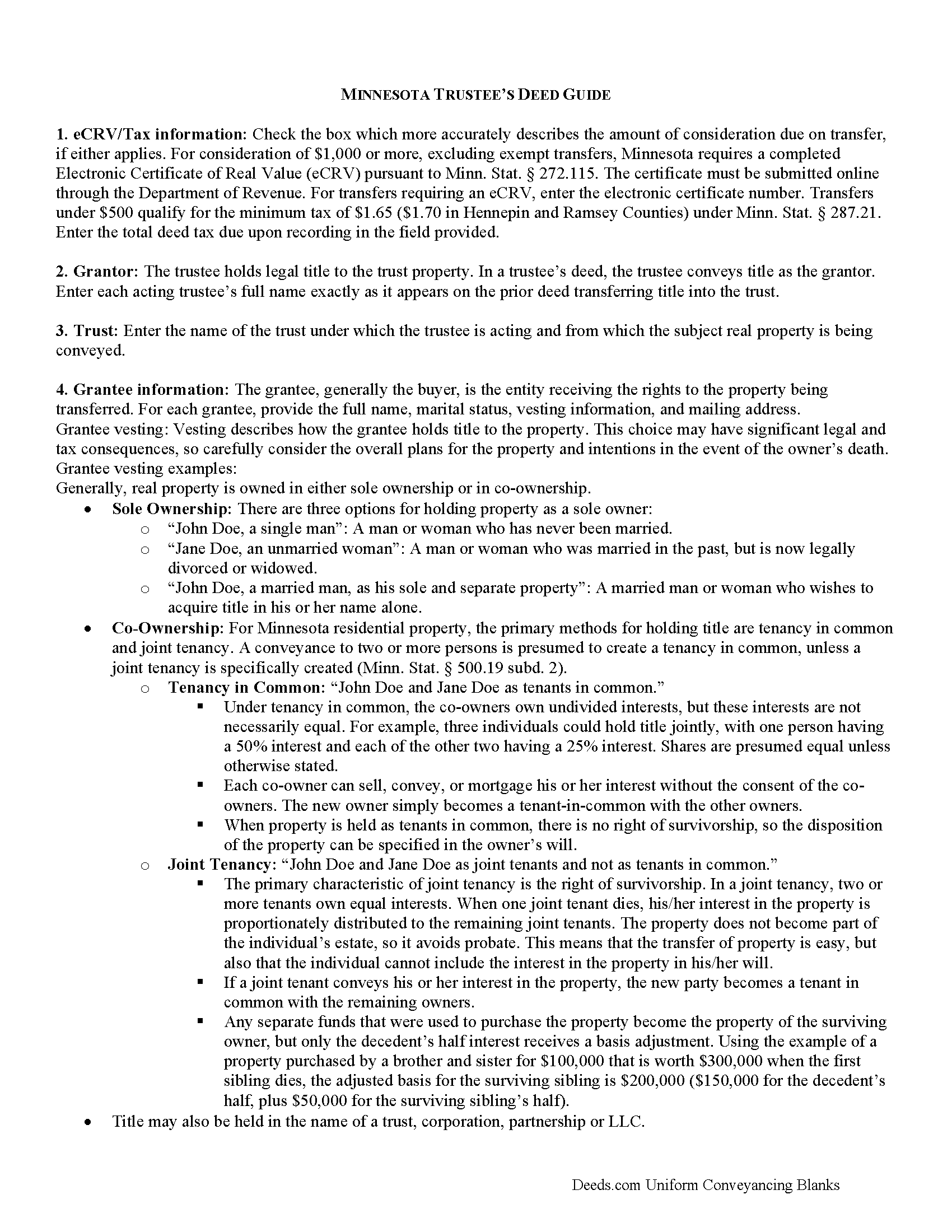
Blue Earth County Trustee Deed Guide
Line by line guide explaining every blank on the form.
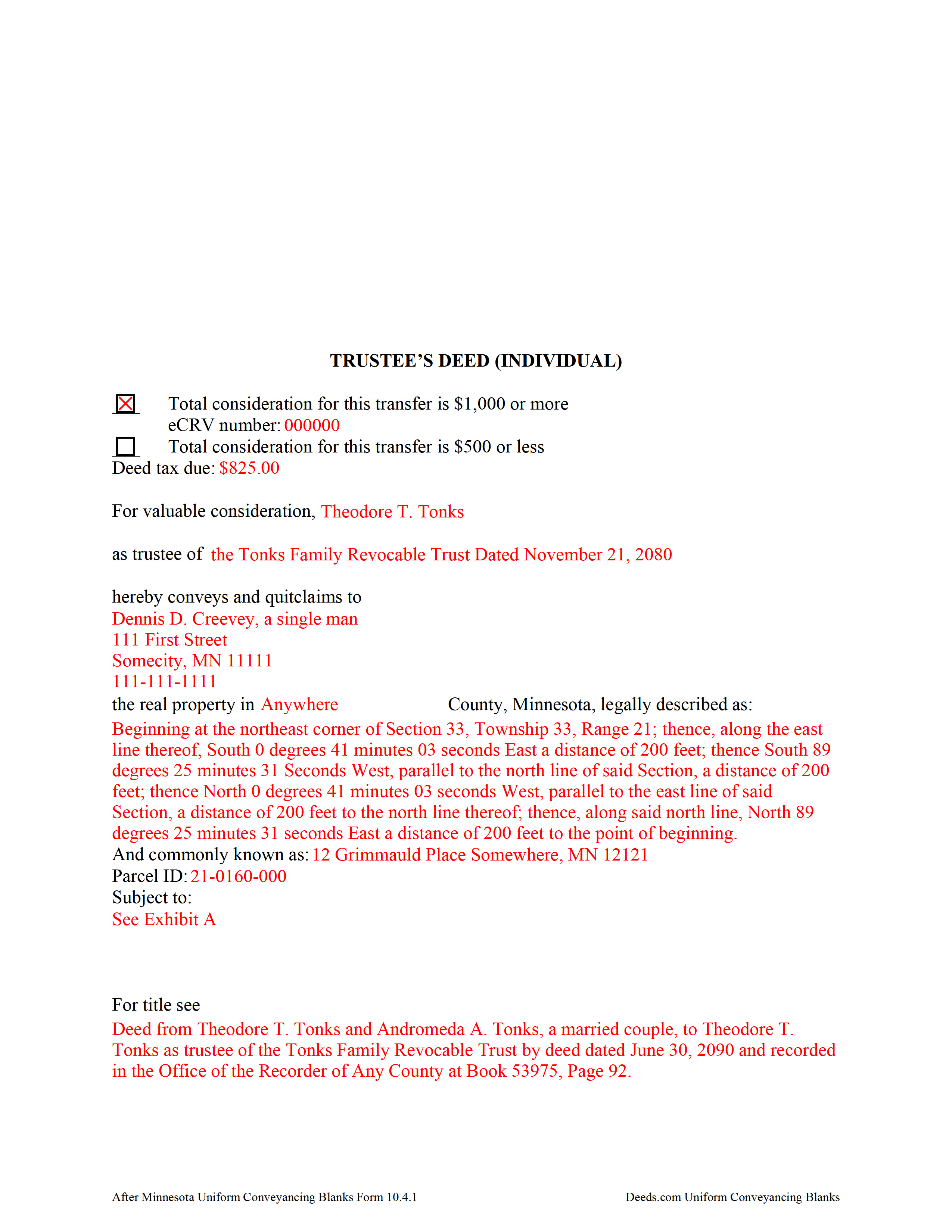
Blue Earth County Completed Example of the Trustee Deed Document
Example of a properly completed form for reference.
All 3 documents above included • One-time purchase • No recurring fees
Immediate Download • Secure Checkout
Additional Minnesota and Blue Earth County documents included at no extra charge:
Where to Record Your Documents
Taxpayer Services: Real Estate Recordings Division
Mankato, Minnesota 56002-3567
Hours: 8:00am to 4:30pm M-F
Phone: (507) 304-4251
Recording Tips for Blue Earth County:
- Bring your driver's license or state-issued photo ID
- Ensure all signatures are in blue or black ink
- Leave recording info boxes blank - the office fills these
- Make copies of your documents before recording - keep originals safe
- Recorded documents become public record - avoid including SSNs
Cities and Jurisdictions in Blue Earth County
Properties in any of these areas use Blue Earth County forms:
- Amboy
- Eagle Lake
- Garden City
- Good Thunder
- Lake Crystal
- Madison Lake
- Mankato
- Mapleton
- Pemberton
- Saint Clair
- Vernon Center
Hours, fees, requirements, and more for Blue Earth County
How do I get my forms?
Forms are available for immediate download after payment. The Blue Earth County forms will be in your account ready to download to your computer. An account is created for you during checkout if you don't have one. Forms are NOT emailed.
Are these forms guaranteed to be recordable in Blue Earth County?
Yes. Our form blanks are guaranteed to meet or exceed the applicable formatting requirements used for recording in Blue Earth County, including margin requirements, font requirements, and other layout standards. This guarantee applies to formatting, not to the legal sufficiency of information entered by the user or the suitability of a form for a particular transaction.
Can I reuse these forms?
Yes. You can reuse the forms for your personal use. For example, if you have multiple properties in Blue Earth County you only need to order once.
What do I need to use these forms?
The forms are PDFs that you fill out on your computer. The free Adobe Acrobat Reader is recommended, and most PDF apps also work. You do NOT enter your property information online - you download the blank forms and complete them privately on your own computer.
Are there any recurring fees?
No. This is a one-time purchase. Nothing to cancel, no memberships, no recurring fees.
How much does it cost to record in Blue Earth County?
Recording fees in Blue Earth County vary. Contact the recorder's office at (507) 304-4251 for current fees.
Questions answered? Let's get started!
What's in a Minnesota Trustee's Deed?
Minnesota allows for two main types of trustees deeds: one between individuals, and one for use by business entities. The primary differences between the two forms are that the deed intended for businesses contains details about the corporate entity and the laws under which it was formed, and a corporate notary acknowledgement, while the form for individuals does not require that information. This article focuses on the trustee's deed for individuals.
A trustee's deed conveys title to real property held in a non-testamentary trust. The deed is named for the executing trustee, unlike other deed forms, which are named for the warranties of title they contain. Trustees are authorized to sell property under Minn. Stat. 501C.0816.
In a trust arrangement, the trustee holds legal title to property conveyed to the trust by the settlor, for the benefit of the trust's beneficiaries. A beneficiary is someone with a present or future interest in the trust (Minn. Stat. 501C. 0103). The settlor establishes the provisions of the trust, including the designation of a trustee and a trust beneficiary, in the trust instrument, which typically is not recorded.
In Minnesota, the trustee's deed is a modified quitclaim deed, containing the granting language "convey and quitclaim." A quitclaim deed merely grants "all right, title, and interest of the grantor in the premises described" to the grantee, and contains no warranty of title (Minn. Stat. 707.07).
The deed names the trustee and the trust on behalf of which the trustee is authorized to act. As with all other forms of conveyance, the deed requires the name, vesting information, and address of the grantee. In addition, the deed recites the full legal description of the premises conveyed, and indicates whether the deed is to be recorded in the abstract or Torrens system (the Office of the Recorder for the county in which the property is situated handles recording for both systems).
In a nutshell, the Torrens system is a system of recording whereby the state guarantees the title through a more rigorous certification process; conveyances submitted in the abstract system meeting basic recording requirements will be recorded, but the title is not guaranteed.
Finally, all conveyances in Minnesota need to contain the drafter's information, and an address to which property tax statements can be sent.
Minnesota statutes require an Electronic Certificate of Real Value (eCRV) to accompany deeds with a consideration of $1,000 or more (Min. Stat. 272.115). The certificate is submitted online through the Department of Revenue. For transfers requiring an eCRV, the electronic certificate number must be reflected on the first page of the documents. Considerations of $500 or less qualify for the minimum deed tax. Because the eCRV contains more specific information for a majority of documents, the consideration statement reflected on the face of the deed is typically generic.
Pursuant to Minn. Stat. 103I.235, sellers of real property must submit a well disclosure certificate, along with the $50 well disclosure certificate fee, before agreeing to a transfer. Subd. 1(c) of that statute explains that the certificate is unnecessary "if the seller does not know of any wells on the property" and includes a statement to that effect on the deed. A deed may also state that the status of wells on the property has not changed since the previously filed certificate. Finally, recite the electronic well disclosure certificate number if relevant to the property.
All acting trustees must sign the deed in the presence of a notary public or other authorized officer before submitting the deed for recording at the county level. A certificate of trust and/or affidavit of trustee may be required alongside the trustee's deed.
Each situation is unique, so contact an attorney with any questions about trustee's deeds, trusts, and directions relating specifically to your situation.
(Minnesota Trustee Deed Individual Package includes form, guidelines, and completed example)
Important: Your property must be located in Blue Earth County to use these forms. Documents should be recorded at the county recording office listed above.
This Trustee Deed Individual meets all recording requirements specific to Blue Earth County.
Our Promise
The documents you receive here are guaranteed to meet or exceed the applicable Blue Earth County recording format requirements. If there is a rejection caused by our formatting, we will correct the issue or refund your payment. This guarantee applies to document formatting only and does not extend to information entered by the user, the selection of the form, or the legal effect of the completed document.
Save Time and Money
Get your Blue Earth County Trustee Deed Individual form done right the first time with Deeds.com Uniform Conveyancing Blanks. At Deeds.com, we understand that your time and money are valuable resources, and we don't want you to face a penalty fee or rejection imposed by a county recorder for submitting nonstandard documents. We constantly review and update our forms to meet rapidly changing state and county recording requirements for roughly 3,500 counties and local jurisdictions.
4.8 out of 5 - ( 4,828 Reviews )
Virginia S. 5 out of 5 stars
Very easy to use. Had my Transfer of Death Designation Affidavit done in no time and filed with the Recorder's Office the next day.
Thank you for your feedback. We really appreciate it. Have a great day!
William L. 5 out of 5 stars
This is an initial review of Deeds.Com and the ordering process for their Quit Claim package for Virginia. The ordering process was very easy and the price seems reasonable for what you get. I have reviewed and downloaded all my forms, but have not used them yet. Thus far I am pleased with the product and the process. E-Recording service is also offered, but I have not used that yet either. At this writing, I can whole-heartedly recommend Deeds.Com.
Thank you for your feedback. We really appreciate it. Have a great day!
Matthew F. 4 out of 5 stars
Experience was very positive. It's very easy to use and I like the chat/feedback feature. It almost doubles the recording fees that is a little expensive but otherwise it works great.
We truly value your business and appreciate your review.
James B. 5 out of 5 stars
Reliable and fast. A great assest.
Thank you!
David Q. 5 out of 5 stars
Very easy...great service.
Thank you!
Mark W. 5 out of 5 stars
Great form and easy to complete. Sending a sample and instructions was very helpful. Thank you!
We appreciate your business and value your feedback. Thank you. Have a wonderful day!
William K. 5 out of 5 stars
I filled out the Xfer on Death Deed and turned it in to the County Recorder - everything went well. I did NOT like the Huge Print over like a stamp of "DEEDS.COM" on some of the material - it just made it hard to read.
Thank you for your feedback. We really appreciate it. Have a great day!
Garry D. 5 out of 5 stars
Prompt delivery of easy to use forms and clear instructions. Good value.
Thank you for your feedback. We really appreciate it. Have a great day!
FLORIN D. 5 out of 5 stars
Excellent service, will use in the future and will recommend to anyone that needs to record documents.
We appreciate your business and value your feedback. Thank you. Have a wonderful day!
Thomas N. 5 out of 5 stars
Great service, truly helpful & saves time!!
Thank you!
Elizabeth L. 5 out of 5 stars
Used this site and the forms a few times now and always a good experience. It's so nice to be able to download these forms to my computer and work on them there. So many others want you to do everything online, pain in my opinion. Thank you Deeds!
Thank you for your feedback. We really appreciate it. Have a great day!
Gary B. 5 out of 5 stars
Great service. Comprehensive. Reasonably priced.
Thank you for your feedback. We really appreciate it. Have a great day!
Thomas A. 3 out of 5 stars
I was unable to complete the action due to the site inability to retrieve my deed.
Thank you for your feedback. We really appreciate it. Have a great day!
Wanda W. 5 out of 5 stars
Terrific!!!
Thank you!
Joni F. 5 out of 5 stars
It was easy to navigate and I found my information without any trouble.
Thank you!