Blue Earth County Receipt and Waiver of Mechanic Lien Form
Last validated October 1, 2026 by our Forms Development TeamFormatted for recording in Blue Earth County, for property anywhere in the county: rural and unincorporated areas as well as Amboy, Eagle Lake, Garden City, Good Thunder, Lake Crystal, Madison Lake, Mankato, Mapleton and 3 more.
- 3 documents included
- Immediate PDF download
- Formatting guarantee
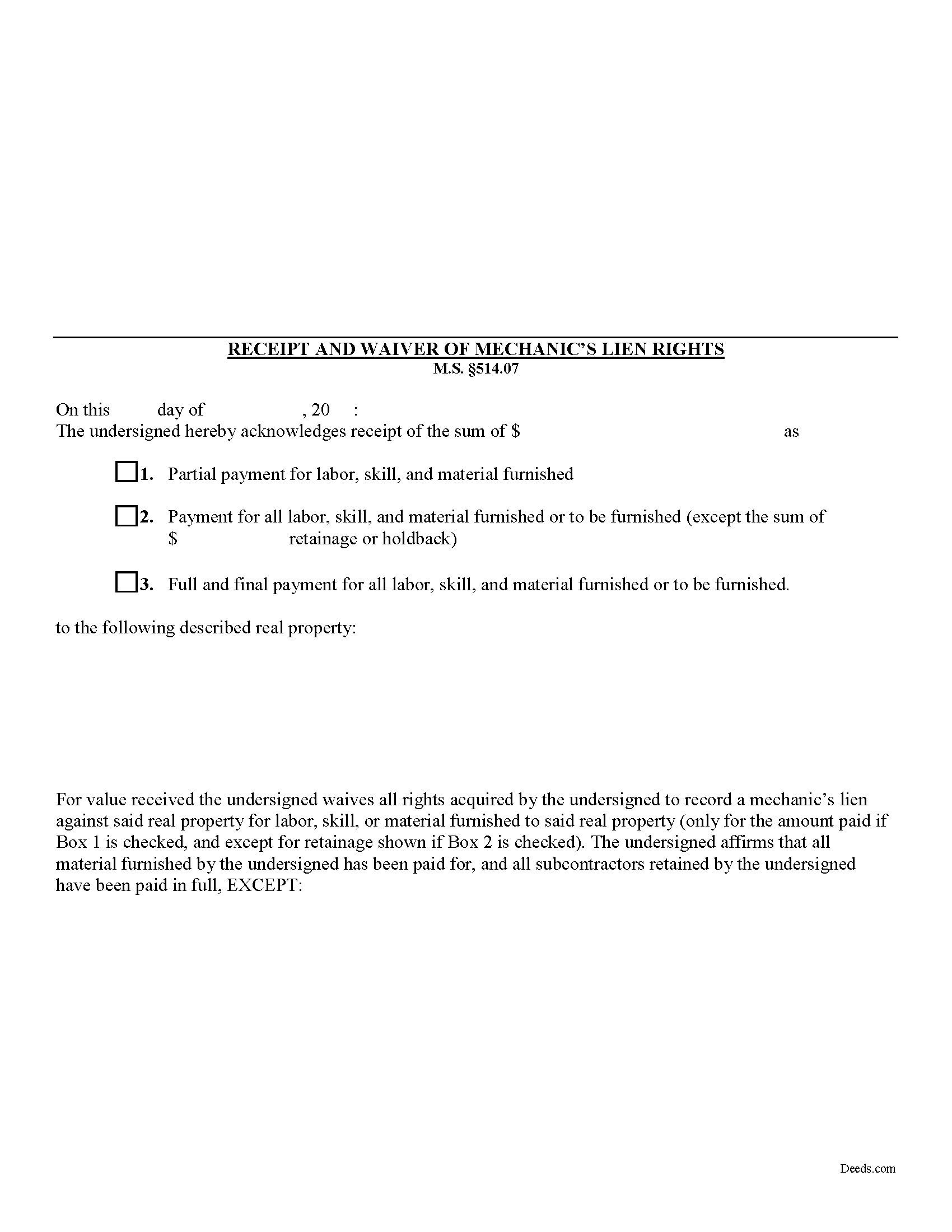
Blue Earth County Receipt and Waiver of Mechanic Lien Form
Fill in the blank Receipt and Waiver of Mechanic Lien form formatted to comply with all Minnesota recording and content requirements.
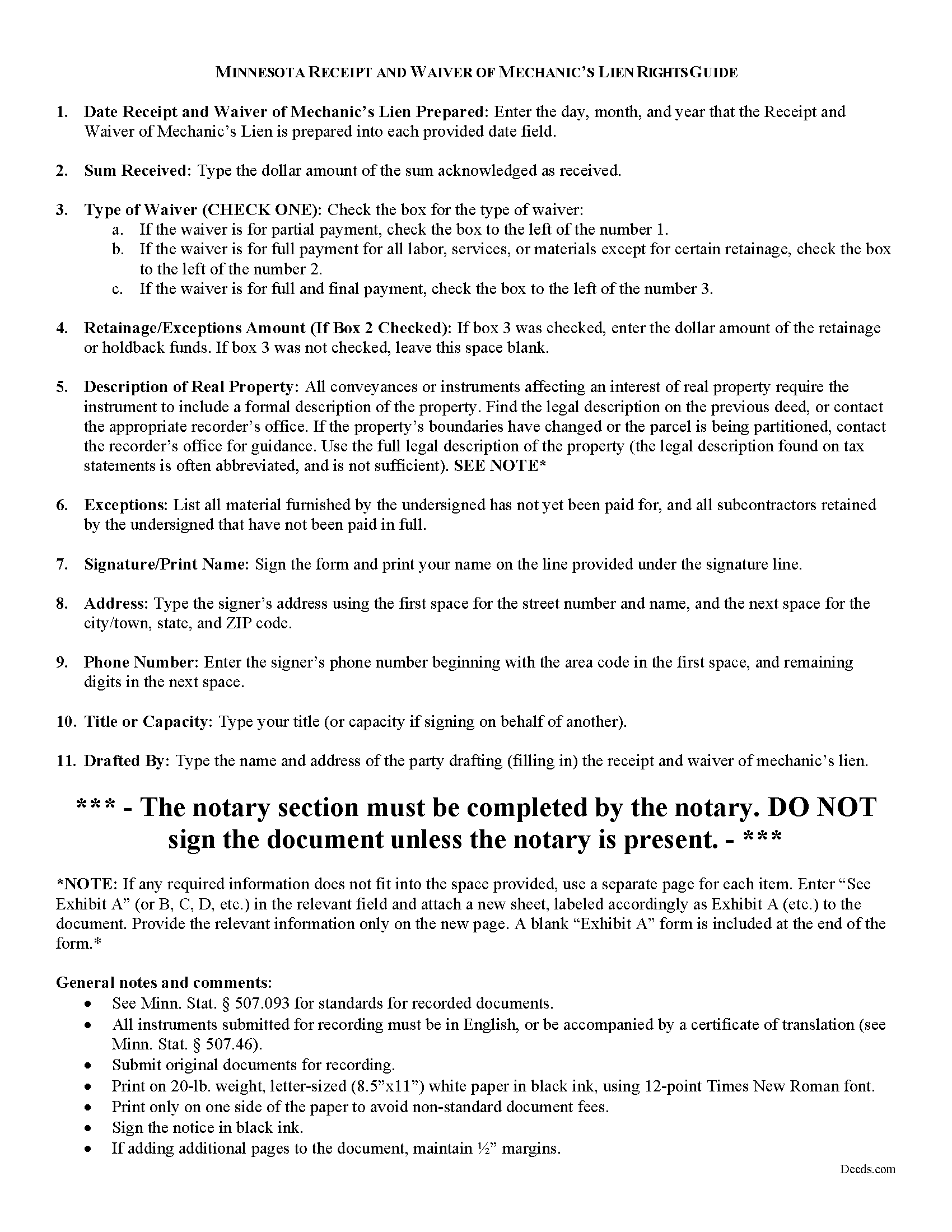
Blue Earth County Receipt and Waiver of Mechanic Lien Guide
Line by line guide explaining every blank on the form.
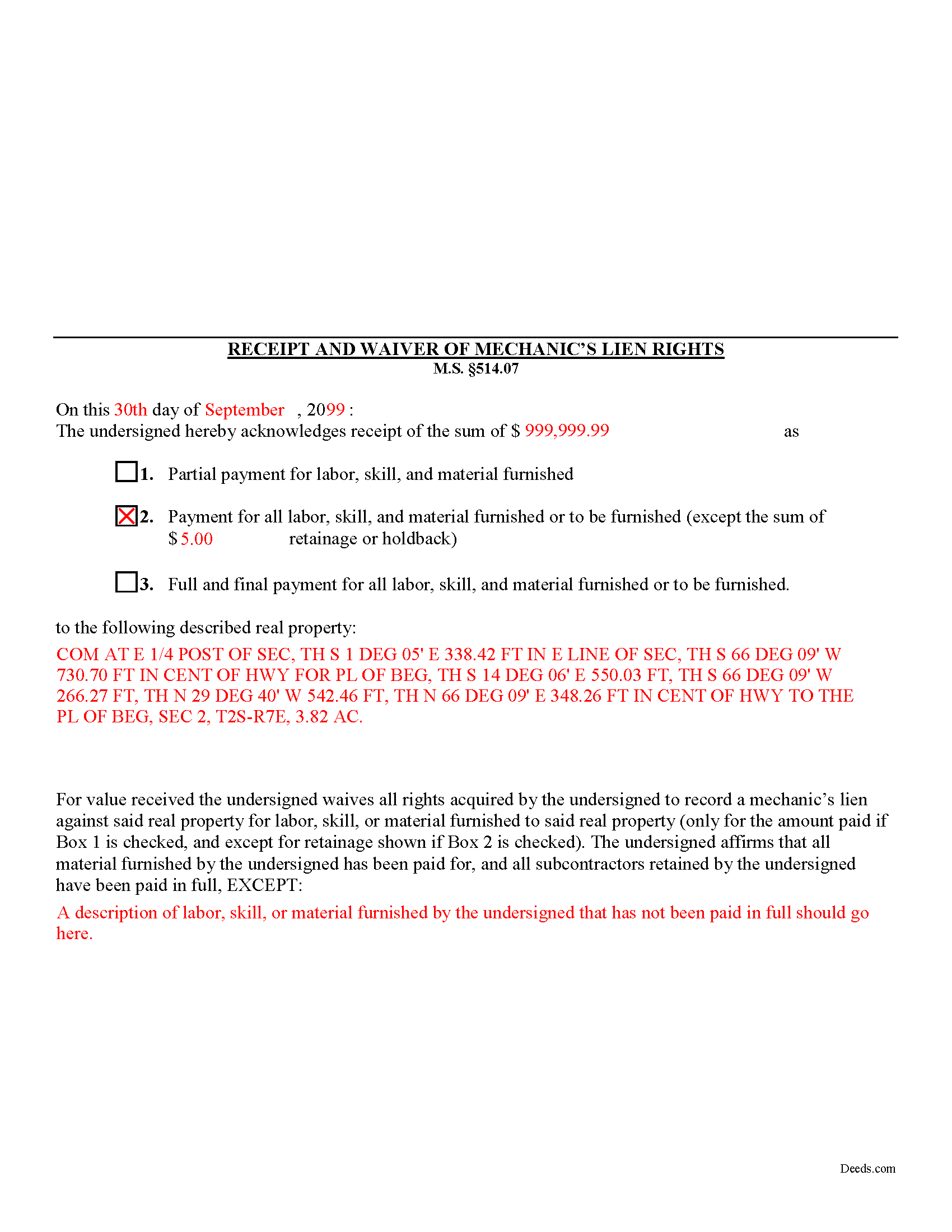
Blue Earth County Completed Example of the Receipt and Waiver of Mechanic Lien Document
Example of a properly completed form for reference.
All 3 documents above included • One-time purchase • No recurring fees
Immediate Download • Secure Checkout
Additional Minnesota and Blue Earth County documents included at no extra charge:
Where to Record Your Documents
Taxpayer Services: Real Estate Recordings Division
Mankato, Minnesota 56002-3567
Hours: 8:00am to 4:30pm M-F
Phone: (507) 304-4251
Recording Tips for Blue Earth County:
- Bring your driver's license or state-issued photo ID
- Ensure all signatures are in blue or black ink
- Ask about their eRecording option for future transactions
- Avoid the last business day of the month when possible
- Both spouses typically need to sign if property is jointly owned
Cities and Jurisdictions in Blue Earth County
Properties in any of these areas use Blue Earth County forms:
- Amboy
- Eagle Lake
- Garden City
- Good Thunder
- Lake Crystal
- Madison Lake
- Mankato
- Mapleton
- Pemberton
- Saint Clair
- Vernon Center
Hours, fees, requirements, and more for Blue Earth County
How do I get my forms?
Forms are available for immediate download after payment. The Blue Earth County forms will be in your account ready to download to your computer. An account is created for you during checkout if you don't have one. Forms are NOT emailed.
Are these forms guaranteed to be recordable in Blue Earth County?
Yes. Our form blanks are guaranteed to meet or exceed the applicable formatting requirements used for recording in Blue Earth County, including margin requirements, font requirements, and other layout standards. This guarantee applies to formatting, not to the legal sufficiency of information entered by the user or the suitability of a form for a particular transaction.
Can I reuse these forms?
Yes. You can reuse the forms for your personal use. For example, if you have multiple properties in Blue Earth County you only need to order once.
What do I need to use these forms?
The forms are PDFs that you fill out on your computer. The free Adobe Acrobat Reader is recommended, and most PDF apps also work. You do NOT enter your property information online - you download the blank forms and complete them privately on your own computer.
Are there any recurring fees?
No. This is a one-time purchase. Nothing to cancel, no memberships, no recurring fees.
How much does it cost to record in Blue Earth County?
Recording fees in Blue Earth County vary. Contact the recorder's office at (507) 304-4251 for current fees.
Questions answered? Let's get started!
Receipt and Waiver of Mechanic's Liens Rights in Minnesota
During the construction process, the owner (or other parties) may make one or more progress or partial payments on the work or materials furnished to date. Additionally, the owner might pay the full amount or the full amount less any retainage or holdback amounts (used to pay subs and other worker's wages). When a full or partial payment is made, you can issue the owner a waiver for a lien on the amount paid. By issuing the waiver, you give up the right to claim a mechanic's lien for either the full or partial payment amount.
The receipt and waiver contains the following information: 1) date drafted; 2) amount received as full or partial payment; 3) a designation as partial payment for labor, skill, and material furnished; payment for all labor, skill, and material furnished or to be furnished; or full and final payment for all labor, skill, and material furnished or to be furnished; 4) if there are exceptions for amounts for retainage or holdback, the total amounts withheld; and 5) a property description; and 6) description of all materials not yet paid for or names of contractors not yet paid.
Finally, you should ensure that the proper box is checked for the waiver type. If a partial or progress payment was made, check Box #1. If a payment is made for all labor, materials or services furnished or to be furnished except for certain retainage or holdbacks, check Box #2. If a full and final payment was made without exceptions, check Box #3.
This article is provided for informational purposes only and should not be relied upon as a substitute for the advice of an attorney. Please contact a Minnesota attorney with any questions about lien waivers or other related issues.
Important: Your property must be located in Blue Earth County to use these forms. Documents should be recorded at the county recording office listed above.
This Receipt and Waiver of Mechanic Lien meets all recording requirements specific to Blue Earth County.
Our Promise
The documents you receive here are guaranteed to meet or exceed the applicable Blue Earth County recording format requirements. If there is a rejection caused by our formatting, we will correct the issue or refund your payment. This guarantee applies to document formatting only and does not extend to information entered by the user, the selection of the form, or the legal effect of the completed document.
Save Time and Money
Get your Blue Earth County Receipt and Waiver of Mechanic Lien form done right the first time with Deeds.com Uniform Conveyancing Blanks. At Deeds.com, we understand that your time and money are valuable resources, and we don't want you to face a penalty fee or rejection imposed by a county recorder for submitting nonstandard documents. We constantly review and update our forms to meet rapidly changing state and county recording requirements for roughly 3,500 counties and local jurisdictions.
4.8 out of 5 - ( 4,820 Reviews )
Charlie T. 5 out of 5 stars
I really like the service and will be definitely be using it again to submit future deeds.
Thank you!
Carol S. 5 out of 5 stars
Needed a Quit Claim Deed and am so happy I went to Deeds.com. Completed my forms - they looked professional and had no problem submitting them to Assessor's office. PERFECT!
We appreciate your business and value your feedback. Thank you. Have a wonderful day!
Patricia R. 5 out of 5 stars
Great Transaction. Easy to follow instructions!
We appreciate your business and value your feedback. Thank you. Have a wonderful day!
Janice H. 5 out of 5 stars
Thank you, easy to fill out forms. Now I can relax, knowing that this is done.
We appreciate your business and value your feedback. Thank you. Have a wonderful day!
Quinn R. 5 out of 5 stars
DEEDS.COM IS THE BEST WAY TO E-RECORD DEEDS. THEY ARE FAST, POLITE AND A FANTASTIC DEAL FOR THE SERVICE THAT THEY OFFER!!!
Thank you!
David M. 5 out of 5 stars
Holy cow. I was told by several people that getting a deed recorded would take 7-10 days. So I thought I'd give deeds.com a try with their e-filing service. I created my account and submitted my deed around 4:00 p.m. and it was recorded before I woke up the next morning. Awesome service! Totally worth the $19 service fee.
We appreciate your business and value your feedback. Thank you. Have a wonderful day!
Jackson J. 5 out of 5 stars
Thank you for your help the website is simple and easy to use and dealing with this county for the 1st time there were a few things i was not too sure about but your staff was prompt and responsive and anytime there was a glitch we were promptly able to resolve the issue until the deed was accepted and recorded by the county great service thanks again.
We appreciate your business and value your feedback. Thank you. Have a wonderful day!
Lisa M. 5 out of 5 stars
This site was awesome And received what I wanted the same day.
Thank you for your feedback. We really appreciate it. Have a great day!
Elexis C. 5 out of 5 stars
Easy, fast & amazing descriptions of all forms needed.
Thank you!
AKILAH S. 4 out of 5 stars
It was a little challenging and I had to call to speak to someone a few time but I got it done and and over with so I'm happy.
It was a pleasure serving you. Thank you for the positive feedback!
Connie P. 5 out of 5 stars
Easy, fast, responsive. My document was filed and posted in just a matter of days.
Your feedback is valuable to us and helps us improve. Thank you for sharing your thoughts!
Pat K. 5 out of 5 stars
It has been very easy. Like that the recording is so fast.
Thank you for your feedback. We really appreciate it. Have a great day!
Frank H. 4 out of 5 stars
Form and instructions were useful. But I suggest creating a form for transferring a deed pursuant to a trust. The existing form is based on a will going through probate so it doesn't fit the trust situation in some respects.
Thank you for your feedback. We really appreciate it. Have a great day!
Jim D. 5 out of 5 stars
A bit pricey for someone on a fixed income.
Thank you!
George W. 5 out of 5 stars
Phenomenal service! If only every request and transaction with other companies could be this seamless and efficient!
We appreciate your business and value your feedback. Thank you. Have a wonderful day!