Hancock County Assignment of Deed of Trust Form
Last validated November 5, 2026 by our Forms Development TeamFormatted for recording in Hancock County, for property anywhere in the county: rural and unincorporated areas as well as Bay Saint Louis, Diamondhead, Kiln, Lakeshore, Pearlington, Stennis Space Center, Waveland.
- 6 documents included
- Immediate PDF download
- Formatting guarantee
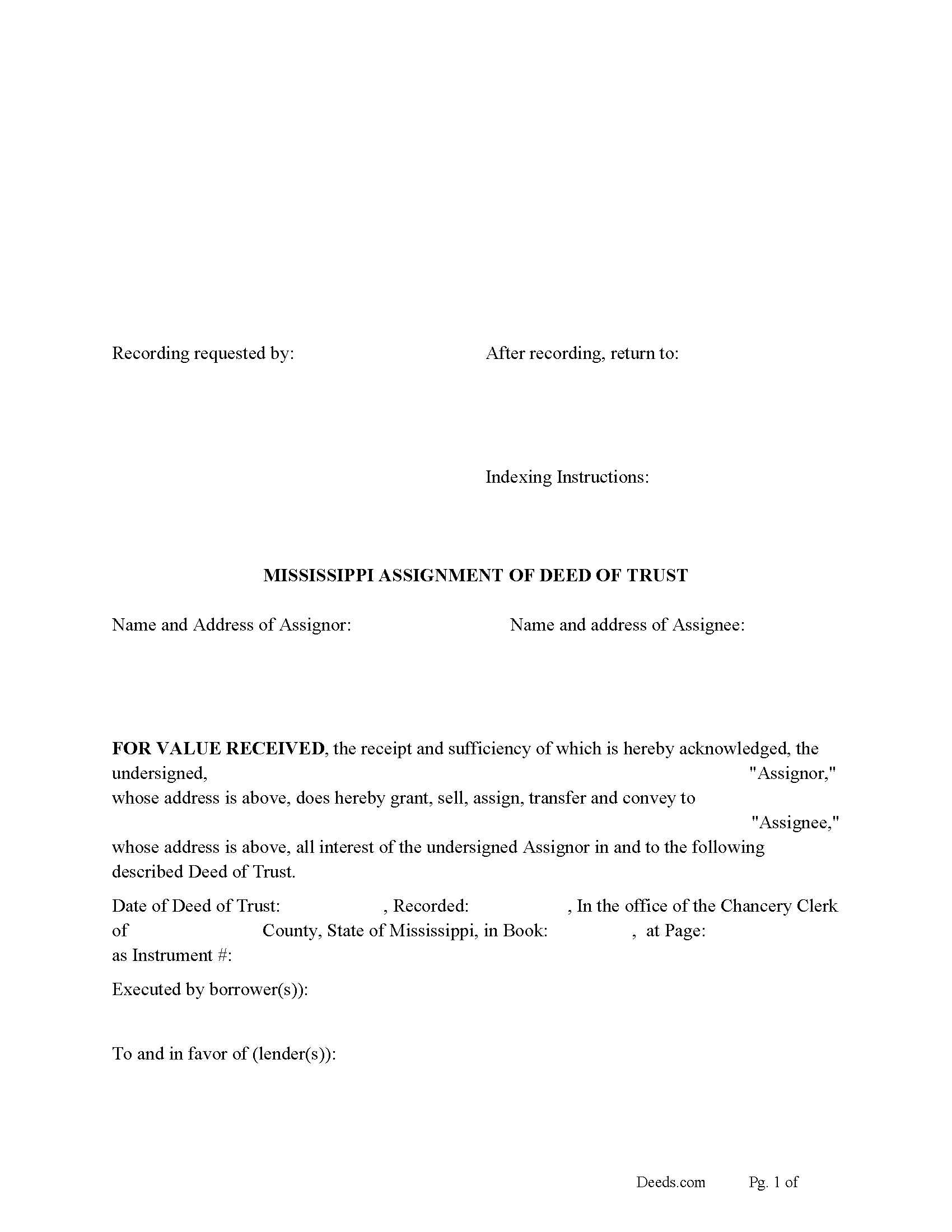
Hancock County Assignment of Deed of Trust Form
Fill in the blank form formatted to comply with all recording and content requirements.

Hancock County Guidelines for Assignment of Deed of Trust
Line by line guide explaining every blank on the form.

Hancock County Completed Example of the Assignment of Deed of Trust Document
Example of a properly completed form for reference.
Hancock County Notice of Assignment of Deed of Trust Form
Fill in the blank form formatted to comply with content requirements.

Hancock County Notice of Assignment Guidelines
Line by line guide explaining every blank on the form.

Hancock County Completed Example of Notice of Assignment Document
Example of a properly completed form for reference.
All 6 documents above included • One-time purchase • No recurring fees
Immediate Download • Secure Checkout
Additional Mississippi and Hancock County documents included at no extra charge:
Where to Record Your Documents
Hancock County Chancery Clerk
Bay Saint Louis, Mississippi 39520
Hours: 8:30 to 4:30
Phone: (228) 467-5404
Recording Tips for Hancock County:
- Bring your driver's license or state-issued photo ID
- Ensure all signatures are in blue or black ink
- Request a receipt showing your recording numbers
- Ask about accepted payment methods when you call ahead
- Ask for certified copies if you need them for other transactions
Cities and Jurisdictions in Hancock County
Properties in any of these areas use Hancock County forms:
- Bay Saint Louis
- Diamondhead
- Kiln
- Lakeshore
- Pearlington
- Stennis Space Center
- Waveland
Hours, fees, requirements, and more for Hancock County
How do I get my forms?
Forms are available for immediate download after payment. The Hancock County forms will be in your account ready to download to your computer. An account is created for you during checkout if you don't have one. Forms are NOT emailed.
Are these forms guaranteed to be recordable in Hancock County?
Yes. Our form blanks are guaranteed to meet or exceed the applicable formatting requirements used for recording in Hancock County, including margin requirements, font requirements, and other layout standards. This guarantee applies to formatting, not to the legal sufficiency of information entered by the user or the suitability of a form for a particular transaction.
Can I reuse these forms?
Yes. You can reuse the forms for your personal use. For example, if you have multiple properties in Hancock County you only need to order once.
What do I need to use these forms?
The forms are PDFs that you fill out on your computer. The free Adobe Acrobat Reader is recommended, and most PDF apps also work. You do NOT enter your property information online - you download the blank forms and complete them privately on your own computer.
Are there any recurring fees?
No. This is a one-time purchase. Nothing to cancel, no memberships, no recurring fees.
How much does it cost to record in Hancock County?
Recording fees in Hancock County vary. Contact the recorder's office at (228) 467-5404 for current fees.
Questions answered? Let's get started!
Use this form to transfer a Deed of Trust to another party. The holder of the Deed of Trust becomes the Assignor and transfers rights to the Assignee, this is usually done when a Deed of Trust has been sold. An Assignment of Deed of Trust (secured by a Deed of Trust or other lien of record, shall be entered on the margin of the record of the lien or said assignment shall be acknowledged and filed for record.) (Except as provided in Section 89-5-37) (89-5-17). [The assignment or transfer of a secured indebtedness need not be filed for record nor entered on the margin of the record if the holder thereof is represented by an agent, trustee or the like disclosed as beneficiary in the mortgage or deed of trust.] [MS Code 89-5-37]
Current Borrowers must be notified of the assignment. Notification consists of contact information of the new creditor, recording dates, recording instrument numbers, changes in loan, etc. Included are "Notice of Assignment of Deed of Trust" forms.
The Truth and lending act requires that borrowers be notified when their Deed of Trust has been sold, transferred, or assigned to a new creditor. Generally, within 30 days to avoid up to $2,000.00 in statutory damages, plus reasonable attorney's fees. Systematic violations can reach up $500,000.00.
(Mississippi Assignment of DOT Package includes form, guidelines, and completed example) For use in Mississippi only.
Important: Your property must be located in Hancock County to use these forms. Documents should be recorded at the county recording office listed above.
This Assignment of Deed of Trust meets all recording requirements specific to Hancock County.
Our Promise
The documents you receive here are guaranteed to meet or exceed the applicable Hancock County recording format requirements. If there is a rejection caused by our formatting, we will correct the issue or refund your payment. This guarantee applies to document formatting only and does not extend to information entered by the user, the selection of the form, or the legal effect of the completed document.
Save Time and Money
Get your Hancock County Assignment of Deed of Trust form done right the first time with Deeds.com Uniform Conveyancing Blanks. At Deeds.com, we understand that your time and money are valuable resources, and we don't want you to face a penalty fee or rejection imposed by a county recorder for submitting nonstandard documents. We constantly review and update our forms to meet rapidly changing state and county recording requirements for roughly 3,500 counties and local jurisdictions.
4.8 out of 5 - ( 4,845 Reviews )
Jo A B. 5 out of 5 stars
Clean crisp website with helpful information; however. If the site states the following files are included, a single .zip, .rar, , ,download should be available instead of individual.
Thank you for your feedback. We really appreciate it. Have a great day!
JOHN H. 5 out of 5 stars
It was simple and fast thanks so much.
We appreciate your business and value your feedback. Thank you. Have a wonderful day!
Missie R. 5 out of 5 stars
Very fast and professionally handled.
Thank you!
Catherine J S. 5 out of 5 stars
Did not like that the lines aren't lining up smoothly to make the document look more professional.
Thank you for your feedback. We really appreciate it. Have a great day!
Alex J. 5 out of 5 stars
Very simple to use. I am a private homeowner with no experience in such things and it was very easy to do which was quite a relief. Thank you.
We appreciate your business and value your feedback. Thank you. Have a wonderful day!
Kevin R. 5 out of 5 stars
I have been using Deeds.com for the last 2 years and find them very easy to use and expedient on all my recordings. Highly recommend.
Thank you for the kind words Kevin. We appreciate you.
Linda G. 5 out of 5 stars
I like it so far- now I just need to complete my filing in the County seat!
We appreciate your business and value your feedback. Thank you. Have a wonderful day!
David K. 3 out of 5 stars
Price seemed high (~$28) for just some forms (especially because we may not actually use the forms), but it beats navigating the Hawaii state and Honolulu county websites for forms. It would be better if a single button push would download all 7 or 8 forms.
Thank you for your feedback. We really appreciate it. Have a great day!
Ryan J. 5 out of 5 stars
This was an excellent experience. The jurisdiction I was registering the Deed with, entrusts Deeds.com with their filing needs. And the staff held my hand through the process, and worked to submit the best package, and the Deed was successfully recorded.
We appreciate your business and value your feedback. Thank you. Have a wonderful day!
Casey S. 5 out of 5 stars
I had a really good experience. I bought two forms from a different website and they didn’t help me at all. Granted, I only paid the minimum here I bought the upgrade and they showed me how to fill it out and what it should look like I went and had it notarized and took it to the county recorder and everything went smoothly. Highly suggest.
Glad it all came together smoothly for you, Casey. Appreciate you giving us a shot and taking the time to share your experience.
Stephanie B. 5 out of 5 stars
Site is SO easy to use. Thank you for such a valuable resource.
Thank you for your feedback. We really appreciate it. Have a great day!
Kay M. 5 out of 5 stars
Worked great. Not being real tech savey was no problem.
We appreciate your business and value your feedback. Thank you. Have a wonderful day!
Helen A. 5 out of 5 stars
Well not sure yet since I have only downloaded these forms but I read the reviews and this helped me determine if I will use your web site. I will gladly give a good review if this form serves me well!!!
Thank you for your feedback. We really appreciate it. Have a great day!
John Z. 5 out of 5 stars
Very easy to use. Straight forward. Am glad I found the tools to process an important document of property ownership. Thanks much. Will recommend to friends and family.
Thank you!
Debra G. 5 out of 5 stars
Nice, clear, well formatted documents. Good information provided.
Thank you for your kind words and for choosing us.