Calhoun County Quitclaim Deed (Divorce) Form
Last validated October 4, 2026 by our Forms Development TeamFormatted for recording in Calhoun County, for property anywhere in the county: rural and unincorporated areas as well as Banner, Big Creek, Bruce, Calhoun City, Derma, Pittsboro, Slate Spring, Vardaman.
- 3 documents included
- Immediate PDF download
- Formatting guarantee
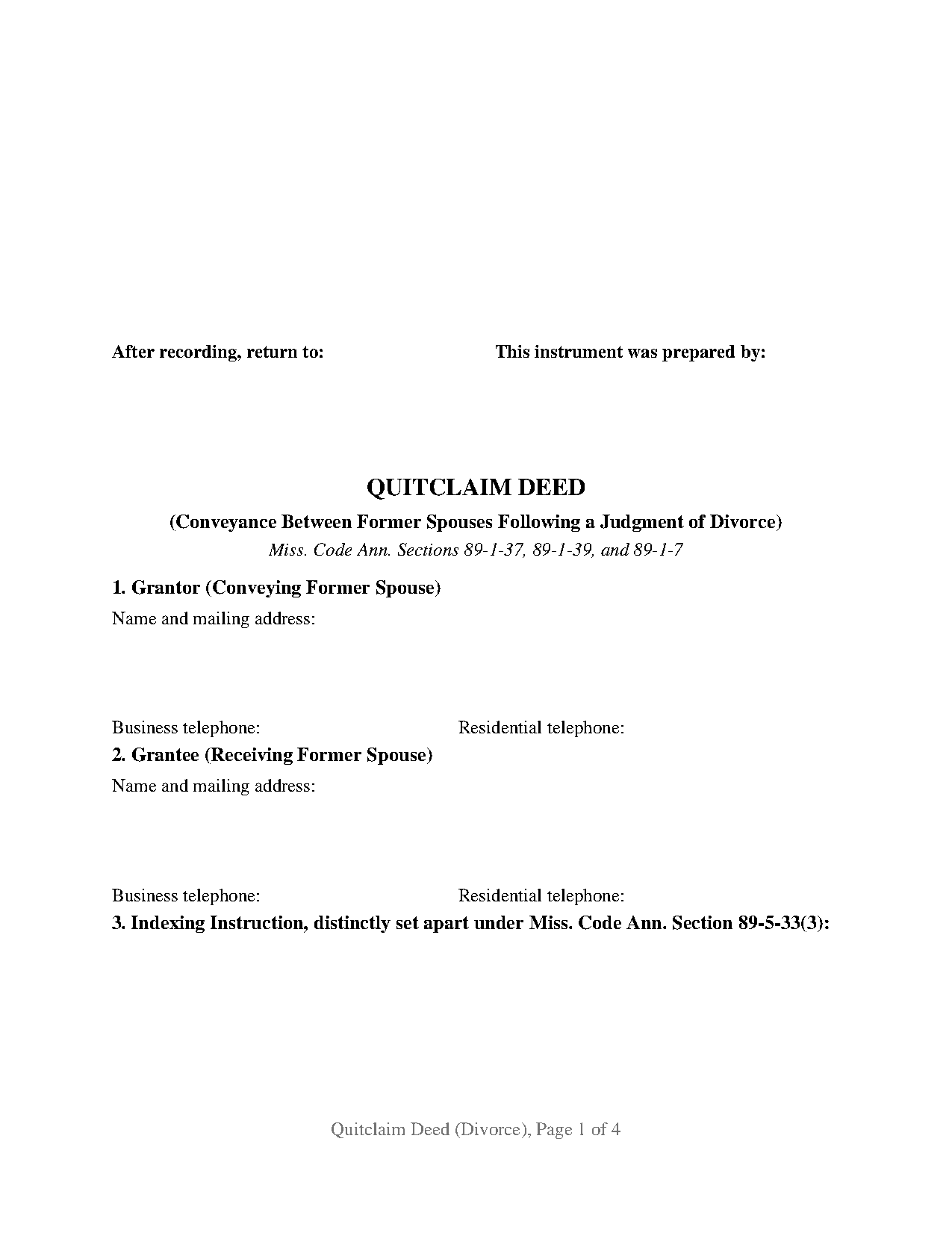
Calhoun County Quitclaim Deed (Divorce) Form
Fill in the blank Quitclaim Deed (Divorce) form formatted to comply with all Mississippi recording and content requirements.
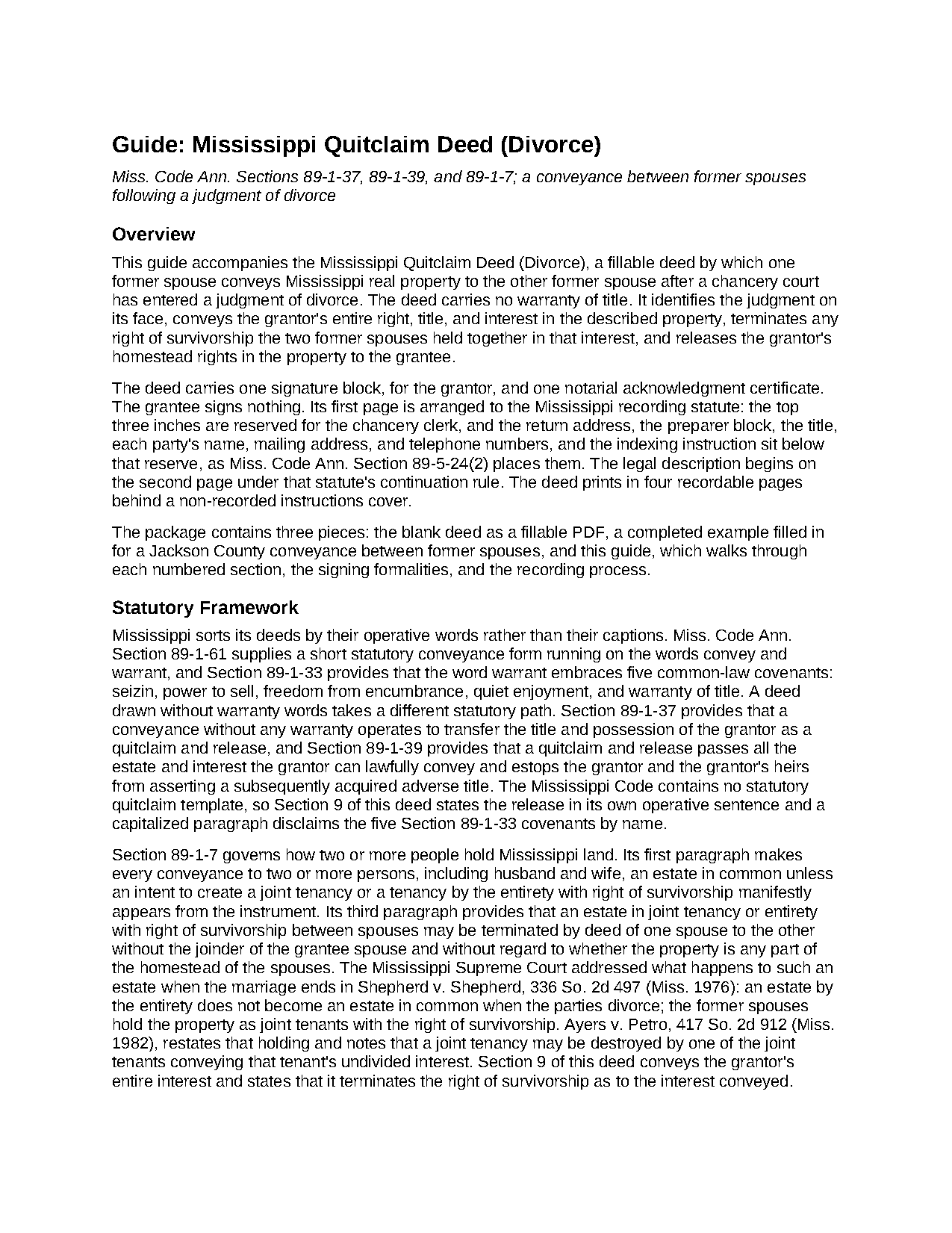
Calhoun County Quitclaim Deed (Divorce) Guide
Line by line guide explaining every blank on the Quitclaim Deed (Divorce) form.
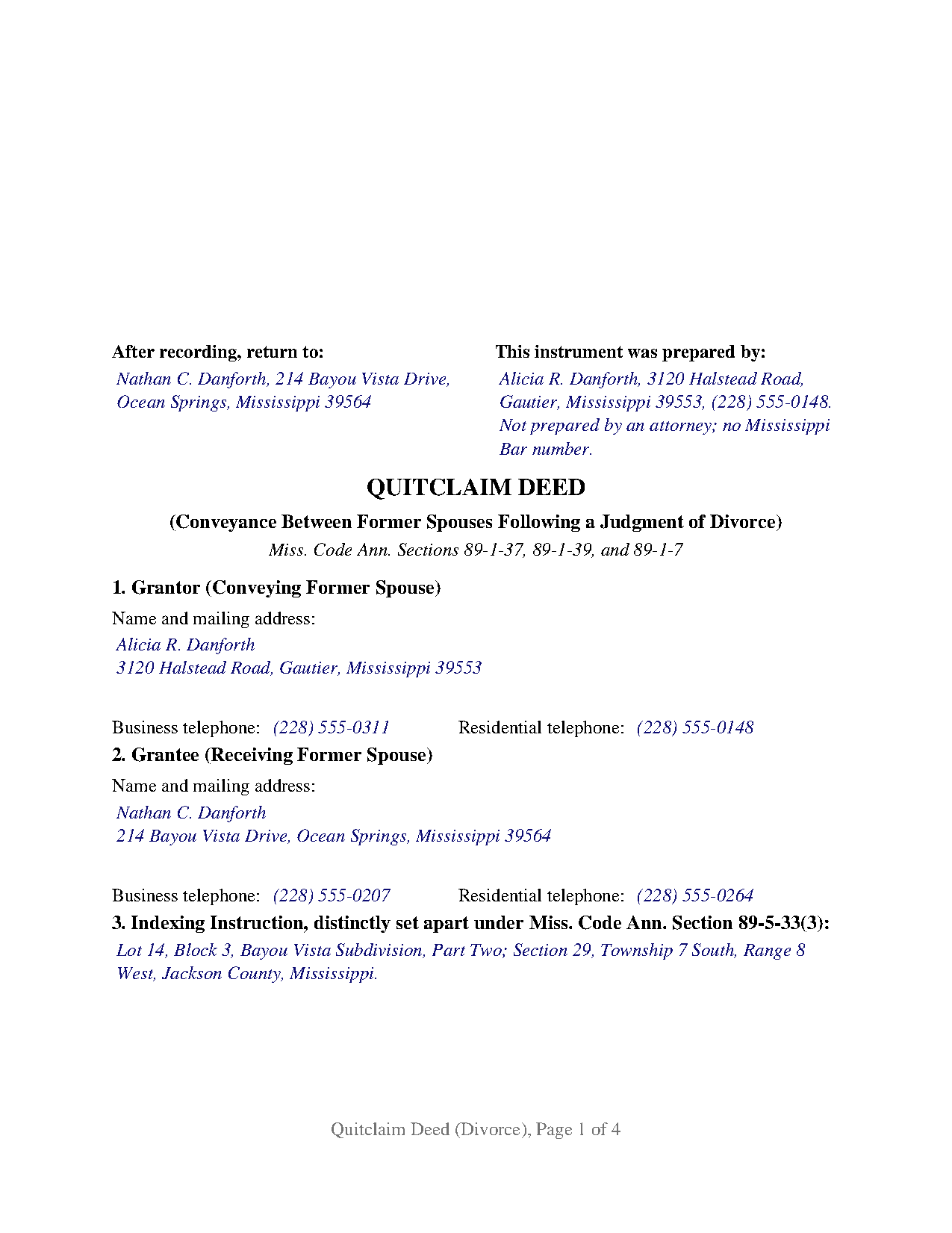
Calhoun County Completed Example of the Quitclaim Deed (Divorce) Document
Example of a properly completed Mississippi Quitclaim Deed (Divorce) document for reference.
All 3 documents above included • One-time purchase • No recurring fees
Immediate Download • Secure Checkout
Additional Mississippi and Calhoun County documents included at no extra charge:
Where to Record Your Documents
Calhoun County Chancery Clerk
Pittsboro, Mississippi 38951
Hours: 8:00am to 4:30pm.M-F
Phone: (662) 412-3117
Recording Tips for Calhoun County:
- Bring your driver's license or state-issued photo ID
- Ensure all signatures are in blue or black ink
- Avoid the last business day of the month when possible
- Both spouses typically need to sign if property is jointly owned
- Bring extra funds - fees can vary by document type and page count
Cities and Jurisdictions in Calhoun County
Properties in any of these areas use Calhoun County forms:
- Banner
- Big Creek
- Bruce
- Calhoun City
- Derma
- Pittsboro
- Slate Spring
- Vardaman
Hours, fees, requirements, and more for Calhoun County
How do I get my forms?
Forms are available for immediate download after payment. The Calhoun County forms will be in your account ready to download to your computer. An account is created for you during checkout if you don't have one. Forms are NOT emailed.
Are these forms guaranteed to be recordable in Calhoun County?
Yes. Our form blanks are guaranteed to meet or exceed the applicable formatting requirements used for recording in Calhoun County, including margin requirements, font requirements, and other layout standards. This guarantee applies to formatting, not to the legal sufficiency of information entered by the user or the suitability of a form for a particular transaction.
Can I reuse these forms?
Yes. You can reuse the forms for your personal use. For example, if you have multiple properties in Calhoun County you only need to order once.
What do I need to use these forms?
The forms are PDFs that you fill out on your computer. The free Adobe Acrobat Reader is recommended, and most PDF apps also work. You do NOT enter your property information online - you download the blank forms and complete them privately on your own computer.
Are there any recurring fees?
No. This is a one-time purchase. Nothing to cancel, no memberships, no recurring fees.
How much does it cost to record in Calhoun County?
Recording fees in Calhoun County vary. Contact the recorder's office at (662) 412-3117 for current fees.
Questions answered? Let's get started!
A Mississippi judgment of divorce can award the marital home to one party and leave the land records unchanged. In one situation it leaves something odder than silence: survivorship between two people no longer married. This fillable quitclaim deed answers both, drawn for one former spouse conveying to the other after entry of the judgment, without warranty of title.
Survivorship that outlives the marriage
Spouses who buy Mississippi land together sometimes take it as tenants by the entirety with right of survivorship, the estate Miss. Code Ann. Section 89-1-7 allows when the instrument makes it manifest. Divorce does not quietly undo it. Shepherd v. Shepherd, 336 So. 2d 497 (Miss. 1976), held that an estate by the entirety does not become an estate in common when the parties divorce; the former spouses hold as joint tenants with right of survivorship instead, a holding Ayers v. Petro, 417 So. 2d 912 (Miss. 1982), restates. Until an instrument moves the interest, the record can hand the whole parcel to whichever former spouse lives longer. Section 9 conveys the grantor's entire interest and terminates that survivorship as to the interest conveyed.
The signature the homestead statute stops asking for
Section 89-1-29 makes a homestead conveyance invalid unless the owner's spouse signs it where the owner is married and living with that spouse, and Welborn v. Lowe, 504 So. 2d 205 (Miss. 1987), calls the result void rather than repairable. The statute's condition is a relationship, and Section 93-5-27 ends it: in all cases of divorce from the bonds of matrimony, the marital rights cease with the judgment. So this deed is drawn for signing after the judgment is entered, and its operative section recites that the grantor is not married to and living with the grantee. One signature line, the printed name beneath it, one certificate in the short-form wording of Section 89-3-7(2).
The judgment written onto the deed
Section 4 identifies the judgment by the chancery court that entered it, the cause number, the entry date, and any settlement agreement it incorporated; Section 8 accepts performance of the judgment as the consideration recited. The court file and the judgment remain the proof of its terms, prepared separately and not included here. One grantor and one grantee are recited, former spouses. Records presenting this configuration include title standing in both names after the judgment awarded the parcel to one of them, title in one former spouse's name where the judgment awarded it to the other, and a fractional record interest the judgment assigns across. It is not laid out for two owners signing together, for a company or trustee, for an agent under a power of attorney, for a grantee other than the former spouse, or for a deed signed while the divorce is pending, when the parties remain married and the homestead question stays open. A search for a quit claim deed after divorce, in the two-word spelling, reaches this instrument.
No covenants travel, and neither does the loan
No warranty words appear in the operative section, and that omission fixes the deed's character. Section 89-1-37 turns a deed drawn without warranty into a quitclaim and release of the grantor's title and possession, and Section 89-1-39 carries every estate the grantor may lawfully part with. A capitalized paragraph lists the five covenants the word warrant carries under Section 89-1-33 and states that this deed makes none of them. Encumbrances are untouched, and so is the note: a deed moves an interest in land rather than a promissory note, so a former spouse who signed the loan stays on it until the lender releases that signer or the debt is paid.
What the clerk reads before indexing
Page one keeps its top three inches clear for the chancery clerk, with the preparer block, return address, title, party data, and indexing entry below that reserve as Section 89-5-24(2) contemplates. Both party sections gather the mailing address and two telephone numbers Section 27-3-51 lets a clerk insist on, and the Section 89-5-33(3) indexing instruction sits in a numbered section of its own, distinctly set apart. Section 25-7-9 charges twenty-five dollars for five pages or fewer; this deed prints in four.
The download holds three pieces: the blank deed as a fillable PDF, a completed example carrying an Ocean Springs parcel in Jackson County through the notary's certificate, and a guide covering the numbered sections, the divorce entries, signing, and recording. These materials set out Mississippi law in general terms; they are not legal advice.
Important: Your property must be located in Calhoun County to use these forms. Documents should be recorded at the county recording office listed above.
This Quitclaim Deed (Divorce) meets all recording requirements specific to Calhoun County.
Our Promise
The documents you receive here are guaranteed to meet or exceed the applicable Calhoun County recording format requirements. If there is a rejection caused by our formatting, we will correct the issue or refund your payment. This guarantee applies to document formatting only and does not extend to information entered by the user, the selection of the form, or the legal effect of the completed document.
Save Time and Money
Get your Calhoun County Quitclaim Deed (Divorce) form done right the first time with Deeds.com Uniform Conveyancing Blanks. At Deeds.com, we understand that your time and money are valuable resources, and we don't want you to face a penalty fee or rejection imposed by a county recorder for submitting nonstandard documents. We constantly review and update our forms to meet rapidly changing state and county recording requirements for roughly 3,500 counties and local jurisdictions.
4.8 out of 5 - ( 4,833 Reviews )
Elizabeth P. 5 out of 5 stars
Perfect quitclaim form. Easy to fill in with the required information and all the required information has a place (no easy feat in our county!). It is helpful that they include exhibit pages for larger blocks of information (our legal is 2 pages long). Great job folks!
Thank you for the kind words Elizabeth. Have an amazing day!
JESUS G. 5 out of 5 stars
Easy And fast to use just scan upload and pay the fee and they take care of the rest.
Thank you!
Rachel S. 5 out of 5 stars
It would be nice to get a reply in a small window that says "Your request package has been submitted." That way I can log out and wait for the email. I do love the efficient service.
Thank you!
Sharon D. 5 out of 5 stars
Very easy to understand forms...
We appreciate your business and value your feedback. Thank you. Have a wonderful day!
Robert R. 5 out of 5 stars
Just joined. Recommended by a strong source. Looking forward to doing business.
Thank you!
Linda R. 5 out of 5 stars
I was happy to have my payment cancelled when no information was found. And I was given a link to contact the deed office directly.
Thank you!
Tracy B. 5 out of 5 stars
I was happy with the way this worked and the quick responses. Unfortunately, my documents could not be pulled. I will use this service again in the future.
Thank you for your feedback. We really appreciate it. Have a great day!
WJ H. 5 out of 5 stars
The Quit Claim Deed for the state of Ohio worked for me, saving me the cost of an attorney doing it. O.K., maybe that wouldn't have amounted to more than a few hundred dollars, but anywhere I thought I could save money (and learn something new on top of it) is something I want to do. That said, be forwarned. While I'm not an attorney I'm not averse to spending many hours researching the lingo found in this kind of form and thoroughly understanding exactly how everything has to be filled in. I should add that my ex-wife and I remain friends and she was the one giving me the property/house (thus, technically I filled out the forms on her behalf). Because there was no personal conflict, it made it easier to undertake. Lastly, what others have said about the county office where you must file a Quit Claim Deed not being helpful, that's true in the sense that they do not want to be instructing non-attorneys on filling out the necessary forms. I did take a preliminary draft set of the forms to the county office but was VERY CAREFUL about explaining that I only needed a couple of questions answered about procedure for submitting the final documents. They were helpful once I made it clear I wasn't asking them for "legal advice". And their help was critical as the final submittals requires stopping at three different offices (MapDocuments, Auditor and finally the Recorder's office). So I say thank you to Deeds.com. Their service for the Quit Claim Deed was invaluable.
We appreciate your business and value your feedback. Thank you. Have a wonderful day!
April K. 5 out of 5 stars
Thank you so much! Quick and easy. Received it in under 5 minutes.
We appreciate your business and value your feedback. Thank you. Have a wonderful day!
Stephen N. 5 out of 5 stars
Excellent service.
Thank you!
EUGENE S. 5 out of 5 stars
SIMPLE EASY TO UNDERSTAND PROCESS
We appreciate your business and value your feedback. Thank you. Have a wonderful day!
Terri E. 5 out of 5 stars
Quick Accurate experience will recommend this service to my friends
We appreciate your business and value your feedback. Thank you. Have a wonderful day!
George W. 5 out of 5 stars
The process was easy and the forms were a very complete package. FAST AND EASY DOWNLOAD
Thank you George.
PETER A. 5 out of 5 stars
Got the forms I needed after getting forms for the wrong county and paying twice. My bad!
Thanks for your feedback! Just to clarify—when an order is placed for the wrong county, we’re happy to help. In this case, we canceled the original order and refunded the payment so there was no duplicate charge. Glad you got the correct forms in the end!
Jeff R. 5 out of 5 stars
Great company. I had some issues with what I had prepared on my end but my contact at Deeds.com helped me with modifying the documents and submitted them successfully. Thanks for going the extra mile
Thank you for your feedback. We really appreciate it. Have a great day!