Calhoun County Quitclaim Deed (LLC Grantor) Form
Last validated October 4, 2026 by our Forms Development TeamFormatted for recording in Calhoun County, for property anywhere in the county: rural and unincorporated areas as well as Banner, Big Creek, Bruce, Calhoun City, Derma, Pittsboro, Slate Spring, Vardaman.
- 3 documents included
- Immediate PDF download
- Formatting guarantee
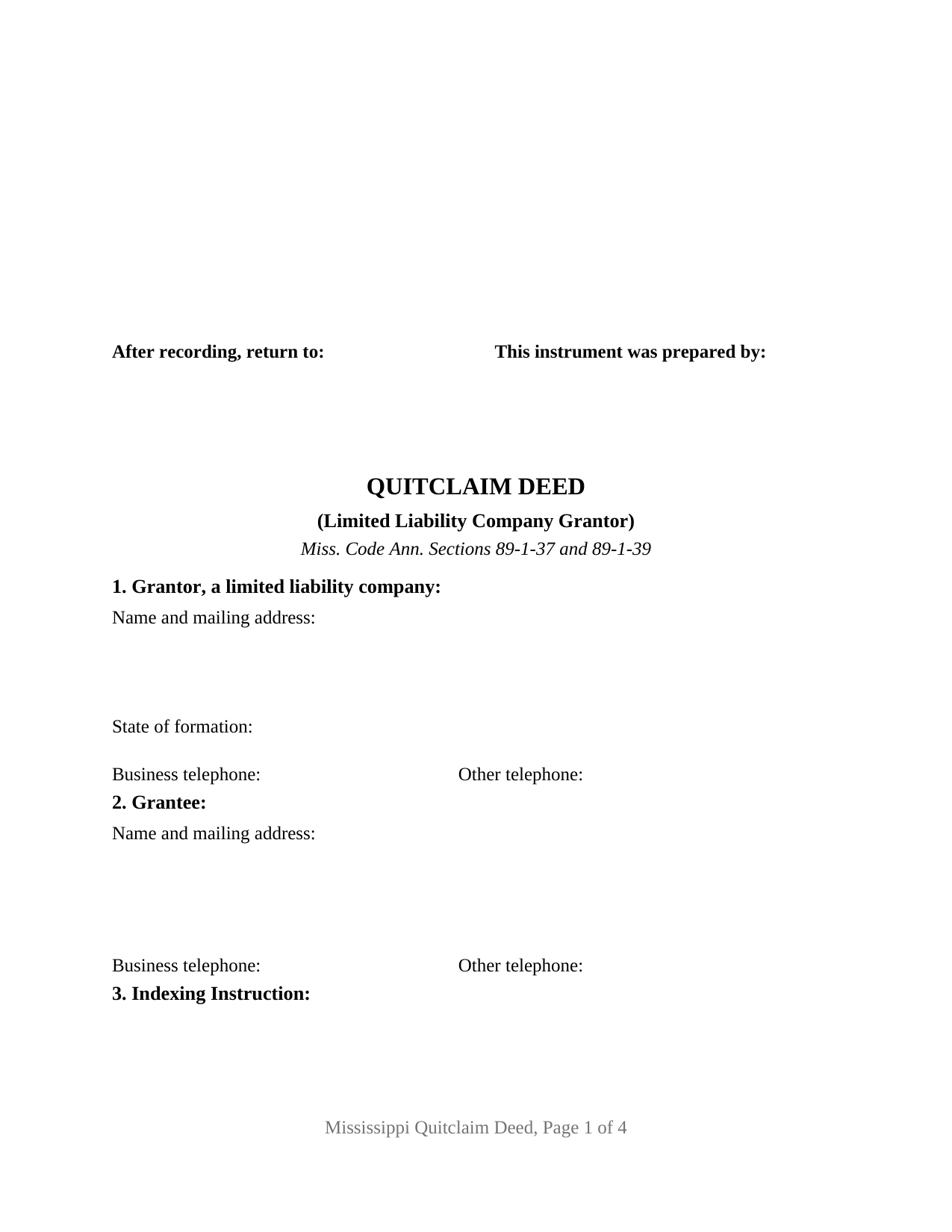
Calhoun County Quitclaim Deed (LLC Grantor) Form
Fill in the blank Quitclaim Deed (LLC Grantor) form formatted to comply with all Mississippi recording and content requirements.
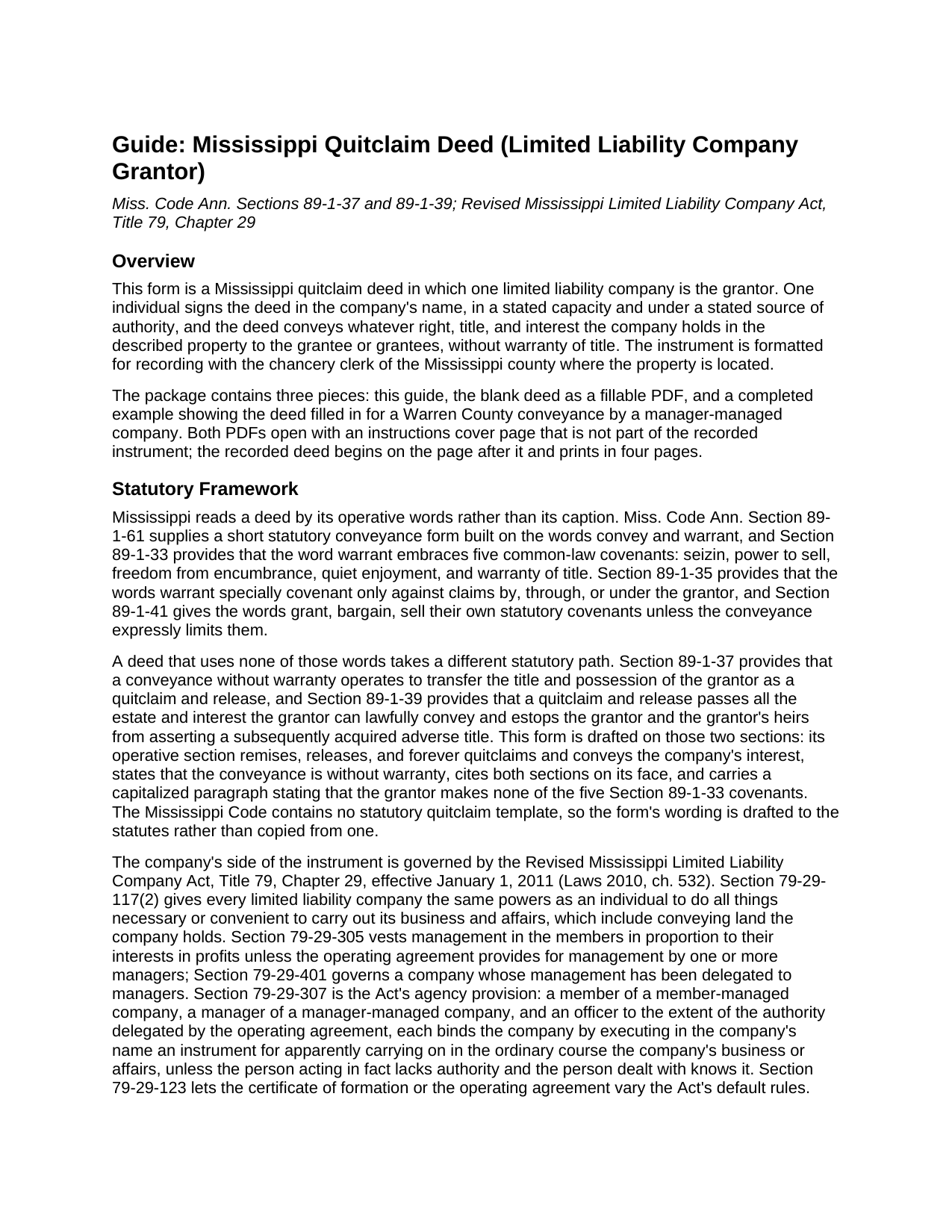
Calhoun County Quitclaim Deed (LLC Grantor) Guide
Line by line guide explaining every blank on the Quitclaim Deed (LLC Grantor) form.
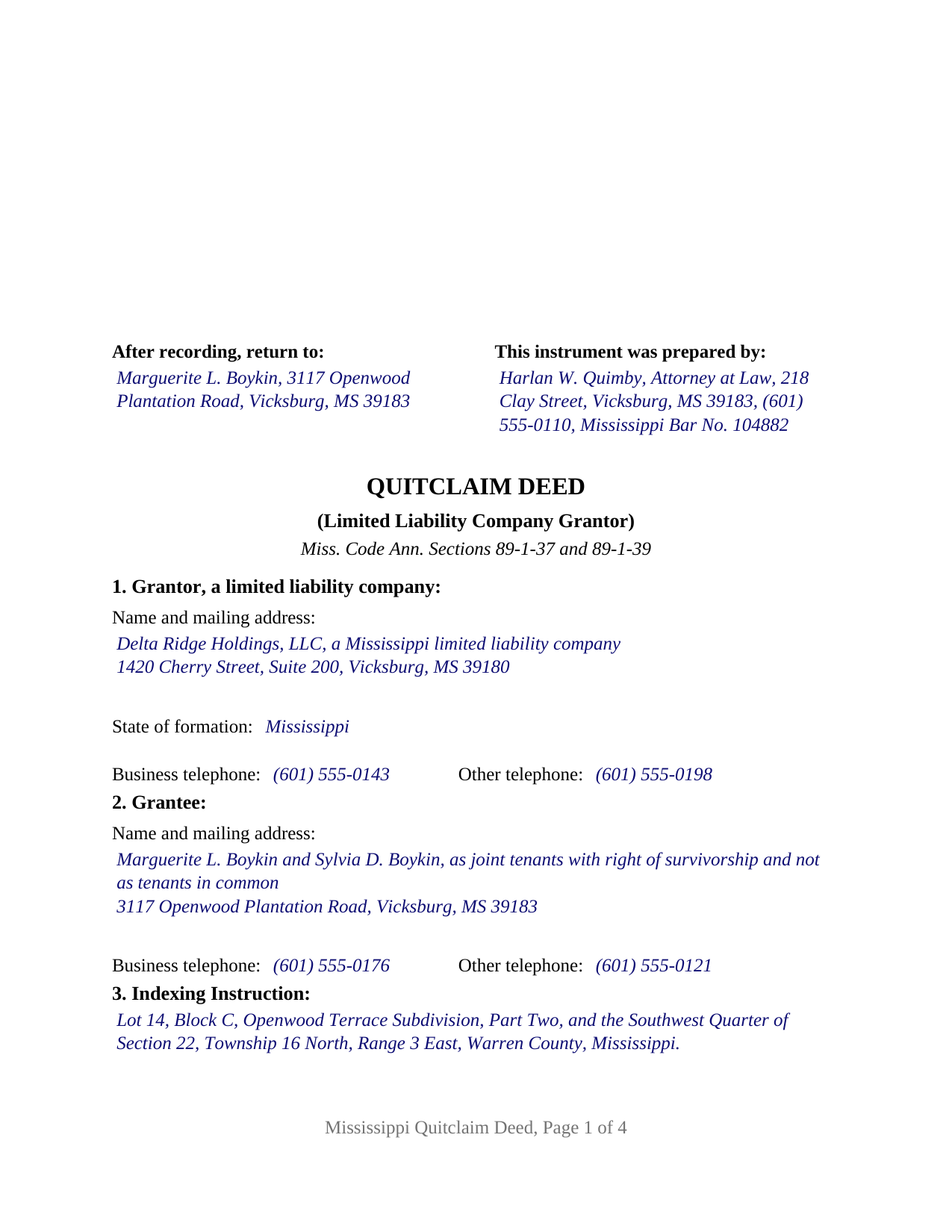
Calhoun County Completed Example of the Quitclaim Deed (LLC Grantor) Document
Example of a properly completed Mississippi Quitclaim Deed (LLC Grantor) document for reference.
All 3 documents above included • One-time purchase • No recurring fees
Immediate Download • Secure Checkout
Additional Mississippi and Calhoun County documents included at no extra charge:
Where to Record Your Documents
Calhoun County Chancery Clerk
Pittsboro, Mississippi 38951
Hours: 8:00am to 4:30pm.M-F
Phone: (662) 412-3117
Recording Tips for Calhoun County:
- Bring your driver's license or state-issued photo ID
- Ensure all signatures are in blue or black ink
- Request a receipt showing your recording numbers
- Ask about accepted payment methods when you call ahead
- Ask for certified copies if you need them for other transactions
Cities and Jurisdictions in Calhoun County
Properties in any of these areas use Calhoun County forms:
- Banner
- Big Creek
- Bruce
- Calhoun City
- Derma
- Pittsboro
- Slate Spring
- Vardaman
Hours, fees, requirements, and more for Calhoun County
How do I get my forms?
Forms are available for immediate download after payment. The Calhoun County forms will be in your account ready to download to your computer. An account is created for you during checkout if you don't have one. Forms are NOT emailed.
Are these forms guaranteed to be recordable in Calhoun County?
Yes. Our form blanks are guaranteed to meet or exceed the applicable formatting requirements used for recording in Calhoun County, including margin requirements, font requirements, and other layout standards. This guarantee applies to formatting, not to the legal sufficiency of information entered by the user or the suitability of a form for a particular transaction.
Can I reuse these forms?
Yes. You can reuse the forms for your personal use. For example, if you have multiple properties in Calhoun County you only need to order once.
What do I need to use these forms?
The forms are PDFs that you fill out on your computer. The free Adobe Acrobat Reader is recommended, and most PDF apps also work. You do NOT enter your property information online - you download the blank forms and complete them privately on your own computer.
Are there any recurring fees?
No. This is a one-time purchase. Nothing to cancel, no memberships, no recurring fees.
How much does it cost to record in Calhoun County?
Recording fees in Calhoun County vary. Contact the recorder's office at (662) 412-3117 for current fees.
Questions answered? Let's get started!
A deed out of a Mississippi limited liability company answers two questions at once: what the company gives up, and who was entitled to sign for it. This fillable quitclaim deed prepares that instrument for one company grantor conveying without warranty of title, with blanks for the company name as formed, the individual who signs, that individual's capacity, and the authority relied on.
Where a company's signature comes from
A company holds land in its own name and acts through people. Under the Revised Mississippi Limited Liability Company Act, effective January 1, 2011, Miss. Code Ann. Section 79-29-117 gives a company the same powers as an individual to do all things necessary or convenient to carry out its business and affairs. Section 79-29-307 is the Act's agency power provision for members, managers, and officers, and Section 79-29-401 governs a company whose management sits with a manager. Section 79-29-123 then lets the certificate of formation or the operating agreement widen or narrow what the Act supplies by default. Hence the capacity and authority blanks: the record shows which office signed and what document that office relied on. The formation document, operating agreement, or consent behind that entry is obtained separately and is not included in this package.
Without warranty, and still with teeth
The operative section carries no warranty words at all, which is what fixes its character in Mississippi. Under Section 89-1-37 a deed with no warranty words releases what the grantor holds and possesses, nothing more and nothing less, and Section 89-1-39 carries every estate and interest the grantor may lawfully convey, then estops the grantor and the grantor's heirs from asserting a title acquired afterward. That reach runs against the grantor, not in favor of the grantee. No covenant of title travels with the deed, and a deed of trust the company signed, along with judgment liens, easements, and mineral reservations of record, rides through unchanged. A capitalized paragraph states that the company makes none of the five covenants Section 89-1-33 keeps inside the word warrant.
One company, one signer, one certificate
The form recites exactly one grantor, a limited liability company, and exactly one individual signing in its name. A single signature block carries that individual's capacity on its printed name line, followed by one acknowledgment certificate in the wording of the statutory short forms at Section 89-3-7(2), which include a representative acknowledgment. Section 11 states that the individual signs in the name of the company and not individually, joins in no covenant, and gives no warranty of title. A company distributing a parcel to its members while winding up its affairs, a company moving land into a successor entity during a restructuring, and a company clearing a record interest left over from an earlier purchase of the same parcel all present the entity conveyance this deed recites. The form is not set up for a natural person grantor, for two companies conveying together, or for a corporation or limited partnership, whose signing authority answers to its own organic statute. A search for a quit claim deed by an LLC, in the two word spelling, reaches this instrument.
Entity data the record has to carry
An entity grantor gives Mississippi deed intake a particular shape. The grantor entry takes the company name exactly as formed, with the words or abbreviation Section 79-29-109 requires, plus the state of formation, so the party named in the record matches the party on file with the Secretary of State. Section 27-3-51 makes each party's mailing address and telephone numbers a prerequisite the chancery clerk may enforce by refusal, and the company's business address and telephone number answer it. The Section 89-5-33(3) indexing instruction occupies its own numbered section, distinctly set apart. Page one keeps its top three inches clear for the clerk, with the statutory first page items arranged below that reserve under Section 89-5-24(2). Section 25-7-9 charges twenty five dollars to record five pages or fewer and a dollar per page after that. No statewide transfer tax attaches to an ordinary Mississippi deed, though a deed conveying or reserving minerals draws the Section 27-31-79 stamp charges by the mineral acre.
The download holds three pieces: the blank quitclaim deed as a fillable PDF, a completed example that carries a Warren County conveyance from the preparer block through the notarial certificate, and a plain language guide covering every numbered section, signing, and recording. These materials describe Mississippi law in general terms and are not legal advice.
Important: Your property must be located in Calhoun County to use these forms. Documents should be recorded at the county recording office listed above.
This Quitclaim Deed (LLC Grantor) meets all recording requirements specific to Calhoun County.
Our Promise
The documents you receive here are guaranteed to meet or exceed the applicable Calhoun County recording format requirements. If there is a rejection caused by our formatting, we will correct the issue or refund your payment. This guarantee applies to document formatting only and does not extend to information entered by the user, the selection of the form, or the legal effect of the completed document.
Save Time and Money
Get your Calhoun County Quitclaim Deed (LLC Grantor) form done right the first time with Deeds.com Uniform Conveyancing Blanks. At Deeds.com, we understand that your time and money are valuable resources, and we don't want you to face a penalty fee or rejection imposed by a county recorder for submitting nonstandard documents. We constantly review and update our forms to meet rapidly changing state and county recording requirements for roughly 3,500 counties and local jurisdictions.
4.8 out of 5 - ( 4,833 Reviews )
Carl T. 5 out of 5 stars
Awesome! Quick service and well worth the very minimal fee for the convenience of being able to quickly record my mothers will without having to leave the house. Also, our court is currently closed due to Covid. So happy to have found Deeds.com
We appreciate your business and value your feedback. Thank you. Have a wonderful day!
Kathryn C. 5 out of 5 stars
The process to get my needed documents worked easily. I was pleased how quickly I was able to access the documents.
Your positive feedback is a testament to our efforts, and it truly made our day. We are committed to keeping up this level of service and making your future interactions with us equally, if not more, pleasing.
Thank you once again for taking the time to share your positive experience. We look forward to serving you again soon!
MARILYN I. 5 out of 5 stars
Very pleased with your user friendly site.
Thank you!
Karen M. 5 out of 5 stars
I'm not too bright. Ordered one thing when I wanted something else. Deeds staff fixed it for me.
Glad we could help.
Barbara P. 5 out of 5 stars
Easy and fast!
We appreciate your business and value your feedback. Thank you. Have a wonderful day!
lola d. 5 out of 5 stars
wonderful
Thank you!
Jim A. 5 out of 5 stars
Your website is user friendly and when I brought up issues they were quickly addressed. thank you so much! jim atkinson
Thank you!
James J. 5 out of 5 stars
Downloaded and used the Ladybird Warranty Deed for a county in Florida with no issues. Cost for the download and subsequent recording fee of the deed totaled less than $40. No reason to pay hundreds. I assume the subsequent transfer upon death will go smoothly, but I of course, will never know. The "example" of a completed form was very beneficial. Also, get a copy of the current deed and make sure legal description of real estate is exactly the same on the new deed.
Thank you for your feedback. We really appreciate it. Have a great day!
Linda J. 5 out of 5 stars
I was referred to you by a recording service for Walton County, Florida. I registered on your website, and 48 hours later I received a copy of a recorded deed. Easy and Fast!
We appreciate your business and value your feedback. Thank you. Have a wonderful day!
Thomas B. 5 out of 5 stars
Spent several weeks searching the net for warranty deeds. For the money and correctness, IMHO, Deeds.com is far and away the best.
Thank you for your feedback. We really appreciate it. Have a great day!
maria b. 5 out of 5 stars
really easy and and helpful.
Thank you!
Rob F. 5 out of 5 stars
They are fantastic. I am a little technically challenged, but very helpful and respectful. Highly recommended. Thank you
We appreciate your business and value your feedback. Thank you. Have a wonderful day!
Lisa W. 5 out of 5 stars
The easiest thing to use ever. Amazing and extremely prompt support. They get the job done with all the information you might need
We appreciate your business and value your feedback. Thank you. Have a wonderful day!
Katherine H. 5 out of 5 stars
extremely thorough by covering all bases, easy to understand, direct access, fair price with no strings attached. I recommend the service to everyone.
We appreciate your business and value your feedback. Thank you. Have a wonderful day!
Lisa W. 5 out of 5 stars
Great E-Service Provider!
Thank you!