Neshoba County Quitclaim Deed (Trustee Grantee) Form
Last validated October 4, 2026 by our Forms Development TeamFormatted for recording in Neshoba County, for property anywhere in the county: rural and unincorporated areas as well as Philadelphia, Union.
- 3 documents included
- Immediate PDF download
- Formatting guarantee
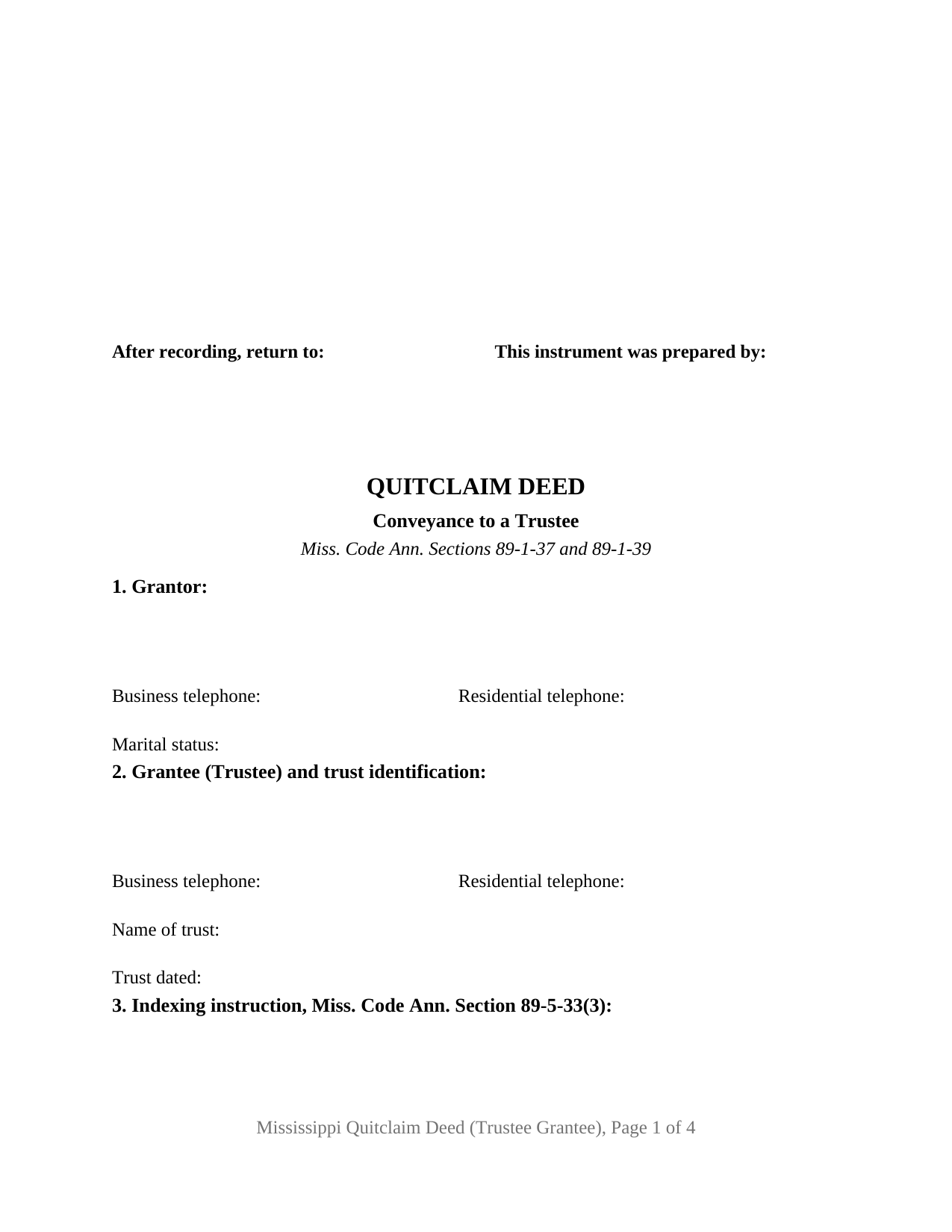
Neshoba County Quitclaim Deed (Trustee Grantee) Form
Fill in the blank Quitclaim Deed (Trustee Grantee) form formatted to comply with all Mississippi recording and content requirements.
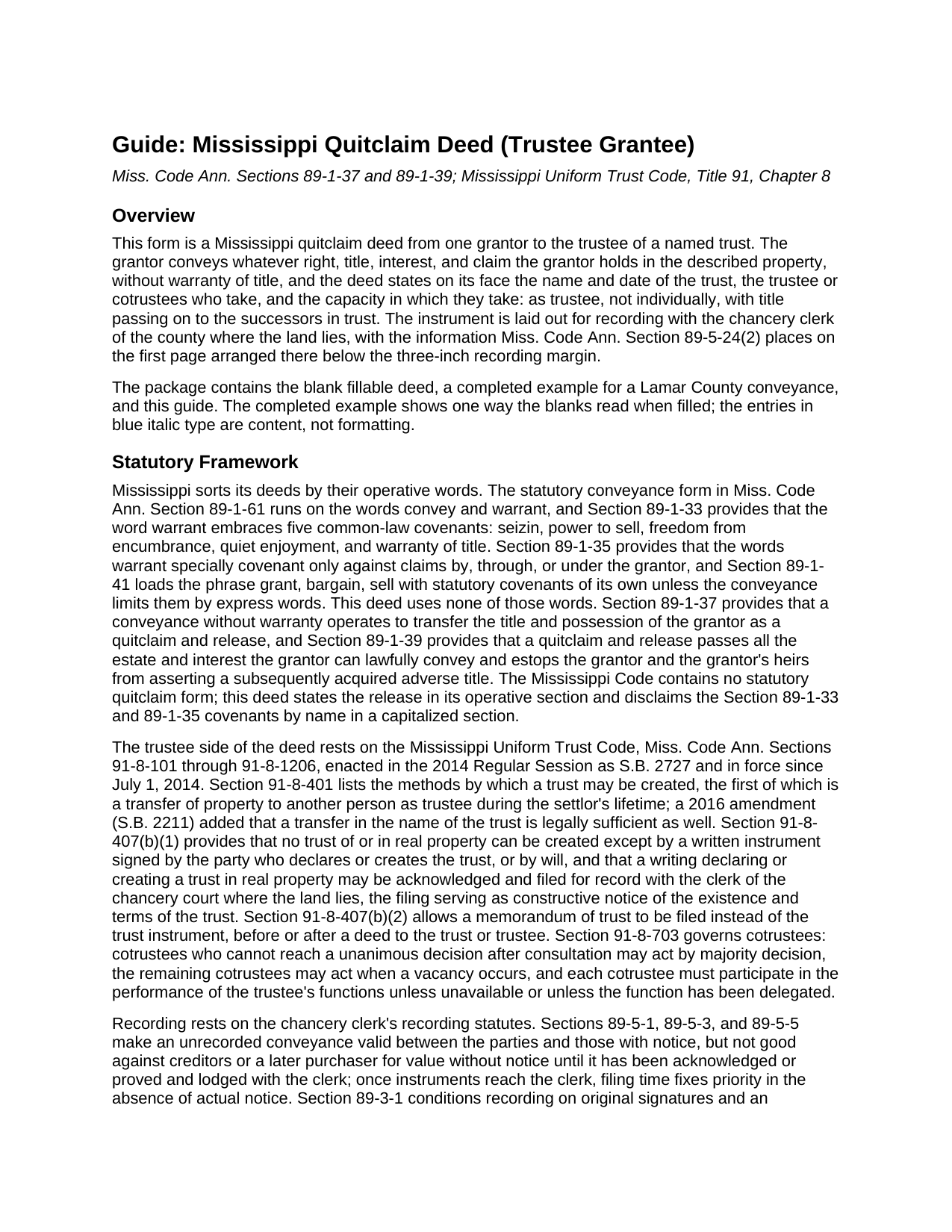
Neshoba County Quitclaim Deed (Trustee Grantee) Guide
Line by line guide explaining every blank on the Quitclaim Deed (Trustee Grantee) form.
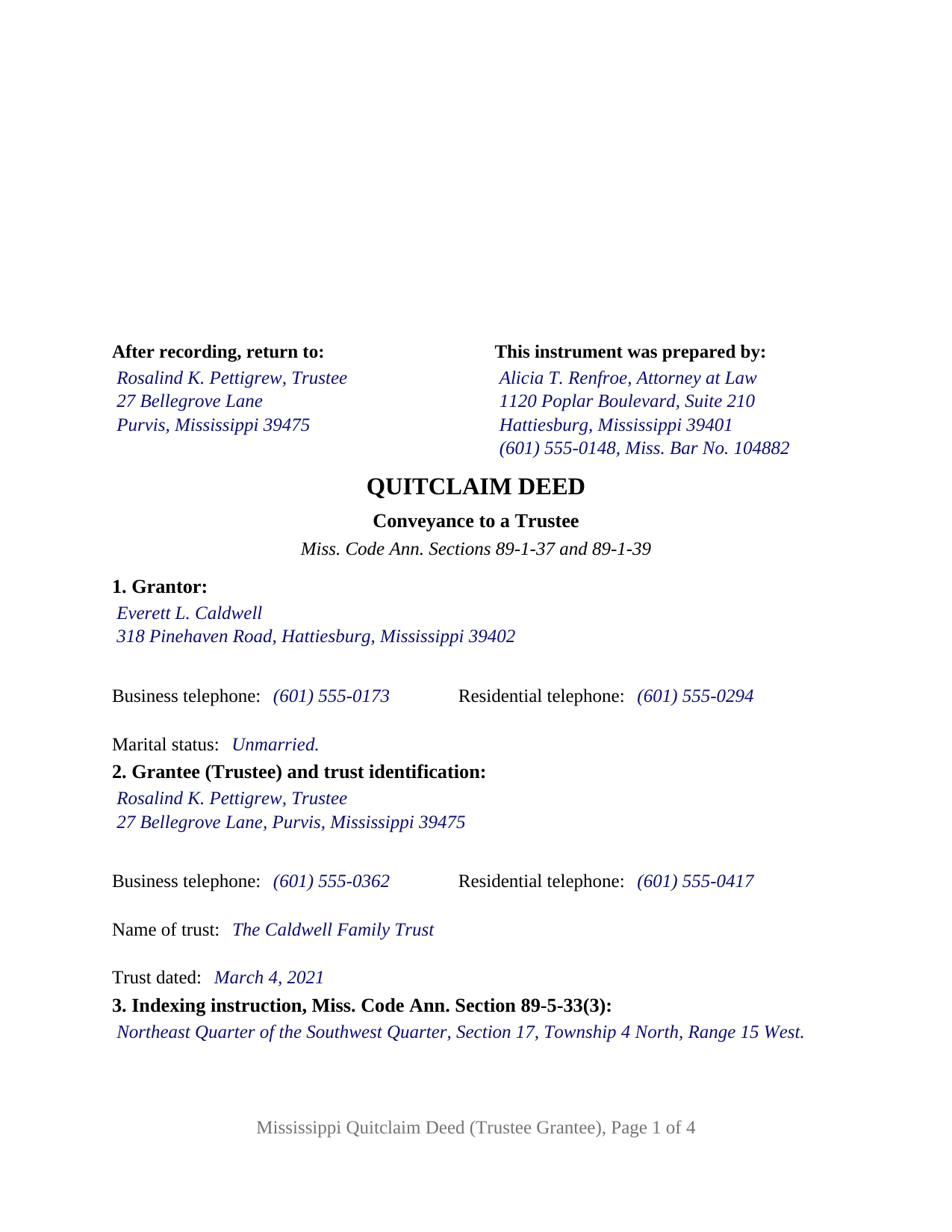
Neshoba County Completed Example of the Quitclaim Deed (Trustee Grantee) Document
Example of a properly completed Mississippi Quitclaim Deed (Trustee Grantee) document for reference.
All 3 documents above included • One-time purchase • No recurring fees
Immediate Download • Secure Checkout
Additional Mississippi and Neshoba County documents included at no extra charge:
Where to Record Your Documents
Neshoba County Chancery Clerk
Philadelphia, Mississippi 39350
Hours: 8:00 to 5:00 M-F
Phone: (601) 656-3581
Recording Tips for Neshoba County:
- Bring your driver's license or state-issued photo ID
- Ensure all signatures are in blue or black ink
- Ask for certified copies if you need them for other transactions
- Ask if they accept credit cards - many offices are cash/check only
- Check that your notary's commission hasn't expired
Cities and Jurisdictions in Neshoba County
Properties in any of these areas use Neshoba County forms:
- Philadelphia
- Union
Hours, fees, requirements, and more for Neshoba County
How do I get my forms?
Forms are available for immediate download after payment. The Neshoba County forms will be in your account ready to download to your computer. An account is created for you during checkout if you don't have one. Forms are NOT emailed.
Are these forms guaranteed to be recordable in Neshoba County?
Yes. Our form blanks are guaranteed to meet or exceed the applicable formatting requirements used for recording in Neshoba County, including margin requirements, font requirements, and other layout standards. This guarantee applies to formatting, not to the legal sufficiency of information entered by the user or the suitability of a form for a particular transaction.
Can I reuse these forms?
Yes. You can reuse the forms for your personal use. For example, if you have multiple properties in Neshoba County you only need to order once.
What do I need to use these forms?
The forms are PDFs that you fill out on your computer. The free Adobe Acrobat Reader is recommended, and most PDF apps also work. You do NOT enter your property information online - you download the blank forms and complete them privately on your own computer.
Are there any recurring fees?
No. This is a one-time purchase. Nothing to cancel, no memberships, no recurring fees.
How much does it cost to record in Neshoba County?
Recording fees in Neshoba County vary. Contact the recorder's office at (601) 656-3581 for current fees.
Questions answered? Let's get started!
The grantee on this Mississippi quitclaim deed is a trustee, and that single fact governs how the instrument reads. One grantor conveys, without warranty, whatever interest that grantor holds, and the deed states the trust, its date, and the capacity in which the trustee takes title, ready for recording with the chancery clerk of any Mississippi county.
A grantee who holds for someone else
Most deeds hand a grantee ownership to keep; this one hands it to a fiduciary. Miss. Code Ann. Section 91-8-401 counts a transfer of property to another person as trustee among the methods by which a trust may be created, and a 2016 amendment added that a transfer in the name of the trust is legally sufficient too. This deed makes the capacity explicit: Section 2 states the trust name and date and identifies the trustee or cotrustees who take, and Section 9 provides that the grantee takes as trustee and not individually, that title vests in that capacity, and that it runs on to the successors in trust. Two or more people named there hold as cotrustees of one trust under Section 91-8-703, so the Section 89-1-7 tenancy in common default is not what the records show.
The deed is half of the record
Mississippi treats a trust of land as a writing that belongs in the land records. Section 91-8-407(b) provides that no trust of or in real property is created except by a written instrument signed by the party who declares it, that the writing may be acknowledged and filed with the clerk of the chancery court where the land lies, and that a memorandum of trust may be filed instead, serving as constructive notice of the trust's existence and terms. That memorandum may be recorded before or after the deed. It is its own instrument, prepared separately, and not part of this package.
What a quitclaim carries into a trust
The conveyance uses no warranty words. Under Section 89-1-37 a conveyance without warranty transfers the grantor's title and possession as a quitclaim and release, and Section 89-1-39 moves whatever estate the grantor may lawfully convey while barring the grantor and the grantor's heirs from setting up an after-acquired title against it. A recorded deed of trust rides through, and so do judgment liens, easements, and mineral reservations. A capitalized section names the five covenants that Section 89-1-33 gathers into the word warrant and states that the grantor makes not one of them.
One grantor, one certificate, one trust named on the face
The form recites exactly one grantor, with one signature line, the printed name beneath it, and one notarial certificate in the wording of the individual short form at Section 89-3-7(2). Section 1 collects the grantor's marital status beside the contact data, so the record shows why a lone signature stands. An heir releasing an inherited undivided interest to the trustee who holds the balance of family land, an owner conveying unimproved acreage to the trustee of a trust established for a child, and an owner releasing a fractional record interest to the trustee already holding the parcel all present the pattern this deed writes. It is not set up for two owners signing together, for a married owner conveying homestead where Section 89-1-29 calls for a spouse's signature, or for a grantee taking beneficially. A search for a quit claim deed to a trustee, in the two-word spelling, arrives here too.
At the chancery clerk's counter
The first page leaves its top three inches to the chancery clerk and carries the statutory items underneath, in the arrangement Section 89-5-24(2) lays out: who prepared the deed, where it goes after recording, the title, the grantor and trustee sections with their addresses and telephone numbers, and the indexing entry, the legal description opening the second page under that section's continuation sentence. Section 27-3-51 lets a clerk turn away a deed that omits a party's address or telephone numbers, so the grantor section and the trustee section each gather them, and the indexing entry Section 89-5-33(3) wants distinctly set apart holds Section 3 alone. At twenty-five dollars for five pages under Section 25-7-9, this four-page deed records at the base fee.
Three files download together: the blank trustee grantee quitclaim deed as a fillable PDF, a completed example carrying a Lamar County conveyance from page one through the certificate, and a plain-language guide to the numbered sections, signing, and recording. These materials describe Mississippi law generally and are not legal advice.
Important: Your property must be located in Neshoba County to use these forms. Documents should be recorded at the county recording office listed above.
This Quitclaim Deed (Trustee Grantee) meets all recording requirements specific to Neshoba County.
Our Promise
The documents you receive here are guaranteed to meet or exceed the applicable Neshoba County recording format requirements. If there is a rejection caused by our formatting, we will correct the issue or refund your payment. This guarantee applies to document formatting only and does not extend to information entered by the user, the selection of the form, or the legal effect of the completed document.
Save Time and Money
Get your Neshoba County Quitclaim Deed (Trustee Grantee) form done right the first time with Deeds.com Uniform Conveyancing Blanks. At Deeds.com, we understand that your time and money are valuable resources, and we don't want you to face a penalty fee or rejection imposed by a county recorder for submitting nonstandard documents. We constantly review and update our forms to meet rapidly changing state and county recording requirements for roughly 3,500 counties and local jurisdictions.
4.8 out of 5 - ( 4,828 Reviews )
Robert H. 5 out of 5 stars
Just what I needed to file in Orange County. East to use and reasonably priced. Will use again if needed.
We appreciate your business and value your feedback. Thank you. Have a wonderful day!
Richard W. 5 out of 5 stars
Very happy I tried your service/product. The quit deed forms were excepted by the register of deeds with no issue. Thank You
We appreciate your business and value your feedback. Thank you. Have a wonderful day!
Beatrica G. 5 out of 5 stars
Thanks for your service. I recieved my documents on time and package information as promise.
Thank you for your feedback. We really appreciate it. Have a great day!
Tiqula D. 5 out of 5 stars
Deeds.com is beyond convenient! It's a wonderful service for all your recording needs. The service is beyond fast and professional. Easy as 1 2 3....
Thank you for your feedback. We really appreciate it. Have a great day!
Laurie B. 5 out of 5 stars
You have made this process so simple - I can see it would have been complicated and frustrating without Deeds.com. Thank you!
Thank you!
John S. 5 out of 5 stars
Easy system to use. good information.
Thank you for taking a moment to share your thoughts.
Margie H. 5 out of 5 stars
Great
Thank you!
Timothy B. 3 out of 5 stars
Excellent sample deed, very helpful. Unfortunately, the fill-able template only allowed for one BENEFICIARY.
Thank you for your feedback. We really appreciate it. Have a great day!
Phyllis B. 5 out of 5 stars
I saved a ton of money doing it on my own versus through legal counsel. When I took it to the auditor/recorder today, there was absolutely no problems.
Thank you for your feedback. We really appreciate it. Have a great day!
John C. 5 out of 5 stars
Excellent find (Deeds.com) from a google search, first hit. This was exactly what we were looking for. It also got me to upgrade Adobe to be able to fill in the forms. Will be back for follow up as needed, but I think I got everything we needed in the first downloads. Appreciate a well done site like yours. Thanks John
Thank you for your feedback. We really appreciate it. Have a great day!
Pamela L. 5 out of 5 stars
Fast efficient informative. Thank you.
Thank you for your feedback. We really appreciate it. Have a great day!
Reitman R. 5 out of 5 stars
Ordering, payment, and downloads went without a hitch. I appreciated the guide and examples. Than k you for hosting a good, working site.
Thank you for your feedback. We really appreciate it. Have a great day!
Jeanne A. 5 out of 5 stars
great forms, nice that they are fillable pdfs, easy to use, no issues. thanks.
Thank you for your feedback. We really appreciate it. Have a great day!
Ginger O. 5 out of 5 stars
Thank you for making this so easy to use. I had looked all over the internet and yours was the most user friendly and for a reasonable price.
We appreciate your business and value your feedback. Thank you. Have a wonderful day!
Aldona P. 5 out of 5 stars
Awesome Job! thank you
We appreciate your business and value your feedback. Thank you. Have a wonderful day!