Oktibbeha County Substitution of Trustee Form
Last validated November 6, 2026 by our Forms Development TeamFormatted for recording in Oktibbeha County, for property anywhere in the county: rural and unincorporated areas as well as Mississippi State, Starkville, Sturgis.
- 3 documents included
- Immediate PDF download
- Formatting guarantee
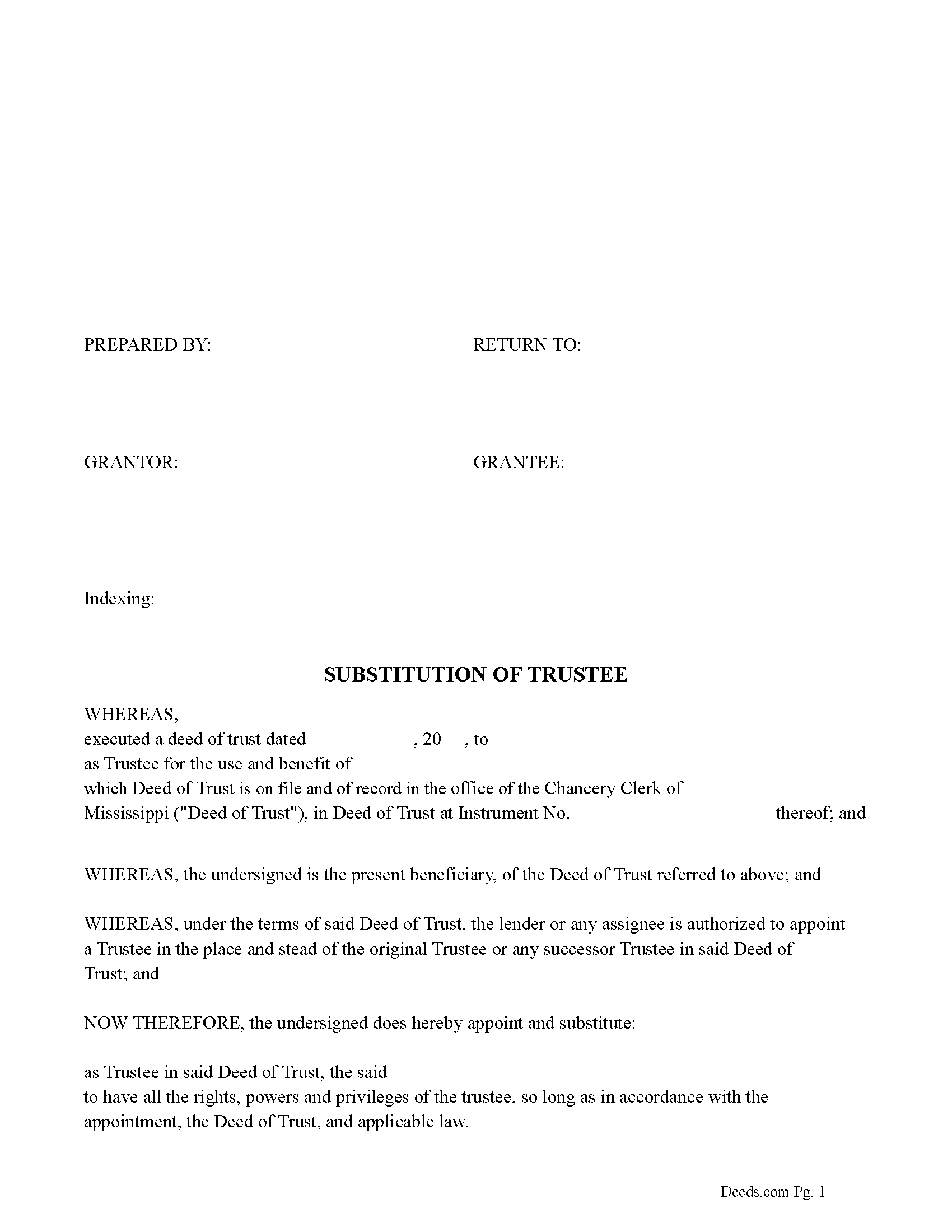
Oktibbeha County Substitution of Trustee Form
Fill in the blank form formatted to comply with all recording and content requirements.
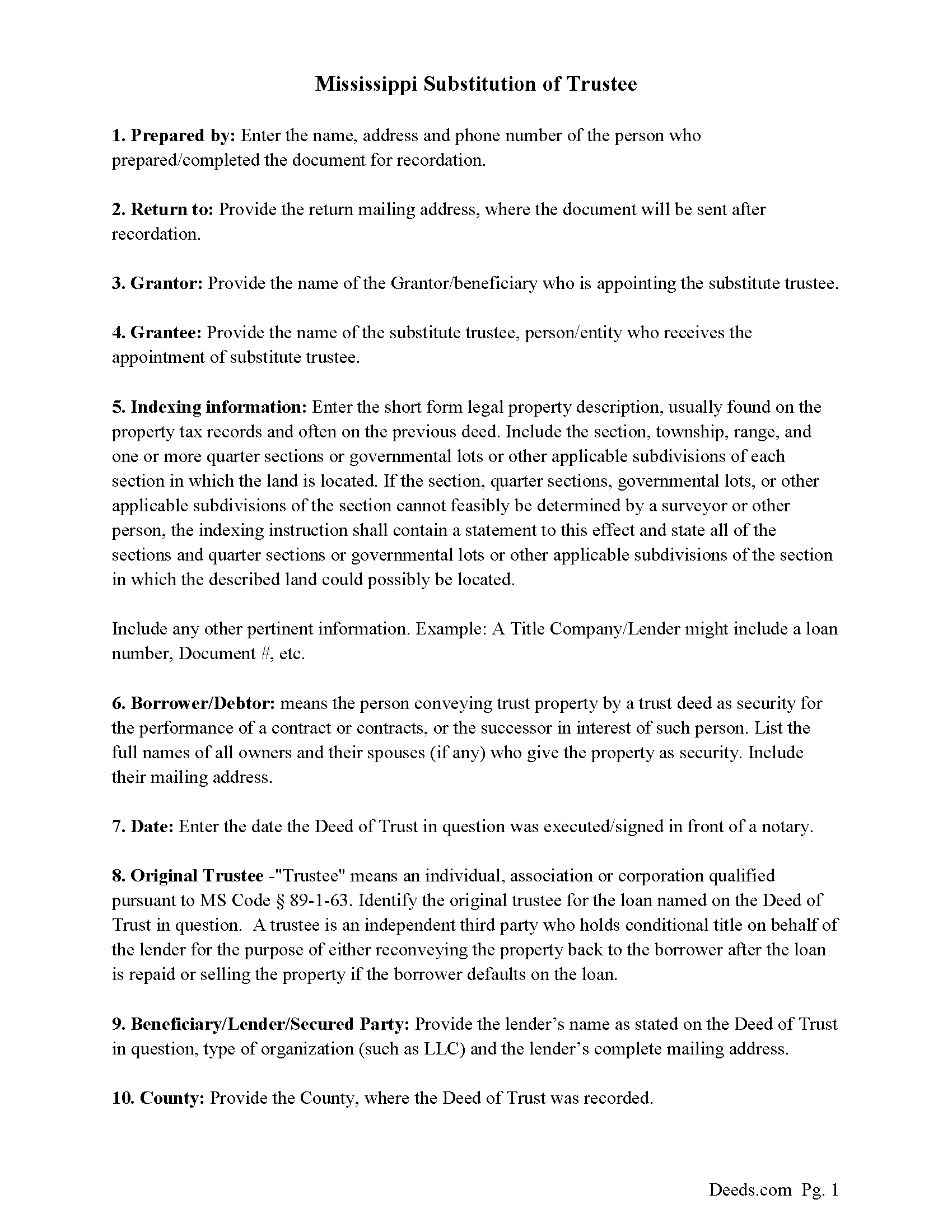
Oktibbeha County Guidelines for Substitution of Trustee Document
Line by line guide explaining every blank on the form.
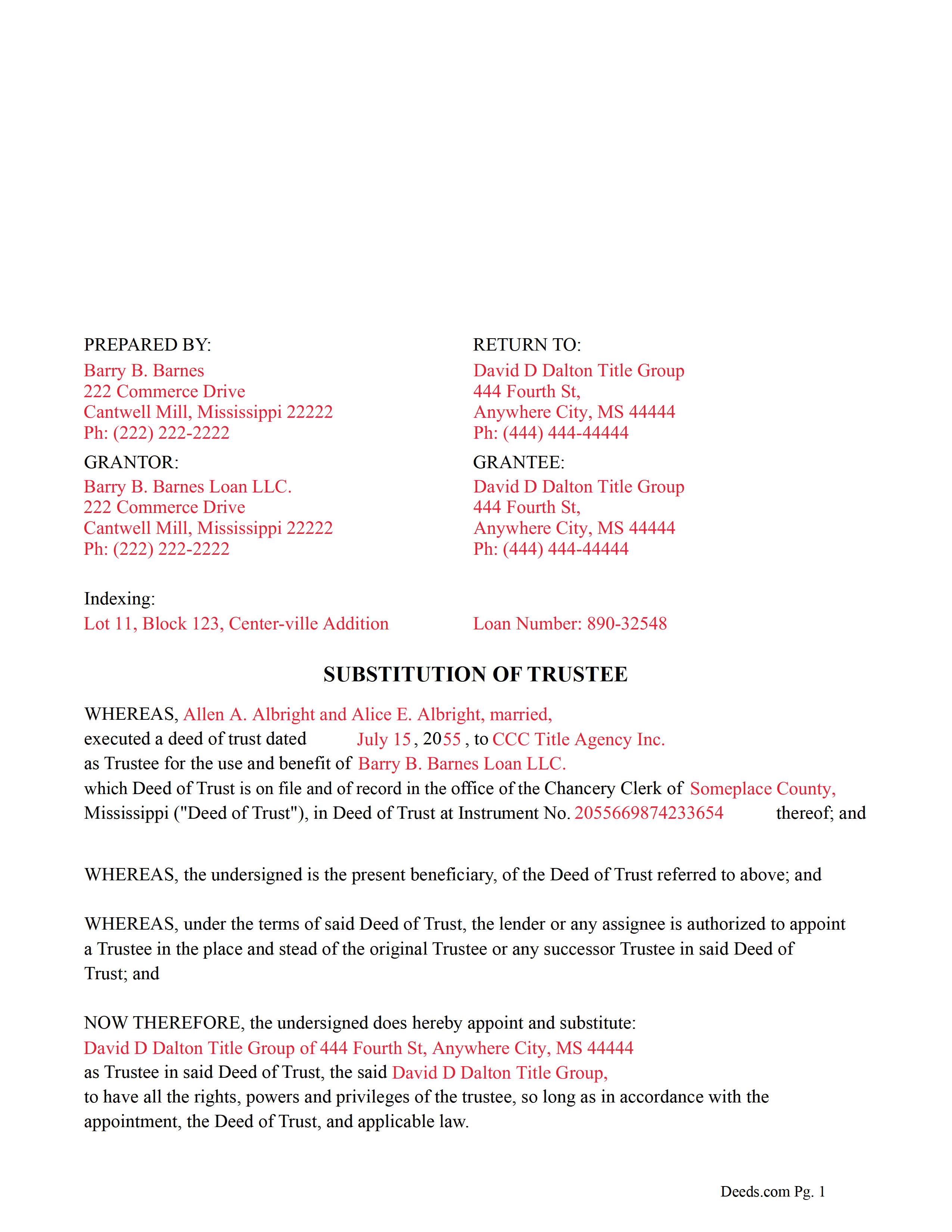
Oktibbeha County Completed Example of the Substitution of Trustee Document
Example of a properly completed form for reference.
All 3 documents above included • One-time purchase • No recurring fees
Immediate Download • Secure Checkout
Additional Mississippi and Oktibbeha County documents included at no extra charge:
Where to Record Your Documents
Oktibbeha County Chancery Clerk
Starkville, Mississippi 39759
Hours: 8:00 to 5:00 M-F CST
Phone: (662) 323-5834
Recording Tips for Oktibbeha County:
- Bring your driver's license or state-issued photo ID
- Ensure all signatures are in blue or black ink
- Documents must be on 8.5 x 11 inch white paper
- Double-check legal descriptions match your existing deed
- Verify all names are spelled correctly before recording
Cities and Jurisdictions in Oktibbeha County
Properties in any of these areas use Oktibbeha County forms:
- Mississippi State
- Starkville
- Sturgis
Hours, fees, requirements, and more for Oktibbeha County
How do I get my forms?
Forms are available for immediate download after payment. The Oktibbeha County forms will be in your account ready to download to your computer. An account is created for you during checkout if you don't have one. Forms are NOT emailed.
Are these forms guaranteed to be recordable in Oktibbeha County?
Yes. Our form blanks are guaranteed to meet or exceed the applicable formatting requirements used for recording in Oktibbeha County, including margin requirements, font requirements, and other layout standards. This guarantee applies to formatting, not to the legal sufficiency of information entered by the user or the suitability of a form for a particular transaction.
Can I reuse these forms?
Yes. You can reuse the forms for your personal use. For example, if you have multiple properties in Oktibbeha County you only need to order once.
What do I need to use these forms?
The forms are PDFs that you fill out on your computer. The free Adobe Acrobat Reader is recommended, and most PDF apps also work. You do NOT enter your property information online - you download the blank forms and complete them privately on your own computer.
Are there any recurring fees?
No. This is a one-time purchase. Nothing to cancel, no memberships, no recurring fees.
How much does it cost to record in Oktibbeha County?
Recording fees in Oktibbeha County vary. Contact the recorder's office at (662) 323-5834 for current fees.
Questions answered? Let's get started!
This form is used by the current beneficiary/lender to appoint a substitute trustee for a previously recorded Deed of Trust. (The beneficiary or holder of any deed of trust, including his agents, employees, successors, assigns, attorneys-in-fact or other legal representatives, may appoint a trustee or substitute a trustee, with or without the permission of the mortgagor or mortgagors. The trustee or substitute trustee so appointed may be a natural person, partnership, corporation, limited liability company, professional association or any other legal entity.) (MS Code 89-1-63)
(Mississippi SOT Package includes form, guidelines, and completed example) For use in Mississippi only.
Important: Your property must be located in Oktibbeha County to use these forms. Documents should be recorded at the county recording office listed above.
This Substitution of Trustee meets all recording requirements specific to Oktibbeha County.
Our Promise
The documents you receive here are guaranteed to meet or exceed the applicable Oktibbeha County recording format requirements. If there is a rejection caused by our formatting, we will correct the issue or refund your payment. This guarantee applies to document formatting only and does not extend to information entered by the user, the selection of the form, or the legal effect of the completed document.
Save Time and Money
Get your Oktibbeha County Substitution of Trustee form done right the first time with Deeds.com Uniform Conveyancing Blanks. At Deeds.com, we understand that your time and money are valuable resources, and we don't want you to face a penalty fee or rejection imposed by a county recorder for submitting nonstandard documents. We constantly review and update our forms to meet rapidly changing state and county recording requirements for roughly 3,500 counties and local jurisdictions.
4.8 out of 5 - ( 4,847 Reviews )
William T. 5 out of 5 stars
Very skeptical at first...but it worked easily and perfectly.
We’re glad you had a positive experience. Thank you.
Krissyn S. 5 out of 5 stars
It was so easy to find, download, and use the form I needed. Literally took about 5 minutes and I was ready to go. I loved that the download included a sample form and a guide to help fill out the form properly.
Thank you for your feedback. We really appreciate it. Have a great day!
Stephen D. 5 out of 5 stars
I recommend you add a box "Add another document or package." The way it is now confused me, so I uploaded the same document two more times, thinking the upload failed the first two times.
Thank you for your feedback Stephen.
virginia a. 4 out of 5 stars
Thank you for the prompt instructions on the download and installation. The only problem I had was trying to input data into the form once I renamed the form.and saved it. I was unable to change the size of the font and was very frustrated. In the end I finally had to redo the entire form through Word using your format.
Thank you!
Vicki C. 5 out of 5 stars
I purchased a Deed on Death for Washington State. Very user friendly site. Thank you 5star
Thank you for your feedback. We really appreciate it. Have a great day!
Jane N. 5 out of 5 stars
Good morning, It seems to be easy to navigate and print out the form I needed. Great!!! Jane
We appreciate your business and value your feedback. Thank you. Have a wonderful day!
Alexander H. 4 out of 5 stars
As an experienced attorney new to estate planning, I attest that this website and its documents were very helpful. Their documents including everything one needed to know and was very comprehensive.
We appreciate your business and value your feedback. Thank you. Have a wonderful day!
Gladys F. 5 out of 5 stars
The process was very friendly and easy to use. I appreciated the status updates as well as clear instructions on what was needed to get the file ready for recording.
Thank you!
Virginia C. 5 out of 5 stars
I had a nice surprise seeing how fast the process was to download in a safe manner the documents. The example and guide to fill the original document are very valuable to facilitate the filling in. Thank you!!
Thank you for your feedback. We really appreciate it. Have a great day!
Rebecca Q. 5 out of 5 stars
Very helpful! Unfortunately, they didn't have what I needed, but they got back to me quickly and didn't charge me anything. Easy to work with.
Thank you for your feedback. We really appreciate it. Have a great day!
JOSE M. 5 out of 5 stars
Excellent Website.
Thank you!
David A. 5 out of 5 stars
Forms were just what I needed. Very well explained and easy to use.
We appreciate your business and value your feedback. Thank you. Have a wonderful day!
Harry S. 5 out of 5 stars
This is my first time using the service. Wow! How efficient and effortless! Keep up the good work!
Thank you!
Timothy L. 5 out of 5 stars
It was very simple and easy to fill out the information need to do the warranty deed.
Thank you for your feedback. We really appreciate it. Have a great day!
Terreva B. 5 out of 5 stars
Yes it helped with some things but I need more info
Thank you!