Jackson County Transfer on Death Revocation Form
Last validated November 8, 2026 by our Forms Development TeamFormatted for recording in Jackson County, for property anywhere in the county: rural and unincorporated areas as well as Escatawpa, Gautier, Hurley, Moss Point, Ocean Springs, Pascagoula, Vancleave.
- 3 documents included
- Immediate PDF download
- Formatting guarantee
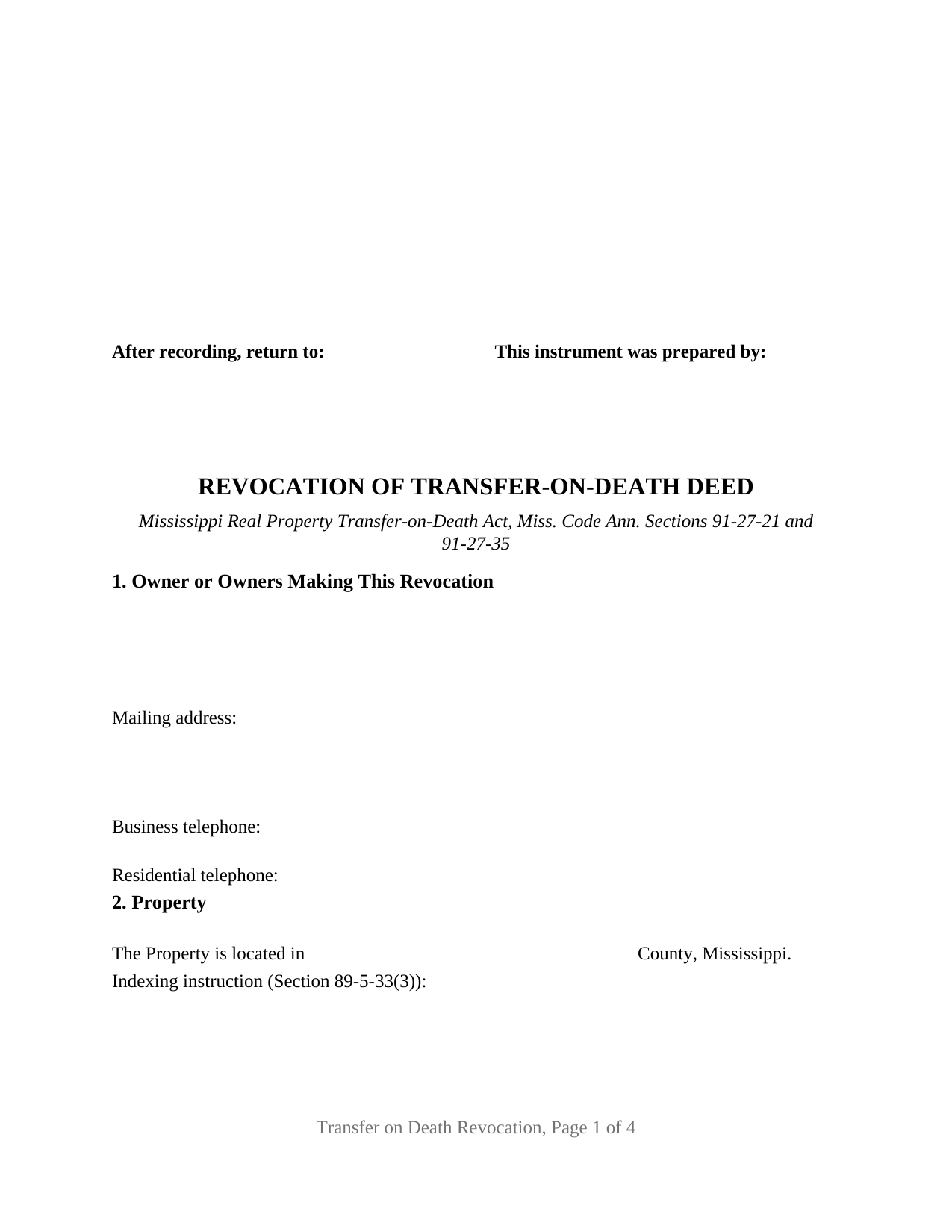
Jackson County Transfer on Death Revocation Form
Fill in the blank Transfer on Death Revocation form formatted to comply with all Mississippi recording and content requirements.
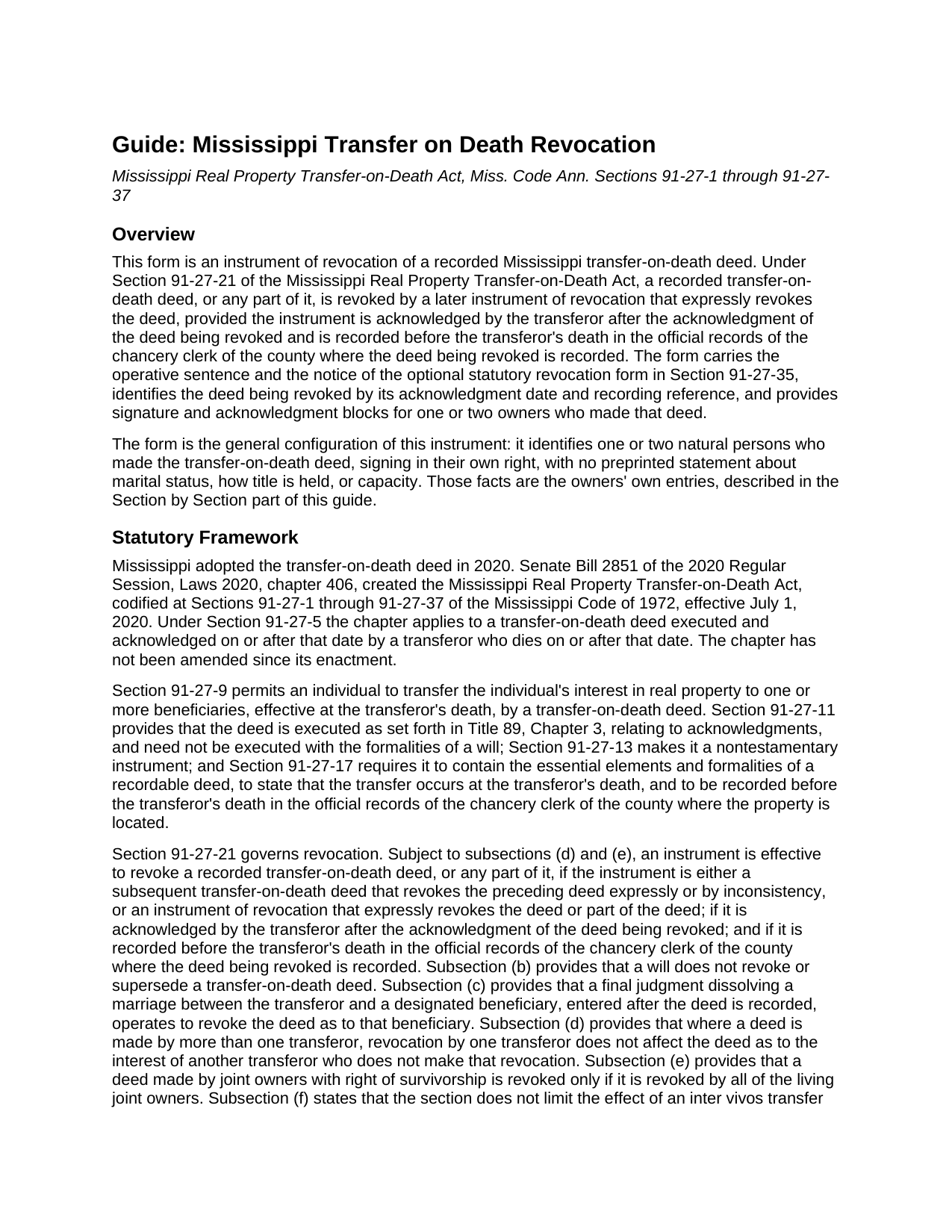
Jackson County Transfer on Death Revocation Guide
Line by line guide explaining every blank on the Transfer on Death Revocation form.
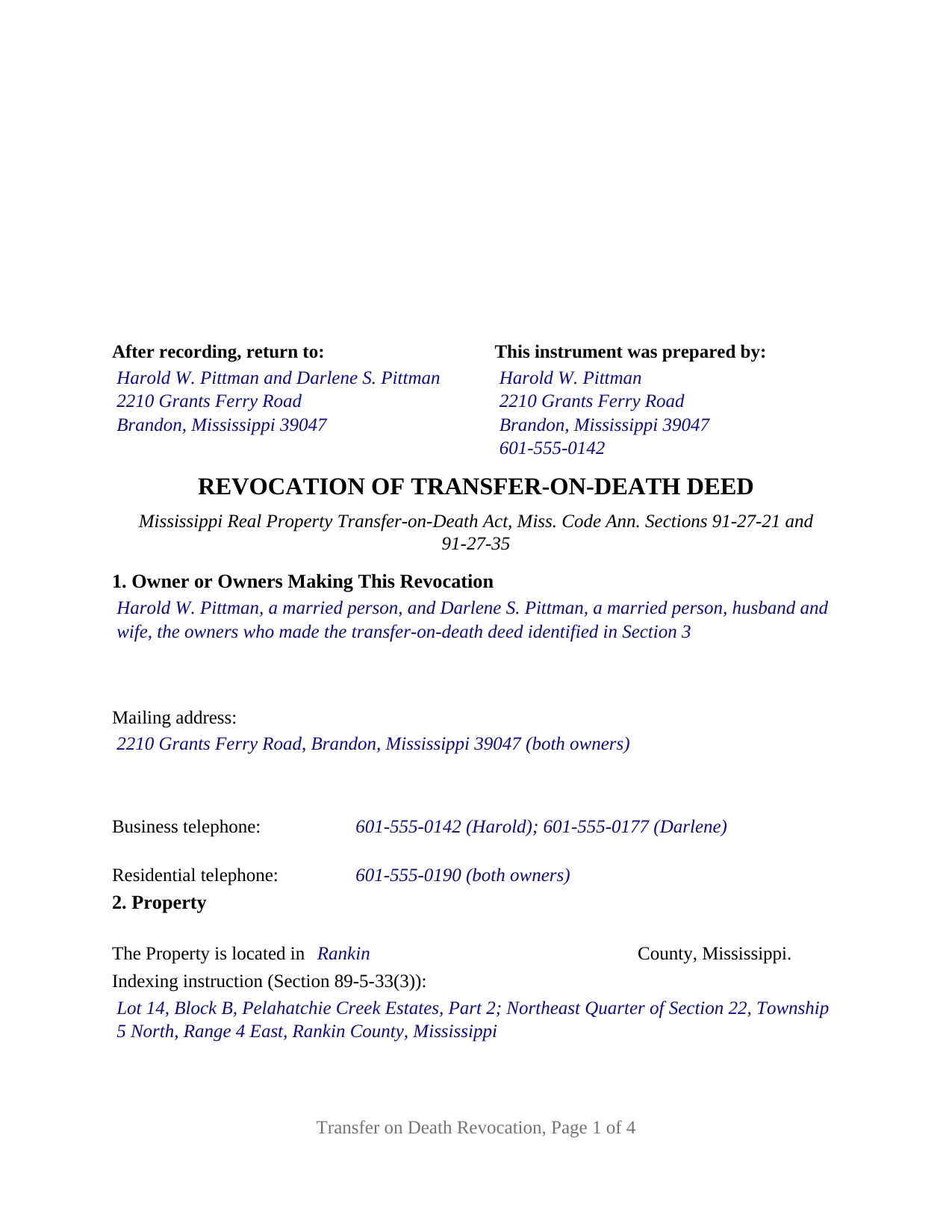
Jackson County Completed Example of the Transfer on Death Revocation Document
Example of a properly completed Mississippi Transfer on Death Revocation document for reference.
All 3 documents above included • One-time purchase • No recurring fees
Immediate Download • Secure Checkout
Additional Mississippi and Jackson County documents included at no extra charge:
Where to Record Your Documents
Jackson County Chancery Clerk
Pascagoula, Mississippi 39567-4239 / 39568-0998
Hours: 8:00am-5:00pm M-F
Phone: (228) 769-3131
Recording Tips for Jackson County:
- Bring your driver's license or state-issued photo ID
- Ensure all signatures are in blue or black ink
- Recording fees may differ from what's posted online - verify current rates
- Request a receipt showing your recording numbers
- Ask about accepted payment methods when you call ahead
Cities and Jurisdictions in Jackson County
Properties in any of these areas use Jackson County forms:
- Escatawpa
- Gautier
- Hurley
- Moss Point
- Ocean Springs
- Pascagoula
- Vancleave
Hours, fees, requirements, and more for Jackson County
How do I get my forms?
Forms are available for immediate download after payment. The Jackson County forms will be in your account ready to download to your computer. An account is created for you during checkout if you don't have one. Forms are NOT emailed.
Are these forms guaranteed to be recordable in Jackson County?
Yes. Our form blanks are guaranteed to meet or exceed the applicable formatting requirements used for recording in Jackson County, including margin requirements, font requirements, and other layout standards. This guarantee applies to formatting, not to the legal sufficiency of information entered by the user or the suitability of a form for a particular transaction.
Can I reuse these forms?
Yes. You can reuse the forms for your personal use. For example, if you have multiple properties in Jackson County you only need to order once.
What do I need to use these forms?
The forms are PDFs that you fill out on your computer. The free Adobe Acrobat Reader is recommended, and most PDF apps also work. You do NOT enter your property information online - you download the blank forms and complete them privately on your own computer.
Are there any recurring fees?
No. This is a one-time purchase. Nothing to cancel, no memberships, no recurring fees.
How much does it cost to record in Jackson County?
Recording fees in Jackson County vary. Contact the recorder's office at (228) 769-3131 for current fees.
Questions answered? Let's get started!
A Mississippi transfer-on-death deed is undone the same way it was made: by a recorded instrument. This Mississippi Transfer on Death Revocation is the instrument of revocation that Section 91-27-21 of the Mississippi Real Property Transfer-on-Death Act recognizes, prepared for one or two owners who made a recorded transfer-on-death deed and now revoke it. The form carries the operative sentence and the owner notice of the optional statutory revocation form in Section 91-27-35, identifies the deed being revoked by its acknowledgment date and its book and page or instrument number, and ends with a signature block and a separate acknowledgment certificate for each owner.
Two timing rules decide whether the revocation works
Section 91-27-21 makes an instrument of revocation effective only when two things are true about its timing. First, the revocation is acknowledged by the transferor after the acknowledgment of the deed being revoked, which is why the form asks for the acknowledgment date of the original deed: the two notary certificates, read together, show the sequence. Second, the revocation is recorded before the transferor's death in the official records of the chancery clerk of the county where the deed being revoked is recorded. A revocation that is signed, notarized, and kept in a drawer revokes nothing. The form prints the statutory form's own notice to the owner beside the operative sentence, stating that the revocation must be recorded before the owner's death or it will not be effective.
The chapter closes the other routes an owner might assume exist. Under Section 91-27-21(b), a will does not revoke or supersede a transfer-on-death deed, so a later will naming a different person leaves the recorded deed in force. Section 91-27-3(h) adds that cancel and revoke mean the same thing in this chapter, which is why the instrument is also searched for as a cancellation of a transfer on death deed or a TOD deed revocation form.
Effective only for the owners who sign
The statutory notice on the form carries a second sentence: the revocation is effective only as to the interests in the property of the owners who sign it. That sentence restates Section 91-27-21(d), under which a deed made by more than one transferor is revoked, by a revocation one of them signs, only as to that transferor's interest. Section 91-27-21(e) adds the rule for co-owners whose title carries a right of survivorship: a transfer-on-death deed made by joint owners with right of survivorship is revoked only if all of the living joint owners revoke it. Section 91-27-3(c) draws that definition to include a joint tenant and a tenant by the entirety and to exclude a tenant in common, and under Section 89-1-7 a Mississippi deed to two or more persons, spouses included, creates a tenancy in common unless the survivorship form manifestly appears in the instrument. The vesting deed by which the owners took title shows which rule applies, and the guide walks through both.
What the form recites and who it describes
The form is the general configuration of the instrument. Section 1 is a free-form block that receives the name of each owner who made the transfer-on-death deed, written as it appears on that deed, with whatever status recital the owner states; nothing about marital status, how title is held, or capacity is preprinted. The form carries two owner signature blocks, headed OWNER and SECOND OWNER (if applicable), and two acknowledgment certificates, one for each signer, so two owners can appear before different notaries on different dates or in different states, and a single owner leaves the second block and its certificate blank. One owner revoking a deed made alone, two spouses revoking the deed they made together, and two co-owners who hold as tenants in common and both sign present the patterns this form recites.
The form is not set up as an instrument signed by a corporation, limited liability company, or trust, by a trustee, or by an attorney-in-fact under a power of attorney, and it does not accommodate three or more owners on one instrument. It revokes the identified deed in its entirety as to each signer's interest; a partial revocation, or a revocation by a later inconsistent transfer-on-death deed, is a different instrument that Section 91-27-21(a)(1) also recognizes and that this package does not include. A new beneficiary designation is likewise a new transfer-on-death deed under Section 91-27-17, prepared and recorded separately and not included here.
Built for the Mississippi chancery clerk's first page
Mississippi puts more on the first page of a recorded instrument than most states do. Section 89-5-24(2) places the preparer's name, address, and telephone number, the name, mailing address, and telephone number of every party, the return address, the title, and the legal description or the indexing instruction on the first page below the three-inch margin reserved for the clerk. The form lays all of those out on its first page, with the indexing instruction of Section 89-5-33(3), the entry by which the clerk indexes land by section, township, and range or by lot, block, and subdivision, in its own labeled box; the legal description, copied from the transfer-on-death deed, begins on the second page under the statute's own continuation rule. The instrument runs four pages in twelve-point type on letter-size paper, inside the format standards Section 89-5-24 sets, and records for the Section 25-7-9 fee for the first five pages plus any county archive fee. No transfer tax or transfer declaration applies.
Signing follows the Revised Mississippi Law on Notarial Acts. Each owner signs in that owner's own right and acknowledges the instrument before a notarial officer, who completes a certificate in the Section 89-3-7(2) short form, with the commission expiration date and official seal Section 25-34-31 requires. Mississippi requires personal appearance before the officer and has no remote online notarization statute. A spouse who did not make the transfer-on-death deed is not a transferor and has no signature line, because the revocation conveys and encumbers nothing and the homestead joinder rule of Section 89-1-29 reaches conveyances and encumbrances of the homestead.
The package includes the fillable Mississippi Transfer on Death Revocation form, a completed example filled in for a Rankin County fact pattern in which two owners revoke the deed they recorded together, and the guide that walks through every numbered section, the signing rules, and the recording process. This description and the guide describe the form and the governing Mississippi statutes in general terms; they are not legal advice.
Important: Your property must be located in Jackson County to use these forms. Documents should be recorded at the county recording office listed above.
This Transfer on Death Revocation meets all recording requirements specific to Jackson County.
Our Promise
The documents you receive here are guaranteed to meet or exceed the applicable Jackson County recording format requirements. If there is a rejection caused by our formatting, we will correct the issue or refund your payment. This guarantee applies to document formatting only and does not extend to information entered by the user, the selection of the form, or the legal effect of the completed document.
Save Time and Money
Get your Jackson County Transfer on Death Revocation form done right the first time with Deeds.com Uniform Conveyancing Blanks. At Deeds.com, we understand that your time and money are valuable resources, and we don't want you to face a penalty fee or rejection imposed by a county recorder for submitting nonstandard documents. We constantly review and update our forms to meet rapidly changing state and county recording requirements for roughly 3,500 counties and local jurisdictions.
4.8 out of 5 - ( 4,847 Reviews )
Brenda R. 5 out of 5 stars
This site was a great help to us. It was worth the money to get it right!
We appreciate your business and value your feedback. Thank you. Have a wonderful day!
Evelyn R. 5 out of 5 stars
Responses to my needs were prompt and professional. I found the service easy to use and clearly outlined for processing. Thank you.
Thank you!
Jerri S. 5 out of 5 stars
Very helpful. Print out go to court house spent less then 15 minutes there and done! Thanks will use again.
Thank you Jerri, we appreciate your feedback.
Debra M. 5 out of 5 stars
Easy Peasy. Great experience.
Thank you for your feedback. We really appreciate it. Have a great day!
iris e. 5 out of 5 stars
Easy to use website. customer service messages you back super quickly. They also double check your work and if anything is missing they message me right away. Price is reasonable. I highly recommend their services. 5 Star hands Down!!
We are grateful for your engagement and feedback, which help us to serve you better. Thank you for being an integral part of our community.
Marilyn G. 5 out of 5 stars
Easy to follow instructions
Thank you for your feedback. We really appreciate it. Have a great day!
Joe W. 5 out of 5 stars
Effortless transaction and very thorough paperwork and explanations.
Thank you!
Sharon D. 4 out of 5 stars
I found all the forms I needed to complete a Quit Claim Deed on Deeds.com. All the forms are available for download to fill in on my laptop computer. So far the experience has been very good. My only issue would be that the Quit Claim instructions could be more thorough and easier to understand. I am guessing that the State of New Jersey made up the instructions? Unfortunately this has cost me a huge amount of extra time to parse out EXACTLY the terms I need to write on the Quit Claim Deed form. I haven't started the Tax Forms, but hope they will be more straightforward. In general, I DO recommend Deeds.com!
Thanks for the recommendation, Sharon. We appreciate you flagging the New Jersey instructions, and we'll review them with an eye toward making things clearer and more straightforward. Feedback like yours is how we keep improving.
Willard V. 3 out of 5 stars
While it's nice to get all the forms and info in one package for a reasonable cost, the fixed format of the form does not allow for a lengthy meet and bounds property description for real property. Also, the Cover Sheet has big fillable sections with no instructions about what's supposed to go there. I tried the "Contact Us" link, but all it does is spin saying it's trying verify the security of my connection. Looks like I;m going to have to create my own deed in MS Word instead of just filling in the blacks of the PDF file that I downloaded. Bummer!
Your feedback is a crucial part of our dedication to ongoing improvement. Thank you for your insightful comments.
James S. 5 out of 5 stars
Forms used, created quitclaim deed that the county accepted without a second look (turns out they see deeds.com forms regularly via erecording and in person). Will be back for any real estate related forms I need and they carry. Will always be my first stop. Also, will use erecording next time, mad I didn't see it this time.
Thanks for the kind words James, glad we could help. Look forward to seeing you again.
Kimberaley J. 5 out of 5 stars
I had no problem printing out the forms, very easy. Also when I called, customer service was very helpful and very polite. Thank you for that, have a great day.
Thank you!
William C. 4 out of 5 stars
Good service, great price, the website is a bit hard to maneuver in places.
Thank you for your feedback. We really appreciate it. Have a great day!
Jonathan W. 5 out of 5 stars
Deeds gave me the forms and the guidance that I needed. If I had paid a pro for this service it would have cost at least $300.
Thank you for your feedback. We really appreciate it. Have a great day!
Marc P. 5 out of 5 stars
Simple and fast!
Thank you for your feedback. We really appreciate it. Have a great day!
Lloyd T. 5 out of 5 stars
Example deed given did not apply to married couples as joint owners with both being grantors. The example and directions also did not show how to write more than one grantee as equal grantees. Both would have been helpful when husband and wife are granting their property to their children equally. Also when attaching the exhibit A with the property description the example did not say "see exhibit A"in the property description area, so I didn't write that. Luckily the recorder of deeds allowed me to write it in. I think directions and examples for multiple scenarios would be helpful.
Thank you for your feedback. We really appreciate it. Have a great day!