Greene County Trustee Deed for Sale of Foreclosed Property Form
Last validated October 21, 2026 by our Forms Development TeamFormatted for recording in Greene County, for property anywhere in the county: rural and unincorporated areas as well as Leakesville, Mc Lain, Neely, State Line.
- 3 documents included
- Immediate PDF download
- Formatting guarantee
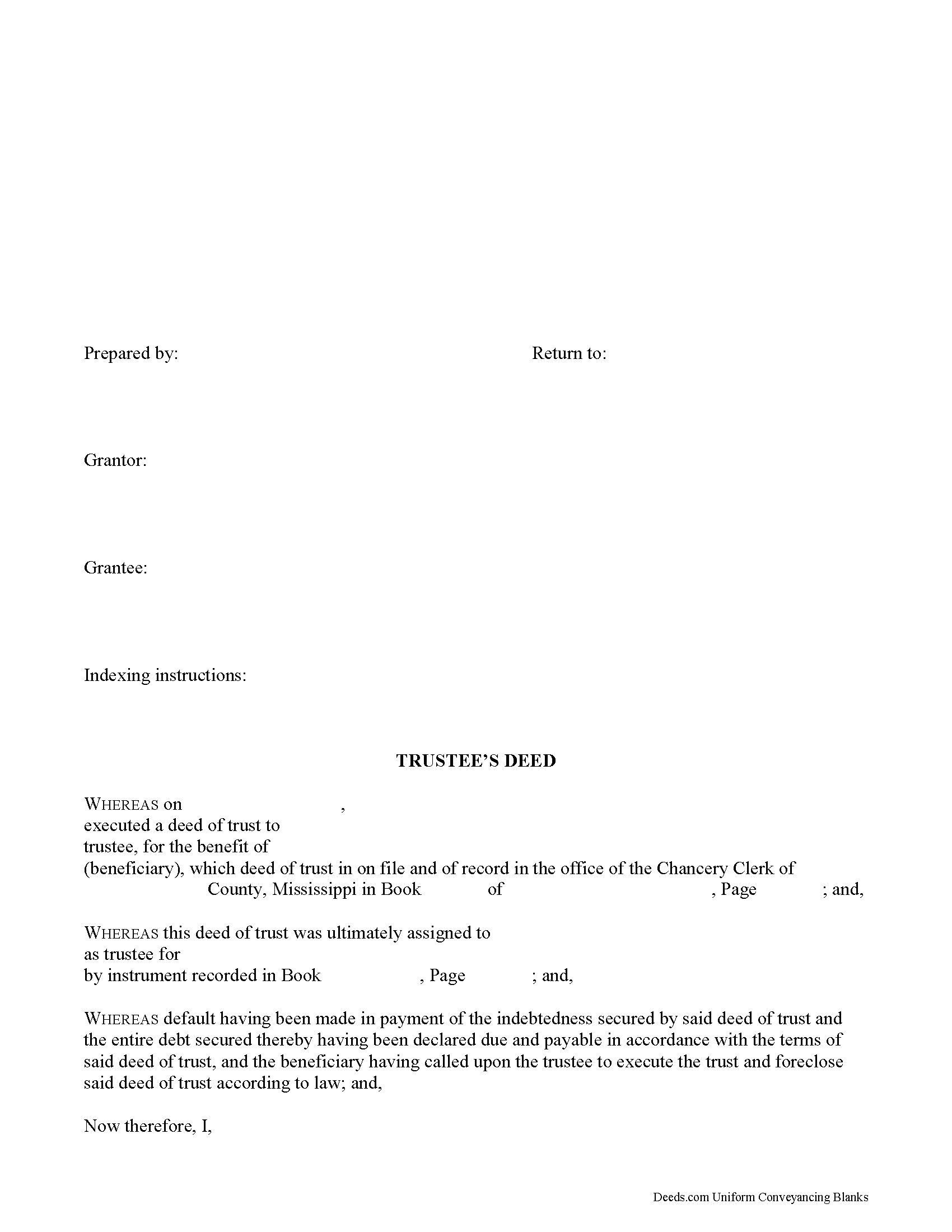
Greene County Trustee Deed Form
Fill in the blank form formatted to comply with all recording and content requirements.
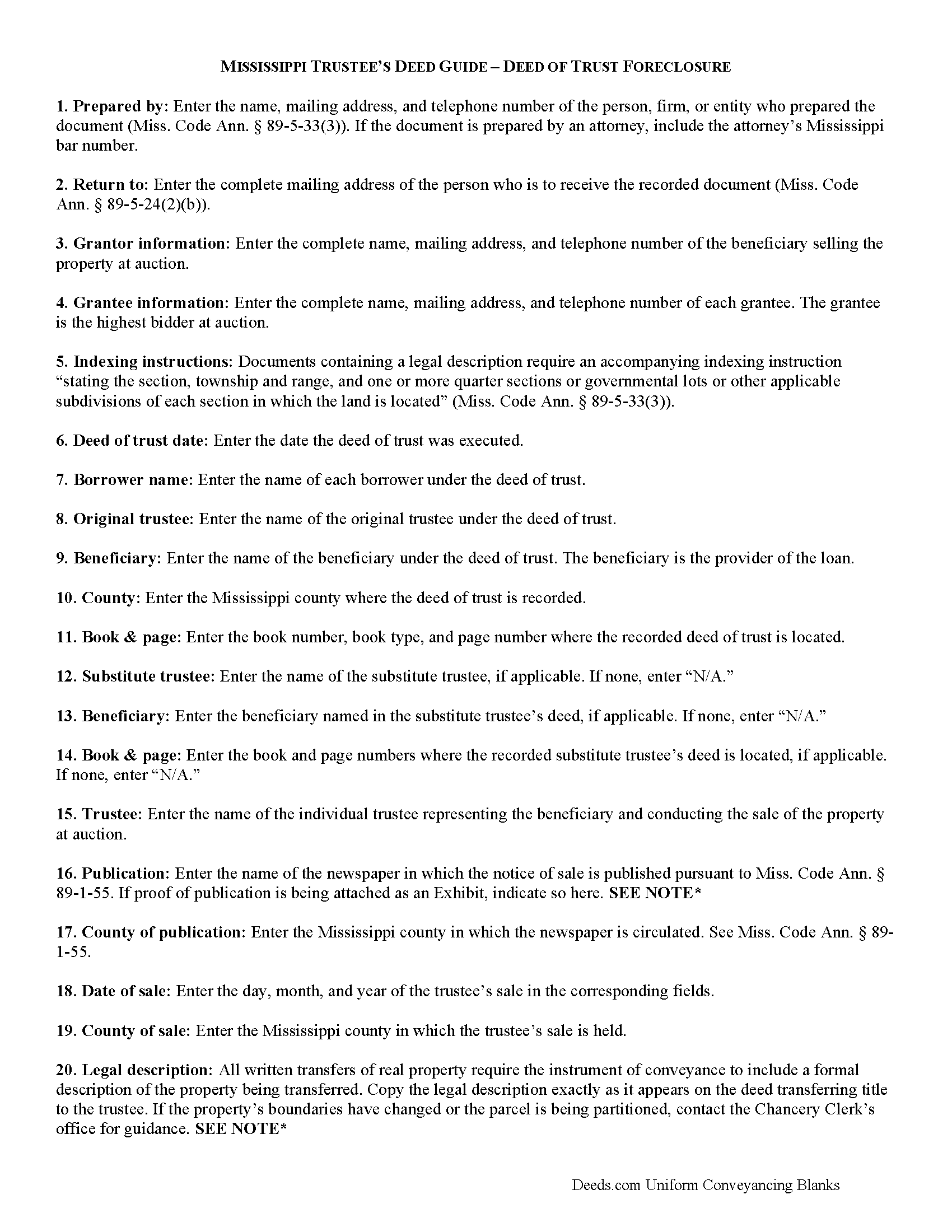
Greene County Trustee Deed Guide
Line by line guide explaining every blank on the form.
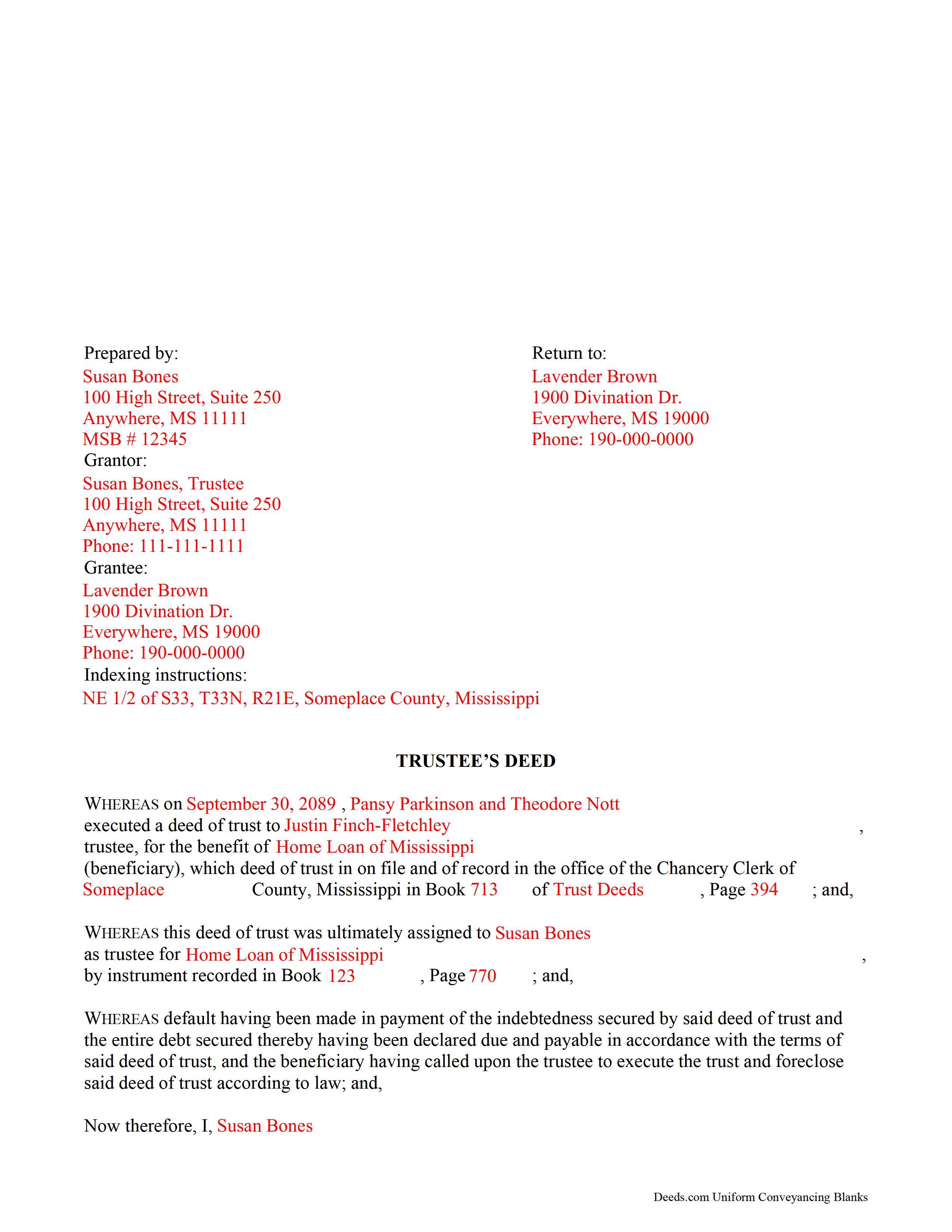
Greene County Completed Example of the Trustee Deed Document
Example of a properly completed form for reference.
All 3 documents above included • One-time purchase • No recurring fees
Immediate Download • Secure Checkout
Additional Mississippi and Greene County documents included at no extra charge:
Where to Record Your Documents
Greene County Chancery Clerk
Leakesville, Mississippi 39451
Hours: 8:00am to 5:00pm M-F
Phone: (601) 394-2377
Recording Tips for Greene County:
- Bring your driver's license or state-issued photo ID
- Ensure all signatures are in blue or black ink
- Make copies of your documents before recording - keep originals safe
- Recorded documents become public record - avoid including SSNs
- Recording fees may differ from what's posted online - verify current rates
Cities and Jurisdictions in Greene County
Properties in any of these areas use Greene County forms:
- Leakesville
- Mc Lain
- Neely
- State Line
Hours, fees, requirements, and more for Greene County
How do I get my forms?
Forms are available for immediate download after payment. The Greene County forms will be in your account ready to download to your computer. An account is created for you during checkout if you don't have one. Forms are NOT emailed.
Are these forms guaranteed to be recordable in Greene County?
Yes. Our form blanks are guaranteed to meet or exceed the applicable formatting requirements used for recording in Greene County, including margin requirements, font requirements, and other layout standards. This guarantee applies to formatting, not to the legal sufficiency of information entered by the user or the suitability of a form for a particular transaction.
Can I reuse these forms?
Yes. You can reuse the forms for your personal use. For example, if you have multiple properties in Greene County you only need to order once.
What do I need to use these forms?
The forms are PDFs that you fill out on your computer. The free Adobe Acrobat Reader is recommended, and most PDF apps also work. You do NOT enter your property information online - you download the blank forms and complete them privately on your own computer.
Are there any recurring fees?
No. This is a one-time purchase. Nothing to cancel, no memberships, no recurring fees.
How much does it cost to record in Greene County?
Recording fees in Greene County vary. Contact the recorder's office at (601) 394-2377 for current fees.
Questions answered? Let's get started!
The trustee's deed is used to convey real property after foreclosure and sale under a deed of trust. It takes its name from the executing party rather than from the type of warranty the deed contains. After conducting a trustee's sale at public auction, the trustee uses the deed to vest title to the property in the name of the highest bidder.
A deed of trust (alternately called a trust deed or a deed in trust) is a variation of a mortgage whereby a trustee holds legal title to property as security for the repayment of a loan. The borrower, called the trustor or grantor, executes the deed of trust to the trustee for the benefit of the lender, called the beneficiary. The trustee is generally an agent of the beneficiary.
Upon fulfillment of the terms of the deed of trust, the trustee revests the legal title in the name of the borrower (Miss. Code Ann. 89-1-49(1)). If the borrower breaches the conditions of the deed of trust, the beneficiary can instruct the trustee to initiate foreclosure proceedings. In Mississippi, "any deed of trust...may confer on the trustee...the power of sale"; this power must be conferred upon the trustee in the deed of trust in order for him/her to act upon it (Miss. Code Ann. 89-1-63(2)).
Before the trustee can conduct a trustee's sale at public auction, preliminary requirements must be fulfilled under Mississippi law, including the publication of notice of sale in a local newspaper and posting of notice of sale at the county courthouse in the county where the subject property is located (Miss. Code Ann. 89-1-55). The deed then recites that the requirements for the posting of notice of sale under Miss. Code Ann. 89-1-55 have been met with proof of publication sometimes attached as an exhibit to the document.
Upon conclusion of the public auction, the trustee executes a trustee's deed to the highest and best bidder. The trustee conveys only such title as is vested in him/her as trustee under the deed of trust. The form's granting language contains implied covenants of seisin, against encumbrances (except for those named in the deed), and quiet enjoyment (Miss. Code Ann. 89-1-41).
Besides meeting the requirements of form and content for documents affecting real property in Mississippi, the trustee's deed requires the names of all parties to the deed of trust under which the property is being sold, as well as a reference to its place of recording (Miss. Code Ann. 89-1-53). If the trustee conducting the sale and executing the trustee's deed is a substitute trustee, the trustee's deed also requires a reference to the deed of substitution (same statute).
As with all conveyances in Mississippi, the deed requires a legal description of the property as well as indexing instructions. It should recite the name, address, telephone number, and bar number, if applicable, of the person who prepared the document. The trustee's signature must be witnessed in the presence of a notary public before submission for recording in the Office of the Chancery Clerk in the county in which the real property is located.
Consult a lawyer with any questions regarding trustee's deeds in Mississippi, as each situation is unique.
(Mississippi DFS Package includes form, guidelines, and completed example)
Important: Your property must be located in Greene County to use these forms. Documents should be recorded at the county recording office listed above.
This Trustee Deed for Sale of Foreclosed Property meets all recording requirements specific to Greene County.
Our Promise
The documents you receive here are guaranteed to meet or exceed the applicable Greene County recording format requirements. If there is a rejection caused by our formatting, we will correct the issue or refund your payment. This guarantee applies to document formatting only and does not extend to information entered by the user, the selection of the form, or the legal effect of the completed document.
Save Time and Money
Get your Greene County Trustee Deed for Sale of Foreclosed Property form done right the first time with Deeds.com Uniform Conveyancing Blanks. At Deeds.com, we understand that your time and money are valuable resources, and we don't want you to face a penalty fee or rejection imposed by a county recorder for submitting nonstandard documents. We constantly review and update our forms to meet rapidly changing state and county recording requirements for roughly 3,500 counties and local jurisdictions.
4.8 out of 5 - ( 4,839 Reviews )
Michael B. 4 out of 5 stars
Download was easy to complete, but difficult to revisit site to review purchased forms on line. Suggest you download everything at one sitting to make sure you get everything you need from your purchase.
Thank you!
Gary G. 5 out of 5 stars
Ordered the forms I needed for my state and county and everything worked out perfectly. All the forms came with examples (filled in) and very detailed instructions for each block that required an entry. I was able to fill everything out on my computer and save the files for future use, if required. Deeds provides an excellent product. I highly recommend their products and will use their services again.
Thank you for your feedback. We really appreciate it. Have a great day!
BILL G. 5 out of 5 stars
Slick
Thank you!
oscar r. 5 out of 5 stars
VERY MUCH HELPFUL SAVED ME 600 on not having to hire attorney
Thank you!
Eileen C. 5 out of 5 stars
Easy, fast, affordable. Satisfied customer
Thank you!
Ken W. 5 out of 5 stars
Deeds.com provides outstanding service! Quick e-recording, at a reasonable price, and if there are any issues, they work with you to resolve them. I'm recommending them to everyone I know who buys and sells land.
Knowing our customers are happy is our top priority. Thank you for the wonderful feedback!
Christy Z. 5 out of 5 stars
Very thorough forms received and very quick service. Thank You!
Thank you for your feedback. We really appreciate it. Have a great day!
Jeri M. 5 out of 5 stars
Very happy with the site and the deed document I received.
We appreciate your business and value your feedback. Thank you. Have a wonderful day!
Ronald T H. 5 out of 5 stars
Wow ! Easy to use. Thanks Ron Holt
We appreciate your business and value your feedback. Thank you. Have a wonderful day!
Keyuna C. 5 out of 5 stars
Speedy process, they provided me with the exact documents that I needed.
Thank you!
Jo Ann P. 3 out of 5 stars
Was hoping I would be sent copies on paper so I can fill them out without a desk computer
We appreciate your feedback. Our forms are delivered instantly as digital files, so customers can download and print as many copies as they need. This way, you have the flexibility to complete them by hand if you prefer.
John M. 5 out of 5 stars
Amazing customer service, I greatly appreciate their help and understanding. Will always come back to this site for form needs.
Your feedback is greatly appreciated. Thank you for taking the time to share your experience!
nancy h. 5 out of 5 stars
Once I figured out what I wanted it was great!
Thank you Nancy.
Martin P. 4 out of 5 stars
The DEEDs website is very easy to navigate and find the required documents. I have not yet had an opportunity to review the documents I purchased and downloaded. That is the reason I have assigned a rating of four stars. I fully hope that can raise my rating to five stars after I've used those documents.
We appreciate your business and value your feedback. Thank you. Have a wonderful day!
Barbara H. 5 out of 5 stars
So far so good. Thanks for making this easy and affordable.
Thank you for your feedback. We really appreciate it. Have a great day!