Cedar County Beneficiary Deed (Sole Owner, Trust Beneficiary) Form
Last validated November 10, 2026 by our Forms Development TeamFormatted for recording in Cedar County, for property anywhere in the county or independent city: rural and unincorporated areas as well as Caplinger Mills, El Dorado Springs, Jerico Springs, Stockton.
- 3 documents included
- Immediate PDF download
- Formatting guarantee
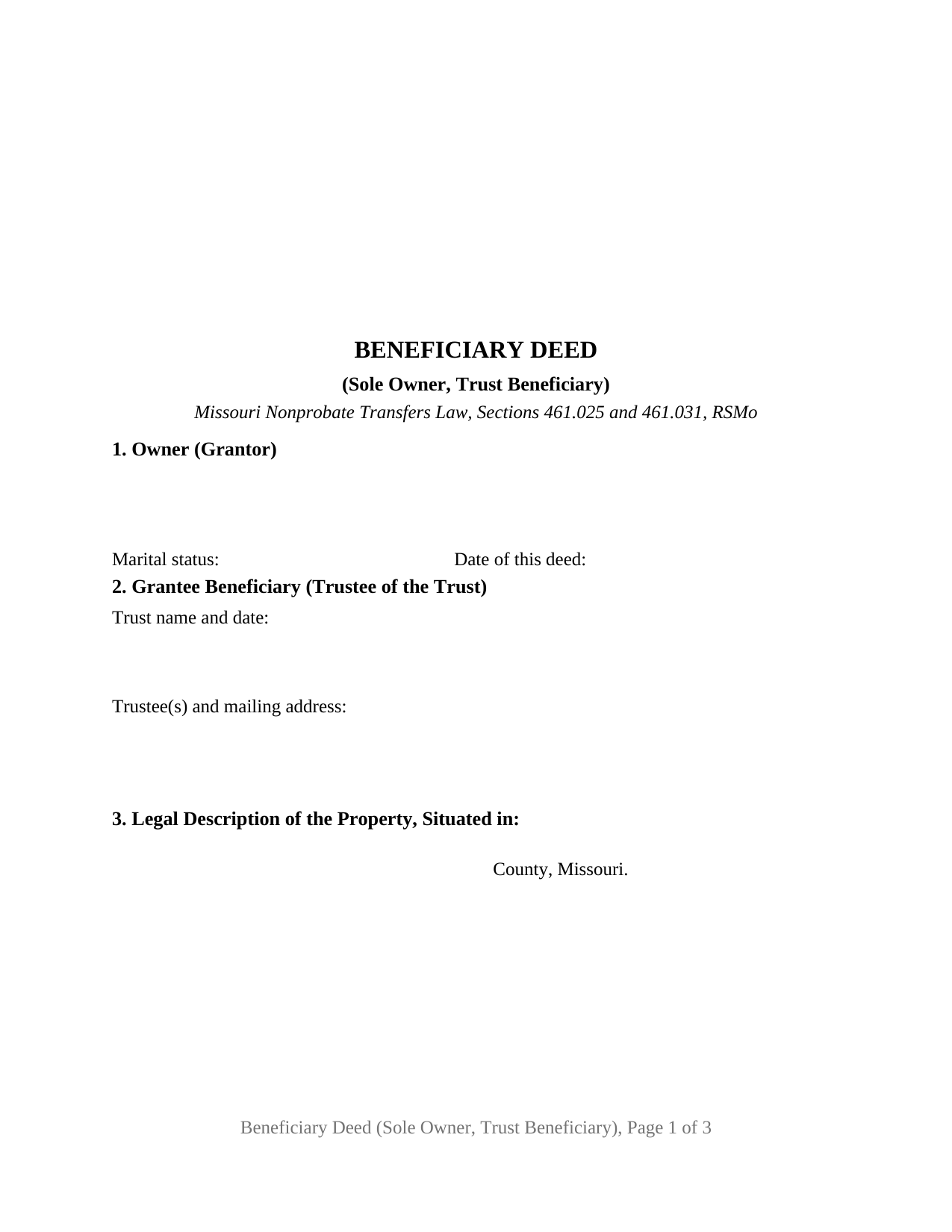
Cedar County Beneficiary Deed (Sole Owner, Trust Beneficiary) Form
Fill in the blank Beneficiary Deed (Sole Owner, Trust Beneficiary) form formatted to comply with all Missouri recording and content requirements.
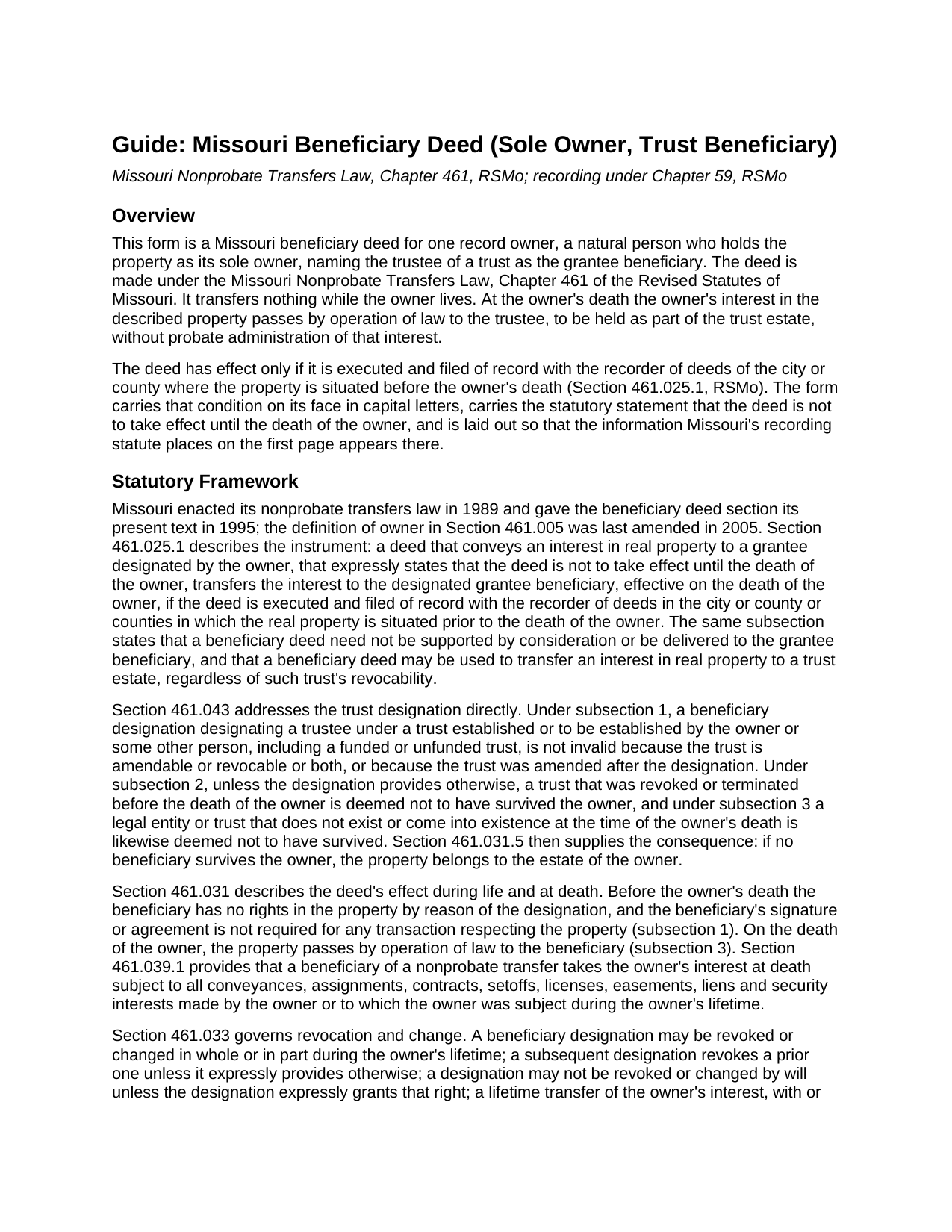
Cedar County Beneficiary Deed (Sole Owner, Trust Beneficiary) Guide
Line by line guide explaining every blank on the Beneficiary Deed (Sole Owner, Trust Beneficiary) form.
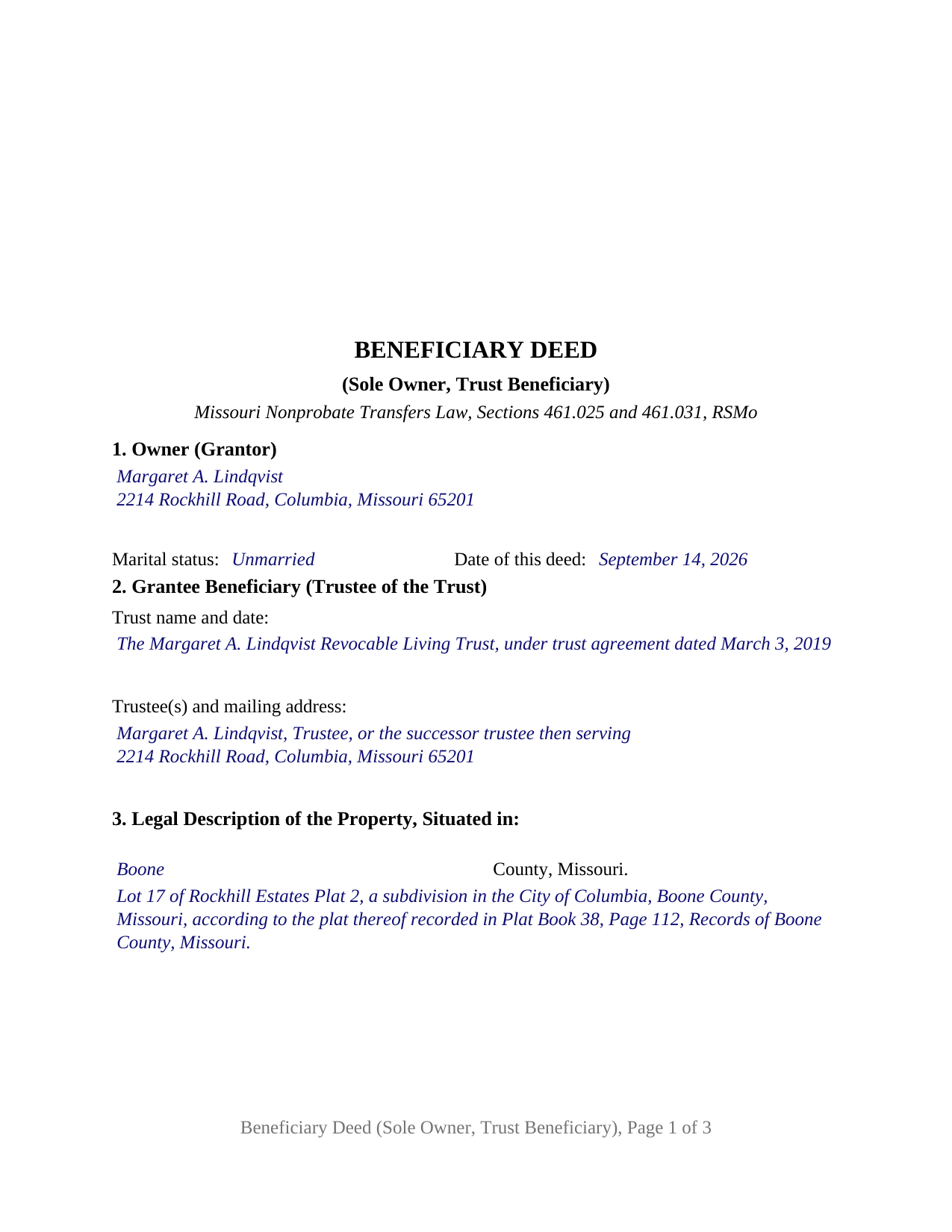
Cedar County Completed Example of the Beneficiary Deed (Sole Owner, Trust Beneficiary) Document
Example of a properly completed Missouri Beneficiary Deed (Sole Owner, Trust Beneficiary) document for reference.
All 3 documents above included • One-time purchase • No recurring fees
Immediate Download • Secure Checkout
Additional Missouri and Cedar County documents included at no extra charge:
Where to Record Your Documents
Cedar County Recorder of Deeds
Stockton, Missouri 65785
Hours: 8:00 to 4:00 Monday through Friday
Phone: (417) 276-6700 Ext. 246 & 247
Recording Tips for Cedar County:
- Bring your driver's license or state-issued photo ID
- Ensure all signatures are in blue or black ink
- Check margin requirements - usually 1-2 inches at top
- Leave recording info boxes blank - the office fills these
- Make copies of your documents before recording - keep originals safe
Cities and Jurisdictions in Cedar County
Properties in any of these areas use Cedar County forms:
- Caplinger Mills
- El Dorado Springs
- Jerico Springs
- Stockton
Hours, fees, requirements, and more for Cedar County
How do I get my forms?
Forms are available for immediate download after payment. The Cedar County forms will be in your account ready to download to your computer. An account is created for you during checkout if you don't have one. Forms are NOT emailed.
Are these forms guaranteed to be recordable in Cedar County?
Yes. Our form blanks are guaranteed to meet or exceed the applicable formatting requirements used for recording in Cedar County, including margin requirements, font requirements, and other layout standards. This guarantee applies to formatting, not to the legal sufficiency of information entered by the user or the suitability of a form for a particular transaction.
Can I reuse these forms?
Yes. You can reuse the forms for your personal use. For example, if you have multiple properties in Cedar County you only need to order once.
What do I need to use these forms?
The forms are PDFs that you fill out on your computer. The free Adobe Acrobat Reader is recommended, and most PDF apps also work. You do NOT enter your property information online - you download the blank forms and complete them privately on your own computer.
Are there any recurring fees?
No. This is a one-time purchase. Nothing to cancel, no memberships, no recurring fees.
How much does it cost to record in Cedar County?
Recording fees in Cedar County vary. Contact the recorder's office at (417) 276-6700 Ext. 246 & 247 for current fees.
Questions answered? Let's get started!
A Missouri beneficiary deed usually names a person. This one names a trustee. The form prepares a beneficiary deed for a single record owner of Missouri real estate who designates the trustee of a trust as the grantee beneficiary, so that at the owner's death the property passes by operation of law into the trust estate and is administered under the trust instrument rather than through probate. One owner signs, one acknowledgment certificate follows, and the trust is identified by name, date, and trustee on the first recorded page.
Why a trust can be the grantee beneficiary
Section 461.025.1 of the Revised Statutes of Missouri says it in one sentence: a beneficiary deed may be used to transfer an interest in real property to a trust estate, regardless of such trust's revocability. Section 461.043 then removes the objections a title examiner might otherwise raise. A designation of a trustee under a trust established or to be established by the owner or some other person, funded or unfunded, is not invalid because the trust is amendable or revocable, or because the trust was amended after the deed was signed. The form is drafted on that statutory path: the owner keeps title during life, and the property joins a revocable living trust, or any other trust, at death without a lifetime retitling.
The same section states the two conditions that attach to a trust designation. Unless the deed provides otherwise, a trust that was revoked or terminated before the owner's death is deemed not to have survived the owner, and a trust that does not exist at the owner's death is treated the same way; under Section 461.031.5 the property then belongs to the owner's estate. The guide describes those defaults with their citations, because a trust that is later dissolved is the one way this designation fails quietly.
Nothing moves until the owner dies
The deed changes nothing during the owner's life. Under Section 461.031.1 the trustee has no rights in the property by reason of the designation, and the trustee's signature is not required for any sale, mortgage, or lease the owner later makes. The owner may revoke or change the designation at any time under Section 461.033, a later beneficiary deed revokes an earlier one unless it says otherwise, and a lifetime conveyance of the property terminates the designation. A will does not revoke it. At death, Section 461.031.3 passes the owner's interest to the trustee by operation of law, subject under Section 461.039.1 to every lien, easement, and other matter of record the owner was subject to, and subject to the creditor accounting that Section 461.300 permits within eighteen months after death.
Recorded before death, or it transfers nothing
Missouri ties the deed's effect to the county records. Section 461.025.1 makes the deed operate only if it is executed and filed of record with the recorder of deeds of the city or county where the land lies before the owner's death. The form carries that condition on its face in capital letters, directly under the statutory statement that the deed is not to take effect until the death of the owner. No consideration is required and the deed need not be delivered to the trustee, which the form also recites, since several Missouri counties ask the grantee's representative to report consideration on an assessor's certificate of value filed with the deed.
Built for Missouri's first-page rule
Section 59.310.2 requires the title, the date of the document, the grantor's name and marital status, the grantee's name, any statutory address, and the legal description to appear on the first page of a recorded document below the three inch recording margin. The form is laid out to that inventory at 12 point type, well over the 8 point statutory minimum: the owner block with its marital status and date entries, the trust block with the trustee's mailing address that Section 59.330.2 requires, and a six-line legal description box all sit on recorded page one, and the return and preparer blocks follow the certificate on the last page. The acknowledgment certificate carries the Section 442.210 short form for a natural person acting in that person's own right, and the designation line Section 442.145.2 requires the officer to complete, stating whether the owner appeared by physical presence or by communication technology.
The sole owner, trust beneficiary configuration
The form recites exactly one record owner, a natural person signing in the owner's own right as the sole owner of the described property, and exactly one grantee beneficiary, the trustee of a trust identified by the trust's name and date and the trustee then serving. The owner's marital status is a factual entry rather than fixed text, because Section 442.130.2 calls for the statement from every natural person who executes a Missouri conveyance and this configuration fixes nothing about marriage; the guide describes the Missouri homestead and marital rights statutes that bear on a married owner who holds title alone. An owner funding a revocable living trust at death, a parent whose trust for children is administered by another family member as trustee, and an owner naming a bank or trust company as trustee all present the pattern this deed recites. The form is not set up for two record owners, for individual or entity beneficiaries, for an owner who is itself a trustee or entity, or for an owner signing through an attorney in fact; each of those follows a different pattern.
The package includes the fillable beneficiary deed, a completed example filled in for a realistic Boone County fact pattern, and the guide that walks through every numbered section, the signing and notarization rules, and recording in Missouri. This description and the guide describe the form and the governing statutes in general terms; they are not legal advice.
Important: Your property must be located in Cedar County to use these forms. Documents should be recorded at the county or independent city recording office listed above.
This Beneficiary Deed (Sole Owner, Trust Beneficiary) meets all recording requirements specific to Cedar County.
Our Promise
The documents you receive here are guaranteed to meet or exceed the applicable Cedar County recording format requirements. If there is a rejection caused by our formatting, we will correct the issue or refund your payment. This guarantee applies to document formatting only and does not extend to information entered by the user, the selection of the form, or the legal effect of the completed document.
Save Time and Money
Get your Cedar County Beneficiary Deed (Sole Owner, Trust Beneficiary) form done right the first time with Deeds.com Uniform Conveyancing Blanks. At Deeds.com, we understand that your time and money are valuable resources, and we don't want you to face a penalty fee or rejection imposed by a county recorder for submitting nonstandard documents. We constantly review and update our forms to meet rapidly changing state and county recording requirements for roughly 3,500 counties and local jurisdictions.
4.8 out of 5 - ( 4,849 Reviews )
Susan N. 5 out of 5 stars
Hope to get form printed out Ok.
Thank you!
Steven M. 5 out of 5 stars
Happy with your service. Everything as advertised.
Your feedback is greatly appreciated. Thank you for taking the time to share your experience!
Tim T. 5 out of 5 stars
Straightforward and handy. Spacing of the spaces I filled out was not pretty, but it all worked.
We are motivated by your feedback to continue delivering excellence. Thank you!
Linda M L. 3 out of 5 stars
Easy to use, documents look good, but pretty expensive.
Thank you for your feedback. We really appreciate it. Have a great day!
Sherry A L. 5 out of 5 stars
fAST AND REASONABLE.. WOULD DO IT AGAIN IF I NEED TO. THANK YOU
Thank you!
Andrew S. 5 out of 5 stars
This is fast and easy.
We appreciate your business and value your feedback. Thank you. Have a wonderful day!
Michael A. 5 out of 5 stars
Pleasant experiences. Look forward to future contacts
Thank you!
Magdy G. 5 out of 5 stars
Very fast and efficient service. Everything was done online. Did not need any help.
Thank you!
Rohini L. 5 out of 5 stars
This is the first time I am filling out a legal form downloaded from a website. Throughly impressed with the detailed explanation along with sample forms to help a novice like me to fill out the actual form. I will remember to go to your site if I need in the future and have already recommended your site to others. Thanks for an excellent job.
Your feedback is valuable to us and helps us improve. Thank you for sharing your thoughts!
DONALD S. 5 out of 5 stars
Using the Administrators Deed, pay attention to "Exhibit A". The blank will allow you to type a full legal description BUT it will not save it. Use "Exhibit A" to type the legal description. The form was great and I filed it this morning with no problems.
Thank you for your feedback. We really appreciate it. Have a great day!
Keith R. 5 out of 5 stars
Great! Love the platform. Very helpful!!
Thank you!
Theresa B. 4 out of 5 stars
Will review after I attempt to complete. I like your site. Im very nervous to try this Hope not outdated information. Will let you know if filing goes okay.
Thank you!
Shannon D. 5 out of 5 stars
Extremely easy site to use. We had our document e-recorded the same day and we didn't have to make a trip downtow!
Thank you!
Monty H. 5 out of 5 stars
Perfection. The filled-out form was especially helpful and I appreciate not having to share personal/financial information over the Internet, as required by so many other legal form service providers.
We appreciate your business and value your feedback. Thank you. Have a wonderful day!
Barbara S. 5 out of 5 stars
I had an issue due to the fact that I had many beneficiaries. I was and still am not sure how to handle this. We do have Adobe Pro and can modify the form, if needed. But I would like to talk to your organization for more information.
While we are unable to assist you specifically with completing the document we can note that this is addressed in the guide. Information that does not fit in the available space should be included in an exhibit page.