Jackson County Easement Deed Form
Last validated October 13, 2026 by our Forms Development TeamFormatted for recording in Jackson County, for property anywhere in the county or independent city: rural and unincorporated areas as well as Blue Springs, Buckner, Grain Valley, Grandview, Greenwood, Independence, Kansas City, Lees Summit and 4 more.
- 4 documents included
- Immediate PDF download
- Formatting guarantee
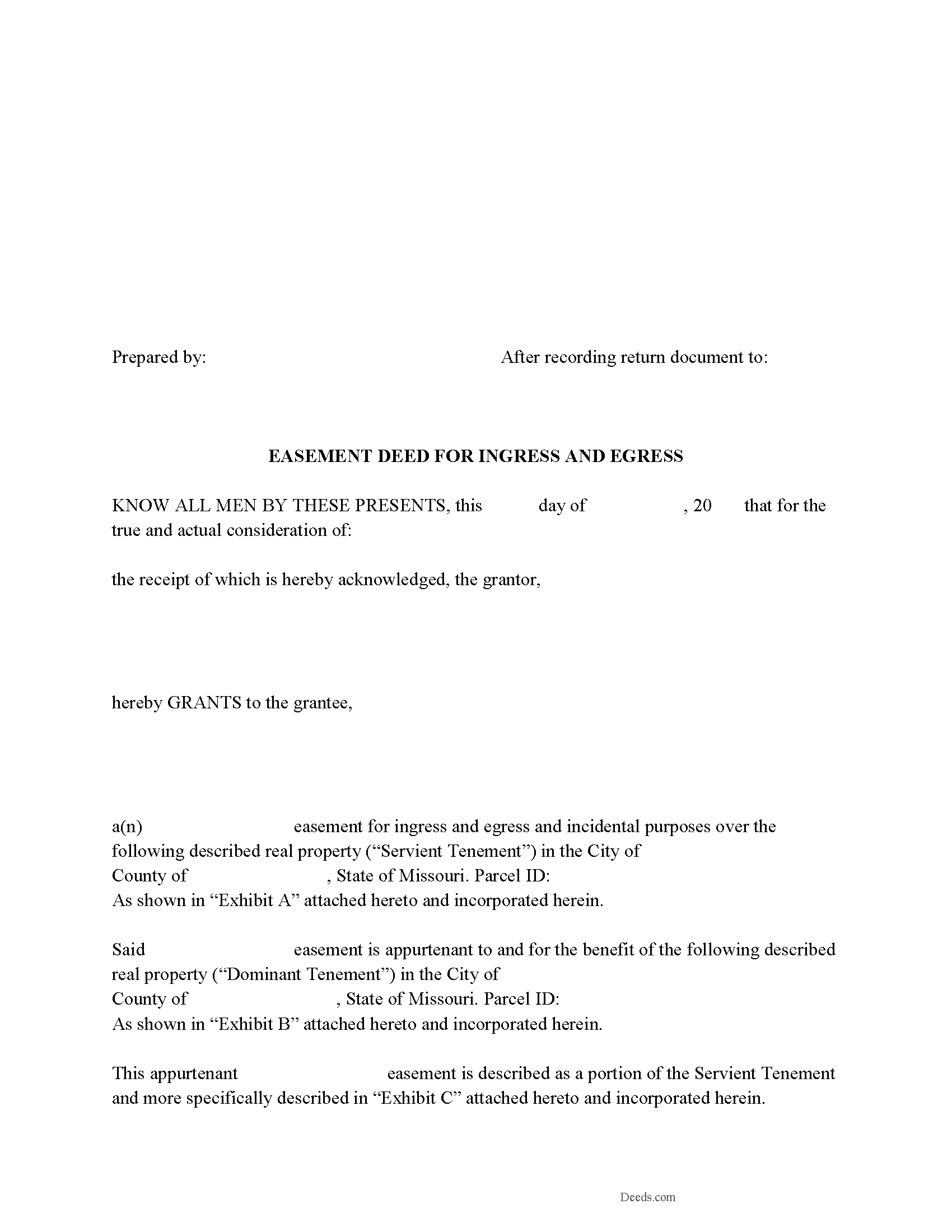
Jackson County Easement Deed Form
Fill in the blank form formatted to comply with all recording and content requirements.
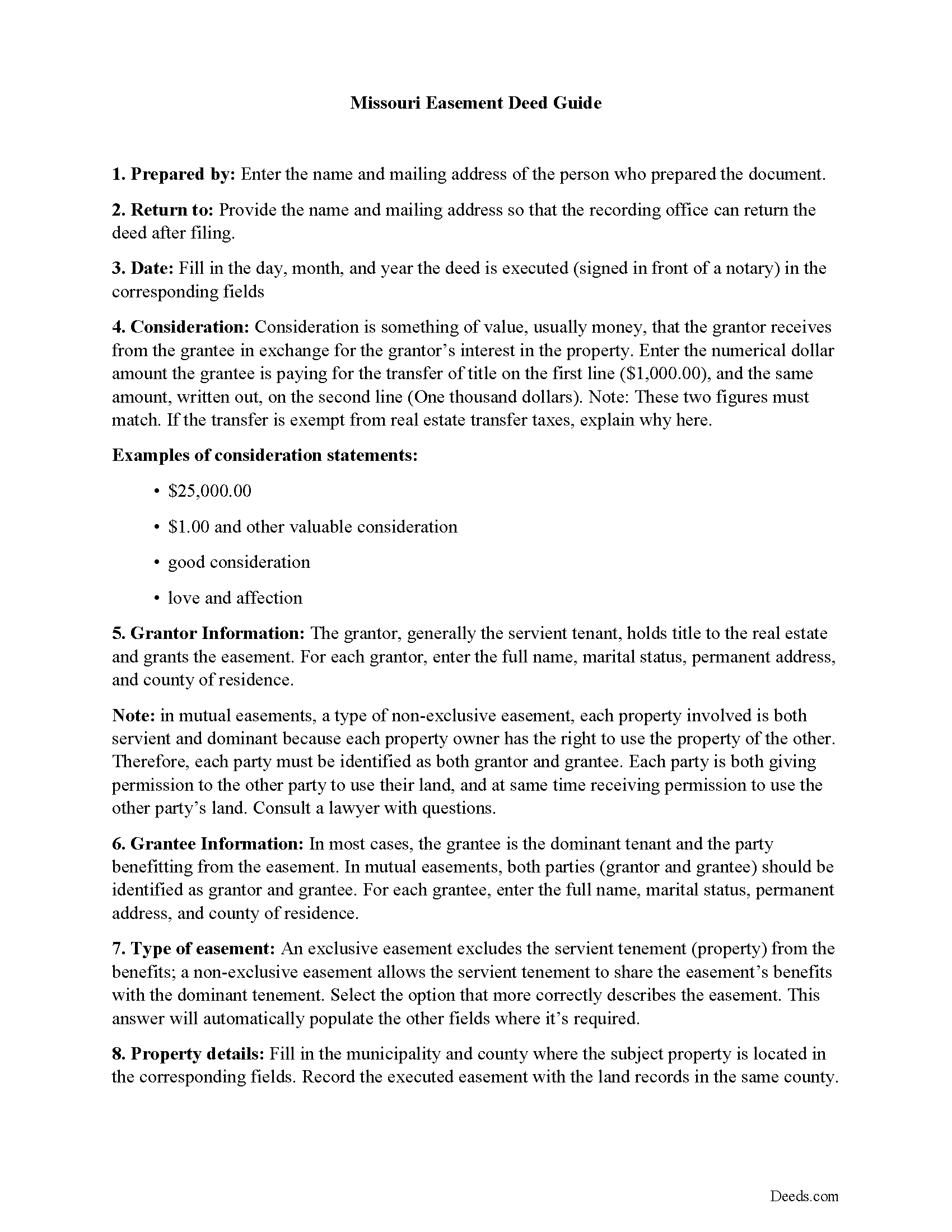
Jackson County Easement Deed Guide
Line by line guide explaining every blank on the form.
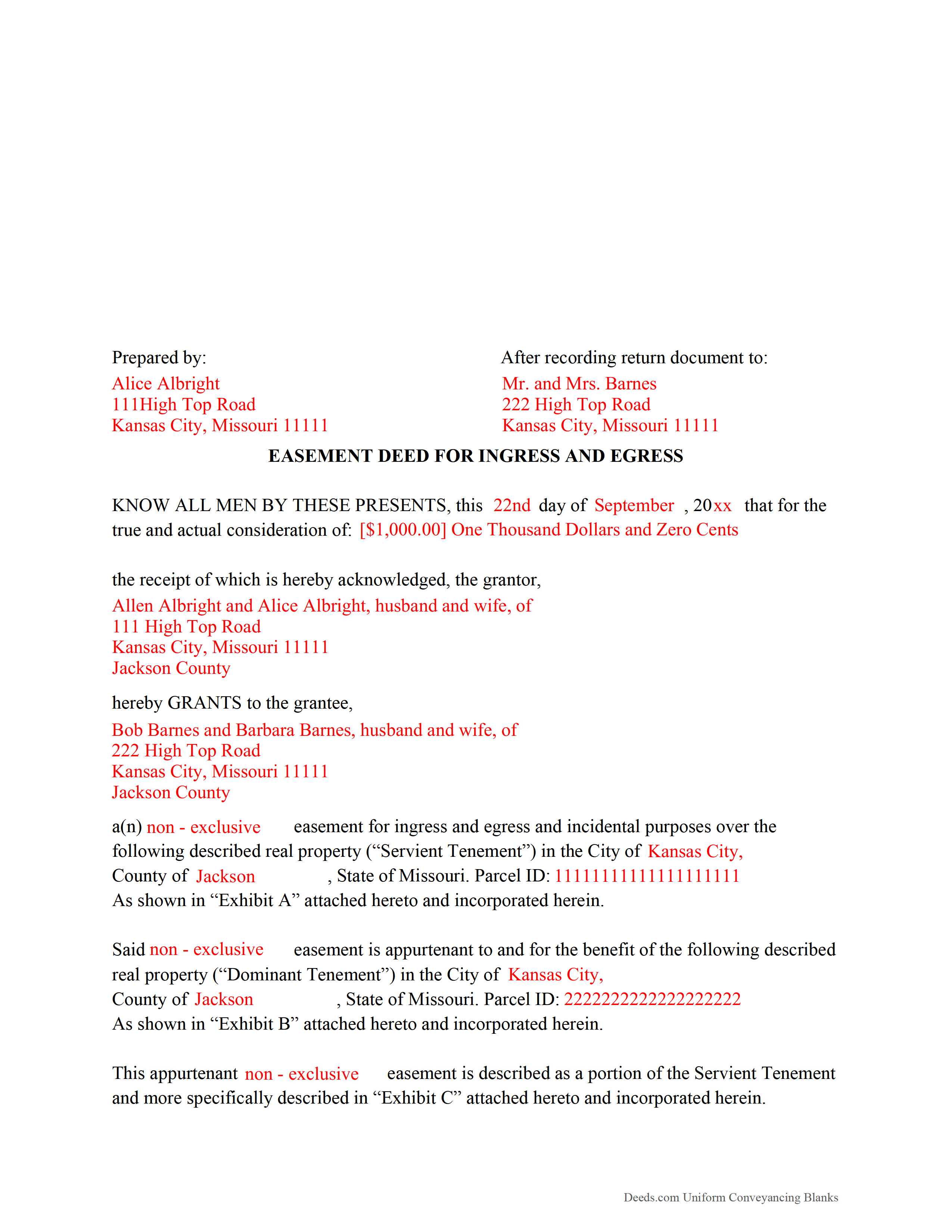
Jackson County Completed Example of the Easement Deed Document
Example of a properly completed form for reference.
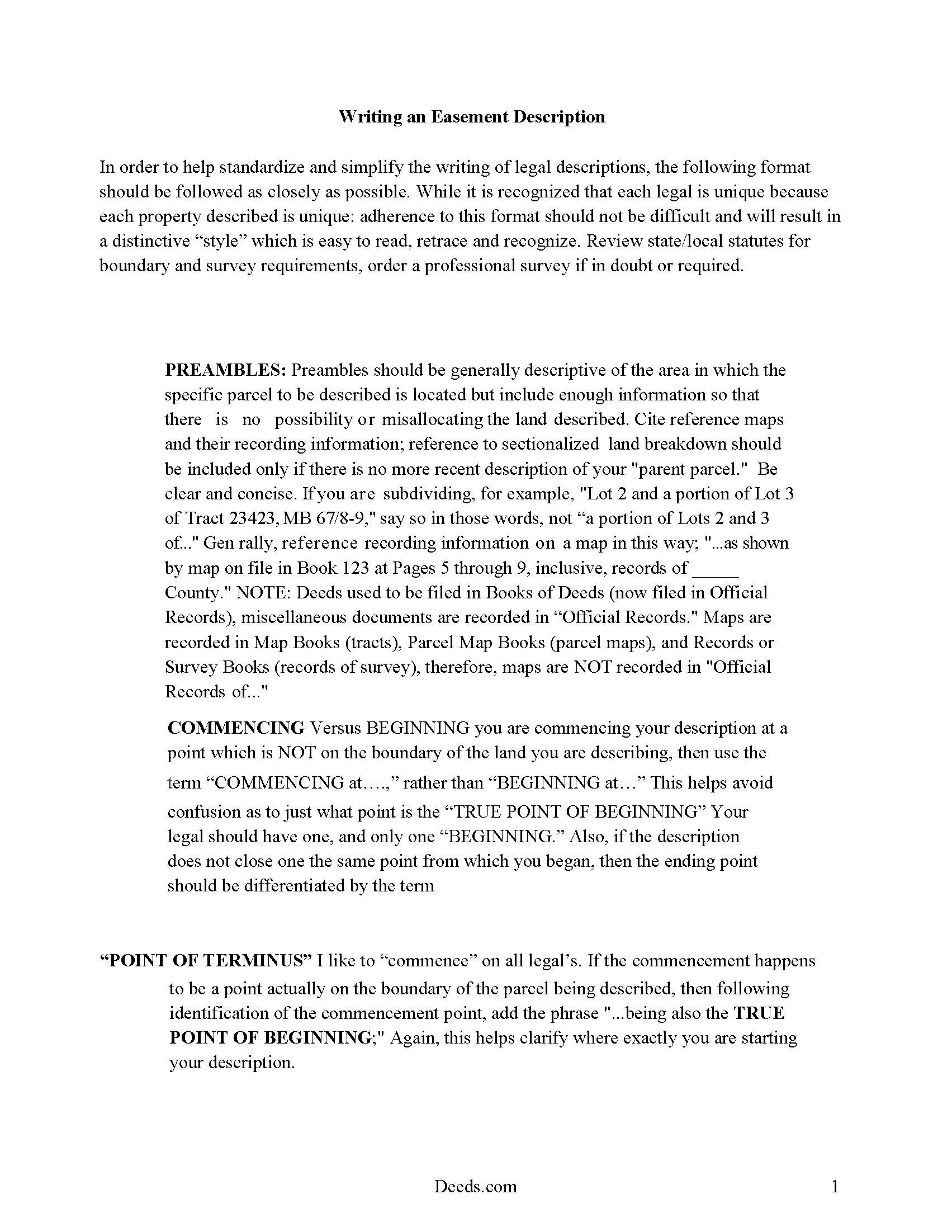
Jackson County Guide to Writing an Easement Description
A Description of the Easement will be required. This will show how to write an acceptable description for a Right of Way Easement, which gives access, to and from - point A to point B.
All 4 documents above included • One-time purchase • No recurring fees
Immediate Download • Secure Checkout
Additional Missouri and Jackson County documents included at no extra charge:
Where to Record Your Documents
Jackson County Recorder of Deeds
Kansas City, Missouri 64106
Hours: 8:00am - 5:00pm Monday through Friday
Phone: (816) 881-3191
Recorder of Deeds Department (use for all mail)
Independence, Missouri 64050
Hours: 8:00am - 5:00pm Monday through Friday
Phone: (816) 881-4483
Recording Tips for Jackson County:
- Bring your driver's license or state-issued photo ID
- Ensure all signatures are in blue or black ink
- Check margin requirements - usually 1-2 inches at top
- Leave recording info boxes blank - the office fills these
- Make copies of your documents before recording - keep originals safe
Cities and Jurisdictions in Jackson County
Properties in any of these areas use Jackson County forms:
- Blue Springs
- Buckner
- Grain Valley
- Grandview
- Greenwood
- Independence
- Kansas City
- Lees Summit
- Levasy
- Lone Jack
- Oak Grove
- Sibley
Hours, fees, requirements, and more for Jackson County
How do I get my forms?
Forms are available for immediate download after payment. The Jackson County forms will be in your account ready to download to your computer. An account is created for you during checkout if you don't have one. Forms are NOT emailed.
Are these forms guaranteed to be recordable in Jackson County?
Yes. Our form blanks are guaranteed to meet or exceed the applicable formatting requirements used for recording in Jackson County, including margin requirements, font requirements, and other layout standards. This guarantee applies to formatting, not to the legal sufficiency of information entered by the user or the suitability of a form for a particular transaction.
Can I reuse these forms?
Yes. You can reuse the forms for your personal use. For example, if you have multiple properties in Jackson County you only need to order once.
What do I need to use these forms?
The forms are PDFs that you fill out on your computer. The free Adobe Acrobat Reader is recommended, and most PDF apps also work. You do NOT enter your property information online - you download the blank forms and complete them privately on your own computer.
Are there any recurring fees?
No. This is a one-time purchase. Nothing to cancel, no memberships, no recurring fees.
How much does it cost to record in Jackson County?
Recording fees in Jackson County vary. Contact the recorder's office at (816) 881-3191 for current fees.
Questions answered? Let's get started!
An easement is the right to use another person's real property for a specific purpose. This is a property interest, but is non-ownership and non-possessory. An easement can be created to benefit a dominant estate and run with the land, or it can benefit an individual or legal entity. Easements are affirmative or negative in nature. The rights created by an easement are contained in an easement deed, which should specify the terms and duration of the agreement.
An easement obtained for the purpose of construction, reconstruction, acquisition, or remodeling of a solar energy devise is required to be created in writing and is subject to the same conveyancing and recording requirements as other easements in this state. This type of easement is considered to be negative and cannot be acquired by prescription (442.012). Conservation easements are also created, assigned, conveyed, recorded, released, modified, terminated, or otherwise altered in the same manner as other easements (442.014). Conservation easements are not appurtenant to an interest in real property.
In order to be eligible for recording, an easement deed should be signed by the party granting the easement and should also be acknowledged or proved and certified in the manner prescribed by Missouri Statutes. Easement deeds that are recorded in St. Louis City should be signed by all parties. If an easement deed is acknowledged or proved in the state of Missouri, the proof or acknowledgment can be taken before a court, judge, justice or clerk of a court having seal, or by a notary public. Acknowledgments or proof taken outside Missouri but within the United States can be taken before any of the officers listed in 442.150 of the Missouri Revised Statutes (442.150). A certificate of acknowledgment or proof should be endorsed on the deed by the officer taking such acknowledgment or proof (442.180).
An easement deed whereby real estate is affected, in law or in equity, that has been duly proved or acknowledged and certified in the manner prescribed by statute should be recorded in the office of the county recorder in the county where the real estate is located (442.380). After the easement deed is filed for record, it will serve as notice to all persons of the content thereof, and all subsequent purchasers and mortgagees are deemed, in law and in equity, to purchase with notice (442.390).
(Missouri ED Package includes form, guidelines, and completed example)
Important: Your property must be located in Jackson County to use these forms. Documents should be recorded at the county or independent city recording office listed above.
This Easement Deed meets all recording requirements specific to Jackson County.
Our Promise
The documents you receive here are guaranteed to meet or exceed the applicable Jackson County recording format requirements. If there is a rejection caused by our formatting, we will correct the issue or refund your payment. This guarantee applies to document formatting only and does not extend to information entered by the user, the selection of the form, or the legal effect of the completed document.
Save Time and Money
Get your Jackson County Easement Deed form done right the first time with Deeds.com Uniform Conveyancing Blanks. At Deeds.com, we understand that your time and money are valuable resources, and we don't want you to face a penalty fee or rejection imposed by a county recorder for submitting nonstandard documents. We constantly review and update our forms to meet rapidly changing state and county recording requirements for roughly 3,500 counties and local jurisdictions.
4.8 out of 5 - ( 4,845 Reviews )
Betty B. 5 out of 5 stars
So easy and convenient.
Thank you for your feedback. We really appreciate it. Have a great day!
John W. 5 out of 5 stars
Wow, I wish that I would have found Deeds.com before! Great service!
Thank you!
tim r. 5 out of 5 stars
easy sight and extra forms that I can use any time
We appreciate your business and value your feedback. Thank you. Have a wonderful day!
chris m. 5 out of 5 stars
Was warned by attorney that forms from internet have lots of mistakes. But after looking all over, took a chance on here. So far, I am satisfied, and actually happy that I got something that (I believe) meets my state and local requirements. Haven't filed the deed yet, or had to put it into effect, but being able to pick the local area, and have the relevant state law listed on the deed, gives me confidence. Also, got the whole package of possibly relevant forms, and a very good guide how to prep the deed with a sample completed deed - greatly appreciated!
We appreciate your business and value your feedback. Thank you. Have a wonderful day!
Albo A. 5 out of 5 stars
Deeds.com was fast and easy to file documents
Thank you!
Rebecca M. 5 out of 5 stars
I found the process of uploading documentation / deeds simple and easy. Will use this service again!
Thank you for your positive words! We’re thrilled to hear about your experience.
Tracy B. 5 out of 5 stars
I was happy with the way this worked and the quick responses. Unfortunately, my documents could not be pulled. I will use this service again in the future.
Thank you for your feedback. We really appreciate it. Have a great day!
Vita L. 5 out of 5 stars
A coworker recommended this service to me and I was hesitant to try it. Turned out to be a life saver, they filed my document in 24 hours. No standing in line and no confusing government websites to navigate.
Thank you!
Luz G. 5 out of 5 stars
very user friendly
Thank you for taking a moment to share your thoughts.
Angela B. 5 out of 5 stars
Great forms! Quick, easy, and to the point. The completed document, when printed out, looks really professional.
We appreciate your business and value your feedback. Thank you. Have a wonderful day!
Donna J. 3 out of 5 stars
Doesn't have samples pertaining to me. Still searching for correct wording forGRANTORS (plural) so its legally written.
Thank you for your feedback. We really appreciate it. Have a great day!
John W. 5 out of 5 stars
I wish that I had known about Deed.com years ago! Very easy and time saving!
Thank you!
Phillip B. 5 out of 5 stars
Nice. Quick and very easy to find and download the exact forms I needed.
Thank you for your feedback. We really appreciate it. Have a great day!
Cindy A. 5 out of 5 stars
Easy to understand and use. However, need to add line for phone number for preparer - Thanks
Thank you for your feedback. We really appreciate it. Have a great day!
Chastity S. 1 out of 5 stars
Very confusing and a waste of money, Now I will have to pay for another service from another site. Very disappointed.
Thank you for your feedback. Sorry to hear about your disappointment. It is certainly a good idea to seek a more full service route if you are not completely sure of what you are doing. We have canceled your order and payment.