Jefferson County Quitclaim Deed (Corporation Grantor) Form
Last validated October 2, 2026 by our Forms Development TeamFormatted for recording in Jefferson County, for property anywhere in the county or independent city: rural and unincorporated areas as well as Arnold, Barnhart, Cedar Hill, Crystal City, De Soto, Dittmer, Festus, Fletcher and 11 more.
- 3 documents included
- Immediate PDF download
- Formatting guarantee
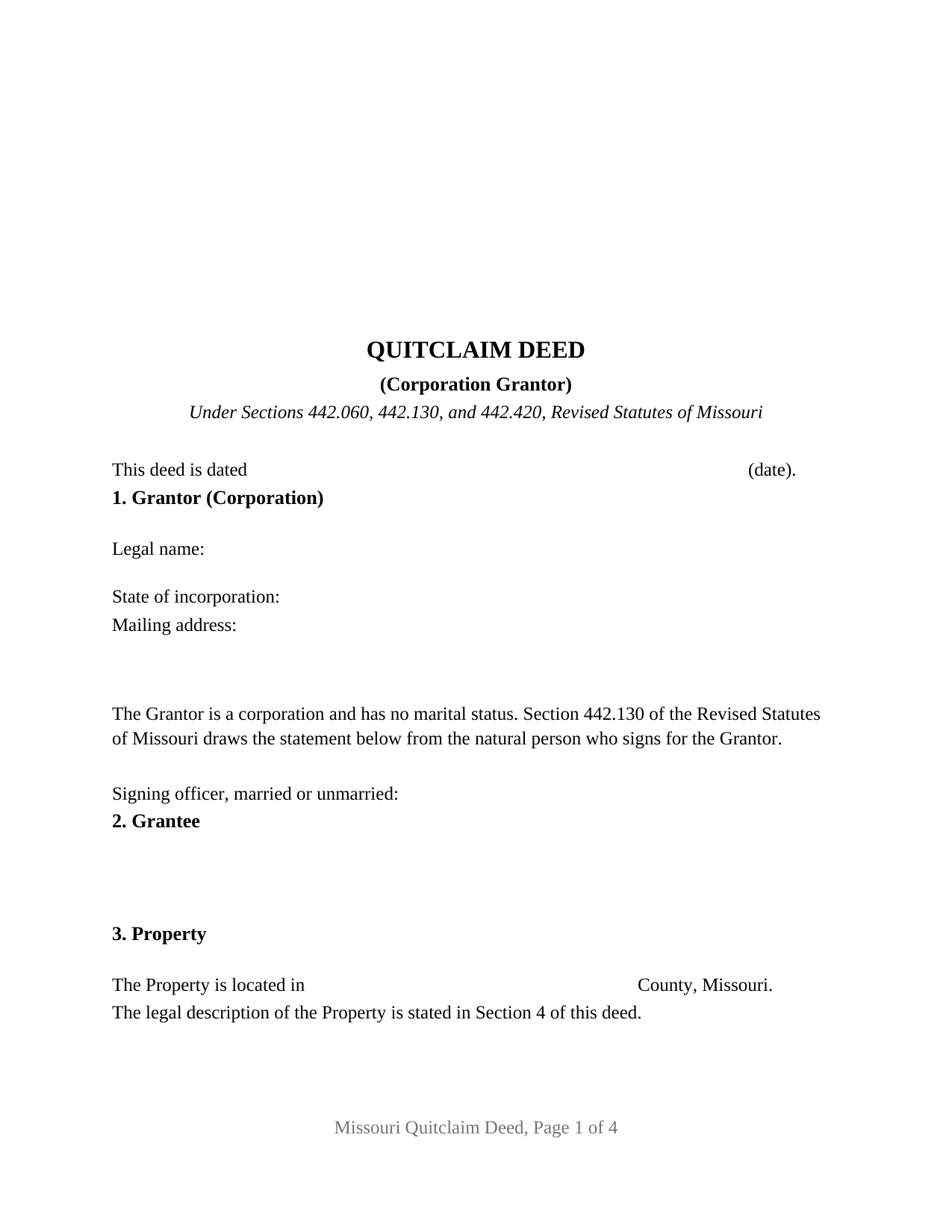
Jefferson County Quitclaim Deed (Corporation Grantor) Form
Fill in the blank Quitclaim Deed (Corporation Grantor) form formatted to comply with all Missouri recording and content requirements.
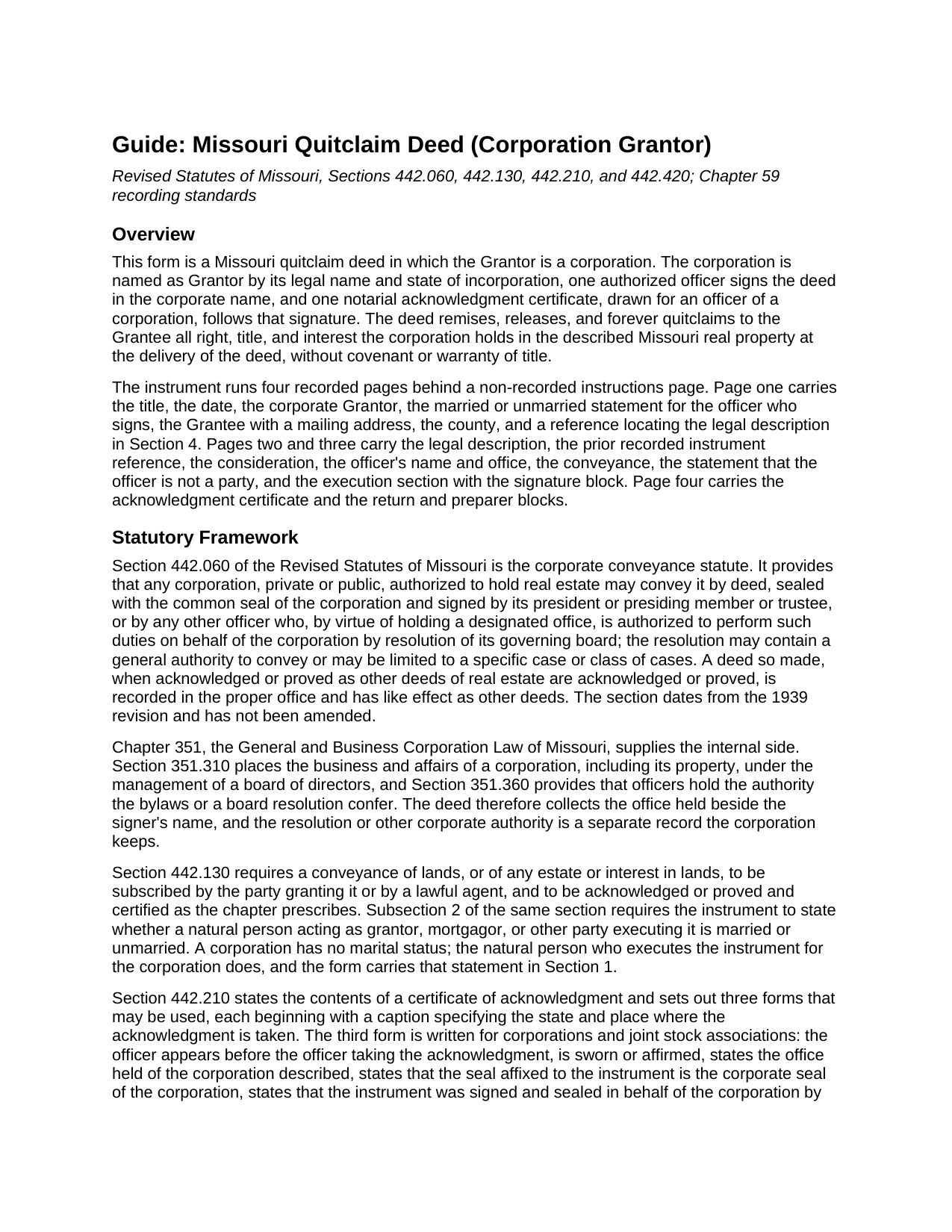
Jefferson County Quitclaim Deed (Corporation Grantor) Guide
Line by line guide explaining every blank on the Quitclaim Deed (Corporation Grantor) form.
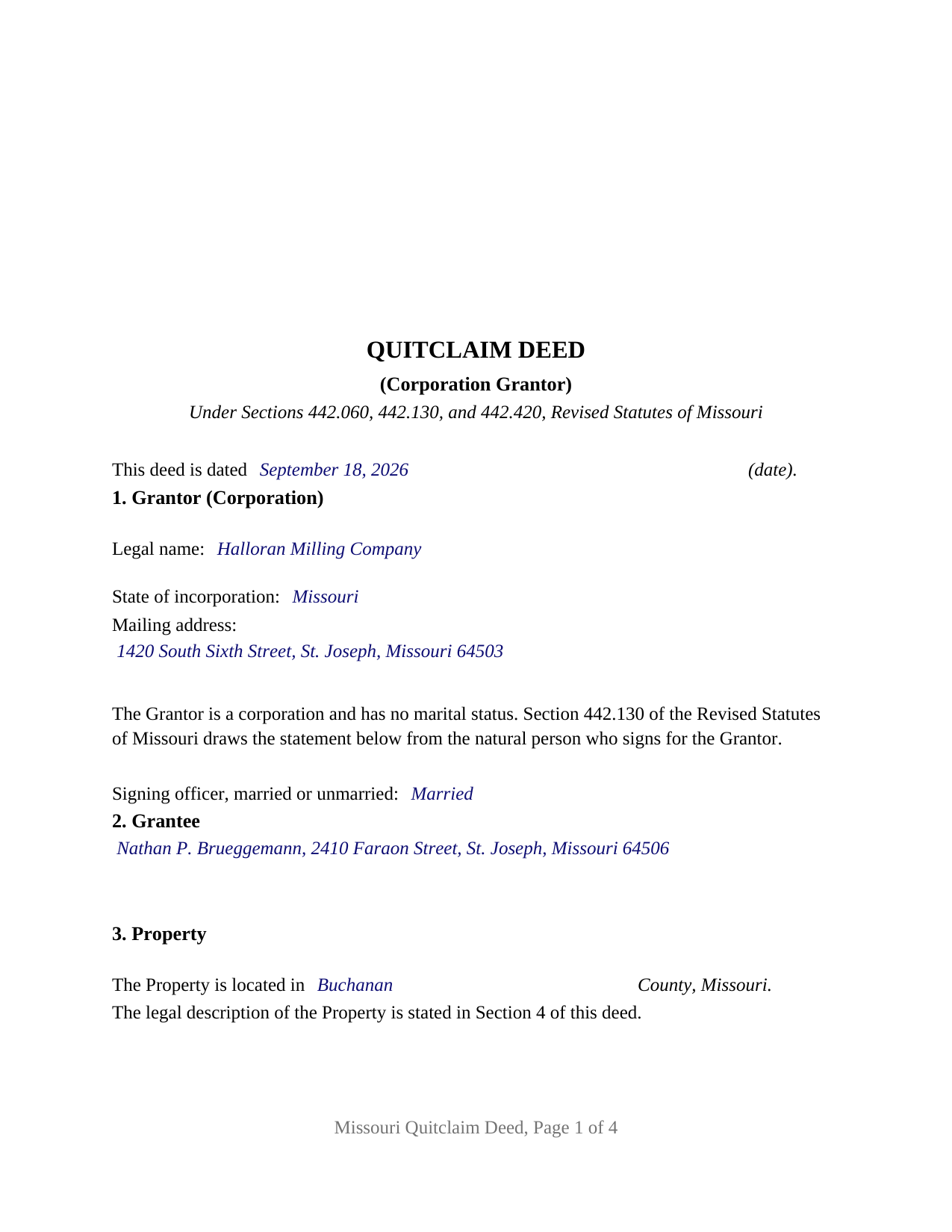
Jefferson County Completed Example of the Quitclaim Deed (Corporation Grantor) Document
Example of a properly completed Missouri Quitclaim Deed (Corporation Grantor) document for reference.
All 3 documents above included • One-time purchase • No recurring fees
Immediate Download • Secure Checkout
Additional Missouri and Jefferson County documents included at no extra charge:
Where to Record Your Documents
Jefferson County Recorder of Deeds
Hillsboro, Missouri 63050-0100
Hours: 8:00am to 5:00pm M-F
Phone: (636) 797-5414
Recording Tips for Jefferson County:
- Bring your driver's license or state-issued photo ID
- Ensure all signatures are in blue or black ink
- Leave recording info boxes blank - the office fills these
- Make copies of your documents before recording - keep originals safe
- Recorded documents become public record - avoid including SSNs
Cities and Jurisdictions in Jefferson County
Properties in any of these areas use Jefferson County forms:
- Arnold
- Barnhart
- Cedar Hill
- Crystal City
- De Soto
- Dittmer
- Festus
- Fletcher
- Hematite
- Herculaneum
- High Ridge
- Hillsboro
- House Springs
- Imperial
- Kimmswick
- Liguori
- Mapaville
- Morse Mill
- Pevely
Hours, fees, requirements, and more for Jefferson County
How do I get my forms?
Forms are available for immediate download after payment. The Jefferson County forms will be in your account ready to download to your computer. An account is created for you during checkout if you don't have one. Forms are NOT emailed.
Are these forms guaranteed to be recordable in Jefferson County?
Yes. Our form blanks are guaranteed to meet or exceed the applicable formatting requirements used for recording in Jefferson County, including margin requirements, font requirements, and other layout standards. This guarantee applies to formatting, not to the legal sufficiency of information entered by the user or the suitability of a form for a particular transaction.
Can I reuse these forms?
Yes. You can reuse the forms for your personal use. For example, if you have multiple properties in Jefferson County you only need to order once.
What do I need to use these forms?
The forms are PDFs that you fill out on your computer. The free Adobe Acrobat Reader is recommended, and most PDF apps also work. You do NOT enter your property information online - you download the blank forms and complete them privately on your own computer.
Are there any recurring fees?
No. This is a one-time purchase. Nothing to cancel, no memberships, no recurring fees.
How much does it cost to record in Jefferson County?
Recording fees in Jefferson County vary. Contact the recorder's office at (636) 797-5414 for current fees.
Questions answered? Let's get started!
Missouri's statutory certificate for a corporate deed is a sworn statement, not a plain acknowledgment. The officer signing this Missouri quitclaim deed for the Grantor corporation is sworn or affirmed before the notarial officer and states the office held, the corporate seal or the absence of one, and execution by authority of the board of directors. The deed itself releases whatever interest the corporation holds in the described Missouri real property, without warranty of title.
An office signs, not simply a person
Section 442.060 of the Revised Statutes of Missouri is the provision behind this variant: a corporation authorized to hold real estate may convey it by deed, sealed with the common seal and signed by its president or presiding member or trustee, or by another officer whose office carries that authority by board resolution. Chapter 351 supplies the inside view: Section 351.310 puts corporate property under a board of directors, and Section 351.360 locates officer authority in the bylaws or a board resolution. The office held is therefore deed content, collected beside the signer's name.
The certificate that swears to the seal
Section 442.210 sets out Missouri's acknowledgment forms, and the third is drafted for corporations. The officer appears, is sworn or affirmed, states the office held of the corporation described and that the seal affixed is its corporate seal, and acknowledges the instrument as the free act and deed of the corporation, signed and sealed by authority of its board of directors. Where a corporation keeps no seal, the statute drops the seal clause and has the certificate say so instead. This form prints both paths, and a labeled space under the signature line holds an impression where one exists.
One corporation, one officer, one certificate
Entity identity takes three first page blanks: the legal name with the word corporation, company, incorporated, or limited that Section 351.110 requires, the state under whose law it exists, and a mailing address. A later section names the officer and the office held, one signature line runs in the corporate name above a printed name line, and one certificate follows. A printed line states that the Grantor is a corporation and has no marital status, and a married or unmarried line prints on page one for the individual who signs, since Section 442.130 reaches the natural person executing the instrument. Another states that the officer conveys nothing personally and warrants nothing. This shape appears where a corporation releases a vacated strip to the owner next door or lets go of an interest surviving from a predecessor's chain. The form recites one corporation and one signing officer; a deed from two entities, from a Chapter 347 company, or from an individual carries a different grantor block. A resolution or certificate of corporate authority is a separate document, prepared outside this package.
Quitclaim words, and the covenants they keep out
Section 442.420 attaches limited covenants of title to a fee simple conveyance using the words grant, bargain and sell, unless express terms restrain them. This deed uses different operative words, remises, releases, and forever quitclaims, and prints an express sentence that no covenant or warranty of title arises from any word or phrase in it. What passes is the interest held at delivery, which keeps the after acquired title rule of Section 442.430 out; deeds of trust, judgment liens, easements, and unpaid taxes stay where they were. A quit claim deed, a corporate quitclaim, and a quitclaim form name this instrument.
Page one, and what the recorder does with it
Sections 59.310 and 59.313 hold the top three inches of page one open for the recorder, and the form prints below it what those sections list: title, date, the corporate Grantor, the marital status line, the Grantee with the mailing address Section 59.330.2 requires, and a reference locating the legal description in Section 4. Filing goes to the recorder of deeds where the land lies, or to the City of St. Louis recorder, and from filing the record imparts notice to all persons. No transfer tax attaches, though three jurisdictions collect a certificate of value with the deed, filed apart from it.
Three files come with the purchase: this corporation grantor quitclaim deed as a fillable PDF, a completed Buchanan County example in which a milling corporation quitclaims a vacated alley strip to its neighbor, and a plain language guide to every blank, the corporate execution statutes, and recording. These materials describe Missouri law in general terms and are not legal advice.
Important: Your property must be located in Jefferson County to use these forms. Documents should be recorded at the county or independent city recording office listed above.
This Quitclaim Deed (Corporation Grantor) meets all recording requirements specific to Jefferson County.
Our Promise
The documents you receive here are guaranteed to meet or exceed the applicable Jefferson County recording format requirements. If there is a rejection caused by our formatting, we will correct the issue or refund your payment. This guarantee applies to document formatting only and does not extend to information entered by the user, the selection of the form, or the legal effect of the completed document.
Save Time and Money
Get your Jefferson County Quitclaim Deed (Corporation Grantor) form done right the first time with Deeds.com Uniform Conveyancing Blanks. At Deeds.com, we understand that your time and money are valuable resources, and we don't want you to face a penalty fee or rejection imposed by a county recorder for submitting nonstandard documents. We constantly review and update our forms to meet rapidly changing state and county recording requirements for roughly 3,500 counties and local jurisdictions.
4.8 out of 5 - ( 4,832 Reviews )
Viola G. 4 out of 5 stars
no as easy as anticipated but convenient.
We are grateful for your feedback and looking forward to serving you again. Thank you!
Tina C. 5 out of 5 stars
Quick and easy ordering and download. Appreciated that I could get the form that is used in my county. Would have like to be able to add paragraphs to form.
We appreciate your business and value your feedback. Thank you. Have a wonderful day!
Anthony F. 5 out of 5 stars
quick, easy and simple. Also thank you for having the e-submission area particularly with the Covid-19 /Shelter in place things happening.
Thank you for your feedback. We really appreciate it. Have a great day!
Michelle N. 5 out of 5 stars
Great experience
Thank you Michelle.
Dan B. 5 out of 5 stars
Excellent service even faster then I expected. Very pleased and a reasonable priced document. I encourage people too use Deeds.Com
Thank you for your feedback. We really appreciate it. Have a great day!
Keri C. 5 out of 5 stars
It was confusing at first, but the customer service was excellent and fast and I got everything taken care of right away. I'll use Deeds.com even after the recorder's office is open to the public.
Thank you for your feedback. We really appreciate it. Have a great day!
Rebecca M. 5 out of 5 stars
This was pretty easy to fill out. The directions on all of the forms was very good. This should make life much easier at the County Recorder. Thank you!
We appreciate your business and value your feedback. Thank you. Have a wonderful day!
Robert K. 5 out of 5 stars
This document was exactly what I needed and with the corresponding sample I was easily able to complete it. This saved me a lot of money by not having to hire an attorney to fill out a form. Thank you!
Thank you for your feedback. We really appreciate it. Have a great day!
Lisa W. 5 out of 5 stars
Great E-Service Provider!
Thank you!
Deanie F. 5 out of 5 stars
Very happy with the product and really appreciated being able to get it on line.
Thanks for the kind words Deanie. We appreciate you, glad we could help!
Evelyn T. 5 out of 5 stars
Easy to follow; user friendly.
We appreciate your business and value your feedback. Thank you. Have a wonderful day!
Celeste F. 5 out of 5 stars
Great experience. No hassle. It kept me out of a government office.
Thank you for your feedback. We really appreciate it. Have a great day!
Daniel V. 5 out of 5 stars
Awesome service Recorded a deed within 24hrs and saved my self a 14hr+ journey
Thank you for your feedback. We really appreciate it. Have a great day!
Donna F. 5 out of 5 stars
Straight forward easy to understand completing my document. The guide readily explained filing all portions of the document.
Thank you Donna, we appreciate your feedback.
Suzanne W. 5 out of 5 stars
Excellent service, knowledgeable, and quick responses. I'll be using this service again for any future filing needs. WAY better than going to the filing office in person!
Thank you so much for the kind words Suzanne, glad we could help.