Christian County Quitclaim Deed (Trustee Grantee) Form
Last validated November 2, 2026 by our Forms Development TeamFormatted for recording in Christian County, for property anywhere in the county or independent city: rural and unincorporated areas as well as Billings, Bruner, Chadwick, Chestnutridge, Clever, Garrison, Highlandville, Nixa and 4 more.
- 3 documents included
- Immediate PDF download
- Formatting guarantee
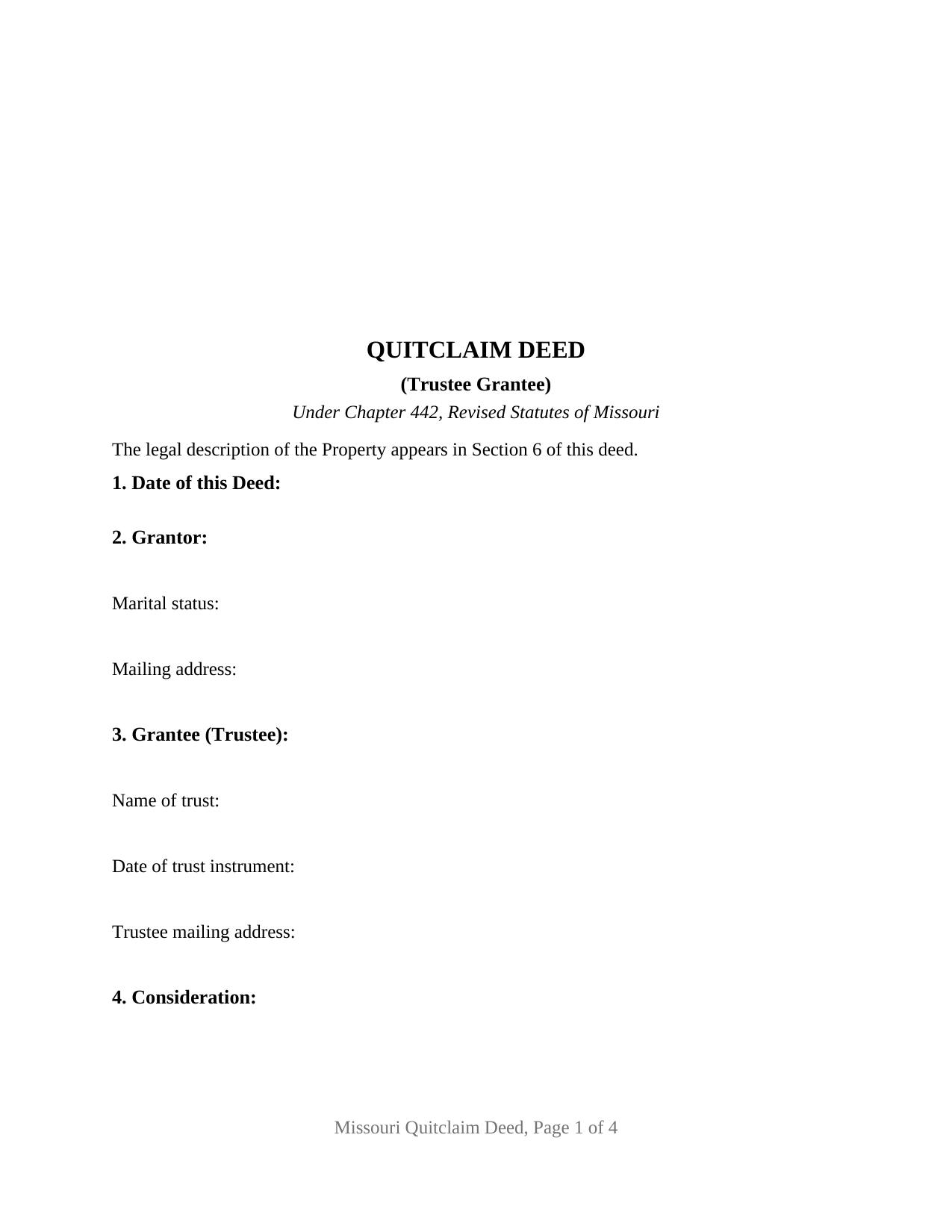
Christian County Quitclaim Deed (Trustee Grantee) Form
Fill in the blank Quitclaim Deed (Trustee Grantee) form formatted to comply with all Missouri recording and content requirements.
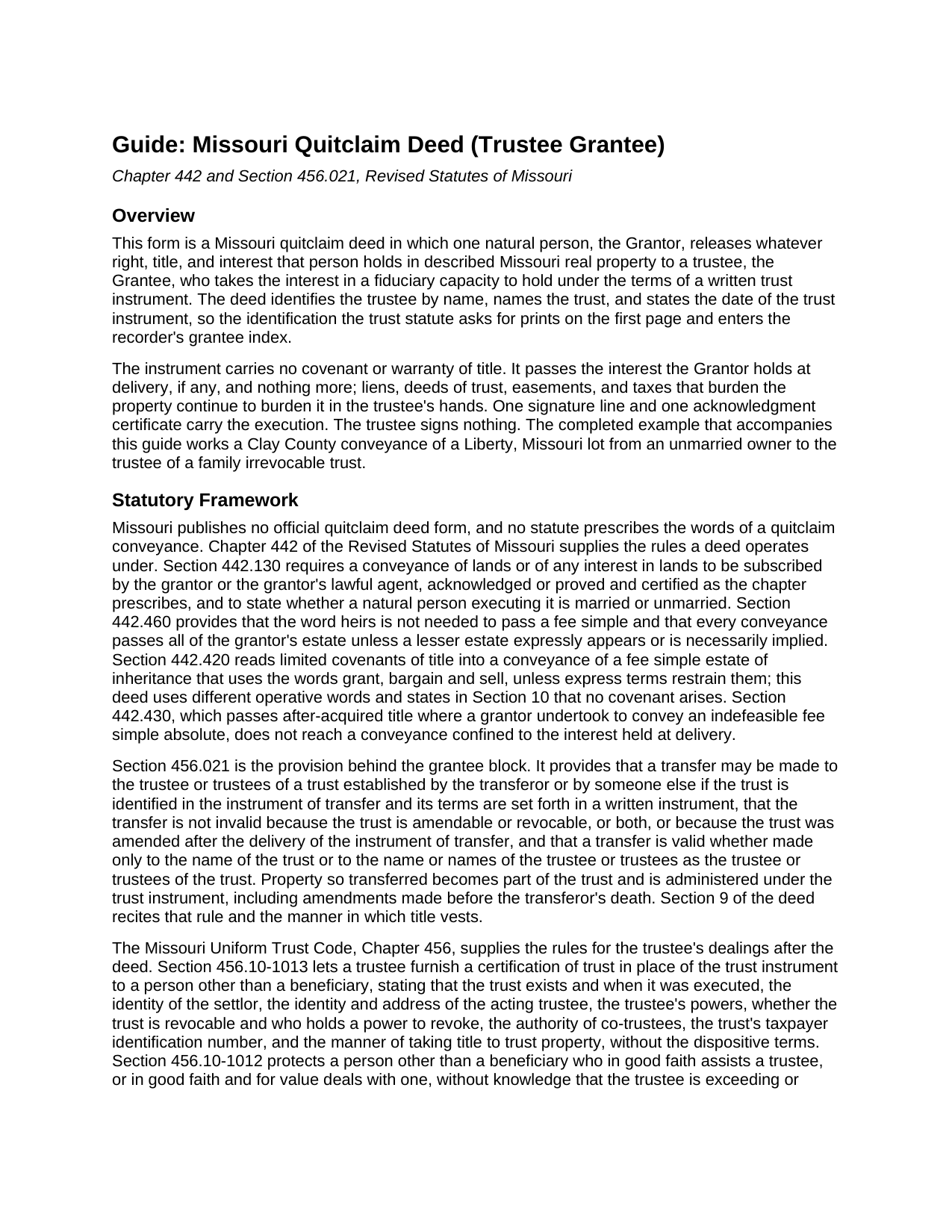
Christian County Quitclaim Deed (Trustee Grantee) Guide
Line by line guide explaining every blank on the Quitclaim Deed (Trustee Grantee) form.
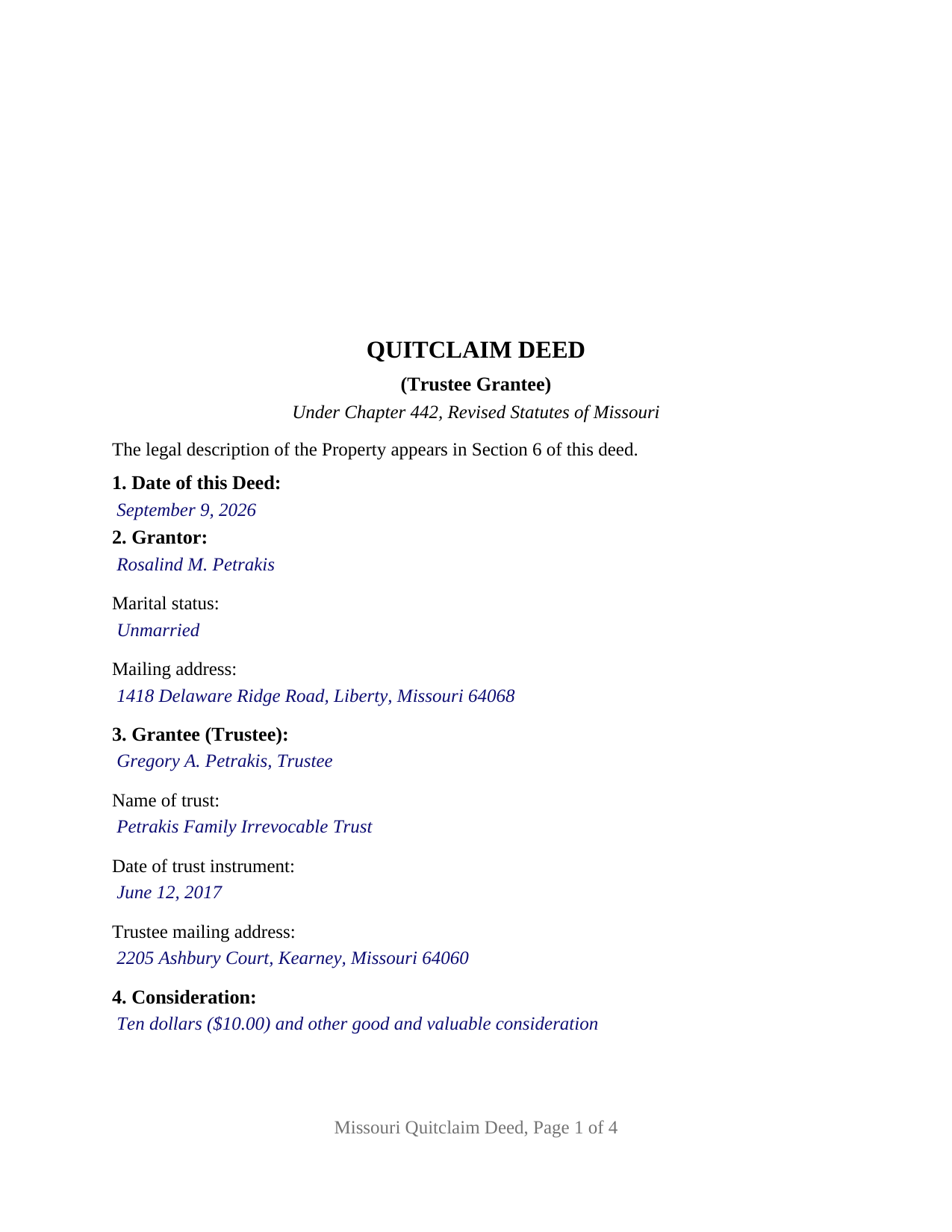
Christian County Completed Example of the Quitclaim Deed (Trustee Grantee) Document
Example of a properly completed Missouri Quitclaim Deed (Trustee Grantee) document for reference.
All 3 documents above included • One-time purchase • No recurring fees
Immediate Download • Secure Checkout
Additional Missouri and Christian County documents included at no extra charge:
Where to Record Your Documents
Christian County Recorder
Ozark, Missouri 65721-0358
Hours: 8:00am to 4:30pm M-F / Recording until 4:00pm
Phone: (417) 582-4360
Recording Tips for Christian County:
- Bring your driver's license or state-issued photo ID
- Ensure all signatures are in blue or black ink
- Avoid the last business day of the month when possible
- Both spouses typically need to sign if property is jointly owned
- Bring extra funds - fees can vary by document type and page count
Cities and Jurisdictions in Christian County
Properties in any of these areas use Christian County forms:
- Billings
- Bruner
- Chadwick
- Chestnutridge
- Clever
- Garrison
- Highlandville
- Nixa
- Oldfield
- Ozark
- Sparta
- Spokane
Hours, fees, requirements, and more for Christian County
How do I get my forms?
Forms are available for immediate download after payment. The Christian County forms will be in your account ready to download to your computer. An account is created for you during checkout if you don't have one. Forms are NOT emailed.
Are these forms guaranteed to be recordable in Christian County?
Yes. Our form blanks are guaranteed to meet or exceed the applicable formatting requirements used for recording in Christian County, including margin requirements, font requirements, and other layout standards. This guarantee applies to formatting, not to the legal sufficiency of information entered by the user or the suitability of a form for a particular transaction.
Can I reuse these forms?
Yes. You can reuse the forms for your personal use. For example, if you have multiple properties in Christian County you only need to order once.
What do I need to use these forms?
The forms are PDFs that you fill out on your computer. The free Adobe Acrobat Reader is recommended, and most PDF apps also work. You do NOT enter your property information online - you download the blank forms and complete them privately on your own computer.
Are there any recurring fees?
No. This is a one-time purchase. Nothing to cancel, no memberships, no recurring fees.
How much does it cost to record in Christian County?
Recording fees in Christian County vary. Contact the recorder's office at (417) 582-4360 for current fees.
Questions answered? Let's get started!
Where an ordinary deed asks who receives the property, this Missouri quitclaim deed asks three questions instead: the trustee's name, the name of the trust, and the date the trust instrument was executed. That grantee block defines the variant. A single individual signs as grantor and lets go of whatever right, title, and interest that person holds in the described Missouri real property; what receives it is a fiduciary capacity.
Naming a trustee so the land records can read it
Section 456.021 of the Revised Statutes of Missouri validates two ways of naming the receiving side: a transfer made only to the name of the trust, and a transfer made to the name or names of the trustee or trustees as trustee or trustees of the trust. Either way the trust is identified in the instrument of transfer and its terms set forth in a written instrument. This form takes the trustee-as-trustee route, with the trust name and instrument date beside the trustee's name, so the identification prints on page one and enters the grantee index. The section adds that the conveyance is not invalid because the trust is amendable or revocable, or both, or because it was amended after the deed was delivered.
A grantee who signs nothing
The form recites exactly one grantor, a natural person acting individually, with one signature line, a printed name line beneath it, and one notarial acknowledgment certificate. The trustee takes under the instrument and signs no part of it, so no second signature block appears. A vesting section states that title vests in the grantee in that person's capacity as trustee of the identified trust, and in the successor trustees of that trust, to be held under a written trust instrument the deed sets out nowhere. A settlor funding an irrevocable family trust with a parcel carried in one name, a person conveying to the trustee of a trust a parent settled years earlier, and a co-owner releasing a fractional share to the trustee holding the balance of the title present the pattern this deed recites. Two record owners take a different grantor section.
What the deed cannot say on the trust's behalf
Keeping trust terms out of a public record is deliberate, and Missouri supplies the substitute. Under Section 456.10-1013 a trustee may hand a third party a certification of trust in place of the trust instrument, stating that the trust exists and when it was executed, who settled it, who is acting as trustee, what powers that trustee holds, whether the trust is revocable, and how title to trust property is taken, while leaving dispositive terms out. Prepared separately from this deed, it is not included in this package. Section 456.10-1012 protects a person who in good faith and for value deals with a trustee, relieving that person of any duty to inquire into the extent of the trustee's powers.
Quitclaim words, and what they withhold
Section 442.420 turns the words grant, bargain and sell in a fee simple conveyance into implied covenants of title unless express terms restrain them. This deed never uses them. It remises, releases, and forever quitclaims, and states on its face that no covenant or warranty of title arises from any word or phrase in it and that title acquired after delivery does not pass. Liens, deeds of trust, easements, and tax obligations already on the property stay on it.
Recording and the first-page band
The signed and notarized deed goes to the recorder of deeds in the Missouri county where the land lies, or to the City of St. Louis recorder. No transfer tax attaches; cost is the county's per-page schedule plus the statutory user fee. The form is built to Sections 59.310 and 59.313: letter size, three inches left clear across the top of page one, twelve point type, and a first page carrying the title, the date, the grantor with the Section 442.130 married or unmarried statement, the trustee grantee with the mailing address Section 59.330.2 wants, and a reference locating the legal description a page later. The certificate carries the Section 442.210 form for a person acting in that person's own right and the Section 442.145 appearance line.
The package holds three items: this trustee grantee quit claim deed as a fillable PDF, a completed example running a Clay County conveyance into a family trust, and a guide covering every blank, the trust identification rules, and recording. The materials describe Missouri law in general terms and are informational, not legal advice.
Important: Your property must be located in Christian County to use these forms. Documents should be recorded at the county or independent city recording office listed above.
This Quitclaim Deed (Trustee Grantee) meets all recording requirements specific to Christian County.
Our Promise
The documents you receive here are guaranteed to meet or exceed the applicable Christian County recording format requirements. If there is a rejection caused by our formatting, we will correct the issue or refund your payment. This guarantee applies to document formatting only and does not extend to information entered by the user, the selection of the form, or the legal effect of the completed document.
Save Time and Money
Get your Christian County Quitclaim Deed (Trustee Grantee) form done right the first time with Deeds.com Uniform Conveyancing Blanks. At Deeds.com, we understand that your time and money are valuable resources, and we don't want you to face a penalty fee or rejection imposed by a county recorder for submitting nonstandard documents. We constantly review and update our forms to meet rapidly changing state and county recording requirements for roughly 3,500 counties and local jurisdictions.
4.8 out of 5 - ( 4,853 Reviews )
Melissa L. 5 out of 5 stars
Exactly what I was looking for and easy to fill out.
Thank you for your feedback. We really appreciate it. Have a great day!
Anthony T. 4 out of 5 stars
Would be better if you could save the forms to word for easier use on your computer.
Thank you!
John Z. 5 out of 5 stars
This was an easy to use program. Easy payment. documents are on my desktop ready to fill out. I will have to update after my property transfer. Zuna
We appreciate your business and value your feedback. Thank you. Have a wonderful day!
Nora B. 5 out of 5 stars
VERY NICE SERVICE
Thank you for your feedback. We really appreciate it. Have a great day!
Robert F. 5 out of 5 stars
This service is excellent. I submitted a Quickclaim Deed so my home would be in the name of a Living Trust I had just created. This was my first attempted at any of this and the staff person, KVH, who reviewed my Deed was extremely helpful and quick to respond to any questions I had and to make sure the Deed had the correct information before submittal to the county for recording. I started the process one afternoon and by the next day, the Deed was submitted to, and recorded in, my county. I will use them again whenever needed.
We appreciate your business and value your feedback. Thank you. Have a wonderful day!
Joanne D. 5 out of 5 stars
Loved your easy to follow instructions along with the paperwork forms that I was looking for. Would highly suggest this service to everyone. You should share this platform with other counties!! Extremely helpful
Thank you!
Johnnie W. 5 out of 5 stars
Five stars for quick retrieval/no hassle of forms. Will review them again once I have completed the forms and they have been accepted.
Thank you for your feedback. We really appreciate it. Have a great day!
Richard B. 4 out of 5 stars
Had trouble filling in the forms not very user friendly. The text always had to be manipulated to look in the best place. Could not easily move existing text to look more professional with the text being inserted.
Thank you for your feedback. We really appreciate it. Have a great day!
Joseph R. 3 out of 5 stars
The form and instructions were easy enough to follow if you had all the information.
The only drawback to the form was the length of text allowed for the name of the document (#4). The form self populates in multiple locations but when printed truncated the name if too many characters were used. I kept having to update the name of the document to allow for proper printing.
Your insights are invaluable to us and help us strive for better service. Thank you for taking the time to share your thoughts.
William S. 5 out of 5 stars
The forms worked well for entering information. I have finished without much trouble. Since the forms are Adobe PDF files you need the free app to use them but you can't edit unless you have the paid Adobe program. And, it was a reasonable price.
Thank you for your feedback. We really appreciate it. Have a great day!
Darryl S. 5 out of 5 stars
These guys saved the day! Very good at what they do and deliver AS ADVERTISED!! My county's recorder's office was closed to the public due to the COVID-19 pandemic, and the recorder's office did not offer the service I needed online. Attempting to close on a home the following day, I was in immediate need of a deed for property that I previously owned to provide to the underwriters for my pending loan. I thought I was dead in the water and would miss my next day closing date. Strolling the internet for options, I came upon DEEDS.COM. After reading the posted reviews, I thought I would give them a try. Within 10 minutes of placing my order, I received ALL the information I requested about the property I previously owned. Thank you DEEDS.COM for the prompt, courteous, and professional service. You guys are ROCK STARS!!! I closed on my new home.
Thank you so much for your kinds words Darryl, glad we were able to help.
Shari W. 5 out of 5 stars
Fast and easy. Great service. Thanks.
Thank you!
David L. 5 out of 5 stars
Deeds.com makes recording quick and easier than driving a half an hour each way and needing to leave home! The fees are reasonable for the convenience, and while Covid is closing doors. Dave
Thank you!
Maria G. 5 out of 5 stars
Very easy and fast. Couldnt ask for anything better.
We appreciate your business and value your feedback. Thank you. Have a wonderful day!
brenda S. 5 out of 5 stars
Excellent instructions very easy to follow!
Thank you!