Mineral County Assignment of Trust Indenture/Deed of Trust Form
Last validated October 22, 2026 by our Forms Development TeamFormatted for recording in Mineral County, for property anywhere in the county: rural and unincorporated areas as well as Alberton, De Borgia, Haugan, Saint Regis, Saltese, Superior.
- 3 documents included
- Immediate PDF download
- Formatting guarantee
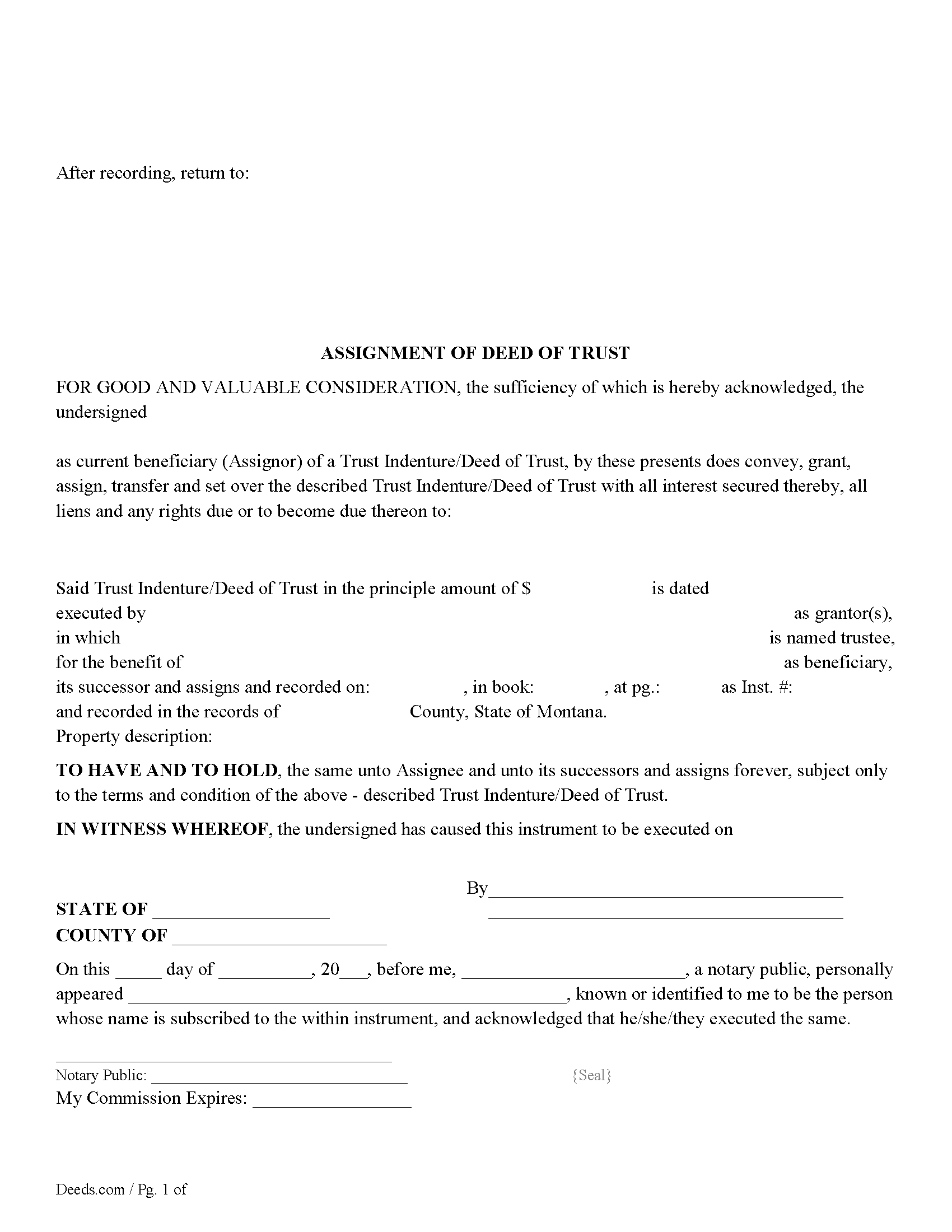
Mineral County Assignment of Deed of Trust Form
Fill in the blank form formatted to comply with all recording and content requirements.
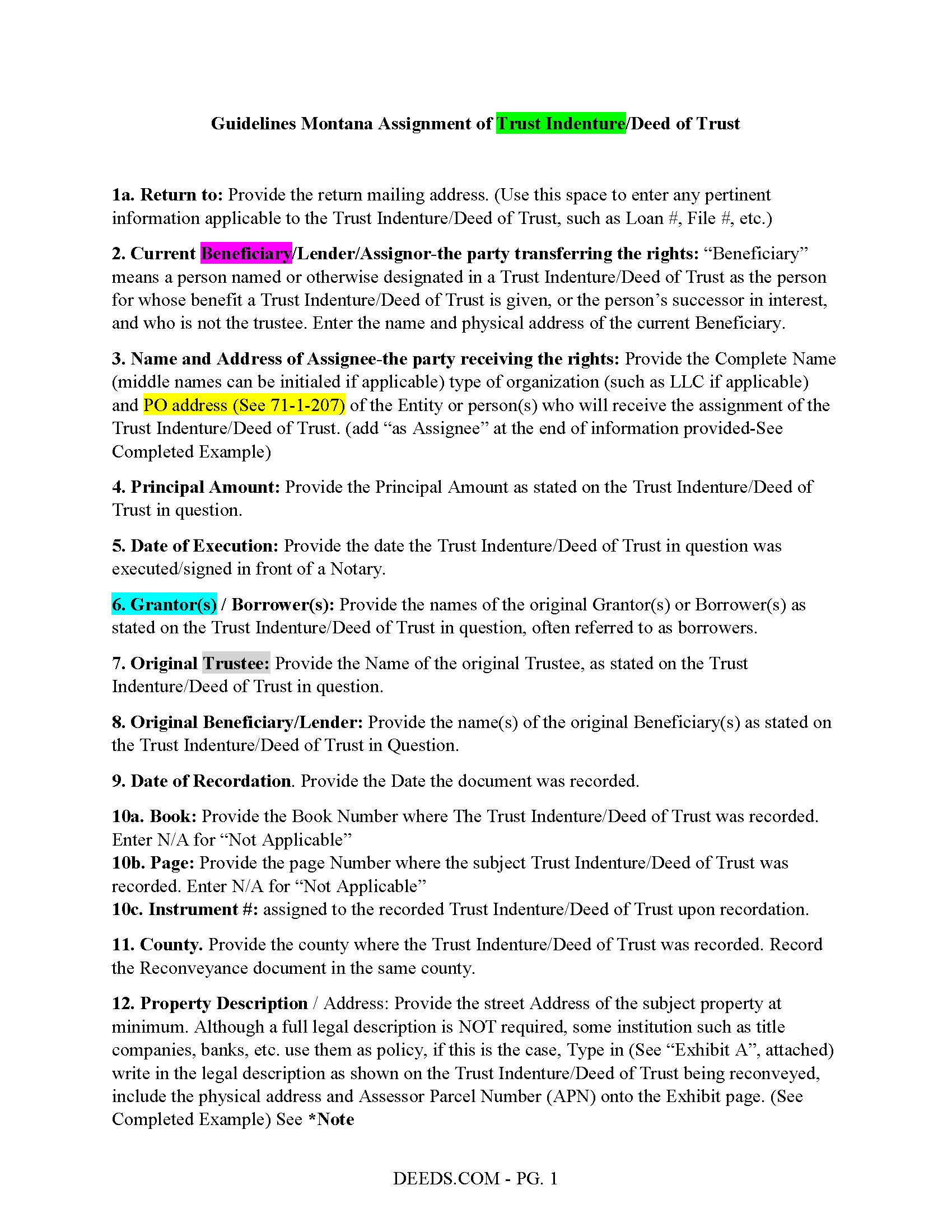
Mineral County Assignment of Deed of Trust Guidelines
Line by line guide explaining every blank on the form.
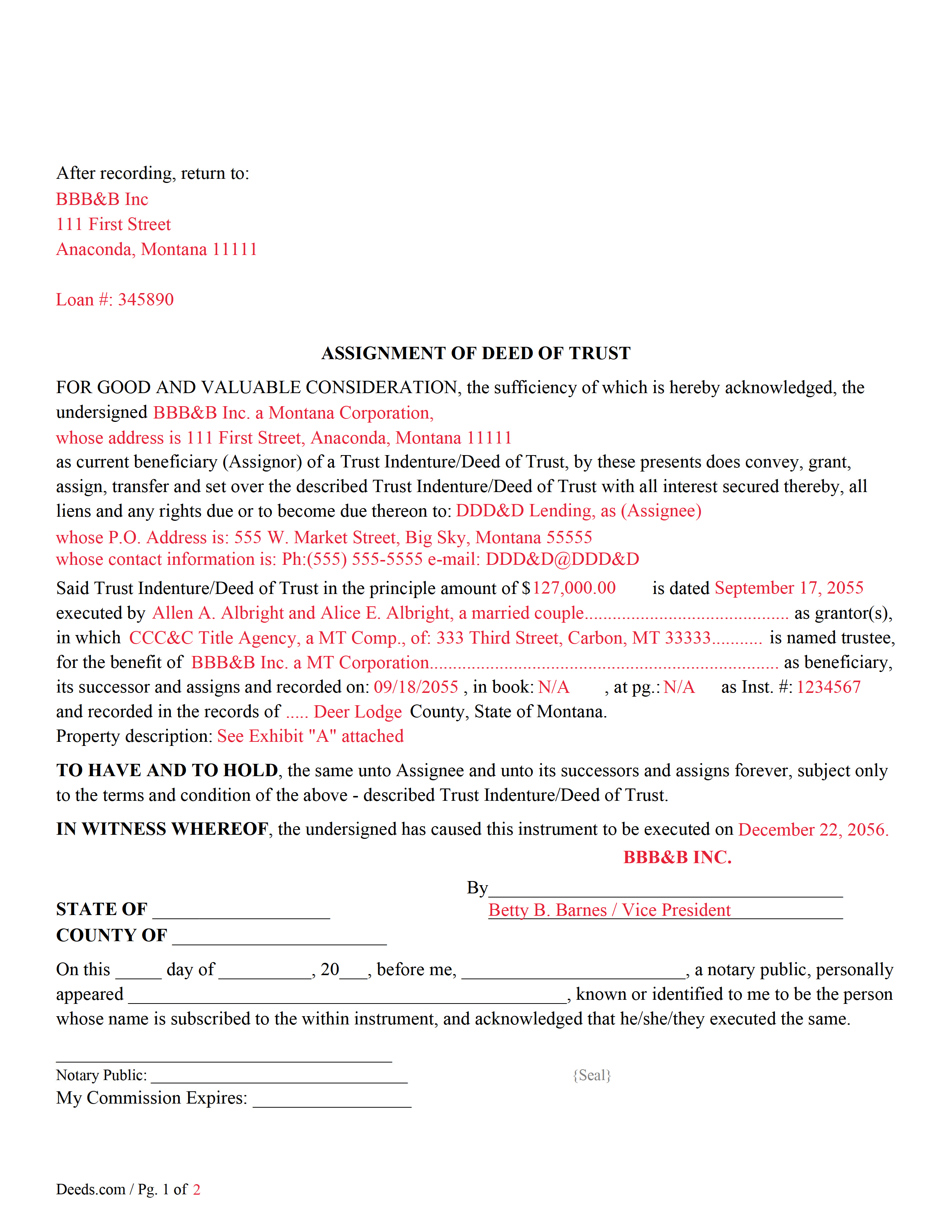
Mineral County Completed Example of an Assignment of Deed of Trust Document
Example of a properly completed form for reference.
All 3 documents above included • One-time purchase • No recurring fees
Immediate Download • Secure Checkout
Additional Montana and Mineral County documents included at no extra charge:
Where to Record Your Documents
Mineral County Clerk / Recorder
Superior, Montana 59872
Hours: 8:00am to 5:00pm M-F
Phone: (406) 822-3520, 3521, 3522
Recording Tips for Mineral County:
- Bring your driver's license or state-issued photo ID
- Ensure all signatures are in blue or black ink
- Check margin requirements - usually 1-2 inches at top
- Leave recording info boxes blank - the office fills these
- Make copies of your documents before recording - keep originals safe
Cities and Jurisdictions in Mineral County
Properties in any of these areas use Mineral County forms:
- Alberton
- De Borgia
- Haugan
- Saint Regis
- Saltese
- Superior
Hours, fees, requirements, and more for Mineral County
How do I get my forms?
Forms are available for immediate download after payment. The Mineral County forms will be in your account ready to download to your computer. An account is created for you during checkout if you don't have one. Forms are NOT emailed.
Are these forms guaranteed to be recordable in Mineral County?
Yes. Our form blanks are guaranteed to meet or exceed the applicable formatting requirements used for recording in Mineral County, including margin requirements, font requirements, and other layout standards. This guarantee applies to formatting, not to the legal sufficiency of information entered by the user or the suitability of a form for a particular transaction.
Can I reuse these forms?
Yes. You can reuse the forms for your personal use. For example, if you have multiple properties in Mineral County you only need to order once.
What do I need to use these forms?
The forms are PDFs that you fill out on your computer. The free Adobe Acrobat Reader is recommended, and most PDF apps also work. You do NOT enter your property information online - you download the blank forms and complete them privately on your own computer.
Are there any recurring fees?
No. This is a one-time purchase. Nothing to cancel, no memberships, no recurring fees.
How much does it cost to record in Mineral County?
Recording fees in Mineral County vary. Contact the recorder's office at (406) 822-3520, 3521, 3522 for current fees.
Questions answered? Let's get started!
Use this form to assign a previously recorded Trust Indenture/Deed of Trust security instrument to another party. This is common when a Deed of Trust has been sold.
(Trust indenture - means an indenture executed in conformity with this part and conveying real property to a trustee in trust to secure the performance of an obligation of the grantor or other person named in the indenture to a beneficiary.) (71-1-303(6)) Definitions
71-1-207 Recording of mortgages and assignments
(1) Mortgages of real property may be acknowledged or proved, certified, and recorded in the same manner and with the same effect as grants of real property.
(2) An assignment of a real estate mortgage may be recorded in the same manner as a real estate mortgage, and the record operates as legal notice to the mortgagor and all persons subsequently deriving title to the mortgage from the assignor as well as to all other persons, including subsequent purchasers, encumbrancers, mortgagees, or other lienholders. An assignment must contain the assignee's post-office address at the assignee's place of residence and may not be recorded or filed unless it contains the post-office address.
(Montana AOTI Package includes form, guidelines, and completed example) For use in Montana only.
Important: Your property must be located in Mineral County to use these forms. Documents should be recorded at the county recording office listed above.
This Assignment of Trust Indenture/Deed of Trust meets all recording requirements specific to Mineral County.
Our Promise
The documents you receive here are guaranteed to meet or exceed the applicable Mineral County recording format requirements. If there is a rejection caused by our formatting, we will correct the issue or refund your payment. This guarantee applies to document formatting only and does not extend to information entered by the user, the selection of the form, or the legal effect of the completed document.
Save Time and Money
Get your Mineral County Assignment of Trust Indenture/Deed of Trust form done right the first time with Deeds.com Uniform Conveyancing Blanks. At Deeds.com, we understand that your time and money are valuable resources, and we don't want you to face a penalty fee or rejection imposed by a county recorder for submitting nonstandard documents. We constantly review and update our forms to meet rapidly changing state and county recording requirements for roughly 3,500 counties and local jurisdictions.
4.8 out of 5 - ( 4,837 Reviews )
Cindy H. 5 out of 5 stars
It was easy and quick. Such a pleasure to use since we live out of town. So convenient. Definitely would recommend.
Thank you for your feedback. We really appreciate it. Have a great day!
DAVID H. 5 out of 5 stars
perfect. follow examples. no problem at court house. good deed layout.
Thank you for your feedback. We really appreciate it. Have a great day!
Melvin L. 5 out of 5 stars
So easy, very simple to use. I was very pleased with the service Deeds provided. Would definely use again.
We appreciate your business and value your feedback. Thank you. Have a wonderful day!
Daniel D. 5 out of 5 stars
Well done. A little pricy.
Thank you!
Ruth L. 5 out of 5 stars
Extremely convenient for a moderate fee. Will definitely use Deeds.com for my recording needs going forward. Will also share with my team on their projects. Thanks a bunch!!!
Thank you for your feedback. We really appreciate it. Have a great day!
Francine H. 4 out of 5 stars
Somewhat confusing, but I'm really not sure what I need. I have not complete4d the document.
We appreciate your business and value your feedback. Thank you. Have a wonderful day!
Archie POA G. 5 out of 5 stars
got what I ordered, as expected, in good time
Thank you!
HAMIDREZA M. 5 out of 5 stars
excellent service
Thank you!
Robert L. 5 out of 5 stars
Fairly easy to use process and somewhat reasonably priced. Printed guide and sample filled in can be very helpful, too.
Thank you for your feedback. We really appreciate it. Have a great day!
Lisa J. 5 out of 5 stars
I ordered a Lis Pendens form and it was exactly what I needed. Saved me a lot of time since I am self representing. Already filed it at courthouse! No problem!
Thank you for your feedback. We really appreciate it. Have a great day!
Richard C. 5 out of 5 stars
Amazing from start to finish!
Thank you for your feedback. We really appreciate it. Have a great day!
Robert T. 5 out of 5 stars
Thanks to Deeds.com, our law office was able to get the deed of trust filed without having to run around town wasting gas and they were very efficient and quick with getting it done in a timely manner.
We appreciate your business and value your feedback. Thank you. Have a wonderful day!
Toshimi M. 4 out of 5 stars
Sofar very good. Especially an example helps.
Thank you for your feedback. We really appreciate it. Have a great day!
Robert h. 5 out of 5 stars
excellent and simple to use. Great price for this.
Thank you Robert! We really appreciate your feedback.
Karri P. 5 out of 5 stars
Great service and easy to purchase exactly what you want.
We appreciate your business and value your feedback. Thank you. Have a wonderful day!