Fergus County Quitclaim Deed (LLC Grantor) Form
Last validated October 12, 2026 by our Forms Development TeamFormatted for recording in Fergus County, for property anywhere in the county: rural and unincorporated areas as well as Buffalo, Coffee Creek, Denton, Forest Grove, Grass Range, Hilger, Lewistown, Moore and 2 more.
- 3 documents included
- Immediate PDF download
- Formatting guarantee
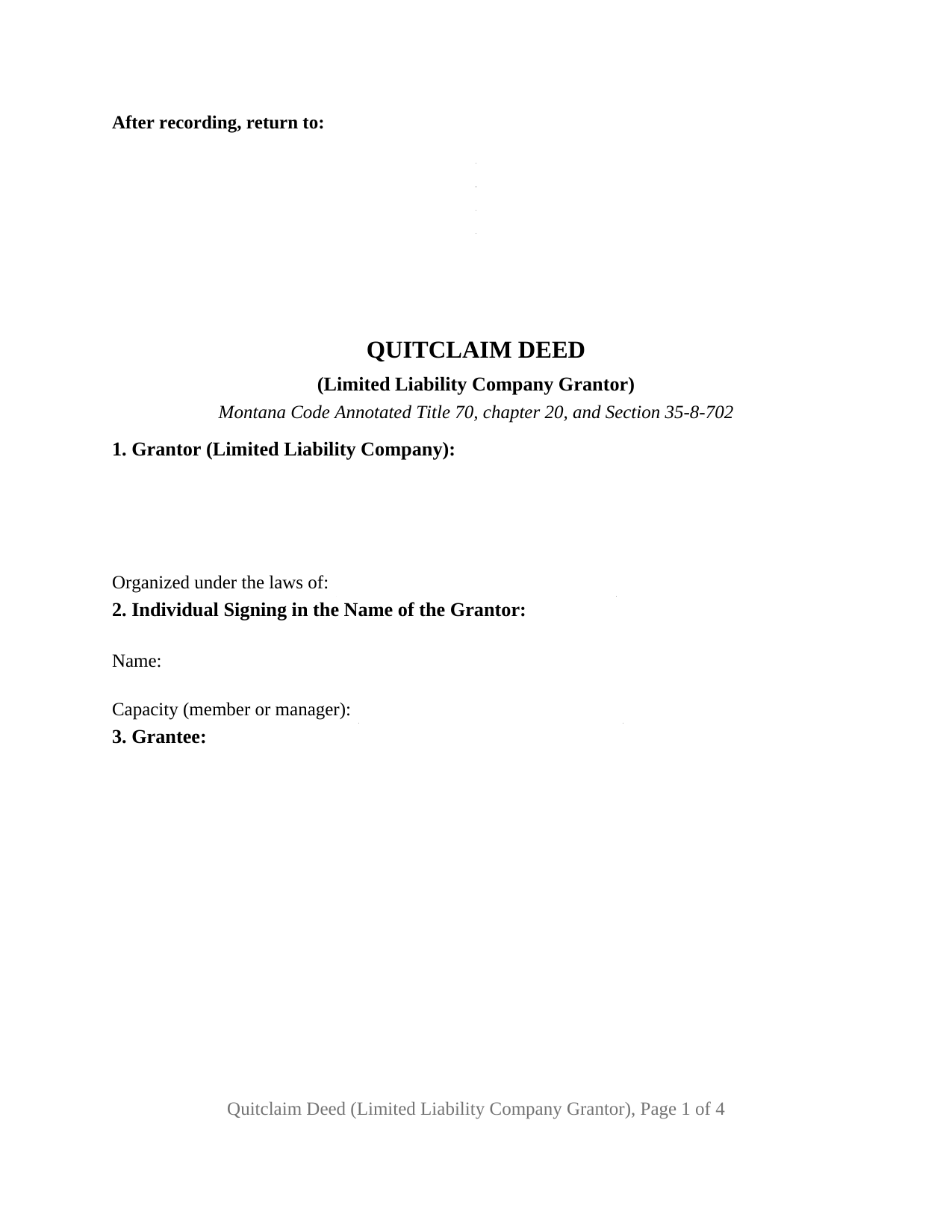
Fergus County Quitclaim Deed (LLC Grantor) Form
Fill in the blank Quitclaim Deed (LLC Grantor) form formatted to comply with all Montana recording and content requirements.
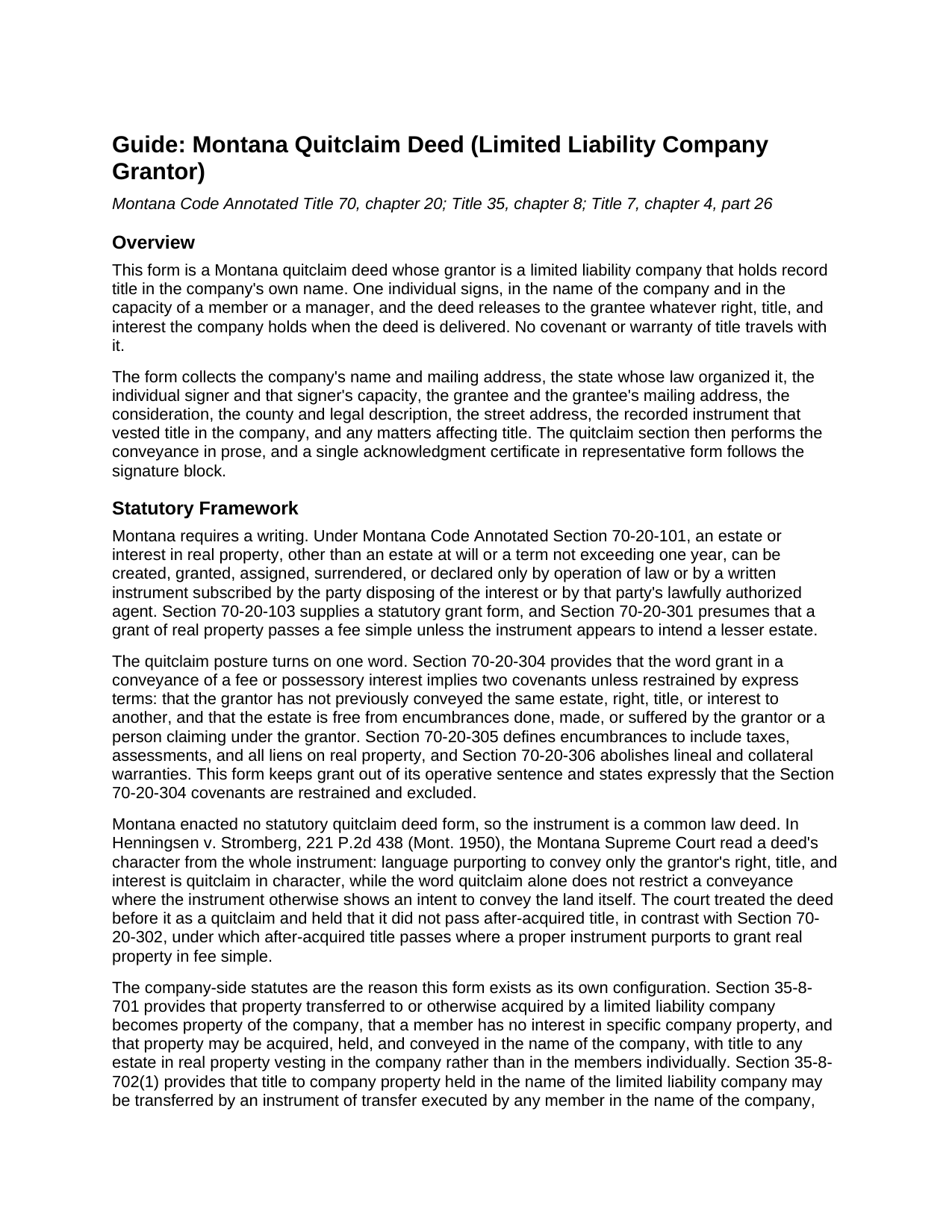
Fergus County Quitclaim Deed (LLC Grantor) Guide
Line by line guide explaining every blank on the Quitclaim Deed (LLC Grantor) form.
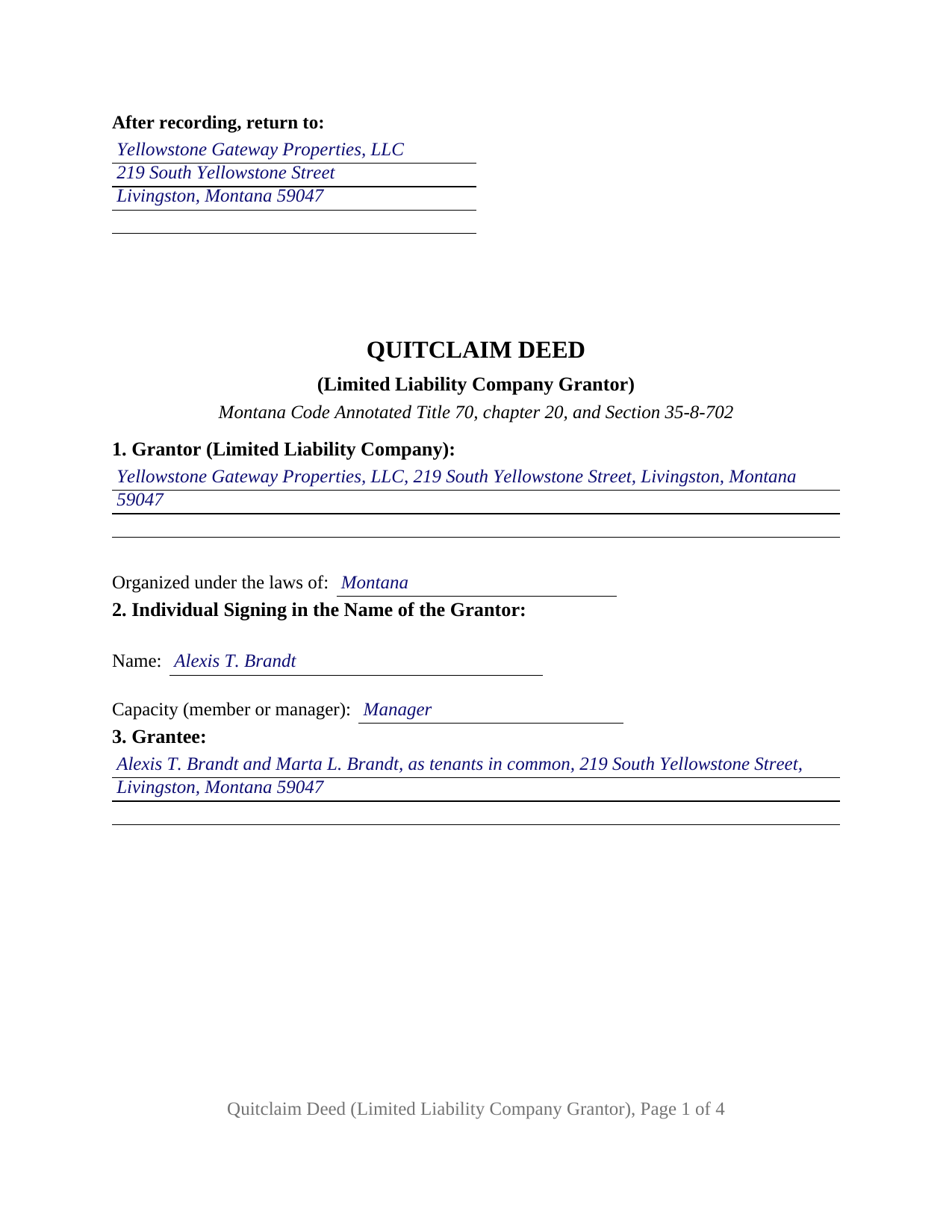
Fergus County Completed Example of the Quitclaim Deed (LLC Grantor) Document
Example of a properly completed Montana Quitclaim Deed (LLC Grantor) document for reference.
All 3 documents above included • One-time purchase • No recurring fees
Immediate Download • Secure Checkout
Additional Montana and Fergus County documents included at no extra charge:
Where to Record Your Documents
Fergus County Clerk / Recorder
Lewistown, Montana 59457
Hours: 8:00am-5:00pm M-F
Phone: (406) 538-5242
Recording Tips for Fergus County:
- Bring your driver's license or state-issued photo ID
- Ensure all signatures are in blue or black ink
- Both spouses typically need to sign if property is jointly owned
- Bring extra funds - fees can vary by document type and page count
- Check margin requirements - usually 1-2 inches at top
Cities and Jurisdictions in Fergus County
Properties in any of these areas use Fergus County forms:
- Buffalo
- Coffee Creek
- Denton
- Forest Grove
- Grass Range
- Hilger
- Lewistown
- Moore
- Roy
- Winifred
Hours, fees, requirements, and more for Fergus County
How do I get my forms?
Forms are available for immediate download after payment. The Fergus County forms will be in your account ready to download to your computer. An account is created for you during checkout if you don't have one. Forms are NOT emailed.
Are these forms guaranteed to be recordable in Fergus County?
Yes. Our form blanks are guaranteed to meet or exceed the applicable formatting requirements used for recording in Fergus County, including margin requirements, font requirements, and other layout standards. This guarantee applies to formatting, not to the legal sufficiency of information entered by the user or the suitability of a form for a particular transaction.
Can I reuse these forms?
Yes. You can reuse the forms for your personal use. For example, if you have multiple properties in Fergus County you only need to order once.
What do I need to use these forms?
The forms are PDFs that you fill out on your computer. The free Adobe Acrobat Reader is recommended, and most PDF apps also work. You do NOT enter your property information online - you download the blank forms and complete them privately on your own computer.
Are there any recurring fees?
No. This is a one-time purchase. Nothing to cancel, no memberships, no recurring fees.
How much does it cost to record in Fergus County?
Recording fees in Fergus County vary. Contact the recorder's office at (406) 538-5242 for current fees.
Questions answered? Let's get started!
A Montana limited liability company holds its land in its own name and signs by one human being. This Montana quitclaim deed is configured for that arrangement: the company is the grantor, a single individual executes in the company's name as its member or manager, and what reaches the grantee is the company's own right, title, and interest as of delivery, with no title warranty.
Which signature the statute accepts
Montana Code Annotated Section 35-8-702 decides who may sign a company deed, and the answer turns on a single line in the articles of organization. Under subsection (1), title standing in the company's name may be transferred by an instrument executed by any member in the company's name. Subsection (5) displaces that where the articles vest management in a manager or managers: the instrument is executed by any manager, and a member acting solely in the capacity of a member may not transfer the title at all. Section 2 of the form takes the signer's name and the capacity held, member or manager, the entry the statute makes decisive.
Title in the company, not in its members
Section 35-8-701 explains why one signature moves the whole parcel. Property acquired by a limited liability company becomes company property, title vests in the company rather than in the members individually, and a member has no interest in specific company property. So this quit claim deed collects no member signatures beyond the one signer, and no spousal signature: the homestead execution rule reaches property of a married person, and this parcel belongs to the company. Where the county records show title in a member's or manager's individual name instead, Section 35-8-702(2) addresses that transfer, and the deed runs from those individuals.
The covenant word, left out on purpose
The operative sentence avoids one word deliberately. Section 70-20-304 loads two implied covenants into a fee conveyance made with the word grant, so this form conveys by remise, release, and quitclaim, says in terms that those implied covenants are restrained and excluded, and adds that title reaching the company later stays where it lands. Montana enacted no quitclaim form, and its Supreme Court reads a deed's character from the whole document. The grantee takes the parcel as it stands, deed of trust, easement, and plat restriction included.
What a statement of capacity carries, and what it does not
The deed states the capacity the signer holds. Section 35-8-702(3) then keeps a door open for the company: where the signer's act did not bind it under Section 35-8-301, the company may recover the property, unless it has reached a later transferee who gave value without notice of the missing authority. No Montana statute makes a resolution or consent a recording condition for a company deed, so the company's own documents remain the answer to that question.
The company patterns that reach the record
A company distributing a parcel to its members while winding up, a transfer between affiliated companies, a remnant strip released to the adjoining owner, and a company clearing a defect left by an earlier deed: these are the arrangements that put a limited liability company on the grantor line of a Montana quitclaim. The form recites one company grantor and one authorized signer in a representative capacity, with a single acknowledgment certificate drawn on the Montana short form at Section 1-5-610(2). It is not set up for two signers, for co-managers who must both sign, or for a grantor signing as trustee or attorney in fact.
At the recording counter
The deed records with the clerk and recorder of the county holding the land, at twenty dollars for a first page and ten for each page after it, for documents recorded on or after October 1, 2025. The grantee's post office address belongs in the body, because Section 7-4-2618 keeps the clerk and recorder from receiving a deed without it, and a Realty Transfer Certificate is filed alongside, prepared separately and not included here. A company organized outside Montana carries one more question: Section 35-8-1001 conditions transacting business here on a certificate of authority, while Section 35-8-1002(5) keeps the absence of one from impairing the validity of the company's acts.
The package delivers the deed as a fillable PDF, a completed example worked out for a Park County distribution to a Livingston company's two members, and a plain language guide covering each numbered section, the execution statutes, notarization, and recording. The materials are informational and are not legal advice.
Important: Your property must be located in Fergus County to use these forms. Documents should be recorded at the county recording office listed above.
This Quitclaim Deed (LLC Grantor) meets all recording requirements specific to Fergus County.
Our Promise
The documents you receive here are guaranteed to meet or exceed the applicable Fergus County recording format requirements. If there is a rejection caused by our formatting, we will correct the issue or refund your payment. This guarantee applies to document formatting only and does not extend to information entered by the user, the selection of the form, or the legal effect of the completed document.
Save Time and Money
Get your Fergus County Quitclaim Deed (LLC Grantor) form done right the first time with Deeds.com Uniform Conveyancing Blanks. At Deeds.com, we understand that your time and money are valuable resources, and we don't want you to face a penalty fee or rejection imposed by a county recorder for submitting nonstandard documents. We constantly review and update our forms to meet rapidly changing state and county recording requirements for roughly 3,500 counties and local jurisdictions.
4.8 out of 5 - ( 4,829 Reviews )
Lisa D. 5 out of 5 stars
Had the correct forms I needed with guides and examples to follow on filling them out. Very easy to use. Thanks!
We appreciate your business and value your feedback. Thank you. Have a wonderful day!
William A. 5 out of 5 stars
great service and very accommodating generally, and especially during these times.
We appreciate your business and value your feedback. Thank you. Have a wonderful day!
John D. 5 out of 5 stars
Forms were easy to complete, with the instructions that were provided. Very satisfied!
Thank you!
Christine B. 5 out of 5 stars
The site was easy to navigate.
Thank you!
chungming a. 5 out of 5 stars
easy to use website.
Thank you!
Nancy R. 5 out of 5 stars
I AM NOT TOO SMART WHEN IT COMES TO COMPUTER STUFF, BUT THIS WEBSITE MADE IT SO VERY EASY & SIMPLE TO ACCOMPLISH THE TASK THAT WAS NEEDED. I FOUND MY STATE, FOUND THE TYPE OF DEED I NEEDED, FILLED IN THE BLANKS, PRINTED IT OUT & THEN GOT THE REQUIRED SIGNATURES WITNESSED & NOTARIZED -- EASY-PEASY! I WILL BE USING DEEDS.COM IN THE FUTURE & WILL CERTAINLY RECOMMEND IT TO FRIENDS & FAMILY. I REALLY APPRECIATED ALL THE OTHER FORMS OF EXPLANATION THEY GIVE YOU AS WELL AS AN EXAMPLE OF HOW YOUR COMPLETED DOCUMENT SHOULD LOOK ONCE YOU'RE FINISHED.
Thank you for your feedback. We really appreciate it. Have a great day!
Nello P. 5 out of 5 stars
very satisfied, useful, and of great assistance
Thank you!
Steven T. 5 out of 5 stars
I needed the deed forms for setting up our living trust. It appears this will do the trick! Steve
We appreciate your business and value your feedback. Thank you. Have a wonderful day!
Donna R. 5 out of 5 stars
Great service. Just started using Deeds.com yesterday. So far, so good.
Thank you for your feedback. We really appreciate it. Have a great day!
Taylor M. 5 out of 5 stars
Service is good. The website isn't very user friendly and could use some updating. Overall I'm happy with the service.
Thank you for your feedback. We really appreciate it. Have a great day!
David L. 5 out of 5 stars
Deeds.com makes recording quick and easier than driving a half an hour each way and needing to leave home! The fees are reasonable for the convenience, and while Covid is closing doors. Dave
Thank you!
Christopher M. 5 out of 5 stars
This was so painless and fast!
Thank you Christopher, that means a lot to us.
Linda M. 5 out of 5 stars
The form I purchased along with the instructions and completed sample were easy to use. I downloaded them on my iPad. I had to also download the free adobe reader app from the App Store. I had no problem getting the beneficiary deed recorded at the recorder’s office. I am pleased with my purchase.
Thanks so much for the kind words, Linda! Glad the sample and instructions made the process smooth, and that tip about the Adobe Reader app for iPad is genuinely helpful for other customers too. Congrats on getting the deed recorded!
Thomas D. 2 out of 5 stars
The documents themselves are fine and the information provided with them is helpful. I find the actual processing of the documents, however, to be difficult particularly once the document has been saved. First, I note that the box for the date only allows entry of the last 2 digits of the year. Unfortunately, my download only allows me to enter one of the 2 digits required. When I delete it repeatedly, it eventually allows both digits to be entered but puts them in extremely small text and in superscrypt. I have not found a solution to this problem and am not sure the deed can even be recorded with this problem. Another problem is that if you try to revise the document after you have saved it the curser goes to the end of the line after each key entry. This means that there basically is no way to efficiently save the document for reworking later since you will have to delete everything you have entered in the text box unless you only need to make a single keystroke change or are willing to replace the curser after each entry. Try that with a long property description! Please note that I am using a Mac to prepare my documents and perhaps this is part of an "incompatibility problem". However, I didn't see a disclaimer regarding Mac use and so would expect the documents to perform correctly. Overall, I give the program a "2 star" rating because I am experiencing significant difficulties in entering dates in the documents even before saving them and because saving your work for later revision appears to be basically unworkable.
Thank you for your feedback Thomas, we appreciate you being specific about the issues you encountered. Adobe and Mac have a fairly long history of issues working together.
Debra K. 5 out of 5 stars
Very happy with forms downloaded. Well worth the price. Could not find them anywhere else on the web. Also had easy to understand instructions and a demo form as a guide
Thank you Debra, we appreciate your feedback. Have a wonderful day!