Fallon County Quitclaim Deed (Trustee Grantor) Form
Last validated October 13, 2026 by our Forms Development TeamFormatted for recording in Fallon County, for property anywhere in the county: rural and unincorporated areas as well as Baker, Plevna, Willard.
- 3 documents included
- Immediate PDF download
- Formatting guarantee
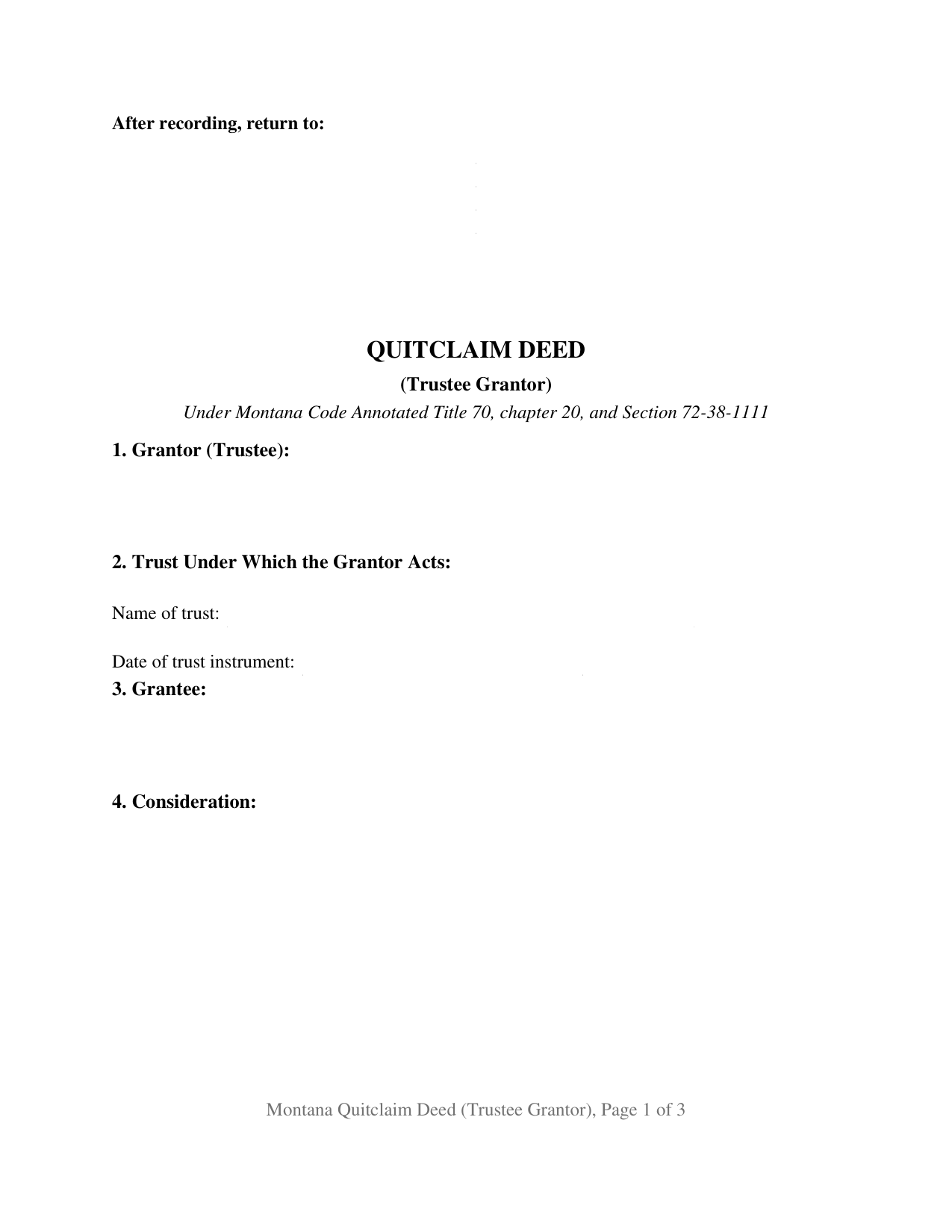
Fallon County Quitclaim Deed (Trustee Grantor) Form
Fill in the blank Quitclaim Deed (Trustee Grantor) form formatted to comply with all Montana recording and content requirements.
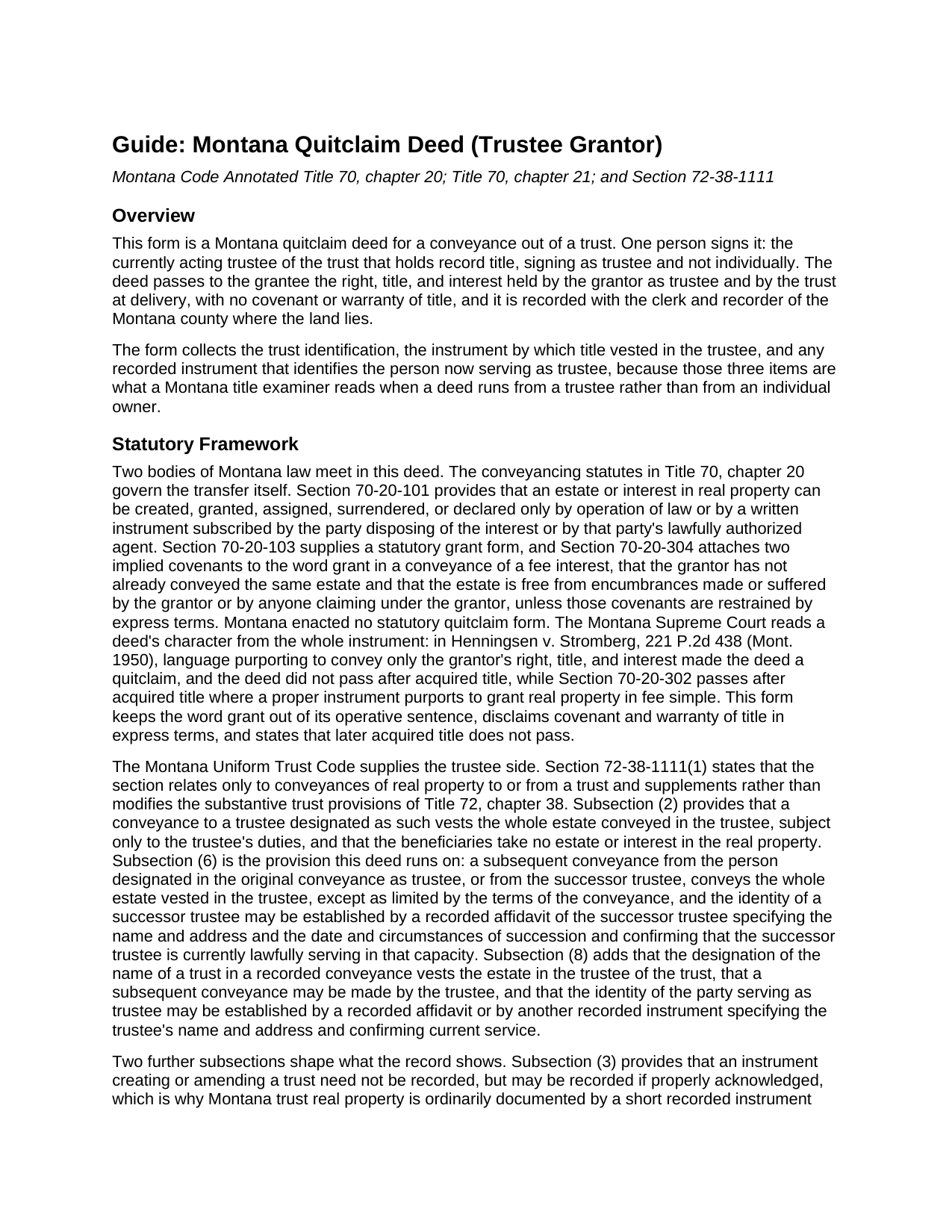
Fallon County Quitclaim Deed (Trustee Grantor) Guide
Line by line guide explaining every blank on the Quitclaim Deed (Trustee Grantor) form.
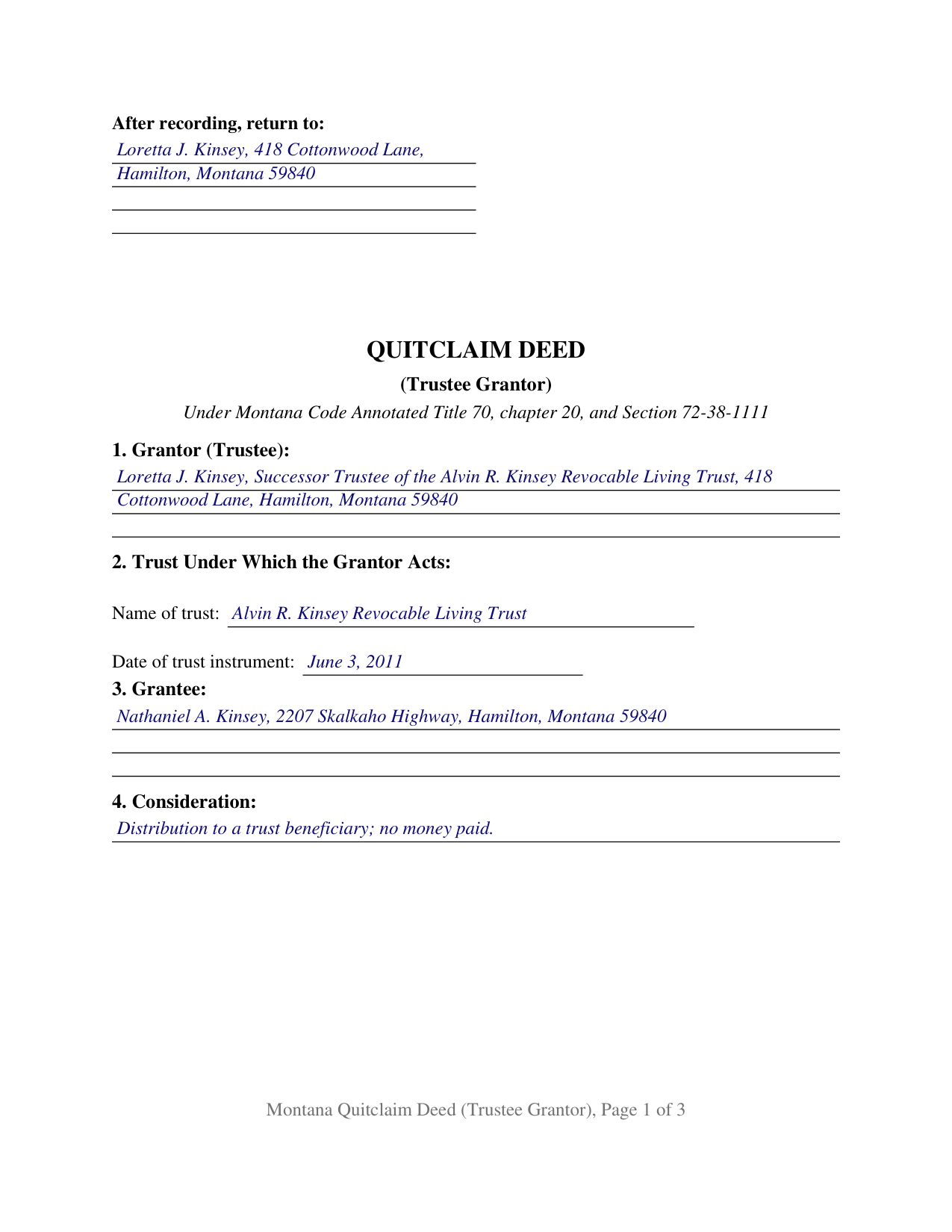
Fallon County Completed Example of the Quitclaim Deed (Trustee Grantor) Document
Example of a properly completed Montana Quitclaim Deed (Trustee Grantor) document for reference.
All 3 documents above included • One-time purchase • No recurring fees
Immediate Download • Secure Checkout
Additional Montana and Fallon County documents included at no extra charge:
Where to Record Your Documents
Fallon County Clerk / Recorder
Baker, Montana 59313
Hours: 8:00am-5:00pm M-F
Phone: (406) 778-7106
Recording Tips for Fallon County:
- Bring your driver's license or state-issued photo ID
- Ensure all signatures are in blue or black ink
- Ask for certified copies if you need them for other transactions
- Ask if they accept credit cards - many offices are cash/check only
- Check that your notary's commission hasn't expired
Cities and Jurisdictions in Fallon County
Properties in any of these areas use Fallon County forms:
- Baker
- Plevna
- Willard
Hours, fees, requirements, and more for Fallon County
How do I get my forms?
Forms are available for immediate download after payment. The Fallon County forms will be in your account ready to download to your computer. An account is created for you during checkout if you don't have one. Forms are NOT emailed.
Are these forms guaranteed to be recordable in Fallon County?
Yes. Our form blanks are guaranteed to meet or exceed the applicable formatting requirements used for recording in Fallon County, including margin requirements, font requirements, and other layout standards. This guarantee applies to formatting, not to the legal sufficiency of information entered by the user or the suitability of a form for a particular transaction.
Can I reuse these forms?
Yes. You can reuse the forms for your personal use. For example, if you have multiple properties in Fallon County you only need to order once.
What do I need to use these forms?
The forms are PDFs that you fill out on your computer. The free Adobe Acrobat Reader is recommended, and most PDF apps also work. You do NOT enter your property information online - you download the blank forms and complete them privately on your own computer.
Are there any recurring fees?
No. This is a one-time purchase. Nothing to cancel, no memberships, no recurring fees.
How much does it cost to record in Fallon County?
Recording fees in Fallon County vary. Contact the recorder's office at (406) 778-7106 for current fees.
Questions answered? Let's get started!
Montana land goes into a living trust easily and comes back out only by a deed the trustee signs. This Montana quitclaim deed is built for that outbound direction: the grantor is the trustee then serving, signing as trustee and not individually, and the deed releases to the grantee whatever right, title, and interest the trustee and the trust hold at delivery, with no warranty of title.
What the trustee's signature moves
Montana Code Annotated Section 72-38-1111 is what makes a one signature deed out of a trust work. Subsection (2) puts the whole estate conveyed in the trustee, subject only to the trustee's duties, and leaves the beneficiaries no interest in the land itself. Subsection (6) carries that estate back out: a later conveyance from the person the original conveyance designated as trustee, or from the successor trustee, conveys the whole estate vested in the trustee, except as limited by the terms of the conveyance. Beneficiaries are not signers here, and the form gives them no line.
The signer is often not the trustee the old deed named
Trusteeships change hands while land sits in a trust. Subsection (6) allows a successor trustee's identity to be established by a recorded affidavit giving that trustee's name and address and the date and circumstances of succession, and subsection (8) accepts that affidavit or another recorded instrument naming a serving trustee. Section 72-38-1013 supplies the companion, a certification of trust stating the trust's existence, the settlor, the acting trustee, the relevant powers, and the revocability of the trust, acknowledged on request so it may be recorded. Those instruments are prepared and recorded separately and are not included here, so the form works the chain from both ends: Section 7 takes the recording reference for the instrument that vested title in the trustee, and Section 8 takes the reference for a certification or affidavit standing of record, reading None recorded when none is.
A release, with the covenant word left out
Montana ties its implied deed covenants to one word. Under Section 70-20-304, the word grant in a fee conveyance brings two covenants with it, one against an earlier conveyance of the same estate by the grantor and one against encumbrances of the grantor's own making, unless express terms restrain them. This form keeps the word out of its operative sentence: the grantor remises, releases, and forever quitclaims, the deed disclaims covenant and warranty of title in express terms, and title reaching the trust or the trustee later does not pass through it. Montana enacted no statutory quitclaim form, and its Supreme Court reads a deed's character from the whole document.
One trustee, one certificate, in a representative capacity
Section 1 names the acting trustee with the trustee capacity and a mailing address, Section 2 identifies the trust by name and by the date of the trust instrument, Section 10 carries one signature line whose printed name includes the capacity, and one certificate follows, built on Montana's short form for an acknowledgment in a representative capacity at Section 1-5-610(2). Arrangements that put this configuration in the Montana record include a successor trustee distributing trust land to a beneficiary after the settlor's death, a trustee of a revocable trust deeding a parcel back to the settlor, a trustee conveying to the trustee of a restated trust, and a lifetime transfer the trust's terms permit. The form is not set up for two cotrustees signing together, and it is a deed out of a trust rather than a conveyance into one.
What the recording counter expects
Recording happens at the office of the clerk and recorder for the county holding the land. For documents recorded on or after October 1, 2025, the statewide fee is twenty dollars for a first page and ten dollars per additional page. The grantee's post office address sits in the body because Section 7-4-2618 keeps the clerk and recorder from receiving a deed without it, and the return name and address print in the upper left corner of the first page, where Section 7-4-2636 puts them. A Realty Transfer Certificate travels with the deed and keeps the money figures on a confidential filing.
Included in the download: the deed as a fillable PDF, a completed example filled in for a Ravalli County distribution from a family trust, and a plain language guide that takes the numbered sections one at a time and closes on the trust and recording statutes behind them. The materials are informational and are not legal advice.
Important: Your property must be located in Fallon County to use these forms. Documents should be recorded at the county recording office listed above.
This Quitclaim Deed (Trustee Grantor) meets all recording requirements specific to Fallon County.
Our Promise
The documents you receive here are guaranteed to meet or exceed the applicable Fallon County recording format requirements. If there is a rejection caused by our formatting, we will correct the issue or refund your payment. This guarantee applies to document formatting only and does not extend to information entered by the user, the selection of the form, or the legal effect of the completed document.
Save Time and Money
Get your Fallon County Quitclaim Deed (Trustee Grantor) form done right the first time with Deeds.com Uniform Conveyancing Blanks. At Deeds.com, we understand that your time and money are valuable resources, and we don't want you to face a penalty fee or rejection imposed by a county recorder for submitting nonstandard documents. We constantly review and update our forms to meet rapidly changing state and county recording requirements for roughly 3,500 counties and local jurisdictions.
4.8 out of 5 - ( 4,833 Reviews )
YU LI K. 5 out of 5 stars
Very easy to find the document I need and easy to download
Your feedback is valuable to us and helps us improve. Thank you for sharing your thoughts!
Edward S. 5 out of 5 stars
I was able to e-record 3 document with ease. The Middlesex registry of deeds is closed due to COVID-19 and this was my only option. Even if it was open, this is much faster and saves me time and money on parking ..etc. Great services.
Thank you!
Lowell R. 5 out of 5 stars
Awesome. Quick informative and very easy. I made a mistake the first time, emailed you and was able to get it fixed quickly and got it done.
Thank you for your feedback. We really appreciate it. Have a great day!
Robert S. 5 out of 5 stars
Thank you! You are so awesome. Its amazing to be able to get everything together in a download packet. You make it so easy for the user.
We appreciate your business and value your feedback. Thank you. Have a wonderful day!
Anita H. 5 out of 5 stars
Easy way to get forms that I needed. Would buy again from you if needed.
Thank you for your positive words! We’re thrilled to hear about your experience.
Pamela W. 5 out of 5 stars
This was so easy! Doing it this way saved me a bundle. I used the example form to make sure mine was correct. I would highly recommend this to anyone.
Thanks Pamela. We're glad the completed example was helpful.
elizabeth m. 5 out of 5 stars
Wonderful service, forms were great. Completed and ready for recording. Will check back in after recorded.
We appreciate your business and value your feedback. Thank you. Have a wonderful day!
Thomas D. 2 out of 5 stars
The documents themselves are fine and the information provided with them is helpful. I find the actual processing of the documents, however, to be difficult particularly once the document has been saved. First, I note that the box for the date only allows entry of the last 2 digits of the year. Unfortunately, my download only allows me to enter one of the 2 digits required. When I delete it repeatedly, it eventually allows both digits to be entered but puts them in extremely small text and in superscrypt. I have not found a solution to this problem and am not sure the deed can even be recorded with this problem. Another problem is that if you try to revise the document after you have saved it the curser goes to the end of the line after each key entry. This means that there basically is no way to efficiently save the document for reworking later since you will have to delete everything you have entered in the text box unless you only need to make a single keystroke change or are willing to replace the curser after each entry. Try that with a long property description! Please note that I am using a Mac to prepare my documents and perhaps this is part of an "incompatibility problem". However, I didn't see a disclaimer regarding Mac use and so would expect the documents to perform correctly. Overall, I give the program a "2 star" rating because I am experiencing significant difficulties in entering dates in the documents even before saving them and because saving your work for later revision appears to be basically unworkable.
Thank you for your feedback Thomas, we appreciate you being specific about the issues you encountered. Adobe and Mac have a fairly long history of issues working together.
Todd B. 5 out of 5 stars
very quick and easy
Thank you!
chris a. 5 out of 5 stars
It was easy to complete the deed but on the third page I only need one signature in stead of 3 I need to delete 2 or put n//a in those blocks I will continue to use your services and have recommended it to others
Thank you for your feedback. We really appreciate it. Have a great day!
Terri L. 5 out of 5 stars
Great Tool! Very easy to complete.
We appreciate your business and value your feedback. Thank you. Have a wonderful day!
John T. 5 out of 5 stars
I have not completed the submission of documents yet but the initial sign up and documents were easily done and trouble free. Will update with results soon
Thank you!
Robert S B. 2 out of 5 stars
I would not have ordered this form had I realised how limited the fields are for details. There is no room for elaboration of terms. The language only allows one grantor and one grantee, and the gender and quantity default construction is a poor choice. Be basic, but leave room for more.
Thank you for your feedback. We really appreciate it. Have a great day!
Neil S. 5 out of 5 stars
Very impressive. The only change I would suggest is a smaller font on the title.
Thank you for your feedback. We really appreciate it. Have a great day!
Michelle H. 5 out of 5 stars
Deeds.com was easy to use, convenient and I will definitely be using your services in the future.
Thank you for your feedback. We really appreciate it. Have a great day!