Hooker County Certificate of Trust Form
Last validated October 19, 2026 by our Forms Development TeamFormatted for recording in Hooker County, for property anywhere in the county: rural and unincorporated areas as well as Mullen.
- 3 documents included
- Immediate PDF download
- Formatting guarantee
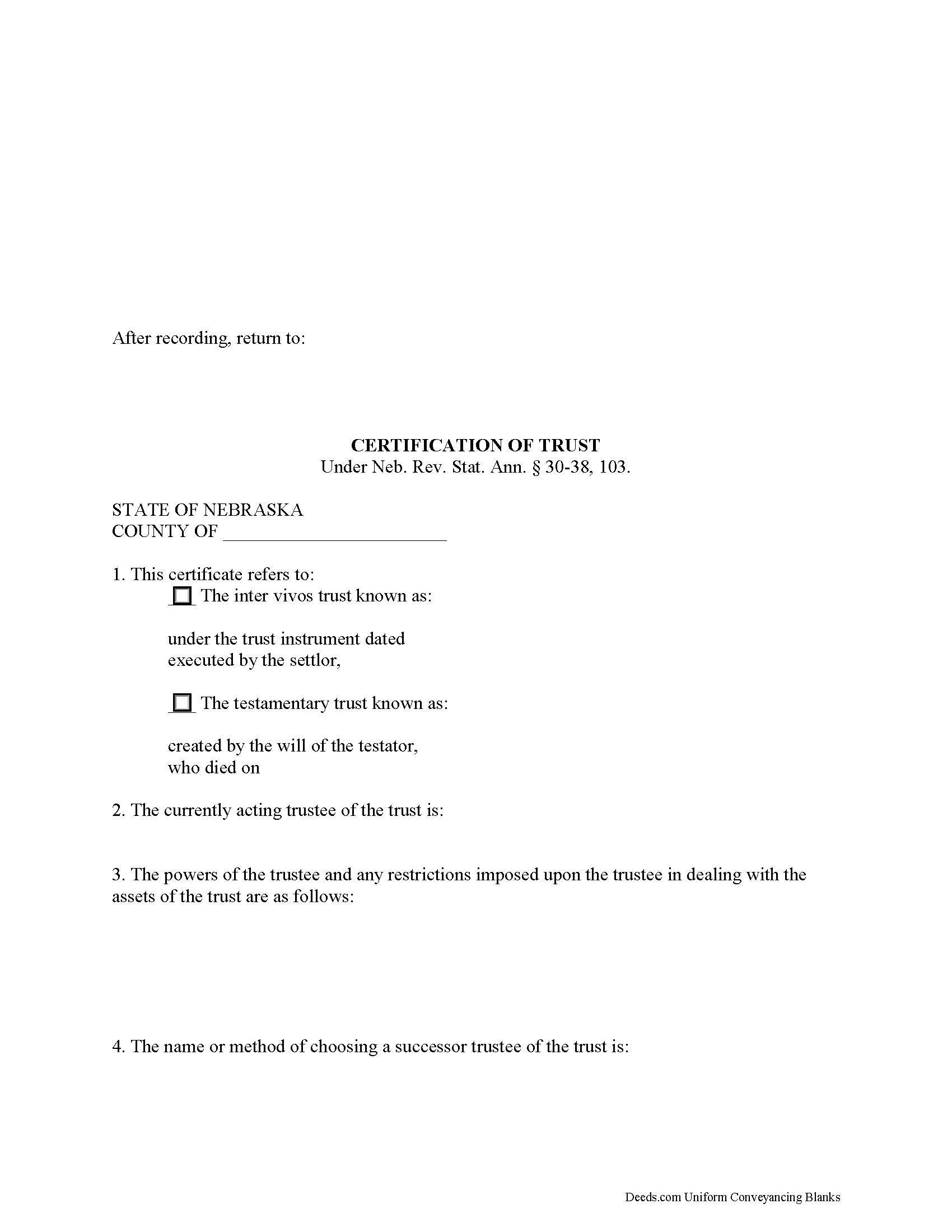
Hooker County Certificate of Trust Form
Fill in the blank form formatted to comply with all recording and content requirements.
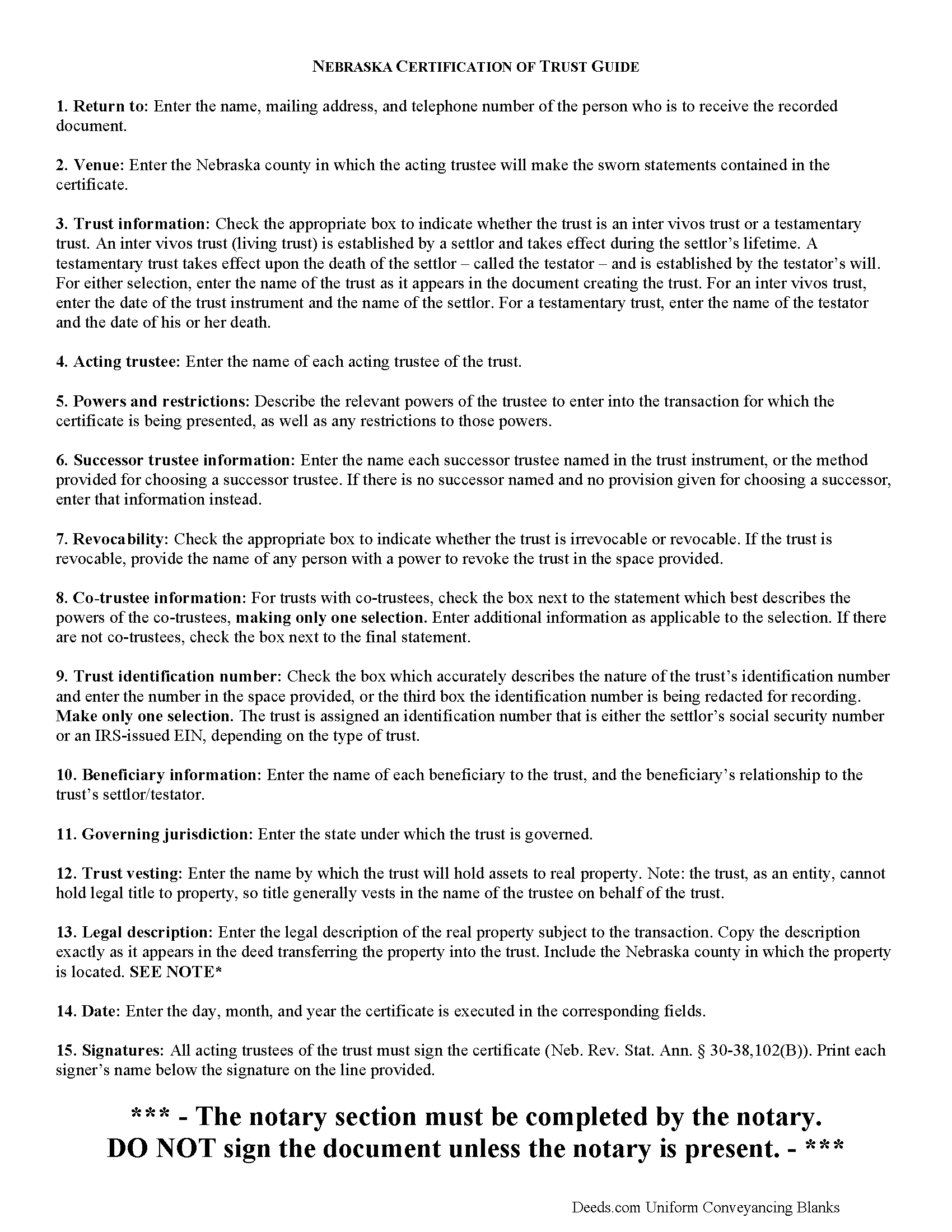
Hooker County Certificate of Trust Guide
Line by line guide explaining every blank on the form.
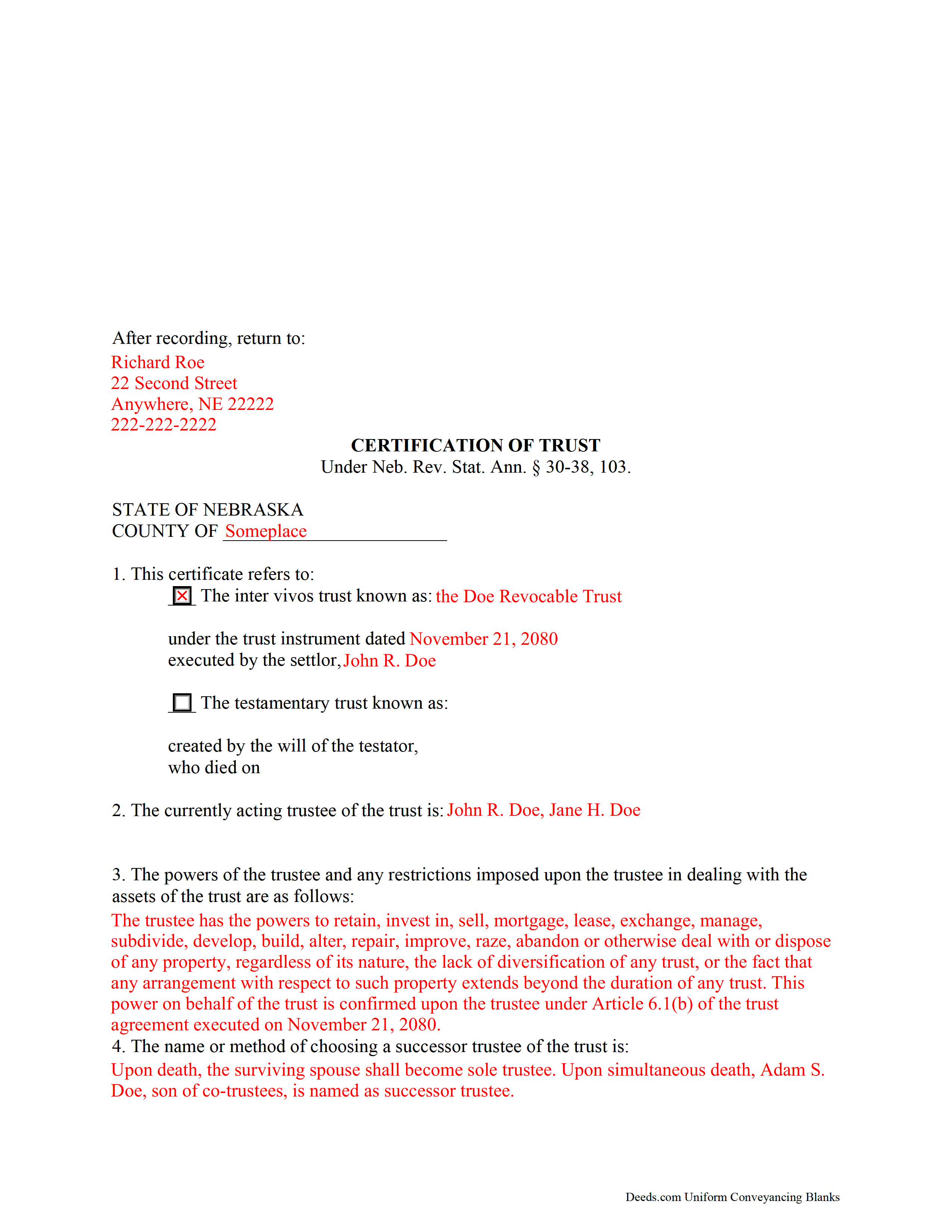
Hooker County Completed Example of the Certificate of Trust Document
Example of a properly completed form for reference.
All 3 documents above included • One-time purchase • No recurring fees
Immediate Download • Secure Checkout
Additional Nebraska and Hooker County documents included at no extra charge:
Where to Record Your Documents
Hooker County Register of Deeds
Mullen, Nebraska 69152
Hours: 8:30-12:00 1:00-4:30 Mon-Fri
Phone: (308) 546-2244
Recording Tips for Hooker County:
- Bring your driver's license or state-issued photo ID
- Ensure all signatures are in blue or black ink
- Recorded documents become public record - avoid including SSNs
- Recording fees may differ from what's posted online - verify current rates
- Request a receipt showing your recording numbers
Cities and Jurisdictions in Hooker County
Properties in any of these areas use Hooker County forms:
- Mullen
Hours, fees, requirements, and more for Hooker County
How do I get my forms?
Forms are available for immediate download after payment. The Hooker County forms will be in your account ready to download to your computer. An account is created for you during checkout if you don't have one. Forms are NOT emailed.
Are these forms guaranteed to be recordable in Hooker County?
Yes. Our form blanks are guaranteed to meet or exceed the applicable formatting requirements used for recording in Hooker County, including margin requirements, font requirements, and other layout standards. This guarantee applies to formatting, not to the legal sufficiency of information entered by the user or the suitability of a form for a particular transaction.
Can I reuse these forms?
Yes. You can reuse the forms for your personal use. For example, if you have multiple properties in Hooker County you only need to order once.
What do I need to use these forms?
The forms are PDFs that you fill out on your computer. The free Adobe Acrobat Reader is recommended, and most PDF apps also work. You do NOT enter your property information online - you download the blank forms and complete them privately on your own computer.
Are there any recurring fees?
No. This is a one-time purchase. Nothing to cancel, no memberships, no recurring fees.
How much does it cost to record in Hooker County?
Recording fees in Hooker County vary. Contact the recorder's office at (308) 546-2244 for current fees.
Questions answered? Let's get started!
The Nebraska certification of trust is codified at Neb. Rev. Stat. Ann. 30-38, 103 and falls under the Nebraska Uniform Trust Code, a collection of statutes adopted from the Uniform Trust Code to govern trusts in the State of Nebraska.
In Nebraska, the certification of trust is an affidavit signed by each acting trustee of the trust, containing sworn statements made in the presence of a notary public. The certificate verifies the existence of the trust and is an abstract of relevant provisions of the trust in lieu of the entire trust instrument.
The document may be presented by a trustee or requested by any person doing business with a trustee, particularly in transactions involving real property (though failure to request a certificate of trust is not considered an "improper act" under 30-38,106). As the trust itself cannot hold title, the trustee acts as a representative of the trust. When the transaction for which the certificate of trust is presented or requested involves real property, the legal description of the parcel subject to the transaction should be included.
The certificate of trust may be used by trustees of both living trusts and testamentary trusts. For a living trust, the certificate requires the date of the trust instrument's execution and the identity of the trust's settlor. For a testamentary trust, the certificate gives the death date of the decedent and the testator's identity. In Nebraska, a certificate of trust requires the identity of the beneficiary or beneficiaries of the trust and their relationship to the settlor or testator, as well.
Essential information contained in the certificate includes the name of the currently acting trustee and a description of the trustee's relevant powers, and any restrictions on those powers in dealing with the trust's assets. In addition, the certificate identifies any successor trustee named by the trust instrument (or will, in the case of a testamentary trust), or the procedure given for choosing a successor trustee, if any exists.
If more than one person is an appointed trustee, the document requires details regarding co-trustees' authority to exercise powers. For example, a trust's provisions might specify a single trustee in charge of certain duties, and require that trustee to handle those duties solely. Or, the trust may stipulate that trustees are to act and sign documents jointly.
Additional requirements for the document include the name under which the trust will take and hold assets, the trust's identification number, and the name of the state or other jurisdiction under which the trust was formed. Trusts can further be categorized into revocable or irrevocable trusts, so the certificate should identify whether or not the trust can be revoked, and by whom it is revocable.
Finally, the document requires a notice that the trust has not been revoked or amended so as to cause the statements contained within to be incorrect, and that all the acting trustees have signed the certificate. Recipients of a certificate may rely upon the statements contained within as factual (Neb. Rev. Stat. Ann. 30-38,105). The presentation of a certificate of trust, however, does not prevent the recipient from requesting the excerpts from the trust instrument conferring the relevant powers to act in the pending transaction unto the trustee ( 30-38,104).
Aside from the above requirements, the certificate should meet all prerequisites for recording documents affecting real property in the State of Nebraska. Consult a lawyer with any questions about certifications and trusts in Nebraska, as each situation is unique.
(Nebraska COT Package includes form, guidelines, and completed example)
Important: Your property must be located in Hooker County to use these forms. Documents should be recorded at the county recording office listed above.
This Certificate of Trust meets all recording requirements specific to Hooker County.
Our Promise
The documents you receive here are guaranteed to meet or exceed the applicable Hooker County recording format requirements. If there is a rejection caused by our formatting, we will correct the issue or refund your payment. This guarantee applies to document formatting only and does not extend to information entered by the user, the selection of the form, or the legal effect of the completed document.
Save Time and Money
Get your Hooker County Certificate of Trust form done right the first time with Deeds.com Uniform Conveyancing Blanks. At Deeds.com, we understand that your time and money are valuable resources, and we don't want you to face a penalty fee or rejection imposed by a county recorder for submitting nonstandard documents. We constantly review and update our forms to meet rapidly changing state and county recording requirements for roughly 3,500 counties and local jurisdictions.
4.8 out of 5 - ( 4,829 Reviews )
Maurice B. 5 out of 5 stars
The program fields should allow the customer to change font size and allow additional space for information to be place on the Deed. Not Bad, still needs improvement.
Thank you for your feedback Maurice. Unfortunately we do not make the requirements for things like font size and margins, we only make the documents to be compliant with them.
Marissa G. 5 out of 5 stars
The NV Clark County deed upon death was perfect! Our county doesn't offer a template, but rather has a long list of rules and specifications where they expect you to make your own document. I didnt want to risk making an unacceptable form so I purchased the template from Deeds.com. It was easy to use and very thorough. Our deed upon death was notarized and filed with the county with no issue. Save yourselves the time and headache and get the template!
We appreciate your business and value your feedback. Thank you. Have a wonderful day!
Ricky P. 1 out of 5 stars
Very hard to navigate and understand. Couldn't find what I was looking for.
Sorry to hear that we failed you with our navigation Ricky. We do hope that you were able to find what you were looking for elsewhere. Have a wonderful day.
Robbin J. 5 out of 5 stars
Really great website!! Easy to use!! Very helpful!!
Thank you!
Kevin U. 5 out of 5 stars
very smooth and easy
We appreciate your business and value your feedback. Thank you. Have a wonderful day!
Byron M. 5 out of 5 stars
This is a great service and a time saver for the company. We get fast responses and a detailed explanation if something additional is needed.
Thank you for your feedback. We really appreciate it. Have a great day!
Kenneth H. 5 out of 5 stars
The deeds.com website is incredibly easy to navigate and the nearly instantaneous chat function allowed me to quickly correct an entry error I made uploading a document. The day after enrolling and uploading the document I had a copy of the document properly filed. Very efficient; very effective.
Thank you for your feedback. We really appreciate it. Have a great day!
Sander G. 4 out of 5 stars
Good but knocked off a star because the download file names are mostly numbers instead of recognizable names of the file contents (e.g., Promissory_Note_blank.pdf). Renaming would be a great help!
Thank you for your feedback. We really appreciate it. Have a great day!
Beatrica G. 5 out of 5 stars
Thanks for your service. I recieved my documents on time and package information as promise.
Thank you for your feedback. We really appreciate it. Have a great day!
Tom L. 5 out of 5 stars
An excellent service that I would be happy to use again.
Thank you for your feedback. We really appreciate it. Have a great day!
linda l. 4 out of 5 stars
I was very impressed with the Mineral Deed form, especially with the instructions to fill it out AND a copy of a completed for to compare against. This definitely saved me money for an attorney. The one thing I don't understand, though, is why I could not save the completed Deed to my hard drive. I did have to change a few things after the fact and I had to re-type the entire page to make the corrections. If not for this, I would definitely rate the forms and instructions as a 5 star.
Thank you for your feedback. We really appreciate it. Have a great day!
David W. 5 out of 5 stars
Excellent service! Questions were answered promptly, and the entire process was easy and fast. Thank you!
We appreciate your business and value your feedback. Thank you. Have a wonderful day!
Sue B. 5 out of 5 stars
Easy to download and complete. Thank you for this service!
Thank you for your feedback Sue, we really appreciate it!
Nicole M. 5 out of 5 stars
This is my very first use with your company. I submitted my package and within the hour you had responded with an Invoice for me to pay so you could proceed with my recording. So far I am very impressed! Thank you.
Thank you for your feedback. We really appreciate it. Have a great day!
Sherri S. 5 out of 5 stars
Easy to access forms, and reasonably priced. I'll definitely use again in the future.
We appreciate your business and value your feedback. Thank you. Have a wonderful day!