Boyd County Quitclaim Deed (Trustee Grantee) Form
Last validated September 22, 2026 by our Forms Development TeamFormatted for recording in Boyd County, for property anywhere in the county: rural and unincorporated areas as well as Bristow, Butte, Lynch, Naper, Spencer.
- 3 documents included
- Immediate PDF download
- Formatting guarantee
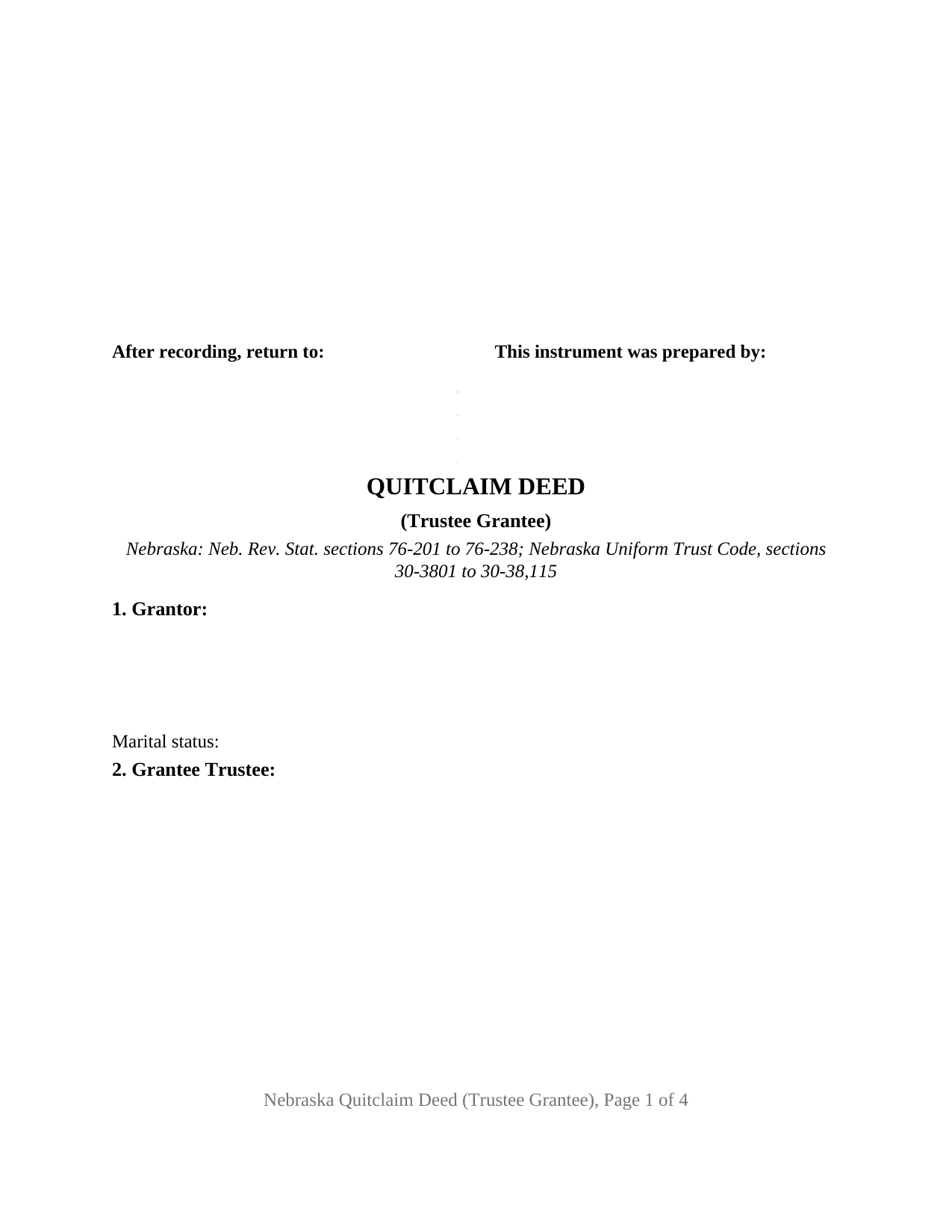
Boyd County Quitclaim Deed (Trustee Grantee) Form
Fill in the blank Quitclaim Deed (Trustee Grantee) form formatted to comply with all Nebraska recording and content requirements.
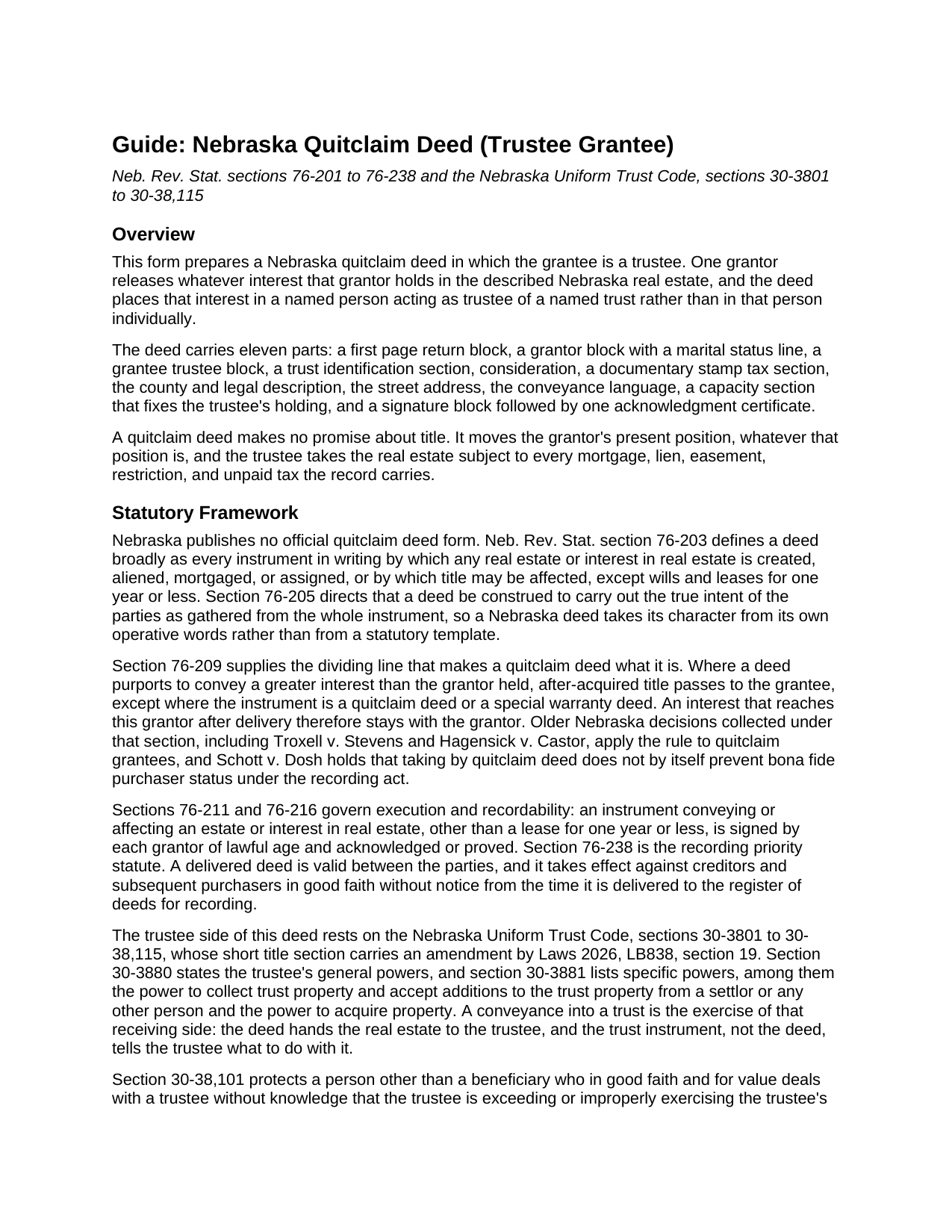
Boyd County Quitclaim Deed (Trustee Grantee) Guide
Line by line guide explaining every blank on the Quitclaim Deed (Trustee Grantee) form.
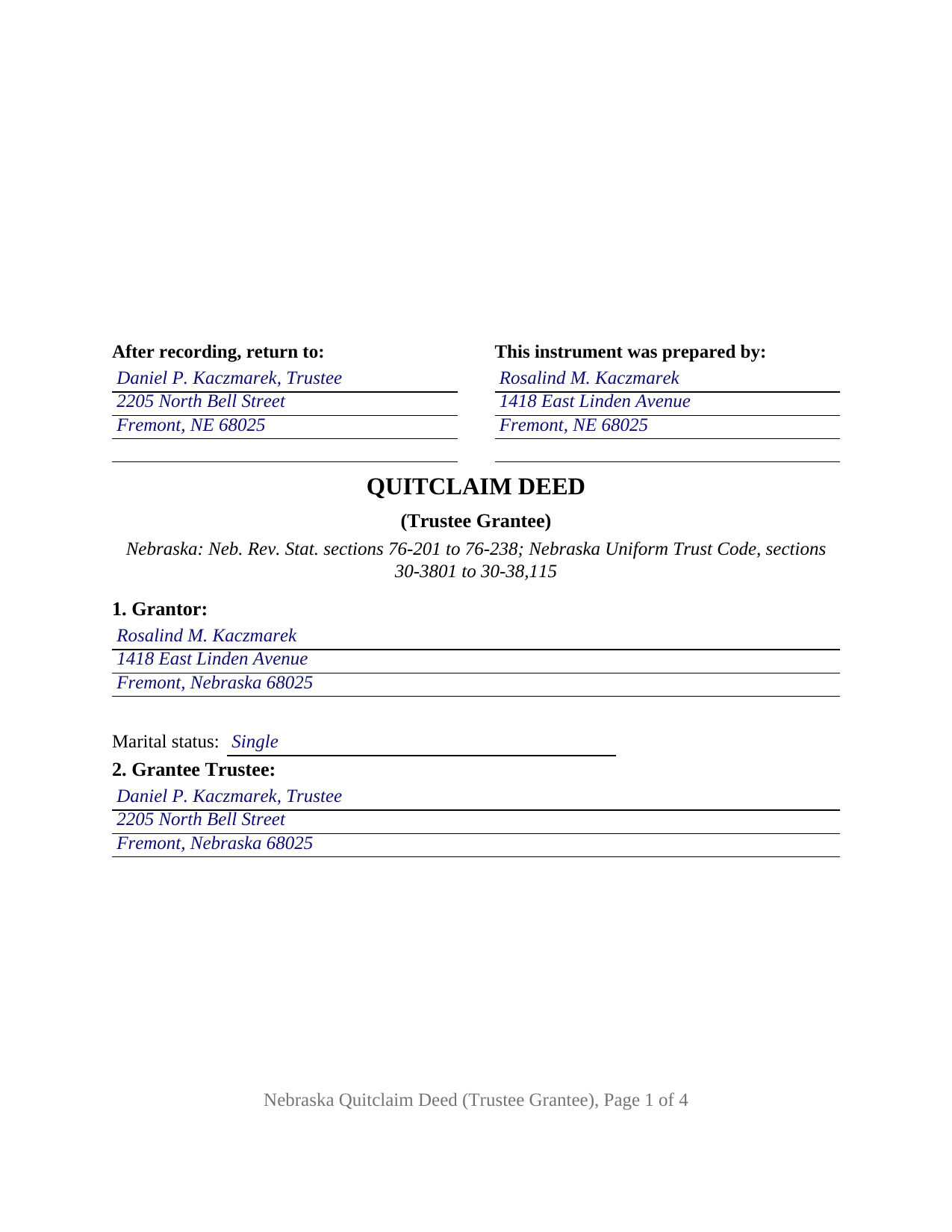
Boyd County Completed Example of the Quitclaim Deed (Trustee Grantee) Document
Example of a properly completed Nebraska Quitclaim Deed (Trustee Grantee) document for reference.
All 3 documents above included • One-time purchase • No recurring fees
Immediate Download • Secure Checkout
Additional Nebraska and Boyd County documents included at no extra charge:
Where to Record Your Documents
Boyd County Register of Deeds/Clerk
Butte, Nebraska 68722
Hours: 8:15 to 4:00. Monday through Friday
Phone: (402) 775-2391
Recording Tips for Boyd County:
- Bring your driver's license or state-issued photo ID
- Ensure all signatures are in blue or black ink
- Ask if they accept credit cards - many offices are cash/check only
- Check that your notary's commission hasn't expired
- Documents must be on 8.5 x 11 inch white paper
Cities and Jurisdictions in Boyd County
Properties in any of these areas use Boyd County forms:
- Bristow
- Butte
- Lynch
- Naper
- Spencer
Hours, fees, requirements, and more for Boyd County
How do I get my forms?
Forms are available for immediate download after payment. The Boyd County forms will be in your account ready to download to your computer. An account is created for you during checkout if you don't have one. Forms are NOT emailed.
Are these forms guaranteed to be recordable in Boyd County?
Yes. Our form blanks are guaranteed to meet or exceed the applicable formatting requirements used for recording in Boyd County, including margin requirements, font requirements, and other layout standards. This guarantee applies to formatting, not to the legal sufficiency of information entered by the user or the suitability of a form for a particular transaction.
Can I reuse these forms?
Yes. You can reuse the forms for your personal use. For example, if you have multiple properties in Boyd County you only need to order once.
What do I need to use these forms?
The forms are PDFs that you fill out on your computer. The free Adobe Acrobat Reader is recommended, and most PDF apps also work. You do NOT enter your property information online - you download the blank forms and complete them privately on your own computer.
Are there any recurring fees?
No. This is a one-time purchase. Nothing to cancel, no memberships, no recurring fees.
How much does it cost to record in Boyd County?
Recording fees in Boyd County vary. Contact the recorder's office at (402) 775-2391 for current fees.
Questions answered? Let's get started!
Everything distinctive about this Nebraska quitclaim deed sits on the receiving line. The grantee is not simply a person here, but a person named in a capacity, taking the released interest for a trust the deed identifies by name, by date, and by the jurisdiction under which it was established.
A grantee named in a capacity
The grantee block takes one trustee and a mailing address, and Section 9 prints without blanks: title vests in that person as trustee of the trust identified in Section 3, to be held under the terms of that trust and not in the trustee's individual capacity. The trustee's powers come from the trust instrument and from the Nebraska Uniform Trust Code, sections 30-3801 to 30-38,115, whose Section 30-3881 lists the trustee's specific powers, including collecting trust property and accepting additions from a settlor or any other person.
What the trust section pins down
Section 3 asks for three facts and nothing more: the trust's name, the date of the trust instrument, and the jurisdiction under which the trust was established. Those three sit among the contents of a certification of trust under Neb. Rev. Stat. Section 30-38,103, the affidavit a trustee later presents under Section 30-38,102 to establish the trust and the trustee's authority, signed and acknowledged by all acting trustees, prepared separately and not included in this package. Printing them on the deed lets a title examiner or a successor trustee tie this conveyance to the right trust years later.
One signature, and the trustee signs nothing
The form is fixed at one grantor and one grantee trustee: a grantor block with a marital status line, a signature line, and one acknowledgment certificate, for the grantor alone. A grantee takes under a Nebraska deed without signing it, so the trustee has no signature line. Owners moving a parcel into an existing living trust, a settlor funding a trust set up for a family member, and a conveyance putting the record on the trustee's name where an earlier instrument named only the trust all arrive in the shape this deed carries. Two co-trustees on the receiving side, a grantee taking individually, and a grantor side with more than one signer follow architectures this version is not set up as. Where the parcel is the homestead of a married grantor, Section 40-104 calls for both spouses to execute and acknowledge the instrument whoever the grantee is, a rule Mutual of Omaha Bank v. Watson reads strictly.
Quitclaim words, measured against a trust
The conveyance section remises, releases, and forever quitclaims the grantor's right, title, interest, claim, and demand, and states on its face that it passes only what the grantor holds at delivery, without covenant or warranty. Section 76-209 keeps a quitclaim deed outside the after-acquired-title rule, so an interest arriving to the grantor after delivery stays there rather than moving to the trustee. Mortgages, easements, liens, and unpaid taxes travel with the parcel into the trust.
An exemption that looks past the trustee
Documentary stamp tax falls on the grantor under Section 76-901, at $3.32 for each $1,000 of value or fraction of it for transfers before 2032, collected before the deed is accepted. Trust transfers have their own line: Section 76-902(19) reaches deeds transferring property into a trust where the same transfer would be exempt if made directly from the grantor to the trust's beneficiaries, so the analysis runs through the beneficiaries and past the trustee entirely. A transfer that misses the list is measured on current market value, the meaning Section 76-901 gives value for a gift or a nominal-consideration deed. Department of Revenue guidance on deeds to trustees also shapes the accompanying Form 521 Real Estate Transfer Statement, where the grantee entry is the trustee and the transfer type names the trust as revocable or irrevocable. Section 5 of the deed takes either the tax figure or the exemption subdivision, and the completed example enters subdivision 19 on a Dodge County transfer.
What the download contains
The package holds this trustee grantee version of the Nebraska quitclaim deed as a fillable PDF, the completed Dodge County example, and a plain language guide covering each entry, the certificate, the estates a grantee may take, and the recording steps. Searches reach it as a deed into trust, a deed to a trustee, a quit claim deed, or a quick claim deed; the Nebraska record calls the instrument a quitclaim deed. The materials are informational and are not legal advice.
Important: Your property must be located in Boyd County to use these forms. Documents should be recorded at the county recording office listed above.
This Quitclaim Deed (Trustee Grantee) meets all recording requirements specific to Boyd County.
Our Promise
The documents you receive here are guaranteed to meet or exceed the applicable Boyd County recording format requirements. If there is a rejection caused by our formatting, we will correct the issue or refund your payment. This guarantee applies to document formatting only and does not extend to information entered by the user, the selection of the form, or the legal effect of the completed document.
Save Time and Money
Get your Boyd County Quitclaim Deed (Trustee Grantee) form done right the first time with Deeds.com Uniform Conveyancing Blanks. At Deeds.com, we understand that your time and money are valuable resources, and we don't want you to face a penalty fee or rejection imposed by a county recorder for submitting nonstandard documents. We constantly review and update our forms to meet rapidly changing state and county recording requirements for roughly 3,500 counties and local jurisdictions.
4.8 out of 5 - ( 4,829 Reviews )
Johnette E. 5 out of 5 stars
Easy and quick to use!!
Thank you!
Charlotte K. 5 out of 5 stars
Really a simple, quick, professional experience!
Thank you!
Sandra B. 5 out of 5 stars
Easy to navigate through. Documents were in orderly fashion. Highly recommend. Step by step instructions
We appreciate your business and value your feedback. Thank you. Have a wonderful day!
Laurie F. 5 out of 5 stars
I am so glad I found Deeds.com. You had exactly what I needed and made it easy to download. I have bookmarked you in the event of further inquiry. Thank you.
We appreciate your business and value your feedback. Thank you. Have a wonderful day!
RUTH O. 5 out of 5 stars
Got access to the forms immediately after ordering. Lots of helpful information, forms were easy to use. Happy I choose this site.
Thank you Ruth. Have a great day!
KELLY S. 5 out of 5 stars
very happy. I will use you for all my needed documents thanks for being here
We appreciate your business and value your feedback. Thank you. Have a wonderful day!
Phillip B. 5 out of 5 stars
Nice. Quick and very easy to find and download the exact forms I needed.
Thank you for your feedback. We really appreciate it. Have a great day!
Mark C. 5 out of 5 stars
WOW! I am so pleased the County Registrar’s office recommended Deeds.com. From start to a very quick finish Deeds.com worked to ensure my documents were correct and they immediately filed them. The Warranty Deed was accepted by the County and registered within a hour. Deeds.com’s communication was superb. I will use this handy resource every time I am in need.
Your feedback is greatly appreciated. Thank you for taking the time to share your experience!
rich b. 3 out of 5 stars
Had pretty much everything I needed. Had to slice and dice a bit.
Thank you!
Angela B. 5 out of 5 stars
The site made everything very easy to understand and access. I was able to get everything I needed and the cost was reasonable.
We appreciate your business and value your feedback. Thank you. Have a wonderful day!
Judith A. 5 out of 5 stars
Excellent
Thank you!
Yvonne A. 5 out of 5 stars
love your Deeds.com website...
Thank you!
Michael J. 5 out of 5 stars
Great site, very easy to use. Thanks
Thank you for your feedback. We really appreciate it. Have a great day!
Kathryn G. 5 out of 5 stars
This was extremely helpful!
We are motivated by your feedback to continue delivering excellence. Thank you!
silvia m. 5 out of 5 stars
Used the forms for a quitclaim deed. Worked great! Also, big bonus to have the extra forms available, needed a couple of them. Highly recommend...
We appreciate your business and value your feedback. Thank you. Have a wonderful day!