Adams County Quitclaim Deed (Trustee Grantor) Form
Last validated September 30, 2026 by our Forms Development TeamFormatted for recording in Adams County, for property anywhere in the county: rural and unincorporated areas as well as Ayr, Hastings, Holstein, Juniata, Kenesaw, Roseland.
- 3 documents included
- Immediate PDF download
- Formatting guarantee
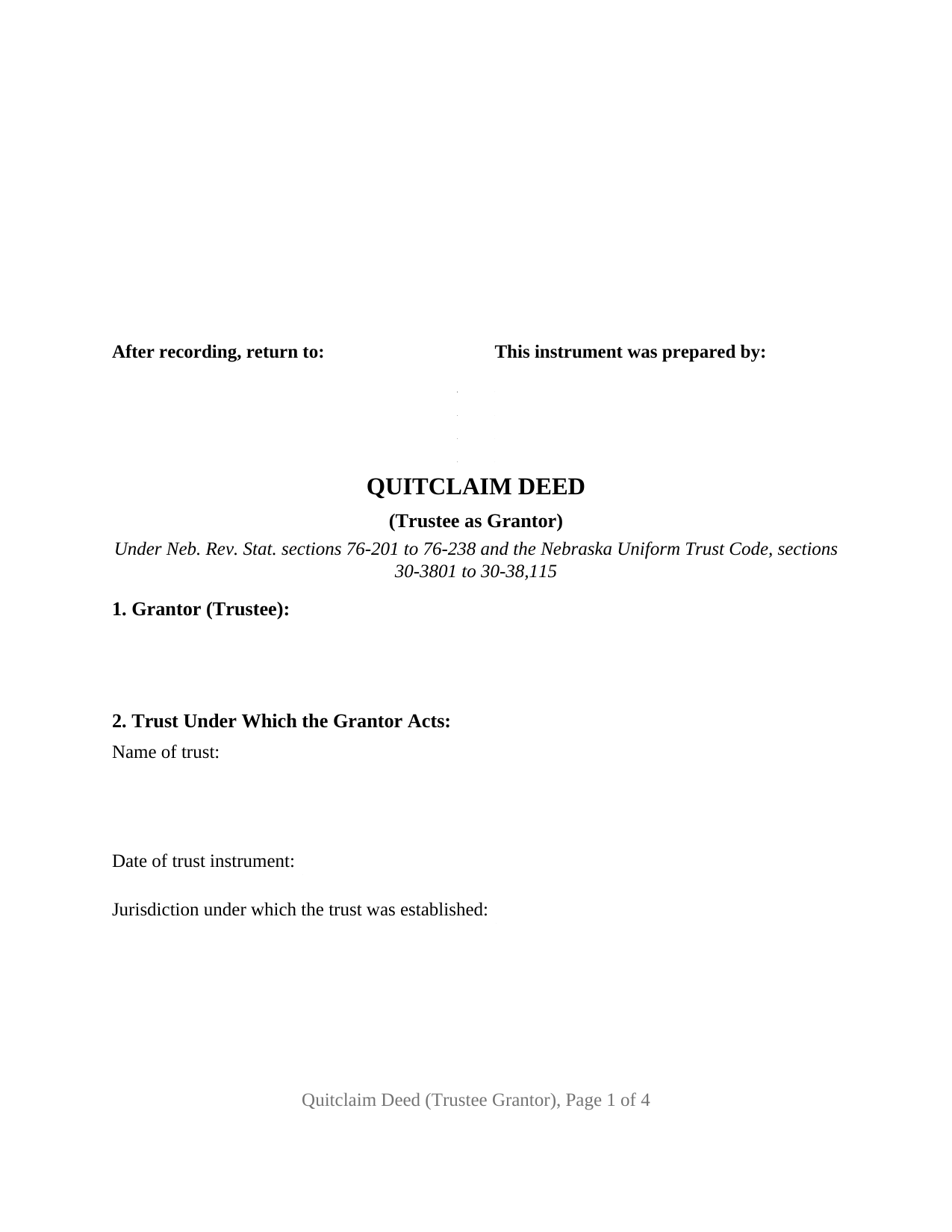
Adams County Quitclaim Deed (Trustee Grantor) Form
Fill in the blank Quitclaim Deed (Trustee Grantor) form formatted to comply with all Nebraska recording and content requirements.
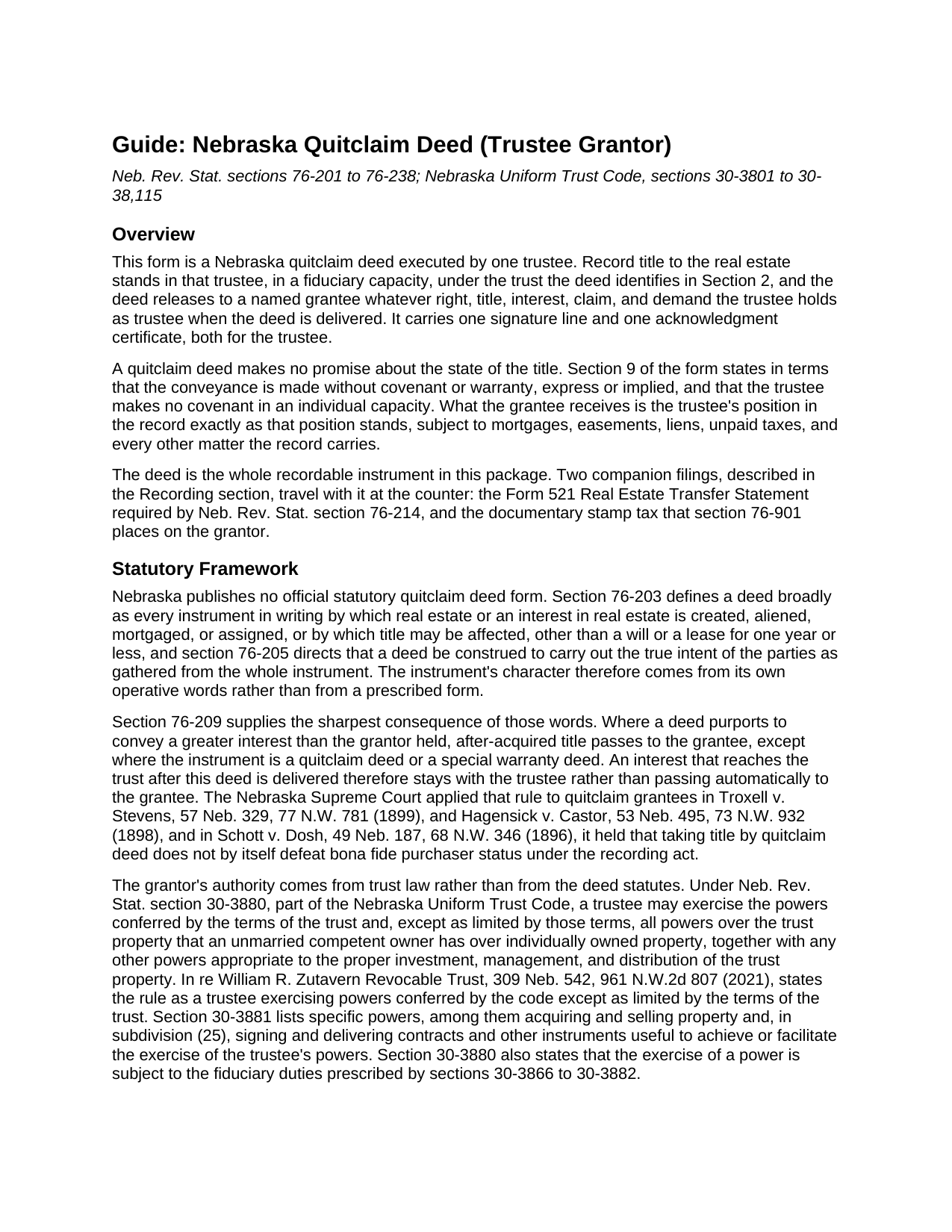
Adams County Quitclaim Deed (Trustee Grantor) Guide
Line by line guide explaining every blank on the Quitclaim Deed (Trustee Grantor) form.
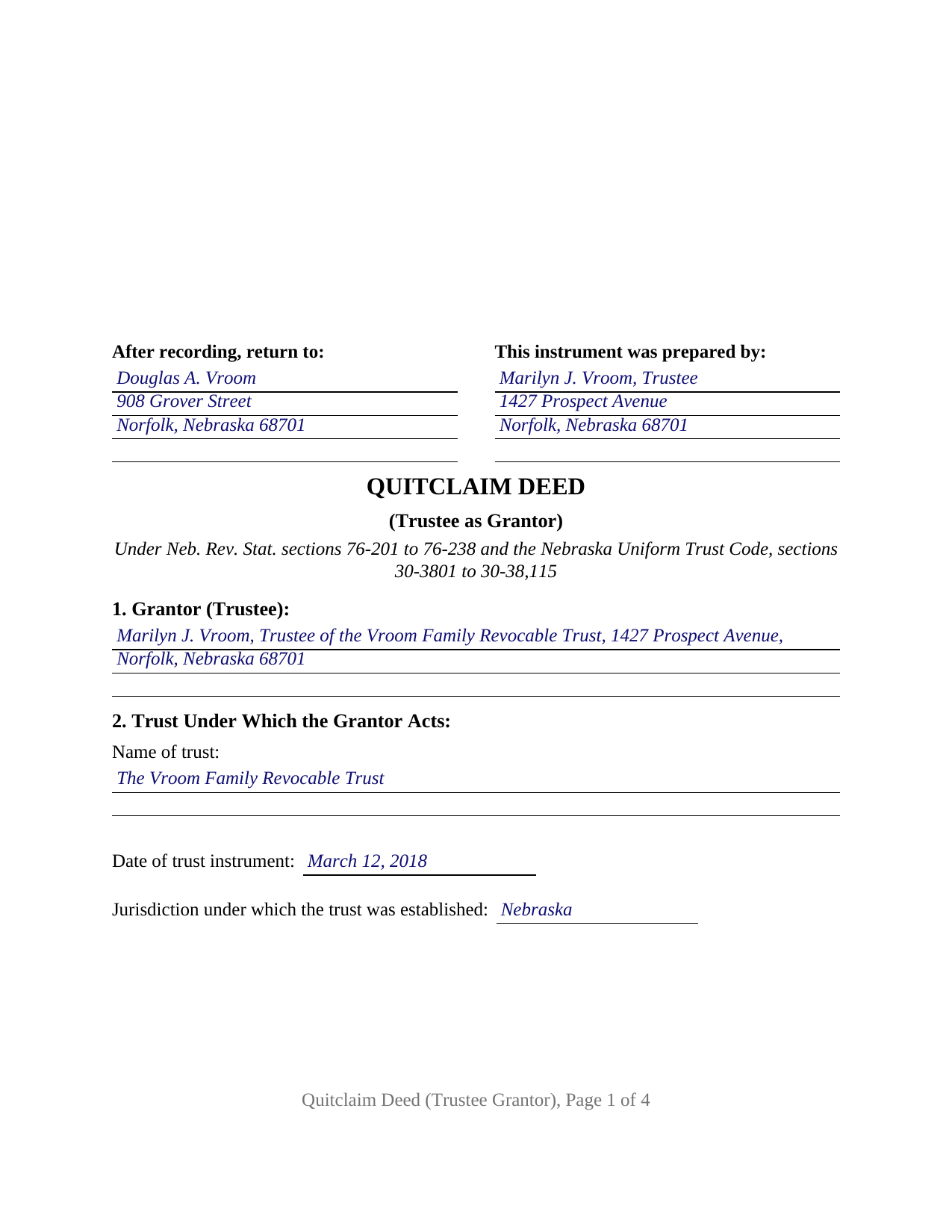
Adams County Completed Example of the Quitclaim Deed (Trustee Grantor) Document
Example of a properly completed Nebraska Quitclaim Deed (Trustee Grantor) document for reference.
All 3 documents above included • One-time purchase • No recurring fees
Immediate Download • Secure Checkout
Additional Nebraska and Adams County documents included at no extra charge:
Where to Record Your Documents
Adams County Register of Deeds
Hastings , Nebraska 68901
Hours: 9:00am to 5:00pm M-F
Phone: (402) 461-7148
Recording Tips for Adams County:
- Bring your driver's license or state-issued photo ID
- Ensure all signatures are in blue or black ink
- Request a receipt showing your recording numbers
- Ask about accepted payment methods when you call ahead
- Ask for certified copies if you need them for other transactions
Cities and Jurisdictions in Adams County
Properties in any of these areas use Adams County forms:
- Ayr
- Hastings
- Holstein
- Juniata
- Kenesaw
- Roseland
Hours, fees, requirements, and more for Adams County
How do I get my forms?
Forms are available for immediate download after payment. The Adams County forms will be in your account ready to download to your computer. An account is created for you during checkout if you don't have one. Forms are NOT emailed.
Are these forms guaranteed to be recordable in Adams County?
Yes. Our form blanks are guaranteed to meet or exceed the applicable formatting requirements used for recording in Adams County, including margin requirements, font requirements, and other layout standards. This guarantee applies to formatting, not to the legal sufficiency of information entered by the user or the suitability of a form for a particular transaction.
Can I reuse these forms?
Yes. You can reuse the forms for your personal use. For example, if you have multiple properties in Adams County you only need to order once.
What do I need to use these forms?
The forms are PDFs that you fill out on your computer. The free Adobe Acrobat Reader is recommended, and most PDF apps also work. You do NOT enter your property information online - you download the blank forms and complete them privately on your own computer.
Are there any recurring fees?
No. This is a one-time purchase. Nothing to cancel, no memberships, no recurring fees.
How much does it cost to record in Adams County?
Recording fees in Adams County vary. Contact the recorder's office at (402) 461-7148 for current fees.
Questions answered? Let's get started!
The only signature on this Nebraska quitclaim deed belongs to a fiduciary, and it is made in a capacity rather than in a name alone. Record title stands in a trustee, the deed identifies the trust that trustee serves, and what the deed releases is the fiduciary interest as it stands: one grantor block reciting the trustee capacity, one signature line, one acknowledgment certificate.
Where a trustee's power to convey comes from
Nothing in the deed statutes gives a trustee authority to sign; that comes from the trust instrument and the Nebraska Uniform Trust Code. Neb. Rev. Stat. Section 30-3880 gives a trustee the powers the terms of the trust confer and, except as those terms limit them, all powers over the trust property that an unmarried competent owner has over individually owned property, every exercise subject to the fiduciary duties of Sections 30-3866 to 30-3882. Section 30-3881 lists specific powers, among them selling property and, in subdivision (25), signing and delivering instruments useful to exercising them. Nebraska also protects the far side of the closing: Section 30-38,101 shields a person other than a beneficiary who deals in good faith and for value with a trustee, without knowledge that a power is being exceeded, and relieves that person of any duty to inquire into the extent of the trustee's powers, as Junker v. Carlson applied it.
The section that names the trust
Section 2 collects the trust's identity in three blanks: what the trust is called, when its instrument was signed, and the jurisdiction whose law it was established under. Section 30-38,103 lists those same items among the recitals of a certification of trust, the affidavit that all acting trustees sign and acknowledge so that someone dealing with a trust can establish its existence and terms; that affidavit is prepared separately and is no part of this package. Carrying the three on the deed lets a title examiner match this conveyance to the right trust years later, and Section 3 names the instrument that put title in the trustee.
One trustee, one signature, one certificate
The architecture is fixed at a single trustee on the grantor side. A trustee distributing trust real estate to the beneficiaries as an administration closes, a successor trustee clearing a parcel after the settlor's death, and a trustee releasing a residual interest so record title stands in one name arrive in the shape this deed recites. Two cotrustees signing together, a grantor conveying individually, and a deed running to a trustee rather than from one follow architectures this version is not set up as. Beneath the signature sits the printed name line Section 23-1503.01(3) requires, commonly carrying the capacity with the name; a grantee takes without signing, so the certificate is the trustee's alone.
Quitclaim words, measured against trust title
The conveyance section remises, releases, and forever quitclaims the grantor's right, title, interest, claim, and demand as trustee, passing only what is held at delivery, with no covenant or warranty and none at all individually. Section 76-209 keeps a quitclaim deed outside the after-acquired-title rule, so an interest reaching the trust later stays with the trustee, and mortgages, easements, judgment liens, and unpaid taxes ride through untouched.
An exemption that turns on who receives
Section 76-901 lays documentary stamp tax on the grantor, collected by the register of deeds before a deed is accepted, at $3.32 per $1,000 of value or fractional part until 2032. Out of a trust, the exemption analysis follows the recipient: Section 76-902(20) exempts a transfer from a trustee to a beneficiary of the trust, while Department of Revenue regulations state that a transfer to someone who is not a beneficiary is taxable whether or not the sale proceeds reach the beneficiaries. Section 6 takes either the computed tax or the exemption subdivision, backed by the certification Section 76-902 describes, and the example enters subdivision 20 on a Madison County distribution. A grantee-signed Form 521 Real Estate Transfer Statement still travels to the counter under Section 76-214.
What the download contains
The package holds the trustee grantor version of the Nebraska quitclaim deed as a fillable PDF, a completed Madison County example, and a plain language guide covering each blank, the certificate, the estates a grantee may take, and the recording steps. Searches reach it as a trustee deed, a deed out of a trust, a quit claim deed, or a quick claim deed; the Nebraska record calls it a quitclaim deed. The materials are informational and are not legal advice.
Important: Your property must be located in Adams County to use these forms. Documents should be recorded at the county recording office listed above.
This Quitclaim Deed (Trustee Grantor) meets all recording requirements specific to Adams County.
Our Promise
The documents you receive here are guaranteed to meet or exceed the applicable Adams County recording format requirements. If there is a rejection caused by our formatting, we will correct the issue or refund your payment. This guarantee applies to document formatting only and does not extend to information entered by the user, the selection of the form, or the legal effect of the completed document.
Save Time and Money
Get your Adams County Quitclaim Deed (Trustee Grantor) form done right the first time with Deeds.com Uniform Conveyancing Blanks. At Deeds.com, we understand that your time and money are valuable resources, and we don't want you to face a penalty fee or rejection imposed by a county recorder for submitting nonstandard documents. We constantly review and update our forms to meet rapidly changing state and county recording requirements for roughly 3,500 counties and local jurisdictions.
4.8 out of 5 - ( 4,829 Reviews )
Janice T. 5 out of 5 stars
The downloads were a great help in understanding of both what a Warranty Deed was and how to follow the steps as well as filling out the forms.
Thank you for your feedback. We really appreciate it. Have a great day!
Gene J. 4 out of 5 stars
Easy to pay for, hard to download. A zip file containing all the forms would be a great addition. Your warning under the Review box needs help: see Your review may displayed publicly so please do not include any personal information.
Thank you for your feedback. We really appreciate it. Have a great day!
Michael H. 5 out of 5 stars
another exact match with what i needed, thank you! the recorded of deeds accepted it with no problem.
Thank you for your feedback. We really appreciate it. Have a great day!
Cassandra C. 5 out of 5 stars
I was easy fast and easy to order and download.
We appreciate your business and value your feedback. Thank you. Have a wonderful day!
Cheryl W. 5 out of 5 stars
Have yet to use. Appears over whelming, we will see.
Thank you for your feedback. We really appreciate it. Have a great day!
Regina W. 5 out of 5 stars
So glad I found this form. Very easy to download and looks like all the instructions are there to correctly fill out my paperwork. Thanks.
We appreciate your business and value your feedback. Thank you. Have a wonderful day!
Donna R. 5 out of 5 stars
Hi! Is there a setting that I can click on that will make sure I'm notified via email when an update is made to my requests? Thank you!
Thanks for your feedback, we'll have someone look into it.
Erica W. 5 out of 5 stars
Very easy and convenient. I will use this service again!
Thank you!
Tricia M. 5 out of 5 stars
The document I purchased (QuitClaim Deed) had detailed directions explaining how to complete the form. This made it easy to complete without any doubt that it was completed incorrectly (which was my fear). I also used the E-File service and it was processed very quickly without any issues. Thank you for making this process simple! I will definitely use this service again.
We appreciate your business and value your feedback. Thank you. Have a wonderful day!
Cynthia H. 5 out of 5 stars
Thank you for having these forms so reasonable and easy to access. I only WISH I would have looked here 1st, spent way to much valuable time trying to get help with this deed. This was so EASY and quick... THANK YOU THANK YOU Highly Recommend
Thank you!
IVAN G. 5 out of 5 stars
THIS Guys Save YOU TIME , Efforts and MONEY!!! So easy and secured to use,,NOT to mention FAST!!
We appreciate your business and value your feedback. Thank you. Have a wonderful day!
Thomas H. 5 out of 5 stars
Great service! The example completed form and instructions provided by Deeds.com were extremely helpful for properly filling out the blank form they provided. After completing my form and getting it notarized, I e-filed it to my county clerk's office and it was approved right away with no issues. The entire process was well worth the price and I'm very happy with the results.
Thanks, Thomas. First-try acceptance is the goal every time, and we're glad yours went that way. We appreciate your business.
Charles D. 5 out of 5 stars
The included instructions and example made the document easy to complete. And the additional documents for no additional charge were nice.
Thank you for your feedback. We really appreciate it. Have a great day!
John V. B. 5 out of 5 stars
I have not yet used the site however, I feel that this site could be a big asset to the genealogical community. It is well laid out thus easy to use.
Thank you for your feedback. We really appreciate it. Have a great day!
Helen B. 5 out of 5 stars
Very Good!
Thank you!