Burlington County Memorandum of Contract Form
Last validated November 2, 2026 by our Forms Development TeamFormatted for recording in Burlington County, for property anywhere in the county: rural and unincorporated areas as well as Beverly, Birmingham, Bordentown, Browns Mills, Burlington, Chatsworth, Chesterfield, Columbus and 30 more.
- 3 documents included
- Immediate PDF download
- Formatting guarantee
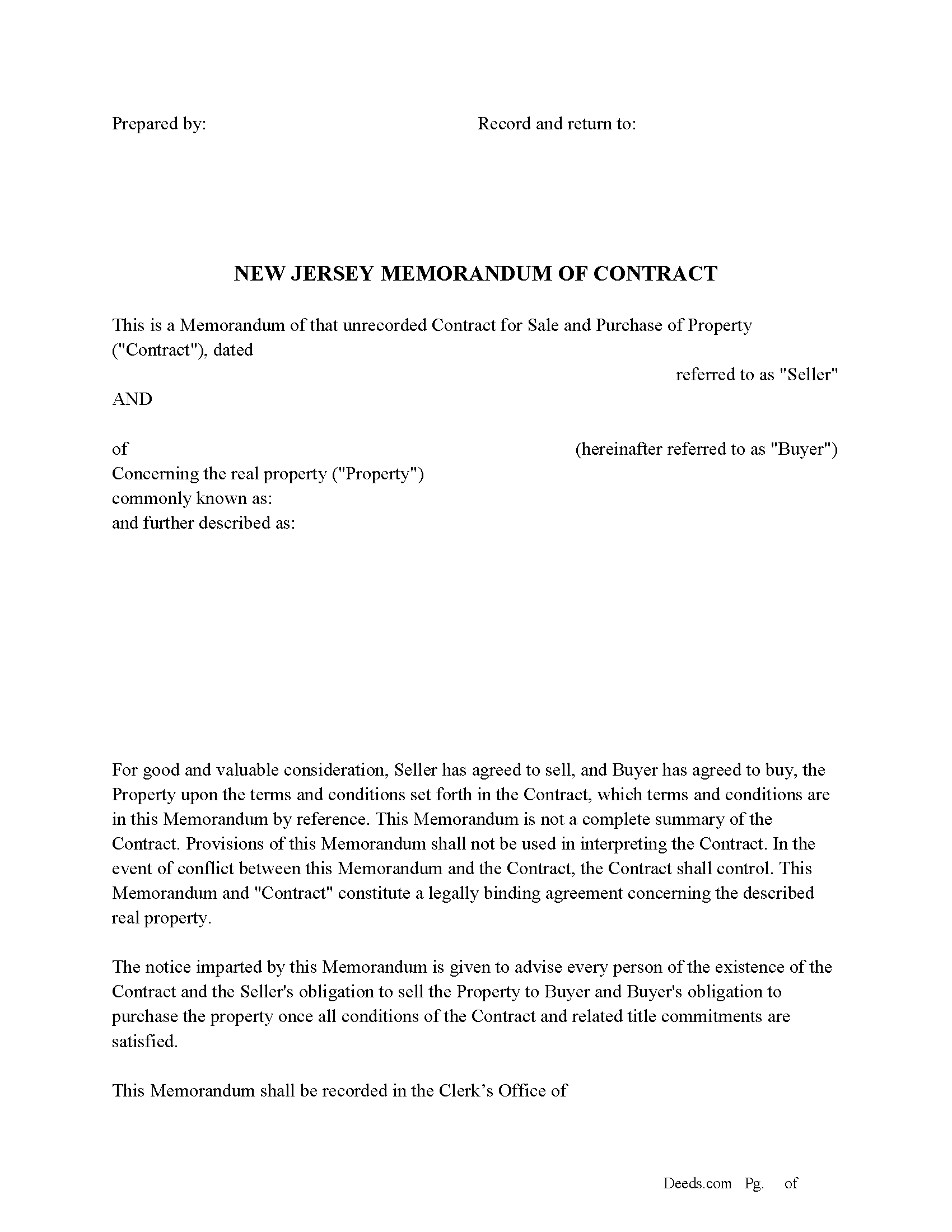
Burlington County Memorandum of Contract Form
Fill in the blank Memorandum of Contract form formatted to comply with all New Jersey recording and content requirements.
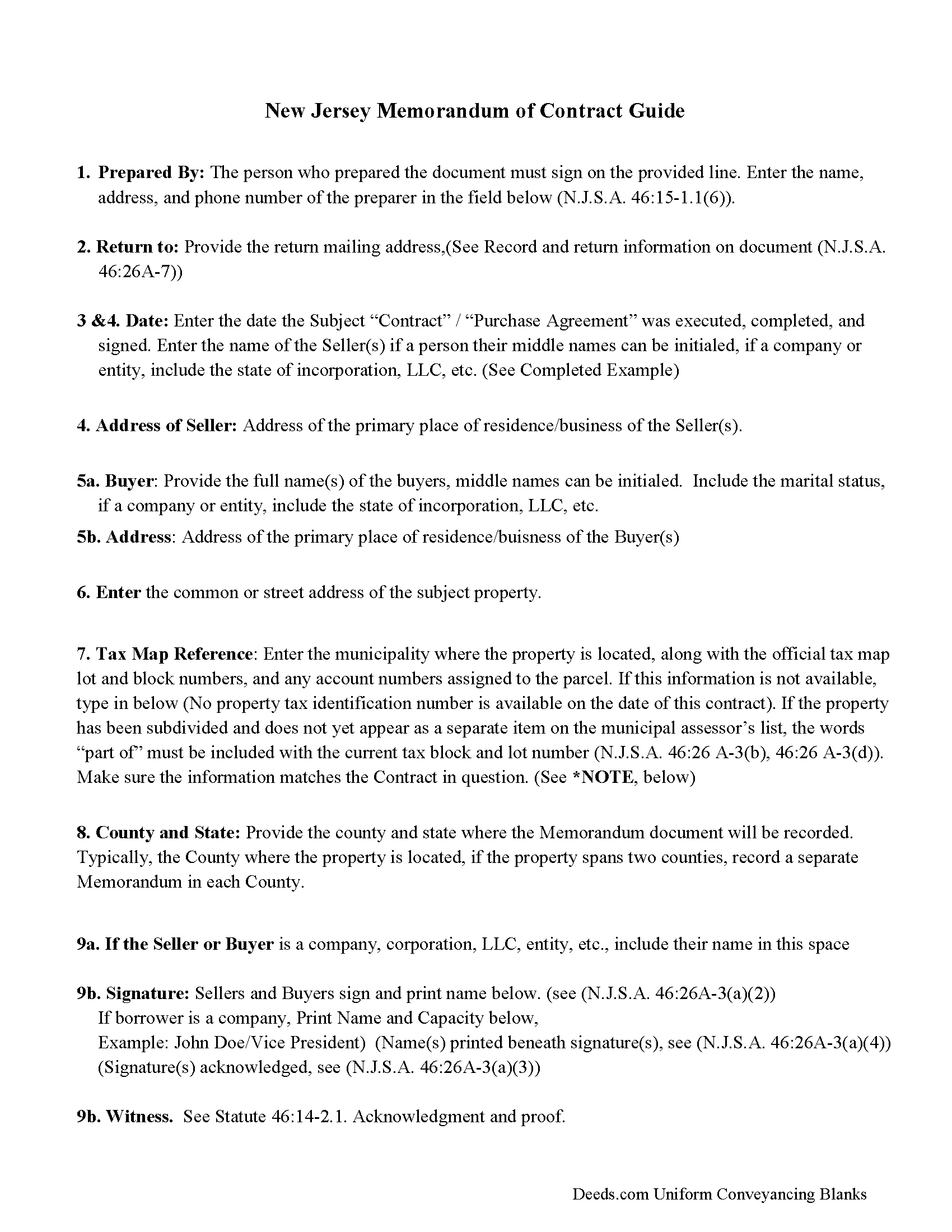
Burlington County Memorandum of Contract Guide
Line by line guide explaining every blank on the Memorandum of Contract form.
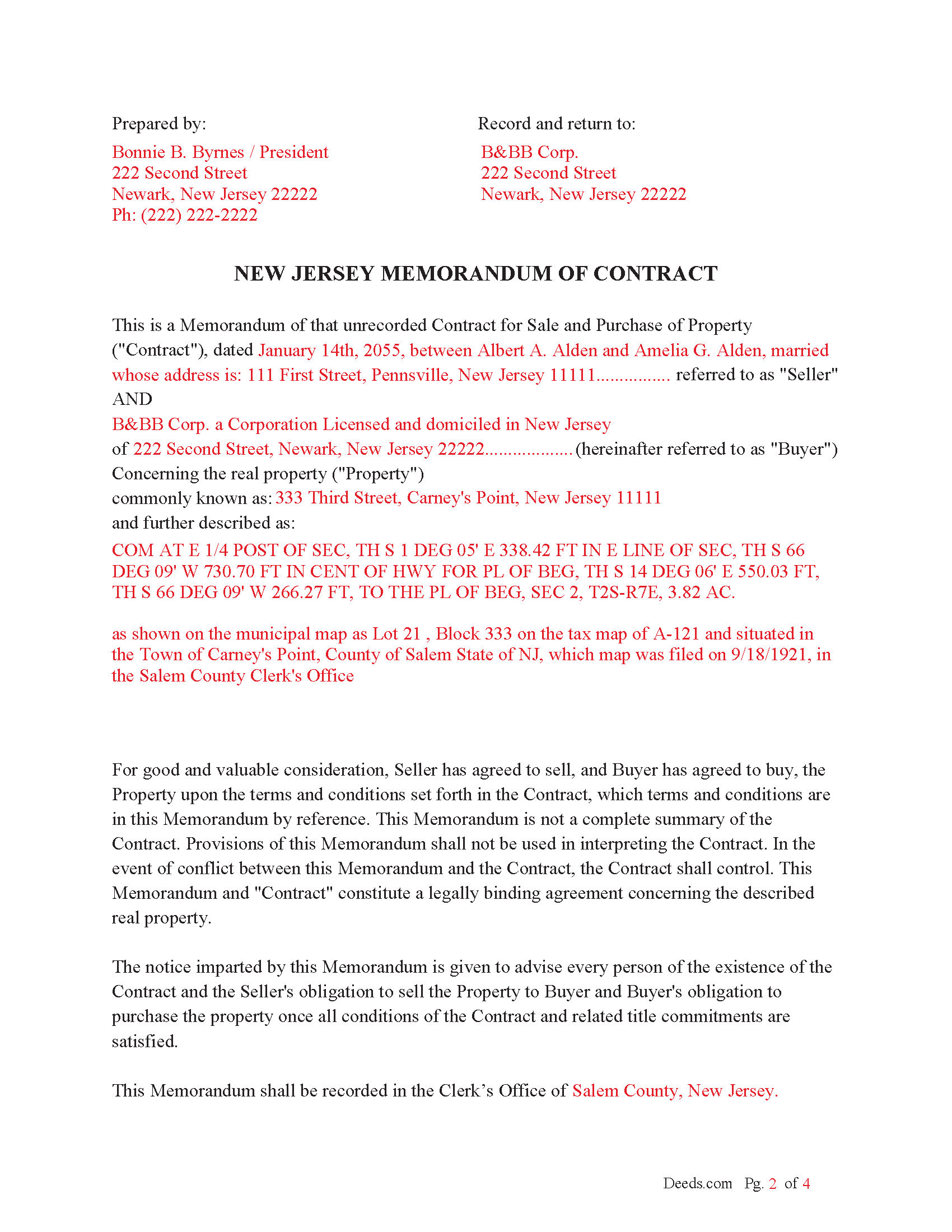
Burlington County Completed Example of the Memorandum of Contract Document
Example of a properly completed New Jersey Memorandum of Contract document for reference.
All 3 documents above included • One-time purchase • No recurring fees
Immediate Download • Secure Checkout
Additional New Jersey and Burlington County documents included at no extra charge:
Where to Record Your Documents
County Clerk
Mount Holly, New Jersey 08060
Hours: Mon 8:00am to 7:00pm; Tue to Fri 8:00am to 4:00pm
Phone: (609) 265-5122
Recording Tips for Burlington County:
- Bring your driver's license or state-issued photo ID
- Ensure all signatures are in blue or black ink
- Make copies of your documents before recording - keep originals safe
- Recorded documents become public record - avoid including SSNs
- Recording fees may differ from what's posted online - verify current rates
Cities and Jurisdictions in Burlington County
Properties in any of these areas use Burlington County forms:
- Beverly
- Birmingham
- Bordentown
- Browns Mills
- Burlington
- Chatsworth
- Chesterfield
- Columbus
- Cookstown
- Delanco
- Delran
- Florence
- Fort Dix
- Hainesport
- Jobstown
- Juliustown
- Lumberton
- Maple Shade
- Marlton
- Medford
- Moorestown
- Mount Holly
- Mount Laurel
- New Gretna
- New Lisbon
- Palmyra
- Pemberton
- Rancocas
- Riverside
- Riverton
- Roebling
- Shamong
- Southampton
- Tabernacle
- Trenton
- Vincentown
- Willingboro
- Wrightstown
Hours, fees, requirements, and more for Burlington County
How do I get my forms?
Forms are available for immediate download after payment. The Burlington County forms will be in your account ready to download to your computer. An account is created for you during checkout if you don't have one. Forms are NOT emailed.
Are these forms guaranteed to be recordable in Burlington County?
Yes. Our form blanks are guaranteed to meet or exceed the applicable formatting requirements used for recording in Burlington County, including margin requirements, font requirements, and other layout standards. This guarantee applies to formatting, not to the legal sufficiency of information entered by the user or the suitability of a form for a particular transaction.
Can I reuse these forms?
Yes. You can reuse the forms for your personal use. For example, if you have multiple properties in Burlington County you only need to order once.
What do I need to use these forms?
The forms are PDFs that you fill out on your computer. The free Adobe Acrobat Reader is recommended, and most PDF apps also work. You do NOT enter your property information online - you download the blank forms and complete them privately on your own computer.
Are there any recurring fees?
No. This is a one-time purchase. Nothing to cancel, no memberships, no recurring fees.
How much does it cost to record in Burlington County?
Recording fees in Burlington County vary. Contact the recorder's office at (609) 265-5122 for current fees.
Questions answered? Let's get started!
The primary purpose of the memorandum is to give public notice of the existence of the sales contract/agreement and to establish the buyer's interest in the property.
Key Provisions:
Recording of Instruments (N.J.S.A. 46:16-1): This statute outlines the requirements for recording instruments affecting real property, which includes a Memorandum of Contract. It mandates that any deed or other instrument intended to create, transfer, or encumber an interest in real property must be recorded in the county where the property is located.
Effect of Recording (N.J.S.A. 46:21-1 et seq.): This section details the legal effect of recording documents. Recording a memorandum provides constructive notice to third parties of the existence of the underlying contract and the interests of the parties involved.
Acknowledgment and Proof (N.J.S.A. 46:14-1 et seq.): These statutes govern the acknowledgment and proof required for documents to be recorded. A Memorandum of Contract typically must be acknowledged before a notary public or other authorized officer to be eligible for recording.
Form and Content (N.J.S.A. 46:16-1.1): Specifies that documents presented for recording must be in a form that is acceptable to the county recording office, including the need for notarization and any additional information required by the local jurisdiction.
Example Statutory Language: N.J.S.A. 46:16-1: "Any deed or other instrument which is intended to create, transfer, or encumber an interest in real property in this State may be recorded in the office of the county recording officer of the county in which the real property is situated."
Practical Implications: A Memorandum of Contract should be prepared in accordance with these statutes, ensuring it is properly acknowledged and contains all necessary information to be accepted for recording.
Important: Your property must be located in Burlington County to use these forms. Documents should be recorded at the county recording office listed above.
This Memorandum of Contract meets all recording requirements specific to Burlington County.
Our Promise
The documents you receive here are guaranteed to meet or exceed the applicable Burlington County recording format requirements. If there is a rejection caused by our formatting, we will correct the issue or refund your payment. This guarantee applies to document formatting only and does not extend to information entered by the user, the selection of the form, or the legal effect of the completed document.
Save Time and Money
Get your Burlington County Memorandum of Contract form done right the first time with Deeds.com Uniform Conveyancing Blanks. At Deeds.com, we understand that your time and money are valuable resources, and we don't want you to face a penalty fee or rejection imposed by a county recorder for submitting nonstandard documents. We constantly review and update our forms to meet rapidly changing state and county recording requirements for roughly 3,500 counties and local jurisdictions.
4.8 out of 5 - ( 4,842 Reviews )
Timothy K. 5 out of 5 stars
Great company to work with, quick responses.
We appreciate your business and value your feedback. Thank you. Have a wonderful day!
Soledad T. 5 out of 5 stars
It's Great!!!
Thank you!
John G. 5 out of 5 stars
Fast turn-around, very efficient!!
We appreciate your business and value your feedback. Thank you. Have a wonderful day!
LOUISE W. 5 out of 5 stars
Thank you for your help on my Quit Claim deed. I am very pleased with your patience and the resolving of the deed.
Thank you for your feedback. We really appreciate it. Have a great day!
Dexter Lamar H. 5 out of 5 stars
Quick service!
Thank you!
Melody L. 3 out of 5 stars
Beware, you cannot save the information you typed and change it later. It will be a PDF upon saving. So if you need corrections...you have to start all over!
Thank you for your feedback. We really appreciate it. Have a great day!
Alison L. 5 out of 5 stars
Wonderful and easy to use platform. I was using a more complicated platform that wouldn't load half the time. Makes for filing deeds in the pandemic quick and easy.
We appreciate your business and value your feedback. Thank you. Have a wonderful day!
Yosvany D. 5 out of 5 stars
Very easy and fast service for legal forms.
Thank you for your feedback. We really appreciate it. Have a great day!
Gisela A. 5 out of 5 stars
Great selection of documents. Properly formatted form also included great instructions and the example was very helpful. Filed it myself - no problem!
We appreciate your business and value your feedback. Thank you. Have a wonderful day!
Robert K. 5 out of 5 stars
Very user friendly - I found the affidavit I needed right away together with the guide to filling it out.
Thank you!
Julie S. 5 out of 5 stars
I am really impressed by this website. Not only is it affordable, but they give a detailed description, instructions, and an example to follow. Also there are additional forms included. And it's State, even county, specific. They do not require a subscription either as you can just order what you want. Thank you!
We appreciate your business and value your feedback. Thank you. Have a wonderful day!
Patsy B. 5 out of 5 stars
This website is very user friendly. I easily found the form I needed and was given an example for filling it out. Highly recommend this website!
We appreciate your business and value your feedback. Thank you. Have a wonderful day!
Darrell P. 5 out of 5 stars
My legal description exceeds the avaiable space in the one page Exhibit A...any way to add a second page as 'Exhibit A (continued)'?
It is not required to use the included exhibit page. Simply label your printed legal description as the appropriate exhibit.
James W. 5 out of 5 stars
We were able to find deceased parents' deed.
Thank you!
Lana B. 5 out of 5 stars
Website is easy to use. I ordered the form, filled it out and uploaded it for recording. My only critique is that you can't preview the form before ordering and paying for it. I ordered a Deed of Full Reconveyance form only to find out I needed the Substitution of Trustee and Deedn of Reconveyance form instead. So I wasted $22 on the wrong form.
Thank you for your feedback. Order and payment for the incorrect order has been canceled. Have a wonderful day.