Burlington County Correction Deed Form
Last validated September 2, 2026 by our Forms Development TeamFormatted for recording in Burlington County, for property anywhere in the county: rural and unincorporated areas as well as Beverly, Birmingham, Bordentown, Browns Mills, Burlington, Chatsworth, Chesterfield, Columbus and 30 more.
- 3 documents included
- Immediate PDF download
- Formatting guarantee
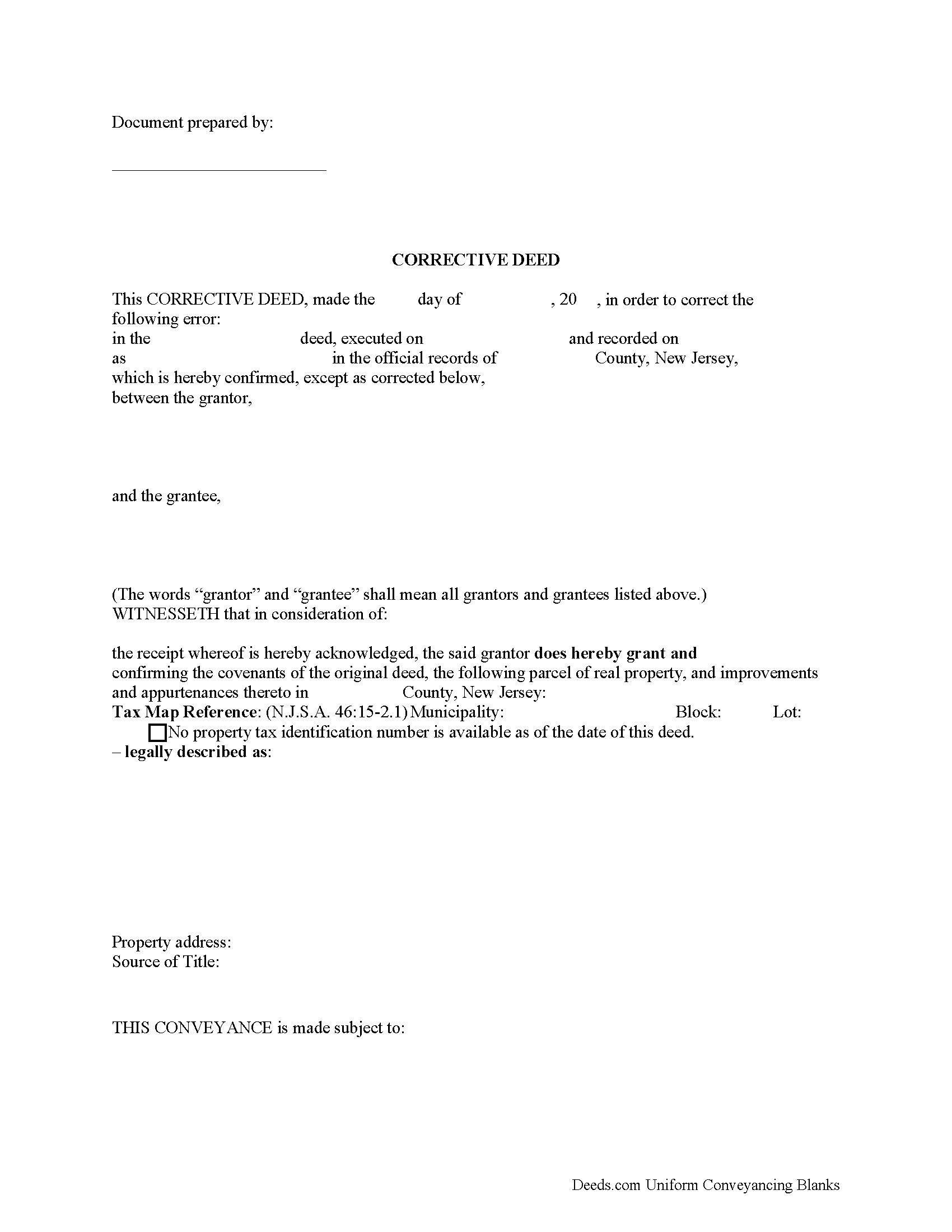
Burlington County Correction Deed Form
Fill in the blank form formatted to comply with all recording and content requirements.
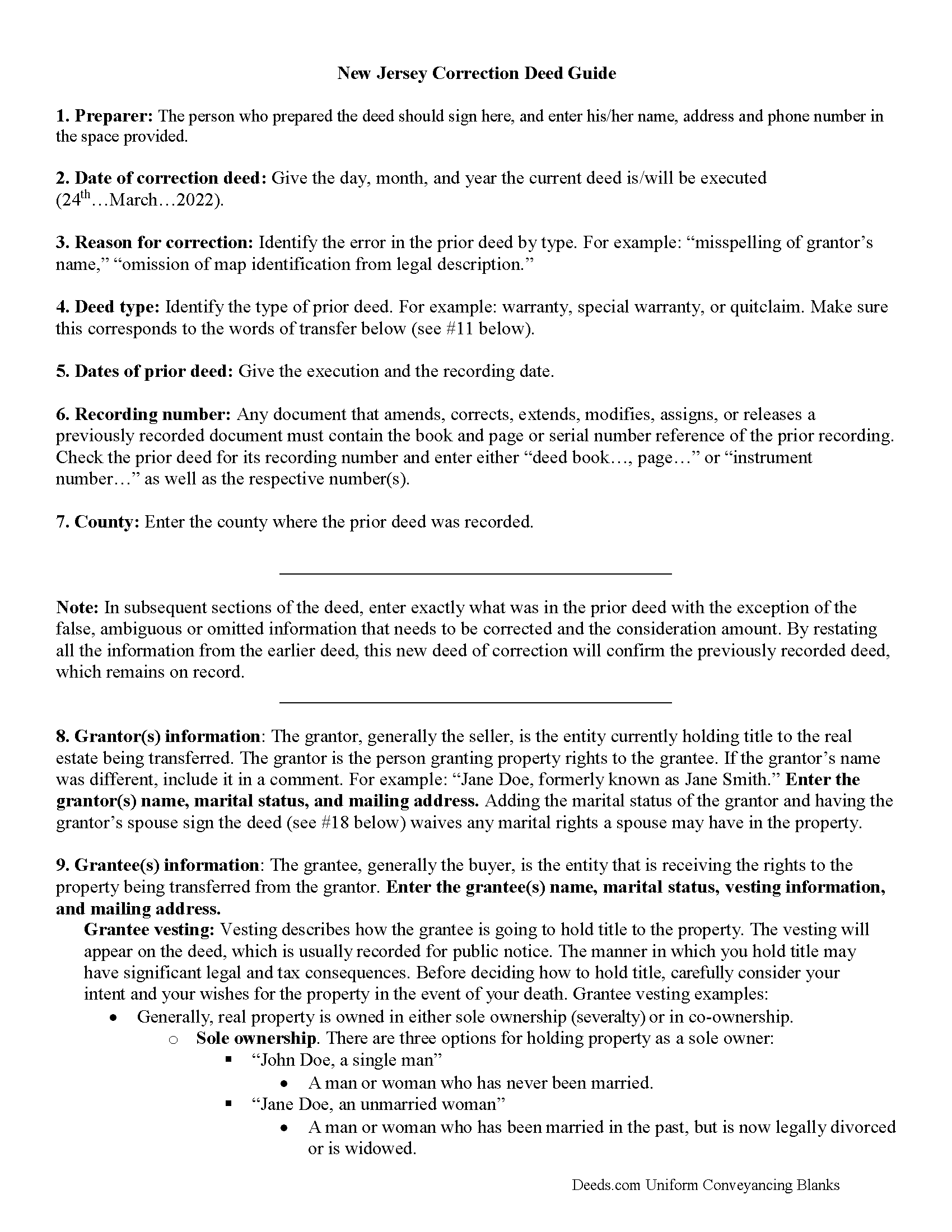
Burlington County Correction Deed Guide
Line by line guide explaining every blank on the form.
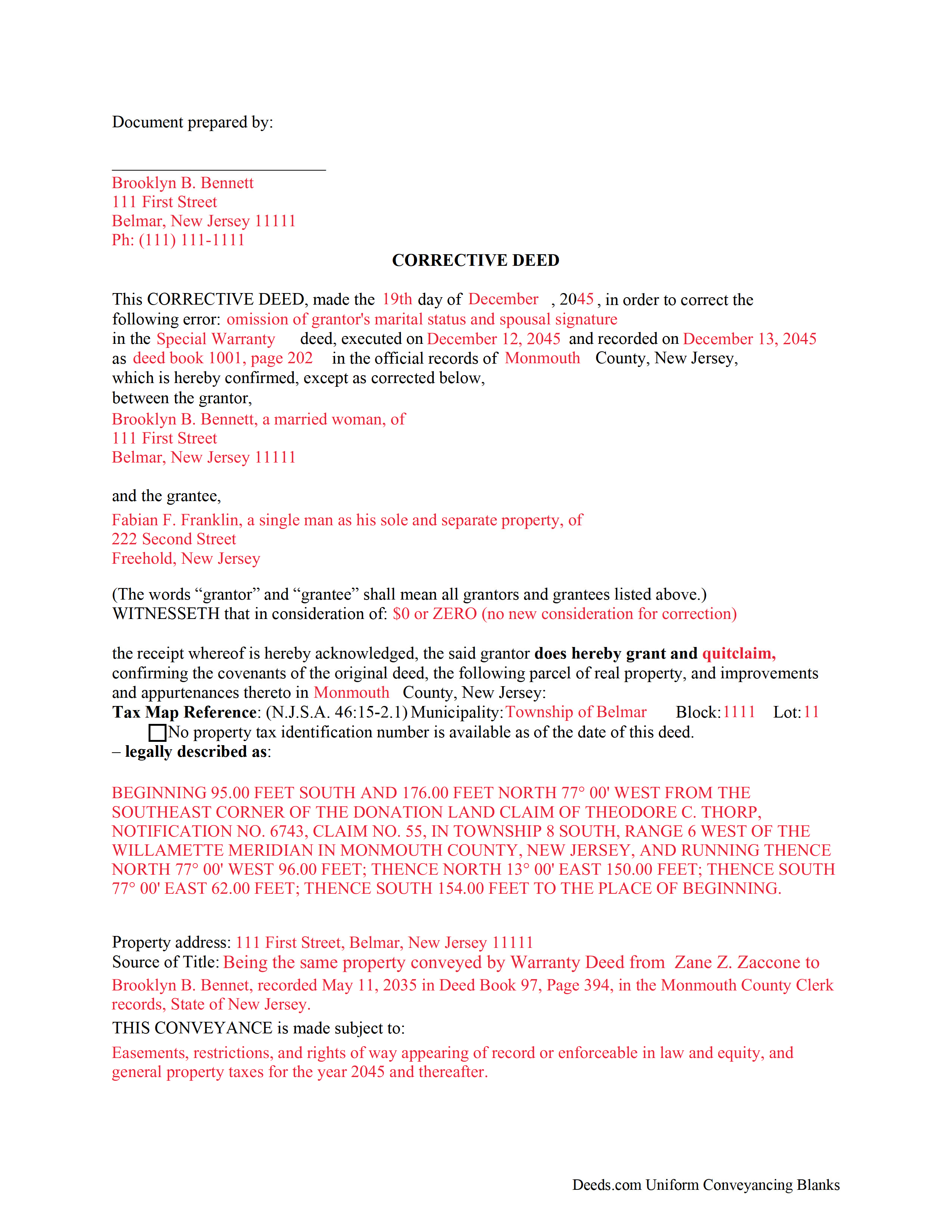
Burlington County Completed Example of the Correction Deed Form
Example of a properly completed form for reference.
All 3 documents above included • One-time purchase • No recurring fees
Immediate Download • Secure Checkout
Additional New Jersey and Burlington County documents included at no extra charge:
Where to Record Your Documents
County Clerk
Mount Holly, New Jersey 08060
Hours: Mon 8:00am to 7:00pm; Tue to Fri 8:00am to 4:00pm
Phone: (609) 265-5122
Recording Tips for Burlington County:
- Bring your driver's license or state-issued photo ID
- Ensure all signatures are in blue or black ink
- Avoid the last business day of the month when possible
- Both spouses typically need to sign if property is jointly owned
- Bring extra funds - fees can vary by document type and page count
Cities and Jurisdictions in Burlington County
Properties in any of these areas use Burlington County forms:
- Beverly
- Birmingham
- Bordentown
- Browns Mills
- Burlington
- Chatsworth
- Chesterfield
- Columbus
- Cookstown
- Delanco
- Delran
- Florence
- Fort Dix
- Hainesport
- Jobstown
- Juliustown
- Lumberton
- Maple Shade
- Marlton
- Medford
- Moorestown
- Mount Holly
- Mount Laurel
- New Gretna
- New Lisbon
- Palmyra
- Pemberton
- Rancocas
- Riverside
- Riverton
- Roebling
- Shamong
- Southampton
- Tabernacle
- Trenton
- Vincentown
- Willingboro
- Wrightstown
Hours, fees, requirements, and more for Burlington County
How do I get my forms?
Forms are available for immediate download after payment. The Burlington County forms will be in your account ready to download to your computer. An account is created for you during checkout if you don't have one. Forms are NOT emailed.
Are these forms guaranteed to be recordable in Burlington County?
Yes. Our form blanks are guaranteed to meet or exceed the applicable formatting requirements used for recording in Burlington County, including margin requirements, font requirements, and other layout standards. This guarantee applies to formatting, not to the legal sufficiency of information entered by the user or the suitability of a form for a particular transaction.
Can I reuse these forms?
Yes. You can reuse the forms for your personal use. For example, if you have multiple properties in Burlington County you only need to order once.
What do I need to use these forms?
The forms are PDFs that you fill out on your computer. The free Adobe Acrobat Reader is recommended, and most PDF apps also work. You do NOT enter your property information online - you download the blank forms and complete them privately on your own computer.
Are there any recurring fees?
No. This is a one-time purchase. Nothing to cancel, no memberships, no recurring fees.
How much does it cost to record in Burlington County?
Recording fees in Burlington County vary. Contact the recorder's office at (609) 265-5122 for current fees.
Questions answered? Let's get started!
Use the corrective deed to correct an error in a previously recorded warranty, special warranty, or quitclaim deed in New Jersey.
Once a deed has been recorded, it cannot be changed and remains part of the public record. It is possible, however, to amend that record by adding a newly executed deed. The method used depends upon the reasons for changing. For corrections or omissions in the existing deed, file a corrective deed, or re-record the original deed after making the changes on it. In order to include/omit a name from the existing deed, however, a new standard conveyance, such as a warranty or quitclaim deed from the current owner (instead of the original grantor), may be more appropriate.
The errors usually adjusted by a corrective deed are minor omissions or typographical mistakes, sometimes called scrivener's errors. Among those are misspelled names, omitted or wrong middle initial, a minor error in the property description, or an omitted execution date. The corrective deed, also called deed of correction or deed of confirmation, must state that its sole purpose is to correct a specific error, which is usually identified by type. For example: an error in the grantor's name, or an error in the grantor's marital status. The latter might also require an additional signature by the grantor's spouse in the acknowledgement section of the deed.
In some counties, it is common practice to re-record the prior deed and to make the correction, error identification and reference to the earlier recording on the face of it. The entire deed, including new signature and acknowledgement page(s), must be re-recorded for new fees. As with the prior deed, the corrective deed (or re-recorded deed) must be accompanied by two copies of the affidavit of consideration (RTF-1 form), identifying and explaining the exemption under #4. In addition, submit the GIT/REP-4a form, which is a tax waiver form for corrected deeds without consideration. Download both forms from the website of New Jersey's Department of the Treasury.
(New Jersey CD Package includes form, guidelines, and completed example)
Important: Your property must be located in Burlington County to use these forms. Documents should be recorded at the county recording office listed above.
This Correction Deed meets all recording requirements specific to Burlington County.
Our Promise
The documents you receive here are guaranteed to meet or exceed the applicable Burlington County recording format requirements. If there is a rejection caused by our formatting, we will correct the issue or refund your payment. This guarantee applies to document formatting only and does not extend to information entered by the user, the selection of the form, or the legal effect of the completed document.
Save Time and Money
Get your Burlington County Correction Deed form done right the first time with Deeds.com Uniform Conveyancing Blanks. At Deeds.com, we understand that your time and money are valuable resources, and we don't want you to face a penalty fee or rejection imposed by a county recorder for submitting nonstandard documents. We constantly review and update our forms to meet rapidly changing state and county recording requirements for roughly 3,500 counties and local jurisdictions.
4.8 out of 5 - ( 4,828 Reviews )
Angela W. 5 out of 5 stars
All went well.
Thank you for your feedback. We really appreciate it. Have a great day!
Olga E. 5 out of 5 stars
Oh my that was so easy. I love it. Awesome. If someone needs help use the deeds.com
Thank you for your feedback. We really appreciate it. Have a great day!
Stephanie F. 5 out of 5 stars
Thorough, efficient, couldn't ask for better support. I refer everyone I know in real estate to use Deeds.com
Thank you for your positive words! We’re thrilled to hear about your experience.
Gordon J. 5 out of 5 stars
The experience was generally very satisfactory. I was able to fill out the Trust Deed and send it via email no problem. However, I was not able to send the filled out form of the Note. It always erased my fill-ins when it was sent. I found that very frustrating.
Thank you, Gordon. Glad the Trust Deed worked well. Issues like the one you reported with the Note can sometimes be related to how the file is opened or sent. Using Adobe Reader to fill, save, and send the form is recommended. We also pass along all feedback like this to our team to confirm there are no issues.
STEPHANIE S. 5 out of 5 stars
The documents received and information provided to assist with the recording was exactly what was needed for a successful title transfer. I would highly recommend this site and will continue using it for future transactions.
We appreciate your business and value your feedback. Thank you. Have a wonderful day!
Carol C. 5 out of 5 stars
Thanks. So easy to navigate. Also very useful. I recommend.
We appreciate your business and value your feedback. Thank you. Have a wonderful day!
Roxanne C. 5 out of 5 stars
I love that this service is available. Uploading my document took no time at all. I love that we have an option of upload our documentsinsread of going in to file.
Thank you for your feedback. We really appreciate it. Have a great day!
ROBERT L. 5 out of 5 stars
I got a blank, a sample and detailed instructions, I'm happy. If the recorder's office had a form as they like to see, with your name as they like to see, and the property name as they like to see, no one would ever pay a lawyer for this but a little time to look up the exact names and this package you're all set. I recommend this because, while it isn't difficult, making a mistake could be very bad so getting the details right for a particular county is well worth the cost.
We appreciate your business and value your feedback. Thank you. Have a wonderful day!
Stephen B. 5 out of 5 stars
They have been fabulous not only for getting me the Title and Property info I needed quickly, but also for determining which Deed (of many) that I actually needed. They are an outstanding resource for any real estate investor, property owner, Realtor, or attorney.
Thank you for your feedback. We really appreciate it. Have a great day!
Jianxing L. 5 out of 5 stars
My case was a deed recording. The process was extremely smooth and carried out by the agents professionally and efficiently. I was greeted and guided to the right windows and the whole process took about 5 minutes, I was so impressed and appreciated the service our county agents provided. The process and the folks handled it really deserve a solid 5 star rating.
Thank you for taking a moment to share your thoughts.
Lori W. 5 out of 5 stars
Timely, efficient and easy to use.
We appreciate your business and value your feedback. Thank you. Have a wonderful day!
Noble Mikhail F. 5 out of 5 stars
The system is wonderful, and makes recording and searching simple, thanks a lot
Thank you!
William L. 5 out of 5 stars
Deeds.com provide a great service!!!
We truly value your business and appreciate your review.
Luis C. 5 out of 5 stars
Excellent forms but the instructions are not to clear.
Thank you for your feedback. We really appreciate it. Have a great day!
Wanda R. 5 out of 5 stars
Very satisfied with the ease of using your database. Excellent place to get help with deeds.
We appreciate your business and value your feedback. Thank you. Have a wonderful day!