Cattaraugus County Revocation of Transfer on Death Deed Form
Last validated October 6, 2026 by our Forms Development TeamFormatted for recording in Cattaraugus County, for property anywhere in the county: rural and unincorporated areas as well as Allegany, Cattaraugus, Conewango Valley, Dayton, Delevan, East Otto, East Randolph, Ellicottville and 25 more.
- 3 documents included
- Immediate PDF download
- Formatting guarantee
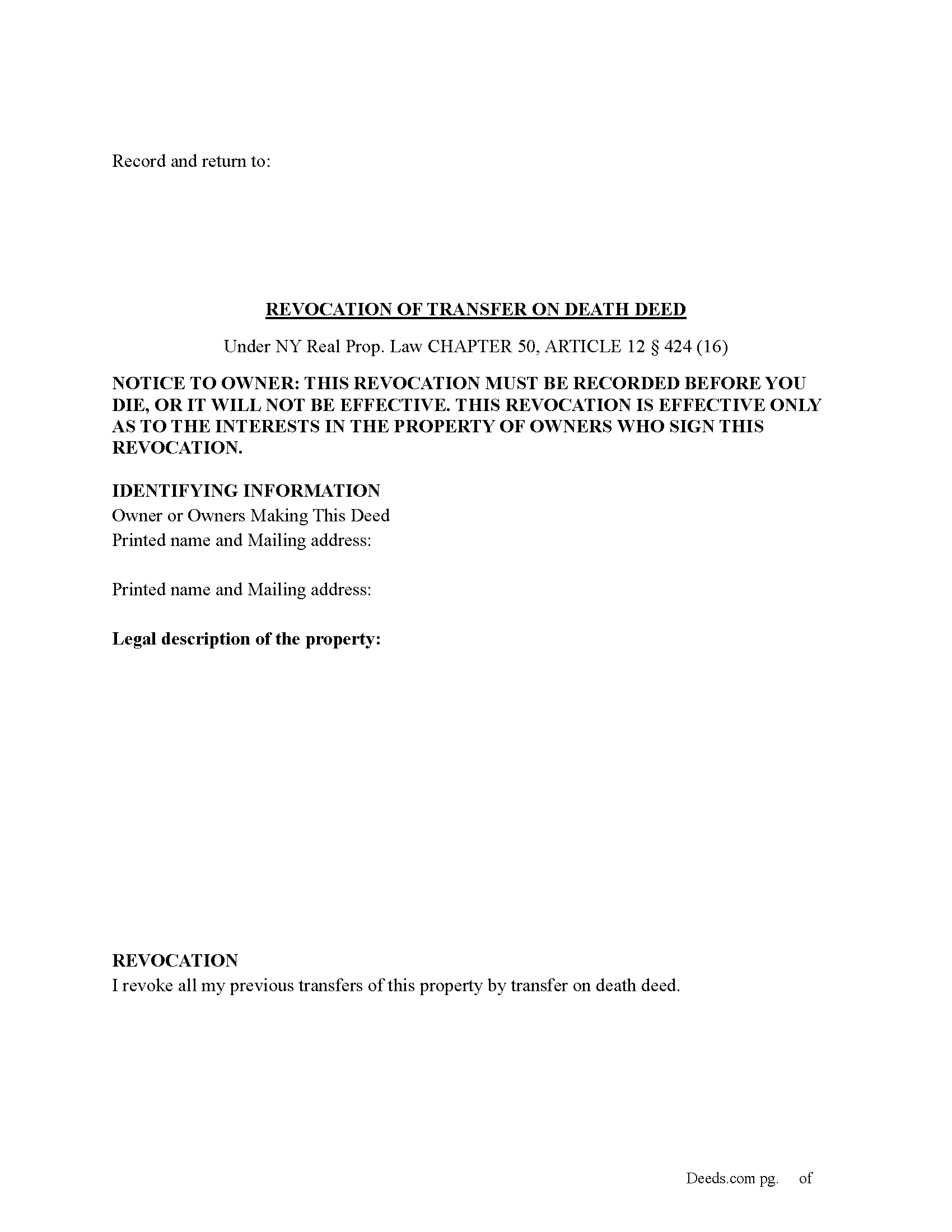
Cattaraugus County Revocation of Transfer on Death Deed Form
Fill in the blank Revocation of Transfer on Death Deed form formatted to comply with all New York recording and content requirements.

Cattaraugus County Revocation of Transfer on Death Deed Guide
Line by line guide explaining every blank on the Revocation of Transfer on Death Deed form.
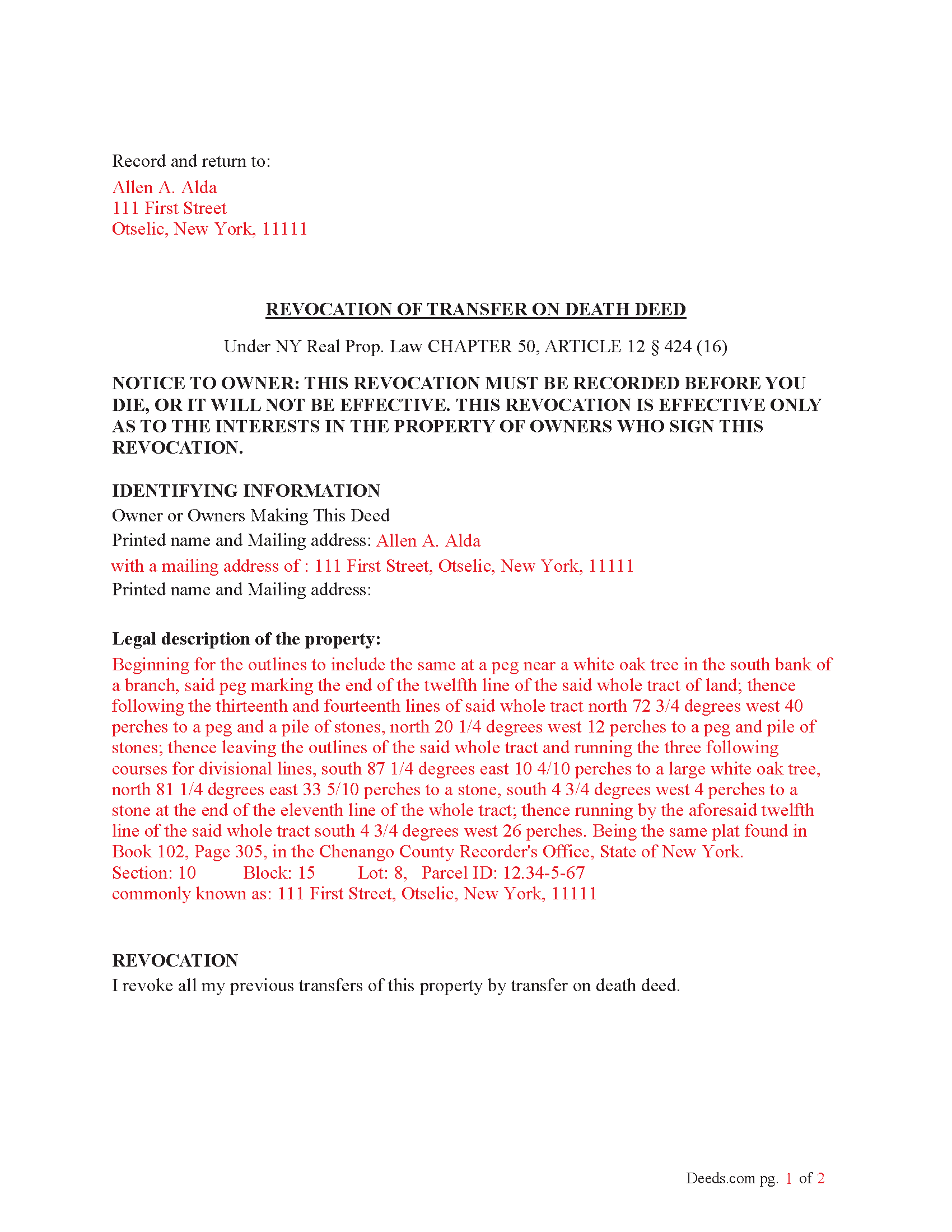
Cattaraugus County Completed Example of the Revocation of Transfer on Death Deed Document
Example of a properly completed New York Revocation of Transfer on Death Deed document for reference.
All 3 documents above included • One-time purchase • No recurring fees
Immediate Download • Secure Checkout
Additional New York and Cattaraugus County documents included at no extra charge:
Where to Record Your Documents
Cattaraugus County Clerk
Little Valley, New York 14755
Hours: 9:00am - 5:00pm M-F
Phone: (716) 938-2297
Recording Tips for Cattaraugus County:
- Bring your driver's license or state-issued photo ID
- Ensure all signatures are in blue or black ink
- Ask if they accept credit cards - many offices are cash/check only
- Check that your notary's commission hasn't expired
- Documents must be on 8.5 x 11 inch white paper
Cities and Jurisdictions in Cattaraugus County
Properties in any of these areas use Cattaraugus County forms:
- Allegany
- Cattaraugus
- Conewango Valley
- Dayton
- Delevan
- East Otto
- East Randolph
- Ellicottville
- Farmersville Station
- Franklinville
- Freedom
- Gowanda
- Great Valley
- Hinsdale
- Kill Buck
- Leon
- Limestone
- Little Valley
- Machias
- Olean
- Otto
- Perrysburg
- Portville
- Randolph
- Saint Bonaventure
- Salamanca
- Sandusky
- South Dayton
- Steamburg
- Versailles
- West Valley
- Westons Mills
- Yorkshire
Hours, fees, requirements, and more for Cattaraugus County
How do I get my forms?
Forms are available for immediate download after payment. The Cattaraugus County forms will be in your account ready to download to your computer. An account is created for you during checkout if you don't have one. Forms are NOT emailed.
Are these forms guaranteed to be recordable in Cattaraugus County?
Yes. Our form blanks are guaranteed to meet or exceed the applicable formatting requirements used for recording in Cattaraugus County, including margin requirements, font requirements, and other layout standards. This guarantee applies to formatting, not to the legal sufficiency of information entered by the user or the suitability of a form for a particular transaction.
Can I reuse these forms?
Yes. You can reuse the forms for your personal use. For example, if you have multiple properties in Cattaraugus County you only need to order once.
What do I need to use these forms?
The forms are PDFs that you fill out on your computer. The free Adobe Acrobat Reader is recommended, and most PDF apps also work. You do NOT enter your property information online - you download the blank forms and complete them privately on your own computer.
Are there any recurring fees?
No. This is a one-time purchase. Nothing to cancel, no memberships, no recurring fees.
How much does it cost to record in Cattaraugus County?
Recording fees in Cattaraugus County vary. Contact the recorder's office at (716) 938-2297 for current fees.
Questions answered? Let's get started!
(How do I revoke the TOD deed after it is recorded?
There are three ways to revoke a recorded TOD deed:
(1) Complete and acknowledge a revocation form and record it in each county where the property is located.
(2) Complete and acknowledge a new TOD deed that disposes of the same property and record it in each county where the property is located.
(3) Transfer the property to someone else during your lifetime by a recorded deed that expressly revokes the TOD deed. You may not revoke the TOD deed by will.) (Real Property (RPP) CHAPTER 50, ARTICLE 12 § 424(15))
Execution of Revocation: The revocation must be executed (signed) by the property owner in the presence of two witnesses and a Notary Public, similar to how the original TOD deed was executed.
Recording the Revocation: The revocation (whether via a new TOD deed or a revocation form) must be recorded in the County Clerk's office where the property is located, just like the original TOD deed. If the revocation is not recorded, it will not be valid.
Retain Control Until Revoked: The property owner retains full control over the property and can revoke the TOD deed at any time during their lifetime. However, after the owner's death, the TOD deed takes effect and cannot be revoked.
Important Considerations: Beneficiary Consent- The property owner does not need the consent of the beneficiary to revoke the TOD deed.
Automatic Revocation by Sale: If the property owner sells or transfers the property during their lifetime, this will also effectively revoke the TOD deed.
Important: Your property must be located in Cattaraugus County to use these forms. Documents should be recorded at the county recording office listed above.
This Revocation of Transfer on Death Deed meets all recording requirements specific to Cattaraugus County.
Our Promise
The documents you receive here are guaranteed to meet or exceed the applicable Cattaraugus County recording format requirements. If there is a rejection caused by our formatting, we will correct the issue or refund your payment. This guarantee applies to document formatting only and does not extend to information entered by the user, the selection of the form, or the legal effect of the completed document.
Save Time and Money
Get your Cattaraugus County Revocation of Transfer on Death Deed form done right the first time with Deeds.com Uniform Conveyancing Blanks. At Deeds.com, we understand that your time and money are valuable resources, and we don't want you to face a penalty fee or rejection imposed by a county recorder for submitting nonstandard documents. We constantly review and update our forms to meet rapidly changing state and county recording requirements for roughly 3,500 counties and local jurisdictions.
4.8 out of 5 - ( 4,828 Reviews )
Heidi J. 3 out of 5 stars
The form was useful, however the formatting is terrible once completed. A lot of white space with no option to remove extra spacing or to improve the overall formatting.
Thank you for your feedback, Heidi. We’re glad to hear the form itself was useful. We also understand your concern about the formatting and extra spacing once completed. Our forms are designed to meet strict county recording requirements, which can sometimes result in additional white space. That said, we’re always working to improve usability and presentation without compromising acceptance. Your input helps us identify where refinements are possible, and we’ll keep it in mind as we continue updating our templates.
Ronene T. 5 out of 5 stars
I cannot believe how fast your service is! Thank you!
Thank you!
Marilyn G. 5 out of 5 stars
Easy to follow instructions
Thank you for your feedback. We really appreciate it. Have a great day!
Molly S. 5 out of 5 stars
I used deeds.com to record a deed because the recording office closed due to Covid 19. It was easy to sign up and upload the documents I needed recorded and within 24 hours possibly even less, the deeds were recorded. I am very happy with the service and the $15 fee was affordable and worth every penny to get it done so quickly.
We appreciate your business and value your feedback. Thank you. Have a wonderful day!
Linda B. 5 out of 5 stars
the forms are easy to understand. How do I go about getting the deed recorded and is there a charge.
Thank you for your feedback. We really appreciate it. Have a great day!
Ken W. 5 out of 5 stars
Deeds.com provides outstanding service! Quick e-recording, at a reasonable price, and if there are any issues, they work with you to resolve them. I'm recommending them to everyone I know who buys and sells land.
Knowing our customers are happy is our top priority. Thank you for the wonderful feedback!
David M. 5 out of 5 stars
Extremely easy to use. The sample completed document was very helpful. I really appreciated not having to spend a few hundred dollars for a lawyer to generate a document that I can produce myself for a small fraction of the cost.
We appreciate your business and value your feedback. Thank you. Have a wonderful day!
Joe S. 5 out of 5 stars
Easy to use, reasonable price and excellent customer service! I would not hesitate to use Deeds.com again.
We appreciate your business and value your feedback. Thank you. Have a wonderful day!
Bruce L. 5 out of 5 stars
Fantastic. The forms were easy to read and complete. Came with a guide and examples of how it looked completed Thanks!
We appreciate your business and value your feedback. Thank you. Have a wonderful day!
Lynnellen S. 2 out of 5 stars
My rating is not a 5. Although it had good instructions, it would NOT print the whole document no matter how many times I inputted the names. I ended up writing it in to complete. I also recommend putting it on one page. I had to pay an additional fees per page and if I had to notarize it, why did I have to find 2 witnesses as well. I deserve a discount for the time I spent repeatedly putting the same data. I was trying to save money since Im on social security only. It didnt. Get it to work correctly
Thank you for your feedback Lynnellen. Sorry to hear of your struggle with our document. We've gone ahead and refunded your payment. Hope you have a wonderful day.
Claudia S. 5 out of 5 stars
Very user friendly! Processing is very fast. I would highly recommend using Deed's.
We appreciate your business and value your feedback. Thank you. Have a wonderful day!
Michael M. 5 out of 5 stars
THE PROCESS WENT VERY SMOOTH AND EASY
Thank you for your feedback. We really appreciate it. Have a great day!
Carolyn D. 5 out of 5 stars
The sight provided exactly what I needed and was easy to use. I was able to download the type of Deed I used and was completely satisfied with the website.
Thank you for your feedback. We really appreciate it. Have a great day!
Peter W. 5 out of 5 stars
Thanks worked out great
Thank you for the follow up Peter. Have a great day!
Roger G. 4 out of 5 stars
was difficult to find the location on the website to actually download the form I needed. Initially was directed only to information pages related to the form I needed
Thank you for your feedback. We really appreciate it. Have a great day!