Macon County Certificate of Trust Form
Last validated September 17, 2026 by our Forms Development TeamFormatted for recording in Macon County, for property anywhere in the county: rural and unincorporated areas as well as Franklin, Highlands, Otto, Scaly Mountain.
- 3 documents included
- Immediate PDF download
- Formatting guarantee
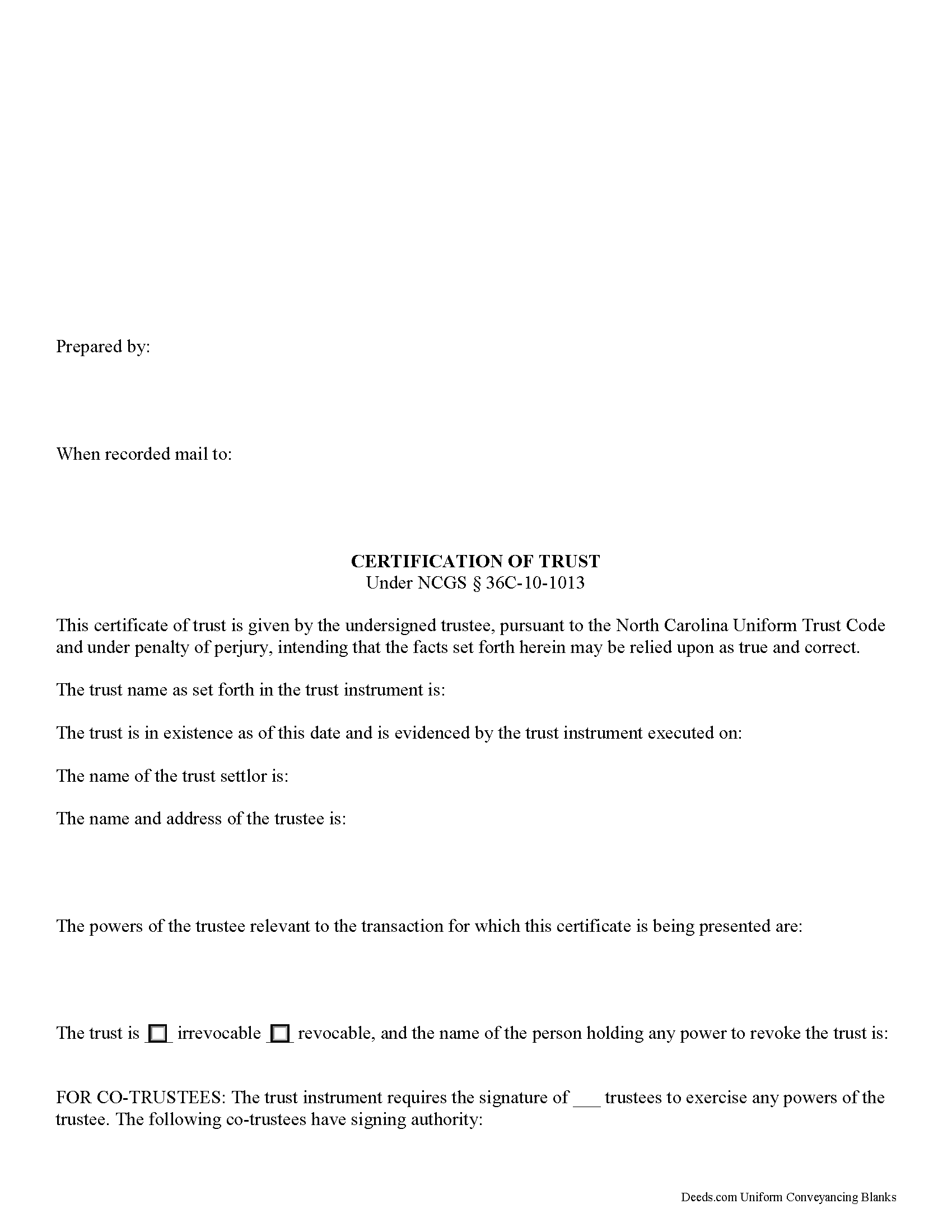
Macon County Certificate of Trust Form
Fill in the blank form formatted to comply with all recording and content requirements.
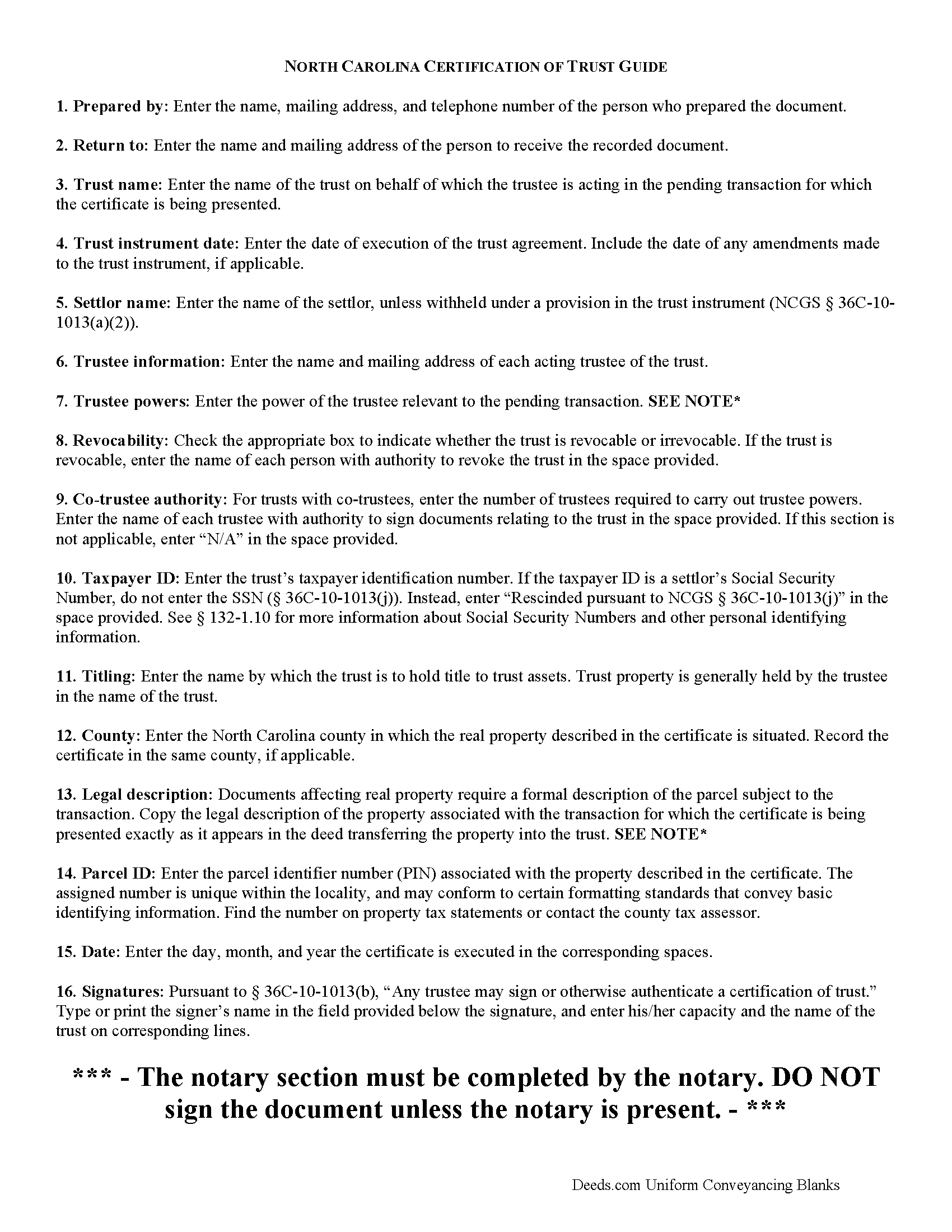
Macon County Certificate of Trust Guide
Line by line guide explaining every blank on the form.
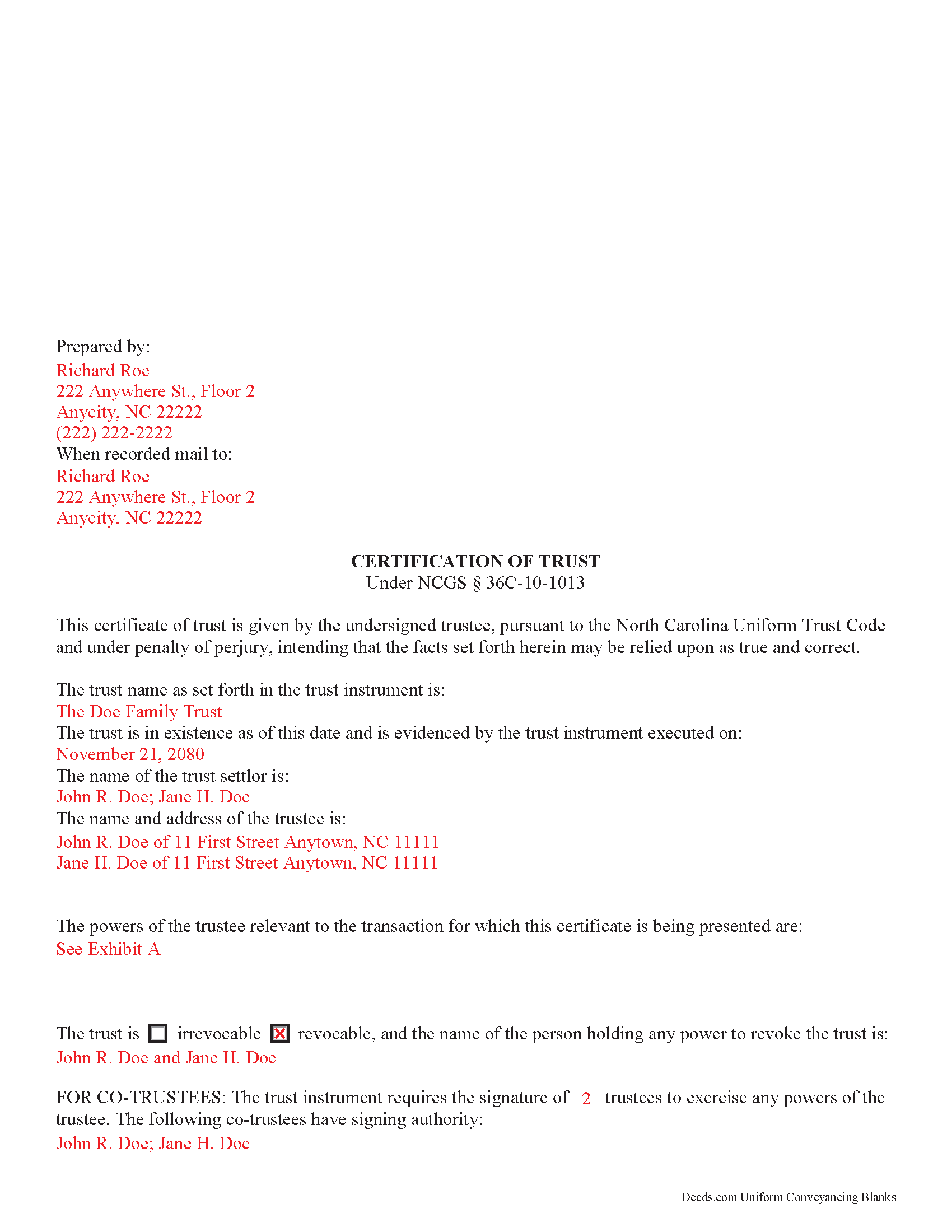
Macon County Completed Example of the Certificate of Trust Document
Example of a properly completed form for reference.
All 3 documents above included • One-time purchase • No recurring fees
Immediate Download • Secure Checkout
Additional North Carolina and Macon County documents included at no extra charge:
Where to Record Your Documents
Macon County Register of Deeds
Franklin, North Carolina 28734
Hours: 8:00 to 5:00 M-F / Recording 8:30 to 4:30
Phone: (828) 349-2097
Recording Tips for Macon County:
- Bring your driver's license or state-issued photo ID
- Ensure all signatures are in blue or black ink
- Ask for certified copies if you need them for other transactions
- Ask if they accept credit cards - many offices are cash/check only
- Check that your notary's commission hasn't expired
Cities and Jurisdictions in Macon County
Properties in any of these areas use Macon County forms:
- Franklin
- Highlands
- Otto
- Scaly Mountain
Hours, fees, requirements, and more for Macon County
How do I get my forms?
Forms are available for immediate download after payment. The Macon County forms will be in your account ready to download to your computer. An account is created for you during checkout if you don't have one. Forms are NOT emailed.
Are these forms guaranteed to be recordable in Macon County?
Yes. Our form blanks are guaranteed to meet or exceed the applicable formatting requirements used for recording in Macon County, including margin requirements, font requirements, and other layout standards. This guarantee applies to formatting, not to the legal sufficiency of information entered by the user or the suitability of a form for a particular transaction.
Can I reuse these forms?
Yes. You can reuse the forms for your personal use. For example, if you have multiple properties in Macon County you only need to order once.
What do I need to use these forms?
The forms are PDFs that you fill out on your computer. The free Adobe Acrobat Reader is recommended, and most PDF apps also work. You do NOT enter your property information online - you download the blank forms and complete them privately on your own computer.
Are there any recurring fees?
No. This is a one-time purchase. Nothing to cancel, no memberships, no recurring fees.
How much does it cost to record in Macon County?
Recording fees in Macon County vary. Contact the recorder's office at (828) 349-2097 for current fees.
Questions answered? Let's get started!
North Carolina Certification of Trust
Codified under the North Carolina Uniform Trust Code, which governs testamentary and non-testamentary trusts, the certification of trust at NCGS 36C-10-1013 is a document verifying a trust's existence and a trustee's authority to act in the transaction for which the certificate is being presented.
A trust is an arrangement whereby a settlor transfers property to another person (the trustee), who holds it for the benefit of a third (the beneficiary). A testamentary trust takes effect upon the settlor's death as specified by his/her will, and a non-testamentary (inter vivos) trust takes effect during the settlor's lifetime, and functions pursuant to the terms established by the settlor in an unrecorded document called the trust instrument.
As the trust's administrator, the trustee handles the trust's assets and sees to the trust's affairs. Upon entering into a transaction involving the trust, a trustee can present a certification of trust to establish his authority to do so. The certificate contains the essential information about the trust that is necessary for the business at hand, allowing the trust instrument (containing the full scope of the trust's assets, the trustee's obligations, and identity of the beneficiary) to remain private.
Any trustee may execute a trust certificate ( 36C-10-1013(b)). In it, the trustee confirms that "the trust has not been revoked, modified, or amended in any manner that would cause the representations contained in the certification of trust to be incorrect" ( 36C-10-1013(c)). Recipients of a trustee's certificate may rely upon the statements contained within the document as correct without further inquiry ( 36C-10-1013(f)).
A certification of trust in North Carolina must state that the trust exists, and provide the date of the trust instrument. Unless withheld under a provision of the trust instrument, the document names each settlor, or person who contributes property to the trust ( 36C-1-103(17)). The certificate identifies the trust as either revocable or irrevocable, and gives the name of anyone holding a power to revoke the trust.
It also includes the name and address of the trust's currently acting trustee, along with a description of the trustee's powers relevant to the transaction for which the certificate is presented. If the trust has multiple trustees, the certificate shows how many trustees are required to exercise trustee powers, and which trustees have the authority to sign documents relating to the trust. It also specifies how trust assets will be titled (usually in the name of the trustee as representative of the trust).
Recipients of a certificate can request excerpts from the trust document designating the trustee and conferring the relevant powers necessary for the pending transaction unto the trustee ( 36C-10-1013(e)). Requesting that the trustee provide the entire trust instrument opens the recipient of a certification of trust up to certain liabilities under 36-10-1013(h). Note that this excludes the right to obtain a copy of the trust instrument in a legal proceeding involving the trust ( 36-10-1013(i)).
The certificate should also include the trust's taxpayer identification number, unless this number is the social security number of a settlor. If the taxpayer ID is rescinded from the document, however, it "shall be certified by the trustee to the person acting in reliance upon the certification of trust in a manner reasonably satisfactory to that person" ( 36C-10-1013(j)).
For transactions involving real property held in trust in North Carolina, the certification should meet all form and content requirements for real estate documents, including a legal description of the property subject to the transaction. The document may be recorded with the register of deeds in the county where the real property is located (36-10-1013(j)).
Talk to a lawyer with any questions regarding trusts and certifications of trust in North Carolina.
(North Carolina COT Package includes form, guidelines, and completed example)
Important: Your property must be located in Macon County to use these forms. Documents should be recorded at the county recording office listed above.
This Certificate of Trust meets all recording requirements specific to Macon County.
Our Promise
The documents you receive here are guaranteed to meet or exceed the applicable Macon County recording format requirements. If there is a rejection caused by our formatting, we will correct the issue or refund your payment. This guarantee applies to document formatting only and does not extend to information entered by the user, the selection of the form, or the legal effect of the completed document.
Save Time and Money
Get your Macon County Certificate of Trust form done right the first time with Deeds.com Uniform Conveyancing Blanks. At Deeds.com, we understand that your time and money are valuable resources, and we don't want you to face a penalty fee or rejection imposed by a county recorder for submitting nonstandard documents. We constantly review and update our forms to meet rapidly changing state and county recording requirements for roughly 3,500 counties and local jurisdictions.
4.8 out of 5 - ( 4,836 Reviews )
Jerry C. 5 out of 5 stars
NIce job Guys! Helped me with my recordings and slight errors. Submitted Perfectly Good Communication. Thanks. Will use again.
Happy we could assist. Thank you for sharing your experience.
Margaret D. 5 out of 5 stars
They deliver!
Thank you!
Jeffrey G. 5 out of 5 stars
We had a one-time-only recording to make in the District of Columbia. We could not have e-filed the document without the assistance Deeds.com! The service they provided was wonderful.
Thank you for your feedback. We really appreciate it. Have a great day!
Jim L. 5 out of 5 stars
Very easy to use - the completed sample was super useful
We appreciate your business and value your feedback. Thank you. Have a wonderful day!
Lorrie P. 5 out of 5 stars
What a wonderful and easy task using deeds.com. I searched on line for the proper procedure to file a quit claim deed. It looked to confusing to do mysellf until I found deeds.com. With their instructions, I was able to fill out all the proper forms and file with the court in two days. Saved me at least a thousand dollars if I had an attorney do the same. Thank you. I will definitely use them again.
Thank you for your feedback. We really appreciate it. Have a great day!
John P. 4 out of 5 stars
Working with one document at a time every thing was great, but the program will not let multiple documents save independently. When I saved a document and created another document the changes I made on the second document were on the 1st document. No big deal if your printing, but if your saving to email later, its an issue.
Thank you for your feedback. We really appreciate it. Have a great day!
Pegi B. 5 out of 5 stars
This service is fast and easy to use. We will definitely use this service again. Thank you.
We appreciate your business and value your feedback. Thank you. Have a wonderful day!
rosie s. 5 out of 5 stars
Very please with the service
Thank you!
Arthur H. 5 out of 5 stars
Deeds.com was informative, quick, and complete. Found everything I needed complete with instructions and examples. Easy to use and understand. And VERY reasonably priced.
We appreciate your business and value your feedback. Thank you. Have a wonderful day!
Christine L. 5 out of 5 stars
I was very pleased with your service. You got me the information I required within one day. Thank you!
Thank you!
Toni C. 5 out of 5 stars
Super impressed!! For me to get back my recorded document in one day was awesome. I needed it for a foreclosure and knew if I mailed it in to the Clerk's office I more than likely would not get it back in time. Also the fact that you had no problem with me having a one-time document to record is a plus. I will be using you in the future for my recording needs. Thank you.
We appreciate your business and value your feedback. Thank you. Have a wonderful day!
Gladys F. 5 out of 5 stars
The process was very friendly and easy to use. I appreciated the status updates as well as clear instructions on what was needed to get the file ready for recording.
Thank you!
Russell R. 5 out of 5 stars
This a seamless way to get a beneficiary deed recorded. Everything was easier than I imagined including the visit to the county. The website and downloads work well and I have no complaints.
Thank you for your kind words and for choosing us.
Paul R. 5 out of 5 stars
Worked very quickly and smoothly. Helps if you know what documents you need. Thanks.
Thank you for your feedback. We really appreciate it. Have a great day!
Ruth K. 5 out of 5 stars
this is the only site that helped me out
Thank you!