Forsyth County Conditional Lien Waiver on Progress Payment Form
Last validated October 30, 2026 by our Forms Development TeamFormatted for recording in Forsyth County, for property anywhere in the county: rural and unincorporated areas as well as Belews Creek, Bethania, Clemmons, Kernersville, Lewisville, Pfafftown, Rural Hall, Tobaccoville and 2 more.
- 3 documents included
- Immediate PDF download
- Formatting guarantee
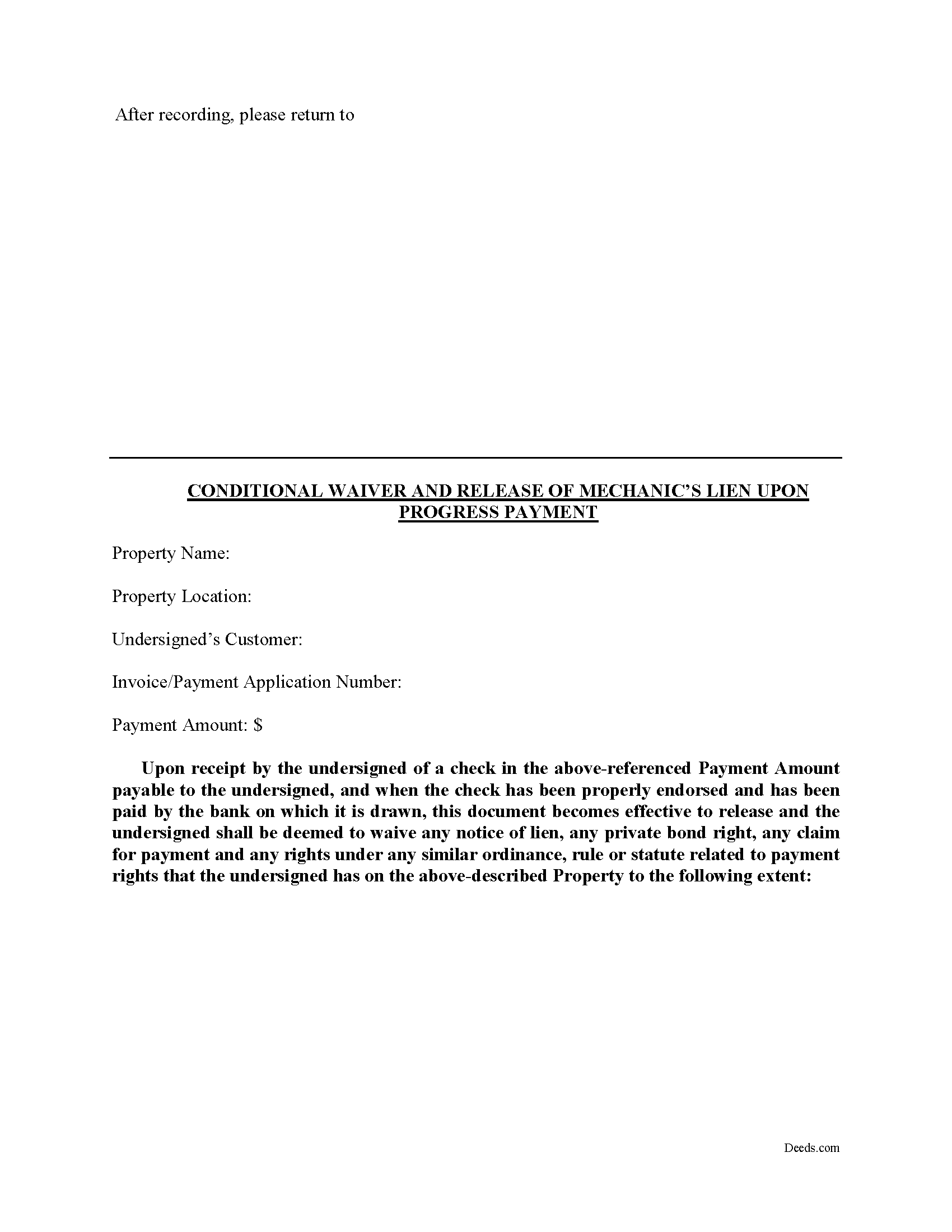
Forsyth County Conditional Lien Waiver on Progress Payment Form
Fill in the blank Conditional Lien Waiver on Progress Payment form formatted to comply with all North Carolina recording and content requirements.
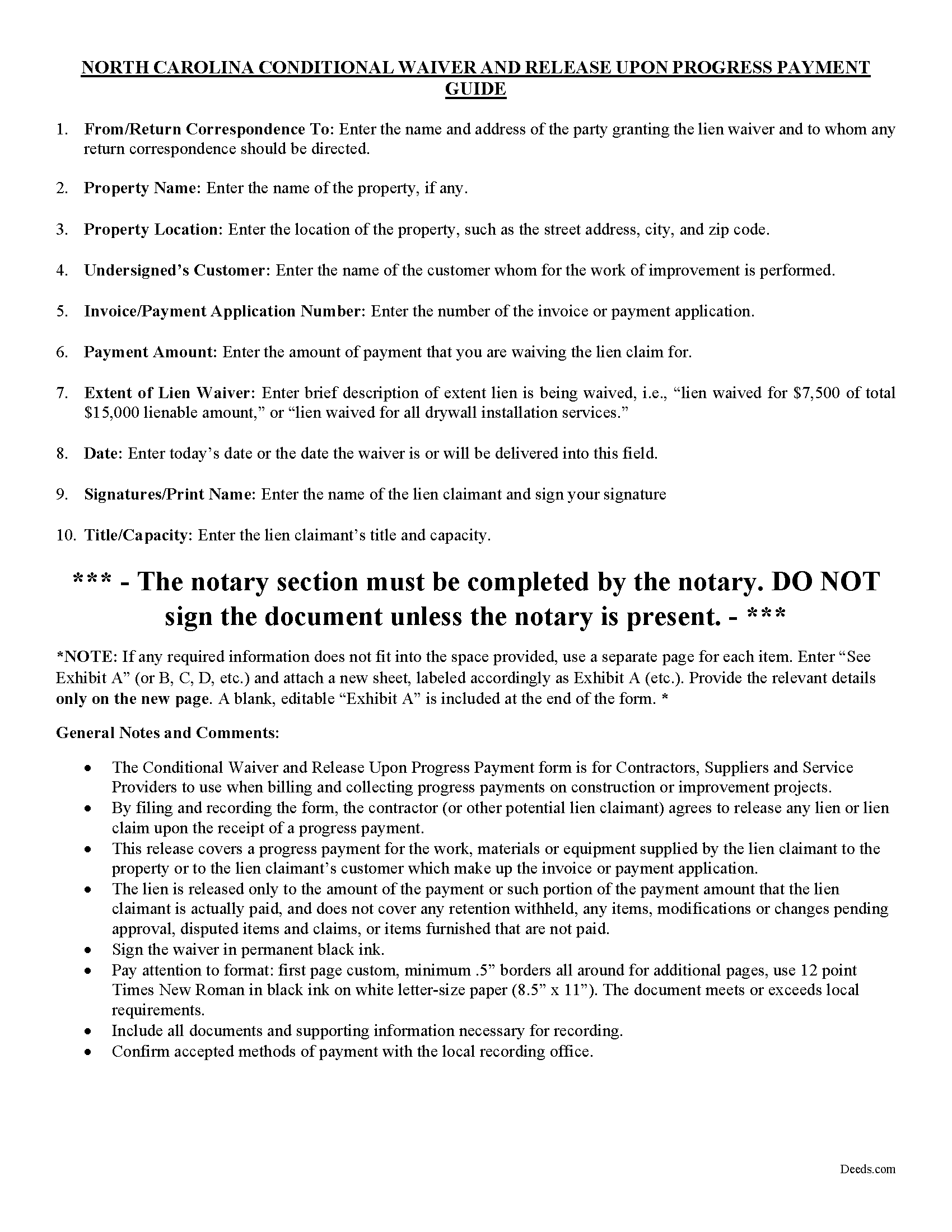
Forsyth County Conditional Lien Waiver on Progress Payment Guide
Line by line guide explaining every blank on the form.
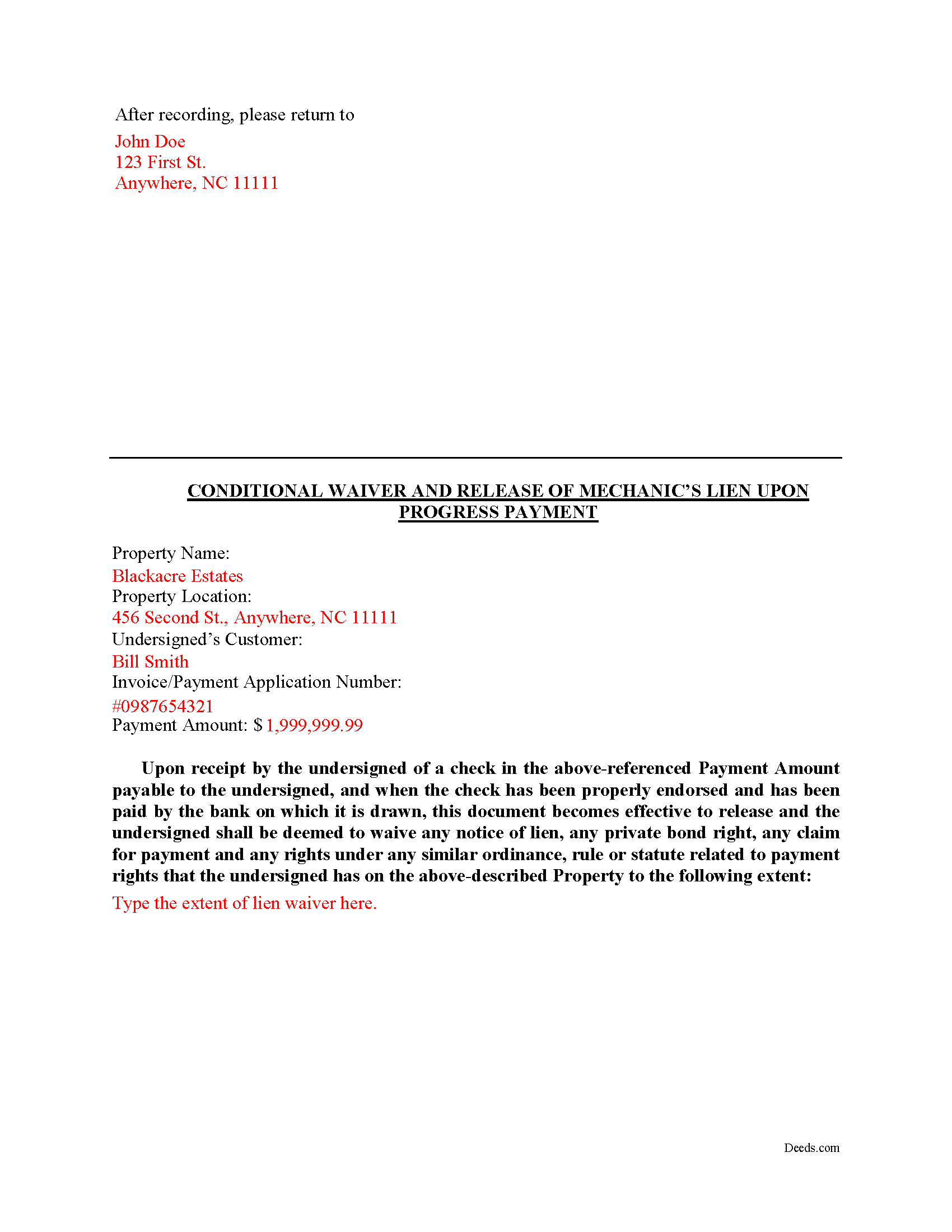
Forsyth County Completed Example of the Conditional Lien Waiver on Progress Payment Document
Example of a properly completed form for reference.
All 3 documents above included • One-time purchase • No recurring fees
Immediate Download • Secure Checkout
Additional North Carolina and Forsyth County documents included at no extra charge:
Where to Record Your Documents
Forsyth County Register of Deeds
Winston-Salem, North Carolina 27101
Hours: 8:00am-5:00pm M-F
Phone: (336) 703-2700. For Recorded Information: (336) 703-270
Recording Tips for Forsyth County:
- Bring your driver's license or state-issued photo ID
- Ensure all signatures are in blue or black ink
- Ask if they accept credit cards - many offices are cash/check only
- Check that your notary's commission hasn't expired
- Documents must be on 8.5 x 11 inch white paper
Cities and Jurisdictions in Forsyth County
Properties in any of these areas use Forsyth County forms:
- Belews Creek
- Bethania
- Clemmons
- Kernersville
- Lewisville
- Pfafftown
- Rural Hall
- Tobaccoville
- Walkertown
- Winston Salem
Hours, fees, requirements, and more for Forsyth County
How do I get my forms?
Forms are available for immediate download after payment. The Forsyth County forms will be in your account ready to download to your computer. An account is created for you during checkout if you don't have one. Forms are NOT emailed.
Are these forms guaranteed to be recordable in Forsyth County?
Yes. Our form blanks are guaranteed to meet or exceed the applicable formatting requirements used for recording in Forsyth County, including margin requirements, font requirements, and other layout standards. This guarantee applies to formatting, not to the legal sufficiency of information entered by the user or the suitability of a form for a particular transaction.
Can I reuse these forms?
Yes. You can reuse the forms for your personal use. For example, if you have multiple properties in Forsyth County you only need to order once.
What do I need to use these forms?
The forms are PDFs that you fill out on your computer. The free Adobe Acrobat Reader is recommended, and most PDF apps also work. You do NOT enter your property information online - you download the blank forms and complete them privately on your own computer.
Are there any recurring fees?
No. This is a one-time purchase. Nothing to cancel, no memberships, no recurring fees.
How much does it cost to record in Forsyth County?
Recording fees in Forsyth County vary. Contact the recorder's office at (336) 703-2700. For Recorded Information: (336) 703-270 for current fees.
Questions answered? Let's get started!
A lien waiver is a document drafted by a potential lien claimant such as a contractor, subcontractor, materials provider, equipment lessor or other party to the construction project (the claimant) that states they have received payment and thereby waive any future lien rights to the owner's property. Simply put, waiving a lien means giving up the right to a future lien in exchange for the payment of the potential lien amount in full or part.
Lien waivers generally fall into two categories: conditional and unconditional. A conditional waiver is effective only upon the triggering of a specific event, such as the payment check clearing. An unconditional waiver is an absolute abandonment of the claimant's right to a future lien whether or not payment is ever made to the possible claimant. North Carolina does not provide for lien waivers by statute, although waivers are still permissible and will be recognized by a state court under the principles of contract law.
The Conditional Waiver upon Progress Payment offers the most protection for lien claimants because it states that if the claimant(s) have actually been paid to date (including no return or stopped payment checks) the waiver serves as effective proof against any lien claim on the property. The lien is "conditioned" on receiving payment and is only waived if the claimant actually receives the payment.
Waivers should identify the parties, location of the job or project, relevant dates, costs, and payments, and any other details as needed.
By filing the form, the lien claimant represents that he or she either has already paid or will use the money he or she receives from this progress payment in order to make prompt payment in full to all his or her laborers, subcontractors, materialmen and suppliers for all work, materials or equipment that are the subject of this waiver and release.
Lien waivers also allow property owners to shield the title to their property from the general contractor, material suppliers, and subcontractors involved with a project. With a lien release upon a progress payment, the property owner moves toward clear title and the ability to obtain financing or sell the property. Proper lien waivers can also protect the property owner from liens filed by the contractor's subcontractors, suppliers and laborers who might record a lien if they are not paid by the contractor.
This article is provided for informational purposes only and should not be relied upon as a substitute for the advice of a legal professional. Please contact an attorney with questions about using lien waivers, or for any other issues related to liens in North Carolina.
Important: Your property must be located in Forsyth County to use these forms. Documents should be recorded at the county recording office listed above.
This Conditional Lien Waiver on Progress Payment meets all recording requirements specific to Forsyth County.
Our Promise
The documents you receive here are guaranteed to meet or exceed the applicable Forsyth County recording format requirements. If there is a rejection caused by our formatting, we will correct the issue or refund your payment. This guarantee applies to document formatting only and does not extend to information entered by the user, the selection of the form, or the legal effect of the completed document.
Save Time and Money
Get your Forsyth County Conditional Lien Waiver on Progress Payment form done right the first time with Deeds.com Uniform Conveyancing Blanks. At Deeds.com, we understand that your time and money are valuable resources, and we don't want you to face a penalty fee or rejection imposed by a county recorder for submitting nonstandard documents. We constantly review and update our forms to meet rapidly changing state and county recording requirements for roughly 3,500 counties and local jurisdictions.
4.8 out of 5 - ( 4,839 Reviews )
Nathan M. 5 out of 5 stars
It had the info, but when I would type into the document the items I needed in adobe all that would print out was the info I typed and none of the document information.
Thank you!
Carol S. 5 out of 5 stars
Was very easy to use with the information and samples supplied.
Thank you for your feedback Carol. We appreciate you.
Alan C. 3 out of 5 stars
I thought the instructions could have been a little better. I didn't know how to do this if the spouses are married but living in separate residences. Also I didn't understand the "Prior Instrument Reference". That should be explained better. Very sketchy instructions.
Thank you for your feedback. We really appreciate it. Have a great day!
Leadon N. 5 out of 5 stars
Forms were easy to find, print, and complete.
We appreciate your business and value your feedback. Thank you. Have a wonderful day!
Jose S. 5 out of 5 stars
Thank you so very much I live in Texas but I Owned a home in Indiana with your help I could never get those paper that I need to change the ownership in Indiana. You have a great site.
Thank you!
Bernardo M. 3 out of 5 stars
You think you're purchasing 1 form for $25 but you are getting several which explains the $25. My printer ran out of black ink and I couldn't change the color of the text so that it would print. I couldn't copy and paste it to Word and work on it there. I'm going to purchase ink today so that it will at least print right. I will have to retype the text in Word; not good.
Thank you for your feedback. We really appreciate it. Have a great day!
THOMAS C. 5 out of 5 stars
Thank you for the fine, easy to implement service.
Thank you for your feedback. We really appreciate it. Have a great day!
Gary B. 2 out of 5 stars
After spending $21 to obtain a Quit Claim Deed form, I realized that I was in over my head. There are a lot of legal considerations and I am not familiar enough with the legal terms and choices to feel confident doing it myself. I since hired a paralegal service to prepare my Quit Claim. I wish I knew the knowledge required before I purchased.
Glad to hear you sought the assistance of a legal professional familiar with your specific situation Gary. We always recommend this to anyone not completely sure of what they are doing.
Paul D. 5 out of 5 stars
Easy to use! The forms were perfect and everything was explained well! Will use again!
We appreciate your business and value your feedback. Thank you. Have a wonderful day!
Glenda C. 4 out of 5 stars
It was easy to find what I was looking for. The instructions were easy to follow. The example given was most beneficial in completing form.
We appreciate your business and value your feedback. Thank you. Have a wonderful day!
Daniel F. 4 out of 5 stars
It was convenient to be able to download the deed template, instructions, and a completed sample deed all from deeds.com. I was able to complete my deed with little effort. My only complaint is that the editable fields in the pdf document are of fixed size, leaving some large spaces within a sentence, for example: Executed on this 1st day of July ,2020. This makes the printed document look a little peculiar.
Thank you for your feedback. We really appreciate it. Have a great day!
Florentes P. 2 out of 5 stars
The form is so limited in space that I can not fit the vesting information as well as the real property information. The property information, I could put it as Exhibit A. which is not the usual way. Not happy.
Sorry to hear that you are not happy with the available space on the document you received. Per your request we have canceled your order. We do hope you are able to find a solution that meets your needs and the recording/statutory requirements of the document. Have a great day!
Edward L. 5 out of 5 stars
Excellent web site with just the right documents. Filled a very important need in less tha 2 minutes time.
We appreciate your business and value your feedback. Thank you. Have a wonderful day!
James C. 5 out of 5 stars
An excellent resource for users.
Thank you!
Timothy C. 5 out of 5 stars
The process was all very clear and easy -- pay the fee online and download the state and county forms onto my computer. I will do as instructed for the Revocable Transfer on Death Deed, then update my review after I file this with the office of the Sandoval County (New Mexico) Clerk.
We appreciate your business and value your feedback. Thank you. Have a wonderful day!