Northampton County Contract for Deed Form
Last validated October 8, 2026 by our Forms Development TeamFormatted for recording in Northampton County, for property anywhere in the county: rural and unincorporated areas as well as Conway, Garysburg, Gaston, Henrico, Jackson, Margarettsville, Pendleton, Pleasant Hill and 5 more.
- 5 documents included
- Immediate PDF download
- Formatting guarantee
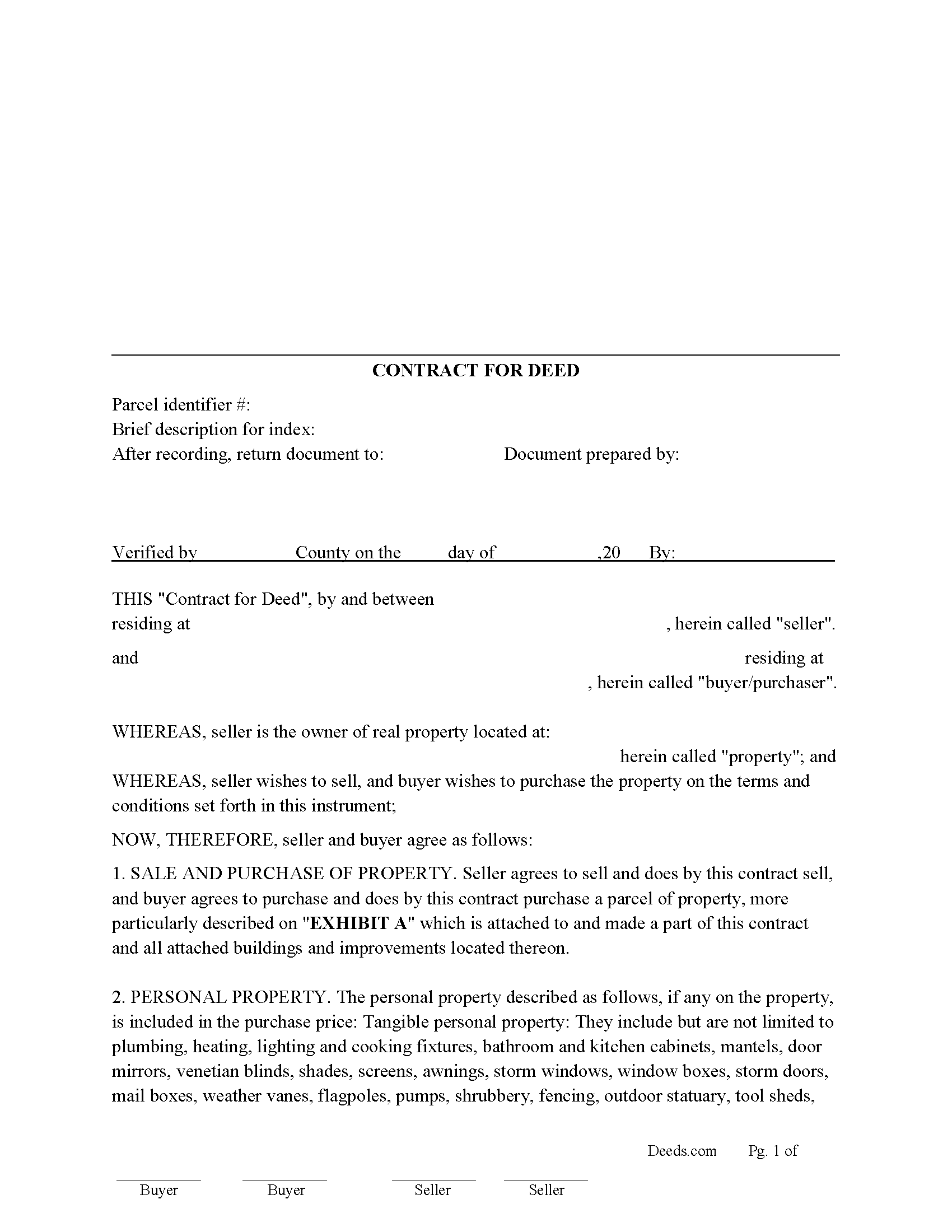
Northampton County Contract for Deed Form
Fill in the blank form formatted to comply with all recording and content requirements.
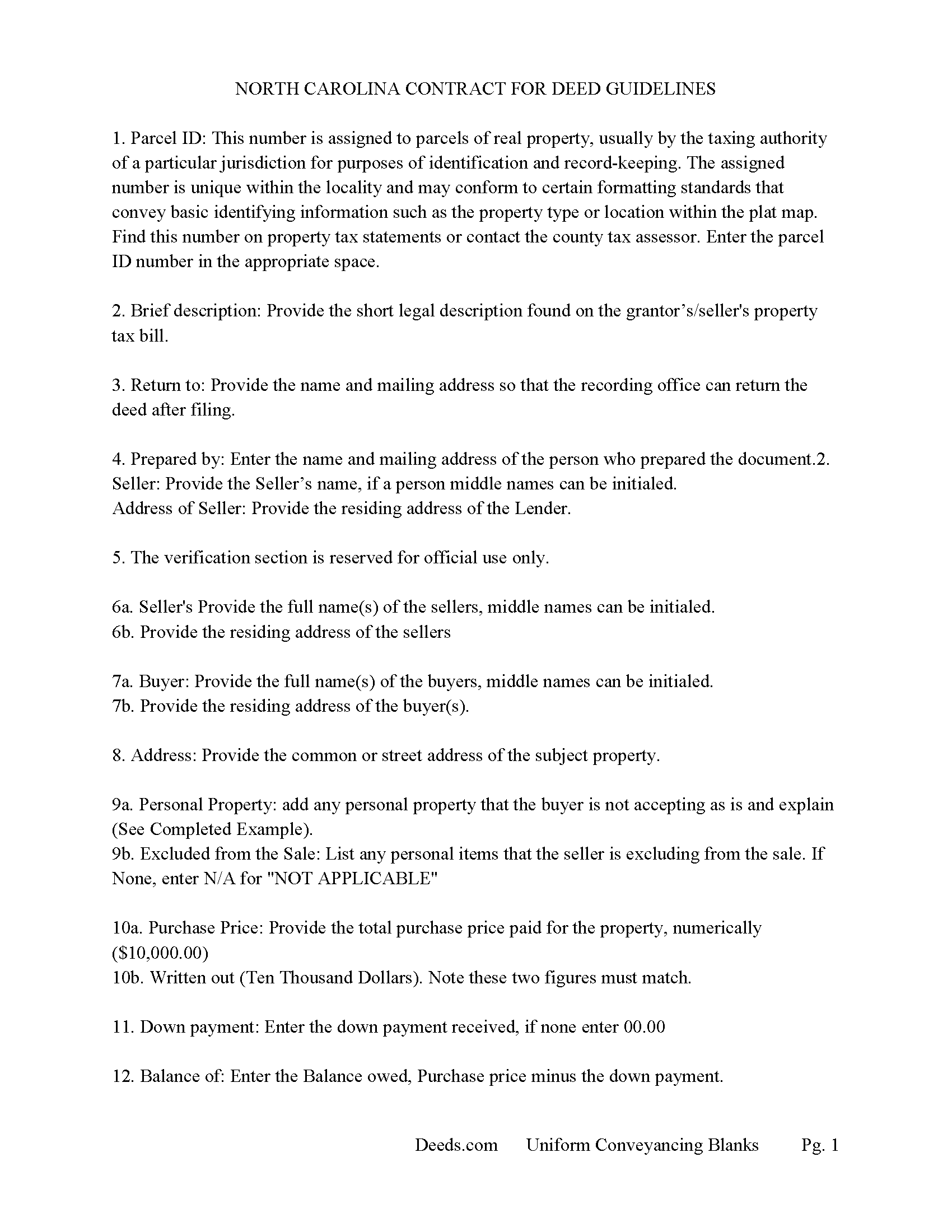
Northampton County Contract for Deed Guidelines
Line by line guide explaining every blank on the form.
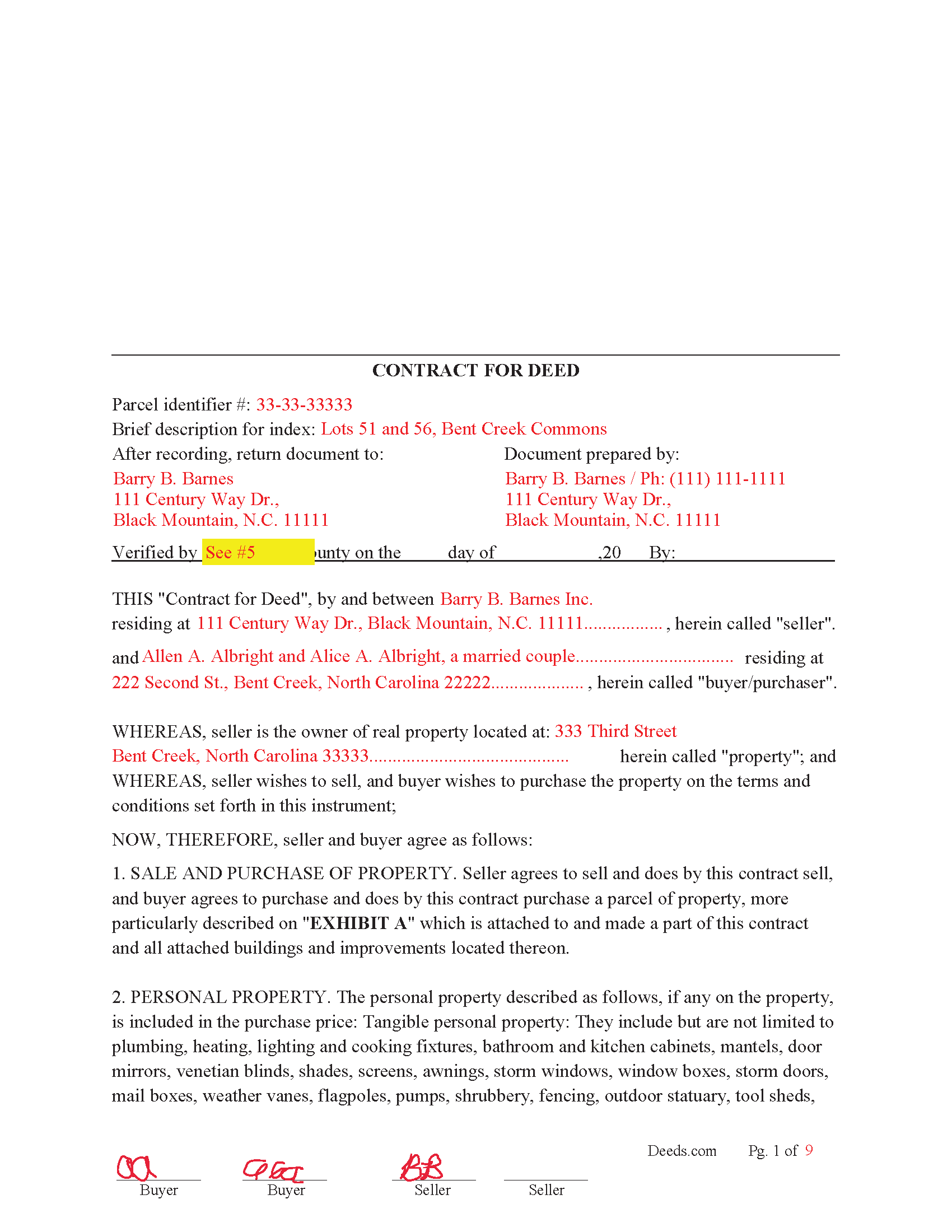
Northampton County Completed Example of the Contract for Deed
Example of a properly completed form for reference.
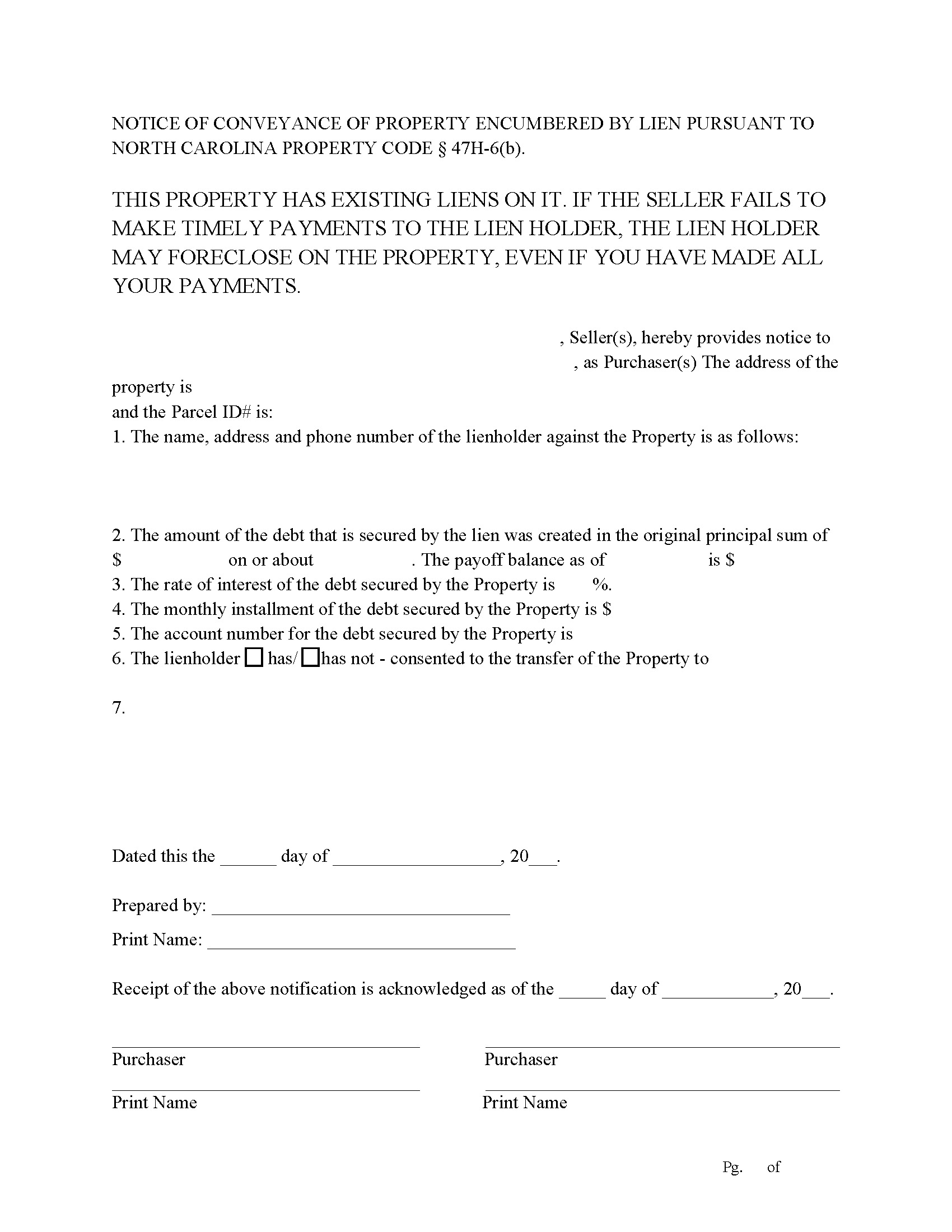
Northampton County Notice of Liens Form
Notice of Conveyance of Property Encumbered by Lien Pursuant to North Carolina Property Code 47H-6(b)
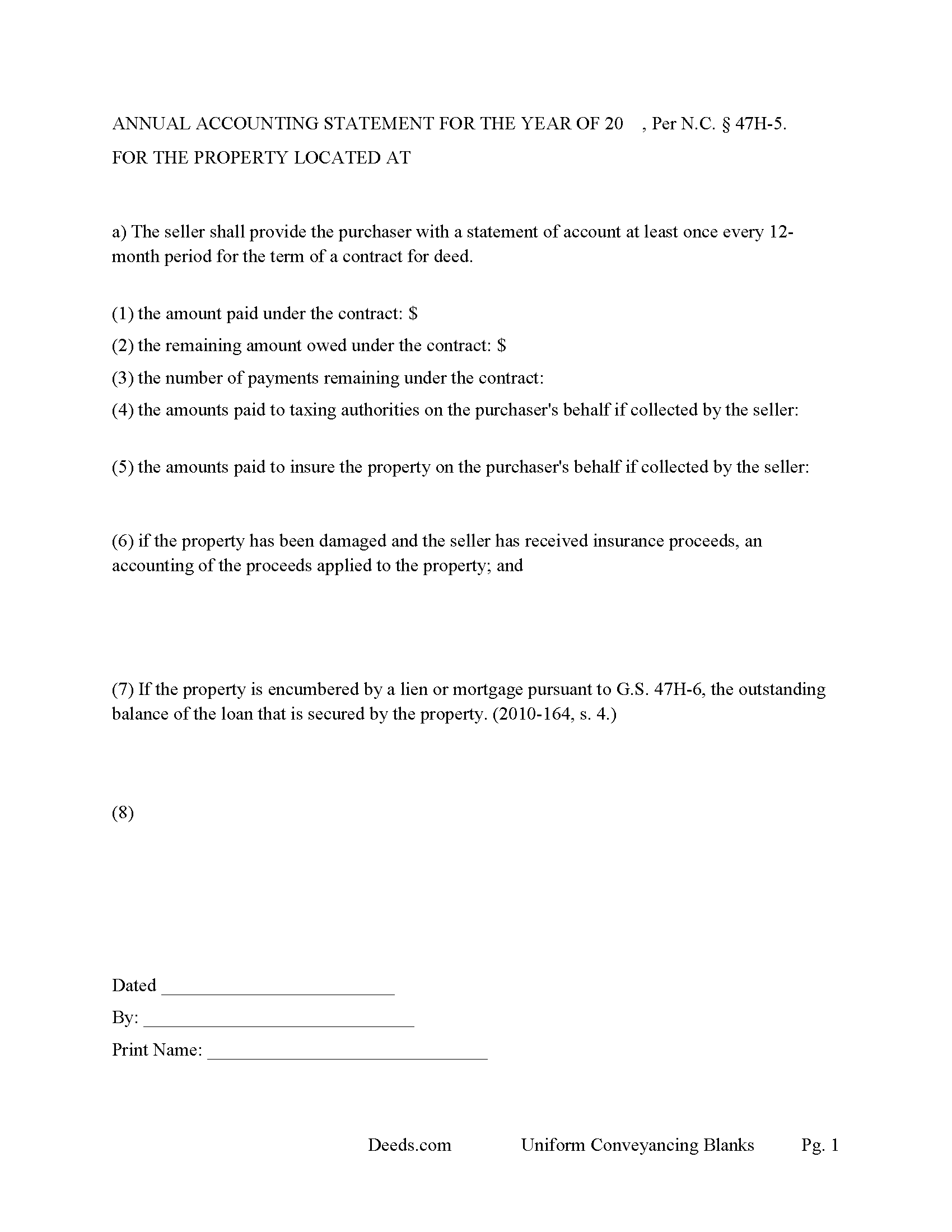
Northampton County Periotic Accounting Statement
Required Annual Statement Per N.C. § 47H-5.
All 5 documents above included • One-time purchase • No recurring fees
Immediate Download • Secure Checkout
Additional North Carolina and Northampton County documents included at no extra charge:
Where to Record Your Documents
Northampton Register Of Deeds
Jackson, North Carolina 27845
Hours: 8:30 to 5:00 M-F / Recording until 4:30
Phone: (252) 534-2511
Recording Tips for Northampton County:
- Bring your driver's license or state-issued photo ID
- Ensure all signatures are in blue or black ink
- Recorded documents become public record - avoid including SSNs
- Recording fees may differ from what's posted online - verify current rates
- Request a receipt showing your recording numbers
Cities and Jurisdictions in Northampton County
Properties in any of these areas use Northampton County forms:
- Conway
- Garysburg
- Gaston
- Henrico
- Jackson
- Margarettsville
- Pendleton
- Pleasant Hill
- Potecasi
- Rich Square
- Seaboard
- Severn
- Woodland
Hours, fees, requirements, and more for Northampton County
How do I get my forms?
Forms are available for immediate download after payment. The Northampton County forms will be in your account ready to download to your computer. An account is created for you during checkout if you don't have one. Forms are NOT emailed.
Are these forms guaranteed to be recordable in Northampton County?
Yes. Our form blanks are guaranteed to meet or exceed the applicable formatting requirements used for recording in Northampton County, including margin requirements, font requirements, and other layout standards. This guarantee applies to formatting, not to the legal sufficiency of information entered by the user or the suitability of a form for a particular transaction.
Can I reuse these forms?
Yes. You can reuse the forms for your personal use. For example, if you have multiple properties in Northampton County you only need to order once.
What do I need to use these forms?
The forms are PDFs that you fill out on your computer. The free Adobe Acrobat Reader is recommended, and most PDF apps also work. You do NOT enter your property information online - you download the blank forms and complete them privately on your own computer.
Are there any recurring fees?
No. This is a one-time purchase. Nothing to cancel, no memberships, no recurring fees.
How much does it cost to record in Northampton County?
Recording fees in Northampton County vary. Contact the recorder's office at (252) 534-2511 for current fees.
Questions answered? Let's get started!
This "Contract for Deed" often called a "Land Contract" is a document (in which the seller agrees to sell an interest in property to the purchaser and the purchaser agrees to pay the purchase price in five or more payments exclusive of the down payment, if any, and the seller retains title to the property as security for the purchaser's obligation under the agreement.) (NC Statute 47H-1(1))
Use this package for Residential Property, Rental Property (up to 4 units), Condominiums, Planned Unit Development Property and Vacant Land. Financing is variable, choose between traditional installment payments or x number of payments followed by a balloon payment. This is common when the seller wants to be cashed out. Interest Rates, late payments and charges are set by seller.
If the purchaser goes into default. They must have the right to cure the default. This "Contract for Deed" form has that clause of "Right to Cure" (See NC Statute 47H-3. Conditions of forfeiture; right to cure.)
In 14 boldface type a "Right to Cancel Statement" must be placed above the purchaser's signature, to the effect of;
NOTE TO PURCHASER: YOU HAVE THE RIGHT TO CANCEL THIS CONTRACT FOR DEED UNTIL MIDNIGHT OF THE THIRD BUSINESS DAY FOLLOWING THE EXECUTION OF THIS CONTRACT, OR DELIVERY OF THE CONTRACT, WHICHEVER OCCURS LATER. YOU MAY CANCEL BY NOTIFYING THE SELLER AT:
Existing Lien Form: This form can be used if there is/are existing liens on the property. (the seller, must notify the purchaser in a separate written disclosure, provided at or before the execution of the contract, in 14-point type, boldface, capital letters, the following statement: THIS PROPERTY HAS EXISTING LIENS ON IT. IF THE SELLER FAILS TO MAKE TIMELY PAYMENTS TO THE LIEN HOLDER, THE LIEN HOLDER MAY FORECLOSE ON THE PROPERTY, EVEN IF YOU HAVE MADE ALL YOUR PAYMENTS.) (NC Statute 47H-6(b)) Note: this disclosure form is included in this package.
This package includes the 'Periodic Statement of Account" form
(The seller shall provide the purchaser with a statement of account at least once every 12-month period for the term of a contract for deed. The statement must include at least the following information:
(1) The amount paid under the contract.
(2) The remaining amount owed under the contract.
(3) The number of payments remaining under the contract.
(4) The amounts paid to taxing authorities, if paid or collected by the seller or the purchaser.
(5) The amounts paid to insure the property on the purchaser's behalf, if collected by the seller.
(6) If the property has been damaged and the seller has received insurance proceeds, an accounting of the proceeds applied to the property.
(7) If the property is encumbered by a lien or mortgage pursuant to G.S. 47H-6, the outstanding balance of the loan that is secured by the property. (2010-164, s. 4.))
(47H-5. Periodic statements of account.)
A "Contract for Deed" must be recorded (within five business days after the contract has been signed and acknowledged by both the seller and the purchaser) (NC Statute 47H-2(d))
(North Carolina COD Package includes form, guidelines, and completed example)
Important: Your property must be located in Northampton County to use these forms. Documents should be recorded at the county recording office listed above.
This Contract for Deed meets all recording requirements specific to Northampton County.
Our Promise
The documents you receive here are guaranteed to meet or exceed the applicable Northampton County recording format requirements. If there is a rejection caused by our formatting, we will correct the issue or refund your payment. This guarantee applies to document formatting only and does not extend to information entered by the user, the selection of the form, or the legal effect of the completed document.
Save Time and Money
Get your Northampton County Contract for Deed form done right the first time with Deeds.com Uniform Conveyancing Blanks. At Deeds.com, we understand that your time and money are valuable resources, and we don't want you to face a penalty fee or rejection imposed by a county recorder for submitting nonstandard documents. We constantly review and update our forms to meet rapidly changing state and county recording requirements for roughly 3,500 counties and local jurisdictions.
4.8 out of 5 - ( 4,828 Reviews )
Nancy J M. 5 out of 5 stars
Site is easy to navigate and forms are as described. Too bad there is no secure payment link service (PayPal, Apple Pay, etc. So after I verify charge has hit my credit card I will delete my Deeds.com account.
Thank you!
Thi W. 5 out of 5 stars
Absolutely the easiest and fastest service ever!!! staff very helpful.
Thank you!
Theodore K. 2 out of 5 stars
This does the job but we are not able to save this in our account and if you don't pay for Adobe and only have Adobe reader, I cannot save any information on the form online in my account. I do understand why they do this because they would lose money. A huge issue is that when I got to the end of the document and was adding an Exhibit A, as I typed, the page kept jumping back up the to top and I couldn't see what I was typing. I had to type a little then scroll back down and when I would type more, it would jump up again. This was a real problem.
Thank you for your feedback. We really appreciate it. Have a great day!
Robert B. 5 out of 5 stars
Couldn't be more simple. Good product
Thank you!
Andre H. 5 out of 5 stars
World class forms, great for someone like me that has no clue what I'm doing! Always better to let the pros do it than think one knows it all and gets themselves in trouble!
Thank you for your feedback. We really appreciate it. Have a great day!
Darrell P. 5 out of 5 stars
My legal description exceeds the avaiable space in the one page Exhibit A...any way to add a second page as 'Exhibit A (continued)'?
It is not required to use the included exhibit page. Simply label your printed legal description as the appropriate exhibit.
Jose F. 5 out of 5 stars
When I found this website, I was confused and hesitant to use this website to submit paperwork that needed to be submitted to the Clerks of Courts in Miami. I am glad I decided to go through with it. It was the easiest process I have encountered even with working with the City. Highly recommend as it is super easy to use and received that everything was approved and recorded in two working days. Thank you so much for bringing my stress level lower as many uncertainties of how to process my paperwork. Will use it again to finish my project as the City continues to not accept walk ins. Thank you so much.
So glad we were able help Jose, have a amazing day!
katherine a. 5 out of 5 stars
loved the ease of use for the forms. went on line to find out about Adobe Reader, too. Had a test to see if I had it. Took few seconds. Then on to ordering and downloading which took only 5 minutes for the three forms I wanted. Thanks, Katie Anderson
Thank you for your feedback. We really appreciate it. Have a great day!
Raymond M. 5 out of 5 stars
It would be really nice if you had an example of the document full size that can be examined/read before having to pay. I was gambling that it was the exact document that I needed when I paid my fee. Fortunately, it was, and I commend you for that.
Thank you for your feedback. We really appreciate it. Have a great day!
Cynthia H. 5 out of 5 stars
No review provided.
Thank you!
Nancy O. 5 out of 5 stars
Have not actually filed as yet but package seems to answer all my questions and believe this will be a walk in the park instead a a headache or expensive endeavor. Thanks.
Thank you for your feedback. We really appreciate it. Have a great day!
Jill S. 5 out of 5 stars
This was highly convenient and successful.
Glad to hear we could help Jill, thanks for the kind words!!
Robert P. 5 out of 5 stars
excellent reference
Thank you for your feedback. We really appreciate it. Have a great day!
Dawn L. 5 out of 5 stars
Not totally satisfied as unable to edit as needed on signature page of the deed. I want to be able to date the document and don't want the verbage "signed, sealed and delivered in the presence of" to appear and cannot remove it. The notary will make his or her own statement below as to the date executed.
Thank you for your feedback. We really appreciate it. Have a great day!
Susan N. 5 out of 5 stars
Hope to get form printed out Ok.
Thank you!