Northampton County Correction Deed Form
Last validated October 14, 2026 by our Forms Development TeamFormatted for recording in Northampton County, for property anywhere in the county: rural and unincorporated areas as well as Conway, Garysburg, Gaston, Henrico, Jackson, Margarettsville, Pendleton, Pleasant Hill and 5 more.
- 5 documents included
- Immediate PDF download
- Formatting guarantee
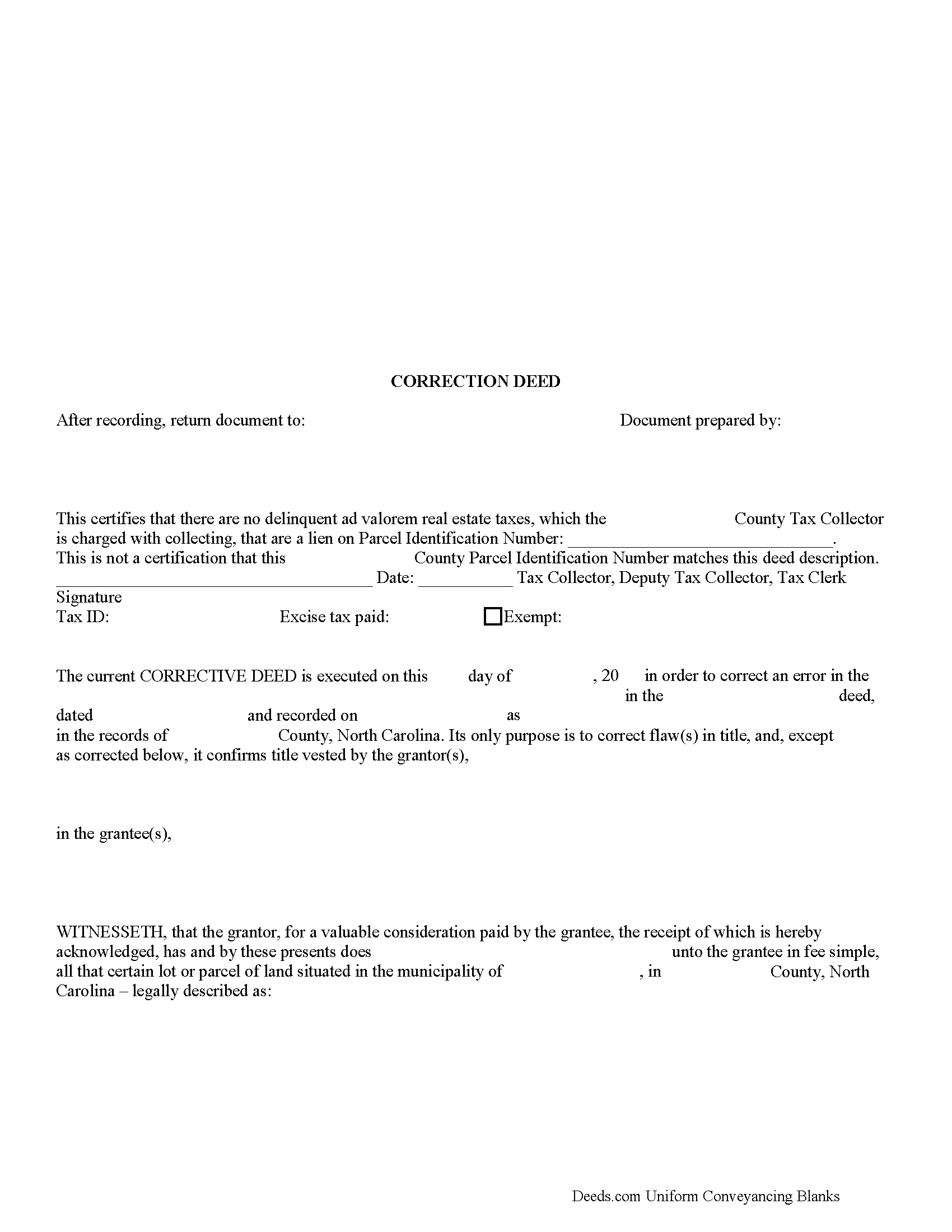
Northampton County Correction Deed Form
Fill in the blank form formatted to comply with all recording and content requirements.
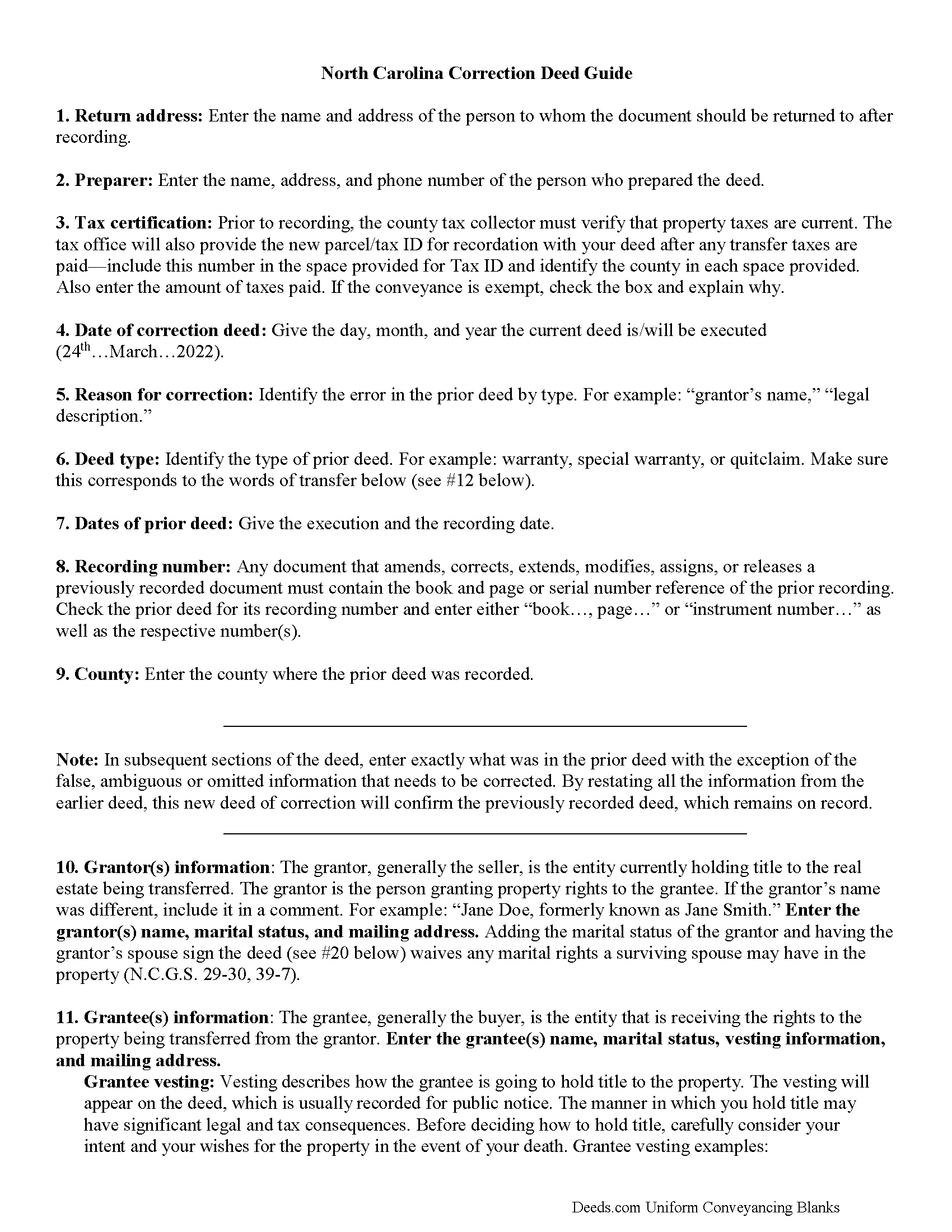
Northampton County Correction Deed Guide
Line by line guide explaining every blank on the form.
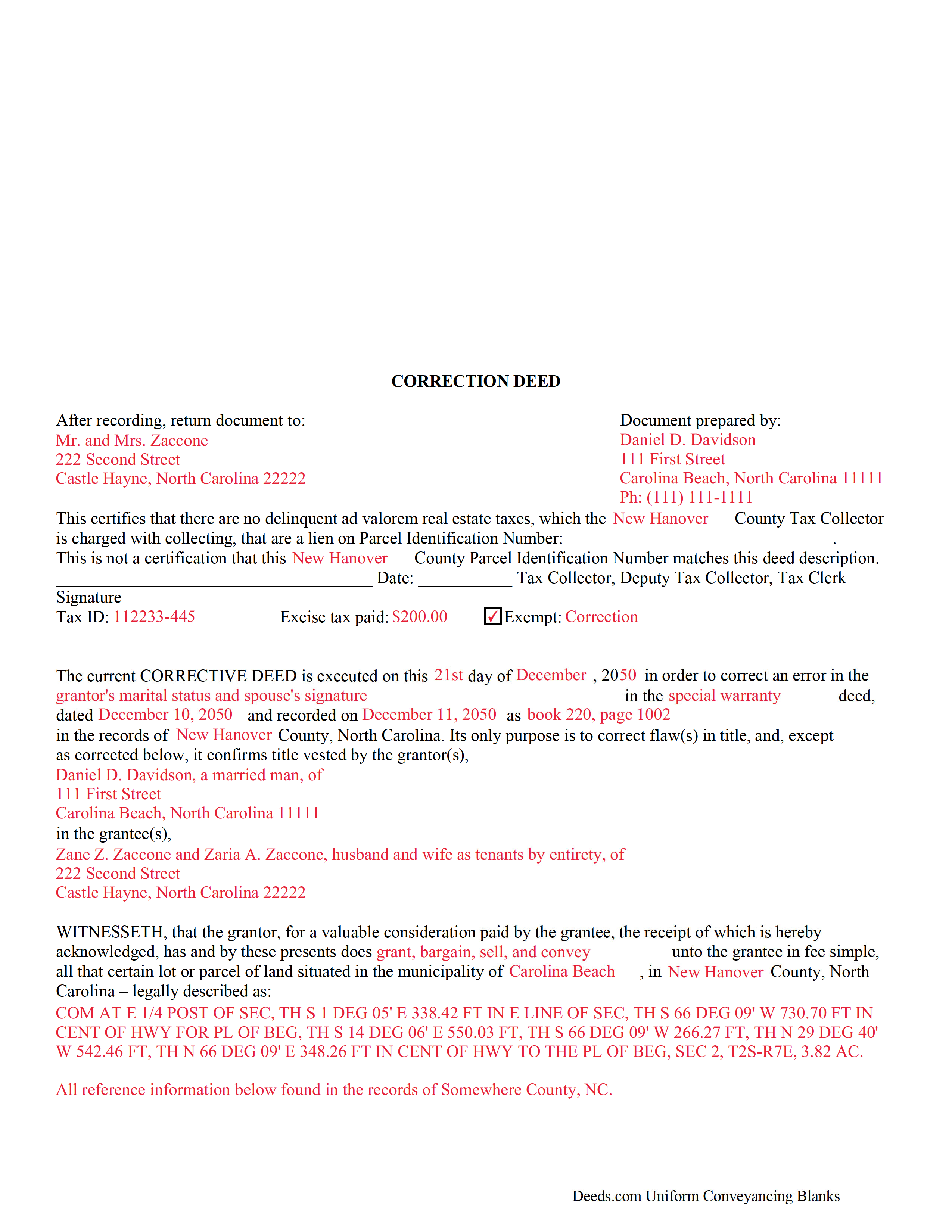
Northampton County Completed Example of the Correction Deed Document
Example of a properly completed form for reference.
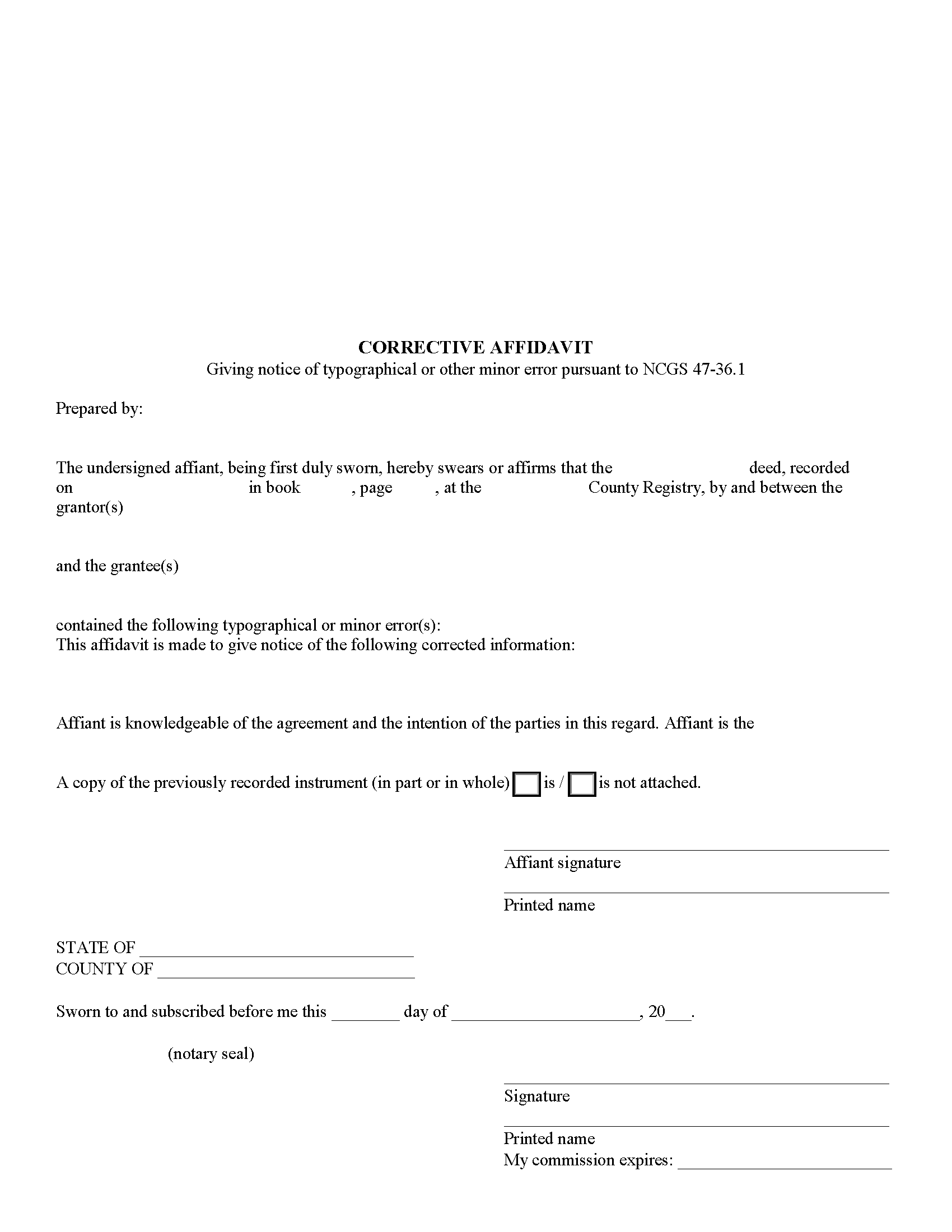
Northampton County Corrective Affidavit Form
Fill in the blank form formatted to comply with all recording and content requirements.
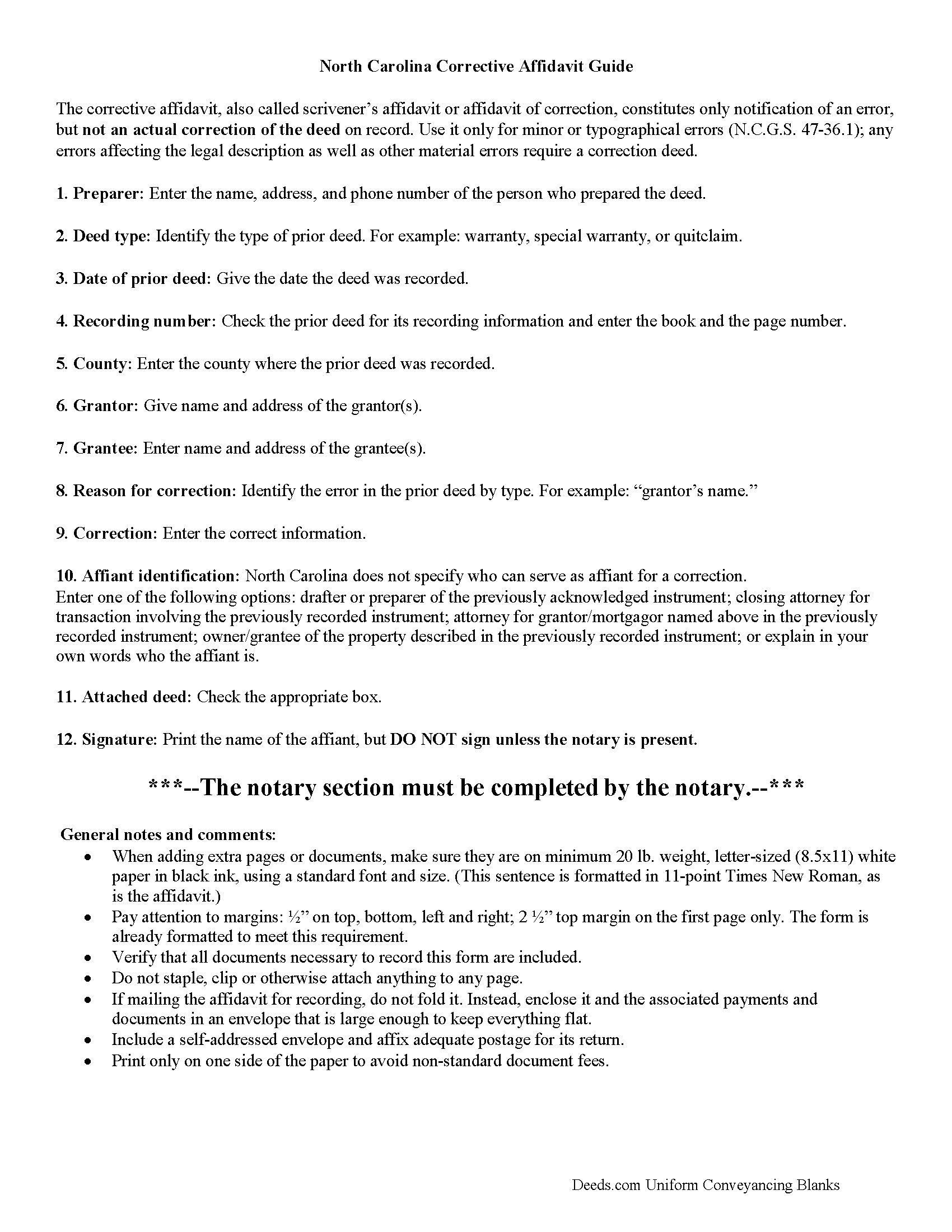
Northampton County Corrective Affidavit Guide
Line by line guide explaining every blank on the form.
All 5 documents above included • One-time purchase • No recurring fees
Immediate Download • Secure Checkout
Additional North Carolina and Northampton County documents included at no extra charge:
Where to Record Your Documents
Northampton Register Of Deeds
Jackson, North Carolina 27845
Hours: 8:30 to 5:00 M-F / Recording until 4:30
Phone: (252) 534-2511
Recording Tips for Northampton County:
- Bring your driver's license or state-issued photo ID
- Ensure all signatures are in blue or black ink
- Ask for certified copies if you need them for other transactions
- Ask if they accept credit cards - many offices are cash/check only
- Check that your notary's commission hasn't expired
Cities and Jurisdictions in Northampton County
Properties in any of these areas use Northampton County forms:
- Conway
- Garysburg
- Gaston
- Henrico
- Jackson
- Margarettsville
- Pendleton
- Pleasant Hill
- Potecasi
- Rich Square
- Seaboard
- Severn
- Woodland
Hours, fees, requirements, and more for Northampton County
How do I get my forms?
Forms are available for immediate download after payment. The Northampton County forms will be in your account ready to download to your computer. An account is created for you during checkout if you don't have one. Forms are NOT emailed.
Are these forms guaranteed to be recordable in Northampton County?
Yes. Our form blanks are guaranteed to meet or exceed the applicable formatting requirements used for recording in Northampton County, including margin requirements, font requirements, and other layout standards. This guarantee applies to formatting, not to the legal sufficiency of information entered by the user or the suitability of a form for a particular transaction.
Can I reuse these forms?
Yes. You can reuse the forms for your personal use. For example, if you have multiple properties in Northampton County you only need to order once.
What do I need to use these forms?
The forms are PDFs that you fill out on your computer. The free Adobe Acrobat Reader is recommended, and most PDF apps also work. You do NOT enter your property information online - you download the blank forms and complete them privately on your own computer.
Are there any recurring fees?
No. This is a one-time purchase. Nothing to cancel, no memberships, no recurring fees.
How much does it cost to record in Northampton County?
Recording fees in Northampton County vary. Contact the recorder's office at (252) 534-2511 for current fees.
Questions answered? Let's get started!
Use the correction deed to correct errors in a warranty, special warranty, or quit claim deed in North Carolina.
In North Carolina, several correction options may be used: an affidavit of correction, also called scrivener's affidavit; a re-recording of the original erroneous deed; and a newly drafted correction deed. Choosing the best option will depend on the type of error in the deed. Minor or typographical errors can be addressed through the affidavit (N.C.G.S. 47-36.1), but material errors and any errors affecting the legal description require a correction deed, or at least a re-recordation of the corrected original deed.
The affidavit of correction goes on public record with cross-reference to the deed and constitutes notification of an error, but not an actual correction. When re-recording the original deed, make corrections directly on the document (or a certified copy of it). Initial these changes and have the document re-signed by the original parties and re-acknowledged. Check with the county's recording office before choosing this option to verify local requirements regarding title pages, contents and fees.
The easiest and cleanest option for correcting a deed is to record a new correction deed. This eliminates the need to determine the type of error and its potential impact on the ability to sell the property at a later point. The correction deed references the original document by date and recording number and, except for the corrected or omitted information, duplicates the text of the old deed. The original parties must sign in the presence of a notary, who then acknowledges this new instrument prior to recording.
(North Carolina CD Package includes form, guidelines, and completed example)
Important: Your property must be located in Northampton County to use these forms. Documents should be recorded at the county recording office listed above.
This Correction Deed meets all recording requirements specific to Northampton County.
Our Promise
The documents you receive here are guaranteed to meet or exceed the applicable Northampton County recording format requirements. If there is a rejection caused by our formatting, we will correct the issue or refund your payment. This guarantee applies to document formatting only and does not extend to information entered by the user, the selection of the form, or the legal effect of the completed document.
Save Time and Money
Get your Northampton County Correction Deed form done right the first time with Deeds.com Uniform Conveyancing Blanks. At Deeds.com, we understand that your time and money are valuable resources, and we don't want you to face a penalty fee or rejection imposed by a county recorder for submitting nonstandard documents. We constantly review and update our forms to meet rapidly changing state and county recording requirements for roughly 3,500 counties and local jurisdictions.
4.8 out of 5 - ( 4,828 Reviews )
Don R. 3 out of 5 stars
From Pennsylvania here. Documents are great and easy to fill out however you are lacking a couple of things. You only provide the option for a Grant Deed when you purchase by your county which is Mercer County for me. Why not give the ability to get a Warranty Deed that better protects the Grantee? Also, being from Pennsylvania and in a county that mined Buituminous Coal we are required to include the Coal Severance Notice and Bituminous Mine Subsidence and Land Conservation Act Notice. You can check the box on your Deed form that they are required and attached but you do not provide the verbiage or form for this. You state that you know what each county requires and include everything required but you do not include these two required Notices. This has been a requirement for years and the wording never changes. I had to look for these Notices and hand type this information and include it on another seperate page after the Notary section on the Deed. The Grantor has to sign the Coal Severance Notice and be witnessed by a Notary so I had to add another place for the Notary and will have to pay twice for witnessed signatures when it could have been included in your document. My Deed from 2003 was done that way and then the Notary statement after that so it was only one notarized witness of signature.
Thank you for your feedback. We really appreciate it. Have a great day!
David C. 5 out of 5 stars
I found it pretty easy to navigate, all worked well. Need a better example of excise tax. Lastly, your link in the email to get to this page doesn't work :)
We appreciate your business and value your feedback. Thank you. Have a wonderful day!
Michael M. 5 out of 5 stars
Easy to follow directions and instructions to properly and legally fill-in the Deed that I requested. It was also very easy and convenient. If I was going to employ an Attorney or Legal Documents Preparer, they would easily charge me between $150 to $225 a Deed! For the cost of $19.97, anyone would pursue this price! Thank you, Deeds.com for a wonderful and terrific experience! I'm going to need you again to change Titles for my other Investment Properties.
Thank you for your feedback. We really appreciate it. Have a great day!
Claudia S. 5 out of 5 stars
Very user friendly! Processing is very fast. I would highly recommend using Deed's.
We appreciate your business and value your feedback. Thank you. Have a wonderful day!
Cessaly D H. 5 out of 5 stars
Excellent service bc you create your own account and have immediate access to documents!
We appreciate your business and value your feedback. Thank you. Have a wonderful day!
Kerrin S. 5 out of 5 stars
Wow, this was so easy & helpful. I didn't get it finished in time for recording, so I'm still waiting on that part, but the rest was simple and straight-forward. Thanks!
Thank you!
Donna P. 5 out of 5 stars
Your documents were very helpful. I went ahead and filled in all the info for the Release of Lien document. It was easy to do with your example. I had all the necessary info such as plot numbers, etc. for the property and everything fit nicely onto the document. It has been notorized and mailed. My grandparents' Victorian home has new owners who love it and has paid it off. Yeah!!!
We appreciate your business and value your feedback. Thank you. Have a wonderful day!
Jonelle R. 5 out of 5 stars
Paperwork very easy to retrieve. Hope going to get it recorded will be this easy.
We appreciate your business and value your feedback. Thank you. Have a wonderful day!
Billy A. 5 out of 5 stars
Documents were as described, Will not be able to tell if it works or not.. Will be Dead, but easy enough to fill out.
Thank you for taking a moment to share your thoughts.
Deanie F. 5 out of 5 stars
Very happy with the product and really appreciated being able to get it on line.
Thanks for the kind words Deanie. We appreciate you, glad we could help!
Gordon J. 5 out of 5 stars
The experience was generally very satisfactory. I was able to fill out the Trust Deed and send it via email no problem. However, I was not able to send the filled out form of the Note. It always erased my fill-ins when it was sent. I found that very frustrating.
Thank you, Gordon. Glad the Trust Deed worked well. Issues like the one you reported with the Note can sometimes be related to how the file is opened or sent. Using Adobe Reader to fill, save, and send the form is recommended. We also pass along all feedback like this to our team to confirm there are no issues.
Jack S. 5 out of 5 stars
This is a great service and fairly priced.
Thank you Jack. hope you're having a great day!
Andrea H. 5 out of 5 stars
I am very pleased with your service. The document that I downloaded along with the instructions and examples you provided made the process so easy. Thank you.
Thank you for your feedback. We really appreciate it. Have a great day!
Valerie S. 5 out of 5 stars
The service was easy, fast, and cheap and we were able to close our sale 2 days after we downloaded the deed! Thanks!
Thank you for your feedback. We really appreciate it. Have a great day!
Michael B. 5 out of 5 stars
It was a breeze to utilize.
Thank you!