Sampson County Quitclaim Deed (Divorce) Form
Last validated October 8, 2026 by our Forms Development TeamFormatted for recording in Sampson County, for property anywhere in the county: rural and unincorporated areas as well as Autryville, Clinton, Garland, Godwin, Harrells, Ivanhoe, Newton Grove, Roseboro and 2 more.
- 3 documents included
- Immediate PDF download
- Formatting guarantee
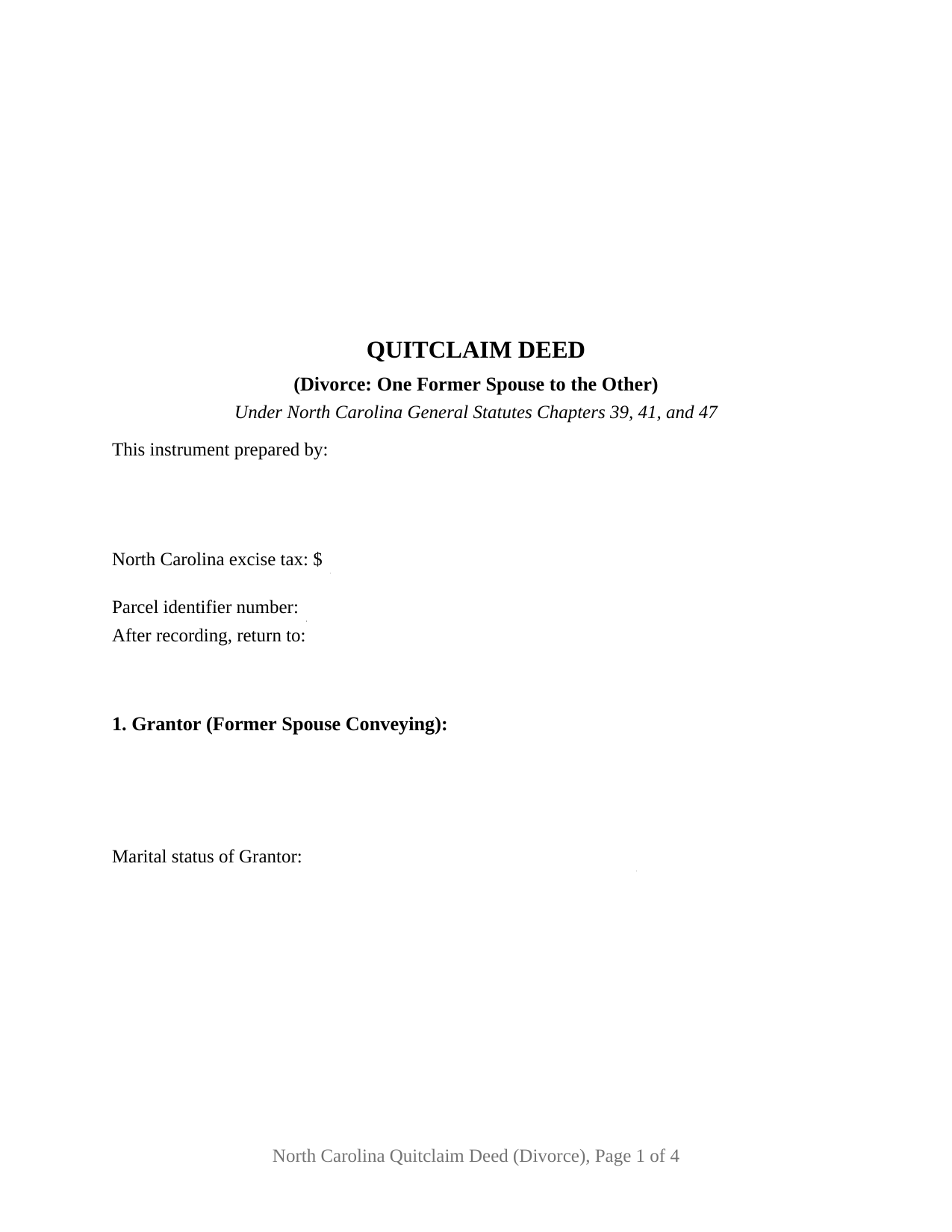
Sampson County Quitclaim Deed (Divorce) Form
Fill in the blank Quitclaim Deed (Divorce) form formatted to comply with all North Carolina recording and content requirements.
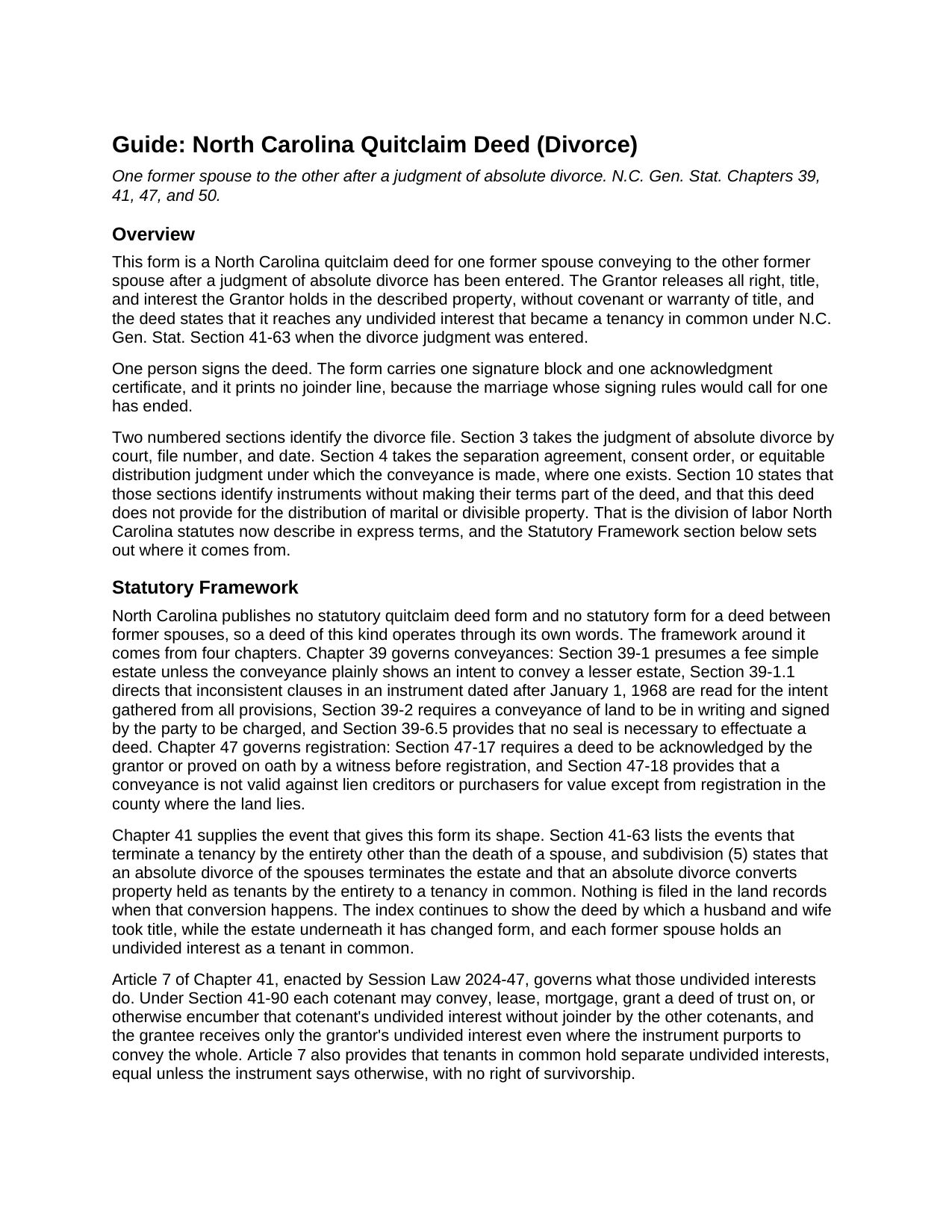
Sampson County Quitclaim Deed (Divorce) Guide
Line by line guide explaining every blank on the Quitclaim Deed (Divorce) form.
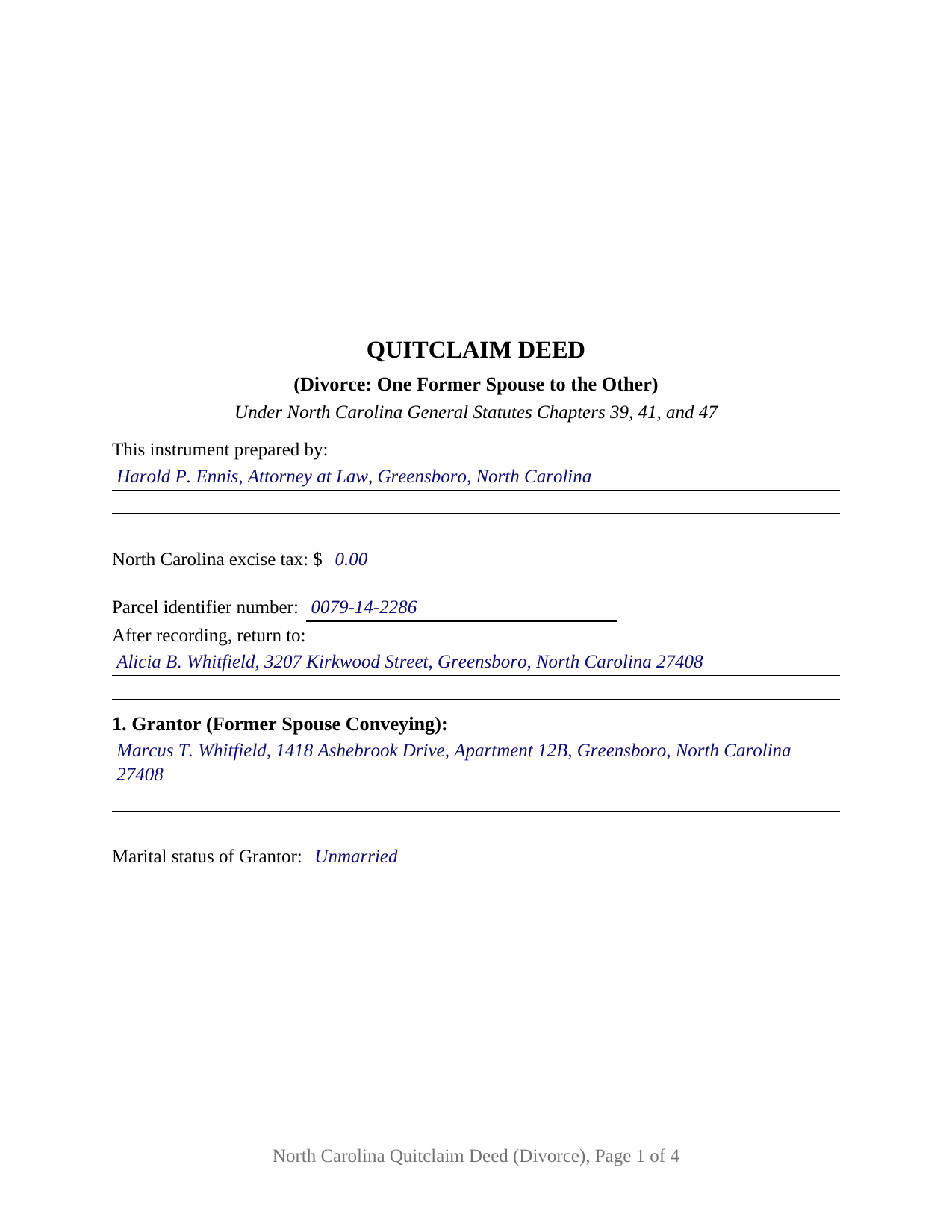
Sampson County Completed Example of the Quitclaim Deed (Divorce) Document
Example of a properly completed North Carolina Quitclaim Deed (Divorce) document for reference.
All 3 documents above included • One-time purchase • No recurring fees
Immediate Download • Secure Checkout
Additional North Carolina and Sampson County documents included at no extra charge:
Where to Record Your Documents
Sampson County Register of Deeds
Clinton, North Carolina 28328
Hours: 8:00 to 5:00 M-F
Phone: (910) 592-8026
Recording Tips for Sampson County:
- Bring your driver's license or state-issued photo ID
- Ensure all signatures are in blue or black ink
- Make copies of your documents before recording - keep originals safe
- Recorded documents become public record - avoid including SSNs
- Recording fees may differ from what's posted online - verify current rates
Cities and Jurisdictions in Sampson County
Properties in any of these areas use Sampson County forms:
- Autryville
- Clinton
- Garland
- Godwin
- Harrells
- Ivanhoe
- Newton Grove
- Roseboro
- Salemburg
- Turkey
Hours, fees, requirements, and more for Sampson County
How do I get my forms?
Forms are available for immediate download after payment. The Sampson County forms will be in your account ready to download to your computer. An account is created for you during checkout if you don't have one. Forms are NOT emailed.
Are these forms guaranteed to be recordable in Sampson County?
Yes. Our form blanks are guaranteed to meet or exceed the applicable formatting requirements used for recording in Sampson County, including margin requirements, font requirements, and other layout standards. This guarantee applies to formatting, not to the legal sufficiency of information entered by the user or the suitability of a form for a particular transaction.
Can I reuse these forms?
Yes. You can reuse the forms for your personal use. For example, if you have multiple properties in Sampson County you only need to order once.
What do I need to use these forms?
The forms are PDFs that you fill out on your computer. The free Adobe Acrobat Reader is recommended, and most PDF apps also work. You do NOT enter your property information online - you download the blank forms and complete them privately on your own computer.
Are there any recurring fees?
No. This is a one-time purchase. Nothing to cancel, no memberships, no recurring fees.
How much does it cost to record in Sampson County?
Recording fees in Sampson County vary. Contact the recorder's office at (910) 592-8026 for current fees.
Questions answered? Let's get started!
The judgment came first. By the time this deed is signed, a North Carolina absolute divorce has already changed the estate: G.S. 41-63(5) converts property held as tenants by the entirety into a tenancy in common, so two former spouses hold undivided shares of what used to be the marital residence. This fillable quitclaim deed moves one of those shares. One former spouse signs as Grantor, the other is named as Grantee, and the instrument releases the Grantor's interest with no covenant or warranty of title.
What the divorce already did to the title
Tenancy by the entirety depends on the marriage that created it. G.S. 41-63 lists the events that end it short of death, and subdivision (5) supplies the consequence: an absolute divorce of the spouses converts entireties property to a tenancy in common. Nothing reaches the registry when that happens. The index still shows a deed running to a husband and wife while the estate beneath it has changed form, and each former spouse holds an undivided interest that G.S. 41-90 lets that cotenant convey alone. Section 10 names the conversion expressly, so the page states what the release reaches.
The division belongs to the order, not to the deed
North Carolina draws that line in statutory text. G.S. 50-20(d) lets the parties provide for distribution of marital and divisible property by written agreement acknowledged under G.S. 52-10 and G.S. 52-10.1, then adds, citing G.S. 39-13.3(a)(2) and G.S. 41-63(4)b., that the parties shall not provide for this distribution in an instrument of conveyance of real property. Session Law 2025-25 rewrote G.S. 39-13.3(a)(2) to the same effect on October 1, 2025: a right or claim for equitable distribution shall not be waived or released in the instrument of conveyance. So this form carries identification blanks and no division terms. Section 3 takes the judgment by court, file number, and date; Section 4 takes the separation agreement, consent order, or equitable distribution judgment the conveyance carries out, each prepared separately and not part of this package.
One signature, and the joinder line that is absent
What is missing from this deed says as much as what it carries. G.S. 29-30 supplies the elective life estate that G.S. 39-7 asks a spouse to sign away, and G.S. 41-58 calls for written joinder of both spouses on entireties property; the judgment named in Section 3 ended the marriage both provisions run with. So the form recites one Grantor, one signature line, one printed name line for the register's index, and one certificate carrying the substance of G.S. 10B-41(a). A marital status line earns its place, because a Grantor who has remarried holds the land during a new marriage, which G.S. 39-7 reaches through the current spouse's execution. Positions appearing in the records here include a former spouse releasing the residence to the one keeping it under a consent order, a departing owner clearing the chain before a refinance, and an undivided half interest a title search surfaced years after a divorce. The form is not set up for two conveying owners, for spouses still married when they sign, for an entity or trustee Grantor, or for an agent's signature.
A release, and the figures page one reports
No North Carolina statute prescribes a quitclaim, so the operative words do the work: the deed passes what the Grantor has, if any, and G.S. 39-1 sends the whole of that estate unless the deed shows less. A deed of trust both former spouses signed rides through untouched, and so does the note behind it. Page one keeps the three inch band G.S. 161-14(b) requires, names the instrument type beneath it, then gathers what the counter reads: the drafter name G.S. 47-17.1 puts on a first page as a condition of acceptance, the excise figure G.S. 105-228.32 makes the presenter's report, a parcel identifier line under G.S. 161-30, and the return address. Where no consideration in property or money is due or paid by the transferee, G.S. 105-228.29 places the transfer outside the tax. Searchers find it as a quit claim deed, a quitclaim, a non-warranty deed, or a divorce deed; under every label, G.S. 47-18 measures priority from registration where the land lies.
The download holds this deed as a fillable PDF, a completed example worked through a Guilford County release following an absolute divorce, and a plain language guide covering each section, the divorce and vesting statutes, excise reporting, and recording. Nothing here is legal advice; it describes North Carolina law generally.
Important: Your property must be located in Sampson County to use these forms. Documents should be recorded at the county recording office listed above.
This Quitclaim Deed (Divorce) meets all recording requirements specific to Sampson County.
Our Promise
The documents you receive here are guaranteed to meet or exceed the applicable Sampson County recording format requirements. If there is a rejection caused by our formatting, we will correct the issue or refund your payment. This guarantee applies to document formatting only and does not extend to information entered by the user, the selection of the form, or the legal effect of the completed document.
Save Time and Money
Get your Sampson County Quitclaim Deed (Divorce) form done right the first time with Deeds.com Uniform Conveyancing Blanks. At Deeds.com, we understand that your time and money are valuable resources, and we don't want you to face a penalty fee or rejection imposed by a county recorder for submitting nonstandard documents. We constantly review and update our forms to meet rapidly changing state and county recording requirements for roughly 3,500 counties and local jurisdictions.
4.8 out of 5 - ( 4,839 Reviews )
Pamela J. 5 out of 5 stars
Thank you the service was prompt and efficient.
Thank you!
Dallas S. 5 out of 5 stars
Very easy
Thank you!
Jenifer L. 3 out of 5 stars
I'm an attorney. I see youve mixed up the terms "grantor" and "grantee" and their respective rights in this version. Anyone using it like this might have title troubles down the line.
Thank you for your feedback Jenifer, we have flagged the document for review.
Steven W. 5 out of 5 stars
Seems to be just what I needed and easy to use.
Thank you!
Melody S. 4 out of 5 stars
Although I was given quite a bit of information, I wanted my property title. I was not informed of what I would receive before I paid for this service.
Thank you!
Greg G. 5 out of 5 stars
Easiest Filing I've ever done, and filed in 24 hours.
Thank you!
Anne-Marie B. 5 out of 5 stars
This was the first time I have ever e-recorded a document. The process was smooth and simple. I loved being informed at each step along the way. I am glad I chose deeds.com and plan to use them in the future for all my electronic recording of legal documents.
Thank you!
Emanuel W. 5 out of 5 stars
Excellent service! We surely use again
Thank you for your feedback. We really appreciate it. Have a great day!
Kate J. 5 out of 5 stars
Easy to use.
Thank you!
Peggy J. 5 out of 5 stars
I have been researching for months to figure out how to remove deceased owner of property with right of survivorship in Florida. The County Clerk was not helpful. They refer you to get legal advice which is expensive. So hopefully by completing these forms I can actually complete the task. And would be helpful to be reassured that this is all I need to complete overdue task. I was hesitant to pay, but I believe this is legit. If so- a great Thank you.
Thank you for your feedback. We really appreciate it. Have a great day!
Thomas F. 5 out of 5 stars
Very convenient!
Thank you!
TIFFANY B. 5 out of 5 stars
THIS SERVICE IS AMAZING! IT SAVES ME SO MUCH TIME!
We are grateful for your engagement and feedback, which help us to serve you better. Thank you for being an integral part of our community.
Karen W. 5 out of 5 stars
Great experience. Easy.
We appreciate your business and value your feedback. Thank you. Have a wonderful day!
Karl L. 5 out of 5 stars
Excellent Service Terrific Follow Up and Follow Throught
Your appreciative words mean the world to us. Thank you.
Charles F. 5 out of 5 stars
I found the information easy to understand, and the forms to be correct for my needs.
Your insights are invaluable to us and help us strive for better service. Thank you for taking the time to share your thoughts.