Pamlico County Quitclaim Deed (LLC Grantor) Form
Last validated October 29, 2026 by our Forms Development TeamFormatted for recording in Pamlico County, for property anywhere in the county: rural and unincorporated areas as well as Alliance, Arapahoe, Bayboro, Grantsboro, Hobucken, Lowland, Merritt, Oriental and 2 more.
- 3 documents included
- Immediate PDF download
- Formatting guarantee
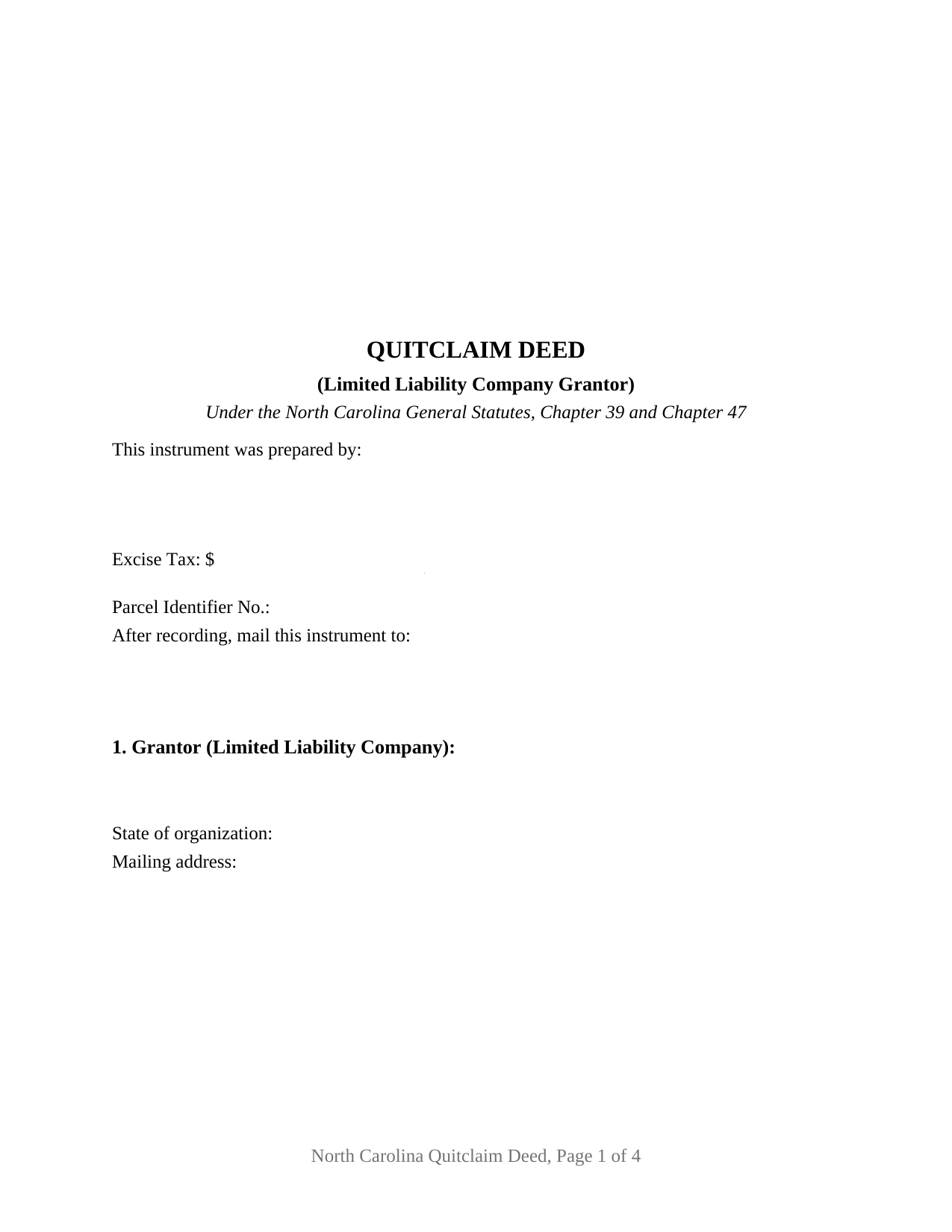
Pamlico County Quitclaim Deed (LLC Grantor) Form
Fill in the blank Quitclaim Deed (LLC Grantor) form formatted to comply with all North Carolina recording and content requirements.
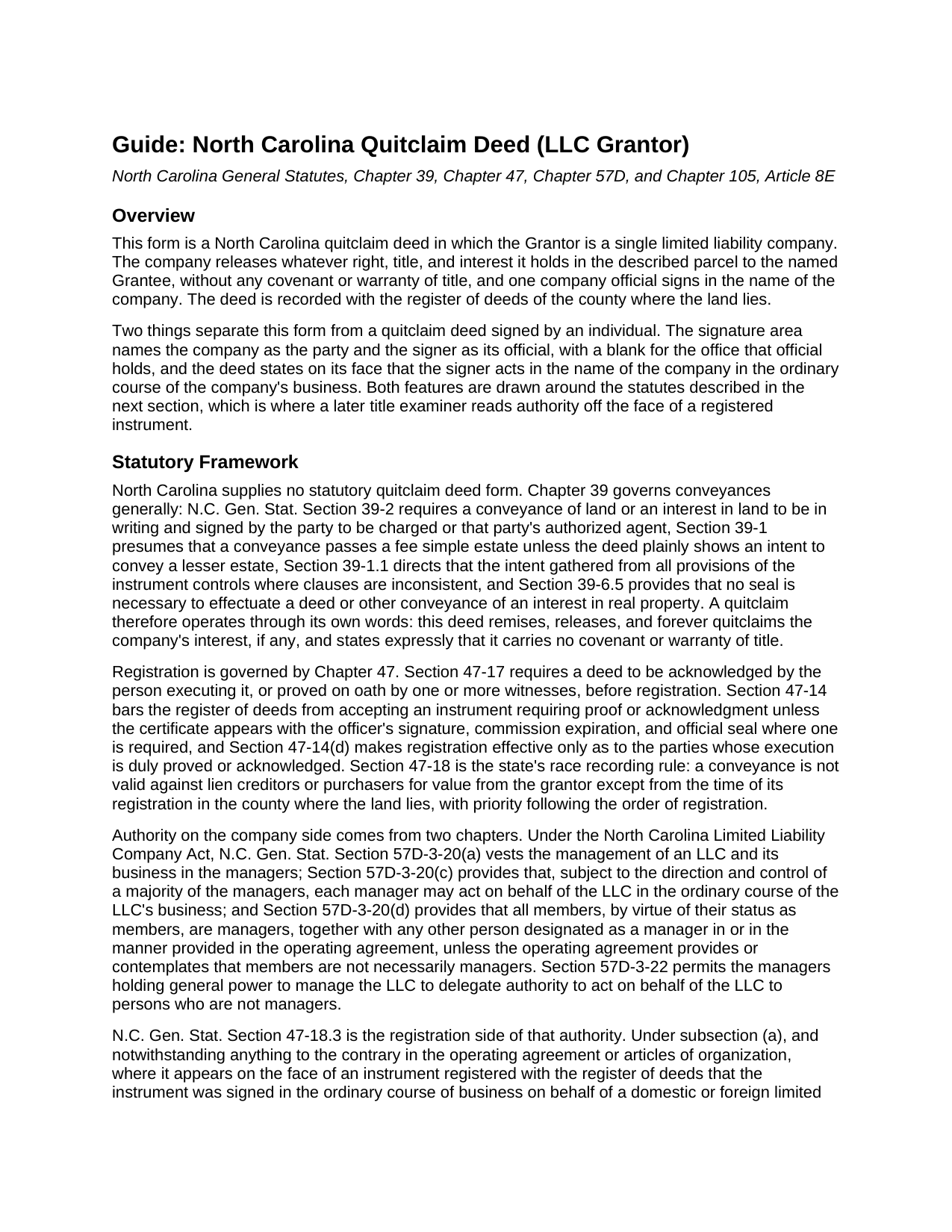
Pamlico County Quitclaim Deed (LLC Grantor) Guide
Line by line guide explaining every blank on the Quitclaim Deed (LLC Grantor) form.
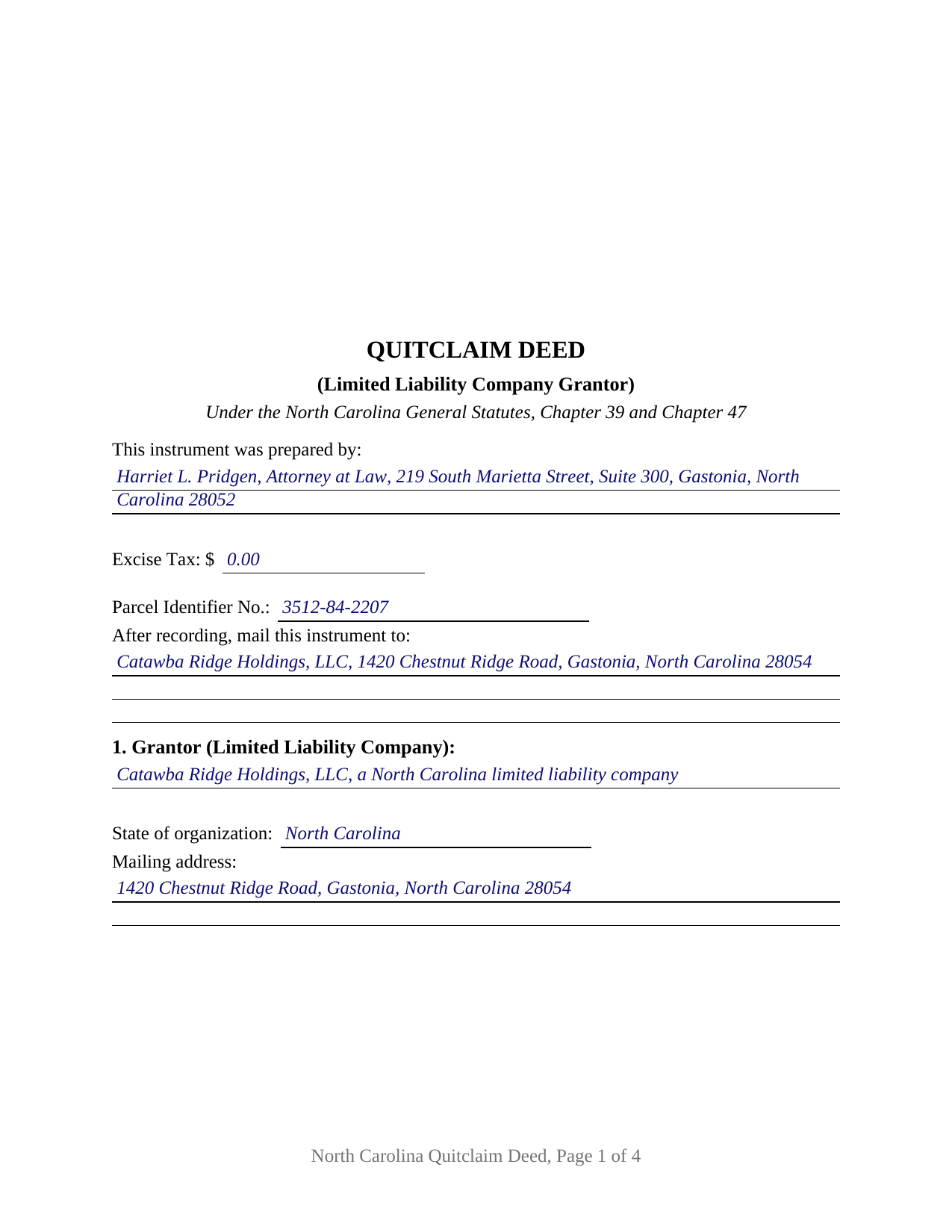
Pamlico County Completed Example of the Quitclaim Deed (LLC Grantor) Document
Example of a properly completed North Carolina Quitclaim Deed (LLC Grantor) document for reference.
All 3 documents above included • One-time purchase • No recurring fees
Immediate Download • Secure Checkout
Additional North Carolina and Pamlico County documents included at no extra charge:
Where to Record Your Documents
Pamlico County Register of Deeds
Bayboro, North Carolina 28515
Hours: 8:00 to 5:00 M-F
Phone: (252) 745-4421
Recording Tips for Pamlico County:
- Bring your driver's license or state-issued photo ID
- Ensure all signatures are in blue or black ink
- Check that your notary's commission hasn't expired
- Documents must be on 8.5 x 11 inch white paper
- Double-check legal descriptions match your existing deed
Cities and Jurisdictions in Pamlico County
Properties in any of these areas use Pamlico County forms:
- Alliance
- Arapahoe
- Bayboro
- Grantsboro
- Hobucken
- Lowland
- Merritt
- Oriental
- Stonewall
- Vandemere
Hours, fees, requirements, and more for Pamlico County
How do I get my forms?
Forms are available for immediate download after payment. The Pamlico County forms will be in your account ready to download to your computer. An account is created for you during checkout if you don't have one. Forms are NOT emailed.
Are these forms guaranteed to be recordable in Pamlico County?
Yes. Our form blanks are guaranteed to meet or exceed the applicable formatting requirements used for recording in Pamlico County, including margin requirements, font requirements, and other layout standards. This guarantee applies to formatting, not to the legal sufficiency of information entered by the user or the suitability of a form for a particular transaction.
Can I reuse these forms?
Yes. You can reuse the forms for your personal use. For example, if you have multiple properties in Pamlico County you only need to order once.
What do I need to use these forms?
The forms are PDFs that you fill out on your computer. The free Adobe Acrobat Reader is recommended, and most PDF apps also work. You do NOT enter your property information online - you download the blank forms and complete them privately on your own computer.
Are there any recurring fees?
No. This is a one-time purchase. Nothing to cancel, no memberships, no recurring fees.
How much does it cost to record in Pamlico County?
Recording fees in Pamlico County vary. Contact the recorder's office at (252) 745-4421 for current fees.
Questions answered? Let's get started!
A limited liability company cannot hold a pen. Someone signs for it, and North Carolina answers the authority question by reading that person's office off the face of the registered instrument. This fillable quitclaim deed is drawn around that reading: one limited liability company stands as Grantor, the company name repeats above the signature line, one company official signs beneath it, and a labeled blank records the office that official holds.
Why the office beside the signature matters
G.S. 47-18.3(a) is the provision a title examiner reaches for years later. Where a registered instrument shows on its face that it was signed in the ordinary course of business for a domestic or foreign limited liability company by its manager, member, president, vice-president, treasurer, or another official the subsection names, the instrument stands as to innocent third parties as though the board had authorized it, unless the paper reveals a potential breach of fiduciary obligation on its face. The section also spares such an instrument any attached or separately recorded resolution of the managers or members. Chapter 57D sits behind it: G.S. 57D-3-20 vests management in the managers, lets each manager act for the company in the ordinary course of its business, and makes every member a manager by virtue of membership unless the operating agreement provides otherwise. The deed puts the office on the page; the operating agreement decides who may sign.
One company, one signer, one certificate
The form recites a single Grantor company by legal name, state of organization, and mailing address, the last being what G.S. 105-317.2 asks of every grantor. The signature area repeats the company name, then carries a signature line, a printed-name line for the register's index, a date, and the office or title blank, with entries such as Manager, Managing Member, or President. One acknowledgment certificate follows the single signer. G.S. 47-38 supplies a certificate form that serves an individual signing as a manager or member of a limited liability company, whether or not the certificate recites the capacity. Positions in the records that present this configuration include a company distributing a parcel to its sole member as the company winds up, a parcel moving between two companies under common ownership in a restructuring, and a company releasing a parcel back to the member who contributed it. The form recites one conveying company and one signer: not two companies, not two officials signing together, and not an individual conveying individually.
The company releases what it has, and no more
North Carolina prescribes no quitclaim form, so the words carry the work. This deed remises, releases, and forever quitclaims the company's right, title, and interest, if any, and states in its own sentence that it conveys without covenant or warranty of title and enlarges nothing. G.S. 39-1 delivers whatever estate the company holds unless the deed plainly shows a smaller one, and G.S. 39-6.5 makes a seal unnecessary, so no company seal belongs on the signature line. Searchers reach the instrument as a quit claim deed, a quitclaim, or a non-warranty deed; under any label, liens and easements ride through the release.
Excise tax when no money changes hands
Page one reports the excise figure, which G.S. 105-228.32 makes the presenter's duty and the register's collection before recording. The G.S. 105-228.30 rate is one dollar per five hundred dollars, or part, of value. Entity transfers frequently land among the classes G.S. 105-228.29 places outside the tax: a gift, a transfer with no consideration due or paid by the transferee, and a transfer by merger, conversion, or consolidation. G.S. 105-228.28 reaches every non-governmental conveyance of North Carolina real estate, so the figure gets reported either way, zero included.
What the register reads first
The first page keeps the three inch stamp space G.S. 161-14(b) reserves, states the instrument type at its top, and below that gathers the drafter entry required by G.S. 47-17.1, the excise line, a parcel identifier blank for county indexing under G.S. 161-30, and a return address. Under G.S. 47-18 the deed becomes good against lien creditors and purchasers for value only from registration in the county holding the land.
Included: the deed as a fillable PDF, a completed example set in Gaston County where a company distributes a lot to its sole member in winding up, and a plain language guide covering each section, the authority statutes, the excise treatment, the grantee vesting menu, and county recording prerequisites. Nothing here is legal advice; it describes North Carolina law generally.
Important: Your property must be located in Pamlico County to use these forms. Documents should be recorded at the county recording office listed above.
This Quitclaim Deed (LLC Grantor) meets all recording requirements specific to Pamlico County.
Our Promise
The documents you receive here are guaranteed to meet or exceed the applicable Pamlico County recording format requirements. If there is a rejection caused by our formatting, we will correct the issue or refund your payment. This guarantee applies to document formatting only and does not extend to information entered by the user, the selection of the form, or the legal effect of the completed document.
Save Time and Money
Get your Pamlico County Quitclaim Deed (LLC Grantor) form done right the first time with Deeds.com Uniform Conveyancing Blanks. At Deeds.com, we understand that your time and money are valuable resources, and we don't want you to face a penalty fee or rejection imposed by a county recorder for submitting nonstandard documents. We constantly review and update our forms to meet rapidly changing state and county recording requirements for roughly 3,500 counties and local jurisdictions.
4.8 out of 5 - ( 4,847 Reviews )
Christopher M. 5 out of 5 stars
Awesome company. Fast, friendly, professional.
We are delighted to have been of service. Thank you for the positive review!
roby m. 5 out of 5 stars
I found exactly what I needed and the download system allowed me to use the files immediately. Will use the service again.
Thank you for your feedback. We really appreciate it. Have a great day!
Frazer W. 5 out of 5 stars
Deeds.com does a great job getting our legal documents filed with the D.C. Recorder of Deeds. Frazer Walton, Jr. Law Office of Frazer Walton, Jr.
Your appreciative words mean the world to us. Thank you.
Caroline E. 5 out of 5 stars
VERY easy to register, to request relevant deeds that apply to your own county/state, and to download. And bonus - you get instructional materials too! Highly recommend! Thank you!
Thank you for your feedback. We really appreciate it. Have a great day!
Sherri P. 3 out of 5 stars
I thought it was easy, but I wish it were faster. I uploaded my document Monday night (after 5pm) and got my invoice the next morning Tuesday paid it right away. and my document was not sent to me as recorded until Wednesday morning even though it was recorded the day earlier at 8:30am. So there was a delay of almost 24 hours letting me know that my document was recorded. So if they could speed that up so that we knew exactly when it got recorded immediately I would give it a million stars
Thank you!
Kirstie W. 3 out of 5 stars
In California, the recorder charges a $75 fee for EVERY PAGE of any document related to real estate, with a $225 maximum. So the easement deed this company made is 3 pages, when it could easily have fit in 2 pages (including the notary page). So they just cost me an extra $75. Do better!
Thanks for the feedback. One correction, because it matters for anyone reading this: California's $75 fee (SB 2, Government Code 27388.1) is charged per document title, not per page, and the $225 cap applies to transactions with multiple documents or titles. Page count only affects the base recording fee, which is $3 per additional page. A three-page easement deed carries the same $75 as a two-page one would. Recording fees are set and collected by the county, not by Deeds.com, and the county recorder's published fee schedule is the place to confirm what you were charged.
Johnnie G. 3 out of 5 stars
We had hoped, as this was direct through our State recorder's office, State-specific data would be pre-filled in. Also there is no help when transferring the home title from a Revocable Trust to the living Trustee and new spouse (no example given, no help for which code to use). And the example doesn't match the prior deed revision format submitted by our attorney. So, not the best experience. We may have to get an attorney involved...what we were hoping to avoid
Thank you for your feedback. We really appreciate it. Have a great day!
Giustino C. 5 out of 5 stars
I am pleased with this electronic service in making a time sensitive deed transfer since very few options exist currently with the Covid 19 Crisis. This was the only rapid and available option to record the deed transfer and the fee was reasonable. I was able to upload my notarized and executed document and had a record number as well as the official document within 24 hours. It was simple and easy to use. Thank you deeds.com!!
Thank you Giustino, glad we could help.
Sandra T T. 5 out of 5 stars
Great website to find state documents. I do like the one-time charge also vs a recurring charge. Thank you!
Thank you, Sandra! We’re glad you found the state documents you needed and appreciate you mentioning the one-time charge option. We believe in keeping things straightforward and transparent. Thanks again for your kind words and for choosing Deeds.com!
Tammie S. 5 out of 5 stars
No review provided.
Thank you for your feedback. We really appreciate it. Have a great day!
Richard C. 5 out of 5 stars
There was not much info available but what you produced confirmed what I needed to know.
Thank you for your feedback. We really appreciate it. Have a great day!
victor h. 5 out of 5 stars
Easy to use and just what I was looking for
Thank you!
Deneene C. 5 out of 5 stars
Was a great help to me. I'm very pleased .
Thank you!
Sidney L. 3 out of 5 stars
Not a fan. Filling in the WI RE transfer return was simple enough. However, it downloaded as a DOR file and I can't find a program to open it. So, I have no way to print the form to complete the process.
Thank you for your feedback. We really appreciate it. Have a great day!
Brenda D. 5 out of 5 stars
Very easy to use once I found it.
Thank you!