Rockingham County Quitclaim Deed (LLC Grantor) Form
Last validated October 29, 2026 by our Forms Development TeamFormatted for recording in Rockingham County, for property anywhere in the county: rural and unincorporated areas as well as Eden, Madison, Mayodan, Reidsville, Ruffin, Stoneville, Wentworth.
- 3 documents included
- Immediate PDF download
- Formatting guarantee
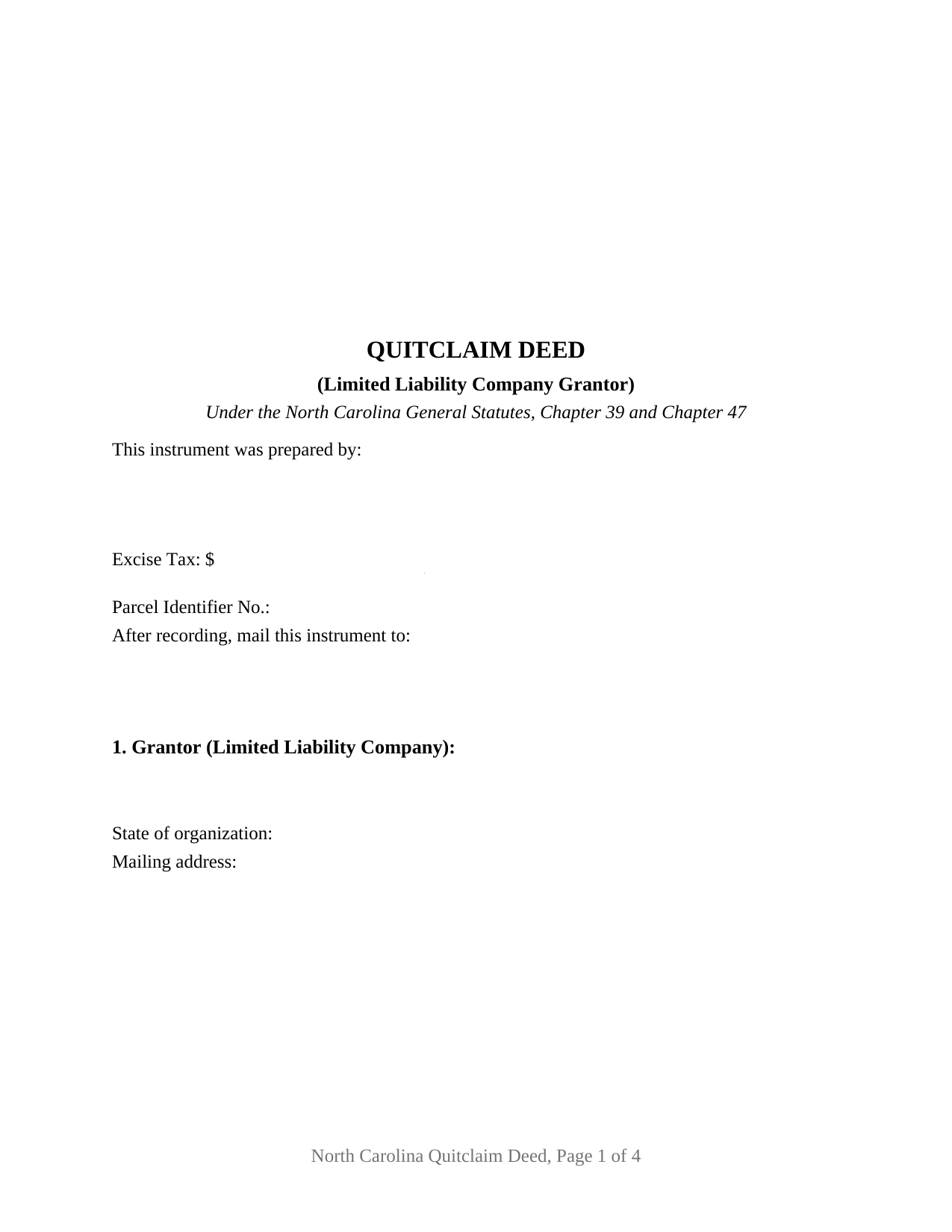
Rockingham County Quitclaim Deed (LLC Grantor) Form
Fill in the blank Quitclaim Deed (LLC Grantor) form formatted to comply with all North Carolina recording and content requirements.
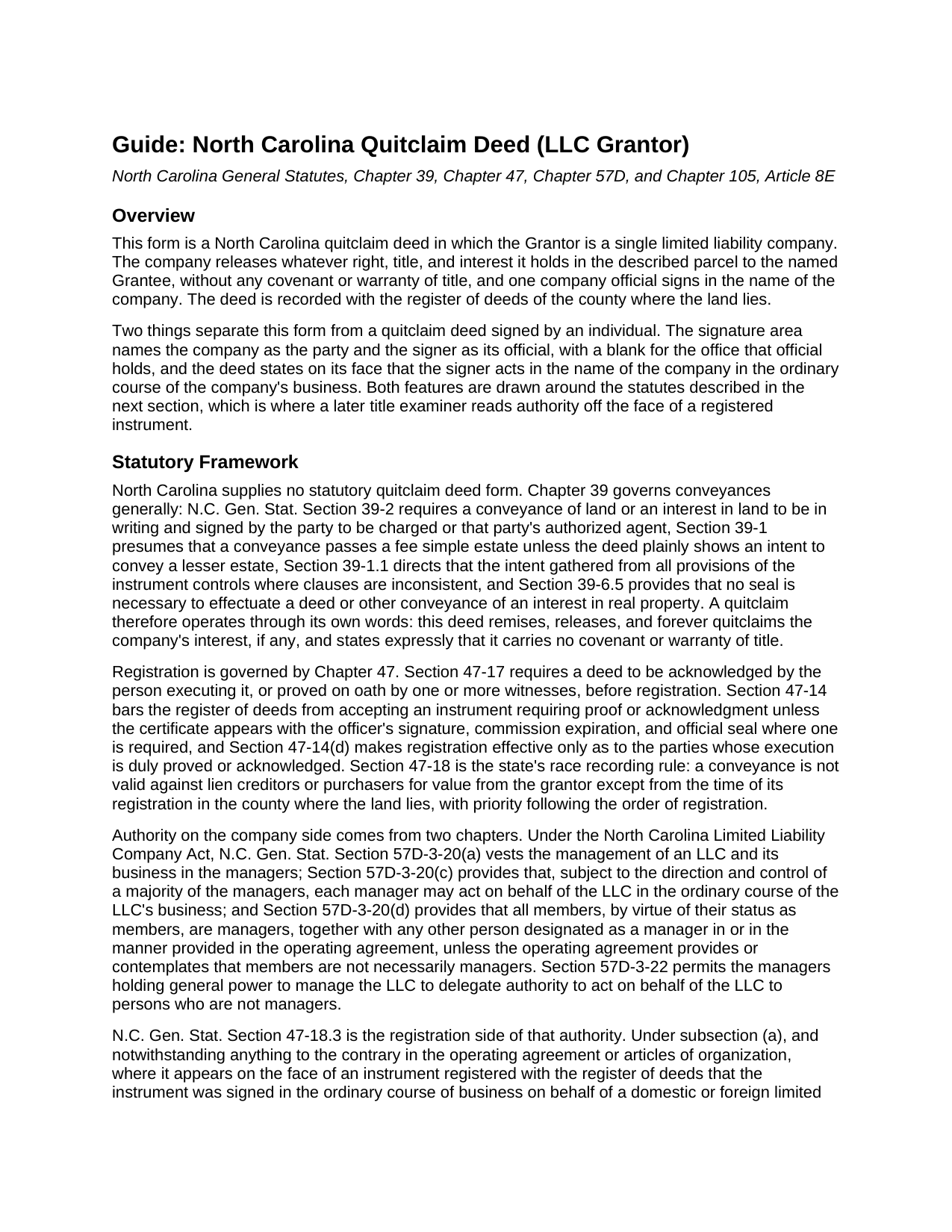
Rockingham County Quitclaim Deed (LLC Grantor) Guide
Line by line guide explaining every blank on the Quitclaim Deed (LLC Grantor) form.
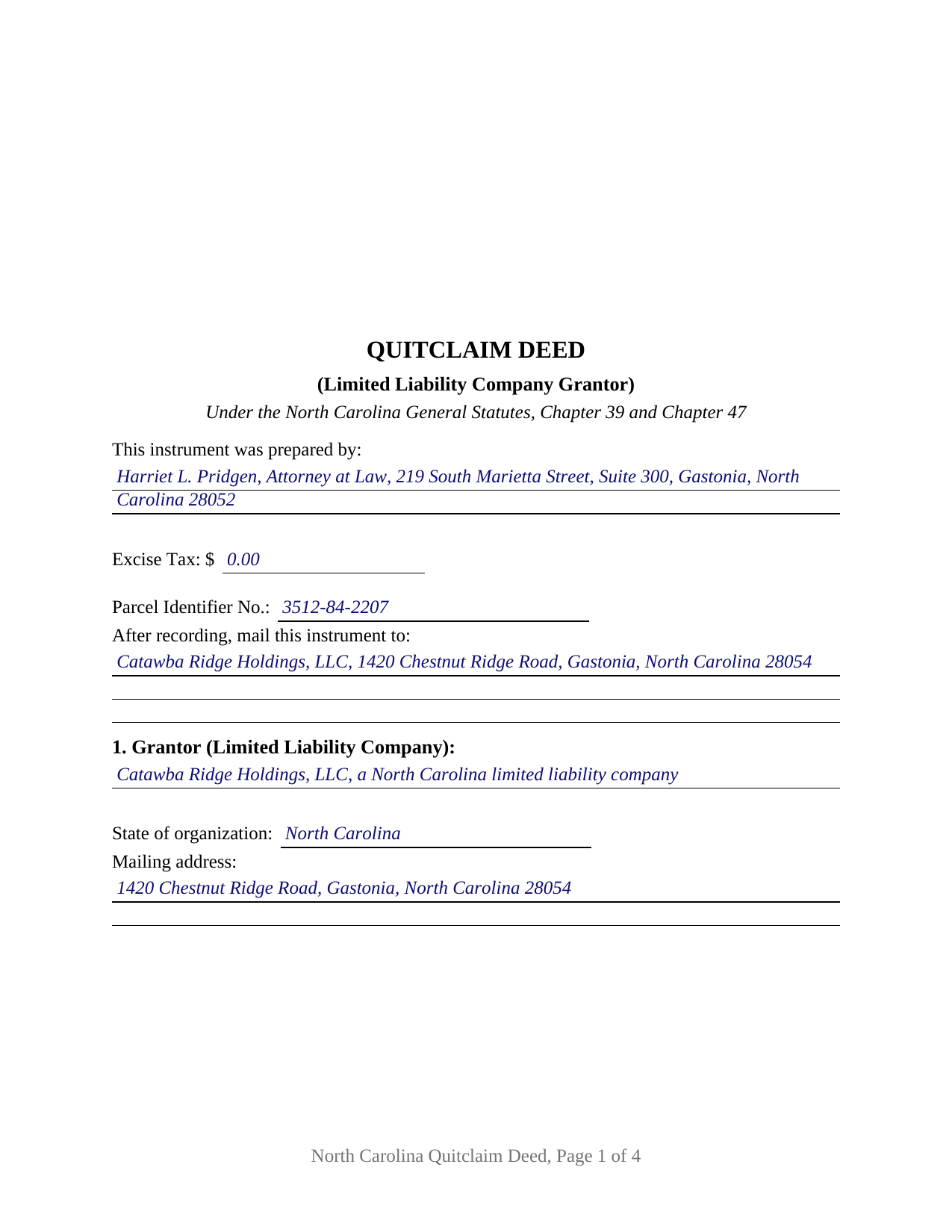
Rockingham County Completed Example of the Quitclaim Deed (LLC Grantor) Document
Example of a properly completed North Carolina Quitclaim Deed (LLC Grantor) document for reference.
All 3 documents above included • One-time purchase • No recurring fees
Immediate Download • Secure Checkout
Additional North Carolina and Rockingham County documents included at no extra charge:
Where to Record Your Documents
Rockingham County Register of Deeds
Reidsville, North Carolina 27320
Hours: 8:00 to 5:00 M-F / Recording until 4:30
Phone: (336) 342-8820
Mail: Rockingham Register of Deeds
Wentworth, North Carolina 27375
Hours: N/A
Phone: N/A
Recording Tips for Rockingham County:
- Bring your driver's license or state-issued photo ID
- Ensure all signatures are in blue or black ink
- Make copies of your documents before recording - keep originals safe
- Recorded documents become public record - avoid including SSNs
- Recording fees may differ from what's posted online - verify current rates
Cities and Jurisdictions in Rockingham County
Properties in any of these areas use Rockingham County forms:
- Eden
- Madison
- Mayodan
- Reidsville
- Ruffin
- Stoneville
- Wentworth
Hours, fees, requirements, and more for Rockingham County
How do I get my forms?
Forms are available for immediate download after payment. The Rockingham County forms will be in your account ready to download to your computer. An account is created for you during checkout if you don't have one. Forms are NOT emailed.
Are these forms guaranteed to be recordable in Rockingham County?
Yes. Our form blanks are guaranteed to meet or exceed the applicable formatting requirements used for recording in Rockingham County, including margin requirements, font requirements, and other layout standards. This guarantee applies to formatting, not to the legal sufficiency of information entered by the user or the suitability of a form for a particular transaction.
Can I reuse these forms?
Yes. You can reuse the forms for your personal use. For example, if you have multiple properties in Rockingham County you only need to order once.
What do I need to use these forms?
The forms are PDFs that you fill out on your computer. The free Adobe Acrobat Reader is recommended, and most PDF apps also work. You do NOT enter your property information online - you download the blank forms and complete them privately on your own computer.
Are there any recurring fees?
No. This is a one-time purchase. Nothing to cancel, no memberships, no recurring fees.
How much does it cost to record in Rockingham County?
Recording fees in Rockingham County vary. Contact the recorder's office at (336) 342-8820 for current fees.
Questions answered? Let's get started!
A limited liability company cannot hold a pen. Someone signs for it, and North Carolina answers the authority question by reading that person's office off the face of the registered instrument. This fillable quitclaim deed is drawn around that reading: one limited liability company stands as Grantor, the company name repeats above the signature line, one company official signs beneath it, and a labeled blank records the office that official holds.
Why the office beside the signature matters
G.S. 47-18.3(a) is the provision a title examiner reaches for years later. Where a registered instrument shows on its face that it was signed in the ordinary course of business for a domestic or foreign limited liability company by its manager, member, president, vice-president, treasurer, or another official the subsection names, the instrument stands as to innocent third parties as though the board had authorized it, unless the paper reveals a potential breach of fiduciary obligation on its face. The section also spares such an instrument any attached or separately recorded resolution of the managers or members. Chapter 57D sits behind it: G.S. 57D-3-20 vests management in the managers, lets each manager act for the company in the ordinary course of its business, and makes every member a manager by virtue of membership unless the operating agreement provides otherwise. The deed puts the office on the page; the operating agreement decides who may sign.
One company, one signer, one certificate
The form recites a single Grantor company by legal name, state of organization, and mailing address, the last being what G.S. 105-317.2 asks of every grantor. The signature area repeats the company name, then carries a signature line, a printed-name line for the register's index, a date, and the office or title blank, with entries such as Manager, Managing Member, or President. One acknowledgment certificate follows the single signer. G.S. 47-38 supplies a certificate form that serves an individual signing as a manager or member of a limited liability company, whether or not the certificate recites the capacity. Positions in the records that present this configuration include a company distributing a parcel to its sole member as the company winds up, a parcel moving between two companies under common ownership in a restructuring, and a company releasing a parcel back to the member who contributed it. The form recites one conveying company and one signer: not two companies, not two officials signing together, and not an individual conveying individually.
The company releases what it has, and no more
North Carolina prescribes no quitclaim form, so the words carry the work. This deed remises, releases, and forever quitclaims the company's right, title, and interest, if any, and states in its own sentence that it conveys without covenant or warranty of title and enlarges nothing. G.S. 39-1 delivers whatever estate the company holds unless the deed plainly shows a smaller one, and G.S. 39-6.5 makes a seal unnecessary, so no company seal belongs on the signature line. Searchers reach the instrument as a quit claim deed, a quitclaim, or a non-warranty deed; under any label, liens and easements ride through the release.
Excise tax when no money changes hands
Page one reports the excise figure, which G.S. 105-228.32 makes the presenter's duty and the register's collection before recording. The G.S. 105-228.30 rate is one dollar per five hundred dollars, or part, of value. Entity transfers frequently land among the classes G.S. 105-228.29 places outside the tax: a gift, a transfer with no consideration due or paid by the transferee, and a transfer by merger, conversion, or consolidation. G.S. 105-228.28 reaches every non-governmental conveyance of North Carolina real estate, so the figure gets reported either way, zero included.
What the register reads first
The first page keeps the three inch stamp space G.S. 161-14(b) reserves, states the instrument type at its top, and below that gathers the drafter entry required by G.S. 47-17.1, the excise line, a parcel identifier blank for county indexing under G.S. 161-30, and a return address. Under G.S. 47-18 the deed becomes good against lien creditors and purchasers for value only from registration in the county holding the land.
Included: the deed as a fillable PDF, a completed example set in Gaston County where a company distributes a lot to its sole member in winding up, and a plain language guide covering each section, the authority statutes, the excise treatment, the grantee vesting menu, and county recording prerequisites. Nothing here is legal advice; it describes North Carolina law generally.
Important: Your property must be located in Rockingham County to use these forms. Documents should be recorded at the county recording office listed above.
This Quitclaim Deed (LLC Grantor) meets all recording requirements specific to Rockingham County.
Our Promise
The documents you receive here are guaranteed to meet or exceed the applicable Rockingham County recording format requirements. If there is a rejection caused by our formatting, we will correct the issue or refund your payment. This guarantee applies to document formatting only and does not extend to information entered by the user, the selection of the form, or the legal effect of the completed document.
Save Time and Money
Get your Rockingham County Quitclaim Deed (LLC Grantor) form done right the first time with Deeds.com Uniform Conveyancing Blanks. At Deeds.com, we understand that your time and money are valuable resources, and we don't want you to face a penalty fee or rejection imposed by a county recorder for submitting nonstandard documents. We constantly review and update our forms to meet rapidly changing state and county recording requirements for roughly 3,500 counties and local jurisdictions.
4.8 out of 5 - ( 4,842 Reviews )
CHERI I. 5 out of 5 stars
I was so pleased with how easy this form was to download and print! Thank you and I am sure we will use you again in the future!
We appreciate your business and value your feedback. Thank you. Have a wonderful day!
Laverne C. 5 out of 5 stars
Great service. The issue I had was uploading the file of several pages. Once I learned, everything became clear and easier. The support group have been extremely prompt and helpful, I would surely use the service again and recommend the serivce.
Thank you!
LeVivian H. 5 out of 5 stars
I loved the forms. One suggestion a large family msy need more space to type all sisters and brothers names. Very informative. Thanks.
Thank you for your feedback. We really appreciate it. Have a great day!
Christine L. 5 out of 5 stars
User friendly!
Thank you!
Rebecca M. 4 out of 5 stars
EASY DOWNLOAD AND PRINT AND / OR SAVE TO YOU PC WHICH SHOULD BE DONE BEFORE FILLING OUT. AFTER I actually use them I'll let you know if its all good, Thanks
Your feedback is greatly appreciated. Thank you for taking the time to share your experience!
Robyn R. 5 out of 5 stars
Deeds.com was so simple and easy to use! My local recorders office is closed due to COVID-19 and their recording said to use Deeds.com. I thought it was going to either be very complicated or very expensive and it was neither!!! The site walked me through step by step and the price of their service was very fair and affordable. They were very timely and efficient and my documents were recorded almost immediately! Thank you Deeds.com!!!
Thank you Robyn, glad we could help.
Robert H. 5 out of 5 stars
Great service, easy way to get accurate documents
Thanks, Robert! We're glad you found the service easy to use and the documents accurate—just what we aim for. Appreciate you taking the time to share your experience!
Sohaib R. 5 out of 5 stars
Digital anything can be extremely convenient and quick, and my experience with Deeds.com has been exactly that. Very worth their fee. (I used them to record real property records/deeds in Texas).
We appreciate your business and value your feedback. Thank you. Have a wonderful day!
Thomas M. 5 out of 5 stars
The process of finding exactly what was needed was pretty painless.
We appreciate your business and value your feedback. Thank you. Have a wonderful day!
Carl S. 5 out of 5 stars
Five Stars!
Thank you!
Patricia K. 5 out of 5 stars
Able to find the information that I needed.
Thank you!
Gordon J. 5 out of 5 stars
The experience was generally very satisfactory. I was able to fill out the Trust Deed and send it via email no problem. However, I was not able to send the filled out form of the Note. It always erased my fill-ins when it was sent. I found that very frustrating.
Thank you, Gordon. Glad the Trust Deed worked well. Issues like the one you reported with the Note can sometimes be related to how the file is opened or sent. Using Adobe Reader to fill, save, and send the form is recommended. We also pass along all feedback like this to our team to confirm there are no issues.
Alfred M. 5 out of 5 stars
It was a simple process and easily understood the process was seamless and I would highly recommend this to anyone looking to do this.
Thank you for your feedback. We really appreciate it. Have a great day!
Joan H. 5 out of 5 stars
Your service was fine but as a newly widowed senior, I wish your price was lower.
Thank you for your feedback. We really appreciate it. Have a great day!
John H. 5 out of 5 stars
Quality product. Forms are as advertised. Easy to use site.
We appreciate your business and value your feedback. Thank you. Have a wonderful day!