Pierce County Mineral Deed with Quitclaim Covenants Form
Last validated November 6, 2026 by our Forms Development TeamFormatted for recording in Pierce County, for property anywhere in the county: rural and unincorporated areas as well as Balta, Rugby, Wolford.
- 3 documents included
- Immediate PDF download
- Formatting guarantee
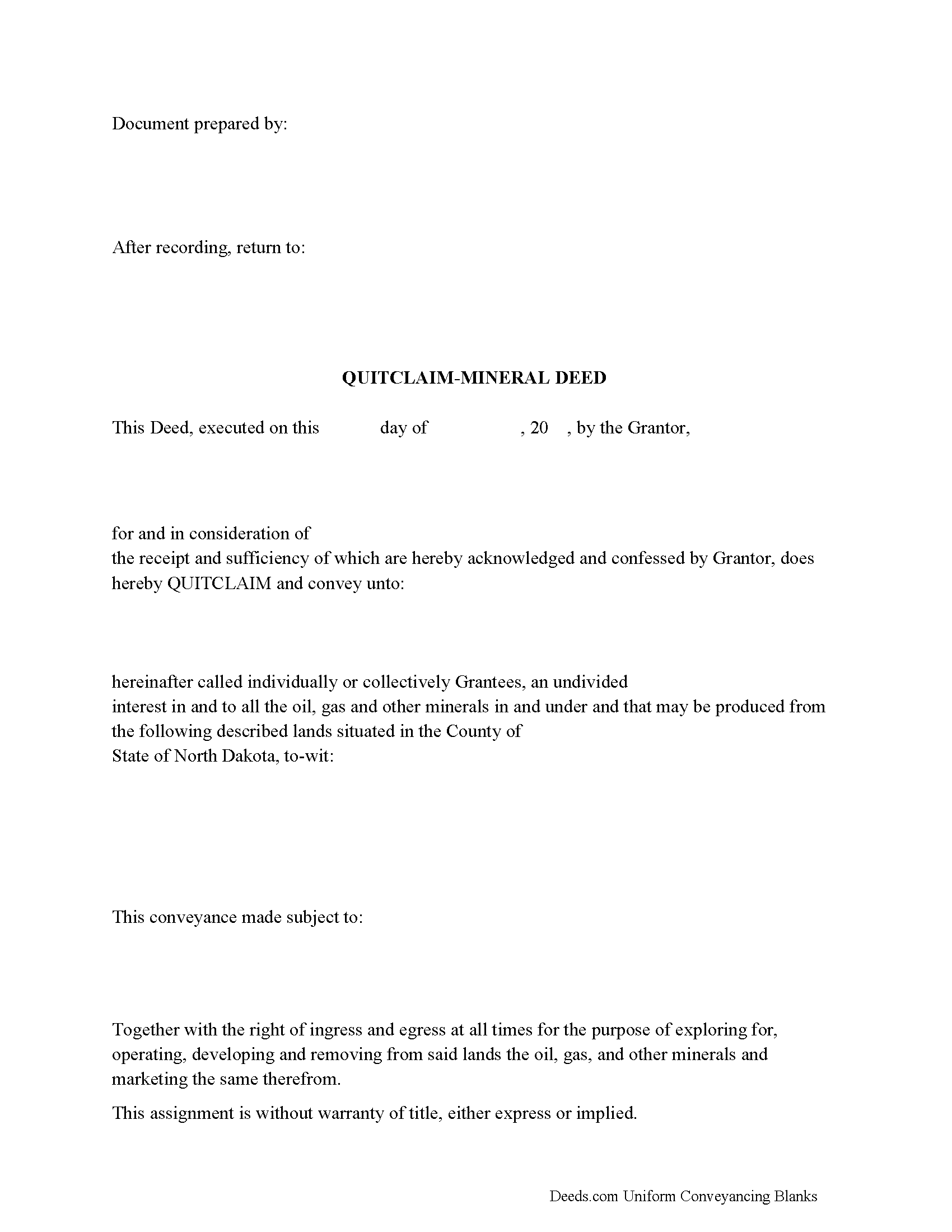
Pierce County Mineral Deed with Quitclaim Covenants Form
Fill in the blank Mineral Deed with Quitclaim Covenants form formatted to comply with all North Dakota recording and content requirements.
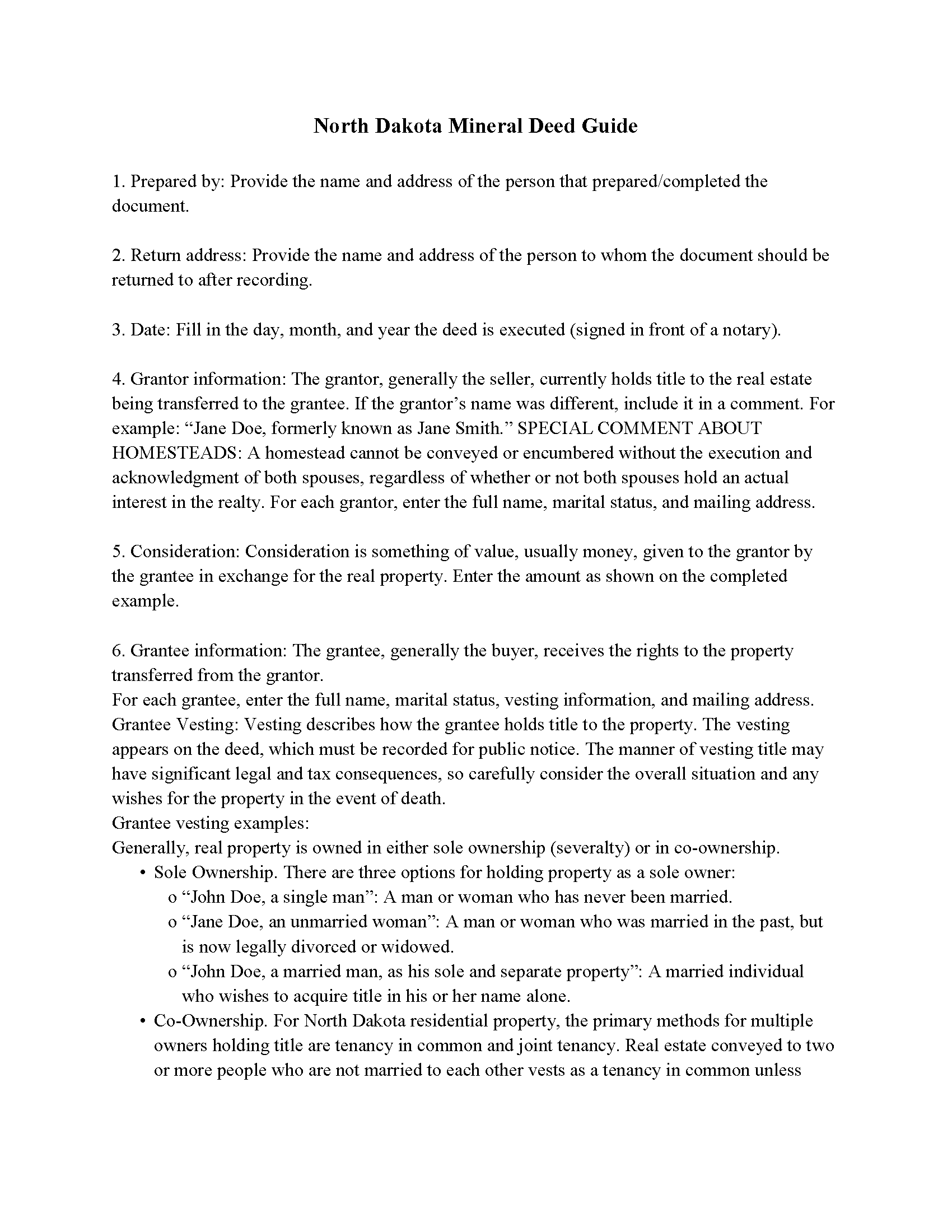
Pierce County Mineral Deed with Quitclaim Covenants Guide
Line by line guide explaining every blank on the Mineral Deed with Quitclaim Covenants form.
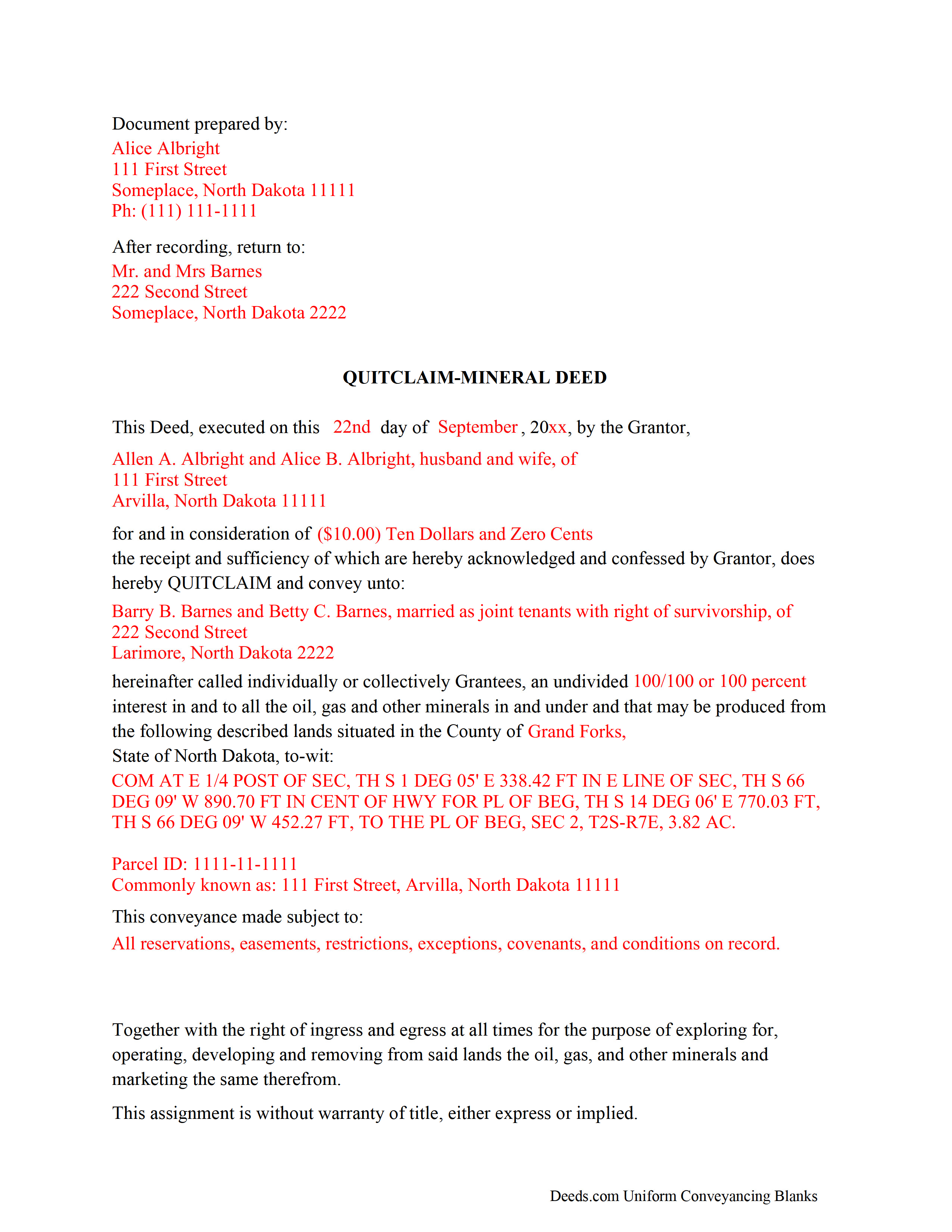
Pierce County Completed Example of the Mineral Deed with Quitclaim Covenants Document
Example of a properly completed North Dakota Mineral Deed with Quitclaim Covenants document for reference.
All 3 documents above included • One-time purchase • No recurring fees
Immediate Download • Secure Checkout
Additional North Dakota and Pierce County documents included at no extra charge:
Where to Record Your Documents
Pierce County Recorder
Rugby, North Dakota 58368-1897
Hours: 8:30 to 12:00, 12:30 to 5:00 M-F
Phone: (701) 776-5206 Ext 2105
Recording Tips for Pierce County:
- Bring your driver's license or state-issued photo ID
- Ensure all signatures are in blue or black ink
- Request a receipt showing your recording numbers
- Ask about accepted payment methods when you call ahead
- Ask for certified copies if you need them for other transactions
Cities and Jurisdictions in Pierce County
Properties in any of these areas use Pierce County forms:
- Balta
- Rugby
- Wolford
Hours, fees, requirements, and more for Pierce County
How do I get my forms?
Forms are available for immediate download after payment. The Pierce County forms will be in your account ready to download to your computer. An account is created for you during checkout if you don't have one. Forms are NOT emailed.
Are these forms guaranteed to be recordable in Pierce County?
Yes. Our form blanks are guaranteed to meet or exceed the applicable formatting requirements used for recording in Pierce County, including margin requirements, font requirements, and other layout standards. This guarantee applies to formatting, not to the legal sufficiency of information entered by the user or the suitability of a form for a particular transaction.
Can I reuse these forms?
Yes. You can reuse the forms for your personal use. For example, if you have multiple properties in Pierce County you only need to order once.
What do I need to use these forms?
The forms are PDFs that you fill out on your computer. The free Adobe Acrobat Reader is recommended, and most PDF apps also work. You do NOT enter your property information online - you download the blank forms and complete them privately on your own computer.
Are there any recurring fees?
No. This is a one-time purchase. Nothing to cancel, no memberships, no recurring fees.
How much does it cost to record in Pierce County?
Recording fees in Pierce County vary. Contact the recorder's office at (701) 776-5206 Ext 2105 for current fees.
Questions answered? Let's get started!
The General Mineral Deed in North Dakota Quitclaims oil, gas, and mineral rights from the grantor to the grantee. THIS IS NOT A LEASE. There are no Exceptions or Reservations included.
The transfer includes the oil, gas and other minerals of every kind and nature. The Grantor can stipulate the percentage of Mineral Rights the Grantee will receive.
This general mineral deed gives the grantee the right to access, for the purpose of mining, drilling, exploring, operating and developing said lands for oil, gas, and other minerals, and storing handling, transporting and marketing of such.
The seller, or grantor Quitclaims the mineral rights and does NOT accept responsibility to any discrepancy of title (This assignment is without warranty of title, either express or implied)
Uses: Mineral deeds with quitclaim are often used in situations where the grantor wants to quickly release any interest they might have in mineral rights, such as in settling estates, resolving disputes, clearing up uncertainties about ownership in a title's history or when mineral rights have previously been severed or fragmented from surface rights and cloud a title, making it difficult to transfer property. Resolution often involves the holder(s) of the mineral rights, quit-claiming any rights he/she/they have or might have in the subject property.
Use of this document can have a permanent effect on your rights to the property, if you are not completely sure of what you are executing seek the advice of a legal professional.
(North Dakota MD with QC Package includes form, guidelines, and completed example)
Important: Your property must be located in Pierce County to use these forms. Documents should be recorded at the county recording office listed above.
This Mineral Deed with Quitclaim Covenants meets all recording requirements specific to Pierce County.
Our Promise
The documents you receive here are guaranteed to meet or exceed the applicable Pierce County recording format requirements. If there is a rejection caused by our formatting, we will correct the issue or refund your payment. This guarantee applies to document formatting only and does not extend to information entered by the user, the selection of the form, or the legal effect of the completed document.
Save Time and Money
Get your Pierce County Mineral Deed with Quitclaim Covenants form done right the first time with Deeds.com Uniform Conveyancing Blanks. At Deeds.com, we understand that your time and money are valuable resources, and we don't want you to face a penalty fee or rejection imposed by a county recorder for submitting nonstandard documents. We constantly review and update our forms to meet rapidly changing state and county recording requirements for roughly 3,500 counties and local jurisdictions.
4.8 out of 5 - ( 4,863 Reviews )
Jerri S. 5 out of 5 stars
Very helpful. Print out go to court house spent less then 15 minutes there and done! Thanks will use again.
Thank you Jerri, we appreciate your feedback.
Sherilynne P. 3 out of 5 stars
I am delighted with the form. I just had to go through so much time and expense in order to use it. First, from your site I downloaded Adobe Acrobat. It totally compromised my computer. I had to get a computer expert to walk me through deleting adobe, and put a substitute on in order to use the form. That was an expense of $60.00. Then after that I still had a hard time getting the program to work, as the substitute program would not accept my e-mail address and I finally had to get someone on line to help me access that. I found it was a $$30.00 charge for the substitute. After fighting these lovely roadblocks, I was finally able to fill in the only form I needed and print it off. Took me two days to accomplish that. Why on earth do you offer adobe when it can compromise a computer so badly? Dealing with my husbands death and then having to deal with this, just one of many deterrents, well let's put it this way, it did not make my two days.
Thank you for your feedback. Sorry to hear of your experience. Our documents are Adobe PDFs because PDF is the standard for digital documents, most computers have Adobe Reader installed, and it (Adobe Reader) is free.
Robert S. 5 out of 5 stars
Very timely service and retrieved information I was looking for
We appreciate your business and value your feedback. Thank you. Have a wonderful day!
Susan J. 5 out of 5 stars
Simple and easy to use. I was thrilled to find deeds.com during my online search for deed forms and more pleased that I could narrow it down by state and county. Thanks
We appreciate your business and value your feedback. Thank you. Have a wonderful day!
brenda S. 5 out of 5 stars
Excellent instructions very easy to follow!
Thank you!
John C. 5 out of 5 stars
Excellent find (Deeds.com) from a google search, first hit. This was exactly what we were looking for. It also got me to upgrade Adobe to be able to fill in the forms. Will be back for follow up as needed, but I think I got everything we needed in the first downloads. Appreciate a well done site like yours. Thanks John
Thank you for your feedback. We really appreciate it. Have a great day!
James C. 5 out of 5 stars
An excellent resource for users.
Thank you!
Marc Z. 5 out of 5 stars
Thank you for having an easy to navigate website with updated documents! Had everything I needed, took care of business and on to the next transaction.- Aloha
Thank you Marc. Have a fantastic day!
Harley N. 5 out of 5 stars
Well thought out and user friendly website. The forms were easily fillable as well.
Thank you for your feedback. We really appreciate it. Have a great day!
Philip F. 5 out of 5 stars
Quick, user-friendly, and complete! Thank you
We are grateful for your feedback and looking forward to serving you again. Thank you!
Dexter Lamar H. 5 out of 5 stars
Quick service!
Thank you!
CLAUDE G. 5 out of 5 stars
just what I needed Thank You
Thank you!
Diane D. 5 out of 5 stars
. I purchased 3 different items yesterday. Truthfully, it was a bit annoying, I could not figure out how to put them in a cart and had to do 3 transactions. I'm in the process of reviewing my purchases. Thank you! .
Thank you for your feedback. We really appreciate it. Have a great day!
Laura L. 5 out of 5 stars
Used a form from this service. Best part about these forms is that they don't let you get in trouble by removing or changing things that should not be changed. It's easy to look at something and think why is this margin so big, why is this field so small and want to change it only to find out it is incredibly important. That's why they are the deed document pros.
Thank you for the thoughtful review! We're so glad to hear you found our forms reliable and well-structured. It’s true—what might look like an odd margin or a small field is often there for a very specific legal or recording reason. We’ve seen how small changes can lead to big headaches, which is why we design our documents to be both user-friendly and compliant with strict recording standards. We really appreciate you recognizing the care that goes into each one. Thanks again for choosing us!
Kolette S. 3 out of 5 stars
The forms are nice; however, they do not display the "th" after the day or the second digit of the year. You can type them in, but they will not print out. I just left them blank and will handwrite.
Thank you for your feedback. We really appreciate it. Have a great day!