Pembina County Transfer on Death Affidavit Form
Last validated September 22, 2026 by our Forms Development TeamFormatted for recording in Pembina County, for property anywhere in the county: rural and unincorporated areas as well as Bathgate, Cavalier, Crystal, Drayton, Glasston, Hamilton, Hensel, Mountain and 4 more.
- 3 documents included
- Immediate PDF download
- Formatting guarantee
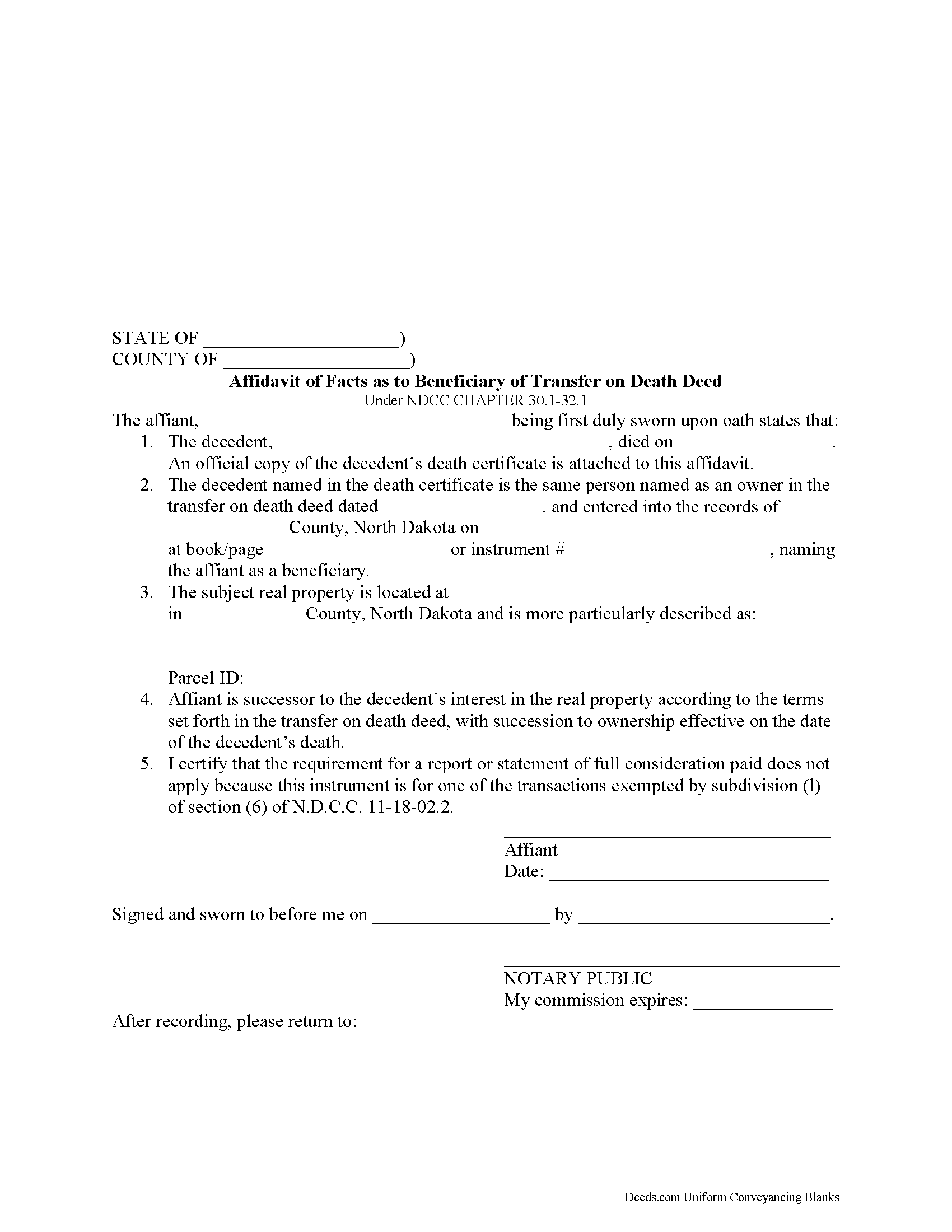
Pembina County Transfer on Death Affidavit Form
Fill in the blank form formatted to comply with all recording and content requirements.
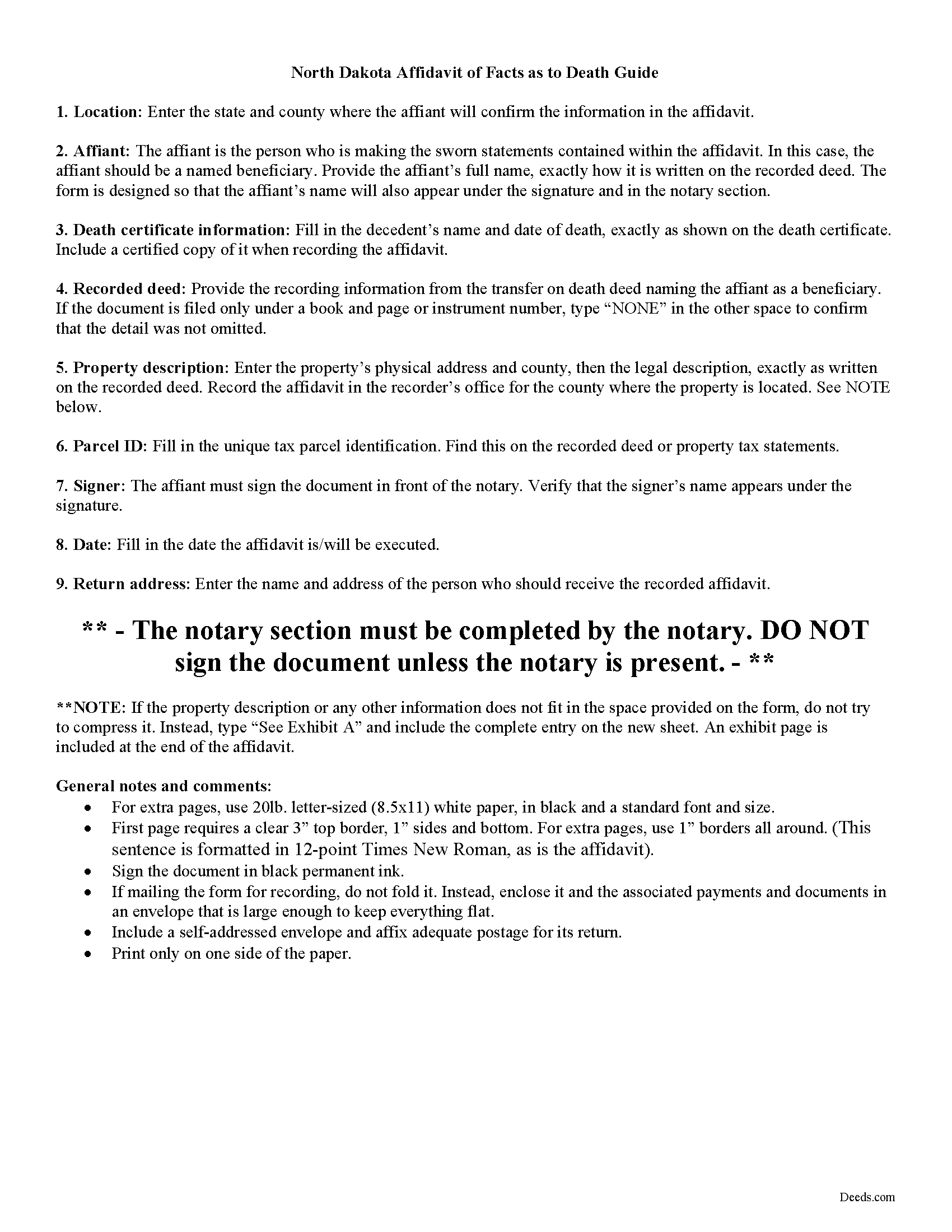
Pembina County Transfer on Death Affidavit Guide
Line by line guide explaining every blank on the form.
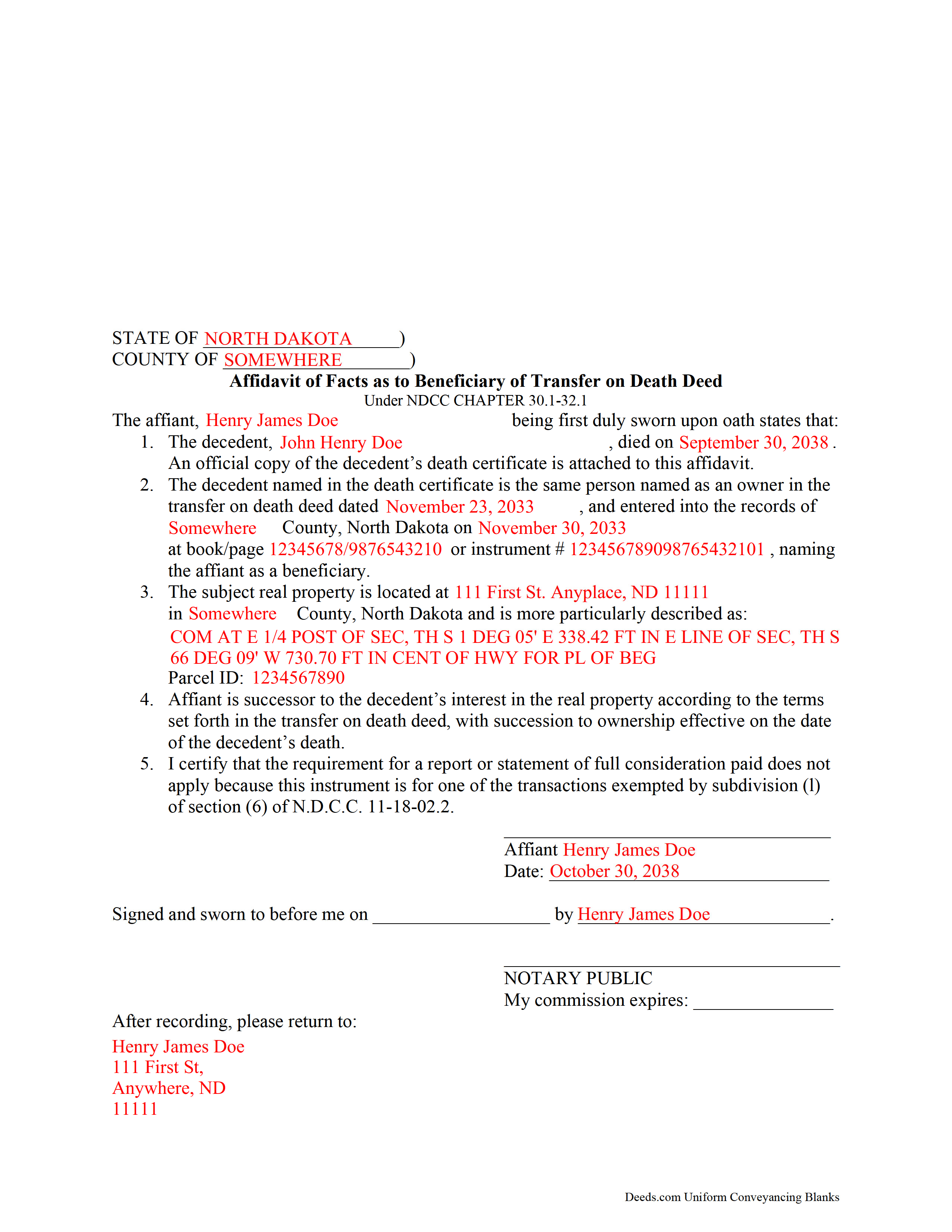
Pembina County Completed Example of the Transfer on Death Affidavit Document
Example of a properly completed form for reference.
All 3 documents above included • One-time purchase • No recurring fees
Immediate Download • Secure Checkout
Additional North Dakota and Pembina County documents included at no extra charge:
Where to Record Your Documents
Pembina County Clerk/Recorder
Cavalier, North Dakota 58220
Hours: 8:00am-5:00pm M-F
Phone: (701) 265-4373
Recording Tips for Pembina County:
- Bring your driver's license or state-issued photo ID
- Ensure all signatures are in blue or black ink
- Ask about their eRecording option for future transactions
- Avoid the last business day of the month when possible
- Both spouses typically need to sign if property is jointly owned
Cities and Jurisdictions in Pembina County
Properties in any of these areas use Pembina County forms:
- Bathgate
- Cavalier
- Crystal
- Drayton
- Glasston
- Hamilton
- Hensel
- Mountain
- Neche
- Pembina
- Saint Thomas
- Walhalla
Hours, fees, requirements, and more for Pembina County
How do I get my forms?
Forms are available for immediate download after payment. The Pembina County forms will be in your account ready to download to your computer. An account is created for you during checkout if you don't have one. Forms are NOT emailed.
Are these forms guaranteed to be recordable in Pembina County?
Yes. Our form blanks are guaranteed to meet or exceed the applicable formatting requirements used for recording in Pembina County, including margin requirements, font requirements, and other layout standards. This guarantee applies to formatting, not to the legal sufficiency of information entered by the user or the suitability of a form for a particular transaction.
Can I reuse these forms?
Yes. You can reuse the forms for your personal use. For example, if you have multiple properties in Pembina County you only need to order once.
What do I need to use these forms?
The forms are PDFs that you fill out on your computer. The free Adobe Acrobat Reader is recommended, and most PDF apps also work. You do NOT enter your property information online - you download the blank forms and complete them privately on your own computer.
Are there any recurring fees?
No. This is a one-time purchase. Nothing to cancel, no memberships, no recurring fees.
How much does it cost to record in Pembina County?
Recording fees in Pembina County vary. Contact the recorder's office at (701) 265-4373 for current fees.
Questions answered? Let's get started!
Taking Ownership of Property from a North Dakota Transfer on Death Deed
In 2011, North Dakota enacted the Uniform Real Property Transfer on Death Act, found in the North Dakota Century Code (NDCC) at Chapter 30.1-32.1.
Under this statute, owners of North Dakota real property may transfer title to one or more beneficiaries, effective at the transferor's death, by lawfully executing and recording a transfer on death deed in the county or counties where the property is located (NDCC 32.1-02).
This transfer is nontestamentary, meaning it is not included in the owner's will (30.1-32.1-04). As a result, it does not require probate distribution. Instead, the beneficiary gains ownership of the property when the transferor dies.
To formalize the change in ownership, beneficiaries complete and record an affidavit, confirming their acceptance of the transfer. Along with the affidavit, they must submit an official copy of the deceased owner's death certificate. This process enters the new information into public records and maintains a clear chain of title (ownership history).
Contact an attorney with specific questions or for complex situations.
(North Dakota TOD Affidavit Package includes form, guidelines, and completed example)
Important: Your property must be located in Pembina County to use these forms. Documents should be recorded at the county recording office listed above.
This Transfer on Death Affidavit meets all recording requirements specific to Pembina County.
Our Promise
The documents you receive here are guaranteed to meet or exceed the applicable Pembina County recording format requirements. If there is a rejection caused by our formatting, we will correct the issue or refund your payment. This guarantee applies to document formatting only and does not extend to information entered by the user, the selection of the form, or the legal effect of the completed document.
Save Time and Money
Get your Pembina County Transfer on Death Affidavit form done right the first time with Deeds.com Uniform Conveyancing Blanks. At Deeds.com, we understand that your time and money are valuable resources, and we don't want you to face a penalty fee or rejection imposed by a county recorder for submitting nonstandard documents. We constantly review and update our forms to meet rapidly changing state and county recording requirements for roughly 3,500 counties and local jurisdictions.
4.8 out of 5 - ( 4,834 Reviews )
Norbert C. 5 out of 5 stars
Great resource and everything went smoothly except email was performed through autofill prompted by the system but the autofill added a letter that gave wrong email. I can still sign in with wrong email since the system recognizes it as mine even though it is wrong. May be my fault and not the system since I did not catch the discrepancy in time. I would suggest a field that allows a correction to any misinformation prior to signing out from the initial sign on. Still think it is a great resource if all documents are processed and accepted by the pwers to be. Thanks.
Thank you!
Kenneth K. 5 out of 5 stars
It was fast and easy to use.
Thank you!
Valerie C. 5 out of 5 stars
Thanks
Thank you!
Janalee T. 5 out of 5 stars
Fast, easy. quickly accepted by county recorder.
Thank you!
Matthew D. 5 out of 5 stars
Fantastic forms easy process couldn't be happier! Thanks
Thank you Matthew!
nancy h. 5 out of 5 stars
Once I figured out what I wanted it was great!
Thank you Nancy.
STANLEY K. 5 out of 5 stars
I AM DELIGHTED TO BE PARTY TO DEEDS.COM. THE PROCESS IS DOWN-TO-EARTH AND VERY USER FRIENDLY. I MUST SAY THAT JUST THE SAVINGS IN TRAVEL TIME AND MONEY IS IN ITSELF VERY REFRESHING. THIS ON LINE PROCESS IS SO CONVENIENT FOR MY OVERALL EFFORT AND OF COURSE FOR OUR CLIENTS AS WELL. I GOT BACKED UP IN RECORDING WHEN THE VIRUS BEGAN RAGING AND PERSONAL VISITS TO LAND RECORDS BECAME A THING OF THE PAST.I FOUND THE SITE WITH A SUGGESTION FROM DC LAND RECORDS' ASSISTANT BY PHONE. I ONLY WISH I'D KNOWN ABOUT THIS AWESOME SERVICE BEFORE 2020. HATS OFF TO DEEDS.COM!
Thank you for your feedback. We really appreciate it. Have a great day!
Alma S. 5 out of 5 stars
I like the service very much, it's easy and fast, I'm really happy with the service.
Thank you!
Charles K. 5 out of 5 stars
Was successful, I'm happy. Tks
Glad to hear everything went smoothly. Thanks for your feedback, Charles!
Mary L. 5 out of 5 stars
Great site. Very easy to use.
Thank you for your feedback. We really appreciate it. Have a great day!
Joseph R. 5 out of 5 stars
Deeds.com has saved me quite a bit in attorney fees by making legal forms available on line. Easy to use, just fill in the blanks.
Thank you for your feedback. We really appreciate it. Have a great day!
Jennifer H. 5 out of 5 stars
Deeds.com is amazing. It made finding out how to file legal documents worry free and easily understood. Thank You
Thank you for your feedback. We really appreciate it. Have a great day!
Catherine M. 5 out of 5 stars
Easy to use, loved the format, will use again
Thank you, Catherine! We’re so glad you found the process easy and liked the format. We appreciate your support and look forward to helping you again soon!
Eric F. 5 out of 5 stars
Thank You deeds.com, your site helped me accomplish a difficult mission.
We appreciate your business and value your feedback. Thank you. Have a wonderful day!
Desiree T. 5 out of 5 stars
In a world where "immediate satisfaction" takes too long, Deeds provided exceptionally satisfying service. Answered all of my questions quickly, and had my document recorded within one day. Thank you so much!
We appreciate your business and value your feedback. Thank you. Have a wonderful day!