Mercer County Trustee Deed Form
Last validated October 29, 2026 by our Forms Development TeamFormatted for recording in Mercer County, for property anywhere in the county: rural and unincorporated areas as well as Beulah, Golden Valley, Hazen, Stanton, Zap.
- 3 documents included
- Immediate PDF download
- Formatting guarantee
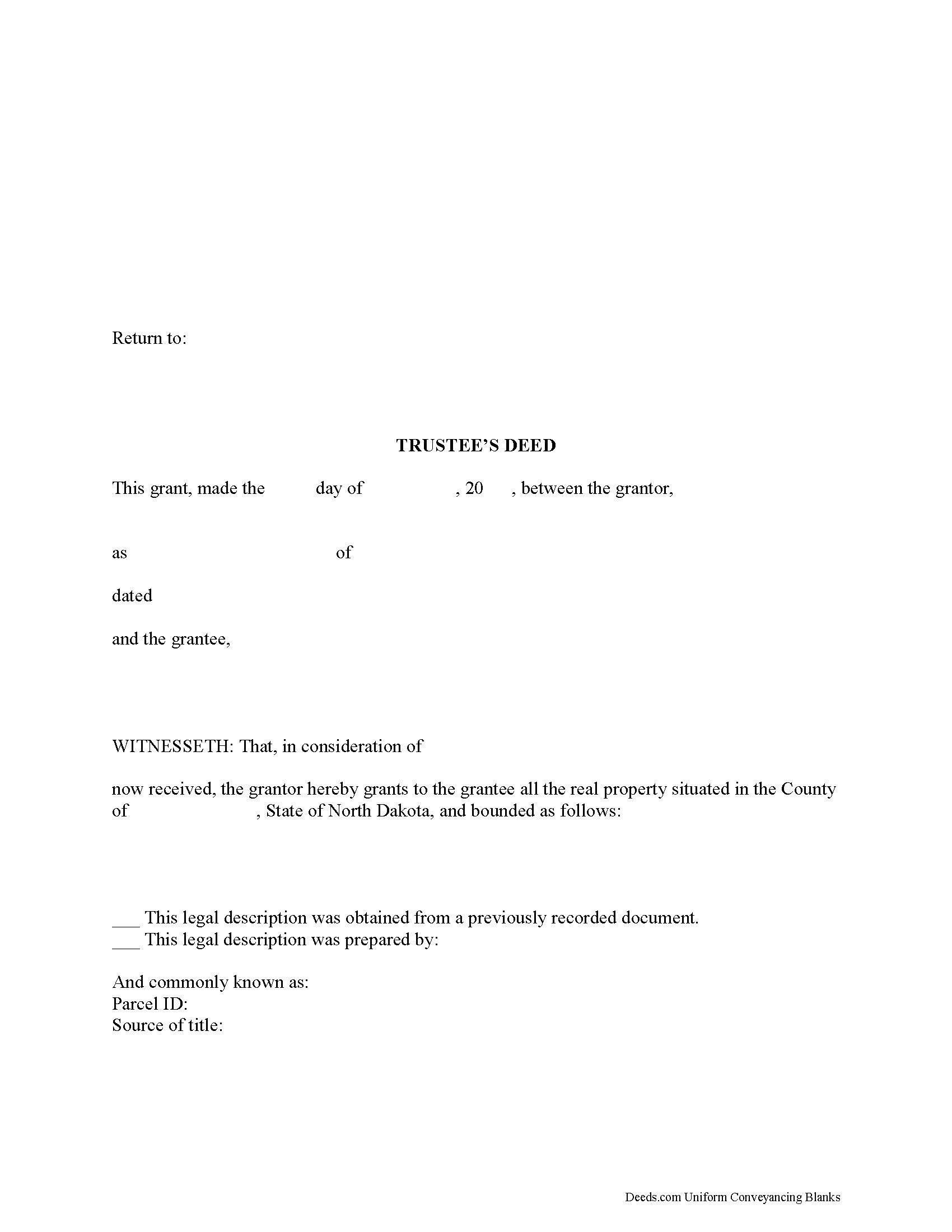
Mercer County Trustee Deed Form
Fill in the blank form formatted to comply with all recording and content requirements.
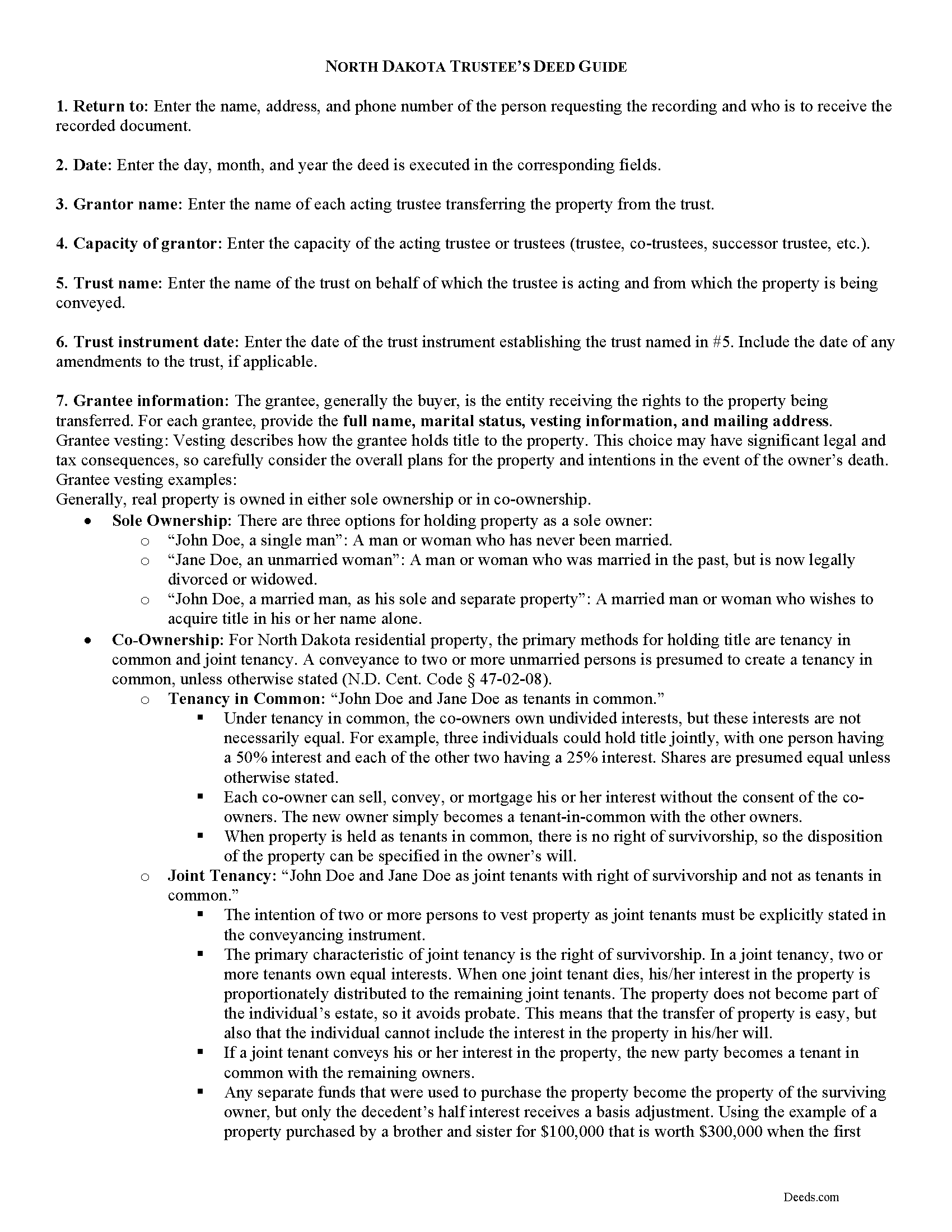
Mercer County Trustee Deed Guide
Line by line guide explaining every blank on the form.
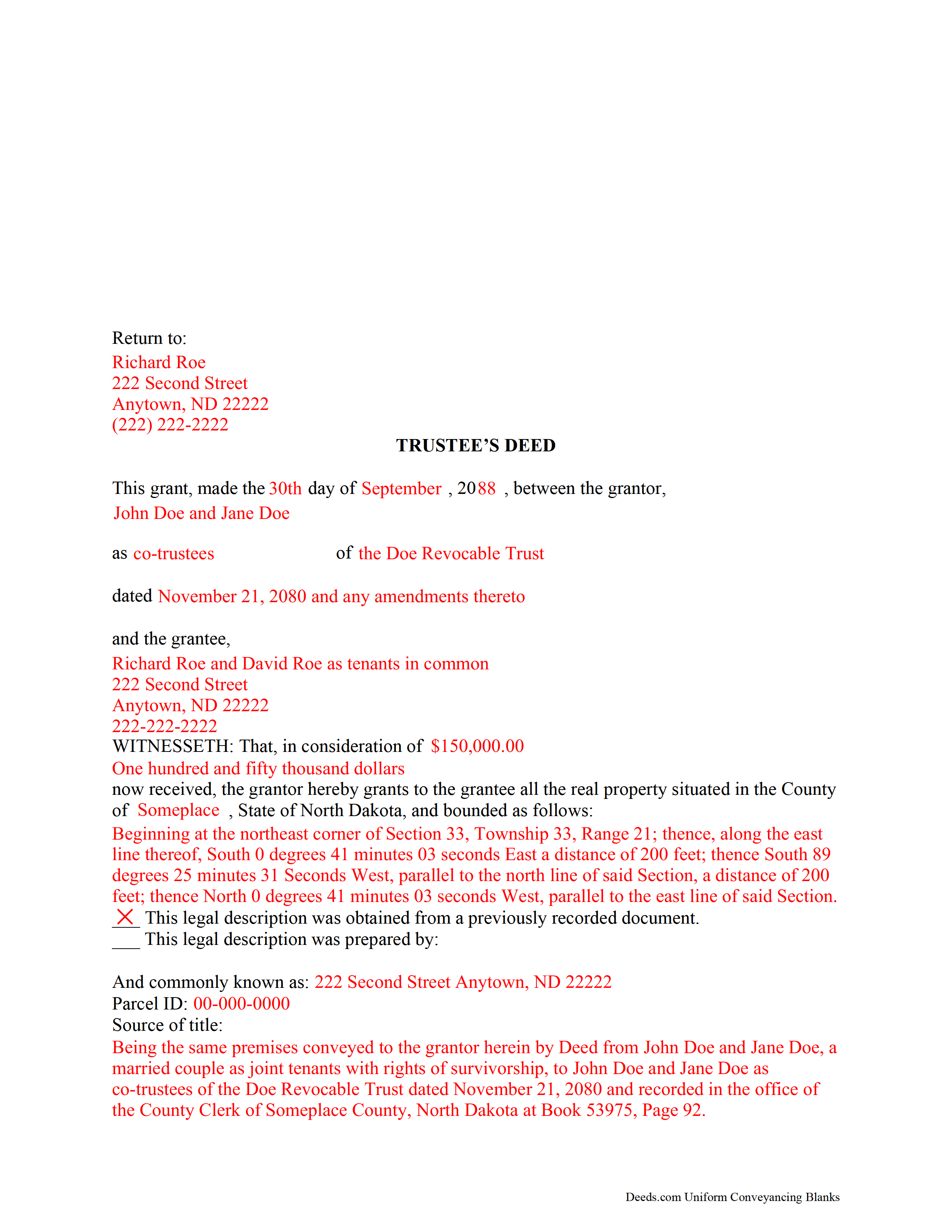
Mercer County Completed Example of the Trustee Deed Document
Example of a properly completed form for reference.
All 3 documents above included • One-time purchase • No recurring fees
Immediate Download • Secure Checkout
Additional North Dakota and Mercer County documents included at no extra charge:
Where to Record Your Documents
Mercer County Recorder
Stanton, North Dakota 58571-0039
Hours: 8:00 a.m. to 4:00 p.m. MT
Phone: (701) 745-3272
Recording Tips for Mercer County:
- Bring your driver's license or state-issued photo ID
- Ensure all signatures are in blue or black ink
- Ask for certified copies if you need them for other transactions
- Ask if they accept credit cards - many offices are cash/check only
- Check that your notary's commission hasn't expired
Cities and Jurisdictions in Mercer County
Properties in any of these areas use Mercer County forms:
- Beulah
- Golden Valley
- Hazen
- Stanton
- Zap
Hours, fees, requirements, and more for Mercer County
How do I get my forms?
Forms are available for immediate download after payment. The Mercer County forms will be in your account ready to download to your computer. An account is created for you during checkout if you don't have one. Forms are NOT emailed.
Are these forms guaranteed to be recordable in Mercer County?
Yes. Our form blanks are guaranteed to meet or exceed the applicable formatting requirements used for recording in Mercer County, including margin requirements, font requirements, and other layout standards. This guarantee applies to formatting, not to the legal sufficiency of information entered by the user or the suitability of a form for a particular transaction.
Can I reuse these forms?
Yes. You can reuse the forms for your personal use. For example, if you have multiple properties in Mercer County you only need to order once.
What do I need to use these forms?
The forms are PDFs that you fill out on your computer. The free Adobe Acrobat Reader is recommended, and most PDF apps also work. You do NOT enter your property information online - you download the blank forms and complete them privately on your own computer.
Are there any recurring fees?
No. This is a one-time purchase. Nothing to cancel, no memberships, no recurring fees.
How much does it cost to record in Mercer County?
Recording fees in Mercer County vary. Contact the recorder's office at (701) 745-3272 for current fees.
Questions answered? Let's get started!
Transferring Real Property from a Trust in North Dakota
A trust is an arrangement whereby a person (the grantor or settlor) transfers property to another (the trustee) for the benefit of a third (the beneficiary). In general, trusts in North Dakota are governed by Chapters 59-09 through 59-19 of the North Dakota Century Code as the North Dakota Uniform Trust Code.
To create a trust, the settlor transfers property to a trustee either during his lifetime (an inter vivos trust) or by will upon his death (a testamentary trust) (N. D. Cent. Code 59-12-01). It must be created for lawful purposes and have a definite beneficiary, or a person with "a present or future beneficial interest in a trust, vested or contingent, including the owner of an interest by assignment or transfer" ( 59-09-05, 59-12-04; 59-09-03(3)(a)).
In North Dakota, trusts relating to real property are invalid without a written instrument signed by the trustee ( 59-12-18). The trust instrument is an unrecorded document executed by the settlor that "contains [the] terms of the trust, including any amendments to the record" ( 59-09-03(25)). In addition to designating the trustee (and successor, if the settlor also serves as the original trustee) and conferring specific powers upon the trustee, the trust instrument establishes the scope of trust's assets and identifies trust beneficiaries.
An inter vivos (living) trust is an alternate method of holding title to real property for estate planning purposes. The settlor transfers real property into the trust by executing a deed titling the property in the name of the trustee as representative of the trust. The trustee administers the trust according to the terms set forth in the trust instrument.
The trustee "is presumed to have the power to sell, convey, and encumber the real property unless restrictions on that power appear in the records of the county recorder" ( 47-140-26). The trustee's authority to convey property is further established by the statutory general power of trustees to exercise "all powers over the trust property which an unmarried owner, who is not an incapacitated person, has over individually owned property of the trustee" and the specific power to sell property, as established by the North Dakota Uniform Trust Code ( 59-16-15, 59-16-16(2)).
In order to convey real property out of the trust, the trustee executes a trustee's deed. The form of conveyance takes its name from the granting party rather than from the type of warranty of title given, as with a warranty deed or special warranty deed, for example.
In North Dakota, the trustee's deed is typically a special warranty deed passing fee simple title, containing the covenants that the grantor has not previously conveyed right, title, or interest to another person and that the property is free from encumbrances made by the grantor or persons claiming under the grantor. These covenants are implied unless explicitly stated otherwise in the form of the conveyance ( 47-10-19).
Because real property held in trust is titled in the name of the trustee on behalf of the trust, in addition to naming each acting trustee, the trustee's deed should reference the trust and date of execution of the instrument establishing the trust. A certificate of trust under 59-18-13 or trustee's affidavit is typically unnecessary, though in some cases is advisable. Consult a lawyer with questions.
Deeds executed by trustees must meet all the same requirements for form and content for documents affecting interests in real property, including a statement of full consideration and legal description of the property being conveyed. All acting trustee signatures, made before a notary public, should be present before the deed is recorded in the office of the recorder of the county in which the subject property is located.
(North Dakota TD Package includes form, guidelines, and completed example)
Important: Your property must be located in Mercer County to use these forms. Documents should be recorded at the county recording office listed above.
This Trustee Deed meets all recording requirements specific to Mercer County.
Our Promise
The documents you receive here are guaranteed to meet or exceed the applicable Mercer County recording format requirements. If there is a rejection caused by our formatting, we will correct the issue or refund your payment. This guarantee applies to document formatting only and does not extend to information entered by the user, the selection of the form, or the legal effect of the completed document.
Save Time and Money
Get your Mercer County Trustee Deed form done right the first time with Deeds.com Uniform Conveyancing Blanks. At Deeds.com, we understand that your time and money are valuable resources, and we don't want you to face a penalty fee or rejection imposed by a county recorder for submitting nonstandard documents. We constantly review and update our forms to meet rapidly changing state and county recording requirements for roughly 3,500 counties and local jurisdictions.
4.8 out of 5 - ( 4,842 Reviews )
Joseh R. 5 out of 5 stars
Very pleased! Forms easy to understand and use. Thank you!
Thank you for your feedback. We really appreciate it. Have a great day!
Steve V. 5 out of 5 stars
Quick and easy. Quite the time saver.
Thanks, Steve! We're glad to hear the process was quick and easy—and that it saved you time. That’s exactly what we aim for!
Marie A. 5 out of 5 stars
Easy to download, helpful information and forms quick when you need them. Thank you Deeds.com.
Thank you Marie!
Gary T. 5 out of 5 stars
Thanks so much. Lawyers wanted $150 but with your help and my facts I knocked it out in less than 1 Hour
Thank you for your feedback. We really appreciate it. Have a great day!
Thomas A. 5 out of 5 stars
Deeds.com is an easy-to-use resource for the busy real estate practitioner .
We appreciate your business and value your feedback. Thank you. Have a wonderful day!
Rebecca V. 5 out of 5 stars
The staff is Great to work with, Thank You
Thank you!
Phyllis M. 5 out of 5 stars
Using your site was very easy. I found what my friend said she wanted easily and downloaded it to retype her quitclaim deed.
Thank you for your feedback. We really appreciate it. Have a great day!
David K. 5 out of 5 stars
Worked Great! First time go at the courthouse
Thank you!
Sheila P. 5 out of 5 stars
What a great service to provide with excellent directions! At first I thought I would need an attorney, but I walked through the steps and now I have it finished! Saved a ton of money. Thanks Deed.com.
Thank you for your feedback. We really appreciate it. Have a great day!
Alan S. 5 out of 5 stars
Quick, easy, and accurate. And if there's ever a problem, the resolution is also quick, easy, and accurate. The service is hard to beat.
Thank you for your feedback. We really appreciate it. Have a great day!
Steve B. 5 out of 5 stars
Awesome. Last time I needed to f Ile a document it cost $300.00 gor a lawyer. This time $53.00.
Thank you!
Charles F. 5 out of 5 stars
Quick and Easy
Thank you for your feedback. We really appreciate it. Have a great day!
MARCO G. 5 out of 5 stars
Very easy to use. Got the emailed documents within minutes.
We appreciate your feedback Marco, thank you.
Melody P. 5 out of 5 stars
5 Stars isn't enough! I worked with KVH today (12-30-20) to get some deeds filed in Dallas County before the end of the year. Timing was critical and I thought my only option was to record in person. Someone suggested I try Deeds.com, and I'm very glad I did. KVH provided excellent service. Everything was quick and efficient, and I highly recommend using this service. Thanks!
We appreciate your business and value your feedback. Thank you. Have a wonderful day!
Miles B. 5 out of 5 stars
Fast, professional work at a great price.
We appreciate your business and value your feedback. Thank you. Have a wonderful day!