Union County Affidavit of Confirmation (Entity Beneficiary) Form
Last validated October 23, 2026 by our Forms Development TeamFormatted for recording in Union County, for property anywhere in the county: rural and unincorporated areas as well as Broadway, Irwin, Magnetic Springs, Marysville, Milford Center, Raymond, Richwood, Unionville Center.
- 3 documents included
- Immediate PDF download
- Formatting guarantee
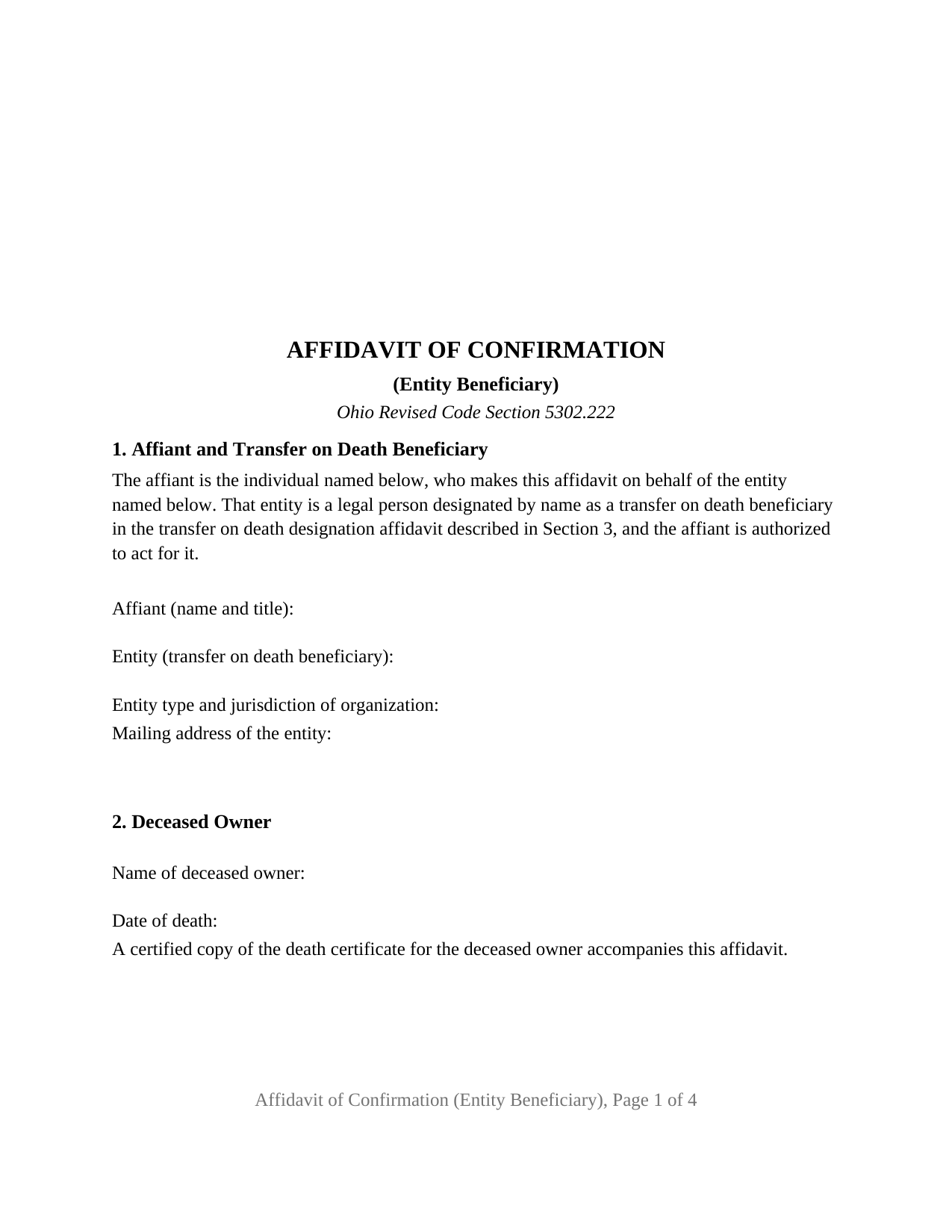
Union County Affidavit of Confirmation (Entity Beneficiary) Form
Fill in the blank Affidavit of Confirmation (Entity Beneficiary) form formatted to comply with all Ohio recording and content requirements.
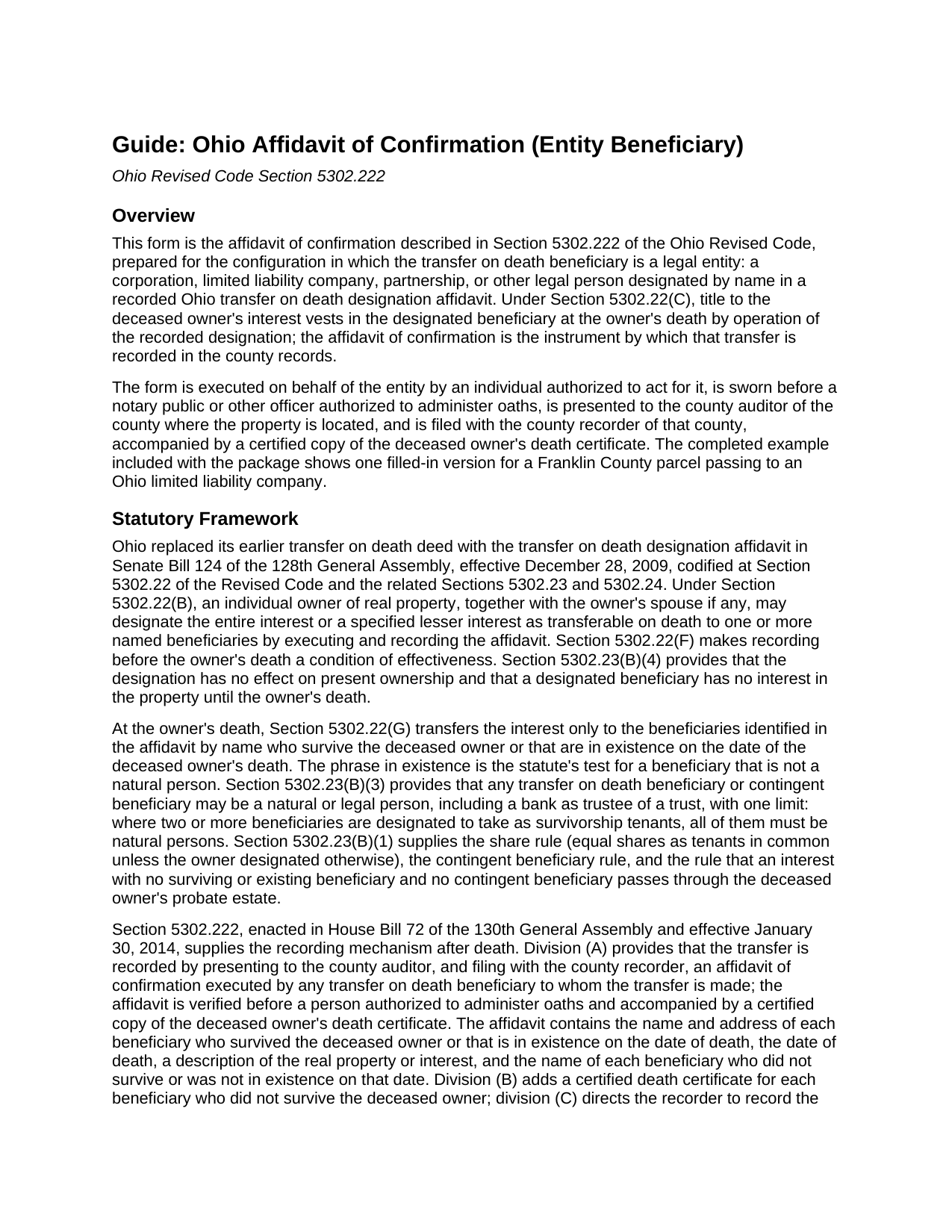
Union County Affidavit of Confirmation (Entity Beneficiary) Guide
Line by line guide explaining every blank on the Affidavit of Confirmation (Entity Beneficiary) form.
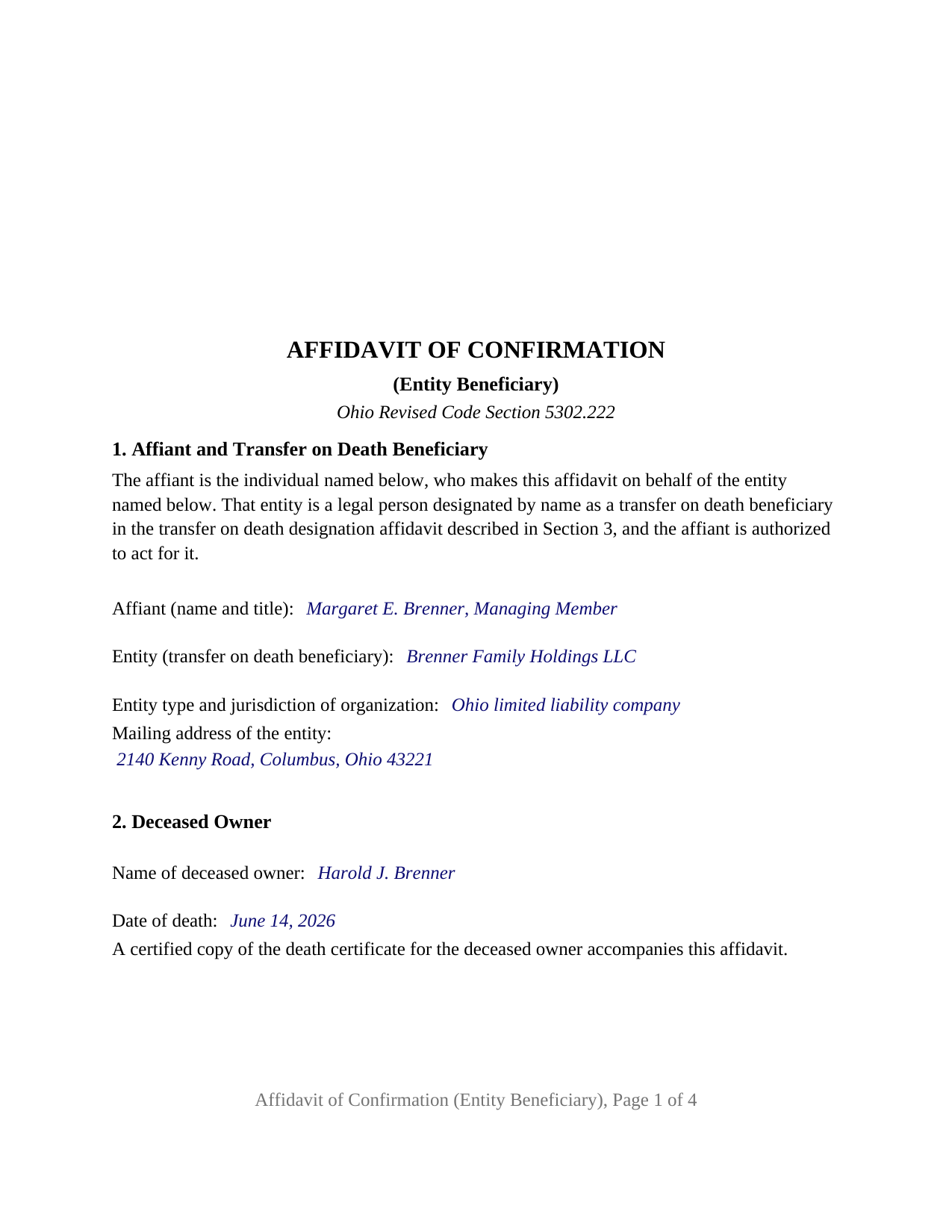
Union County Completed Example of the Affidavit of Confirmation (Entity Beneficiary) Document
Example of a properly completed Ohio Affidavit of Confirmation (Entity Beneficiary) document for reference.
All 3 documents above included • One-time purchase • No recurring fees
Immediate Download • Secure Checkout
Additional Ohio and Union County documents included at no extra charge:
Where to Record Your Documents
Union County Recorder
Marysville, Ohio 43040
Hours: 7:30 a.m. - 4:00 p.m. Monday - Friday
Phone: 937-645-3032
Recording Tips for Union County:
- Bring your driver's license or state-issued photo ID
- Ensure all signatures are in blue or black ink
- Recorded documents become public record - avoid including SSNs
- Recording fees may differ from what's posted online - verify current rates
- Request a receipt showing your recording numbers
Cities and Jurisdictions in Union County
Properties in any of these areas use Union County forms:
- Broadway
- Irwin
- Magnetic Springs
- Marysville
- Milford Center
- Raymond
- Richwood
- Unionville Center
Hours, fees, requirements, and more for Union County
How do I get my forms?
Forms are available for immediate download after payment. The Union County forms will be in your account ready to download to your computer. An account is created for you during checkout if you don't have one. Forms are NOT emailed.
Are these forms guaranteed to be recordable in Union County?
Yes. Our form blanks are guaranteed to meet or exceed the applicable formatting requirements used for recording in Union County, including margin requirements, font requirements, and other layout standards. This guarantee applies to formatting, not to the legal sufficiency of information entered by the user or the suitability of a form for a particular transaction.
Can I reuse these forms?
Yes. You can reuse the forms for your personal use. For example, if you have multiple properties in Union County you only need to order once.
What do I need to use these forms?
The forms are PDFs that you fill out on your computer. The free Adobe Acrobat Reader is recommended, and most PDF apps also work. You do NOT enter your property information online - you download the blank forms and complete them privately on your own computer.
Are there any recurring fees?
No. This is a one-time purchase. Nothing to cancel, no memberships, no recurring fees.
How much does it cost to record in Union County?
Recording fees in Union County vary. Contact the recorder's office at 937-645-3032 for current fees.
Questions answered? Let's get started!
When an Ohio transfer on death designation affidavit names a limited liability company, a corporation, a partnership, or another legal entity as the beneficiary, the instrument that records the transfer after the owner's death is signed by a person acting for that entity. This Ohio Affidavit of Confirmation (Entity Beneficiary) prepares that instrument under Section 5302.222 of the Ohio Revised Code: one affiant, signing on behalf of one entity beneficiary, swearing to the facts the statute requires and confirming the transfer of the deceased owner's interest.
A beneficiary that exists rather than survives
Ohio's transfer on death statute treats a legal person differently from an individual. Section 5302.22(G) transfers the deceased owner's interest only to the beneficiaries named in the recorded designation affidavit who survive the deceased owner or that are in existence on the date of the deceased owner's death. An individual beneficiary survives; an entity exists. Section 5302.23(B)(3) provides that any transfer on death beneficiary may be a natural or legal person, with the one limit that beneficiaries designated to take as survivorship tenants are natural persons only. The form's Section 5 states that test in fixed text: the entity was in existence on the date of death of the deceased owner and is a transfer on death beneficiary to which the interest is transferred.
One signer, acting for the entity
The form identifies exactly one affiant and exactly one entity beneficiary. Section 1 names the individual who signs, with that person's title, names the entity as it appears in the recorded designation affidavit, identifies the kind of entity and its jurisdiction of organization, and carries the entity's mailing address, which Section 5302.222(A)(1) requires for every surviving or existing beneficiary. Fixed text states that the entity is a legal person designated by name as a transfer on death beneficiary and that the affiant is authorized to act for it. The form carries one signature block and one jurat, the sworn to and subscribed certificate Section 147.542 accepts for an oath, because Section 5302.222(A) requires the affidavit to be verified before a person authorized to administer oaths rather than acknowledged. The jurat's name line shows the affiant's representative capacity.
This configuration is the entity pattern and nothing else. A beneficiary who is an individual signs in that person's own right, with no entity, title, or authority statement, and a beneficiary designated as trustee of a trust is reached by the successor trustee sentence of Section 5302.222(A)(1), which this form does not carry.
What the affidavit carries into the record
Section 5302.222(A) lists the contents of an affidavit of confirmation, and the form arranges them in numbered sections: the name and address of each beneficiary who survived or was in existence on the date of death, the date of death, a description of the real property or interest, and the name of each beneficiary who did not survive or was not in existence. The form adds the recording reference of the designation affidavit, the parcel number, the property address, and the prior instrument reference under Section 319.20. The operative section has no blanks: the affiant, being first duly sworn, states the facts and confirms the transfer on death of the deceased owner's interest to the beneficiary or beneficiaries named in the affidavit. A knowingly false statement is falsification under Section 5302.222(E).
Auditor first, then recorder
The statute puts the county auditor ahead of the recorder. The affidavit is presented to the auditor of the county where the property is located with a certified copy of the deceased owner's death certificate and the conveyance fee statement Section 319.202 requires, and is then filed with the county recorder under Section 5302.222(C). The form follows Section 317.114: letter size, twelve point body text above the ten point minimum, a three-inch blank top margin on the first page for the auditor's and recorder's endorsements, one-inch side and bottom margins, and a one and one-half inch top margin on every later page. It carries the preparer statement Section 317.111 requires.
The package includes the fillable affidavit of confirmation, a completed example for a Franklin County parcel passing to an Ohio limited liability company, and the guide that describes each section and the auditor and recorder steps. This description and the guide describe the form and the governing statutes in general terms; they are not legal advice.
Important: Your property must be located in Union County to use these forms. Documents should be recorded at the county recording office listed above.
This Affidavit of Confirmation (Entity Beneficiary) meets all recording requirements specific to Union County.
Our Promise
The documents you receive here are guaranteed to meet or exceed the applicable Union County recording format requirements. If there is a rejection caused by our formatting, we will correct the issue or refund your payment. This guarantee applies to document formatting only and does not extend to information entered by the user, the selection of the form, or the legal effect of the completed document.
Save Time and Money
Get your Union County Affidavit of Confirmation (Entity Beneficiary) form done right the first time with Deeds.com Uniform Conveyancing Blanks. At Deeds.com, we understand that your time and money are valuable resources, and we don't want you to face a penalty fee or rejection imposed by a county recorder for submitting nonstandard documents. We constantly review and update our forms to meet rapidly changing state and county recording requirements for roughly 3,500 counties and local jurisdictions.
4.8 out of 5 - ( 4,830 Reviews )
Willard V. 3 out of 5 stars
While it's nice to get all the forms and info in one package for a reasonable cost, the fixed format of the form does not allow for a lengthy meet and bounds property description for real property. Also, the Cover Sheet has big fillable sections with no instructions about what's supposed to go there. I tried the "Contact Us" link, but all it does is spin saying it's trying verify the security of my connection. Looks like I;m going to have to create my own deed in MS Word instead of just filling in the blacks of the PDF file that I downloaded. Bummer!
Your feedback is a crucial part of our dedication to ongoing improvement. Thank you for your insightful comments.
Sean D. 5 out of 5 stars
I am new to needing this type of service, and the Deeds.Com team has been fantastic. Responsive, professional, and thorough are the first 3 words that come to mind. Deeds.Com will be my first choice for all of our county recorder needs.
Thank you!
crystal l. 5 out of 5 stars
Another legal professional directed me to this site. The best advice I've received from the legal profession! Forms were instantly available, easily printed & exactly what I needed at a cost that was more than affordable!! I will definitely be back again!!
Thank you Crystal and please thank your associate for us. Have a fantastic day!
Petti V. 5 out of 5 stars
Your site was so easy to use. And I got the form and instructions I needed.
We appreciate your business and value your feedback. Thank you. Have a wonderful day!
Sharon B. 5 out of 5 stars
Easy to use, download, . Would use again.
Thank you for your kind words and for choosing us.
Dennis S. 3 out of 5 stars
I am still working on the forms. I am having problems doing the forms as you can only save as pdf and it is difficult to change or modify the pdf. You have to purchase a pdf convertor program. but all seems to be there to do the deed submittals.
Thank you for your feedback. We really appreciate it. Have a great day!
Robert h. 5 out of 5 stars
excellent and simple to use. Great price for this.
Thank you Robert! We really appreciate your feedback.
Jay P. 5 out of 5 stars
Great site, even for Tech dummies like me. Easy to use and VERY prompt! Thanks!
Thank you for your feedback. We really appreciate it. Have a great day!
Leonard D. 5 out of 5 stars
I'm still working on it. I'm surprised that it appears so much information has to be included about beneficiaries.
Thank you!
Philip S. 5 out of 5 stars
You're service saved the day! I had gone to several lawyers and title companies who all said, at a Minimum, preparing a deed costs $1000... Through your service and some work reading about the requirements as well as calling my county clerks office, I was able to complete the deed and it read accepted and recorded today! Thanks so much.
Thank you for your feedback. We really appreciate it. Have a great day!
Larry H. 5 out of 5 stars
Nice
Thank you!
John K. 5 out of 5 stars
I was unable to finish what I started due to computer crash. I'll get back soon. I paid off my mortgage last year in November. I need to see what to do to get the deed to my property.
Thank you!
Anne-Marie B. 5 out of 5 stars
This was the first time I have ever e-recorded a document. The process was smooth and simple. I loved being informed at each step along the way. I am glad I chose deeds.com and plan to use them in the future for all my electronic recording of legal documents.
Thank you!
Melissa H. 5 out of 5 stars
Amazing forms! Order the quitclaim deed forms, got the form and lots of extra forms which is good because I needed a few of them and didn't even know it. Very happy, will be back if needed.
We appreciate your business and value your feedback. Thank you. Have a wonderful day!
Pamela F. 5 out of 5 stars
Very easy to use and had my forms paid for and downloaded very quickly.
Thank you for your feedback Pamela. Have a fantastic day!