Wood County Affidavit of Confirmation Form
Last validated October 14, 2026 by our Forms Development TeamFormatted for recording in Wood County, for property anywhere in the county: rural and unincorporated areas as well as Bloomdale, Bowling Green, Bradner, Custar, Cygnet, Dunbridge, Grand Rapids, Haskins and 21 more.
- 5 documents included
- Immediate PDF download
- Formatting guarantee
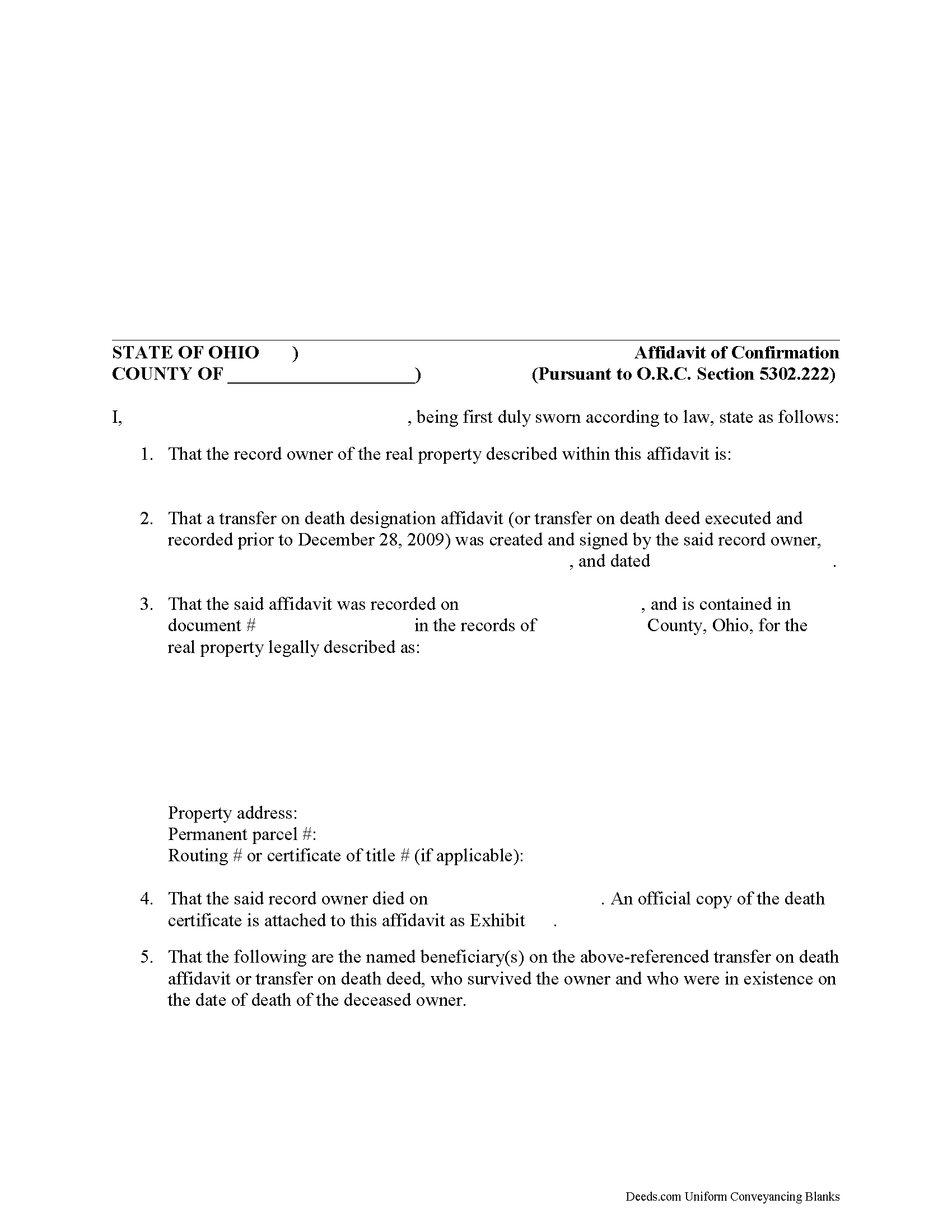
Wood County Affirmation of Confirmation Form
Fill in the blank form formatted to comply with all recording and content requirements.
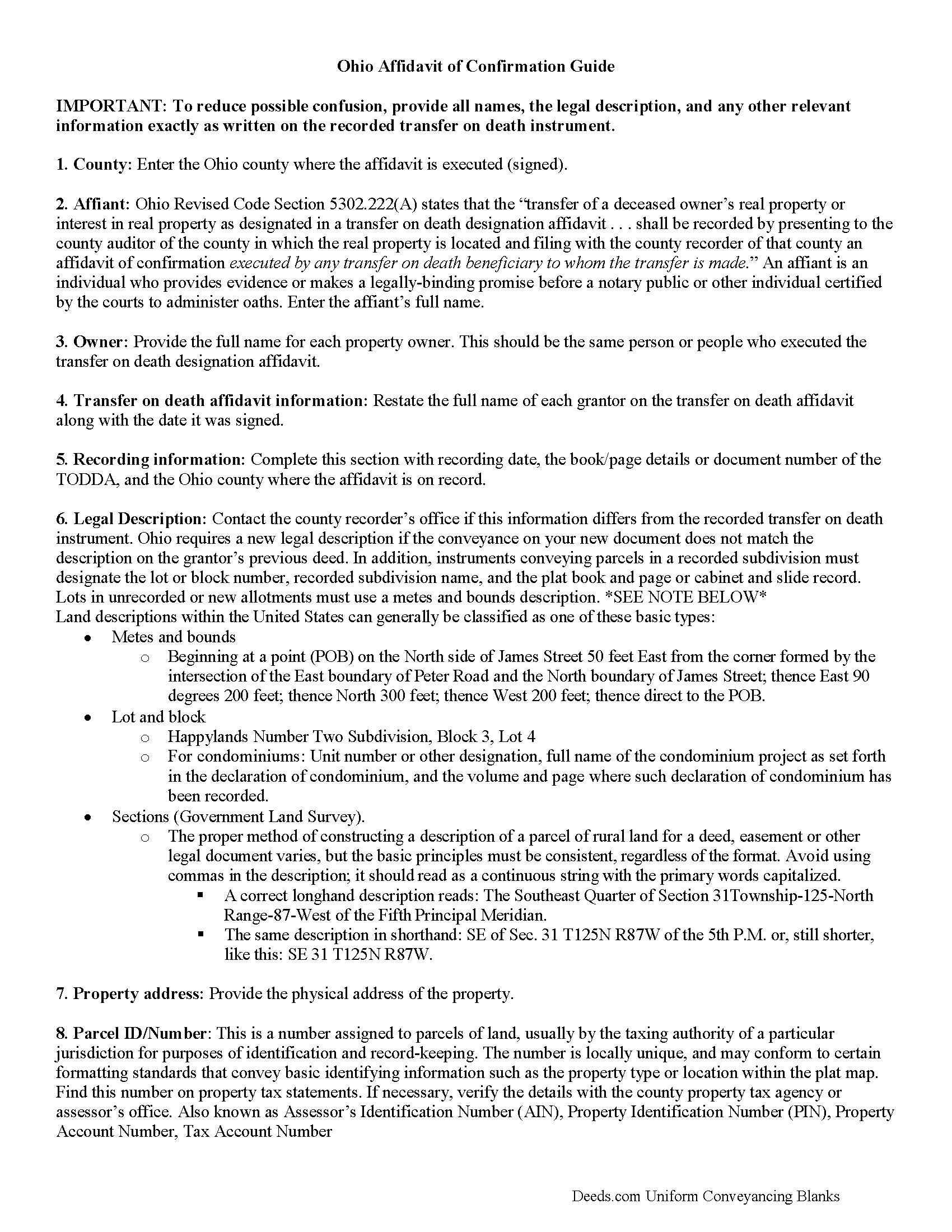
Wood County Affidavit of Confirmation Guide
Line by line guide explaining every blank on the form.
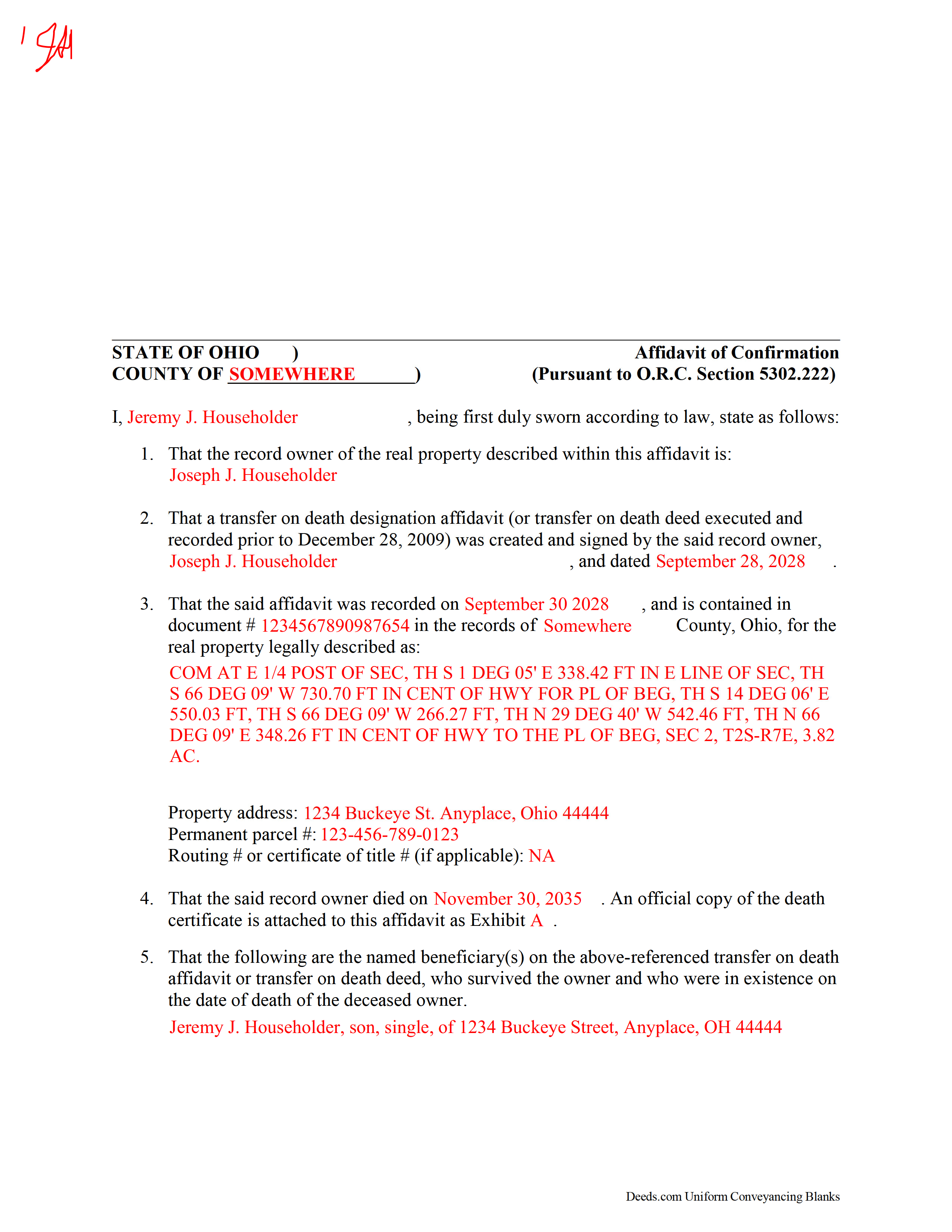
Wood County Completed Example of the Affidavit of Confirmation Document
Example of a properly completed form for reference.
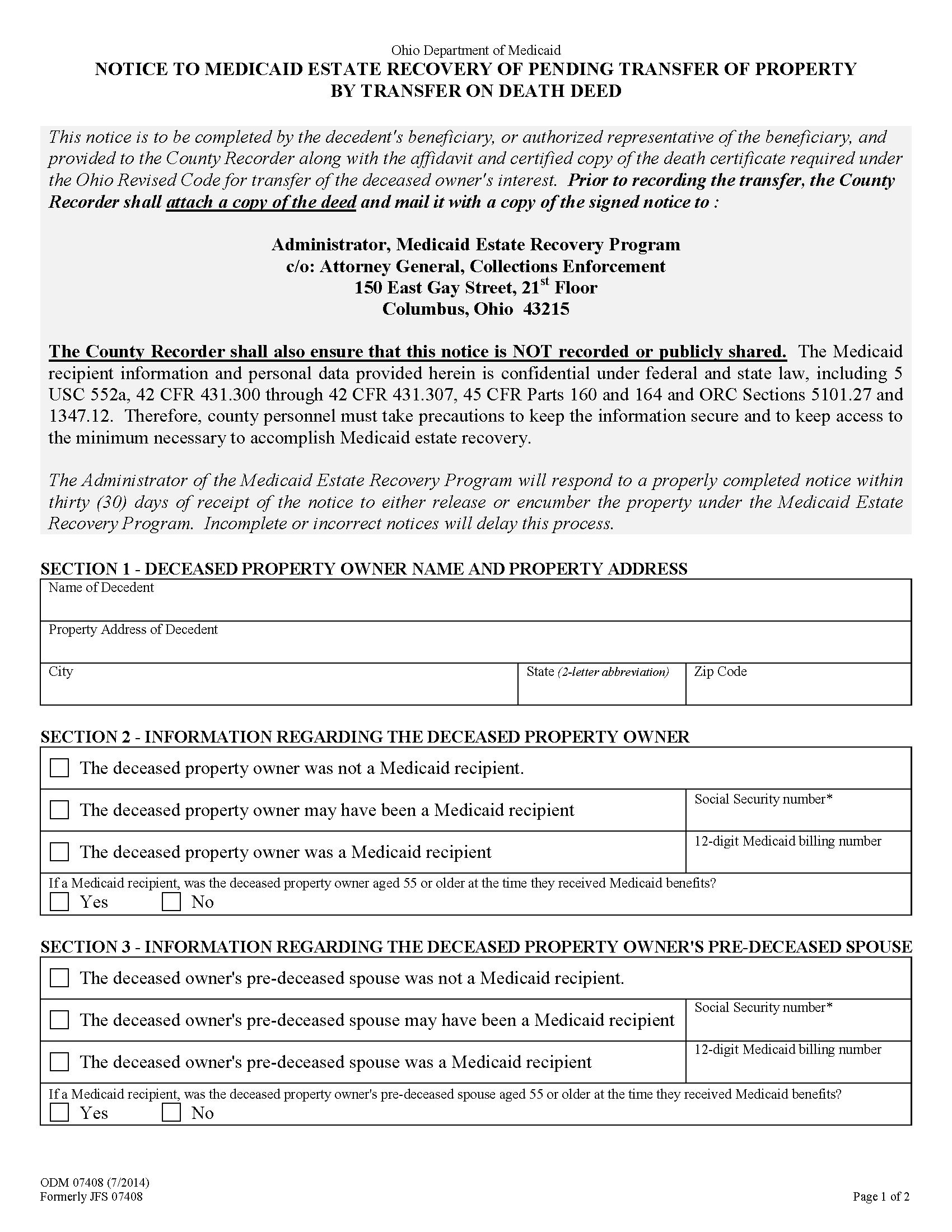
Wood County Notice to Medicaid Estate Recovery Program Form
Beneficiaries of Ohio transfer on death deeds (prior to 2009) or Ohio transfer on death designation affidavits must include this state-required form when recording an affidavit of confirmation to finalize the transfer of the real property designated by the instrument.
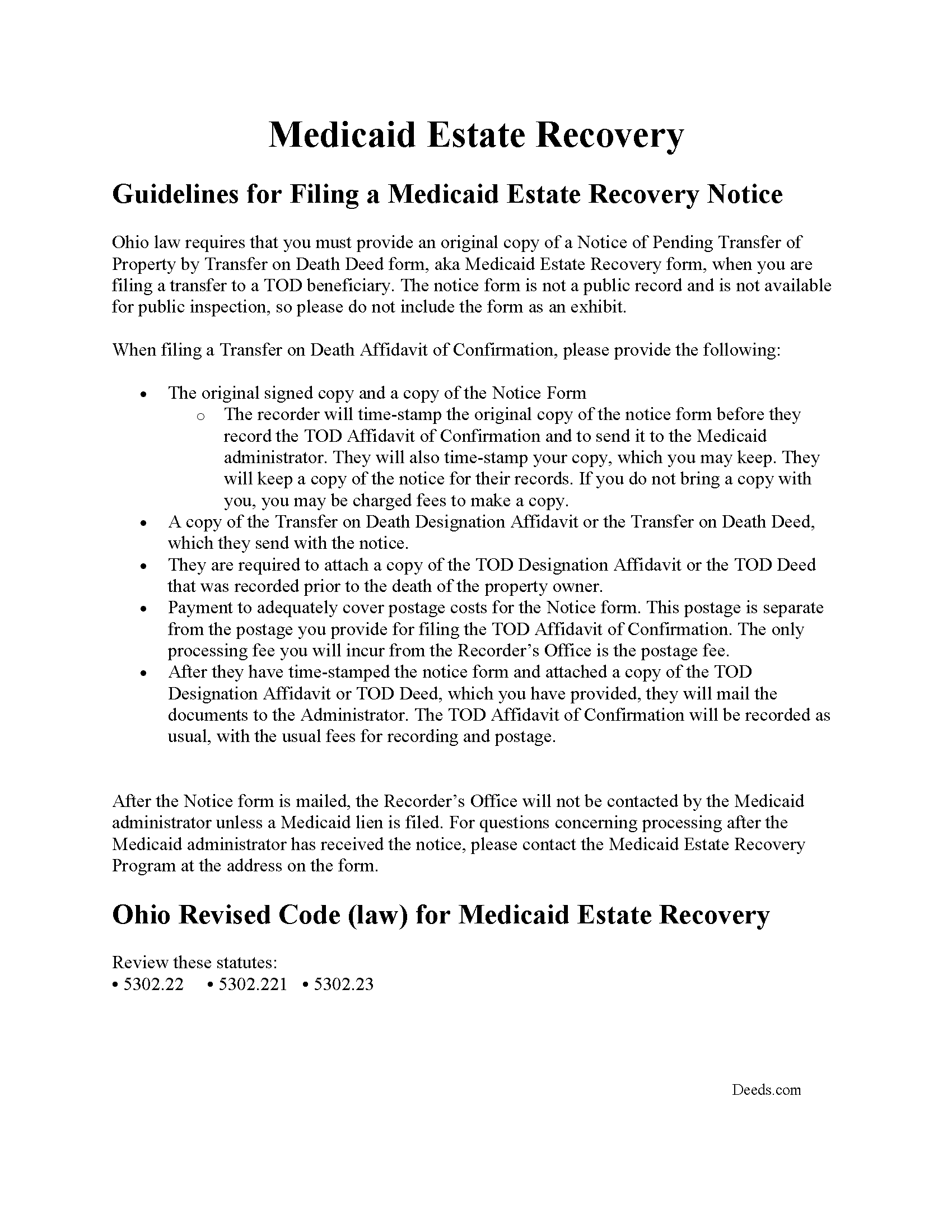
Wood County Notice to Medicaid Estate Recovery Program Guide
Guidelines explaining the recording process of the Notice.
All 5 documents above included • One-time purchase • No recurring fees
Immediate Download • Secure Checkout
Additional Ohio and Wood County documents included at no extra charge:
Where to Record Your Documents
Wood County Recorder
Bowling Green, Ohio 43402
Hours: 8:30 to 4:30 M-F
Phone: (419) 354-9140
Recording Tips for Wood County:
- Bring your driver's license or state-issued photo ID
- Ensure all signatures are in blue or black ink
- Check margin requirements - usually 1-2 inches at top
- Leave recording info boxes blank - the office fills these
- Make copies of your documents before recording - keep originals safe
Cities and Jurisdictions in Wood County
Properties in any of these areas use Wood County forms:
- Bloomdale
- Bowling Green
- Bradner
- Custar
- Cygnet
- Dunbridge
- Grand Rapids
- Haskins
- Hoytville
- Jerry City
- Lemoyne
- Luckey
- Millbury
- Milton Center
- North Baltimore
- Northwood
- Pemberville
- Perrysburg
- Portage
- Risingsun
- Rossford
- Rudolph
- Stony Ridge
- Toledo
- Tontogany
- Walbridge
- Wayne
- West Millgrove
- Weston
Hours, fees, requirements, and more for Wood County
How do I get my forms?
Forms are available for immediate download after payment. The Wood County forms will be in your account ready to download to your computer. An account is created for you during checkout if you don't have one. Forms are NOT emailed.
Are these forms guaranteed to be recordable in Wood County?
Yes. Our form blanks are guaranteed to meet or exceed the applicable formatting requirements used for recording in Wood County, including margin requirements, font requirements, and other layout standards. This guarantee applies to formatting, not to the legal sufficiency of information entered by the user or the suitability of a form for a particular transaction.
Can I reuse these forms?
Yes. You can reuse the forms for your personal use. For example, if you have multiple properties in Wood County you only need to order once.
What do I need to use these forms?
The forms are PDFs that you fill out on your computer. The free Adobe Acrobat Reader is recommended, and most PDF apps also work. You do NOT enter your property information online - you download the blank forms and complete them privately on your own computer.
Are there any recurring fees?
No. This is a one-time purchase. Nothing to cancel, no memberships, no recurring fees.
How much does it cost to record in Wood County?
Recording fees in Wood County vary. Contact the recorder's office at (419) 354-9140 for current fees.
Questions answered? Let's get started!
Use this form to finalize the conveyance started under an Ohio transfer on death deed or transfer on death designation affidavit.
In addition to finalizing the transfer of property rights, the recording process provides public notice that the ownership status has changed and preserves the chain of title (ownership history). See O.R.C. 5302.222
(Ohio Affidavit of Confirmation Package includes form, guidelines, and completed example)
Important: Your property must be located in Wood County to use these forms. Documents should be recorded at the county recording office listed above.
This Affidavit of Confirmation meets all recording requirements specific to Wood County.
Our Promise
The documents you receive here are guaranteed to meet or exceed the applicable Wood County recording format requirements. If there is a rejection caused by our formatting, we will correct the issue or refund your payment. This guarantee applies to document formatting only and does not extend to information entered by the user, the selection of the form, or the legal effect of the completed document.
Save Time and Money
Get your Wood County Affidavit of Confirmation form done right the first time with Deeds.com Uniform Conveyancing Blanks. At Deeds.com, we understand that your time and money are valuable resources, and we don't want you to face a penalty fee or rejection imposed by a county recorder for submitting nonstandard documents. We constantly review and update our forms to meet rapidly changing state and county recording requirements for roughly 3,500 counties and local jurisdictions.
4.8 out of 5 - ( 4,828 Reviews )
Joe S. 5 out of 5 stars
My first experience with deeds.com was excellent. My task was handled promptly and efficiently. Count on me as a repeat customer.
We appreciate your business and value your feedback. Thank you. Have a wonderful day!
DAVID K. 5 out of 5 stars
Good so far could use more examples for each section of info. needed. ex. (parcel and alt.ID info where to find and etc. #2 more examples. If it was not for the red print examples helping to fill the form out I could have downloaded free forms, the examples are what made me choose your form !
We appreciate your business and value your feedback. Thank you. Have a wonderful day!
Travis S. 5 out of 5 stars
Glad this existed.
Thank you!
MIMI T. 5 out of 5 stars
Awesome great service!
Fantastic! Thanks for the feedback Mimi.
Lou H. 5 out of 5 stars
5 stars.
Thank you!
John L. 5 out of 5 stars
In Colorado a Release of a Deed of Trust without the original note must be efiled - the Recorder said it had to be Simplifile or CSC Global neither of whom are designed to do a 1 off filing (you have to subscribe). Fortunately, I found Deeds.com - they were great. helped me work through a couple clerical issues and it is done. I am so happy and pleased. I would give them more stars if I could. I will spread the word among the realtors and title companies who couldn't help that there is a better option.
Thank you, John. We’re glad we could help get the Colorado release submitted and recorded. We appreciate the kind words and especially appreciate you spreading the word to others who may run into the same filing roadblocks.
Roy S. 5 out of 5 stars
The website is easy to maneuver and information needed was readily available. Thanks so much!
Thank you!
Maricarol F. 5 out of 5 stars
Found the site very easy to use. My fault I did not answer back right away. What was found is almost what I needed... Thanks.
Thank you for the feedback Maricarol, we really appreciate it.
Susan S. 5 out of 5 stars
Very quick, easy and readily available forms. No wait, no advertisements, no pressure to purchase MORE. I expected to only get part of the information I needed, and for there to be a hidden cost to get the complete package, but surprisingly, I got immediate access to all the forms I ordered, AND THERE WERE NO ADDITIONAL HIDDEN COSTS! How refreshing!
Thank you Susan, we really appreciate your feedback.
JUDITH-DIAN W. 5 out of 5 stars
I didn't have any problem downloading and filling out the form on my computer and printing it yesterday. I didn't know what to put for "Source of Title". I called the county recording office; they didn't know either and said to leave it blank. I got the form notarized at my bank and took it in to the recording office. They checked it, accepted it, I paid a fee, and it's done. So easy. My children will appreciate that I've done this. Added note: You do have one typo on your form--you left out 'at'. It should read: "You should carefully read all information at the end of this form."
Thank you for your feedback. We really appreciate it. Have a great day!
Brian S. 3 out of 5 stars
PDF fields change font sizes leading to an unprofessional-appearing printed page. The examples for "Convey to" section don't include how to specify just one person instead of a married couple. Maybe that is simple but it would help to spell it out in an example. Haven't submitted to County Recorder yet, so will find out if it is acceptable.
Thank you for the feedback Brian.
The font issue is caused by using a PDF viewer other than Adobe Acrobat Reader. Our form fields are set to a uniform 12-point font, but non-Adobe viewers often render form fields inconsistently. Opening and printing the form with the free Adobe Acrobat Reader will resolve that.
Regarding the examples, that's a fair point, we'll look at expanding them.
Calida S. 5 out of 5 stars
I was so happy I found a way to register my deed electronically! The county I live in only does e-file through vendors who service law firms and large volume documents. I had everything done electronically only to hit a brick wall doing warp speed when it came to this last part. So far everything is going super smooth and very easy. The price is worth it to be able to get this deed done because I'm doing a life estate deed to my late boyfriends daughter. She's getting married soon and this is my gift to her since her daddy can't be here. Thanks Deeds.com This means a lot, and I plan on bringing my business back provided everything finishes well. I will definitely follow up soon!
Thank you, Calida. We’re glad we could help make the electronic recording step easier, especially for something so meaningful. We appreciate your trust in Deeds.com and look forward to helping whenever you need us again.
Sander G. 4 out of 5 stars
Good but knocked off a star because the download file names are mostly numbers instead of recognizable names of the file contents (e.g., Promissory_Note_blank.pdf). Renaming would be a great help!
Thank you for your feedback. We really appreciate it. Have a great day!
David C. 5 out of 5 stars
This has been a lifesaver for me. Exactly what I needed. Forma are easy to fill in. Thank you for offering this instead of going thru a lawyer. faster and no wait time.
We appreciate your business and value your feedback. Thank you. Have a wonderful day!
Teresa M. 5 out of 5 stars
Very easy and quick. Report gave me the info I needed to know. Will use again if I need to.
We appreciate your business and value your feedback. Thank you. Have a wonderful day!