Clark County Affidavit of Survivorship (Entity Beneficiary) Form
Last validated October 23, 2026 by our Forms Development TeamFormatted for recording in Clark County, for property anywhere in the county: rural and unincorporated areas as well as Catawba, Donnelsville, Enon, Medway, New Carlisle, North Hampton, South Charleston, South Vienna and 2 more.
- 3 documents included
- Immediate PDF download
- Formatting guarantee
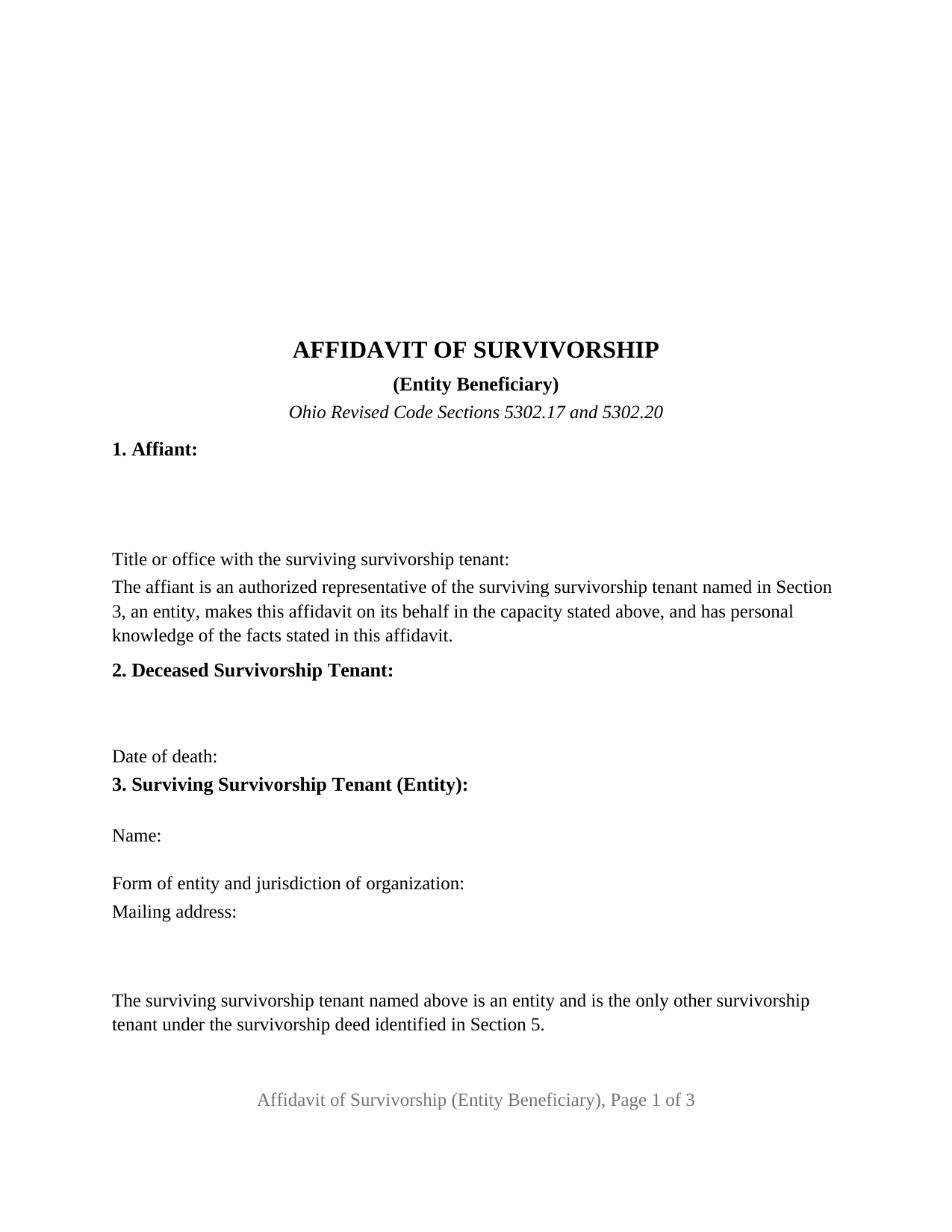
Clark County Affidavit of Survivorship (Entity Beneficiary) Form
Fill in the blank Affidavit of Survivorship (Entity Beneficiary) form formatted to comply with all Ohio recording and content requirements.
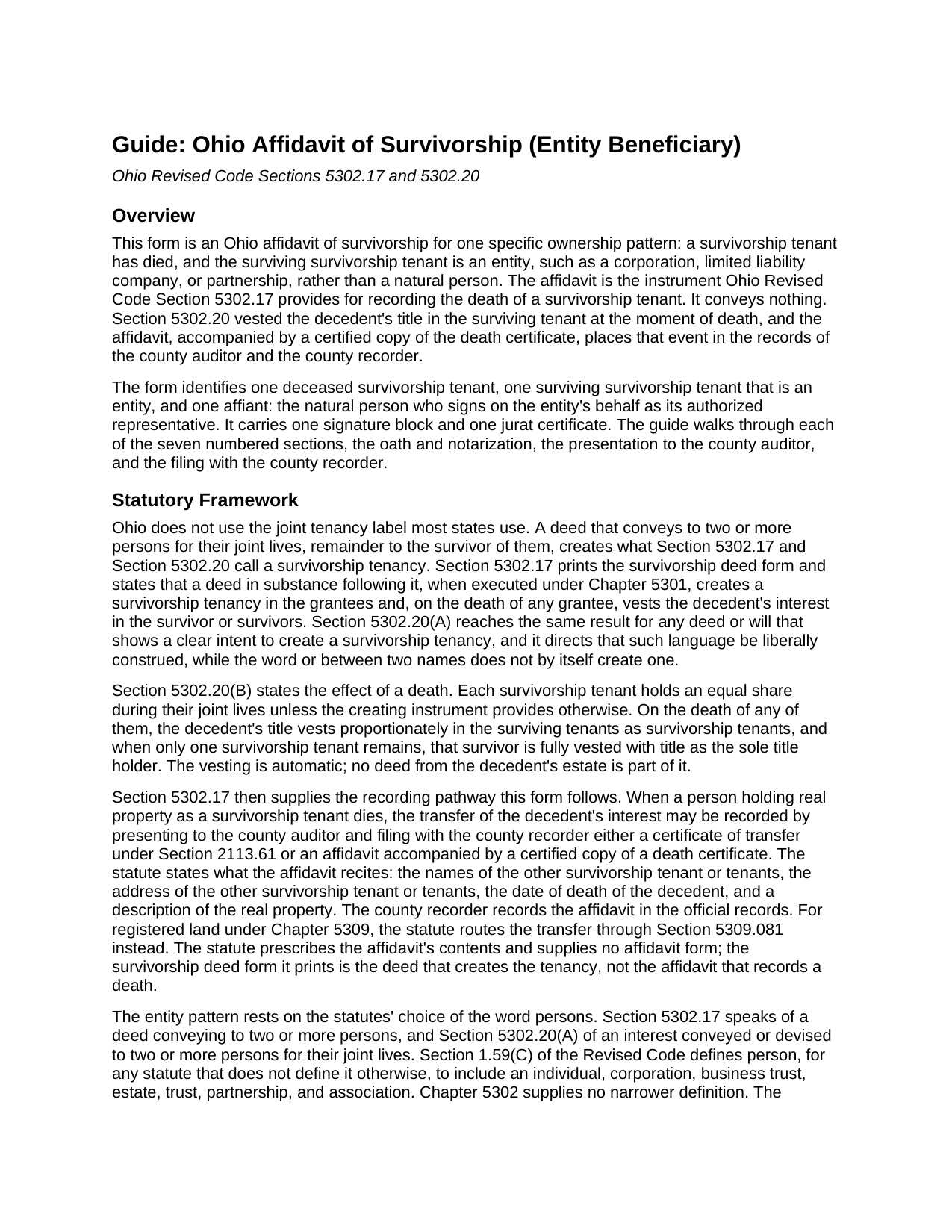
Clark County Affidavit of Survivorship (Entity Beneficiary) Guide
Line by line guide explaining every blank on the Affidavit of Survivorship (Entity Beneficiary) form.
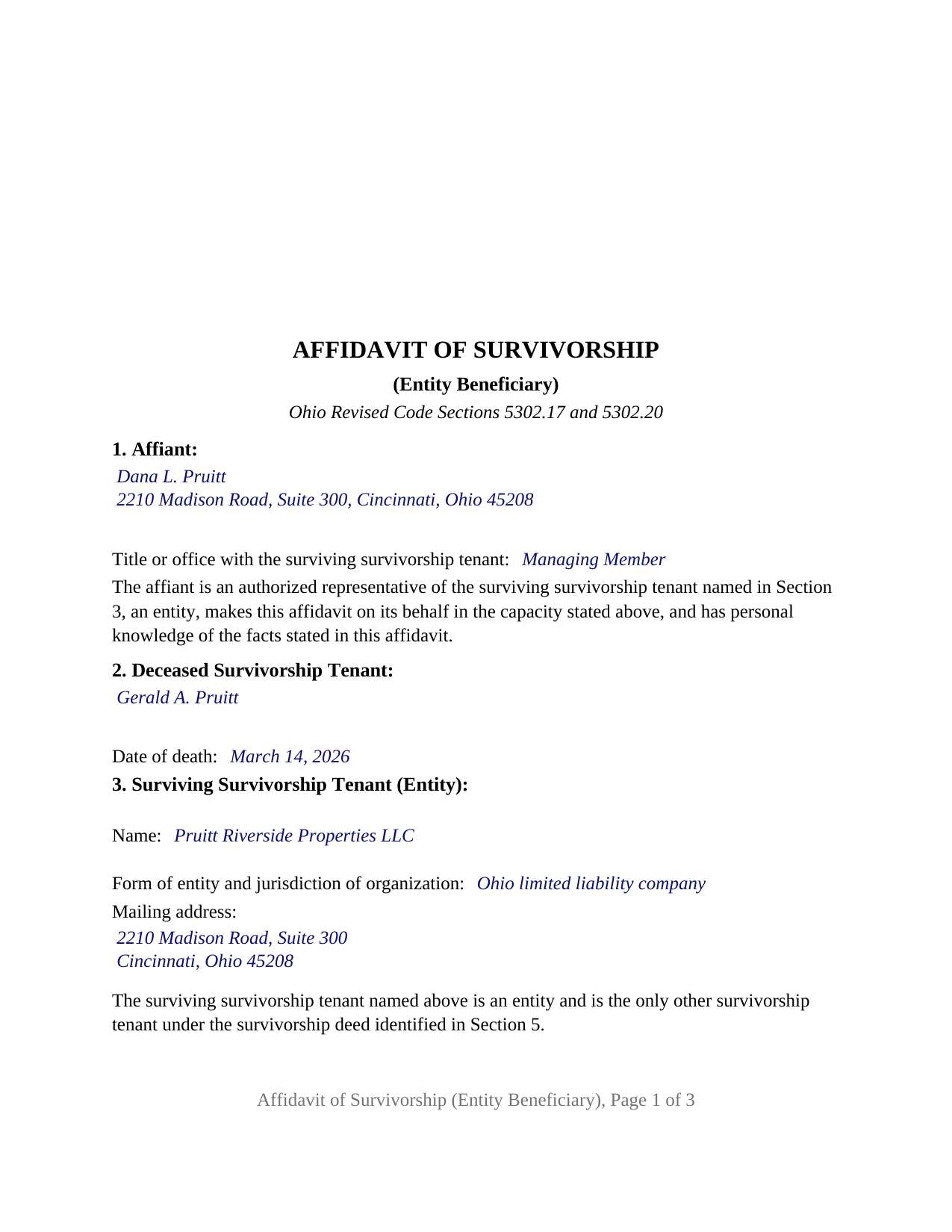
Clark County Completed Example of the Affidavit of Survivorship (Entity Beneficiary) Document
Example of a properly completed Ohio Affidavit of Survivorship (Entity Beneficiary) document for reference.
All 3 documents above included • One-time purchase • No recurring fees
Immediate Download • Secure Checkout
Additional Ohio and Clark County documents included at no extra charge:
Where to Record Your Documents
Clark County Recorder
Springfield, Ohio 45502 / 45501
Hours: 8:00 to 4:30 M-F
Phone: 937-521-1705
Recording Tips for Clark County:
- Bring your driver's license or state-issued photo ID
- Ensure all signatures are in blue or black ink
- Documents must be on 8.5 x 11 inch white paper
- Double-check legal descriptions match your existing deed
- Verify all names are spelled correctly before recording
Cities and Jurisdictions in Clark County
Properties in any of these areas use Clark County forms:
- Catawba
- Donnelsville
- Enon
- Medway
- New Carlisle
- North Hampton
- South Charleston
- South Vienna
- Springfield
- Tremont City
Hours, fees, requirements, and more for Clark County
How do I get my forms?
Forms are available for immediate download after payment. The Clark County forms will be in your account ready to download to your computer. An account is created for you during checkout if you don't have one. Forms are NOT emailed.
Are these forms guaranteed to be recordable in Clark County?
Yes. Our form blanks are guaranteed to meet or exceed the applicable formatting requirements used for recording in Clark County, including margin requirements, font requirements, and other layout standards. This guarantee applies to formatting, not to the legal sufficiency of information entered by the user or the suitability of a form for a particular transaction.
Can I reuse these forms?
Yes. You can reuse the forms for your personal use. For example, if you have multiple properties in Clark County you only need to order once.
What do I need to use these forms?
The forms are PDFs that you fill out on your computer. The free Adobe Acrobat Reader is recommended, and most PDF apps also work. You do NOT enter your property information online - you download the blank forms and complete them privately on your own computer.
Are there any recurring fees?
No. This is a one-time purchase. Nothing to cancel, no memberships, no recurring fees.
How much does it cost to record in Clark County?
Recording fees in Clark County vary. Contact the recorder's office at 937-521-1705 for current fees.
Questions answered? Let's get started!
Some Ohio survivorship deeds join a person and an organization: a limited liability company, corporation, or partnership that took title beside a natural person for their joint lives, remainder to the survivor of them. When the natural person dies, the organization is the survivor, and it cannot swear to anything itself. The Ohio Affidavit of Survivorship (Entity Beneficiary) is built for that record: one deceased survivorship tenant, one surviving entity, and one natural person who swears to the facts on the entity's behalf.
A survivor that cannot die
Ohio Revised Code Section 5302.20(B) does the legal work before any paper is signed: on a survivorship tenant's death the decedent's title vests in the surviving tenant, who then holds the whole title alone. An entity survivor takes under that sentence like any other, with one difference: the tenancy ends at the first death and never produces a second, because the organization does not die. This affidavit records that single event under Section 5302.17, presented to the county auditor and filed with the county recorder with a certified copy of the death certificate.
Persons, in the statute's sense
Both survivorship sections speak of persons. Section 5302.17 describes a deed conveying to two or more persons; Section 5302.20(A) describes an interest conveyed or devised to two or more persons for their joint lives. Chapter 5302 does not define the word, so Section 1.59(C) of the Revised Code supplies the definition: person includes an individual, corporation, business trust, estate, trust, partnership, and association. The survivorship deed of record is what makes an organization a survivorship tenant; this form identifies that deed by recording date, document number, book and page, and county, and records the death that occurred under it.
One representative, one oath
The form fixes the configuration in its own text. Section 1 states that the affiant is an authorized representative of the surviving survivorship tenant, an entity, and makes the affidavit on its behalf in the capacity entered beside it, whether managing member, president, or general partner. Section 3 names the entity, its form and jurisdiction of organization, and its mailing address, and states that it is the only other survivorship tenant under the deed. Section 6 is the sworn statement that the decedent died while holding title as a survivorship tenant with the entity and that the decedent's title vested in the entity as sole title holder under Section 5302.20.
Because the signer swears rather than acknowledges, the certificate is a jurat, printed with the words Section 147.542(C)(3)(b) accepts, sworn to and subscribed before me. The line after the sworn sentence holds the affiant's name and office, so the record shows who swore and for whom.
The auditor's tax list and the recorder's index
Section 319.20 asks any instrument the auditor transfers to carry the address of the person taking title and a reference to the prior recorded instrument; the entity's address in Section 3 and the deed reference in Section 5 answer both. The auditor enters the entity on the tax list at that address, and a transfer to a surviving survivorship tenant under Section 5302.17 falls within the conveyance fee exemption of Section 319.54(G)(3)(n). The recorder's fee under Sections 317.32 and 317.36 runs thirty-four dollars for the first two pages and eight dollars for each page after, before any county surcharge; the affidavit prints on three pages inside the Section 317.114 margins, with the first-page top three inches left blank for the county stamps.
What the form is and is not set up as
The form recites exactly two survivorship tenants under the deed, one deceased and one surviving, and fixes the survivor as an organization signing through one natural person. A survivor who is a natural person, two or more surviving tenants, a survivor that holds through a trustee, registered land under Chapter 5309, a certificate of transfer under Section 2113.61, and a transfer on death confirmation under Section 5302.222 are different patterns, each prepared separately and not included in this package. Marital status has no entry here: the entity has no spouse, and the affidavit conveys nothing from the decedent.
The package includes the fillable affidavit, a completed example filled in for a Hamilton County limited liability company that survived its individual co-tenant, and the guide that walks through every numbered section, the jurat, and the auditor and recorder steps. This description and the guide describe the form and the governing Ohio statutes in general terms; they are not legal advice.
Important: Your property must be located in Clark County to use these forms. Documents should be recorded at the county recording office listed above.
This Affidavit of Survivorship (Entity Beneficiary) meets all recording requirements specific to Clark County.
Our Promise
The documents you receive here are guaranteed to meet or exceed the applicable Clark County recording format requirements. If there is a rejection caused by our formatting, we will correct the issue or refund your payment. This guarantee applies to document formatting only and does not extend to information entered by the user, the selection of the form, or the legal effect of the completed document.
Save Time and Money
Get your Clark County Affidavit of Survivorship (Entity Beneficiary) form done right the first time with Deeds.com Uniform Conveyancing Blanks. At Deeds.com, we understand that your time and money are valuable resources, and we don't want you to face a penalty fee or rejection imposed by a county recorder for submitting nonstandard documents. We constantly review and update our forms to meet rapidly changing state and county recording requirements for roughly 3,500 counties and local jurisdictions.
4.8 out of 5 - ( 4,856 Reviews )
Nina L. 5 out of 5 stars
I needed a specific form. I found it, printed it and saved myself $170 because I didn't need a lawyer. Thank you
Thank you for your feedback. We really appreciate it. Have a great day!
CORA T. 5 out of 5 stars
very convenient and quick access
Thank you!
Janey M. 5 out of 5 stars
Easy to use site. Just what I needed!
We appreciate your business and value your feedback. Thank you. Have a wonderful day!
Christine G. 5 out of 5 stars
. Easy to use.
Thank you for your feedback. We really appreciate it. Have a great day!
Lucinda L. 5 out of 5 stars
mostly good; however, you need to update the annual exclusion gift amount from $14,000 to $15,000 (where it has ben for several years), and you need to make your Gift Deed final paragraph be gender neutral like "they" or "he or she" rather than just"he". We women lawyers and our women clients appreciate that.
Thank you for your feedback. We really appreciate it. Have a great day!
Barbara S. 5 out of 5 stars
I had an issue due to the fact that I had many beneficiaries. I was and still am not sure how to handle this. We do have Adobe Pro and can modify the form, if needed. But I would like to talk to your organization for more information.
While we are unable to assist you specifically with completing the document we can note that this is addressed in the guide. Information that does not fit in the available space should be included in an exhibit page.
Michael N. 5 out of 5 stars
This is an extremely helpful and very fast way to file with property recorders. It saved me time away from work and provided a receipt for the filing
Thank you, Michael! We're glad to hear the process was fast and efficient for you—and that it saved you time from work. Appreciate you sharing your experience!
Greg S. 5 out of 5 stars
The Beneficiary Deed is easy to fill out, expecially with the examples/explanations provided. The only recommendation I would make is to state that the Parcel ID and the Assessor's ID are one in the same. I looked everywhere for something that mentions "Assessor's ID" in my paperwork to no avail. Upon calling the Maricopa Assessor's number in Maricopa I was told that they are the same.
Thank you for your feedback. We really appreciate it. Have a great day!
James M. 5 out of 5 stars
Clear and easy instructions! Prompt notices of steps and status. Great job! I wish all counties in all states were this easy!
Thank you for your feedback. We really appreciate it. Have a great day!
Deidre E. 5 out of 5 stars
Best thing since sliced bread. Do your homework. Find the documents with Deeds.com and bypass expensive and unnecessary lawyers fees.
We deeply appreciate the trust you have placed in our services. Thank you for your valuable feedback and for choosing us.
Donna O. 5 out of 5 stars
Quick and easy to use. I was able to download the Transfer on Death Deed form to my computer so that I can read through and fill them out at a later time. That made it convenient and "no pressure". The complimentary guide and completed example that came with the form was also very helpful.
We appreciate your business and value your feedback. Thank you. Have a wonderful day!
Nancy v. 5 out of 5 stars
Amazing! So easy to get all the forms. Very impressive!
Thank you!
Ardith S. 5 out of 5 stars
Very informative and user friendly. Was able to get all information and forms needed without any problems.
We appreciate your business and value your feedback. Thank you. Have a wonderful day!
Nancy B. 5 out of 5 stars
This was the easiest, quickest, most understandable way I've seen yet to retrieve deeds from various counties. The government websites are "clunky" and each one seems different than the other. I like this service and will use them again in the future. NANCY
Thank you for your feedback. We really appreciate it. Have a great day!
Thomas D. 2 out of 5 stars
The documents themselves are fine and the information provided with them is helpful. I find the actual processing of the documents, however, to be difficult particularly once the document has been saved. First, I note that the box for the date only allows entry of the last 2 digits of the year. Unfortunately, my download only allows me to enter one of the 2 digits required. When I delete it repeatedly, it eventually allows both digits to be entered but puts them in extremely small text and in superscrypt. I have not found a solution to this problem and am not sure the deed can even be recorded with this problem. Another problem is that if you try to revise the document after you have saved it the curser goes to the end of the line after each key entry. This means that there basically is no way to efficiently save the document for reworking later since you will have to delete everything you have entered in the text box unless you only need to make a single keystroke change or are willing to replace the curser after each entry. Try that with a long property description! Please note that I am using a Mac to prepare my documents and perhaps this is part of an "incompatibility problem". However, I didn't see a disclaimer regarding Mac use and so would expect the documents to perform correctly. Overall, I give the program a "2 star" rating because I am experiencing significant difficulties in entering dates in the documents even before saving them and because saving your work for later revision appears to be basically unworkable.
Thank you for your feedback Thomas, we appreciate you being specific about the issues you encountered. Adobe and Mac have a fairly long history of issues working together.