Perry County Assignment of Leases and Rents (Entity) Form
Last validated October 29, 2026 by our Forms Development TeamFormatted for recording in Perry County, for property anywhere in the county: rural and unincorporated areas as well as Corning, Crooksville, Glenford, Junction City, Mount Perry, Moxahala, New Lexington, New Straitsville and 3 more.
- 3 documents included
- Immediate PDF download
- Formatting guarantee
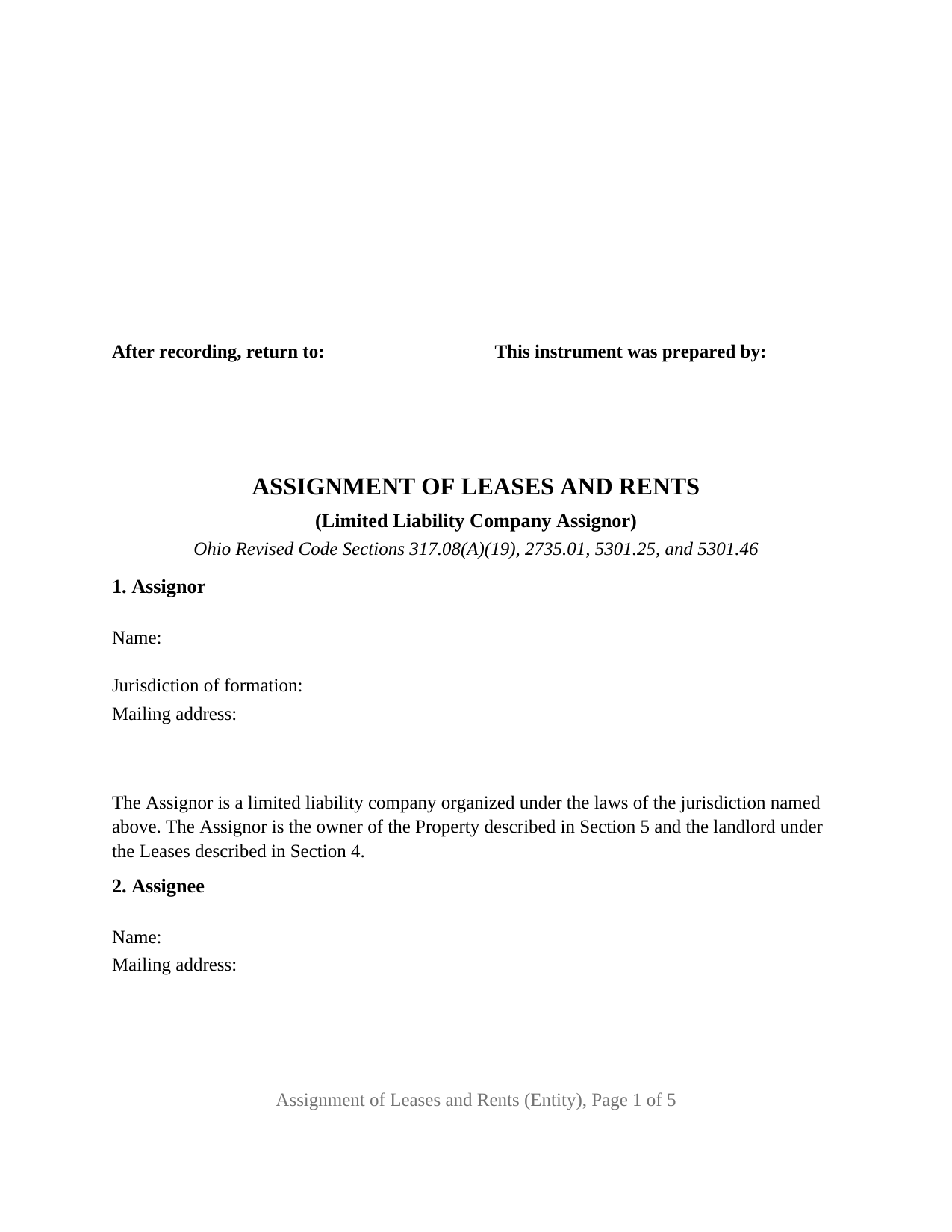
Perry County Assignment of Leases and Rents (Entity) Form
Fill in the blank Assignment of Leases and Rents (Entity) form formatted to comply with all Ohio recording and content requirements.
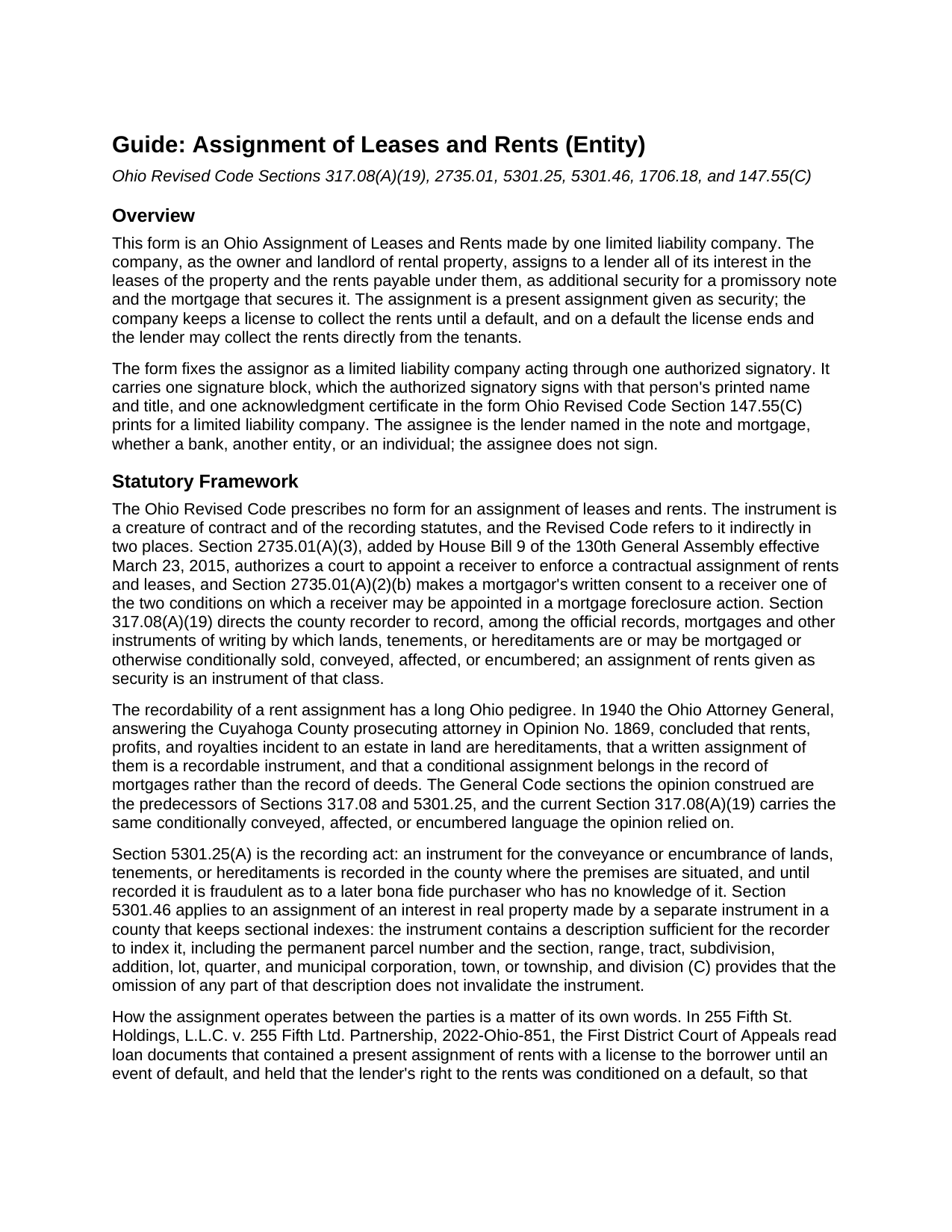
Perry County Assignment of Leases and Rents (Entity) Guide
Line by line guide explaining every blank on the Assignment of Leases and Rents (Entity) form.
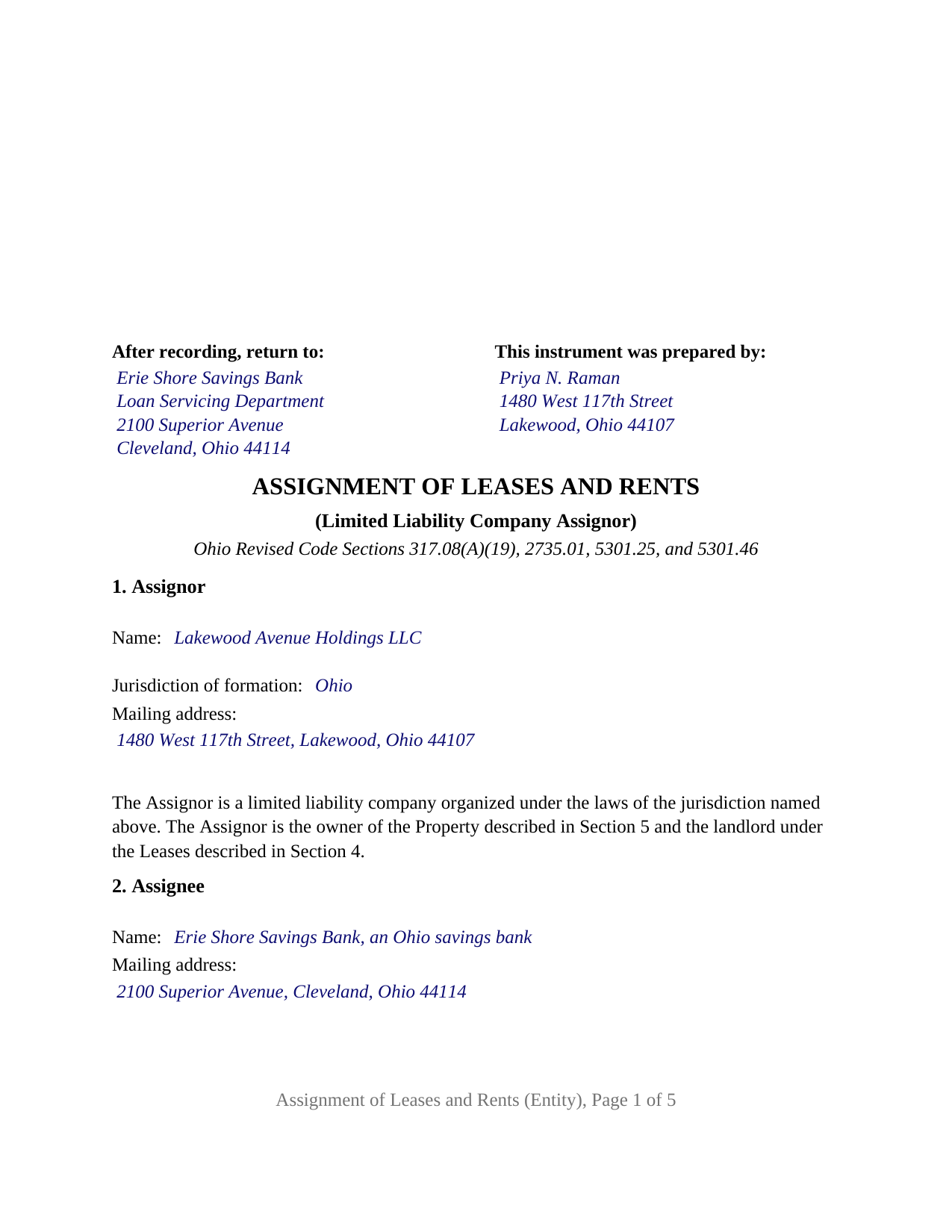
Perry County Completed Example of the Assignment of Leases and Rents (Entity) Document
Example of a properly completed Ohio Assignment of Leases and Rents (Entity) document for reference.
All 3 documents above included • One-time purchase • No recurring fees
Immediate Download • Secure Checkout
Additional Ohio and Perry County documents included at no extra charge:
Where to Record Your Documents
Perry County Recorder
New Lexington, Ohio 43764
Hours: 8:30 a.m. - 4:30 p.m. Monday - Friday
Phone: 740-342-2494
Recording Tips for Perry County:
- Bring your driver's license or state-issued photo ID
- Ensure all signatures are in blue or black ink
- Bring extra funds - fees can vary by document type and page count
- Check margin requirements - usually 1-2 inches at top
- Leave recording info boxes blank - the office fills these
Cities and Jurisdictions in Perry County
Properties in any of these areas use Perry County forms:
- Corning
- Crooksville
- Glenford
- Junction City
- Mount Perry
- Moxahala
- New Lexington
- New Straitsville
- Shawnee
- Somerset
- Thornville
Hours, fees, requirements, and more for Perry County
How do I get my forms?
Forms are available for immediate download after payment. The Perry County forms will be in your account ready to download to your computer. An account is created for you during checkout if you don't have one. Forms are NOT emailed.
Are these forms guaranteed to be recordable in Perry County?
Yes. Our form blanks are guaranteed to meet or exceed the applicable formatting requirements used for recording in Perry County, including margin requirements, font requirements, and other layout standards. This guarantee applies to formatting, not to the legal sufficiency of information entered by the user or the suitability of a form for a particular transaction.
Can I reuse these forms?
Yes. You can reuse the forms for your personal use. For example, if you have multiple properties in Perry County you only need to order once.
What do I need to use these forms?
The forms are PDFs that you fill out on your computer. The free Adobe Acrobat Reader is recommended, and most PDF apps also work. You do NOT enter your property information online - you download the blank forms and complete them privately on your own computer.
Are there any recurring fees?
No. This is a one-time purchase. Nothing to cancel, no memberships, no recurring fees.
How much does it cost to record in Perry County?
Recording fees in Perry County vary. Contact the recorder's office at 740-342-2494 for current fees.
Questions answered? Let's get started!
When the landlord is a limited liability company, the Ohio Assignment of Leases and Rents is signed by a person who is not the borrower. This form is set up for that configuration: one Ohio or foreign limited liability company, as owner and landlord of rental property, pledges its leases and rents to its lender as additional security for a note and mortgage, signing through one authorized signatory. The assignee, the lender named in the note and mortgage, does not sign.
A company signs through a person Chapter 1706 names
Ohio Revised Code Section 1706.18 provides that no person has the power to bind a limited liability company except as the operating agreement, Section 1706.30(A), a statement of authority under Section 1706.19, or other law authorizes. A member's title alone settles nothing; the operating agreement does, or a filed statement of authority, which Section 1706.19(C) makes conclusive in favor of a person who gives value in reliance on it. The form carries that structure on its face: Section 1 names the company and its jurisdiction of formation and prints the fixed sentence that the assignor is a limited liability company, the owner and landlord; Section 8 carries the signatory's representation of authority; and Section 9 places the company's name above a signature line headed ASSIGNOR, by its authorized signatory, with the signatory's printed name, date, and title.
The certificate that names the company and its jurisdiction
The acknowledgment certificate is the short form Section 147.55(C) prints for a limited liability company, not the individual form. Its blanks are the date, the name and title of the member or managing member who acknowledged, the company's name, and its jurisdiction of formation, and its printed close reads on behalf of the limited liability company. A certificate taken in another state is recognized under Section 147.51(B) when the officer is authorized where the act is performed.
Rents pledged now, collected by the company until a default
Section 6 assigns, transfers, and sets over to the lender all of the company's interest in the leases and the rents, as a present assignment given as security and not merely the grant of a lien. Section 7 grants the company a revocable license to collect the rents until an Event of Default under the note, the mortgage, or the assignment; on a default the license ends, and each tenant is directed to pay the lender on written notice. Section 8 records the company's consent to a receiver under Section 2735.01(A)(3), the division added in 2015 for this instrument, and makes it the mortgagor's written consent Section 2735.01(A)(2)(b) names for a foreclosure receivership.
What the recorder sees and what the auditor does not
Section 5 describes the property by county, legal description, permanent parcel number, municipal corporation or township, street address, and the recording reference of the company's deed, the parcel and municipality being the Section 5301.46(B) items for a sectional-index county. The instrument conveys no title, so it never passes through the county auditor's transfer office. It goes straight to the county recorder, who records it under Section 317.08(A)(19) with mortgages and the other instruments by which land is conditionally conveyed, affected, or encumbered, the classification the Ohio Attorney General gave conditional rent assignments in 1940.
One company assignor, one signature block, one certificate
The form fixes the assignor as a limited liability company acting through one authorized signatory. It prints no dower release and no spouse signature line, because dower under Section 2103.02 is a spouse's interest in the other spouse's real property, and the assignor here is a company. A single-asset company that holds an apartment building financed by a bank, and a family company that holds a rental house financed by a private lender, present the pattern this form recites. The form is not set up as an instrument for a corporation, a partnership, a trustee, or an attorney-in-fact, each of which takes a different recital and Section 147.55 certificate, or for an individual owner, or for two or more assignors on one instrument.
The package contains the fillable Ohio Assignment of Leases and Rents form for a limited liability company assignor, a completed example showing a Cuyahoga County company assigning the leases and rents of a four-unit building to its bank, and a guide covering each section, the Chapter 1706 signing rules, the acknowledgment, and recording. The guide and this description explain the form and the statutes in general terms and are not legal advice.
Important: Your property must be located in Perry County to use these forms. Documents should be recorded at the county recording office listed above.
This Assignment of Leases and Rents (Entity) meets all recording requirements specific to Perry County.
Our Promise
The documents you receive here are guaranteed to meet or exceed the applicable Perry County recording format requirements. If there is a rejection caused by our formatting, we will correct the issue or refund your payment. This guarantee applies to document formatting only and does not extend to information entered by the user, the selection of the form, or the legal effect of the completed document.
Save Time and Money
Get your Perry County Assignment of Leases and Rents (Entity) form done right the first time with Deeds.com Uniform Conveyancing Blanks. At Deeds.com, we understand that your time and money are valuable resources, and we don't want you to face a penalty fee or rejection imposed by a county recorder for submitting nonstandard documents. We constantly review and update our forms to meet rapidly changing state and county recording requirements for roughly 3,500 counties and local jurisdictions.
4.8 out of 5 - ( 4,861 Reviews )
Kathryn P. 4 out of 5 stars
Somewhat easy to traverse.
Thank you!
Ricky P. 1 out of 5 stars
Very hard to navigate and understand. Couldn't find what I was looking for.
Sorry to hear that we failed you with our navigation Ricky. We do hope that you were able to find what you were looking for elsewhere. Have a wonderful day.
Richard W. 5 out of 5 stars
Very nice web site with available forms. Being out of state we appreciated instruction sheet details. Rick and Jean Weber, Chicago
We appreciate your business and value your feedback. Thank you. Have a wonderful day!
FLORIN D. 5 out of 5 stars
Excellent service, will use in the future and will recommend to anyone that needs to record documents.
We appreciate your business and value your feedback. Thank you. Have a wonderful day!
Connie H. 5 out of 5 stars
I really appreciated the detailed instructions provided with the document. The instructions made it easy to fill it out correctly. Filed the document with the courthouse the next day and have received confirmation that it has been filed.
Thanks Connie! Have a great day!
Nancy A. 5 out of 5 stars
This is an excellent resource. I was surprised because the price is so low I thought the products might be inferior. Not only were were the requested documents high quality, additional unrequested documents were added to my order that I didn't realize I would need until I read them. I especially appreciate that all the documents were specific to my county. I highly recommend using deeds.com.
Your satisfaction with our services is of utmost importance to us. Thank you for letting us know how we did!
Evelyn B. 5 out of 5 stars
Wow! Deeds.com provided proficient eRecording with great response time and great service... and it was super easy, super fast, and very reasonably priced. What more could you possibly want?! Highly recommended!
We appreciate your business and value your feedback. Thank you. Have a wonderful day!
Michael D. 5 out of 5 stars
Your Guide is very good but does not explain precisely where one can find the Instrument Number for the originally filed Claim of Lien.
Thank you for your feedback. We really appreciate it. Have a great day!
Lou H. 5 out of 5 stars
5 stars.
Thank you!
Paula P. 2 out of 5 stars
Important: Click Download to save each PDF to your device. Open and complete the PDFs using Adobe Acrobat Reader (free). Get Adobe Acrobat Reader Browser PDF viewers (Chrome, Edge, Firefox, Mac Preview) may display fillable fields incorrectly. This information should be shared with the potential buyer BEFORE purchase. Messy formatting and a deeds.com advertisement on each page. I will not purchase from deeds.com again.
Paula, thank you for taking the time to leave feedback. As the product wasn’t a good fit for you, we’ve canceled your order and provided a full refund so there’s no need for you to use the documents.
Katherine A R. 5 out of 5 stars
It's very easy to navigate through the website to find the service that you want. Great program.
Thank you!
Beverly L J. 3 out of 5 stars
The process for receiving the quitclaim document worked well. I couldn't use the document. If I had been able to view the document before I had to pay for it, I would have known, but that isn't how your process works. However, that's the only snag I found. Otherwise the process for paying and downloading the document worked well. Thank you.
Thank you for your feedback Beverly. We certainly do not want you to pay for something you are unable to use. To that end we have canceled your order and refunded your payment. We do hope that you find something more suitable to your needs. Have a wonderful day.
Susan R. 5 out of 5 stars
I found the documents I needed on Deeds.com. It was so easy to use and I received the items I purchased FAST! I'll be using their service again.
Thank you for your feedback. We really appreciate it. Have a great day!
Lisa D. 5 out of 5 stars
Love this site! They are very fast in retrieving information. Will use this site again. Thank You for this service!
We appreciate your business and value your feedback. Thank you. Have a wonderful day!
Shellie J. 5 out of 5 stars
Documents are great and easy to use, just wish there was a page helping to know where to mail documents to with an amount since it tells you mailing in is an option.
Thank you for your feedback. We really appreciate it. Have a great day!