Putnam County Assignment of Leases and Rents (Entity) Form
Last validated October 29, 2026 by our Forms Development TeamFormatted for recording in Putnam County, for property anywhere in the county: rural and unincorporated areas as well as Belmore, Cloverdale, Columbus Grove, Continental, Dupont, Fort Jennings, Glandorf, Kalida and 6 more.
- 3 documents included
- Immediate PDF download
- Formatting guarantee
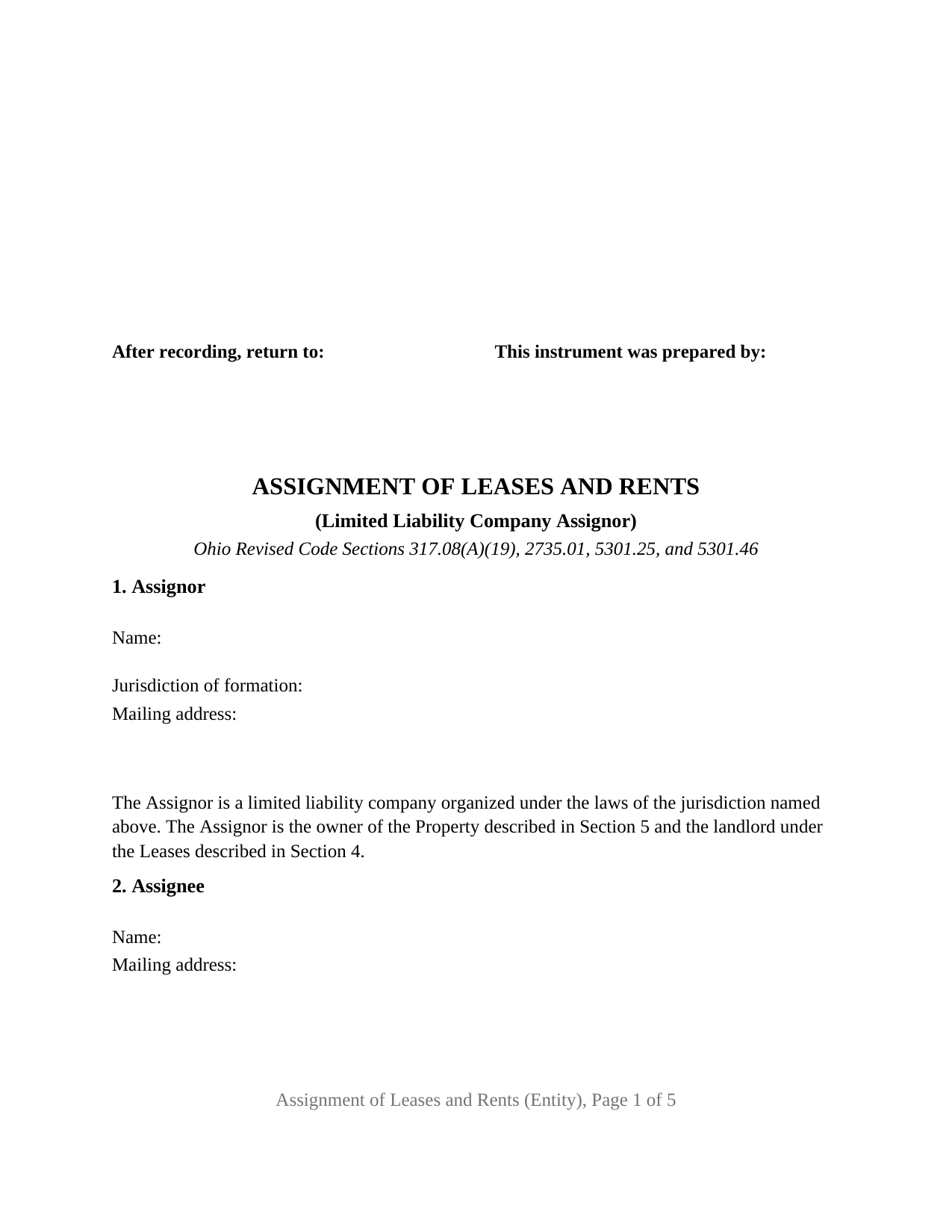
Putnam County Assignment of Leases and Rents (Entity) Form
Fill in the blank Assignment of Leases and Rents (Entity) form formatted to comply with all Ohio recording and content requirements.
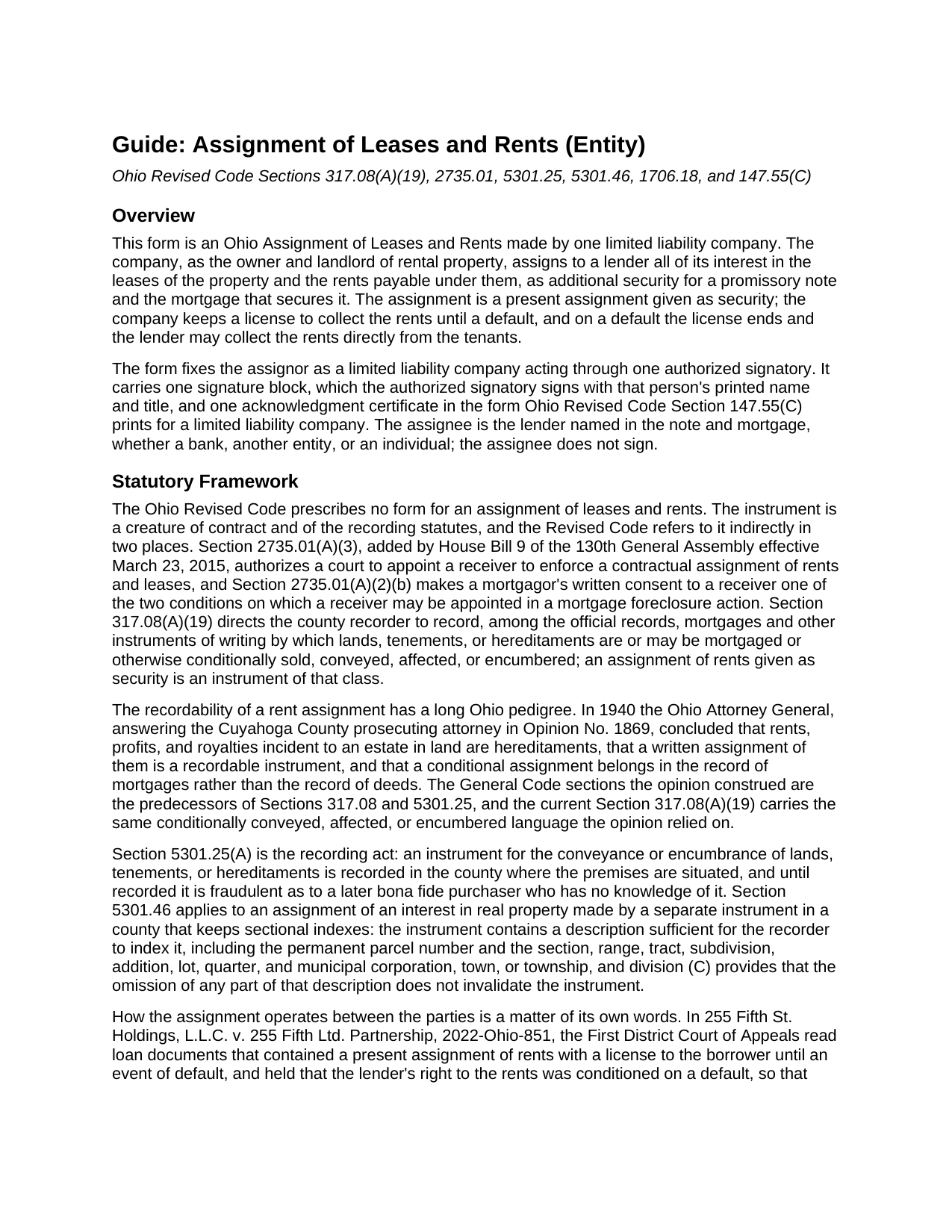
Putnam County Assignment of Leases and Rents (Entity) Guide
Line by line guide explaining every blank on the Assignment of Leases and Rents (Entity) form.
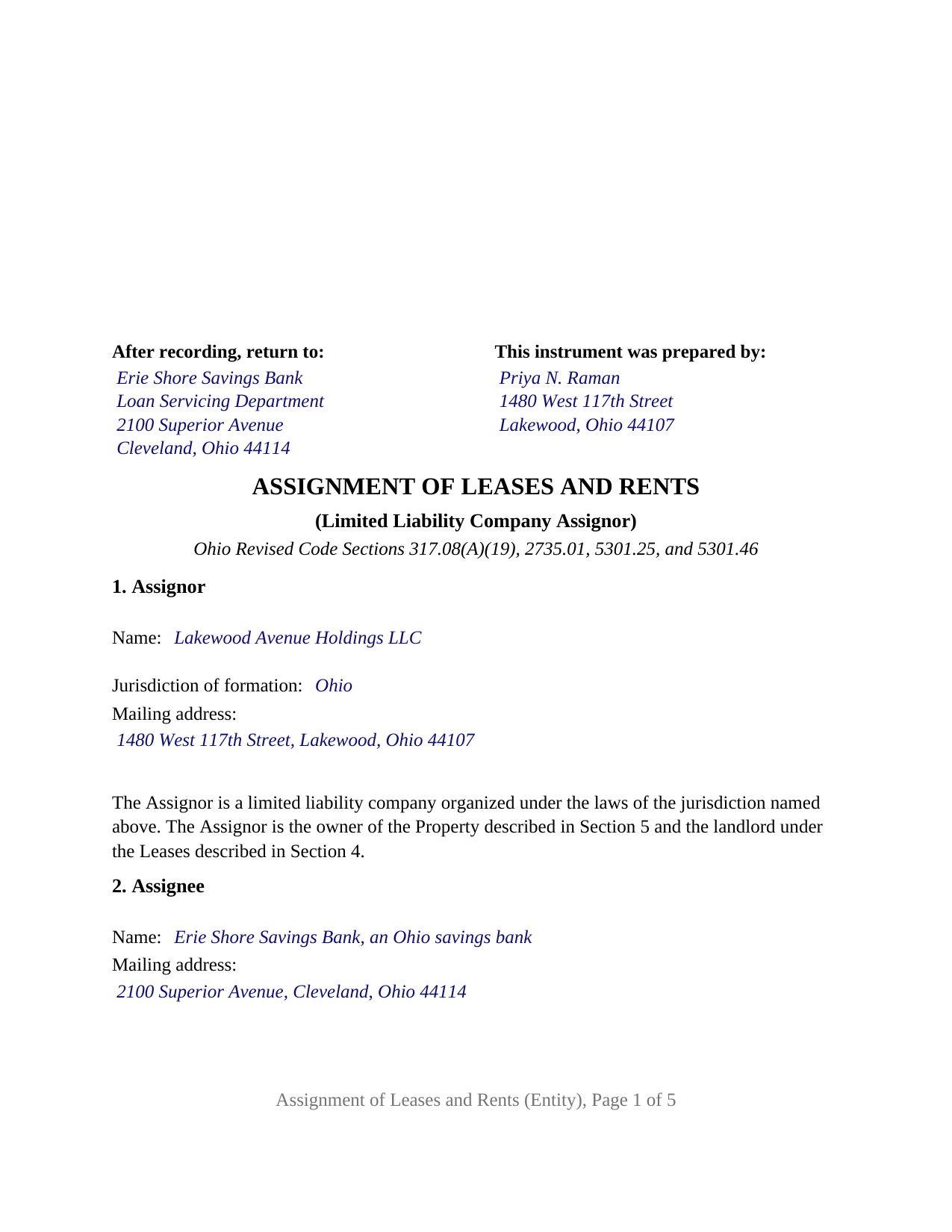
Putnam County Completed Example of the Assignment of Leases and Rents (Entity) Document
Example of a properly completed Ohio Assignment of Leases and Rents (Entity) document for reference.
All 3 documents above included • One-time purchase • No recurring fees
Immediate Download • Secure Checkout
Additional Ohio and Putnam County documents included at no extra charge:
Where to Record Your Documents
Putnam County Recorder
Ottawa, Ohio 45875
Hours: 8:30am to 4:30 pm Monday through Friday. recording till 4:15 pm
Phone: (419) 523-6490
Recording Tips for Putnam County:
- Bring your driver's license or state-issued photo ID
- Ensure all signatures are in blue or black ink
- Recorded documents become public record - avoid including SSNs
- Recording fees may differ from what's posted online - verify current rates
- Request a receipt showing your recording numbers
Cities and Jurisdictions in Putnam County
Properties in any of these areas use Putnam County forms:
- Belmore
- Cloverdale
- Columbus Grove
- Continental
- Dupont
- Fort Jennings
- Glandorf
- Kalida
- Leipsic
- Miller City
- Ottawa
- Ottoville
- Pandora
- Vaughnsville
Hours, fees, requirements, and more for Putnam County
How do I get my forms?
Forms are available for immediate download after payment. The Putnam County forms will be in your account ready to download to your computer. An account is created for you during checkout if you don't have one. Forms are NOT emailed.
Are these forms guaranteed to be recordable in Putnam County?
Yes. Our form blanks are guaranteed to meet or exceed the applicable formatting requirements used for recording in Putnam County, including margin requirements, font requirements, and other layout standards. This guarantee applies to formatting, not to the legal sufficiency of information entered by the user or the suitability of a form for a particular transaction.
Can I reuse these forms?
Yes. You can reuse the forms for your personal use. For example, if you have multiple properties in Putnam County you only need to order once.
What do I need to use these forms?
The forms are PDFs that you fill out on your computer. The free Adobe Acrobat Reader is recommended, and most PDF apps also work. You do NOT enter your property information online - you download the blank forms and complete them privately on your own computer.
Are there any recurring fees?
No. This is a one-time purchase. Nothing to cancel, no memberships, no recurring fees.
How much does it cost to record in Putnam County?
Recording fees in Putnam County vary. Contact the recorder's office at (419) 523-6490 for current fees.
Questions answered? Let's get started!
When the landlord is a limited liability company, the Ohio Assignment of Leases and Rents is signed by a person who is not the borrower. This form is set up for that configuration: one Ohio or foreign limited liability company, as owner and landlord of rental property, pledges its leases and rents to its lender as additional security for a note and mortgage, signing through one authorized signatory. The assignee, the lender named in the note and mortgage, does not sign.
A company signs through a person Chapter 1706 names
Ohio Revised Code Section 1706.18 provides that no person has the power to bind a limited liability company except as the operating agreement, Section 1706.30(A), a statement of authority under Section 1706.19, or other law authorizes. A member's title alone settles nothing; the operating agreement does, or a filed statement of authority, which Section 1706.19(C) makes conclusive in favor of a person who gives value in reliance on it. The form carries that structure on its face: Section 1 names the company and its jurisdiction of formation and prints the fixed sentence that the assignor is a limited liability company, the owner and landlord; Section 8 carries the signatory's representation of authority; and Section 9 places the company's name above a signature line headed ASSIGNOR, by its authorized signatory, with the signatory's printed name, date, and title.
The certificate that names the company and its jurisdiction
The acknowledgment certificate is the short form Section 147.55(C) prints for a limited liability company, not the individual form. Its blanks are the date, the name and title of the member or managing member who acknowledged, the company's name, and its jurisdiction of formation, and its printed close reads on behalf of the limited liability company. A certificate taken in another state is recognized under Section 147.51(B) when the officer is authorized where the act is performed.
Rents pledged now, collected by the company until a default
Section 6 assigns, transfers, and sets over to the lender all of the company's interest in the leases and the rents, as a present assignment given as security and not merely the grant of a lien. Section 7 grants the company a revocable license to collect the rents until an Event of Default under the note, the mortgage, or the assignment; on a default the license ends, and each tenant is directed to pay the lender on written notice. Section 8 records the company's consent to a receiver under Section 2735.01(A)(3), the division added in 2015 for this instrument, and makes it the mortgagor's written consent Section 2735.01(A)(2)(b) names for a foreclosure receivership.
What the recorder sees and what the auditor does not
Section 5 describes the property by county, legal description, permanent parcel number, municipal corporation or township, street address, and the recording reference of the company's deed, the parcel and municipality being the Section 5301.46(B) items for a sectional-index county. The instrument conveys no title, so it never passes through the county auditor's transfer office. It goes straight to the county recorder, who records it under Section 317.08(A)(19) with mortgages and the other instruments by which land is conditionally conveyed, affected, or encumbered, the classification the Ohio Attorney General gave conditional rent assignments in 1940.
One company assignor, one signature block, one certificate
The form fixes the assignor as a limited liability company acting through one authorized signatory. It prints no dower release and no spouse signature line, because dower under Section 2103.02 is a spouse's interest in the other spouse's real property, and the assignor here is a company. A single-asset company that holds an apartment building financed by a bank, and a family company that holds a rental house financed by a private lender, present the pattern this form recites. The form is not set up as an instrument for a corporation, a partnership, a trustee, or an attorney-in-fact, each of which takes a different recital and Section 147.55 certificate, or for an individual owner, or for two or more assignors on one instrument.
The package contains the fillable Ohio Assignment of Leases and Rents form for a limited liability company assignor, a completed example showing a Cuyahoga County company assigning the leases and rents of a four-unit building to its bank, and a guide covering each section, the Chapter 1706 signing rules, the acknowledgment, and recording. The guide and this description explain the form and the statutes in general terms and are not legal advice.
Important: Your property must be located in Putnam County to use these forms. Documents should be recorded at the county recording office listed above.
This Assignment of Leases and Rents (Entity) meets all recording requirements specific to Putnam County.
Our Promise
The documents you receive here are guaranteed to meet or exceed the applicable Putnam County recording format requirements. If there is a rejection caused by our formatting, we will correct the issue or refund your payment. This guarantee applies to document formatting only and does not extend to information entered by the user, the selection of the form, or the legal effect of the completed document.
Save Time and Money
Get your Putnam County Assignment of Leases and Rents (Entity) form done right the first time with Deeds.com Uniform Conveyancing Blanks. At Deeds.com, we understand that your time and money are valuable resources, and we don't want you to face a penalty fee or rejection imposed by a county recorder for submitting nonstandard documents. We constantly review and update our forms to meet rapidly changing state and county recording requirements for roughly 3,500 counties and local jurisdictions.
4.8 out of 5 - ( 4,838 Reviews )
David P. 5 out of 5 stars
Easy to use, all the information I wanted. Took about a minute to get it.
Thank you for your feedback. We really appreciate it. Have a great day!
HEATHER M. 5 out of 5 stars
The guide I needed was very easy to understand and the template was easy to complete. I had a property attorney review the deed before I had it registered and she was impressed. She said she couldn't have written it better herself! Definitely worth the money instead of paying high dollar attorney fees for a simple task.
Your feedback is greatly appreciated. Thank you for taking the time to share your experience!
Norman K. 2 out of 5 stars
It wasn't really what I needed I read and read and read and read and I thought I was to do with for filing for probate or probate executor but instead it was for the property if you are executor and but it wasn't very clear on that so it didn't work for me so I was kind of wasted money
Sorry to hear that Norman. We've gone ahead and canceled your order and payment.
Shari N. 5 out of 5 stars
Super easy to order and save a document!
We appreciate your business and value your feedback. Thank you. Have a wonderful day!
Joey D. 5 out of 5 stars
Great product delivered immediately at very reasonable price. Highly recommend !
We appreciate your business and value your feedback. Thank you. Have a wonderful day!
John Z. 5 out of 5 stars
This was an easy to use program. Easy payment. documents are on my desktop ready to fill out. I will have to update after my property transfer. Zuna
We appreciate your business and value your feedback. Thank you. Have a wonderful day!
Sharon H. 5 out of 5 stars
I was able to print the deed and follow the instructions and sample deed quite easily. Thank you
We appreciate your business and value your feedback. Thank you. Have a wonderful day!
Bridgett A S. 5 out of 5 stars
It was actually very easy to use and not very expensive. I'm glad I tried it out
We truly value your business and appreciate your review.
Kitty H. 5 out of 5 stars
I have had it reviewed by a mortgage broker and a title manager and both said it was done correctly! Your product and the instructions are what made this possible. It took me several hours as I continued to review your information. I just finished printing and ready to file. Yeah! Thanks! Highly recommend the product!
We appreciate your business and value your feedback. Thank you. Have a wonderful day!
Laurence D. 5 out of 5 stars
Quick and easy, and a good value for the money. Thanks, Deeds.com!
Thank you!
william h. 5 out of 5 stars
got what I needed.
Thank you!
David P. 5 out of 5 stars
Thank you. I was just looking but still think it is a great website. Used it a couple of years ago for a deed. Thank you.
Thank you for your feedback. We really appreciate it. Have a great day!
Myron M. 5 out of 5 stars
This is what we need and it was very helpful and easy to fill out. Thanks
We appreciate your business and value your feedback. Thank you. Have a wonderful day!
SheRon F. 5 out of 5 stars
It was a quick and easy process and deeds.com was very helpful and dealt with a very stressful situation, painless.
We appreciate your business and value your feedback. Thank you. Have a wonderful day!
Zachary F. 3 out of 5 stars
I am a lawyer and purchased a specialized type of deed for a special scenario. The product received was functional, but not great. Wording is slightly clunky and the form layout was not convenient for making a professional final product. The wording also didn't contemplate a remote-state probate, which is a common scenario. Something about the PDF prevented me from doing cut and paste, so I had to do OCR to get the relevant text for inserting in my existing draft deed. Finally, while the site claims it is customized for the exact state and county, it does not appear to be well-customized for that purpose and I had to use other language (not sourced from the deeds.com document) to meet local norms.
Thank you for your feedback. We really appreciate it. Have a great day!